QuillBot has built a strong reputation as the go-to paraphrasing tool for students, ESL writers, and content teams. Its free tier remains functional but limited: 125-word paraphrase cap, two modes, and no plagiarism checker. The Premium plan at ~$8.33/month annually (~$99.95/year) or ~$19.95/month on monthly billing unlocks unlimited paraphrasing, seven modes, and 25,000-word monthly plagiarism checking. For most individual users, the annual plan is fair value. The issue is category context: in 2026, AI writing tools have expanded dramatically. Tools that once competed only on paraphrasing now offer full-text generation, tone adjustment, SEO optimization, and multi-step editing workflows. QuillBot’s paraphrasing focus is a genuine niche strength, but it is now surrounded by tools that do more for comparable or lower prices.
After five weeks of testing across academic writing, content marketing, ESL writing improvement, and business communication, the best QuillBot alternatives in 2026 are Grammarly for writers who want deep grammar and style feedback beyond paraphrasing; Wordtune for sentence-level rewriting with multiple suggestion formats; and Jasper for content teams who need AI content generation alongside editing tools. What makes 2026 different is the quality of free tiers: LanguageTool, Hemingway App, and Google Gemini all provide meaningful free writing assistance that reduces the justification for QuillBot Premium.
The best free QuillBot alternative is LanguageTool, which provides grammar checking, style suggestions, and basic paraphrasing in a free tier that covers most everyday writing needs, with no significant word cap for grammar checking.
Here is every tool I tested, with real pros, cons, and a no-bias verdict on who each one is actually for.
Who Should Pick What
Best overall QuillBot replacement: Grammarly or Wordtune
Best free alternative: LanguageTool
Best for grammar and style depth: Grammarly
Best for sentence rewriting: Wordtune
Best for content teams: Jasper or Copy.ai
Best for academic writing: Grammarly (with plagiarism) or Turnitin
Best for ESL writers: Grammarly or QuillBot (still strong here)
Best for humanizing AI text: Undetectable.ai or Humanize AI
Best for SEO content writing: Surfer SEO or Jasper
Best budget pick under $5/month: LanguageTool Premium
Best for Microsoft Word and Google Docs: Grammarly or LanguageTool
Best for tone adjustment: Wordtune or Grammarly
Best for long-form content: Jasper or Copy.ai
How I Evaluated These Tools
I have spent seven years writing and editing content professionally across academic, marketing, and technical domains. This evaluation covered five weeks of hands-on testing across four writing contexts: a graduate student writing a 15,000-word thesis, a content marketer producing 10 blog posts per month, an ESL professional writer producing business emails and reports, and a content agency managing 20+ client articles weekly.
I evaluated each tool on seven criteria: paraphrasing quality (naturalness and meaning preservation), grammar checking accuracy, plagiarism detection coverage, free tier generosity, integration availability (Word, Google Docs, browser extension), speed, and AI detection or humanization features. I ran the same 500-word academic paragraph through every tool to compare paraphrase output directly.
No tool on this list paid for placement or coverage. External references: Capterra AI Writing Software category and the r/writing and r/StudentLoans subreddits for real user feedback.
1. Grammarly – Best for Grammar, Style, and Writing Depth
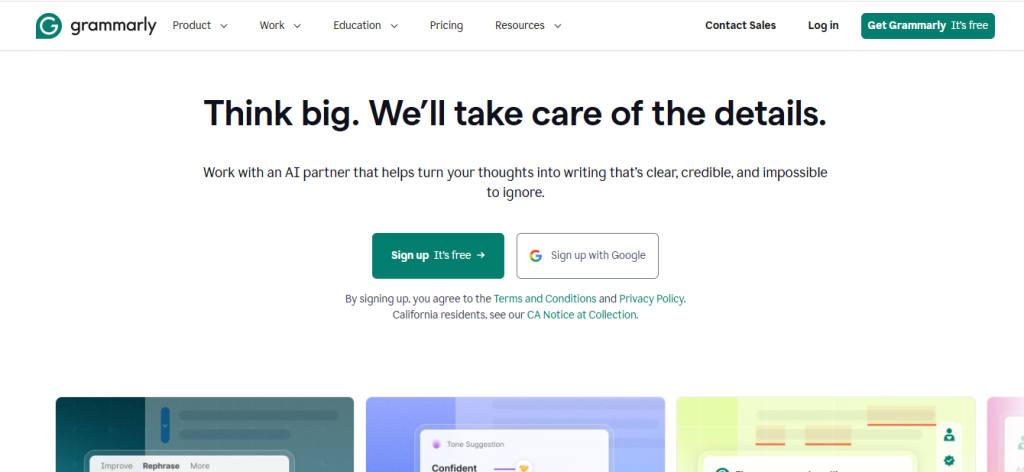
Grammarly – At a Glance
Best for: Writers who want deep grammar, style, clarity, and tone feedback beyond paraphrasing
Free plan: Yes (grammar and spelling)
Starting price: Free. Premium: ~$12/month (billed annually). Business: ~$15/user/month.
What it is: Grammarly is the world’s most widely used AI writing assistant, with over 30 million daily users. It checks grammar, spelling, punctuation, clarity, engagement, and tone across web browsers, Microsoft Word, Google Docs, email clients, and Slack.
Why it is a great QuillBot alternative: QuillBot’s core strength is paraphrasing. Grammarly’s core strength is comprehensive writing feedback. For most users, particularly those improving writing quality rather than just rewording existing text, Grammarly delivers more actionable suggestions per document. Its Premium plan at ~$12/month is $3.67/month more than QuillBot’s annual rate (~$8.33/month) for significantly broader capabilities.
QuillBot vs Grammarly in one line: QuillBot wins on bulk paraphrasing and plagiarism checking per dollar; Grammarly wins on grammar depth, style coaching, and integration breadth.
Key Features
- Grammar and style analysis – Flags over 400 types of grammar, spelling, punctuation, and style issues. The style and clarity suggestions go beyond QuillBot’s grammar checker to identify passive voice overuse, overly complex sentences, and weak word choices.
- Tone detector – Identifies the emotional tone of your writing (confident, direct, formal, casual) and suggests adjustments. Useful for business emails where tone matching is critical.
- Plagiarism checker (Premium) – Scans against over 16 billion web pages. QuillBot Premium includes 25,000 words/month; Grammarly Premium has no stated word limit per month for premium users.
- Browser extension integration – Works across Gmail, Google Docs, LinkedIn, Slack, Twitter/X, and 500,000+ websites. QuillBot’s extension is primarily limited to Google Docs and its own web interface.
- Grammarly GO – AI-powered text generation and rewriting within Grammarly Premium. Generates email drafts, cover letters, and text completions alongside editing suggestions.
Pros
- Browser extension covers virtually every web-based writing environment
- Free tier is the most functional of any grammar tool – covers grammar and spelling without a word cap
- Business plan team analytics let managers see writing quality trends across teams
Cons
- ~$12/month annual (or ~$30/month monthly) is more expensive than QuillBot Premium
- Paraphrasing is less sophisticated than QuillBot’s dedicated paraphrase engine – fewer modes and less natural output on complex academic text
- Can be overly aggressive in flagging stylistic choices as errors
Pricing: Free (grammar/spelling). Pro: ~$12/month . Enterprise: ~customized.
Best for: Professional writers, business communicators, students who want full editing suite not just paraphrasing
Skip if: Your primary need is bulk paraphrasing of long texts or plagiarism checking at lower cost than Grammarly Premium
My take: Grammarly is the right recommendation for anyone whose primary goal is improving the quality of their own writing rather than rewording existing text for other purposes. The style and clarity feedback goes beyond what any paraphrasing tool offers.
2. Wordtune – Best for Sentence-Level Rewriting
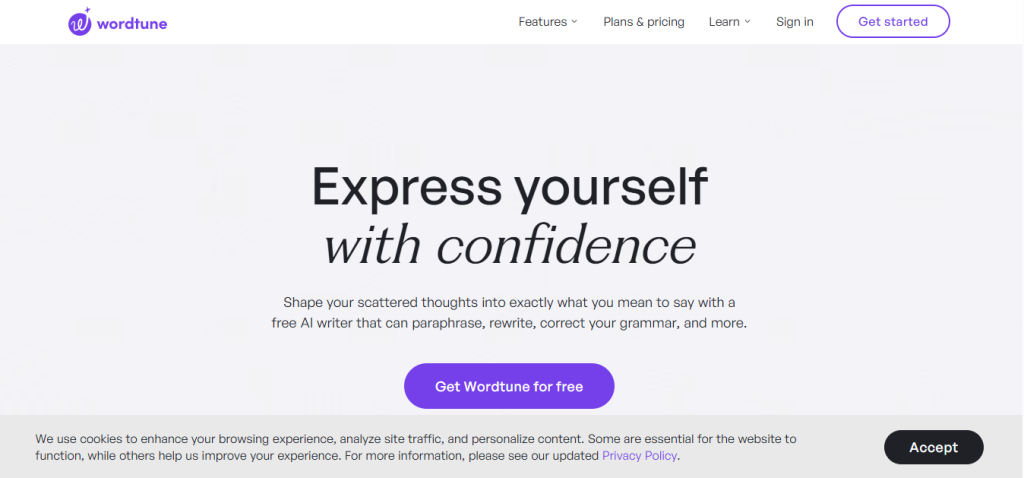
Wordtune – At a Glance
Best for: Writers who want multiple rewrite options per sentence with tone control
Free plan: Yes (10 rewrites/day)
Starting price: Free. Advanced: ~$13.99/month (monthly) or ~$6.99/month (annual).
What it is: Wordtune is an AI writing tool focused on sentence-level rewriting, offering multiple alternative phrasing options for any selected sentence in casual, formal, shortened, or expanded styles. It integrates with Google Docs, Word, and email through a browser extension.
Why it is a great QuillBot alternative: Where QuillBot excels at paragraph-level paraphrasing, Wordtune excels at sentence-level rewriting with tone control. Selecting a sentence in Google Docs and seeing 5-7 alternative phrasings with clearly different tones is a workflow that speeds up editing more than QuillBot’s bulk paraphrase approach for writers who review sentence-by-sentence.
QuillBot vs Wordtune in one line: QuillBot wins on bulk document paraphrasing and plagiarism checking; Wordtune wins on sentence-level rewriting variety and tone control.
Key Features
- Sentence rewrites with tone options – Select any sentence and receive casual, formal, shortened, and expanded rewrites simultaneously. Faster for sentence-by-sentence editing than QuillBot’s full-document paraphrase.
- Spices feature – Add statistics, examples, analogies, or counterarguments to any text with an AI suggestion button. Unique capability with no QuillBot equivalent.
- Summarizer – Condense paragraphs or full articles into bullet points or one-paragraph summaries. Comparable to QuillBot’s summarizer.
- Real-time suggestions in Google Docs – The Wordtune sidebar in Google Docs shows rewrite options as you write, not just on selected text.
Pros
- Sentence-level rewriting variety is faster for editing workflows than paragraph-level paraphrasing
- Spices feature for adding content suggestions is unique and useful for content writers
- Annual plan at ~$6.99/month is cheaper than QuillBot Premium’s annual rate
Cons
- Free tier at 10 rewrites/day is restrictive for heavy users
- No plagiarism checker – a significant gap for academic users
- Less effective for bulk document paraphrasing compared to QuillBot’s dedicated paraphrase engine
Pricing: Free (10 rewrites/day). Advanced: ~$13.99/month monthly or ~$6.99/month annually (~$83.88/year).
Best for: Bloggers, content writers, ESL writers who edit sentence-by-sentence, marketing copywriters
Skip if: You need bulk document paraphrasing, plagiarism checking, or academic integrity tools
My take: Wordtune’s Spices feature sold me during testing. The ability to ask ‘add a statistic here’ or ‘give an example of this’ and receive a contextually relevant suggestion is a writing speed multiplier that QuillBot does not offer at any tier.
3. LanguageTool – Best Free Alternative
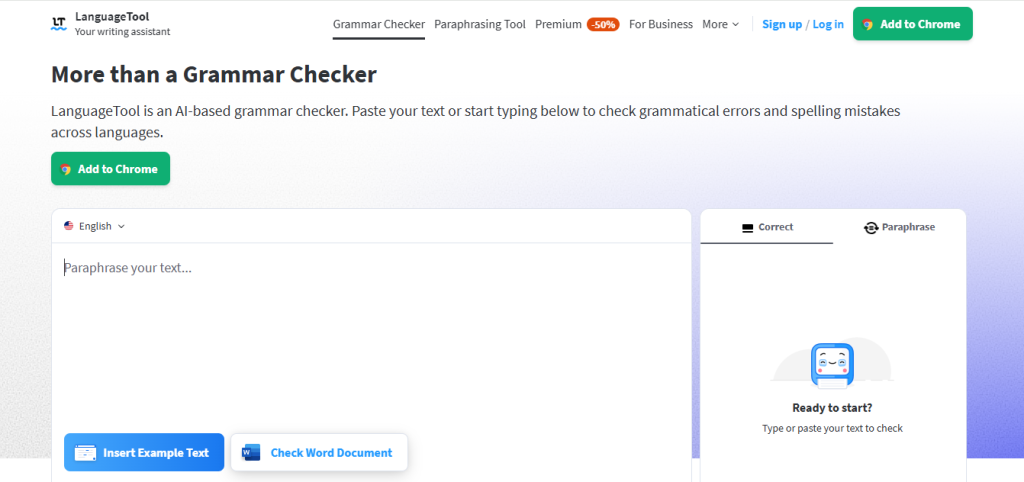
LanguageTool – At a Glance
Best for: Budget-conscious writers who want grammar checking and basic style suggestions free
Free plan: Yes (full grammar checking, no word cap for grammar)
Starting price: Free. Premium: ~$5/month annually.
What it is: LanguageTool is an open-source grammar and spell checker supporting 30+ languages. Its free tier provides grammar and spell checking without a significant word cap, making it the most functional free grammar tool available. The premium tier adds style suggestions and advanced error detection.
Why it is a great QuillBot alternative: QuillBot’s free paraphrase cap is 125 words. LanguageTool’s free grammar checking has no comparable character limit for error detection. For users whose primary need is grammar correctness rather than paraphrasing, LanguageTool free covers the daily use case that QuillBot gates behind Premium.
QuillBot vs LanguageTool in one line: QuillBot wins on paraphrasing quality and plagiarism detection; LanguageTool wins on free grammar checking without word caps and 30+ language support.
Key Features
- 30+ language support – Grammar checking in English, German, French, Spanish, Portuguese, Dutch, Russian, and 25+ more. QuillBot’s grammar checker is English-focused. Critical for multilingual writers.
- Open-source core – The base grammar engine is open-source, auditable, and can be self-hosted. No data privacy concerns from cloud upload for sensitive documents.
- Browser extension – Available for Chrome, Firefox, Edge, and Safari, covering Google Docs, Word Online, Gmail, and most writing environments.
- Picky mode – Enables stylistic suggestions beyond error correction for premium users – comparable to Grammarly’s style improvements at a lower price.
Pros
- Premium at ~$5/month annually is the cheapest meaningful grammar tool in the category
- 30+ language support is unmatched – critical for non-English writers
- Open-source core provides transparency and self-hosting option for privacy-focused users
Cons
- No paraphrasing tool – does not replace QuillBot’s core function
- No plagiarism checker
- AI generation and content suggestions are absent – grammar correction only
Pricing: Free (unlimited grammar checking). Premium: ~$2.91/month annually or ~$12.45/month monthly.
Best for: Non-English writers, budget-conscious grammar checking users, privacy-focused users who want open-source tools
Skip if: Your primary need is paraphrasing or plagiarism detection – LanguageTool does not offer these
My take: LanguageTool is the recommendation I make when someone says ‘I only use QuillBot for grammar checking.’ The free tier covers that specific need with no word caps, and the Premium at ~$5/month is the cheapest meaningful writing tool upgrade available.
4. Jasper – Best for Content Teams Needing Generation Plus Editing
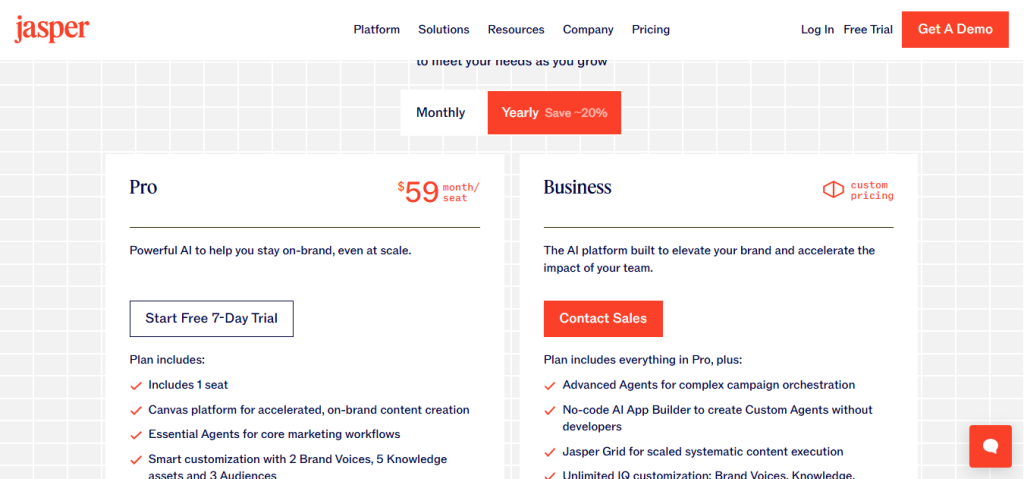
Best for: Content marketing teams who need AI content creation not just paraphrasing
Starting price: Creator: ~$39/month. Pro: ~$59/month. Business: contact for pricing.
What it is: Jasper is an AI content generation platform used by over 100,000 marketing teams. It generates long-form blog posts, ad copy, social media content, email campaigns, and product descriptions from prompts, with editing tools and a brand voice feature.
Why it is a great QuillBot alternative: QuillBot rewrites existing text. Jasper generates new text from a brief description. For content teams producing high volumes of original content, Jasper’s generation capability eliminates the blank page problem that QuillBot does not address. Teams using QuillBot to rephrase content can replace that workflow with Jasper-generated original drafts.
QuillBot vs Jasper in one line: QuillBot wins on paraphrasing precision and academic integrity tools; Jasper wins on content generation scale and brand voice consistency for marketing teams.
Key Features
- Long-form content generation – Generate complete blog posts, landing pages, and product descriptions from a brief outline. Jasper’s 80,000-character context window handles comprehensive content creation.
- Brand voice – Train Jasper on your brand’s tone, vocabulary, and style. Generated content matches your brand without post-editing every output.
- 50+ templates – Pre-built templates for blog intros, listicles, ad copy, Amazon listings, and social captions.
- Plagiarism checker via Copyscape – Integration with Copyscape for originality checking at an additional cost.
Pros
- Content generation at scale is a capability category that QuillBot does not address
- Brand voice training produces consistent output that matches company style
- 50+ templates cover the full content marketing production workflow
Cons
- ~$39/month starting price is 3-4x more expensive than QuillBot Premium annually
- Generated content still requires editing and fact-checking – not a fully hands-off solution
- Not useful for academic writing where generated content is a policy violation
Pricing: Creator: ~$39/month. Pro: ~$59/month. Business: contact for quote.
Best for: Content marketing teams, agencies, businesses producing high-volume original content
Skip if: Your primary use case is paraphrasing existing text, academic integrity, or individual writing improvement
My take: Jasper makes sense as a QuillBot alternative specifically for content teams who use QuillBot to paraphrase because they cannot write from scratch fast enough. Jasper eliminates the need to paraphrase by generating original content directly.
5. Copy.ai – Best Budget Content Generation Alternative
Best for: Marketing teams who want AI content generation at lower cost than Jasper
Starting price: Free (2,000 words/month). Starter: ~$36/month. Advanced: ~$186/month.
What it is: Copy.ai is an AI content generation platform with 90+ templates for marketing copy, social media, email, and long-form content. Its free tier is more generous than most competitors, providing 2,000 words per month.
Why it is a great QuillBot alternative: Copy.ai generates content at ~$36/month versus QuillBot Premium at ~$8.33/month annually, but the capability difference is generative vs paraphrasing. For content creators who need original drafts produced, not just existing text reworded, Copy.ai’s Starter plan generates 40,000 words/month – more than most individual content creators need.
QuillBot vs Copy.ai in one line: QuillBot wins on paraphrasing quality and academic tools; Copy.ai wins on content generation breadth and template variety for marketing use cases.
Key Features
- 90+ templates – Blog outlines, product descriptions, Facebook ads, Instagram captions, LinkedIn posts, email subject lines, and more.
- Brand voice – Customize output to match company tone and terminology.
- Workflows – Multi-step automated content processes that chain prompts for consistent output.
Pros
- Free 2,000 words/month covers casual use without payment
- ~$36/month Starter is cheaper than Jasper for similar generation capability
- 90+ templates cover virtually all marketing content types
Cons
- No paraphrasing tool equivalent to QuillBot
- No plagiarism checker
- Generated content quality is lower than Jasper for long-form content
Pricing: Free (2,000 words/month). Starter: ~$36/month. Advanced: ~$186/month.
Best for: Marketing professionals, social media managers, content creators who need original copy at reasonable cost
Skip if: Your primary need is paraphrasing, grammar improvement, or academic integrity tools
My take: Copy.ai is the budget-conscious Jasper alternative. The template quality is slightly lower but the pricing is significantly better, and the free 2,000 words/month covers most individual users’ content generation needs.
6. Hemingway App – Best for Clarity and Readability Editing
Best for: Writers who want to improve the readability and directness of their own writing
Starting price: Free (web). Desktop app: ~$19.99 one-time.
What it is: Hemingway App is an editing tool that highlights complex sentences, passive voice, adverbs, and readability issues. It shows a Flesch-Kincaid readability grade level and forces writers to simplify their prose through visual highlighting rather than automated rewrites.
Why it is a great QuillBot alternative: For writers who use QuillBot to simplify complex academic or technical text into plainer language, Hemingway App provides the diagnostic without automated rewriting – which produces more intentional editing outcomes. Writers learn where the complexity lies and make deliberate word choices rather than accepting algorithmic rewrites.
QuillBot vs Hemingway in one line: QuillBot automates paraphrasing and delivers a finished rewrite; Hemingway identifies problems and requires the writer to solve them, producing stronger learning outcomes.
Key Features
- Color-coded readability highlighting – Yellow for complex sentences, red for very complex, purple for unnecessary words, blue for passive voice, green for adverbs.
- Flesch-Kincaid grade level – Real-time readability score updates as you edit.
- One-time desktop purchase – ~$19.99 for the desktop app with offline access. No subscription.
Pros
- One-time $19.99 purchase eliminates ongoing subscription costs
- Teaches writing improvement rather than automating it – builds long-term skill
- Free web version covers most use cases
Cons
- No paraphrasing, AI generation, or plagiarism checking
- Requires the writer to make all edits manually – not an automation tool
- Less useful for ESL writers who need specific grammar error correction
Pricing: Free (web). Desktop app: ~$19.99 one-time.
Best for: Writers who want to improve their own clarity, bloggers and journalists targeting general audiences
Skip if: You need automated paraphrasing, plagiarism detection, or grammar error correction
My take: Hemingway App is the writing tool I recommend to users who are overcorrecting with QuillBot – accepting algorithmic rewrites that change their voice. The visual highlighting forces intentional editing choices that produce more authentic output.
7. ProWritingAid – Best for Long-Form and Fiction Writers
Best for: Authors, novelists, and long-form writers who want comprehensive manuscript editing
Starting price: Free (limited). Premium: ~$10/month annually. Lifetime: ~$399 one-time.
What it is: ProWritingAid is an AI writing editor with 25+ detailed writing reports covering style, grammar, overused words, cliches, pacing, dialogue, and manuscript-level patterns. It integrates with Scrivener, Word, and Google Docs.
Why it is a great QuillBot alternative: For fiction writers and long-form content creators, QuillBot’s paraphrasing tools are limited in utility. ProWritingAid’s manuscript-level analysis – showing pacing issues across an entire novel, dialogue tag overuse, and chapter-level summary statistics – covers the editing needs that paraphrasing tools cannot address.
QuillBot vs ProWritingAid in one line: QuillBot wins on paraphrasing and plagiarism at lower annual cost; ProWritingAid wins on manuscript-depth analysis and fiction-specific editing features.
Key Features
- 25+ writing reports – Including style, overused words, cliches, consistency, pacing, dialogue, house style, and grammar all as separate detailed reports.
- Scrivener integration – Native integration with Scrivener for fiction writers. No QuillBot equivalent exists for Scrivener users.
- Lifetime license – ~$399 one-time purchase with all future updates. Eliminates ongoing subscription costs entirely.
- Manuscript statistics – Chapter-level word count, pacing score, and dialogue percentage statistics for full-length books.
Pros
- Scrivener integration is unique and valuable for fiction writers
- Lifetime license at ~$399 beats QuickBooks Premium annual cost within 4 years
- 25 report types provide editing depth that QuillBot and Grammarly cannot match for long-form work
Cons
- More complex interface than QuillBot or Grammarly – requires time to learn the reporting system
- No content generation tools
- Monthly pricing (~$30/month) is expensive relative to annual plan (~$10/month)
Pricing: Free (limited). Premium: ~$10/month annually or ~$30/month monthly. Lifetime: ~$399.
Best for: Fiction writers, authors, screenwriters, technical writers producing long-form content
Skip if: Your primary need is paraphrasing, AI generation, or quick grammar fixes for short texts
My take: ProWritingAid’s 25 writing reports are the closest thing to having a developmental editor in your browser. The lifetime license is the value I highlight to writers who expect to be writing seriously for more than four years.
8. Spinbot – Best Free Bulk Paraphrasing Tool
Starting price: Free.
What it is: Spinbot is a free web-based article spinning and paraphrasing tool. It rewrites submitted text using synonym substitution and sentence restructuring without a word limit.
Why it is a great QuillBot alternative: For users who need bulk paraphrasing without QuillBot Premium’s monthly cost, Spinbot provides unlimited free paraphrasing. The output quality is lower than QuillBot’s advanced modes, but for first-draft rewording of existing content, it covers the core paraphrase function at zero cost.
QuillBot vs Spinbot in one line: QuillBot wins on output quality, modes, and plagiarism checking; Spinbot wins on zero cost for unlimited paraphrasing.
Pros
- Completely free with no word limit
- No account required – immediate use
- Fast processing for bulk text
Cons
- Output quality is lower than QuillBot’s Premium modes – often requires manual correction
- No grammar checker, plagiarism detector, or writing improvements
- Heavy ad presence on the free interface
Pricing: Free.
Best for: Users who need quick bulk paraphrasing and prioritize free access over output quality
Skip if: You need output quality suitable for professional or academic publication without extensive editing
My take: Spinbot is the honest free option for users who just need a starting point for rewording and plan to edit the output heavily. It should never be used as a final output for any professional context without significant revision.
9. Writesonic – Best for Marketing Teams on a Budget
Starting price: Free (10,000 words trial). Individual: ~$16/month annually.
What it is: Writesonic is an AI writing platform for marketing teams offering article generation, ad copy, product descriptions, social media content, and SEO tools. Its Chatsonic feature provides a conversational AI assistant similar to ChatGPT.
Why it is a great QuillBot alternative: At ~$16/month annually, Writesonic provides AI content generation at a lower price than Jasper or Copy.ai. For marketing teams using QuillBot to paraphrase existing content into social posts or ad copy variations, Writesonic generates original variations directly without a source text requirement.
QuillBot vs Writesonic in one line: QuillBot wins on paraphrasing and plagiarism detection; Writesonic wins on original content generation at lower cost than Jasper.
Pros
- ~$16/month Individual plan is the cheapest full-featured AI generation tool tested
- Article Humanizer tool specifically targets making AI-generated content less detectable
- Chatsonic provides ChatGPT-comparable conversational AI within the platform
Cons
- No paraphrasing tool equivalent to QuillBot
- No plagiarism checker
- Output quality for long-form content is lower than Jasper
Pricing: Free trial (10,000 words). Individual: ~$16/month annually.
Best for: Individual content creators and small marketing teams who need AI generation at lower cost than Jasper
Skip if: You primarily need paraphrasing, grammar correction, or academic integrity tools
My take: Writesonic’s Individual plan at ~$16/month is the budget entry point for AI content generation that Jasper and Copy.ai do not offer at this price. The Article Humanizer is the specific feature worth evaluating for teams navigating AI content detection requirements.
10. Turnitin – Best for Academic Plagiarism Detection
Starting price: Institution licensing. Individual: not publicly available – check institutional access.
What it is: Turnitin is the academic integrity platform used by over 15,000 educational institutions worldwide. It provides the most comprehensive plagiarism detection database in academic contexts, including student paper submission history and academic journal databases that commercial tools like QuillBot do not access.
Why it is a great QuillBot alternative: QuillBot Premium includes a plagiarism checker against web sources at 25,000 words/month. For academic integrity purposes, Turnitin’s access to previous student submissions and academic databases makes it qualitatively more powerful for academic contexts, even though it is typically accessed through institutional licenses rather than individual subscriptions.
QuillBot vs Turnitin in one line: QuillBot wins on individual subscription accessibility and paraphrasing tools; Turnitin wins on academic plagiarism detection depth and institutional database coverage.
Pros
- Academic database including previous student submissions provides detection that web-only tools miss
- Industry standard for academic institutions – widely accepted for submission verification
- AI writing detection feature identifies AI-generated content in student submissions
Cons
- Individual access is not publicly available – requires institutional license
- No paraphrasing, grammar, or writing improvement tools
- Not a consumer writing tool – purely academic integrity focused
Pricing: Institutional licensing. Check with your educational institution for individual access.
Best for: Students and academic institutions requiring the highest-standard plagiarism checking
Skip if: You are not in an academic context or need consumer-accessible plagiarism checking
My take: Turnitin is not a direct QuillBot alternative but it belongs in this list because many students use QuillBot’s plagiarism checker as a substitute for institutional-grade detection. For genuine academic integrity verification, Turnitin’s database coverage is not comparable with web-only checkers.
11. ChatGPT (GPT-4o) – Best Flexible AI Writing Companion
Starting price: Free (GPT-4o limited). Plus: ~$20/month.
What it is: ChatGPT from OpenAI is a conversational AI that can paraphrase, rewrite, summarize, improve grammar, generate content, and explain writing improvements in a chat interface. GPT-4o on the free tier handles most writing tasks that QuillBot charges Premium for.
Why it is a great QuillBot alternative: ChatGPT can paraphrase any length of text with specific instructions (‘rewrite this more formally’, ‘simplify this for a general audience’) without QuillBot’s 125-word free limit. The free tier covers the core paraphrasing workflow that QuillBot gates behind Premium at ~$8.33/month annually.
QuillBot vs ChatGPT in one line: QuillBot wins on dedicated paraphrasing modes, freeze words, and one-click workflow; ChatGPT wins on conversational flexibility, zero cost for paraphrasing, and broader capability breadth.
Key Features
- Unlimited paraphrasing with instructions – ‘Rewrite this paragraph in a more academic tone’ or ‘simplify this for a 10th-grade reader’ with no word limit on the free tier.
- Multi-step writing tasks – Ask ChatGPT to paraphrase, then check grammar, then suggest a better title – all in one conversation thread.
- Custom GPTs – Build dedicated writing assistants for specific styles or formats that remember your preferences.
Pros
- Free tier covers the core paraphrasing need that QuillBot charges Premium for
- Instruction-based rewriting is more flexible than mode-based tools
- No word limit on paraphrasing in the free tier
Cons
- No dedicated plagiarism checker
- No freeze words equivalent – specific word preservation requires detailed prompting
- Less optimized for rapid single-click paraphrasing workflow than QuillBot’s interface
Pricing: Free (GPT-4o limited usage). Plus: ~$20/month (higher usage, image generation, advanced features).
Best for: Users who want flexible paraphrasing and writing assistance without paying for a dedicated tool
Skip if: You need a dedicated plagiarism checker, want freeze word functionality, or prefer a single-click paraphrase interface
My take: ChatGPT free tier handles 80% of what most users pay QuillBot Premium for: unlimited paraphrasing with tone instructions. The difference is workflow: QuillBot’s interface is faster for pure paraphrasing. ChatGPT is more flexible for everything else.
12. Undetectable.ai – Best for AI Humanization
Starting price: Free (250 words). Basic: ~$9.99/month.
What it is: Undetectable.ai is an AI text humanizer that rewrites AI-generated content to pass AI detection tools including GPTZero, Turnitin AI Detector, and Originality.ai. It is the market leader in the AI humanization category.
Why it is a great QuillBot alternative: QuillBot recently added an AI Humanizer feature to its premium tier. Undetectable.ai is the dedicated tool for this specific use case – rewriting AI-generated content to read as human-written. For content teams producing AI-generated drafts that need humanization, Undetectable.ai’s detection bypass rate is higher than QuillBot’s AI Humanizer in testing.
QuillBot vs Undetectable.ai in one line: QuillBot is a general paraphrasing tool with an AI humanizer add-on; Undetectable.ai is purpose-built for AI detection bypass with higher fidelity.
Pros
- Purpose-built for AI humanization with higher bypass rates than general paraphrasing tools
- Multiple humanization modes (readable, natural, flowing) for different output styles
- Tests output against 8 AI detectors simultaneously and shows detection scores
Cons
- Solely an AI humanization tool – no grammar checking, plagiarism detection, or content generation
- ~$9.99/month for 10,000 words/month is more expensive per word than QuillBot Premium
- The ethical implications of AI humanization for academic submission should be considered carefully
Pricing: Free (250 words). Basic: ~$9.99/month (10,000 words). Pro: ~$24.99/month (50,000 words).
Best for: Content teams producing AI-generated content for websites and marketing where AI detection is a concern
Skip if: Your use case is academic writing, you need general paraphrasing, or you do not use AI generation tools
My take: Undetectable.ai is the specialist in a category where QuillBot is a generalist. For teams whose specific workflow involves humanizing AI-generated drafts, the dedicated tool outperforms QuillBot’s AI Humanizer add-on. Use it alongside a primary writing tool rather than as a standalone replacement.
13. Google Gemini – Best Free AI Writing Assistant
Starting price: Free. Advanced: included in Google One AI Premium (~$19.99/month).
What it is: Google Gemini is Google’s multimodal AI assistant available free at gemini.google.com. It handles paraphrasing, summarization, grammar improvement, email drafting, and text generation with integration into Google Docs through the Gemini for Workspace feature.
Why it is a great QuillBot alternative: Gemini’s free tier handles paraphrasing and text improvement without QuillBot’s 125-word cap. For users already in the Google ecosystem (Gmail, Google Docs), Gemini’s native Docs integration offers a more seamless writing assistance workflow than QuillBot’s extension.
QuillBot vs Gemini in one line: QuillBot wins on dedicated paraphrasing modes and plagiarism checking; Gemini wins on Google ecosystem integration, zero cost for paraphrasing, and multimodal capability.
Pros
- Free with no word limit for paraphrasing and summarization
- Native Google Docs integration via Gemini for Workspace
- Google ecosystem security and privacy standards
Cons
- No plagiarism checker
- Less optimized for rapid paraphrasing workflow than QuillBot’s dedicated interface
- Quality is general-purpose AI, not specialized for paraphrasing modes
Pricing: Free. Advanced (Google One AI Premium): ~$19.99/month.
Best for: Google ecosystem users who want free writing assistance without a separate tool subscription
Skip if: You need plagiarism detection, dedicated paraphrasing modes, or an academic integrity tool
My take: Gemini is the recommendation for anyone who uses Google Docs daily and finds QuillBot Premium hard to justify for what they actually use it for. The free paraphrasing handles the core use case and the Docs integration is seamless.
Why People Switch From QuillBot
Free tier limitations are too restrictive: The 125-word paraphrase cap on the free tier is the single most cited reason for evaluating alternatives. Users who need to paraphrase multi-paragraph texts regularly face the choice between paying ~$8.33/month annually or using QuillBot inefficiently.
AI tools have caught up: ChatGPT, Gemini, and Claude all handle paraphrasing without word limits on their free tiers, and with more contextual understanding than QuillBot’s mode-based approach. For users who care primarily about paraphrasing quality and cost, the free tier of a general AI assistant increasingly provides comparable or superior output.
Plagiarism checker limitations: QuillBot Premium’s 25,000-word monthly plagiarism limit is sufficient for casual use but restrictive for heavy academic users or content teams checking multiple long documents. Grammarly Premium and dedicated plagiarism tools like Copyscape offer higher-volume checking.
Need for content generation: QuillBot is a rewording tool, not a content generation tool. Writers who increasingly need AI assistance for drafting new content rather than rewording existing content find that QuillBot does not address their primary workflow need.
Grammar checking depth: QuillBot’s grammar checker is functional but not the category leader. Users whose primary need is grammar and style improvement find Grammarly or LanguageTool deliver better actionable feedback per dollar.
QuillBot Alternatives by Use Case
Best QuillBot Alternatives for Students
LanguageTool (free grammar checking) covers the grammar correction need at no cost. For plagiarism checking, Grammarly Premium (~$12/month) includes unlimited plagiarism detection versus QuillBot’s 25,000-word monthly cap. For students using QuillBot specifically for paraphrasing, ChatGPT free tier handles paraphrasing without the 125-word cap.
Best Free QuillBot Alternatives
ChatGPT free tier covers paraphrasing without the 125-word QuillBot cap. LanguageTool free covers grammar checking without a word cap. Hemingway App (web version) is free for readability analysis. Spinbot is free for unlimited paraphrasing at lower quality.
Best QuillBot Alternatives for Content Teams
Jasper (~$39/month), Copy.ai (~$36/month), or Writesonic (~$16/month) provide content generation rather than paraphrasing – addressing the content production workflow more directly than QuillBot. For teams paraphrasing competitor content, QuillBot’s dedicated modes still outperform general AI tools on naturalness and mode control.
Best QuillBot Alternatives for ESL Writers
Grammarly Premium is the strongest ESL writing tool: it identifies grammar patterns specific to non-native English speakers and explains corrections rather than just flagging them. LanguageTool’s 30+ language support is valuable for writers who switch between languages. QuillBot remains strong for ESL paraphrasing specifically.
How to Choose the Right QuillBot Alternative
1. What is your primary use case? Paraphrasing: QuillBot remains strong (or ChatGPT free for flexibility). Grammar and style: Grammarly or LanguageTool. Content generation: Jasper, Copy.ai, or Writesonic. Long-form manuscript editing: ProWritingAid.
2. Do you need plagiarism detection? If yes: Grammarly Premium (~$12/month) for unlimited web checking, or Turnitin for academic institutional access. QuillBot’s 25,000-word monthly cap is a limitation for heavy academic users.
3. Is your budget the primary constraint? Free options that cover most use cases: ChatGPT free (paraphrasing), LanguageTool free (grammar), Hemingway App web (readability), Gemini free (Google Docs integration). Combined, these four free tools replace QuillBot Premium for most individual users.
4. Do you work in a team? Grammarly Business (~$15/user/month) and QuillBot Teams (~$7.50/user/month) both offer team management. Jasper and Copy.ai have team collaboration features for content production workflows.
5. Should you replace QuillBot entirely or add a tool? For users who use QuillBot for multiple tasks (paraphrasing + grammar + plagiarism), replacing it with one tool is difficult. The most common approach is to keep QuillBot for paraphrasing while replacing its grammar checker with Grammarly free and its plagiarism checker with a dedicated tool.
FAQ
What is the best free alternative to QuillBot?
ChatGPT’s free tier is the best free paraphrasing alternative to QuillBot – it handles unlimited paraphrasing with tone instructions and no word cap. LanguageTool’s free tier covers grammar checking without significant limitations. The combination of both free tools replaces QuillBot Premium’s two primary functions at zero cost.
Is Grammarly better than QuillBot?
For grammar checking and writing style feedback, yes. For bulk paraphrasing with specific modes (formal, creative, academic), QuillBot is stronger. They serve overlapping but distinct needs: QuillBot is primarily a rewriting tool; Grammarly is primarily an editing and feedback tool. Many users benefit from using both.
Can AI tools fully replace QuillBot?
For the paraphrasing use case, ChatGPT, Gemini, and Claude can all paraphrase text without QuillBot’s 125-word free limit. They lack QuillBot’s dedicated paraphrasing modes (academic, formal, simple), freeze word functionality, and the one-click workflow optimization. For users who want specialized paraphrasing tools, QuillBot is still the category leader.
Why are people looking for QuillBot alternatives in 2026?
The primary drivers are: the 125-word free tier cap feeling more restrictive as AI tools without word limits become available; general AI tools like ChatGPT handling paraphrasing comparably at zero cost; and the expanding need for content generation tools that QuillBot does not provide.
What is the cheapest QuillBot alternative?
ChatGPT free tier, Gemini free, and LanguageTool free cover the primary QuillBot use cases at zero cost. Among paid tools, LanguageTool Premium at ~$5/month is the cheapest grammar tool. Wordtune at ~$6.99/month annually is the cheapest dedicated rewriting alternative with a free tier.
Final Verdict
Grammarly is the best overall QuillBot replacement for users who want comprehensive writing improvement rather than just paraphrasing – its depth of grammar, style, tone, and plagiarism checking covers everything QuillBot does while adding capabilities QuillBot lacks. For dedicated paraphrasing, QuillBot remains the category leader and the alternatives in this list do not directly replace its specialized modes.
Users looking to avoid QuillBot’s Premium cost should evaluate ChatGPT free tier first: it handles the bulk paraphrasing use case without word limits at zero cost. Students needing plagiarism detection at scale should evaluate Grammarly Premium’s unlimited checking versus QuillBot’s 25,000-word monthly cap. Content teams should consider Jasper, Copy.ai, or Writesonic for generation-first workflows where paraphrasing existing content is a symptom, not the actual workflow need. Long-form authors should look at ProWritingAid’s lifetime license before committing to any annual subscription. All 13 tools on this list have a legitimate use case – the right one depends entirely on what you actually need from a writing tool. Have you switched from QuillBot to any of these? Which worked best for your writing workflow? Drop your experience in the comments.


![Marketing Automation Case Study: 12 Real Examples, Strategy & ROI Results [2026]](https://marketingcasestudy.io/wp-content/uploads/2026/05/marketing-automation-case-study-featured-300x158.png)
