Enterprise AI has moved past the pilot phase. McKinsey’s 2025 State of AI report found that 78 percent of organizations now use AI in at least one business function, up from 55 percent two years prior. The enterprises seeing real ROI are not the ones with the most advanced models. They are the ones that chose platforms matching their existing tech stack, governance requirements, and organizational readiness. A brilliant AI tool that does not integrate with your ERP, CRM, or data warehouse is shelfware within six months.
The enterprise AI landscape in 2026 is defined by three non-negotiable requirements. First, security and governance: every tool must integrate with enterprise identity providers, enforce role-based access, provide audit trails, and comply with regulations from GDPR to HIPAA to SOC 2. Second, integration depth: the tool must work with your existing systems, not replace them. Third, measurable ROI: leadership teams are past accepting AI’s theoretical potential and now demand quantified productivity gains, cost reductions, or revenue impact within defined timelines.
This guide evaluates 13 enterprise AI platforms across these requirements. We cover productivity copilots, CRM and ERP-embedded AI, cloud AI infrastructure, IT and HR automation, data intelligence platforms, and autonomous AI agents. Every review includes the specific enterprise context where that tool delivers maximum value and the situations where it creates more complexity than it resolves.
Quick Comparison: Top 13 Enterprise AI Tools for 2026
| Tool | Best For | Starting Price | Deployment | Primary AI Use | Ecosystem Lock-in |
| Microsoft Copilot | M365 productivity AI | $30/user/mo | Cloud | Productivity assistant | High (Microsoft) |
| Salesforce Agentforce | CRM AI + autonomous agents | $125/user/mo add-on | Cloud | Sales/service AI | High (Salesforce) |
| IBM watsonx | Custom AI model governance | Custom | Cloud/on-prem/hybrid | Model building + gov. | Moderate |
| Google Vertex AI | ML infrastructure + Gemini | Pay per use | Cloud | ML platform | High (Google Cloud) |
| AWS Bedrock | Multi-model AI on AWS | Pay per use | Cloud | Foundation models | High (AWS) |
| ServiceNow AI | IT service automation | Custom | Cloud | ITSM automation | High (ServiceNow) |
| Workday AI | HR + finance automation | Custom | Cloud | HCM/finance AI | High (Workday) |
| SAP Business AI | ERP-embedded AI | Custom | Cloud/on-prem | Operations AI | High (SAP) |
| Databricks | Data + AI/ML platform | Pay per use | Cloud/hybrid | Data intelligence | Low–Moderate |
| Palantir AIP | Operational decision AI | Custom | Cloud/on-prem | Decision intelligence | Moderate |
| Notion AI | Knowledge + workspace AI | $10/user/mo | Cloud | Workspace assistant | Low |
| Anthropic Claude Enterprise | Secure enterprise LLM | Custom | Cloud/API | Enterprise assistant | Low |
How We Evaluated These Enterprise AI Tools
Enterprise AI selection requires evaluation criteria fundamentally different from consumer AI tools. Every platform in this guide was assessed across six enterprise-specific dimensions.
Security and governance: We assessed each tool’s compliance certifications (SOC 2, ISO 27001, HIPAA, FedRAMP), data residency controls, encryption standards, role-based access controls, audit logging, and data retention policies. For enterprises in regulated industries, these are not features. They are prerequisites.
Integration depth: We evaluated how deeply each tool connects to enterprise systems: ERP, CRM, HRIS, ITSM, data warehouses, and collaboration platforms. Tools that require custom API development for basic integrations scored lower than those with native connectors to enterprise software ecosystems.
Deployment flexibility: Cloud-only platforms work for many enterprises, but organizations with data sovereignty requirements, air-gapped environments, or hybrid infrastructure need on-premises or hybrid deployment options. We noted which tools offer genuine deployment flexibility versus cloud-only delivery.
Time to value: Enterprise tools that require six-month implementations and dedicated consulting teams to deliver initial value create real organizational risk. We tracked the timeline from contract signing to first measurable productivity gain for each platform.
Total cost of ownership: We calculated TCO beyond license fees: prerequisite licensing, implementation services, training, ongoing administration, and the hidden costs of ecosystem lock-in. A $30 per user per month tool that requires $150 per user in prerequisite licenses and $500,000 in implementation services has a very different TCO than its sticker price suggests.
Scalability: We assessed performance and cost behavior as usage scales from pilot (50 users) to department (500 users) to enterprise-wide (5,000+ users). Tools where costs scale linearly with users were evaluated differently from pay-per-use platforms where costs correlate with actual consumption.
Why Enterprise AI in 2026 Demands a Different Playbook
Three forces have restructured the enterprise AI market since 2023. The first is the shift from copilots to autonomous agents. In 2024, enterprise AI meant a chatbot that helped employees write emails and summarize documents. In 2026, platforms like Salesforce Agentforce and ServiceNow AI deploy autonomous agents that execute multi-step workflows without human intervention: detecting contract expirations, validating compliance, generating renewal offers, and routing approvals. This shift from assistance to autonomy changes the value proposition and the risk profile of enterprise AI.
The second force is the data gravity problem. Enterprise AI tools are only as good as the data they access. Microsoft Copilot is powerful for organizations with well-organized SharePoint and Teams data. Salesforce Agentforce excels when CRM data is clean and comprehensive. IBM watsonx shines when trained on proprietary datasets. The quality and organization of your existing data increasingly determines which AI tool delivers value, not the sophistication of the underlying model.
The third force is procurement maturation. Enterprise buyers in 2026 demand quantified ROI projections, pilot programs with defined success criteria, and contractual commitments on data handling. Vendors that cannot provide reference customers with documented productivity gains, clear cost models, and enterprise-grade SLAs are being eliminated from procurement shortlists regardless of their technology’s capability.
Detailed Reviews: Best Enterprise AI Tools for 2026
1. Microsoft Copilot — Best AI for Microsoft 365 Productivity
| Best For | Organizations with 500+ employees deeply embedded in the Microsoft 365 ecosystem that want AI assistance in daily productivity tools |
| Pricing | $30/user/mo for Copilot for Microsoft 365. Requires M365 E3 ($36/user/mo) or E5 ($57/user/mo) as prerequisite. Effective cost: $66–$87/user/mo |
| Deployment | Cloud only. Data stays within your Microsoft 365 tenant. Enterprise data governance through Microsoft Purview. No on-premises option |
| AI Capabilities | AI in Word (drafting, summarizing, rewriting), Excel (data analysis, formulas, visualizations), PowerPoint (presentation creation from docs), Outlook (email drafting, summarization), Teams (meeting summaries, action items), Copilot Studio for custom agents |
| Key Strengths | Zero-friction adoption in existing M365 apps, enterprise data governance keeps data in your tenant, fastest time to value of any enterprise AI (days not months), Copilot Studio enables custom AI agents, Microsoft’s security infrastructure |
| Key Weaknesses | $30/user/mo on top of $36–57/user/mo M365 prerequisite, output quality varies across apps (Excel strongest, PowerPoint weakest), value depends heavily on data quality and organization, ROI difficult to quantify for knowledge work, selective deployment recommended over blanket rollout |
| Security/Compliance | SOC 2, ISO 27001, HIPAA, FedRAMP High, GDPR. Microsoft Purview for data governance. Inherits M365 security policies |
| Best Pairing | Copilot Studio for custom agents, Microsoft Fabric for data analytics, Dynamics 365 for CRM/ERP AI |
Microsoft Copilot delivers the fastest time to value of any enterprise AI tool because it meets employees exactly where they already work. There is no new application to learn, no workflow to redesign, and no data to migrate. The AI appears as a sidebar in Word, Excel, PowerPoint, Outlook, and Teams, the applications that knowledge workers use for hours every day. This zero-friction deployment model means pilot programs can launch in days rather than months, and adoption does not require the organizational change management that standalone AI tools demand.
In practice, Copilot’s value varies significantly by application. Excel Copilot is the standout: it analyzes datasets, creates formulas, generates pivot tables, and builds visualizations from natural language requests, saving analysts hours of manual work. Teams Copilot summarizes meetings and generates action items, addressing a universal pain point for organizations drowning in video calls. Word Copilot drafts and rewrites documents using context from your organizational data. Outlook Copilot summarizes email threads and drafts responses. PowerPoint Copilot creates presentations from documents but produces output that consistently requires substantial editing.
Copilot Studio, included with the Copilot for Microsoft 365 license, enables organizations to build custom AI agents that automate specific business processes. IT teams create help desk agents that resolve common tickets. HR teams build onboarding assistants that guide new employees through processes. Finance teams deploy expense policy agents that answer questions and route approvals. These custom agents extend Copilot from a productivity assistant into a platform for workflow automation.
Where Microsoft Copilot Falls Short
The true cost of Copilot is $66 to $87 per user per month when you include the required Microsoft 365 E3 or E5 prerequisite, not the $30 headline price. For a 5,000-user organization, blanket deployment costs $3.96 to $5.22 million per year. Most organizations that achieve positive ROI deploy Copilot selectively to roles where the productivity gain is measurable, such as analysts, project managers, and executive assistants, rather than licensing every employee. Output quality in PowerPoint and Word can feel incremental rather than transformative, and value depends heavily on the quality and organization of your existing Microsoft 365 data. If your SharePoint is a mess, Copilot inherits that mess.
The Verdict on Microsoft Copilot
Microsoft Copilot is the right choice for organizations already invested in the Microsoft 365 ecosystem that want AI assistance without disrupting existing workflows. Deploy selectively to high-value roles, measure productivity gains rigorously, and expand based on demonstrated ROI. If your organization runs on Google Workspace, Salesforce, or a non-Microsoft stack, Copilot’s value proposition diminishes significantly because the AI cannot access the systems where your work actually happens.
2. Salesforce Agentforce — Best Autonomous AI for CRM and Customer Operations
| Best For | Sales, service, and marketing teams on Salesforce that want AI ranging from assistant copilot to fully autonomous agents executing workflows across CRM |
| Pricing | Einstein Copilot included in Unlimited ($330/user/mo). Agentforce add-on ~$125/user/mo for unlimited AI. Agentforce 1 Sales at $550/user/mo all-inclusive. Custom enterprise pricing available |
| Deployment | Cloud only (multi-tenant Salesforce infrastructure). No on-premises option. Data Cloud provides unified data layer |
| AI Capabilities | Einstein Copilot (assistant for sales, service, marketing), Agentforce autonomous agents (execute workflows without human intervention), lead/opportunity scoring, case routing, deal risk analysis, generative content creation, Data Cloud integration |
| Key Strengths | Deepest CRM-native AI with predictions based on your actual customer data, Agentforce agents act autonomously with governance guardrails, covers full customer lifecycle (sales + service + marketing), MuleSoft API integration with external systems, enterprise audit trails |
| Key Weaknesses | Requires Salesforce ecosystem (premium editions for best AI), pricing is complex and expensive ($125–$550/user/mo), implementation requires Salesforce expertise, AI accuracy depends on CRM data quality, costs escalate rapidly as features are added |
| Security/Compliance | SOC 2, ISO 27001, HIPAA, FedRAMP. Model Context Protocol governs agent actions. Every agent action is auditable. Trust Layer ensures data governance |
| Best Pairing | MuleSoft for external system integration, Tableau for analytics, Slack for AI-surfaced insights in team communication |
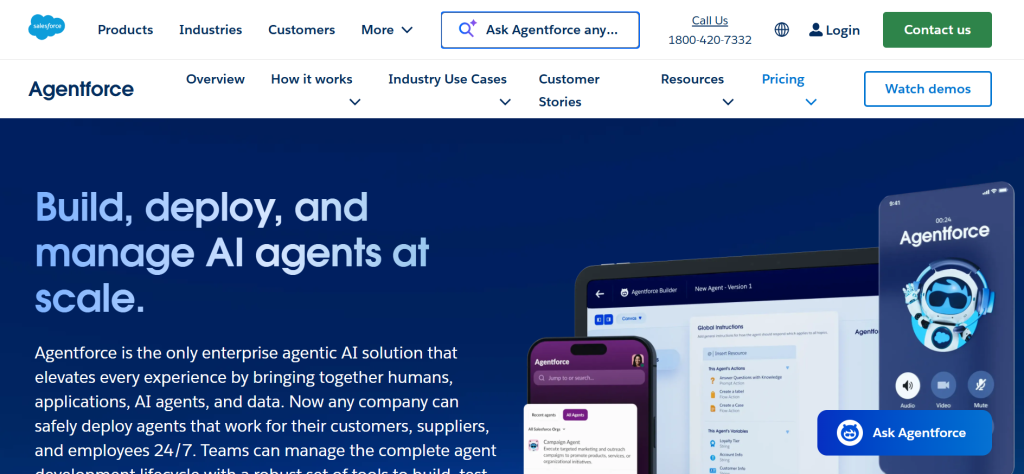
Salesforce has made the most aggressive move in enterprise AI by evolving from Einstein Copilot (an assistant that helps humans) to Agentforce (autonomous agents that act independently). Einstein Copilot operates as a conversational AI embedded across Sales Cloud, Service Cloud, and Marketing Cloud. It summarizes records, drafts emails, generates close plans, and surfaces deal risks using your actual CRM data. This is powerful, but it still requires a human to initiate every interaction.
Agentforce represents the next evolution: AI agents that detect conditions, reason about next steps, and execute multi-step workflows autonomously within governance boundaries. A renewal agent detects an upcoming contract expiration, checks compliance rules, validates account health in CRM, generates a renewal offer, and routes it for approval, all without a human triggering the process. A service agent triages incoming cases, applies resolution policies, executes standard fixes, and only escalates to humans when cases exceed its authority. This is not assistance. It is supervised autonomy.
The Data Cloud integration gives Agentforce access to unified customer data across all Salesforce applications and connected external systems via MuleSoft APIs. This means agents can reason across sales history, service interactions, marketing engagement, and external data to make decisions that no single-application AI could make. Every agent action is logged, auditable, and governed by the Model Context Protocol, which ensures agents operate within defined authority boundaries.
Where Salesforce Agentforce Falls Short
Salesforce’s AI pricing is among the most complex and expensive in the enterprise market. The Agentforce add-on at approximately $125 per user per month comes on top of already-premium Salesforce licenses. Agentforce 1 Sales at $550 per user per month is an all-inclusive bundle, but the price point puts it out of reach for many organizations. Implementation requires Salesforce expertise, and organizations with heavily customized Salesforce instances face additional complexity. The AI’s accuracy depends directly on CRM data quality: organizations with incomplete, outdated, or poorly structured CRM data will see underwhelming predictions regardless of the AI’s sophistication.
3. IBM watsonx — Best for Custom AI Models with Enterprise Governance
| Best For | Enterprises in regulated industries that need to build, train, and govern custom AI models with full control over data, models, and deployment |
| Pricing | Custom pricing based on compute, storage, and model usage. IBM offers watsonx.ai Lite (free tier with limits). Enterprise pricing requires sales engagement |
| Deployment | Cloud (IBM Cloud), on-premises, hybrid, and multi-cloud. One of the few enterprise AI platforms with genuine on-prem deployment |
| AI Capabilities | watsonx.ai: foundation model library + custom model training. watsonx.data: lakehouse for AI data management. watsonx.governance: AI lifecycle management, bias detection, explainability, compliance tracking |
| Key Strengths | Full model control (choose, train, fine-tune, deploy your own models), strongest AI governance tools in the market (bias detection, explainability, audit trails), on-prem and hybrid deployment for data sovereignty, Granite open-source model family, industry-specific solutions (healthcare, finance, manufacturing) |
| Key Weaknesses | Requires significant technical expertise to implement, longer time to value than SaaS alternatives, market perception has shifted toward cloud-native competitors, complexity is overkill for organizations with simpler AI needs, smaller ecosystem than AWS/Azure/GCP |
| Security/Compliance | SOC 2, ISO 27001, HIPAA, FedRAMP. On-prem deployment for air-gapped environments. AI governance tools purpose-built for regulatory compliance |
| Best Pairing | Red Hat OpenShift for hybrid deployment, IBM Consulting for implementation, existing IBM infrastructure |
IBM watsonx is the enterprise AI platform for organizations that cannot accept the limitations of off-the-shelf AI. While Microsoft Copilot and Salesforce Agentforce embed pre-built AI into specific applications, watsonx provides the infrastructure to build, train, deploy, and govern custom AI models tailored to your specific industry, data, and compliance requirements. This is not a plug-and-play tool. It is infrastructure for organizations where AI accuracy has regulatory or operational consequences.
The watsonx.governance component is what distinguishes IBM’s approach from every competitor. It provides AI lifecycle management with bias detection, explainability tools, model drift monitoring, and compliance tracking. For enterprises in financial services, healthcare, and government, where AI decisions must be explainable and auditable, these governance capabilities are not optional features. They are regulatory requirements. No other enterprise AI platform matches the depth of watsonx.governance for managing AI risk at scale.
Deployment flexibility is watsonx’s other structural advantage. The platform runs on IBM Cloud, AWS, Azure, Google Cloud, and on-premises via Red Hat OpenShift. For organizations with data sovereignty requirements, air-gapped environments, or hybrid infrastructure strategies, watsonx provides genuine deployment flexibility that cloud-only platforms cannot offer. The Granite model family, IBM’s open-source foundation models, provides capable base models that organizations can fine-tune on proprietary data without dependency on third-party model providers.
Where IBM watsonx Falls Short
watsonx requires substantial technical expertise to implement and operate. Organizations without data science teams, ML engineers, and AI governance specialists will need IBM Consulting or partner support, adding significant cost and extending timelines. The time to value is measured in months rather than weeks, making it poorly suited for organizations seeking quick productivity wins. Market momentum has shifted toward cloud-native platforms (AWS, Azure, GCP), and IBM’s smaller ecosystem means fewer pre-built integrations, community resources, and talent availability compared to hyperscaler alternatives.
4. Google Cloud Vertex AI — Best ML Infrastructure for AI-Native Organizations
| Best For | Data science teams and AI-native organizations that need a comprehensive ML platform with access to Gemini models and custom model training on Google Cloud |
| Pricing | Pay per use based on compute, storage, model inference, and training. Gemini API pricing from $1.25 per million input tokens. Free tier with $300 credits for new accounts |
| Deployment | Google Cloud only. Distributed cloud options for edge and on-prem use cases via Google Distributed Cloud |
| AI Capabilities | Gemini foundation models (1.5 Pro, 1.5 Flash, Ultra), custom model training and fine-tuning, AutoML for no-code model building, Model Garden (150+ models), Vertex AI Agent Builder, grounding with enterprise data, RAG capabilities |
| Key Strengths | Access to Gemini models with industry-leading multimodal capabilities, comprehensive MLOps pipeline (training to deployment), Agent Builder for enterprise AI applications, strong data analytics integration (BigQuery, Looker), competitive pricing for inference |
| Key Weaknesses | Requires Google Cloud commitment (vendor lock-in), steeper learning curve than application-layer AI tools, less enterprise market share than AWS or Azure, on-prem options limited compared to IBM, not suitable for organizations seeking plug-and-play AI |
| Security/Compliance | SOC 2, ISO 27001, HIPAA, FedRAMP High. Customer-managed encryption keys. VPC Service Controls for data isolation |
| Best Pairing | BigQuery for data warehousing, Looker for analytics, Google Workspace for productivity AI |
Google Cloud Vertex AI is the ML platform for organizations that want to build, train, and deploy custom AI applications on infrastructure that powers Google’s own AI products. The platform provides access to Google’s Gemini foundation models alongside the tools to train, fine-tune, and deploy custom models at scale. Model Garden offers access to over 150 models from Google, open-source communities, and partners, giving data science teams flexibility to choose the right model for each use case.
Vertex AI Agent Builder enables enterprises to create AI-powered applications and agents grounded in their own data. Organizations can build customer-facing chatbots, internal knowledge assistants, and workflow automation agents that use retrieval-augmented generation to access enterprise data stored in BigQuery, Cloud Storage, or connected data sources. Grounding capabilities ensure that AI responses are based on your actual business data rather than the model’s training data, reducing hallucination risk for enterprise applications.
The integration with Google’s data analytics stack creates a compelling end-to-end workflow. Data engineers prepare and manage data in BigQuery. Data scientists train and evaluate models in Vertex AI. ML engineers deploy models to production with monitoring and versioning. Business analysts consume AI-generated insights through Looker dashboards. For organizations already on Google Cloud, this integrated pipeline reduces the infrastructure complexity that typically accompanies enterprise AI deployment.
Where Google Vertex AI Falls Short
Vertex AI requires a Google Cloud commitment, creating vendor lock-in for organizations that may not have GCP as their primary cloud platform. The platform is designed for technical teams: data scientists, ML engineers, and developers. Business users without technical backgrounds will find the learning curve steep compared to application-layer tools like Microsoft Copilot or Notion AI. Google Cloud’s enterprise market share trails AWS and Azure, meaning fewer system integrators, consulting partners, and reference customers for complex enterprise implementations.
5. AWS Bedrock — Best Multi-Model AI Platform on AWS
| Best For | Organizations on AWS that want access to multiple foundation models (Claude, Llama, Titan, Mistral) through a single managed API with enterprise security |
| Pricing | Pay per use based on model, input/output tokens, and provisioned throughput. Claude 3.5 Sonnet from ~$3 per million input tokens. No upfront commitment required |
| Deployment | AWS Cloud. VPC deployment for data isolation. PrivateLink for secure connectivity. No on-prem option (AWS infrastructure required) |
| AI Capabilities | Access to 30+ foundation models from Anthropic (Claude), Meta (Llama), Amazon (Titan), Mistral, and others. Knowledge Bases for RAG. Agents for multi-step task automation. Guardrails for responsible AI. Model fine-tuning. AgentCore for agent orchestration |
| Key Strengths | Model flexibility (swap models without code changes), enterprise security inherits AWS IAM/VPC controls, Knowledge Bases enable RAG with enterprise data, Guardrails enforce responsible AI policies, pay-per-use eliminates wasted capacity, AgentCore for scalable agent orchestration |
| Key Weaknesses | Requires AWS infrastructure (not cloud-agnostic), complexity overhead for simple use cases, no application-layer interface (requires development), model availability lags behind direct API access, AWS-specific skills required |
| Security/Compliance | Inherits all AWS compliance certifications: SOC 2, ISO 27001, HIPAA, FedRAMP High, PCI DSS. Customer-managed encryption. Data does not leave your AWS account |
| Best Pairing | Amazon SageMaker for custom ML, Amazon Q for business AI assistant, AWS Lambda for serverless AI applications |
AWS Bedrock provides the foundation model access layer for organizations already invested in AWS infrastructure. The platform offers a single managed API to access over 30 foundation models from Anthropic (Claude), Meta (Llama), Amazon (Titan), Mistral, and others. This model flexibility is Bedrock’s defining advantage: organizations can evaluate multiple models for each use case, swap models as better options become available, and avoid lock-in to any single model provider.
Knowledge Bases for Bedrock enable retrieval-augmented generation using enterprise data stored in Amazon S3, Amazon OpenSearch, or other connected sources. This allows enterprises to build AI applications that answer questions using their own documents, policies, and data rather than relying solely on the model’s training data. Agents for Bedrock automate multi-step tasks by combining model reasoning with actions across enterprise systems, creating workflows that go beyond simple question-answering. AgentCore provides the orchestration layer for deploying and managing AI agents at enterprise scale.
Guardrails for Bedrock enforce responsible AI policies at the platform level, filtering harmful content, preventing topic drift, and ensuring responses align with organizational guidelines. For enterprises deploying customer-facing AI applications, Guardrails provide a safety layer that operates independently of the underlying model, applying consistent policies regardless of which foundation model is powering the application.
Where AWS Bedrock Falls Short
Bedrock requires AWS infrastructure, making it impractical for organizations whose primary cloud provider is Azure or GCP. The platform is a development tool, not an application: business users cannot interact with Bedrock directly and require developers to build the application layer on top. Model availability on Bedrock can lag behind direct API access from model providers, meaning the latest model versions may not be immediately available. For organizations seeking plug-and-play enterprise AI, Amazon Q Business provides a more accessible application-layer alternative within the AWS ecosystem.
6. ServiceNow AI — Best AI for IT Service Management and Enterprise Workflows
| Best For | IT organizations and enterprise operations teams that want AI automation for service management, HR service delivery, customer service, and cross-department workflows |
| Pricing | Custom pricing based on modules and users. Now Assist AI capabilities included in Pro and Enterprise tiers of ITSM, HRSD, and CSM. Additional AI features in premium tiers |
| Deployment | Cloud only (ServiceNow managed infrastructure). FedRAMP authorized for government deployments |
| AI Capabilities | Now Assist: generative AI across IT, HR, and customer service workflows. Virtual Agent for conversational AI. Predictive intelligence for ticket routing and prioritization. AI-powered incident management, change management, and problem management. Now Assist for Code for developer productivity |
| Key Strengths | AI embedded in the enterprise workflow platform millions of employees already use for tickets and requests, Now Assist resolves common IT issues without human intervention, strongest ITSM AI in the market, extends to HR, customer service, and security operations, pre-trained on vast IT operations data |
| Key Weaknesses | Requires ServiceNow as your workflow platform, custom pricing lacks transparency, best AI features require premium tiers, implementation complexity for organizations new to ServiceNow, value concentrated in IT-heavy organizations |
| Security/Compliance | SOC 2, ISO 27001, HIPAA, FedRAMP High, PCI DSS. Role-based access. Audit trails for every AI action. Data residency controls |
| Best Pairing | Microsoft Copilot for productivity AI, ServiceNow for operational AI. CMDB integration for IT infrastructure context |
ServiceNow AI delivers the highest-impact enterprise AI for organizations where IT operations drive business continuity. Now Assist, ServiceNow’s generative AI capability, is embedded across IT Service Management, HR Service Delivery, Customer Service Management, and Security Operations. For IT teams, Now Assist resolves common incidents automatically, generates knowledge articles from resolved tickets, summarizes case histories for agents, and suggests resolutions based on similar past incidents. The impact is direct: faster mean time to resolution, reduced ticket volume, and improved employee satisfaction.
The Virtual Agent provides conversational AI that handles Tier 0 and Tier 1 support without human involvement. Employees ask questions about password resets, software access, benefits enrollment, or expense policies, and the Virtual Agent resolves requests by executing actions within ServiceNow or connected systems. Organizations report deflection rates of 30 to 50 percent for common requests, directly reducing the workload on service desk teams and allowing human agents to focus on complex issues that require judgment.
Predictive intelligence uses machine learning trained on your historical ticket data to automate routing, prioritization, and categorization. Tickets are automatically assigned to the right resolution group, priority levels are set based on impact analysis, and similar incidents are grouped for problem management. This predictive capability reduces the manual triage work that consumes service desk capacity and improves first-contact resolution rates by ensuring tickets reach the right team immediately.
Where ServiceNow AI Falls Short
ServiceNow AI requires ServiceNow as your enterprise workflow platform. Organizations on competing ITSM platforms (Jira Service Management, BMC Remedy, Zendesk) cannot access these capabilities without a platform migration. Custom pricing lacks the transparency that enterprises increasingly demand, and the best AI features are reserved for premium tiers that significantly increase per-user costs. Implementation complexity is substantial for organizations new to ServiceNow, requiring months of platform setup before AI features deliver value.
7. Workday AI — Best AI for HR and Finance Operations
| Best For | HR and finance teams in large enterprises that want AI-powered automation for talent management, workforce planning, and financial operations within their existing Workday instance |
| Pricing | Custom pricing included in Workday HCM and Financial Management subscriptions. Advanced AI features in premium tiers. Agent System of Record capabilities at additional cost |
| Deployment | Cloud only (Workday managed infrastructure). No on-premises option |
| AI Capabilities | AI-powered recruiting (candidate matching, screening automation), skills intelligence (workforce skills mapping and gap analysis), workforce planning predictions, financial anomaly detection, AI-driven spend analysis, Workday Illuminate AI platform, Agent System of Record for AI governance |
| Key Strengths | AI trained on the largest HR and finance dataset in enterprise SaaS, skills intelligence maps workforce capabilities to business needs, recruiting AI reduces time-to-fill while improving candidate quality, financial AI detects anomalies and accelerates close, Agent System of Record governs all AI actions |
| Key Weaknesses | Requires Workday as your HCM/finance platform, custom pricing with no public cost transparency, AI capabilities are embedded (cannot be used outside Workday), value limited for organizations with fewer than 1,000 employees, change management significant for AI-augmented HR processes |
| Security/Compliance | SOC 2, ISO 27001, GDPR, CCPA. Workday’s security infrastructure. Role-based access controls. AI decisions auditable through Agent System of Record |
| Best Pairing | Microsoft Copilot for general productivity, Workday for HR/finance-specific AI. ServiceNow for HR service delivery integration |
Workday AI draws on what may be the most valuable training dataset in enterprise HR and finance: anonymized and aggregated data from thousands of organizations covering hiring, compensation, skills, turnover, financial planning, and workforce dynamics. This data advantage means Workday’s AI predictions about talent trends, compensation benchmarks, and workforce planning are informed by real enterprise patterns at a scale no standalone AI tool can match.
Skills intelligence is Workday’s most strategically important AI capability. The platform maps every employee’s skills, identifies gaps relative to organizational needs, and recommends development paths that align individual growth with business objectives. For enterprises navigating rapid technology change, this skills-based approach to workforce management provides visibility that traditional job-title hierarchies cannot deliver. Recruiting AI extends this intelligence to external hiring, matching candidates to roles based on skills rather than keyword matching in resumes.
The Agent System of Record is Workday’s answer to the AI governance challenge. As organizations deploy more AI agents across business functions, Workday provides a centralized system for tracking what agents exist, what actions they take, what data they access, and what outcomes they produce. This governance layer addresses the emerging enterprise concern that AI agents proliferating across departments without centralized oversight create compliance and operational risk.
Where Workday Falls Short
Workday AI is available only within the Workday platform. Organizations using SAP SuccessFactors, Oracle HCM, or other HR/finance systems cannot access these capabilities without a platform migration that typically costs millions of dollars and takes 12 to 18 months. Custom pricing makes budget planning difficult, and the most advanced AI features require premium tiers. The value proposition is strongest for enterprises with 1,000 or more employees where workforce planning and skills intelligence drive strategic advantage.
8. SAP Business AI — Best AI Embedded in ERP Operations
| Best For | Manufacturing, supply chain, and operations-intensive enterprises on SAP S/4HANA that want AI embedded in their core business processes |
| Pricing | Custom pricing. AI features increasingly included in SAP S/4HANA Cloud licenses. Joule AI assistant included at no additional charge. Premium AI scenarios at additional cost |
| Deployment | SAP S/4HANA Cloud (public or private), on-premises SAP S/4HANA, hybrid configurations. One of the few ERP-embedded AI options with genuine on-prem deployment |
| AI Capabilities | Joule AI assistant across SAP applications, predictive demand planning, intelligent invoice matching, automated cash application, supply chain risk prediction, quality defect detection, maintenance optimization, AI-driven procurement |
| Key Strengths | AI embedded directly in ERP transactions (not a bolt-on), Joule provides conversational AI across all SAP modules, supply chain AI addresses real operational bottlenecks, on-prem deployment for data sovereignty, largest ERP market share means broad applicability |
| Key Weaknesses | Requires SAP S/4HANA (massive lock-in), implementation complexity rivals the underlying ERP, AI capabilities lag behind pure-play AI platforms, Joule conversational quality trails Microsoft Copilot, SAP ecosystem expertise required for every AI project |
| Security/Compliance | SOC 2, ISO 27001, GDPR, HIPAA. SAP Trust Center for security. On-prem deployment for regulated environments. SAP Data Custodian for data governance |
| Best Pairing | SAP Analytics Cloud for reporting, Microsoft Copilot for productivity, SAP Signavio for process intelligence |
SAP Business AI occupies a unique position: it is the only major AI offering embedded directly in enterprise resource planning transactions. While competitors bolt AI onto business applications, SAP embeds AI within the processes that run manufacturing, supply chain, procurement, finance, and operations. Predictive demand planning analyzes historical sales, market signals, and supply chain data to forecast demand with greater accuracy than traditional statistical methods. Intelligent invoice matching automates the accounts payable process by matching invoices to purchase orders and receipts, accelerating payment cycles while reducing errors.
Joule, SAP’s AI assistant, provides a conversational interface across all SAP applications. Users ask natural language questions about inventory levels, order status, financial reports, and operational metrics without navigating SAP’s notoriously complex interface. For organizations where SAP’s learning curve has historically limited adoption beyond trained power users, Joule democratizes access to operational data and transactions.
Supply chain AI is where SAP’s ERP-embedded advantage is most visible. The AI analyzes real-time data from production, logistics, suppliers, and demand signals to predict disruptions before they materialize. Quality defect detection uses pattern recognition across manufacturing data to identify defects earlier in the production process. Maintenance optimization predicts equipment failures based on sensor data and operational patterns, scheduling preventive maintenance that avoids unplanned downtime.
Where SAP Business AI Falls Short
SAP Business AI requires SAP S/4HANA, which represents one of the largest technology commitments an enterprise can make. Organizations not on SAP cannot access these capabilities without an ERP migration measured in years and tens of millions of dollars. Joule’s conversational quality, while improving, trails Microsoft Copilot’s natural language capabilities. AI implementation complexity mirrors the underlying ERP complexity, requiring SAP-specific expertise for every project. Compared to pure-play AI platforms, SAP’s AI capabilities are deeper within ERP processes but narrower in scope.
9. Databricks — Best Unified Data and AI Platform
| Best For | Data-driven organizations that need a single platform for data engineering, analytics, and AI/ML model development with minimal vendor lock-in |
| Pricing | Pay per use based on compute (DBUs). Serverless and provisioned options. Free Community Edition for learning. Enterprise pricing from ~$0.22/DBU on AWS |
| Deployment | Runs on AWS, Azure, and Google Cloud. Customer’s cloud account (data never leaves your infrastructure). No standalone on-prem, but data stays in your cloud |
| AI Capabilities | Unity Catalog for data governance, MLflow for ML lifecycle management, Mosaic AI for model training and serving, Delta Lake for reliable data storage, LLM fine-tuning, RAG applications, Databricks SQL for analytics, model monitoring and evaluation |
| Key Strengths | Multi-cloud (AWS/Azure/GCP) reduces vendor lock-in, unified data + AI platform eliminates tool sprawl, open-source foundation (Delta Lake, MLflow, Apache Spark), data stays in your cloud account, strongest data engineering capabilities of any AI platform |
| Key Weaknesses | Requires data engineering expertise, not an application-layer tool (no end-user interface), complex pricing based on compute consumption, costs can spiral without governance, significant learning curve for organizations without data teams |
| Security/Compliance | SOC 2, ISO 27001, HIPAA, FedRAMP. Data stays in customer’s cloud. Unity Catalog provides fine-grained data governance. Encryption at rest and in transit |
| Best Pairing | Any cloud provider infrastructure, BI tools (Tableau, Power BI) for visualization, MLflow for experiment tracking |
Databricks provides the most compelling answer to the enterprise AI platform fragmentation problem. Rather than using separate tools for data engineering (Spark), data warehousing (Snowflake), ML model training (SageMaker), model deployment (Kubernetes), and model monitoring (custom tooling), Databricks unifies these capabilities in a single lakehouse platform. For organizations where AI model quality depends on data quality, which is every organization, this unification eliminates the integration complexity that typically consumes 60 to 80 percent of AI project effort.
Multi-cloud support is Databricks’ most important strategic advantage. The platform runs on AWS, Azure, and Google Cloud, and your data never leaves your own cloud account. This architecture provides cloud flexibility that pure hyperscaler AI tools (Bedrock on AWS, Vertex AI on GCP) cannot match. Organizations with multi-cloud strategies or those concerned about hyperscaler lock-in can use Databricks as a portable AI layer that works across cloud providers.
Unity Catalog provides data governance across all assets: tables, files, ML models, and dashboards. Fine-grained access controls ensure that data scientists only access data they are authorized to use, and audit trails track every query and model training run. For organizations where data governance is a regulatory requirement, Unity Catalog provides the controls that ad-hoc AI tool deployments typically lack.
Where Databricks Falls Short
Databricks is a platform for data teams, not business users. There is no end-user interface for employees to interact with AI directly; that application layer must be built on top of Databricks. Pricing based on compute consumption can spiral without governance, particularly during large-scale model training or inefficient queries. The learning curve is significant for organizations without established data engineering practices. For enterprises seeking immediate productivity AI for knowledge workers, application-layer tools like Microsoft Copilot or Notion AI deliver faster time to value.
10. Palantir AIP — Best AI for Operational Decision Intelligence
| Best For | Government agencies, defense organizations, and commercial enterprises that need AI-powered decision-making integrated with complex operational data across multiple systems |
| Pricing | Custom pricing only. Typically seven-figure annual contracts. Palantir does not publish pricing. Government contracts publicly disclosed |
| Deployment | Cloud (AWS, Azure, GCP), on-premises, hybrid, air-gapped, and classified environments. Broadest deployment flexibility in enterprise AI |
| AI Capabilities | AI-powered operational dashboards, LLM integration with enterprise ontology (unified data model), AI-guided decision workflows, scenario simulation, supply chain optimization, fraud detection, predictive maintenance, defense and intelligence applications |
| Key Strengths | Unmatched ability to integrate and reason across disparate data sources, broadest deployment flexibility (cloud, on-prem, air-gapped, classified), ontology framework creates reusable data model across AI applications, proven in highest-security environments (defense, intelligence), operational AI that goes beyond content generation to decision support |
| Key Weaknesses | Enterprise pricing excludes most organizations (seven-figure contracts), significant implementation investment (months to years), reputation for government/defense creates perception barriers for commercial, platform complexity requires dedicated engineering resources, smaller commercial customer base than competitors |
| Security/Compliance | FedRAMP High, IL5/IL6, SOC 2, ISO 27001, ITAR. Deployed in classified and air-gapped environments. Strongest security credentials of any enterprise AI platform |
| Best Pairing | Standalone platform that integrates with existing enterprise data sources. Complements rather than competes with application-specific AI tools |
Palantir AIP occupies a category of one: AI-powered operational decision intelligence for the most complex, data-intensive, and security-sensitive environments. While most enterprise AI tools generate content or automate workflows within a single application, Palantir integrates data from dozens of disparate systems, applies an ontology framework that creates a unified model of operational reality, and then layers AI reasoning on top to support decisions that affect physical operations, logistics, supply chains, and resource allocation.
The ontology framework is Palantir’s foundational differentiator. Rather than treating each data source independently, Palantir creates a semantic layer that maps relationships between entities across all connected systems. When AI is applied to this unified model, it can reason about complex scenarios that span organizational boundaries: how a supply chain disruption affects production schedules, which in turn affects delivery commitments, which in turn affects revenue forecasts. No other enterprise AI platform provides this level of cross-system operational reasoning.
Deployment flexibility is unmatched. Palantir operates in cloud, on-premises, hybrid, air-gapped, and classified environments. It holds FedRAMP High, IL5, and IL6 authorizations, making it the only major AI platform deployable in the most restricted government and defense environments. For commercial enterprises in critical infrastructure, energy, healthcare, and financial services, this deployment flexibility and security posture provide assurance that cloud-only platforms cannot offer.
Where Palantir Falls Short
Palantir’s enterprise pricing, typically seven-figure annual contracts, excludes the vast majority of organizations. Implementation requires months to years of dedicated effort with Palantir’s forward-deployed engineers. The platform’s government and defense heritage creates perception barriers for some commercial buyers. Organizations seeking quick wins in productivity AI or simple workflow automation will find Palantir’s operational decision intelligence platform vastly overengineered for their needs. Palantir is the right tool for organizations with complex, high-stakes operational decisions. For everything else, simpler platforms deliver faster ROI.
11. Notion AI — Best Lightweight Enterprise Knowledge and Workspace AI
| Best For | Teams and mid-market companies that want AI-powered knowledge management, document creation, and workspace intelligence without enterprise-grade complexity |
| Pricing | AI included in all Notion plans. Free (limited). Plus $10/user/mo. Business $18/user/mo. Enterprise custom. AI features included at each tier |
| Deployment | Cloud only. SOC 2 certified. Enterprise plan adds SAML SSO, advanced permissions, and audit logs |
| AI Capabilities | AI writing assistant (drafting, editing, summarizing, translating), Q&A across all workspace content, AI autofill for databases, meeting notes generation, project summarization, action item extraction, custom AI templates |
| Key Strengths | AI operates across your entire Notion workspace (docs, wikis, databases, projects), lowest complexity of any enterprise AI tool, Q&A answers questions using all your team’s documented knowledge, $10–18/user/mo makes it accessible to mid-market companies, no prerequisite licensing or implementation costs |
| Key Weaknesses | Not enterprise-grade for regulated industries (no HIPAA, no FedRAMP), AI capabilities limited to Notion workspace content (no external data), less powerful than Microsoft Copilot or Salesforce AI for specific functions, scalability ceiling for organizations above 5,000 users, limited integration with enterprise systems (ERP, CRM) |
| Security/Compliance | SOC 2 Type II. SAML SSO on Enterprise plan. Audit logs on Enterprise. GDPR compliant. Not HIPAA or FedRAMP certified |
| Best Pairing | Slack for communication, Notion for knowledge management, Google Workspace or M365 for productivity |
Notion AI provides the most accessible entry point to enterprise AI for teams and mid-market companies that want knowledge-powered AI without the complexity, cost, and prerequisite infrastructure of platforms like Microsoft Copilot or Salesforce Agentforce. At $10 to $18 per user per month with AI included in every plan, Notion delivers AI writing assistance, Q and A across workspace content, database autofill, and project summarization at a price point that requires no executive approval process.
The Q and A capability is Notion AI’s most valuable feature for growing organizations. As teams document their processes, decisions, policies, and project histories in Notion, the AI can answer questions using the collective knowledge of the entire workspace. New employees ask onboarding questions and get answers sourced from the company wiki. Project managers ask about past project decisions and get summaries with links to source documents. This turns your documented knowledge from a static repository into an interactive knowledge base.
For organizations between 50 and 2,000 employees that have not yet invested in heavyweight enterprise platforms, Notion AI provides genuine productivity gains without the implementation timelines, consulting fees, and organizational change management that enterprise AI tools demand. The total cost of ownership is transparent: the subscription price is the full price, with no prerequisite licenses, implementation services, or hidden add-ons.
Where Notion AI Falls Short
Notion is not built for regulated industries. Without HIPAA or FedRAMP certification, healthcare organizations, government agencies, and heavily regulated financial institutions cannot use Notion for sensitive data. The AI operates only on content within your Notion workspace; it cannot access CRM data, ERP transactions, or external systems that enterprise AI platforms integrate with natively. For organizations above 5,000 users, Notion’s architecture may encounter scalability challenges that purpose-built enterprise platforms handle routinely.
12. Claude for Enterprise — Best Secure Enterprise LLM for General-Purpose AI
| Best For | Organizations that want a powerful, safety-focused LLM for diverse business tasks with enterprise security, admin controls, and data protection guarantees |
| Pricing | Team plan from $30/user/mo. Enterprise plan custom pricing with expanded context windows, admin controls, and SSO. API pricing pay per token |
| Deployment | Cloud (Anthropic hosted), AWS Bedrock, Google Cloud Vertex AI. API for custom integrations. No on-premises deployment currently |
| AI Capabilities | Long-context analysis (200K token window), document processing, code generation and analysis, research and summarization, strategic thinking and analysis, Projects for organizational context, custom instructions for team consistency |
| Key Strengths | Industry-leading safety and alignment research, 200K context window handles entire documents and codebases, does not train on your data (contractual guarantee), available through Bedrock and Vertex AI for existing cloud customers, natural and nuanced writing quality |
| Key Weaknesses | No deep integration with specific enterprise applications (not embedded in CRM, ERP, etc.), requires users to bring context to each conversation (no persistent enterprise data connection), enterprise plan requires custom pricing negotiation, newer to enterprise market than Microsoft or Salesforce, limited workflow automation compared to purpose-built tools |
| Security/Compliance | SOC 2 Type II. HIPAA eligible (BAA available). Does not train on customer data. SSO/SCIM on Enterprise. Admin controls for usage monitoring |
| Best Pairing | AWS Bedrock or Google Vertex AI for infrastructure integration, enterprise applications for domain-specific workflows |
Claude for Enterprise provides organizations with access to one of the most capable large language models available, wrapped in enterprise security controls and a contractual guarantee that your data is never used to train models. The 200K token context window means Claude can analyze entire contracts, financial reports, research papers, and codebases in a single conversation, a capability that fundamentally changes how knowledge workers interact with complex documents.
The safety and alignment research that underpins Claude is a meaningful enterprise differentiator. For organizations concerned about AI generating harmful, biased, or inappropriate content, Claude’s training methodology produces outputs that are notably more careful and nuanced than many competitors. The Team plan provides shared workspaces where teams can create Projects with custom instructions and uploaded context documents, ensuring that the AI maintains consistent behavior and has access to relevant organizational information across all team interactions.
Availability through both AWS Bedrock and Google Cloud Vertex AI gives organizations flexibility to deploy Claude within their existing cloud infrastructure without establishing a separate vendor relationship with Anthropic. This is particularly valuable for enterprises with established cloud procurement processes: Claude can be added as a service within your existing AWS or GCP account, inheriting all existing security controls and billing arrangements.
Where Claude for Enterprise Falls Short
Claude does not embed directly into enterprise applications the way Microsoft Copilot lives in Office or Salesforce Agentforce lives in CRM. Users must bring context to each conversation rather than having the AI access enterprise data automatically. This makes Claude more versatile but less deeply integrated than application-specific AI tools. The enterprise plan requires custom pricing negotiation, and Anthropic is newer to the enterprise market than Microsoft, Salesforce, IBM, and other established vendors with decades of enterprise relationships and support infrastructure.
13. Glean AI — Best for Efficient and Personalized Search Solutions
| Best For | Mid-size to large organization where employees work across many systems and struggle with fragmented knowledge, repeated questions, and slow internal workflows—especially teams like engineering, support, sales, IT, and other knowledge-heavy functions |
| Pricing | There is no mention of the price available; you have to ask for it by requesting a demo |
| Deployment | Glean currently offers two deployment models for customers: Glean Hosted (SaaS) and Customer-Hosted (Cloud-Prem) |
| AI Capabilities | Enterprise search and grounded Q&A, an AI assistant for knowledge work, agents and workflow automation, and real actions inside business systems, governance, security, and enterprise context |
| Key Strengths | Connectivity across 100+ business apps, generative AI-powered summaries, effective personalization, and real-time indexed results |
| Key Weaknesses | Value depends heavily on integration depth and data hygiene, better suited to IT-led and platform-led rollouts than lightweight bottom-up adoption, and can feel less naturally embedded in the day-to-day workflow |
| Security/Compliance | ISO 42001, HIPAA, TX-RAMP Level 2, SOC 2 Type II, ISO 27001, GDPR |
| Best Pairing | Airtable, Amazon S3, Azure, Canva, and compatibility with other 100+ apps |
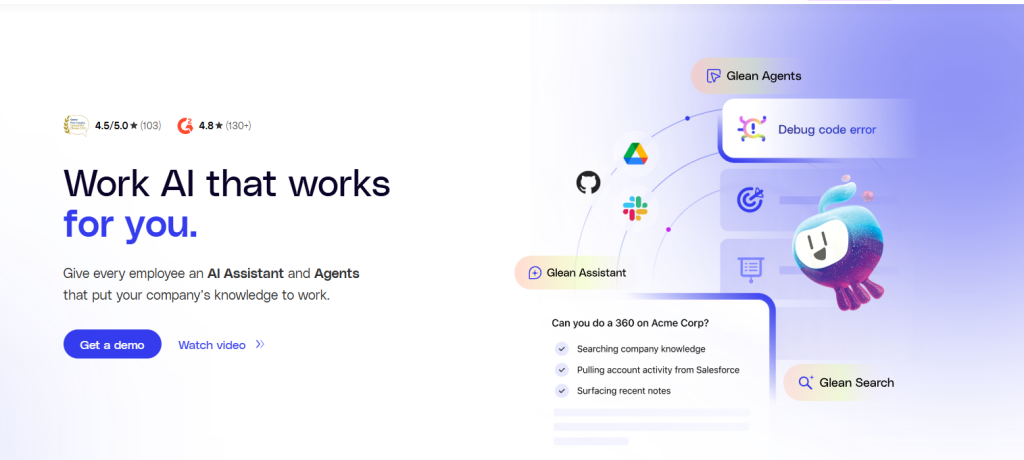
Glean is an excellent enterprise search platform that leverages generative AI to deliver efficient, personalized search solutions. The platform simplifies accessing essential information for employees, boosting productivity. Glean provides an overarching approach by searching across different company applications. Before offering answers, Glean considers context, language, user behavior, and relationships, and delivers personalized answers.
Gean acts like a work AI layer across the business: it searches across 100+ apps, understands company context, respects existing permissions, and powers products like Search, Assistant, Agents, and Protect.
Glean solves the problem of enterprise knowledge being scattered across apps and locked behind silos, making it hard for people to find trusted answers, understand context, and get work done quickly. It turns that fragmented company knowledge into a secure, permission-aware AI system that employees can actually use in their daily work.
Where Glean Falls Short
Glean’s biggest limitation is that its value depends heavily on integration depth, permission mirroring, and the overall quality of content across the systems it connects to. Glean is strongest when an organization has already invested in a broad SaaS stack and is willing to do the work of connecting, governing, and maintaining that environment over time.
Which Enterprise AI Tool Should You Choose? A Decision Framework
The right enterprise AI tool depends on your existing technology stack, governance requirements, and the specific business function you are targeting.
If your organization runs on Microsoft 365: Microsoft Copilot. Fastest time to value, zero-friction adoption in tools employees already use.
If your revenue depends on CRM operations: Salesforce Agentforce. Deepest CRM-native AI with autonomous agents that execute sales and service workflows.
If you need custom AI models with regulatory compliance: IBM watsonx. Full model control, governance tools, and on-prem deployment for regulated industries.
If your data science team needs ML infrastructure: Google Vertex AI (on GCP) or AWS Bedrock (on AWS). Choose based on your primary cloud provider.
If IT operations drive your business continuity: ServiceNow AI. Best ITSM automation with predictive intelligence and virtual agents.
If HR and workforce planning are strategic priorities: Workday AI. Skills intelligence and talent AI trained on the largest enterprise HR dataset.
If you run SAP for ERP: SAP Business AI. AI embedded in ERP transactions for supply chain, manufacturing, and finance.
If you need a multi-cloud data and AI platform: Databricks. Unified lakehouse with lowest vendor lock-in.
If you face complex, high-stakes operational decisions: Palantir AIP. Unmatched cross-system decision intelligence for the most demanding environments.
If you are a mid-market team seeking accessible AI: Notion AI. Lowest complexity and cost for knowledge management AI.
If you want a versatile, safety-focused LLM: Claude for Enterprise. Best-in-class safety with flexible deployment through Bedrock or Vertex AI.
Recommended Enterprise AI Stacks by Business Function
| Business Function | Primary AI Tool | Supporting Tool | Data Layer | Approx. Annual Cost* |
| General Productivity | Microsoft Copilot | Notion AI | SharePoint/OneDrive | $396–$1,044/user |
| Sales Operations | Salesforce Agentforce | Microsoft Copilot | Salesforce Data Cloud | $1,500–$6,600/user |
| IT Service Management | ServiceNow AI | Microsoft Copilot | ServiceNow CMDB | Custom + $396/user |
| HR & Workforce | Workday AI | Microsoft Copilot | Workday data | Custom + $396/user |
| Manufacturing/Supply | SAP Business AI | Palantir AIP | SAP S/4HANA | Custom |
| Data & ML Engineering | Databricks | AWS Bedrock or Vertex | Delta Lakehouse | Pay per use |
| Regulated Industries | IBM watsonx | Palantir AIP | On-prem data stores | Custom (7-figure) |
| Mid-Market (50–500) | Notion AI + Claude | Canva AI | Notion workspace | $120–$576/user |
* Per user per year. Custom = requires sales engagement for pricing.
Enterprise Readiness Comparison Matrix
This matrix compares critical enterprise requirements across all 12 tools.
| Tool | SOC 2 | HIPAA | FedRAMP | On-Prem | SSO/SCIM | Data Residency |
| Microsoft Copilot | ✓ | ✓ | High | ✗ | ✓ | Yes (M365 tenant) |
| Salesforce Agentforce | ✓ | ✓ | Yes | ✗ | ✓ | Yes (Shield) |
| IBM watsonx | ✓ | ✓ | Yes | ✓ | ✓ | Yes (multi-region) |
| Google Vertex AI | ✓ | ✓ | High | Limited | ✓ | Yes |
| AWS Bedrock | ✓ | ✓ | High | ✗ | ✓ | Yes (your account) |
| ServiceNow AI | ✓ | ✓ | High | ✗ | ✓ | Yes |
| Workday AI | ✓ | Limited | ✗ | ✗ | ✓ | Yes |
| SAP Business AI | ✓ | ✓ | ✗ | ✓ | ✓ | Yes |
| Databricks | ✓ | ✓ | Moderate | ✗* | ✓ | Yes (your cloud) |
| Palantir AIP | ✓ | ✓ | High/IL5/IL6 | ✓ | ✓ | Yes (any env.) |
| Notion AI | ✓ | ✗ | ✗ | ✗ | ✓** | GDPR only |
| Claude Enterprise | ✓ | ✓ (BAA) | ✗ | ✗ | ✓ | Via Bedrock/Vertex |
* Databricks data stays in your cloud account. ** Notion SSO on Enterprise plan only.
True Annual Cost: Enterprise AI at 1,000-User Scale
Enterprise AI tool costs extend far beyond license fees. Here is what a 1,000-user deployment actually costs per year when including prerequisite licensing, implementation, and ongoing administration.
| Tool | License Cost | Prerequisites + Impl. | True Annual Cost | Cost per User |
| Microsoft Copilot | $360K | $432K–$684K (M365) | $792K–$1.04M | $792–$1,044 |
| Salesforce Agentforce | $1.5M (at $125/user) | $500K–$1M (SF licenses) | $2M–$2.5M | $2,000–$2,500 |
| Notion AI (Business) | $216K | Minimal | $220K–$250K | $220–$250 |
| Claude Enterprise | Custom (est. $300K–$600K) | Minimal | $300K–$650K | $300–$650 |
| ServiceNow AI | Custom (est. $500K–$1.5M) | $200K–$500K impl. | $700K–$2M | $700–$2,000 |
| Databricks | Pay per use (est. $200K–$1M) | Data team salaries | $500K–$2M+ | Variable |
Frequently Asked Questions
Which enterprise AI tool has the fastest time to value?
Microsoft Copilot delivers the fastest ROI for organizations already on Microsoft 365 because it requires no custom development, operates within applications employees already use, and can deploy to pilot groups in days. Notion AI is similarly fast for teams that already use Notion. Salesforce Agentforce activates quickly for organizations on Salesforce Unlimited. Tools like IBM watsonx and Palantir AIP deliver more transformative capabilities but require implementation timelines measured in months to years.
Should we deploy enterprise AI to all employees or selectively?
Selective deployment almost always produces better ROI than blanket rollout. At $30 per user per month, Microsoft Copilot costs $360,000 annually for 1,000 users. Organizations that achieve positive ROI typically start with 100 to 200 users in roles where AI productivity gains are most measurable: analysts, project managers, executive assistants, customer service agents, and content producers. Measure productivity improvements in the pilot group, calculate the per-user ROI, and then expand to roles where the data justifies the investment.
How do we measure enterprise AI ROI?
The most reliable enterprise AI ROI measurements focus on time saved per employee per week, tickets deflected by AI (for ITSM and service tools), conversion rate improvements (for CRM AI), and error reduction in automated processes. Avoid vanity metrics like adoption rates or queries generated. The formula is straightforward: multiply time saved per employee by their hourly cost and the number of licensed users, subtract the total cost of the AI tool including prerequisites and administration, and the result is your net productivity gain. Organizations that achieve sustained ROI typically see 5 to 10 hours saved per employee per month, which at typical knowledge worker costs translates to $600 to $1,200 per user per year in productivity value.
What is the biggest risk in enterprise AI adoption?
Data quality, not technology selection, is the primary risk. Every enterprise AI tool produces outputs proportional to the quality of the data it accesses. Microsoft Copilot generates better results when SharePoint content is well-organized with accurate metadata. Salesforce Agentforce predictions are only as good as the CRM data they analyze. IBM watsonx models are only as reliable as their training data. Organizations that invest in AI tools without first assessing and improving their data quality consistently report disappointing results. The recommended approach is to audit data quality in the systems your AI tool will access before deployment, remediate critical gaps, and then launch AI with clean data foundations.
Can mid-market companies benefit from enterprise AI tools?
Absolutely, but the right tools are different from what Fortune 500 companies deploy. Mid-market organizations (50 to 2,000 employees) benefit most from Notion AI for knowledge management ($10 to $18 per user per month), Claude for Enterprise or ChatGPT Enterprise for general-purpose AI assistance, and Canva AI for visual content creation. Microsoft Copilot is viable for mid-market companies already on Microsoft 365 if deployed selectively to high-value roles. Salesforce Agentforce, IBM watsonx, SAP Business AI, and Palantir AIP are typically oversized for mid-market needs and budgets.
How do we handle AI governance and compliance?
Start with a policy framework before selecting tools. Define which data classifications AI tools may access, which business decisions AI may influence, and what human oversight is required for AI-generated outputs. For regulated industries, IBM watsonx provides the most comprehensive AI governance tools with bias detection, explainability, and compliance tracking. Workday’s Agent System of Record governs AI actions across HR and finance. For general governance, establish an AI steering committee with representatives from IT, legal, compliance, and the business units deploying AI. Review AI outputs regularly, monitor for accuracy degradation, and maintain human review processes for high-stakes decisions.
Final Words: Choose the Tool That Fits Your Stack, Not the Hype Cycle
The most successful enterprise AI deployments share a common pattern: they start with a specific business problem, choose a tool that integrates with existing systems, deploy to a defined pilot group, measure results rigorously, and expand based on proven ROI. The least successful deployments start with a tool, search for problems it can solve, deploy broadly without clear success criteria, and then struggle to justify the investment when leadership asks what the AI actually accomplished.
The enterprise AI market in 2026 has matured to the point where every major business function has a credible AI solution. Microsoft Copilot for general productivity. Salesforce Agentforce for CRM operations. ServiceNow AI for IT service management. Workday AI for HR. SAP Business AI for ERP. Databricks for data intelligence. The technology is no longer the bottleneck. The bottleneck is organizational readiness: data quality, change management, governance policies, and the discipline to deploy selectively and measure honestly.
If you need one concrete recommendation: start with your largest productivity bottleneck, not the most impressive technology. If your team wastes hours in meetings without clear outcomes, Microsoft Copilot’s Teams summarization delivers immediate, measurable value. If your sales team spends more time on data entry than selling, Salesforce Agentforce automates the administrative burden. If your IT help desk is overwhelmed with repetitive requests, ServiceNow AI deflects 30 to 50 percent of tickets. Match the tool to the problem. Measure the impact. Expand from evidence. That is how enterprise AI delivers real ROI rather than expensive demonstrations of what AI could theoretically accomplish.