The best remote desktop software lets you access and control computers from anywhere as if you were sitting in front of them. Whether you need to manage a work PC from home, provide IT support to clients, or access files on a distant machine, remote access tools have become essential for distributed work. With hybrid offices now permanent and IT teams managing thousands of endpoints globally, remote desktop solutions in 2026 must deliver fast performance, strong security, and reliable connectivity. We tested 12 remote access programs across connection speed, security features, cross-platform support, and pricing.
Quick Comparison of Best Remote Desktop Software
| Software | Best For | Price | Free Option | Rating |
| TeamViewer | Enterprise remote support | $18.90/mo | Personal use free | 9.4 |
| AnyDesk | Lightweight fast access | $21.9/mo | Personal use free | 9.1 |
| Splashtop | Business remote access | $6/mo per user | Free trial | 9.0 |
| Chrome Remote Desktop | Free personal access | Free | Yes | 8.8 |
| Zoho Assist | SMB remote support | Free–$12/mo | Yes (1 tech) | 8.7 |
| ConnectWise ScreenConnect | MSP & IT support | $24–$52/mo | Free trial | 8.6 |
| Microsoft Remote Desktop | Windows-to-Windows access | Free (built-in) | Yes | 8.4 |
| Parsec | Remote gaming & creative work | Free–$10/mo | Yes | 8.3 |
| AnyViewer | Free unattended access | Free–$17/mo | Yes | 8.1 |
| RustDesk | Self-hosted open source | Free | Yes | 7.9 |
| GoToMyPC | Simple remote computer access | $35–$44/mo | 7-day trial | 7.7 |
| BeyondTrust | Enterprise privileged access | Custom quote | No | 7.5 |
Why 2026 Is Different
Zero-Trust Security Became Standard in Remote Desktop Software
Modern remote desktop software now implements zero-trust principles where every connection is verified regardless of network location. TeamViewer introduced Conditional Access, Splashtop added granular access policies, and ConnectWise ScreenConnect integrated SSO authentication. End-to-end encryption, multi-factor authentication, and session logging are baseline requirements rather than premium features in remote access software.
AI-Powered Remote Support Emerged
TeamViewer launched an AI Agent for automated troubleshooting, and several remote desktop tools now include AI-powered diagnostics that identify common issues before a technician connects. Predictive monitoring through Digital Experience (DEX) tools detects device problems proactively. Remote support software is evolving from reactive screen-sharing to proactive endpoint management powered by artificial intelligence.
Low-Latency Protocols Made Remote Work Seamless
AnyDesk’s DeskRT codec, Parsec’s ultra-low-latency streaming, and Splashtop’s optimized protocol deliver remote desktop performance that feels nearly local. Remote creative work—video editing, graphic design, and even gaming—is now viable over remote connections that would have been unusably laggy just two years ago. The best remote desktop software in 2026 makes physical location irrelevant for most computing tasks.
TeamViewer
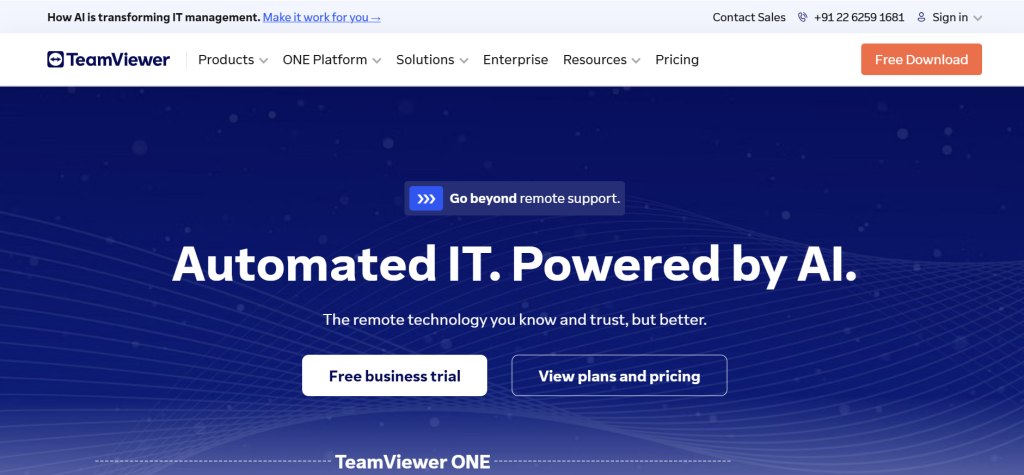
| Best For | Enterprise remote support, IT management, cross-platform access |
| Pricing | Remote Access $18.90/mo | Business $42.90/mo | Enterprise custom |
| Free Plan | Yes — free for personal, non-commercial use |
| Key Strength | Most feature-rich remote desktop software with AI support agent |
| Security | End-to-end encryption, MFA, Conditional Access, SSO, session logging |
| Platforms | Windows, Mac, Linux, Android, iOS, ChromeOS |
| Our Rating | 9.4/10 |
TeamViewer is the most widely deployed remote desktop software globally, used by businesses and IT teams across every industry. The feature set is comprehensive: unattended access, file transfer, remote printing, session recording, VoIP, and video conferencing all work within the same platform. The AI Agent automates common support tasks, and DEX Essentials provides proactive digital experience monitoring. Cross-platform support covers every major operating system. For IT departments managing remote access infrastructure at scale, TeamViewer’s remote support software provides enterprise-grade capabilities with ITSM and CRM integrations.
Falls Short: Among the most expensive remote desktop solutions. Free personal license is restricted—commercial activity detection blocks access. Some users report aggressive license enforcement. Customer support complaints are common. Interface can feel cluttered with features. Verdict: Best remote desktop software for enterprise IT teams and MSPs who need comprehensive, secure remote support and device management across large fleets.
AnyDesk
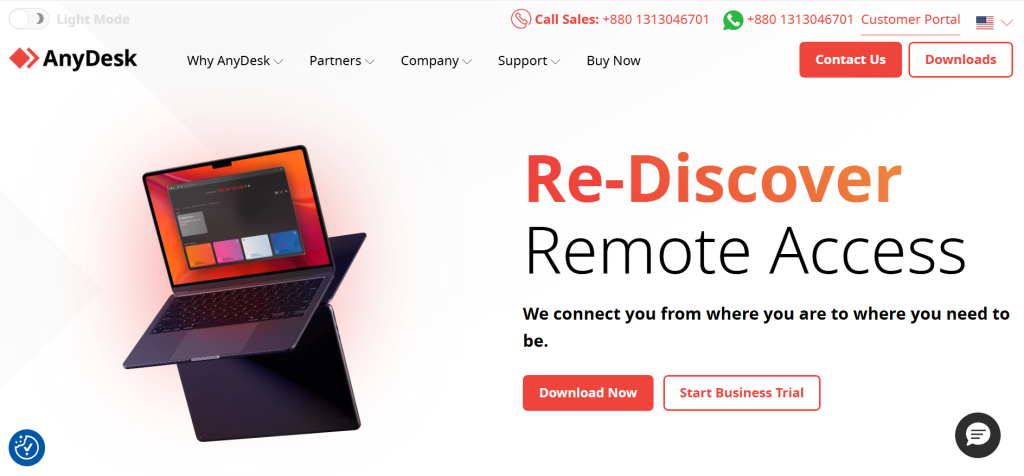
| Best For | Lightweight, fast remote access with low bandwidth requirements |
| Pricing | Essentials $17.52/mo |
| Free Plan | Yes — free for personal use (limited to 3 devices) |
| Key Strength | DeskRT codec delivers smooth performance even on slow connections |
| Security | End-to-end encryption, TLS 1.2, 2FA, device whitelisting |
| Platforms | Windows, Mac, Linux, Android, iOS, FreeBSD, Raspberry Pi |
| Our Rating | 9.1/10 |
AnyDesk’s proprietary DeskRT video codec compresses and transmits screen data more efficiently than most competitors, delivering smooth remote desktop performance even on bandwidth-limited connections. The application is remarkably lightweight at just a few megabytes, launches instantly, and supports a broad range of platforms including Raspberry Pi and FreeBSD. Remote printing, file transfer, and session recording work seamlessly. For users who need fast, reliable remote access software without heavy system requirements, AnyDesk provides excellent remote desktop performance at lower cost than TeamViewer.
Falls Short: License renewal prices can increase significantly after the first year. Commercial use detection may flag personal users incorrectly. Enterprise features are limited compared to TeamViewer. Account access issues reported by some users. No built-in video conferencing or VoIP. Verdict: Best remote desktop software for users who prioritize connection speed and lightweight performance over enterprise feature depth.
Splashtop
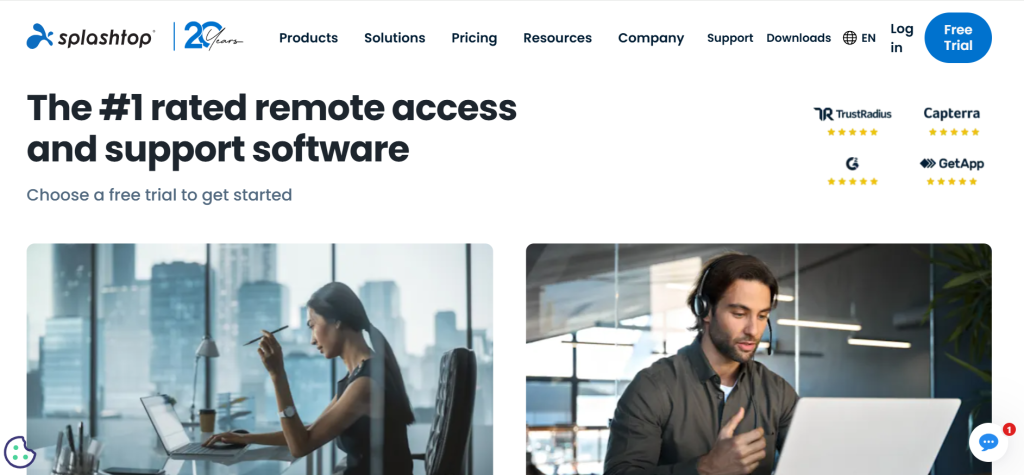
| Best For | Business remote access with the best price-to-performance ratio |
| Pricing | Business Access $5/mo per user | Remote Support $17/mo | Enterprise custom |
| Free Plan | 7-day free trial |
| Key Strength | Near-TeamViewer features at a fraction of the cost |
| Security | TLS, AES-256 encryption, SSO, 2FA, device authentication |
| Platforms | Windows, Mac, Linux, Android, iOS, Chromebook |
| Our Rating | 9.0/10 |
Splashtop consistently earns higher user ratings than TeamViewer on review platforms while costing a fraction of the price. Business Access at $5/month per user provides high-performance remote desktop connections with file transfer, remote print, chat, and multi-monitor support. For IT support teams, the Remote Support tier adds unattended access, user management, and session recording. Splashtop claims to save businesses 75% compared to TeamViewer and GoToMyPC while delivering comparable remote access capabilities, making it the best value in business-grade remote desktop software.
Falls Short: Less brand recognition than TeamViewer in enterprise procurement. Fewer integrations with ITSM tools. Free tier was removed—trial only now. Some advanced features require the Enterprise plan. Marketing is less prominent, making it harder to discover. Verdict: Best remote desktop software for cost-conscious businesses who want TeamViewer-class performance at budget-friendly pricing.
Chrome Remote Desktop
| Best For | Free, simple personal remote access through a browser |
| Pricing | Free |
| Free Plan | Yes — completely free |
| Key Strength | Zero installation required beyond Chrome browser extension |
| Security | Google account authentication, PIN protection |
| Platforms | Windows, Mac, Linux, ChromeOS (via Chrome browser), Android, iOS |
| Our Rating | 8.8/10 |
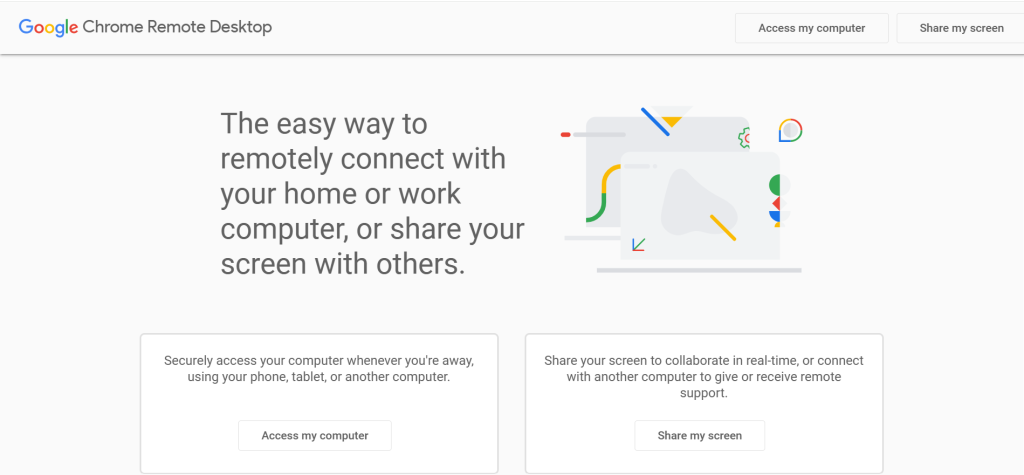
Chrome Remote Desktop is the simplest remote desktop software available. Install a Chrome extension, set a PIN, and access your computer from any device with a Chrome browser. Google handles authentication through your Google account. For personal use cases like accessing a home computer from work, helping a family member with their PC, or retrieving files remotely, Chrome Remote Desktop provides free remote access that works reliably with zero complexity.
Falls Short: No file transfer, session recording, or remote printing. Only one connection at a time. No multi-monitor support. Security is basic compared to enterprise remote desktop solutions. Not suitable for business IT support or managing multiple devices. Requires Google account on both ends. Verdict: Best free remote desktop software for personal use when you need simple, reliable access to another computer.
Zoho Assist
| Best For | SMBs needing affordable remote support and unattended access |
| Pricing | Free (1 technician) | Remote Support $12/mo | Unattended Access $10/mo |
| Free Plan | Yes — 1 technician, 5 unattended computers |
| Key Strength | Comprehensive remote support platform at SMB-friendly pricing |
| Security | SSL, 256-bit AES encryption, 2FA, action logging |
| Platforms | Windows, Mac, Linux, Android, iOS, Chromebook |
| Our Rating | 8.7/10 |
Zoho Assist provides the most generous free tier among business-grade remote desktop software: one technician managing up to five unattended computers at no cost. Paid plans add multi-technician support, custom branding, session scheduling, and remote diagnostics. Integration with the broader Zoho ecosystem (CRM, Desk, ServiceDesk) makes it particularly attractive for businesses already using Zoho products. For small and mid-sized businesses that need professional remote support software without enterprise pricing, Zoho Assist delivers excellent remote access value.
Falls Short: Performance can lag compared to AnyDesk or Splashtop on slow connections. File transfer speeds are moderate. Advanced enterprise features are limited. Less well-known than TeamViewer or AnyDesk. Mobile remote support is basic. Verdict: Best remote desktop software for SMBs and Zoho ecosystem users who want affordable professional-grade remote support.
ConnectWise ScreenConnect
| Best For | MSPs and IT support teams needing customizable remote support |
| Pricing | One $24/mo | Advanced $39/mo | Enterprise $52/mo |
| Free Plan | 14-day free trial |
| Key Strength | Highly customizable with multi-session support and remote command line |
| Security | End-to-end encryption, 2FA, session logging, role-based access |
| Platforms | Windows, Mac, Linux, Android, iOS |
| Our Rating | 8.6/10 |
ConnectWise ScreenConnect is built for managed service providers (MSPs) and IT teams who need deep customization, multi-session management, and integration with professional services automation (PSA) tools. The remote command-line access lets technicians troubleshoot without taking over a user’s screen. Session groups, technician roles, and audit logging provide the administrative control that enterprise IT teams require. For IT departments supporting hundreds or thousands of endpoints, ScreenConnect’s remote desktop capabilities scale with administrative sophistication.
Falls Short: Pricing has increased over time, frustrating long-term customers. Customer support quality is inconsistent according to user reviews. Setup is more complex than consumer-focused remote desktop software. Interface can feel dated. Overkill for simple personal remote access needs. Verdict: Best remote desktop software for MSPs and IT support teams who need multi-session management with deep customization.
Microsoft Remote Desktop (RDP)
| Best For | Windows-to-Windows remote access within managed networks |
| Pricing | Free (built into Windows Pro/Enterprise) |
| Free Plan | Yes — included with Windows Pro and Enterprise editions |
| Key Strength | Native Windows integration with Active Directory support |
| Security | NLA, TLS encryption, Group Policy integration, Windows authentication |
| Platforms | Windows (host), Windows, Mac, iOS, Android (clients) |
| Our Rating | 8.4/10 |
Microsoft Remote Desktop Protocol (RDP) is built into Windows Pro and Enterprise, providing free remote desktop access without installing third-party software. For IT environments already using Active Directory and Group Policy, RDP integrates seamlessly with existing identity and access management. Network Level Authentication and TLS encryption provide solid security within managed networks. For businesses running Windows infrastructure, RDP offers zero-cost remote desktop access that leverages their existing Microsoft ecosystem.
Falls Short: Windows Home editions can’t host RDP sessions. Not designed for cross-platform remote support. Exposing RDP to the internet creates security risks without VPN. No built-in file transfer UI, session recording, or remote printing. Troublesome to configure for non-technical users. Verdict: Best remote desktop software for Windows-centric IT environments that already manage infrastructure through Active Directory and Group Policy.
Parsec
| Best For | Remote gaming and creative work requiring ultra-low latency |
| Pricing | Free (personal) | Warp $10/mo per user (business) |
| Free Plan | Yes — free for personal use |
| Key Strength | Sub-16ms latency makes remote gaming and creative work viable |
| Security | DTLS encryption, 2FA on business plans |
| Platforms | Windows, Mac, Linux, Android, Raspberry Pi, web client |
| Our Rating | 8.3/10 |
Parsec redefines what remote desktop software can do by delivering sub-16ms latency connections that make remote gaming, video editing, 3D rendering, and graphic design feel like working locally. The proprietary streaming technology handles high-frame-rate content that would be unusable on traditional remote desktop tools. Game studios, animation teams, and creative professionals use Parsec to access powerful workstations remotely. For anyone whose remote work requires real-time visual responsiveness, Parsec’s ultra-low-latency remote access is in a class of its own.
Falls Short: Focused on performance rather than IT support features. No unattended access management at scale. Business plan is per-user. No session recording or remote printing. Free plan limitations on resolution and frame rate. Verdict: Best remote desktop software for gamers, creative professionals, and teams who need ultra-low-latency remote access to high-performance machines.
AnyViewer
| Best For | Free unattended remote access with generous device limits |
| Pricing | Free (3 devices) | Professional $43/yr | Enterprise $199/yr |
| Free Plan | Yes — 3 devices with unattended access |
| Key Strength | Most generous free plan for unattended remote desktop access |
| Security | End-to-end encryption, 2FA |
| Platforms | Windows, iOS, Android |
| Our Rating | 8.1/10 |
AnyViewer provides the most capable free remote desktop software for unattended access. The free plan supports three devices with full remote control, file transfer, and text chat. Performance is smooth with low latency, and the interface is intuitive for non-technical users. For individuals managing a few personal or family computers remotely, AnyViewer delivers capable remote access without requiring a paid subscription. The professional plan scales to 100 devices at $43/year, undercutting every major competitor for small-scale unattended remote desktop management.
Falls Short: Windows-only for hosting (clients on iOS/Android). Newer product with less market validation than TeamViewer or AnyDesk. Enterprise features are limited. No Mac or Linux host support. Customer support resources are smaller. Verdict: Best free remote desktop software for unattended access to a small number of Windows computers.
RustDesk
| Best For | Self-hosted open-source remote desktop with full control |
| Pricing | Free (open source) |
| Free Plan | Yes — fully free and open source |
| Key Strength | Self-host your own relay server for complete data privacy |
| Security | End-to-end encryption, self-hosted = full data sovereignty |
| Platforms | Windows, Mac, Linux, Android, iOS |
| Our Rating | 7.9/10 |
RustDesk is the only fully open-source remote desktop software that lets you self-host relay servers for complete privacy and data sovereignty. No data passes through third-party servers—your connections route entirely through infrastructure you control. The interface mirrors TeamViewer’s familiar layout, and performance is reasonable for most use cases. For security-conscious organizations, privacy advocates, and users in regulated industries who need verifiable remote access software, RustDesk provides transparency no proprietary solution can match.
Falls Short: Self-hosting requires server infrastructure and technical knowledge. Performance doesn’t match proprietary codecs like AnyDesk’s DeskRT or Parsec. Smaller community and fewer features than commercial alternatives. No commercial support unless you self-organize it. Mobile clients are less polished. Verdict: Best remote desktop software for privacy-focused users and organizations who need self-hosted, open-source remote access.
GoToMyPC
| Best For | Simple, reliable remote computer access for non-technical users |
| Pricing | Personal $35/mo | Pro $44/mo per computer |
| Free Plan | 7-day free trial |
| Key Strength | Extremely simple setup and reliable connections |
| Security | AES-256 encryption, MFA, host integrity verification |
| Platforms | Windows, Mac (clients: any browser) |
| Our Rating | 7.7/10 |
GoToMyPC has been providing remote desktop software since 2001, and its longevity speaks to reliability. Setup takes minutes, and the browser-based client means you can access your computer from any device without installing software. The interface prioritizes simplicity over advanced features. For non-technical professionals who need reliable access to their work computer from home without IT assistance, GoToMyPC’s straightforward remote access approach removes technical barriers.
Falls Short: Extremely expensive—$35–44/month per computer is among the highest in the market. No free personal plan. Feature set is basic compared to TeamViewer or Splashtop at lower prices. No mobile hosting. Limited to remote access without support tools. Verdict: Reliable remote desktop software, but severely overpriced given competitors offering more features for less.
BeyondTrust Remote Support
| Best For | Enterprise privileged access management with remote support |
| Pricing | Custom enterprise quote |
| Free Plan | No |
| Key Strength | Privileged access management integrates with remote support |
| Security | Privileged access vaults, session forensics, compliance reporting |
| Platforms | Windows, Mac, Linux |
| Our Rating | 7.5/10 |
BeyondTrust operates at the enterprise security level where remote desktop software intersects with privileged access management (PAM). Session forensics record every action for compliance audits, credential vaults eliminate shared passwords, and granular permissions control exactly which systems each technician can access. For large enterprises in regulated industries (healthcare, finance, government) where audit trails and privileged access controls are mandatory, BeyondTrust’s remote support software provides compliance-ready remote access that general-purpose remote desktop tools don’t address.
Falls Short: Enterprise pricing puts it beyond reach for SMBs. Complex deployment requires dedicated IT resources. Overkill for general remote access needs. Not suitable for personal use. Steep learning curve for administrators. Verdict: Best remote desktop software for enterprises in regulated industries where privileged access management and compliance audit trails are requirements.
True Cost Comparison (Annual)
| Software | Annual Cost | Free Option | Best For |
| Chrome Remote Desktop | Free | Full free | Personal remote access |
| Microsoft RDP | Free (with Windows Pro) | Built-in | Windows enterprise networks |
| Parsec | Free / $120/yr per user | Personal free | Low-latency creative/gaming |
| RustDesk | Free (open source) | Full free | Self-hosted privacy control |
| AnyViewer | Free / $43/yr | 3 devices free | Free unattended access |
| Zoho Assist | Free / $120–$144/yr | 1 tech free | SMB remote support |
| Splashtop | $60–$204/yr per user | Trial | Business remote access |
| AnyDesk | $180–$360/yr | Personal free | Lightweight fast access |
| ConnectWise | $288–$624/yr | Trial | MSP and IT support |
| TeamViewer | $300–$612/yr | Personal free | Enterprise support |
| GoToMyPC | $420–$528/yr per PC | Trial | Simple personal access |
| BeyondTrust | Custom (enterprise) | No | Regulated enterprise PAM |
Recommended Picks by Use Case
| Use Case | Recommendation | Why |
| Personal home access | Chrome Remote Desktop | Free, simple, works through browser |
| Small business access | Splashtop Business | Best performance-to-price for business remote access |
| IT help desk / MSP | ConnectWise ScreenConnect | Multi-session support with deep customization |
| Enterprise support | TeamViewer | Most complete feature set with AI support agent |
| Budget remote support | Zoho Assist | Generous free tier, affordable paid plans |
| Fast lightweight access | AnyDesk | Best performance on limited bandwidth |
| Remote gaming/creative | Parsec | Ultra-low latency for real-time visual work |
| Privacy & self-hosting | RustDesk | Open-source with self-hosted relay servers |
| Windows infrastructure | Microsoft RDP | Free, built-in, AD-integrated |
| Regulated enterprise | BeyondTrust | Privileged access management + compliance |
Decision Framework
• Just need free personal remote access? Chrome Remote Desktop.
• Running a small business? Splashtop for best value.
• Managing an IT help desk? ConnectWise ScreenConnect or TeamViewer.
• Need the fastest connection? AnyDesk for bandwidth efficiency, Parsec for latency.
• Want complete privacy control? RustDesk with self-hosted servers.
• Already in a Microsoft environment? RDP is free and integrated.
• In a regulated industry? BeyondTrust for compliance and PAM.
Frequently Asked Questions
What is the best free remote desktop software?
Chrome Remote Desktop is the best free remote desktop software for simple personal access. RustDesk offers free open-source remote access with self-hosting capabilities. AnyViewer provides free unattended access for up to 3 devices. TeamViewer and AnyDesk are free for personal non-commercial use, making them solid free remote access options for home users.
Is remote desktop software secure?
Reputable remote desktop software uses end-to-end encryption (AES-256 or equivalent), multi-factor authentication, and session logging. TeamViewer, Splashtop, and AnyDesk all employ bank-level encryption. The key security considerations are: always enable MFA, use strong passwords, keep software updated, and avoid exposing RDP directly to the internet without a VPN. Self-hosted RustDesk gives maximum security control.
Which remote desktop software has the lowest latency?
Parsec delivers the lowest latency for remote desktop connections, with sub-16ms performance designed for gaming and creative work. AnyDesk’s DeskRT codec provides excellent performance on limited bandwidth. Splashtop’s optimized protocol delivers smooth business remote access. For most standard remote desktop tasks, any major provider offers acceptable latency on a decent internet connection.
Can I use remote desktop software on mobile devices?
Yes. TeamViewer, AnyDesk, Splashtop, Chrome Remote Desktop, and most other remote desktop tools offer mobile apps for Android and iOS. You can control a desktop computer from your phone or tablet. Parsec also supports Android for mobile remote gaming. Performance on mobile depends on your internet connection quality and the remote access software’s optimization.
What is the difference between remote desktop and VPN?
A VPN encrypts your internet connection and routes traffic through a remote server for privacy. Remote desktop software lets you see and control another computer’s screen. A VPN makes your device appear to be on another network; remote desktop lets you use another computer entirely. For accessing company resources, you might need a VPN to connect to the network and then remote desktop software to control a specific machine.
Why is TeamViewer so expensive compared to alternatives?
TeamViewer’s pricing reflects its enterprise feature set: AI support agents, digital experience monitoring, ITSM integrations, Conditional Access, SSO, and compliance tools. For businesses that use these features, TeamViewer’s remote desktop software provides value. For simpler needs, Splashtop offers comparable basic remote access at 75% less cost, and free options like Chrome Remote Desktop handle personal use without any expenditure.

![Marketing Automation Case Study: 12 Real Examples, Strategy & ROI Results [2026]](https://marketingcasestudy.io/wp-content/uploads/2026/05/marketing-automation-case-study-featured-768x403.png "Marketing Automation Case Study: Real Examples, Strategy & ROI Results [2026] 7")

