The best knowledge base software centralizes organizational information so employees find answers instantly and customers resolve issues without contacting support. Whether you’re building an internal wiki for onboarding, a customer-facing help center to deflect support tickets, or technical documentation for developers, the right knowledge base platform determines how effectively your organization captures, organizes, and retrieves collective knowledge. With AI-powered search now delivering natural language answers instead of keyword-matched links, knowledge base software in 2026 has evolved from static article repositories into intelligent systems that surface the right information at the right moment. We tested 12 platforms across content creation, search quality, customization, integrations, and value.
Quick Comparison
| Software | Best For | Starting Price | Free Plan | Rating |
| Notion | Flexible team wikis & workspaces | $8/user/mo | Yes (personal) | 9.4 |
| Confluence | Jira-integrated team documentation | $6/user/mo | Yes (10 users) | 9.2 |
| Document360 | Technical docs & API references | $199/mo | No (trial) | 9.0 |
| Helpjuice | Branded customer help centers | $120/mo (4 users) | No (trial) | 8.8 |
| Guru | In-workflow knowledge delivery | $5/user/mo | Yes (limited) | 8.7 |
| Zendesk Guide | Support-integrated knowledge base | $55/agent/mo | No (trial) | 8.5 |
| Notion (wikis) | Internal team wikis | $8/user/mo | Yes | 8.5 |
| Help Scout Docs | Simple customer help centers | $50/mo | No (trial) | 8.3 |
| Slite | Async-first team knowledge | $8/user/mo | Yes (limited) | 8.1 |
| BookStack | Free self-hosted knowledge base | Free (open source) | Yes | 8.0 |
| Nuclino | Lightweight real-time team wiki | $5/user/mo | Yes (50 items) | 7.8 |
| Tettra | Slack-integrated team knowledge | $4/user/mo | Yes (limited) | 7.6 |
Why 2026 Is Different
AI Search Replaced Keyword Matching
Document360, Helpjuice (Swifty AI), and Guru now provide natural language answers directly in the search bar rather than just returning article links. Users ask questions in plain language and receive synthesized answers drawn from across the knowledge base. The best knowledge base software in 2026 uses AI to understand intent and deliver precise answers, dramatically reducing the time employees and customers spend searching through articles.
Knowledge Verification Became Critical
Guru pioneered content verification workflows where experts are automatically prompted to review and confirm articles stay accurate. Stale, outdated knowledge base content is the primary reason self-service fails. Modern knowledge base software builds verification reminders, content ownership, and freshness scoring into the platform, ensuring your knowledge base stays trustworthy rather than becoming a graveyard of outdated articles.
In-Context Knowledge Delivery Replaced Portals
Guru surfaces knowledge inside Slack, Chrome, and Teams. Zendesk Guide embeds help directly in support workflows. Helpjuice widgets appear on websites without redirecting users. Rather than forcing people to visit a separate knowledge base portal, the best knowledge base software in 2026 delivers answers where people already work — inside chat tools, browsers, and applications.
Notion
| Best For | Flexible all-in-one team wikis and workspaces |
| Pricing | Free (personal) | Plus $10/user/mo | Business $20/user/mo | Enterprise custom |
| Free Plan | Yes — unlimited blocks for personal use |
| Key Strength | Most flexible workspace combining wikis, databases, docs, and projects |
| AI Features | Notion AI for writing, summarizing, and answering questions from your workspace |
| Integrations | Slack, Google Drive, Figma, GitHub, Zapier, 100+ tools |
| Our Rating | 9.4/10 |
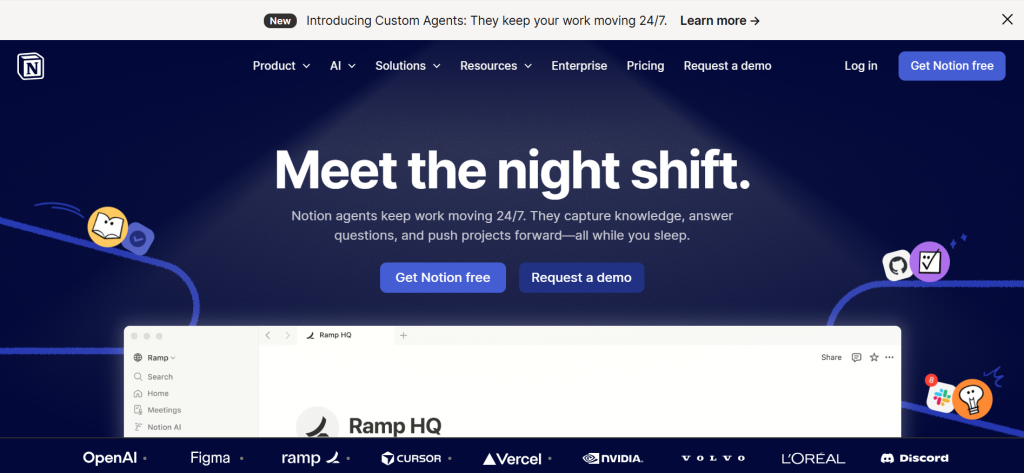
Notion is the most flexible knowledge base software for teams that want wikis, databases, documents, and project management in one workspace. The block-based editor creates rich, interconnected content. Database views organize knowledge by topic, team, or status. Notion AI summarizes content, drafts articles, and answers questions from your entire workspace. Templates accelerate setup. For teams wanting knowledge base software that doubles as their complete work hub, Notion’s flexibility is unmatched by dedicated knowledge base tools.
Falls Short: Flexibility creates sprawl risk — requires disciplined organization. Not purpose-built for customer-facing help centers. Search quality lags behind dedicated knowledge base tools. No built-in content verification workflow. Can become slow with very large workspaces. Performance issues with complex databases. Verdict: Best knowledge base software for teams wanting a flexible all-in-one workspace that combines wikis, docs, databases, and projects.
Confluence
| Best For | Technical teams using Jira and Atlassian tools |
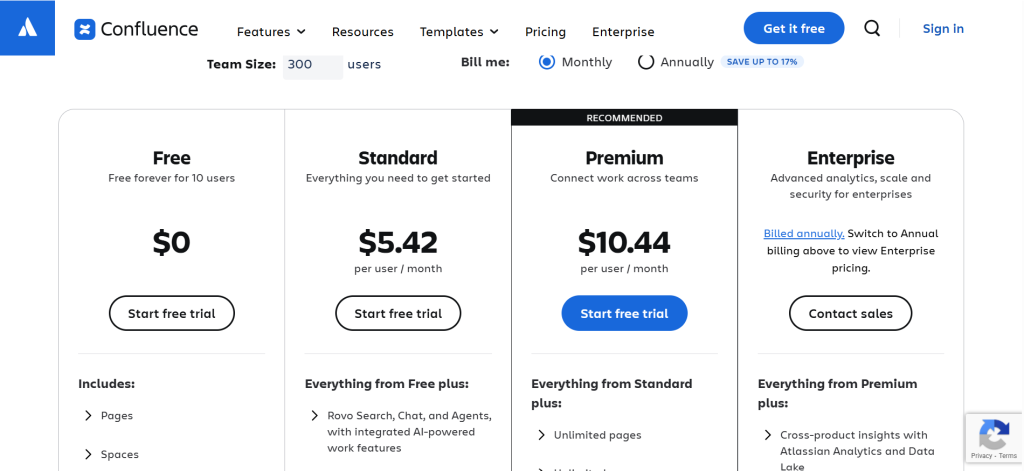
| Pricing | Free (10 users) | Standard $5.42/user/mo | Premium $10.44/user/mo | Enterprise custom |
| Free Plan | Yes — up to 10 users |
| Key Strength | Deepest Jira integration with structured spaces and page trees |
| AI Features | Atlassian Intelligence for content creation and summarization |
| Integrations | Jira, Trello, Bitbucket, and 3,000+ Atlassian Marketplace apps |
| Our Rating | 9.2/10 |
Confluence is the default knowledge base software for organizations using Jira and the Atlassian ecosystem. Jira issue links in Confluence show real-time status. Spaces organize knowledge by team or project. Page trees create hierarchical documentation. Templates cover product requirements, meeting notes, and technical specs. For development and product teams where documentation needs to connect directly to issue tracking and project management, Confluence provides the tightest integration with Atlassian’s ecosystem.
Falls Short: Steep learning curve for non-technical users. Interface feels cluttered and dated to some users. Search quality degrades as content grows. Performance issues with large pages. Not ideal for external customer-facing knowledge bases. Requires governance to prevent content sprawl. Verdict: Best knowledge base software for technical teams embedded in the Atlassian ecosystem who need documentation tightly linked to Jira.
Document360
| Best For | Technical documentation, API docs, and user manuals |
| Pricing | Free (limited) | Standard $199/mo | Professional $299/mo | Business $399/mo | Enterprise custom |
| Free Plan | Yes — limited features |
| Key Strength | Purpose-built for structured technical documentation with category management |
| AI Features | AI-powered search, AI writing assistant, auto-tagging, content suggestions |
| Integrations | Zendesk, Freshdesk, Intercom, Slack, Teams, GitHub, Zapier |
| Our Rating | 9.0/10 |
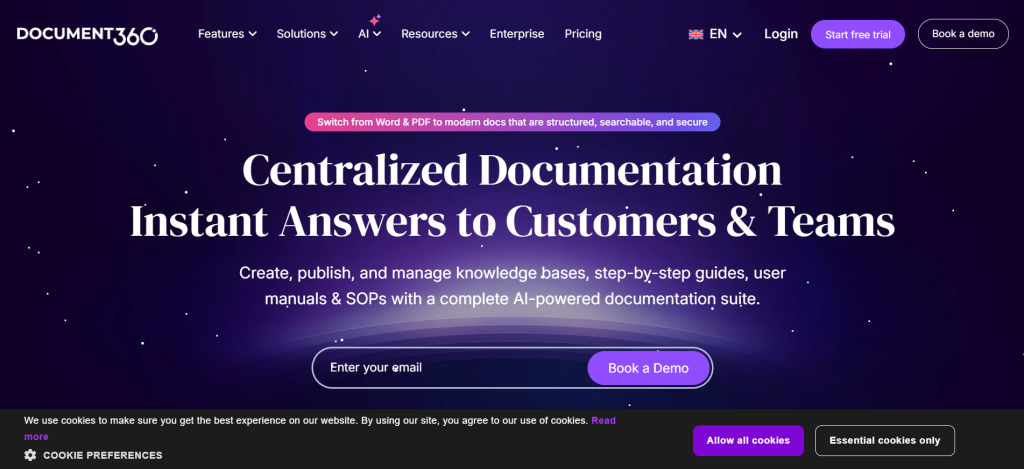
Document360 is the most capable knowledge base software specifically designed for technical documentation. The category manager provides a visual tree view for organizing complex content hierarchies. Markdown and WYSIWYG editing serve both developers and non-technical writers. API documentation tools generate interactive docs. AI-powered search provides natural language answers. For SaaS companies and technical organizations needing structured product documentation with API references, Document360 delivers the deepest documentation-specific feature set.
Falls Short: Premium pricing ($199+/month). Free tier is very limited. Overkill for simple internal wikis. Learning curve for advanced features. Smaller community than Notion or Confluence. Limited as a general team workspace. Verdict: Best knowledge base software for SaaS and technical companies needing structured product documentation and API reference sites.
Helpjuice
| Best For | Branded customer-facing help centers |
| Pricing | $120/mo (4 users) | $200/mo (16 users) | $289/mo (60+ users) |
| Free Plan | No (14-day trial) |
| Key Strength | Most customizable branded help center with advanced analytics |
| AI Features | Swifty AI Answer for natural language search, AI content drafting, auto-translation |
| Integrations | Zendesk, Freshdesk, Slack, Teams, Chrome, Salesforce |
| Our Rating | 8.8/10 |
Helpjuice builds the most customizable customer-facing knowledge base software available. They literally handcraft your knowledge base design to match your brand aesthetic pixel-for-pixel. Swifty AI Answer provides natural language responses directly in search results. Decision tree articles walk customers through troubleshooting steps interactively. Advanced analytics reveal which articles perform well and where users search without finding answers. For organizations wanting a beautifully branded customer help center with deep content analytics, Helpjuice delivers premium knowledge base customization.
Falls Short: Higher starting price ($120/month). No free plan. Less suited for internal wikis. Flat-rate pricing may not suit very small teams. Fewer integrations than Notion or Confluence. Not designed for general team collaboration. Verdict: Best knowledge base software for organizations wanting a highly customized, branded customer help center with AI search and content analytics.
Guru
| Best For | Delivering verified knowledge within existing workflows |
| Pricing | Free (limited) | Builder $10/user/mo | Enterprise custom |
| Free Plan | Yes — limited features |
| Key Strength | Surfaces verified knowledge inside Slack, Chrome, and Teams where teams work |
| AI Features | AI-powered enterprise search across connected tools, content recommendations |
| Integrations | Slack, Teams, Chrome, Zendesk, Salesforce, Google Drive, Confluence |
| Our Rating | 8.7/10 |
Guru reimagines knowledge base software as an in-context delivery system rather than a separate portal. The browser extension and Slack/Teams integration surface verified knowledge exactly where teams already work. Content verification workflows prompt experts to confirm articles remain accurate on scheduled intervals. AI-powered search retrieves information across connected tools like Google Drive and Salesforce. For sales teams, support agents, and customer-facing roles that need verified answers without leaving their workflow, Guru eliminates context-switching that traditional knowledge bases require.
Falls Short: Not ideal for structured technical documentation. Limited hierarchical organization. Less suited for customer-facing help centers. Requires adoption across the team to realize full value. Advanced features require Builder plan. Smaller content library than Confluence. Verdict: Best knowledge base software for teams that need verified, accurate knowledge delivered inside their existing tools without portal-switching.
Zendesk Guide
| Best For | Support teams needing integrated help center and ticketing |
| Pricing | Suite Team $55/agent/mo | Growth $89/agent/mo | Professional $115/agent/mo |
| Free Plan | No (trial available) |
| Key Strength | Seamless integration between help articles and support ticket workflow |
| AI Features | AI-powered article suggestions, content cues, answer bot |
| Integrations | Native Zendesk Suite (Support, Chat, Talk), 1,000+ apps |
| Our Rating | 8.5/10 |
Zendesk Guide provides knowledge base software tightly integrated with Zendesk’s support ticketing system. Agents see relevant articles while responding to tickets. Content Cues identify gaps where customers search but find no articles. Answer Bot deflects tickets by suggesting relevant help content. For organizations already using Zendesk for customer support, Guide delivers the most integrated path from knowledge base content to ticket deflection and agent efficiency.
Falls Short: Requires Zendesk Suite subscription (expensive). Not standalone knowledge base software. Limited customization compared to Helpjuice. Less suited for internal wikis. Per-agent pricing scales quickly. Overkill if you just need a help center. Verdict: Best knowledge base software for support teams using Zendesk who want help center content integrated with ticket management.
Help Scout Docs
| Best For | Simple customer help centers for small teams |
| Pricing | Standard $50/mo (100 contacts) | Plus $75/mo | Pro $40/user/mo |
| Free Plan | No (15-day trial) |
| Key Strength | Simplest setup for a clean, professional customer help center |
| AI Features | AI drafts, summarization, answer suggestions |
| Integrations | Slack, HubSpot, Salesforce, Zapier, 90+ apps |
| Our Rating | 8.3/10 |
Help Scout Docs creates clean, professional customer help centers with minimal setup. The Beacon widget embeds a searchable help interface on any website without redirecting customers to a separate portal. Article creation is straightforward with a simple editor. For small to mid-sized teams wanting to launch a customer-facing knowledge base quickly without complexity, Help Scout provides the simplest path to an effective help center.
Falls Short: Fewer features than Document360 or Helpjuice. Limited customization options. Analytics are basic. Not suitable for internal knowledge management. Smaller integration ecosystem. Less flexible content organization. Verdict: Best knowledge base software for small teams wanting a simple, clean customer help center with embedded search.
Slite
| Best For | Async-first remote team knowledge sharing |
| Pricing | Free (limited) | Standard $8/user/mo | Premium $12.5/user/mo |
| Free Plan | Yes — limited features and history |
| Key Strength | AI-powered ‘Ask’ feature answers questions from your entire knowledge base |
| AI Features | Ask AI (answers from knowledge base), AI writing, content suggestions |
| Integrations | Slack, Google Drive, GitHub, Figma, Linear, 50+ tools |
| Our Rating | 8.1/10 |
Slite provides knowledge base software designed for modern remote and async-first teams. The Ask feature lets team members ask questions in natural language and receive AI-synthesized answers from across the knowledge base. Clean interface encourages documentation without complexity. Slack integration brings knowledge into daily communication. For startups and remote teams that value simplicity and async-first collaboration, Slite delivers the most streamlined internal knowledge sharing experience.
Falls Short: Not suited for customer-facing help centers. Limited customization. Smaller feature set than Notion or Confluence. Less structured than dedicated documentation tools. Free plan is restrictive. Enterprise features are limited. Verdict: Best knowledge base software for remote teams wanting simple, async-first internal knowledge management with AI answers.
BookStack
| Best For | Free self-hosted knowledge base with full control |
| Pricing | Free (open source, self-hosted) |
| Free Plan | Yes — completely free |
| Key Strength | Book-chapter-page hierarchy provides intuitive content organization |
| AI Features | Community-developed integrations |
| Integrations | LDAP, SAML, API access, webhooks |
| Our Rating | 8.0/10 |
BookStack provides free, open-source knowledge base software with an intuitive book-chapter-page hierarchy that makes content organization immediately understandable. Self-hosted deployment gives complete control over data. WYSIWYG and Markdown editing support different author preferences. Role-based permissions control access. For organizations wanting free knowledge base software they can host on their own infrastructure with complete data sovereignty, BookStack delivers the most user-friendly open-source knowledge base available.
Falls Short: Self-hosting requires technical resources. No SaaS option. No AI features out of the box. Smaller community than Notion or Confluence. Limited integrations. No mobile app. Verdict: Best free knowledge base software for organizations wanting self-hosted, open-source documentation with an intuitive hierarchy.
Nuclino
| Best For | Lightweight real-time team wiki |
| Pricing | Free (50 items) | Standard $5/user/mo | Premium $10/user/mo |
| Free Plan | Yes — up to 50 items |
| Key Strength | Fastest, most lightweight team wiki with real-time collaboration |
| AI Features | Sidekick AI for writing, summarizing, and brainstorming |
| Integrations | Slack, Teams, Google Drive, Figma, GitHub, 40+ tools |
| Our Rating | 7.8/10 |
Nuclino provides the lightest, fastest knowledge base software for small teams that need a simple internal wiki without Notion’s complexity or Confluence’s overhead. Real-time collaboration feels instant. Board, list, and graph views visualize knowledge structure. The Sidekick AI assistant helps draft and summarize content. For small teams that want an internal wiki they can set up in minutes without configuration, Nuclino delivers the cleanest, most focused knowledge base experience.
Falls Short: Limited to 50 items on free plan. Not suited for large organizations. No customer-facing help center features. Fewer integrations than larger platforms. Customization is minimal. Content organization has limits at scale. Verdict: Best knowledge base software for small teams wanting the lightest, fastest internal wiki without complexity.
Tettra
| Best For | Slack-integrated team Q&A and knowledge |
| Pricing | Free (limited) | Basic $4/user/mo | Scaling $8/user/mo | Professional $12/user/mo |
| Free Plan | Yes — limited features |
| Key Strength | Captures Slack Q&A and turns answers into permanent knowledge base articles |
| AI Features | AI search, content suggestions from Slack conversations |
| Integrations | Slack (deep), Google Drive, Notion, GitHub, Zapier |
| Our Rating | 7.6/10 |
Tettra specializes in capturing knowledge from Slack conversations and turning answers into permanent knowledge base articles. When someone asks a question in Slack, the answer can be saved directly to Tettra with one click. This Q&A-to-article workflow prevents knowledge from being buried in chat history. For Slack-first teams where valuable answers routinely disappear in message threads, Tettra provides the most effective bridge between real-time chat and structured knowledge base software.
Falls Short: Deeply dependent on Slack. Limited outside the Slack ecosystem. Smaller feature set than Notion or Confluence. Not suited for customer-facing help centers. Content organization is basic. Limited customization. Verdict: Best knowledge base software for Slack-first teams wanting to capture chat knowledge into searchable, permanent documentation.
Recommended Picks by Use Case
| Use Case | Recommendation | Why |
| Internal team wiki | Notion | Most flexible workspace for team knowledge |
| Technical documentation | Document360 | Purpose-built for structured docs and APIs |
| Customer help center | Helpjuice | Most customizable branded help center |
| Jira / Atlassian teams | Confluence | Deepest Jira integration and page trees |
| In-workflow knowledge | Guru | Surfaces answers inside Slack/Chrome/Teams |
| Support ticket deflection | Zendesk Guide | Integrated with Zendesk support tickets |
| Simple help center | Help Scout Docs | Fastest setup for clean customer docs |
| Remote async teams | Slite | AI-powered async knowledge sharing |
| Free self-hosted | BookStack | Open-source with intuitive book hierarchy |
| Slack-first teams | Tettra | Captures Slack Q&A into permanent articles |
Frequently Asked Questions
What is knowledge base software?
Knowledge base software is a platform for creating, organizing, and sharing information centrally. Internal knowledge bases help employees find company processes, policies, and documentation. External knowledge bases (help centers) help customers find answers without contacting support. The best knowledge base software uses AI to deliver precise answers, keeps content verified and current, and integrates with tools teams already use.
What is the best knowledge base software?
Notion is best for flexible internal team wikis. Confluence is best for Jira-integrated technical teams. Document360 is best for structured technical documentation. Helpjuice is best for branded customer help centers. Guru is best for delivering verified knowledge within existing workflows. The right choice depends on whether you need an internal wiki, customer-facing help center, or technical documentation platform.
What is the best free knowledge base software?
BookStack is the best free knowledge base software for self-hosted deployments with an intuitive book-chapter-page hierarchy. Notion offers a generous free personal plan. Confluence is free for up to 10 users. Nuclino provides a free tier with 50 items. For organizations with technical hosting resources, BookStack delivers the most complete free knowledge base platform.
How much does knowledge base software cost?
Free options (BookStack, Notion personal, Confluence 10 users) handle basic needs. Team plans range from $4–12/user/month (Tettra, Nuclino, Slite). Customer-facing platforms start at $50–200/month (Help Scout, Helpjuice). Enterprise solutions like Document360 start at $199/month. Zendesk Guide requires a Suite subscription starting at $55/agent/month. Most teams spend $5–20/user/month on knowledge base software.


![Marketing Automation Case Study: 12 Real Examples, Strategy & ROI Results [2026]](https://marketingcasestudy.io/wp-content/uploads/2026/05/marketing-automation-case-study-featured-300x158.png)
