The best free video editing software lets you cut, color grade, add effects, and export professional-quality videos without paying for subscriptions or perpetual licenses. Free doesn’t mean basic anymore — DaVinci Resolve offers Hollywood-grade editing, color grading, VFX, and audio mixing at zero cost with no watermarks or export limits. Whether you’re a filmmaker on a budget, a YouTuber growing your channel, or a social media creator producing daily content, free video editing software in 2026 handles production needs that required expensive tools just a few years ago. We tested 12 free video editors across feature depth, export quality, platform support, and hidden limitations.
Quick Comparison
| Software | Best For | Truly Free? | Watermark? | Max Export | Rating |
| DaVinci Resolve | Professional editing & color grading | Yes | No | 4K 60fps | 9.5 |
| CapCut Desktop | Social media content | Yes (Pro $8/mo) | No | 4K | 9.0 |
| iMovie | Mac/iOS beginners | Yes | No | 4K | 8.5 |
| Clipchamp | Browser-based quick edits | Yes (Premium $12/mo) | No | 1080p | 8.2 |
| Shotcut | Cross-platform open source | Yes | No | 4K+ | 8.0 |
| OpenShot | Simple open-source editing | Yes | No | 4K | 7.8 |
| Kdenlive | Linux-native editing | Yes | No | 4K+ | 7.7 |
| VSDC Free | Windows feature-rich editor | Yes (Pro $20/yr) | No | 4K | 7.6 |
| HitFilm (free tier) | VFX and compositing | Yes (Creator $7/mo) | No | 4K | 7.5 |
| Lightworks Free | Professional heritage editor | Yes (Pro $10/mo) | No | 720p | 7.3 |
| Olive | Experimental open-source NLE | Yes | No | 4K+ | 7.0 |
| Windows Video Editor | Built-in Windows editing | Yes | No | 1080p | 6.8 |
Why 2026 Is Different
DaVinci Resolve Redefined What Free Means
DaVinci Resolve’s free version includes a full professional editor, Hollywood-standard color grading, Fusion VFX compositing, and Fairlight audio mixing — all with no watermarks, no export time limits, and 4K 60fps output. This single application offers more editing power for free than many paid editors provide for hundreds of dollars per year. The free video editing software landscape fundamentally changed when Blackmagic Design proved that professional-grade tools could sustain a business model at zero cost to most users.
AI-Powered Free Tools Automated Tedious Tasks
CapCut provides free AI-powered auto-captioning, background removal, and text-to-speech. DaVinci Resolve’s free version includes AI scene detection and voice isolation. Even free open-source editors are integrating community-developed AI features. The best free video editing software in 2026 automates the repetitive work that previously justified paying for premium tools, making professional-quality output achievable without spending anything.
Watermark-Free Export Became the Standard
Every free video editor on this list exports without watermarks on the free tier. The era of free editors that branded your output with logos is largely over. DaVinci Resolve, CapCut, iMovie, Shotcut, OpenShot, and Kdenlive all produce clean, unbranded exports. When evaluating free video editing software, the differentiators are now feature depth, export resolution limits, and AI capabilities rather than watermark restrictions.
DaVinci Resolve (Free)
| Best For | Professional-grade free editing with world-class color grading |
| Price | Free (Studio $295 for extras) |
| Watermark | No |
| Max Export | 4K 60fps (UHD) |
| Key Strength | Complete post-production suite: editing + color + VFX + audio for free |
| AI Features | Scene detection, voice isolation, face detection, smart reframe |
| Platforms | Windows, Mac, Linux |
| Our Rating | 9.5/10 |
DaVinci Resolve is the undisputed best free video editing software available. The free version includes capabilities that surpass many paid editors: a full multi-track timeline editor, the same node-based color grading system used on Hollywood films, Fusion compositing for visual effects, and Fairlight for professional audio mixing. No watermarks, no export limits, no trial periods. The Cut page provides a streamlined editing mode for faster workflows, while the Edit page offers traditional NLE control. For any creator serious about video production who doesn’t want to pay for software, DaVinci Resolve delivers professional-grade free video editing that no competitor approaches.
Falls Short: Steep learning curve, especially Fusion VFX and node-based color. GPU-intensive — requires decent graphics card. Studio-only features include HDR grading, AI Magic Mask, noise reduction, and multi-GPU support. Interface is daunting for absolute beginners. Some third-party plugin limitations. Verdict: Best free video editing software for anyone willing to invest learning time in exchange for professional-grade editing, color grading, VFX, and audio tools.
CapCut Desktop (Free)
| Best For | Social media content creation |
| Price | Free (Pro $8/mo for extras) |
| Watermark | No |
| Max Export | 4K |
| Key Strength | Purpose-built for TikTok, Reels, and Shorts with AI automation |
| AI Features | Auto-captions, background removal, text-to-speech, AI transitions, auto-edit |
| Platforms | Windows, Mac, Web, iOS, Android |
| Our Rating | 9.0/10 |
CapCut Desktop evolved from a mobile-only tool into the best free video editing software for social media creators. Auto-captioning generates accurate subtitles instantly. AI background removal works without green screens. Text-to-speech creates voiceovers from text. Vertical video templates match platform requirements. The free tier provides genuinely useful editing without restrictions that cripple output. For creators producing high-volume TikTok, Instagram Reels, and YouTube Shorts content, CapCut delivers the fastest free editing workflow purpose-built for social platforms.
Falls Short: Not suited for long-form or cinematic production. Limited color grading. No professional audio tools. ByteDance ownership raises data privacy concerns. Some AI features moving behind Pro paywall. Export options limited compared to DaVinci. Verdict: Best free video editing software for social media creators who need fast, AI-assisted content production.
iMovie (Free)
| Best For | Apple device beginners |
| Price | Free (included with Mac/iOS) |
| Watermark | No |
| Max Export | 4K |
| Key Strength | Simplest video editing on any Apple device |
| AI Features | Auto-enhance, smart music adjustment |
| Platforms | Mac, iPhone, iPad |
| Our Rating | 8.5/10 |
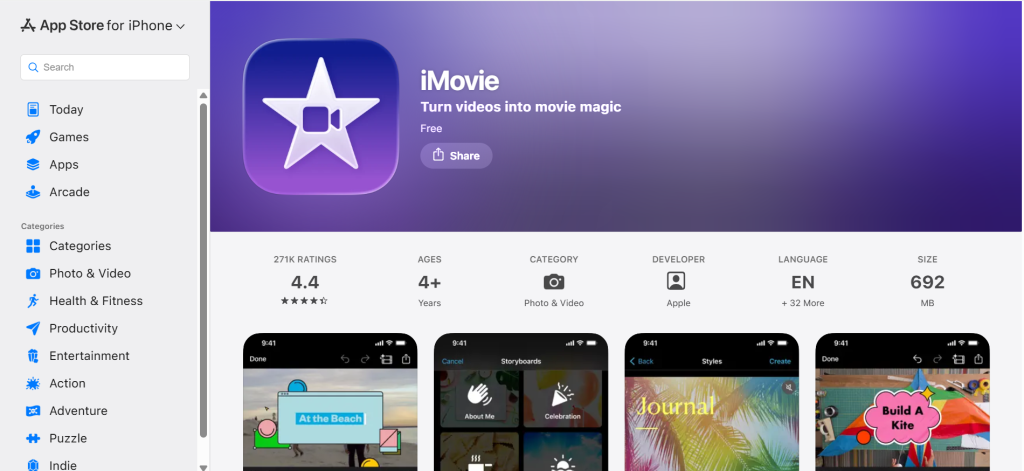
iMovie provides the gentlest introduction to free video editing software on Apple devices. Included with every Mac, iPhone, and iPad at no additional cost, it handles trimming, transitions, titles, and background music with virtually zero learning curve. 4K export produces clean output. AirDrop sharing moves projects between Apple devices seamlessly. For complete beginners and families creating home videos on Apple devices, iMovie delivers the simplest, most approachable free video editing experience available anywhere.
Falls Short: Very basic — limited to two video tracks. No advanced color grading. No multicam editing. No professional effects or compositing. Apple-only. Outgrown quickly by anyone developing editing skills. Verdict: Best free video editing software for absolute beginners on Apple devices wanting the simplest possible editing experience.
Clipchamp (Free / Microsoft)
| Best For | Quick browser-based editing without installation |
| Price | Free (Essentials $12/mo for 4K) |
| Watermark | No |
| Max Export | 1080p (free) | 4K (paid) |
| Key Strength | Zero-installation editing in any web browser |
| AI Features | Text-to-speech, auto-captions, AI video suggestions |
| Platforms | Web browser, Windows 11 |
| Our Rating | 8.2/10 |
Clipchamp provides instant free video editing software directly in your web browser with no downloads or installations. Microsoft’s integration includes Clipchamp with Windows 11. Trimming, transitions, text, stock content, and 1080p export work on the free tier. Cloud-based architecture means editing from any computer with a browser. For users needing quick edits without installing free video editing software, Clipchamp offers the fastest path from raw footage to finished video.
Falls Short: 1080p maximum on free tier (4K requires $12/month). Basic editing capabilities only. Browser performance limitations with large files. Limited effects and transitions. Not suitable for serious production work. Verdict: Best free video editing software for users wanting instant browser-based editing without installation.
Shotcut
| Best For | Cross-platform open-source editing |
| Price | Free (open source) |
| Watermark | No |
| Max Export | 4K+ (unlimited) |
| Key Strength | Full-featured free editor on Windows, Mac, and Linux |
| AI Features | Community-developed filters and plugins |
| Platforms | Windows, Mac, Linux |
| Our Rating | 8.0/10 |
Shotcut provides a genuinely capable free video editing software experience across all three major operating systems. Multi-track timeline, keyframe animation, extensive video filters, and hardware-accelerated encoding handle real editing tasks. Native support for a wide range of formats through FFmpeg eliminates codec headaches. Regular updates add features consistently. For editors on any platform wanting reliable, no-strings-attached free video editing software with solid capabilities, Shotcut delivers legitimate multi-track editing without any commercial restrictions.
Falls Short: Interface is less intuitive than commercial editors. Learning curve for beginners. No built-in audio mixing tools. Effects are functional but not polished. Documentation could be more comprehensive. Performance varies by system. Verdict: Best free video editing software for cross-platform users wanting solid open-source editing without limitations.
OpenShot
| Best For | Simple open-source video editing |
| Price | Free (open source) |
| Watermark | No |
| Max Export | 4K |
| Key Strength | Easiest open-source editor for beginners |
| AI Features | Basic automation features |
| Platforms | Windows, Mac, Linux |
| Our Rating | 7.8/10 |
OpenShot provides the simplest open-source free video editing software experience. Drag-and-drop timeline, title templates, transitions, and basic effects work without a learning curve. Cross-platform support covers Windows, Mac, and Linux. The interface prioritizes accessibility over feature depth. For users who find DaVinci Resolve overwhelming and want simpler free video editing software that’s easy to learn, OpenShot provides a low-barrier entry into open-source video editing.
Falls Short: Stability issues with complex projects. Fewer features than Shotcut or Kdenlive. Performance can be slow with large files. Limited advanced editing tools. Effects library is small. Rendering can be slow. Verdict: Best free video editing software for beginners wanting the simplest open-source editing experience.
Kdenlive
| Best For | Linux-native video editing |
| Price | Free (open source) |
| Watermark | No |
| Max Export | 4K+ |
| Key Strength | Most capable open-source editor on Linux |
| AI Features | Community-developed plugins |
| Platforms | Windows, Mac, Linux (primary) |
| Our Rating | 7.7/10 |
Kdenlive is the most capable free video editing software designed primarily for Linux, with excellent Windows and Mac support. Multi-track editing, keyframe effects, transitions, titling, and proxy workflow support handle genuine production tasks. KDE community development ensures consistent updates and improvements. For Linux users and open-source advocates wanting the most powerful free video editing software native to their platform, Kdenlive provides the deepest Linux-native editing experience.
Falls Short: Can be less stable than commercial editors. Interface less polished than paid alternatives. Plugin ecosystem is smaller. Audio tools are basic. Rendering performance varies. Documentation gaps for advanced features. Verdict: Best free video editing software for Linux users wanting native open-source multi-track editing.
VSDC Free Video Editor
| Best For | Feature-rich free editing on Windows |
| Price | Free (Pro $20/yr for extras) |
| Watermark | No |
| Max Export | 4K |
| Key Strength | Most features in a free Windows-only video editor |
| AI Features | AI art generation, background removal (Pro) |
| Platforms | Windows only |
| Our Rating | 7.6/10 |
VSDC packs more features into its free tier than most free video editing software on Windows: color correction, masking, chroma key, picture-in-picture, audio effects, and 4K export. The non-linear editor handles multiple tracks with layered compositing. For Windows users wanting the most feature-rich free video editing software without DaVinci Resolve’s learning curve, VSDC provides a surprisingly deep toolset at zero cost.
Falls Short: Windows-only. Interface is cluttered and unintuitive. Some advanced features are Pro-only ($20/year). Performance struggles with large projects. Hardware acceleration is Pro-only. Export can be slow. Verdict: Best free video editing software for Windows users wanting maximum features without a steep learning curve.
HitFilm (Free Tier)
| Best For | VFX compositing and special effects |
| Price | Free (Creator $7/mo | Pro $13/mo) |
| Watermark | No |
| Max Export | 4K |
| Key Strength | Best free VFX compositing for filmmakers on a budget |
| AI Features | AI-assisted masking and object tracking |
| Platforms | Windows, Mac |
| Our Rating | 7.5/10 |
HitFilm’s free tier provides the best VFX and compositing capabilities in free video editing software. Green screen compositing, particle effects, 3D model import, and motion tracking work on the free plan. The compositing workflow approaches After Effects concepts at zero cost. For aspiring filmmakers and YouTubers who want to add visual effects without paying for After Effects, HitFilm provides the strongest free VFX editing experience available.
Falls Short: Some effects and features locked behind paid tiers. Performance requires capable hardware. Interface can be overwhelming. Editing features are secondary to VFX. Free tier increasingly limited. Community is smaller. Verdict: Best free video editing software for filmmakers wanting compositing and VFX capabilities at zero cost.
Lightworks Free
| Best For | Professional-heritage free editor |
| Price | Free (Pro $10/mo) |
| Watermark | No |
| Max Export | 720p (free) | 4K (Pro) |
| Key Strength | Oscar-winning editing software with a free tier |
| AI Features | Smart editing tools |
| Platforms | Windows, Mac, Linux |
| Our Rating | 7.3/10 |
Lightworks has edited Oscar-winning films including The Wolf of Wall Street and Pulp Fiction. The free version provides the professional editing interface and real-time effects at zero cost. Multi-track timeline, color correction, and extensive codec support reflect its professional heritage. For editors who want free video editing software with a prestigious pedigree, Lightworks provides a professional-grade interface and workflow.
Falls Short: Free tier limited to 720p export — a significant restriction in 2026. 4K and higher requires $10/month Pro. Interface feels dated. Smaller community than DaVinci Resolve. Less intuitive for beginners. Feature development has slowed. Verdict: Best free video editing software for editors who value a professional pedigree but can accept 720p export limitations.
Olive Video Editor
| Best For | Experimental open-source NLE |
| Price | Free (open source) |
| Watermark | No |
| Max Export | 4K+ |
| Key Strength | Modern open-source editor with active development |
| AI Features | None (early development) |
| Platforms | Windows, Mac, Linux |
| Our Rating | 7.0/10 |
Olive is an ambitious open-source free video editing software project building a modern NLE from scratch. The node-based compositing approach, GPU-accelerated rendering, and modern interface design show significant promise. Active development introduces features regularly. For open-source enthusiasts excited about the future of free video editing software and willing to accept some instability, Olive represents the most promising new open-source editor in development.
Falls Short: Still in alpha/beta. Stability issues expected. Missing features compared to mature editors. Not production-ready for critical projects. Documentation is sparse. Plugin ecosystem doesn’t exist yet. Verdict: Best free video editing software for open-source enthusiasts wanting to follow and contribute to a promising new editor.
Windows Video Editor / Clipchamp
| Best For | Absolute simplest edits on Windows |
| Price | Free (built into Windows) |
| Watermark | No |
| Max Export | 1080p |
| Key Strength | Already installed on every Windows 10/11 PC |
| AI Features | Basic auto-enhance |
| Platforms | Windows |
| Our Rating | 6.8/10 |
Windows Video Editor (legacy) and the built-in Clipchamp integration provide the most accessible free video editing software for Windows users — it’s already installed. Basic trimming, splitting, adding text, and simple transitions require zero downloads. For users who need to make a single quick edit and don’t want to install any free video editing software, the built-in Windows tool handles the absolute basics immediately.
Falls Short: Extremely basic. No multi-track editing. No color grading. Very limited effects. 1080p maximum. No professional features whatsoever. Microsoft is transitioning from legacy Video Editor to Clipchamp. Verdict: Best free video editing software only for users making the simplest possible edits without wanting to download anything.
Recommended Free Picks by Need
| Need | Recommendation | Why |
| Professional editing (free) | DaVinci Resolve | Hollywood-grade tools, no watermarks, 4K export |
| Social media content | CapCut Desktop | AI captions, vertical templates, fast workflow |
| Apple beginners | iMovie | Simplest editing on Mac/iPhone/iPad |
| Browser editing | Clipchamp | No installation, works in any browser |
| Cross-platform open source | Shotcut | Reliable editing on Windows/Mac/Linux |
| Easiest open source | OpenShot | Lowest learning curve in open-source editors |
| Linux editing | Kdenlive or DaVinci Resolve | Native Linux support with deep features |
| Windows features | VSDC | Most free features on Windows |
| VFX and compositing | HitFilm | Best free visual effects tools |
| Quick Windows edit | Built-in Video Editor | Already installed, zero setup |
What ‘Free’ Actually Means
• Truly free, no limits: DaVinci Resolve, iMovie, Shotcut, OpenShot, Kdenlive, Olive
• Free with optional paid tier: CapCut, Clipchamp, VSDC, HitFilm, Lightworks
• All export without watermarks: Every editor on this list
• Export resolution limits: Clipchamp (1080p free), Lightworks (720p free), others unlimited
Frequently Asked Questions
What is the best free video editing software?
DaVinci Resolve is the best free video editing software by a wide margin. It provides professional editing, Hollywood-grade color grading, VFX compositing, and audio mixing with no watermarks and 4K 60fps export. CapCut Desktop is best for social media. iMovie is simplest for Apple beginners. Shotcut is best for cross-platform open-source editing.
Is DaVinci Resolve really completely free?
Yes. DaVinci Resolve’s free version has no watermarks, no export time limits, no trial period, and no hidden restrictions on core features. You get full editing, professional color grading, Fusion VFX, and Fairlight audio. The paid Studio version ($295 one-time) adds HDR tools, AI Magic Mask, noise reduction, and multi-GPU support, but most creators never need these upgrades. It’s the most generous free video editing software ever released.
What free video editing software has no watermark?
Every free video editor on this list exports without watermarks: DaVinci Resolve, CapCut, iMovie, Clipchamp, Shotcut, OpenShot, Kdenlive, VSDC, HitFilm, Lightworks, Olive, and Windows Video Editor. The era of watermarked free video editing software is largely over. The real differentiators between free editors are now feature depth, export resolution limits, and AI capabilities.
Can free video editing software produce professional results?
Absolutely. DaVinci Resolve’s free version is used on professional film and television productions. The same color grading tools that grade Hollywood movies are available at zero cost. Professional results depend far more on editing skill, footage quality, and creative vision than software price. Free video editing software in 2026 removes cost as a barrier to professional-quality video production.
What is the easiest free video editing software for beginners?
iMovie is the easiest for Apple users with virtually no learning curve. CapCut Desktop is easiest for social media content. OpenShot is the simplest open-source option. Clipchamp requires zero installation for browser-based editing. DaVinci Resolve has a steeper learning curve but rewards the investment with professional capabilities you won’t outgrow.


![Marketing Automation Case Study: 12 Real Examples, Strategy & ROI Results [2026]](https://marketingcasestudy.io/wp-content/uploads/2026/05/marketing-automation-case-study-featured-300x158.png)
