The best data recovery software rescues deleted files, recovers formatted drives, and restores lost data from hard drives, SSDs, USB drives, memory cards, and more. Whether you accidentally emptied the Recycle Bin, formatted the wrong partition, or experienced a drive failure, the right file recovery tool can retrieve documents, photos, and videos you thought were gone forever. No data recovery software guarantees 100% success — recovery depends on whether files have been overwritten, the type of damage, and how quickly you act. We tested 12 data recovery tools across scan depth, recovery success rates, ease of use, and pricing.
Quick Comparison
| Software | Best For | Price | Free Recovery Limit | Rating |
| Disk Drill | Best overall for beginners | $89 one-time | 500 MB (Windows) | 9.5 |
| R-Studio | Professional/IT recovery | $80–$900 one-time | Demo only | 9.3 |
| EaseUS Data Recovery Wizard | Guided recovery experience | $70–$150/yr | 2 GB | 9.1 |
| Stellar Data Recovery | Photo/video repair | $90/yr | 1 GB | 8.9 |
| Recuva | Free unlimited recovery | Free / Pro $25/yr | Unlimited (free) | 8.7 |
| MiniTool Power Data Recovery | Simple Windows recovery | $70/yr or $99 lifetime | 1 GB | 8.5 |
| Wondershare Recoverit | Wide device compatibility | $80–$100/yr | 100 MB | 8.3 |
| PhotoRec / TestDisk | Free open-source recovery | Free (open source) | Unlimited | 8.2 |
| DMDE | Advanced disk editing + recovery | $20/yr–$95 lifetime | 4,000 files free | 8.0 |
| UFS Explorer | RAID and enterprise recovery | $65–$700 one-time | 256 KB preview | 7.9 |
| DiskGenius | Partition + data recovery combo | Free / $70–$100 | Limited recovery | 7.7 |
| Windows File Recovery | Free Microsoft command-line | Free | Unlimited | 7.3 |
Why 2026 Is Different
AI-Enhanced Scanning Improved Recovery Rates
Disk Drill, EaseUS, and Stellar now use machine learning algorithms to identify file signatures more accurately during deep scans. AI-powered data recovery software recognizes fragmented file patterns that traditional signature-based scanning misses, particularly for modern photo and video formats from mirrorless cameras and smartphones. Recovery success rates for partially overwritten files have improved significantly compared to legacy scanning methods.
SSD Recovery Became Harder — and Prevention More Critical
TRIM commands on SSDs permanently erase deleted data almost immediately, making traditional data recovery software far less effective on solid-state drives. The best recovery tools now include preventive features like Disk Drill’s Recovery Vault and S.M.A.R.T. monitoring that protect data before deletion occurs. For SSD users, data recovery in 2026 increasingly means proactive backup rather than after-the-fact scanning.
Free Recovery Options Got More Generous
EaseUS offers 2 GB of free recovery. Disk Drill provides 500 MB free on Windows. Recuva and PhotoRec offer unlimited free recovery. MiniTool gives 1 GB free. For one-time recovery needs where the total data is small, free data recovery software now handles many scenarios without requiring a paid license, saving users from purchasing software they may only need once.
Disk Drill
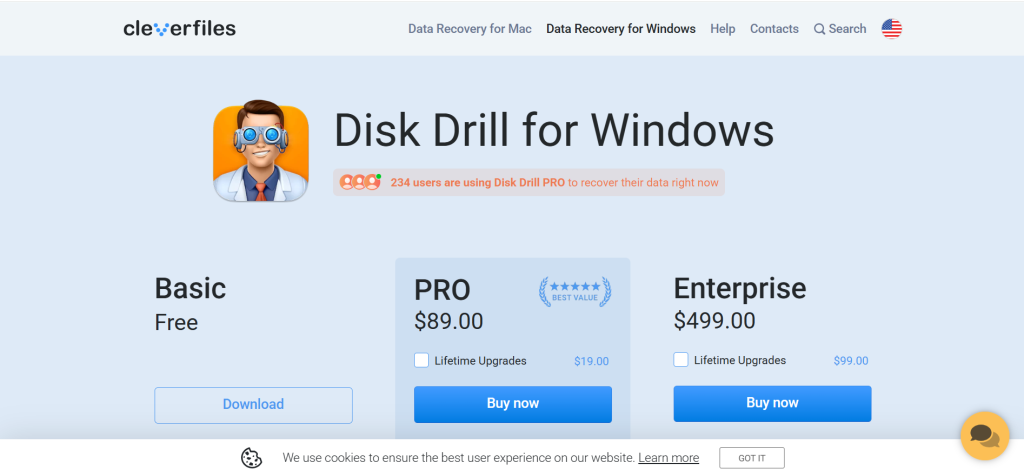
| Best For | Best overall data recovery for beginners and professionals |
| Pricing | $89 one-time (Windows/Mac) | Business $499 |
| Free Recovery | 500 MB on Windows |
| Key Strength | Recovery Vault + S.M.A.R.T. monitoring prevent future data loss |
| Supported Systems | NTFS, FAT32, exFAT, HFS+, APFS, EXT2/3/4 |
| Platforms | Windows, Mac |
| Our Rating | 9.5/10 |
Disk Drill is the best data recovery software for most users, combining powerful scanning algorithms with an intuitive one-click recovery process. The universal scan automatically runs all necessary scan types without requiring technical knowledge. Recovery Vault creates an invisible safety net for deleted files, enabling instant restoration before overwrites occur. S.M.A.R.T. monitoring alerts you to failing drives before data loss happens. File preview lets you verify recoverability before purchasing. For anyone needing reliable data recovery software that works on the first attempt, Disk Drill’s combination of prevention and recovery is unmatched.
Falls Short: Free version limits recovery to 500 MB on Windows. Deep scans run slower than some competitors. Recovery Vault must be activated before files are deleted. macOS free version is more limited. No Linux support. Verdict: Best data recovery software overall for users wanting the strongest combination of recovery performance, ease of use, and proactive data protection.
R-Studio
| Best For | IT professionals and complex recovery scenarios |
| Pricing | $80 (single license) | Technician $900 |
| Free Recovery | Demo only (preview recoverable files) |
| Key Strength | Most advanced RAID reconstruction and network recovery |
| Supported Systems | NTFS, FAT, exFAT, HFS+, APFS, ReFS, Ext2/3/4, UFS |
| Platforms | Windows, Mac, Linux |
| Our Rating | 9.3/10 |
R-Studio is the data recovery software of choice for IT professionals handling complex recovery scenarios. RAID reconstruction rebuilds damaged arrays. Network recovery scans drives on remote machines. The deepest file system support covers virtually every format including ReFS and UFS. For data recovery professionals, IT departments, and businesses managing server-level data loss, R-Studio provides capabilities that consumer-focused data recovery tools cannot match.
Falls Short: Interface is complex and intimidating for non-technical users. No free recovery — only preview. Steep learning curve. Modern RAW photo/video format support is weaker than Disk Drill. Not suitable for casual users. Verdict: Best data recovery software for IT professionals and technicians handling RAID arrays, network drives, and enterprise-level recovery.
EaseUS Data Recovery Wizard
| Best For | Guided step-by-step recovery experience |
| Pricing | $70/mo | $100/yr | $150 lifetime (Windows) |
| Free Recovery | 2 GB (with social media share) |
| Key Strength | Highest free recovery limit among premium tools |
| Supported Systems | NTFS, FAT, exFAT, HFS+, APFS, Ext2/3/4 |
| Platforms | Windows, Mac, iOS, Android |
| Our Rating | 9.1/10 |
EaseUS Data Recovery Wizard provides the most generous free recovery limit at 2 GB and guides users through recovery with a clear three-step wizard. Quick scans find recently deleted files in seconds, while deep scans recover data from formatted drives and lost partitions. Cross-platform versions cover Windows, Mac, iOS, and Android. For users who want straightforward data recovery software with enough free recovery to handle most one-time incidents, EaseUS removes complexity while delivering reliable results.
Falls Short: Pricing is subscription-based (annual or monthly), making it expensive for occasional use. Deep scan recording speed is slower than scanning. Some recovered videos show corruption. Interface looks dated compared to Disk Drill. No disk imaging or S.M.A.R.T. monitoring. Verdict: Best data recovery software for users who want the highest free recovery limit with guided, step-by-step file restoration.
Stellar Data Recovery
| Best For | Recovering and repairing damaged photos and videos |
| Pricing | Standard $60/yr | Professional $90/yr | Premium $100/yr | Toolkit $150/yr |
| Free Recovery | 1 GB |
| Key Strength | Repairs corrupted JPEG, AVI, and video files during recovery |
| Supported Systems | NTFS, FAT, exFAT, HFS+, APFS |
| Platforms | Windows, Mac |
| Our Rating | 8.9/10 |
Stellar Data Recovery stands out from other data recovery software with its ability to repair partially damaged photos and videos during the recovery process. While other tools simply recover file data as-is, Stellar’s Premium tier fixes corruption in JPEG, TIFF, AVI, MOV, and MP4 files that would otherwise be unplayable. Multiple scan options let you tailor scans to specific data loss types. For photographers and videographers who need to recover and repair corrupted media files, Stellar provides unique data recovery capabilities.
Falls Short: Subscription-only pricing with no perpetual option. Average performance for non-media file recovery. Limited additional features compared to Disk Drill. Free version restricts preview to 100 MB while allowing 1 GB recovery. Fewer free features. Verdict: Best data recovery software for recovering and repairing corrupted photos and video files from cameras and memory cards.
Recuva
| Best For | Free unlimited data recovery for basic needs |
| Pricing | Free | Pro $25/yr |
| Free Recovery | Unlimited |
| Key Strength | Completely free with no recovery limits |
| Supported Systems | NTFS, FAT, exFAT |
| Platforms | Windows only |
| Our Rating | 8.7/10 |
Recuva is the most popular free data recovery software, offering unlimited recovery at zero cost. The wizard interface asks simple questions about what you’re looking for and where, making it accessible to non-technical users. Deep scan mode finds traces of files on drives that have been formatted. Recuva also includes a secure overwrite feature for permanently destroying files. For Windows users who need basic free data recovery software for Recycle Bin recovery and simple file restoration, Recuva delivers reliable results without cost.
Falls Short: Windows-only. Hasn’t received major updates in years. Interface looks dated (Windows XP era). Recovery success rate (31% in independent tests) is below average. Struggles with modern file formats and complex scenarios. No HFS+ or APFS support for Mac drives. Verdict: Best free data recovery software for Windows users with basic recovery needs who want unlimited free file restoration.
MiniTool Power Data Recovery
| Best For | Simple Windows data recovery with clean interface |
| Pricing | $69/yr | $99 lifetime (Personal) | Business from $119/yr |
| Free Recovery | 1 GB |
| Key Strength | Clean, simple interface with effective basic recovery |
| Supported Systems | NTFS, FAT, exFAT, HFS+ |
| Platforms | Windows (Mac version available separately) |
| Our Rating | 8.5/10 |
MiniTool Power Data Recovery provides a clean, straightforward recovery experience for Windows users. The interface is less cluttered than competitors, making it approachable for first-time users. Quick scan and deep scan cover standard recovery scenarios effectively. The 1 GB free recovery limit handles many one-time needs. For Windows users wanting simple, no-frills data recovery software without the complexity of professional tools, MiniTool provides a clean recovery experience.
Falls Short: Mac version is separate and less capable. Limited advanced features. No RAID or network recovery. Fewer file system types supported than R-Studio or Disk Drill. No data protection features. Verdict: Best data recovery software for Windows users wanting a clean, simple interface for standard file recovery.
Wondershare Recoverit
| Best For | Recovering data from diverse storage devices |
| Pricing | Essential $80/yr | Standard $90/yr | Premium $100/yr |
| Free Recovery | 100 MB |
| Key Strength | Broadest device compatibility including NAS and Linux drives |
| Supported Systems | NTFS, FAT, exFAT, HFS+, APFS, Ext4 |
| Platforms | Windows, Mac |
| Our Rating | 8.3/10 |
Wondershare Recoverit supports data recovery from the widest range of storage devices: internal drives, external drives, USB sticks, SD cards, NAS devices, Linux drives, and crashed systems via bootable media. The interface guides users through recovery with clear steps. Video repair functionality fixes corrupted footage. For users with diverse storage devices who need versatile data recovery software covering everything from memory cards to network-attached storage, Recoverit’s device breadth is its strength.
Falls Short: Subscription-only pricing. Free recovery limit is only 100 MB. Recovery speed is average. Deep scans can be slow. Less effective than Disk Drill or R-Studio for complex scenarios. Verdict: Best data recovery software for users needing recovery across many different storage device types including NAS and Linux.
PhotoRec / TestDisk
| Best For | Free open-source recovery with unlimited data |
| Pricing | Free (open source) |
| Free Recovery | Unlimited |
| Key Strength | Most powerful free recovery — no limits, no catches |
| Supported Systems | FAT, NTFS, exFAT, HFS+, Ext2/3/4, and more |
| Platforms | Windows, Mac, Linux, DOS |
| Our Rating | 8.2/10 |
PhotoRec (paired with TestDisk for partition recovery) is the most powerful free data recovery software available. Despite the name, PhotoRec recovers all file types, not just photos. There are no recovery limits, no premium upsells, and no features locked behind paywalls. The open-source community maintains broad file format support. For technically comfortable users who want completely free, unlimited data recovery software with professional-grade scanning, PhotoRec delivers results that rival paid tools.
Falls Short: Command-line interface is intimidating for most users. No graphical preview of recoverable files. Recovered files lose original filenames. No real-time scan progress. Requires technical knowledge. No data protection or monitoring features. Verdict: Best free data recovery software for technical users who want unlimited, no-compromise file recovery without paying anything.
DMDE
| Best For | Advanced disk editing with data recovery |
| Pricing | Express $20/yr | Standard $48 lifetime | Professional $95 lifetime |
| Free Recovery | Up to 4,000 files per directory |
| Key Strength | Low-level disk editing combined with powerful recovery |
| Supported Systems | NTFS, FAT, exFAT, HFS+, APFS, Ext2/3/4, ReFS, btrfs |
| Platforms | Windows, Mac, Linux, DOS |
| Our Rating | 8.0/10 |
DMDE (DM Disk Editor and Data Recovery Software) combines data recovery with low-level disk editing tools that give advanced users granular control over the recovery process. The hex editor enables manual recovery of files that automated tools miss. Partition recovery reconstructs damaged partition tables. Broad file system support covers virtually every format. For technically advanced users who want data recovery software with disk editing capabilities for complex recovery scenarios, DMDE provides depth that consumer tools cannot match.
Falls Short: Interface is dense, unfriendly, and not beginner-accessible. Steep learning curve. Free version limits recovery to 4,000 files per directory. No graphical file preview in basic mode. Documentation is sparse. Verdict: Best data recovery software for advanced users who need disk-level editing alongside file recovery.
UFS Explorer
| Best For | RAID and enterprise-level data recovery |
| Pricing | Standard $65 | RAID $200 | Professional $700 |
| Free Recovery | 256 KB file preview only |
| Key Strength | Most capable RAID recovery with virtual reconstruction |
| Supported Systems | NTFS, FAT, exFAT, HFS+, APFS, Ext2/3/4, ReFS, XFS, ZFS, btrfs |
| Platforms | Windows, Mac, Linux |
| Our Rating | 7.9/10 |
UFS Explorer specializes in RAID and enterprise data recovery with virtual RAID reconstruction that rebuilds damaged arrays without modifying source drives. The broadest file system support covers enterprise formats like XFS, ZFS, and btrfs. The Professional edition handles damaged storage with corrupted metadata. For data recovery professionals and enterprise IT teams managing RAID failures and server-level data loss, UFS Explorer provides the most advanced enterprise data recovery software capabilities.
Falls Short: Expensive for non-professional use. No free recovery. Interface is technical. Not suitable for home users. Limited community resources. Verdict: Best data recovery software for enterprise and RAID recovery scenarios requiring professional-grade tools.
DiskGenius
| Best For | Partition management combined with data recovery |
| Pricing | Free (basic) | Standard $70 | Professional $100 |
| Free Recovery | Limited file sizes on free version |
| Key Strength | Partition recovery, disk cloning, and data recovery in one tool |
| Supported Systems | NTFS, FAT, exFAT, Ext2/3/4 |
| Platforms | Windows |
| Our Rating | 7.7/10 |
DiskGenius combines data recovery with partition management, disk cloning, and virtual disk tools in a single utility. Partition recovery reconstructs lost or damaged partitions. Disk cloning creates exact drive copies. The combination approach is efficient for users dealing with both partition damage and file loss simultaneously. For Windows users who need data recovery software bundled with partition management and disk utilities, DiskGenius provides a versatile all-in-one tool.
Falls Short: Windows-only. Free version has significant limitations. Interface is busy and complex. Data recovery is not as strong as dedicated recovery tools. Limited modern file format support. Verdict: Best data recovery software for Windows users wanting partition management and data recovery combined in one utility.
Windows File Recovery
| Best For | Free Microsoft command-line recovery on Windows 10/11 |
| Pricing | Free (Microsoft Store) |
| Free Recovery | Unlimited |
| Key Strength | Free, official Microsoft tool with no limits or upsells |
| Supported Systems | NTFS, FAT, exFAT, ReFS |
| Platforms | Windows 10/11 only |
| Our Rating | 7.3/10 |
Windows File Recovery is Microsoft’s free command-line data recovery tool available from the Microsoft Store. No installation fees, no recovery limits, and no premium upsells. Regular and extensive scan modes cover basic to advanced recovery needs on NTFS drives. For Windows users comfortable with command-line operations who want completely free data recovery software from a trusted source, Windows File Recovery provides legitimate recovery capabilities at zero cost.
Falls Short: Command-line only — no graphical interface. Requires technical knowledge of commands and parameters. Limited to Windows 10/11. Only supports Windows file systems. No file preview. No scan progress indicators. Recovery results are inconsistent. Verdict: Best free data recovery software for technically proficient Windows users who prefer a Microsoft-built recovery tool.
Recommended Picks by Scenario
| Scenario | Recommendation | Why |
| Accidental file deletion | Disk Drill | One-click recovery with file preview |
| Formatted drive recovery | EaseUS or Disk Drill | Deep scanning with high success rates |
| Free basic recovery | Recuva | Unlimited free recovery on Windows |
| Free advanced recovery | PhotoRec/TestDisk | No limits, professional-grade scanning |
| Corrupted photos/videos | Stellar Data Recovery | Repairs damaged media during recovery |
| RAID / enterprise failure | R-Studio or UFS Explorer | Advanced RAID reconstruction |
| IT professional use | R-Studio | Network recovery, broad file system support |
| SSD data protection | Disk Drill (Recovery Vault) | Preventive protection before deletion |
| One-time small recovery | EaseUS (2 GB free) | Highest free limit for occasional needs |
Decision Framework
• Need the best all-around data recovery software? Disk Drill.
• IT professional handling RAID? R-Studio or UFS Explorer.
• Want the most free recovery? Recuva (unlimited) or EaseUS (2 GB).
• Recovering corrupted photos/videos? Stellar Data Recovery Premium.
• Technical user wanting free power? PhotoRec/TestDisk.
• Need partition repair too? DiskGenius.
Frequently Asked Questions
What is the best free data recovery software?
Recuva offers unlimited free recovery on Windows for basic needs. PhotoRec/TestDisk provides unlimited free recovery with professional-grade scanning (command-line interface). EaseUS Data Recovery Wizard gives 2 GB free recovery with a graphical interface. Disk Drill offers 500 MB free. For most users, Recuva handles basic recovery for free, while PhotoRec is the most powerful free data recovery software for technical users.
Can data recovery software recover files from a formatted drive?
Yes, in many cases. Quick formatting removes file system references but doesn’t erase actual data. Data recovery software like Disk Drill, EaseUS, and R-Studio can scan formatted drives and recover files as long as new data hasn’t overwritten them. Full formatting on modern Windows versions is more destructive. The faster you run data recovery software after formatting, the higher your recovery success rate.
Does data recovery software work on SSDs?
SSD recovery is significantly harder than HDD recovery. TRIM commands on SSDs erase deleted data almost immediately, leaving nothing for data recovery software to find. If TRIM hasn’t run yet (seconds to minutes after deletion), recovery may succeed. For SSDs, preventive tools like Disk Drill’s Recovery Vault are more effective than after-the-fact scanning. Regular backups are the best data recovery strategy for SSD users.
How much does data recovery software cost?
Free options include Recuva, PhotoRec, and Windows File Recovery with unlimited recovery. Freemium tools offer 500 MB–2 GB free before requiring payment. Paid licenses range from $25/year (Recuva Pro) to $89–150 for consumer tools (Disk Drill, EaseUS, Stellar) and up to $900 for professional editions (R-Studio Technician). One-time purchase options like Disk Drill ($89) provide better long-term value than annual subscriptions.
Should I use data recovery software or a professional recovery service?
Use data recovery software for logical data loss: accidental deletion, formatting, file system corruption, and partition damage. Professional recovery services ($300–$3,000+) are necessary for physical drive damage: clicking sounds, motors not spinning, water or fire damage, and severe electronic failures. Never run data recovery software on a drive making unusual noises — this can cause permanent, unrecoverable data loss.


![Marketing Automation Case Study: 12 Real Examples, Strategy & ROI Results [2026]](https://marketingcasestudy.io/wp-content/uploads/2026/05/marketing-automation-case-study-featured-300x158.png)
