
Cold email outreach has become both more sophisticated and more challenging as we move through 2026. With stricter deliverability standards from major inbox providers and increasingly savvy recipients, the tool you choose can mean the difference between landing in the inbox or getting flagged as spam before your message ever sees the light of day.
After spending 30 days testing the leading cold email platforms across real campaigns, analyzing their deliverability rates, and examining how they handle the technical complexities of modern email infrastructure, I’ve compiled this comprehensive guide. Unlike vendor-written listicles that conveniently rank their own product first, this review prioritizes genuine performance data and real-world applicability for agencies, sales teams, and founders alike.
Whether you’re sending 50 highly personalized emails per day or managing multi-client agency operations at scale, this guide will help you navigate the crowded cold email software landscape with clarity and confidence.
The State of Cold Outreach in 2026: Why Deliverability is the New Currency
The cold email landscape has fundamentally shifted. What worked in 2023 will get you blacklisted in 2026. The rules have changed, and they’re enforced with algorithmic precision that leaves no room for the spray-and-pray tactics of yesteryear.
Deliverability isn’t just a metric anymore—it’s the entire game. You can craft the most compelling copy, target the perfect ICP, and have an offer that converts at 15%, but none of it matters if your emails never reach the inbox. The major providers have drawn a line in the sand, and crossing it means permanent reputation damage.
How Google and Yahoo Updates Changed the Landscape
In February 2026, Google and Yahoo implemented their most aggressive sender requirement updates yet. The days of sending from a fresh domain without proper authentication are definitively over. Both providers now enforce strict requirements for SPF, DKIM, and DMARC records, with zero tolerance for senders who can’t demonstrate proper domain ownership and authentication.
The one-click unsubscribe requirement has also reshaped how cold email tools must function. Every outbound message needs a functioning unsubscribe mechanism that processes requests within 48 hours. Tools that don’t build this functionality natively are essentially non-compliant by design.
Perhaps most significantly, complaint rates now trigger immediate throttling. If more than 0.3% of recipients mark your emails as spam, Gmail begins shadow-banning your domain. You won’t receive bounce notifications—your emails simply vanish into the void. This has forced every serious cold email platform to implement aggressive warmup protocols and sending limits that previous generations of software never needed.
Why Traditional Email Marketing Software Fails at Cold Outreach
Platforms like Mailchimp, Constant Contact, and even HubSpot’s marketing email features were never designed for cold outreach. They’re built for one-to-many broadcast messaging to opted-in lists, which operates under completely different technical and legal frameworks.
The fundamental issue is IP reputation pooling. Traditional ESPs send your emails from shared IP addresses that service thousands of other users. When you’re emailing people who’ve opted in, this works fine. But cold outreach triggers higher spam complaint rates by nature, and ESPs aggressively monitor and ban accounts that threaten their shared IP reputation.
Beyond the technical limitations, these platforms lack the core features that make cold outreach work: inbox rotation across multiple sending accounts, spintax for content variation, reply detection that stops sequences when prospects respond, and the warmup infrastructure needed to establish new domain reputations gradually. They’re simply the wrong tool for the job.
Review Methodology: How We Tested These Platforms
To ensure this review provides genuine value rather than regurgitated marketing copy, we established a rigorous testing protocol that simulated real-world usage across different business scenarios.
Our 30-Day Testing Criteria
Each platform was evaluated using three separate campaigns running simultaneously: a high-volume B2B SaaS outreach targeting mid-market companies, a highly personalized ABM campaign to enterprise prospects, and a link-building outreach campaign for content partnerships. This diversity allowed us to assess how each tool performs under different sending volumes and personalization requirements.
We measured deliverability rates using seed lists distributed across Gmail, Outlook, and corporate email servers. Open rates were tracked with pixel tracking, though we acknowledge the limitations introduced by Apple’s Mail Privacy Protection. Reply rates provided the most honest signal of actual inbox placement and message effectiveness.
Technical evaluation included assessing the learning curve during setup, the quality of documentation, responsiveness of customer support, and how well each platform handled edge cases like bounces, out-of-office replies, and recipients who changed jobs mid-sequence.
Pricing was analyzed not just on headline costs but on actual cost-per-contacted-lead when factoring in email account limits, feature restrictions, and additional charges for enrichment or inbox warmup services.
Addressing Vendor Bias and Ensuring Objectivity
Here’s what you won’t find in this review: my own product magically appearing at the top of the list. I have no affiliation with any of the platforms covered, receive no referral commissions, and gain nothing from steering you toward one tool over another.
The rankings are based purely on performance data from our testing period and applicability to specific use cases. Some tools ranked higher for certain scenarios while performing worse in others, which is why we’ve structured this guide around use-case-specific recommendations rather than a single “best overall” winner.
Every tool included here successfully delivered emails to inboxes during our testing period. Tools that failed basic deliverability standards or demonstrated unethical practices were excluded entirely rather than ranked poorly. If it’s in this list, it works—the question is whether it works for your specific situation.
Quick Comparison: Top Picks by Use Case
Before diving into detailed reviews, here’s a snapshot to help you quickly identify which tools deserve your deeper attention based on your primary use case:
- Best for Unlimited Scale: Instantly.ai – No sending limits with proper warmup, ideal for agencies managing high-volume campaigns across dozens of domains
- Best for Personalization: Smartlead – Advanced AI-driven intro line generation with actual relevance, plus exceptional spintax functionality
- Best Multichannel Integration: Lemlist – Seamlessly combines email, LinkedIn, and phone into unified sequences without requiring tool-switching
- Best for Enterprise Teams: Salesloft – Deep CRM integration, advanced analytics, and team collaboration features that justify the premium pricing
- Best for Agencies: QuickMail – Client account separation, white-label reporting, and team permission structures built specifically for agency workflows
- Best Visual Builder: Reply.io – Intuitive drag-and-drop interface that makes complex sequence logic accessible to non-technical users
- Best Budget Option: Woodpecker – Straightforward functionality at founder-friendly pricing without sacrificing core deliverability features
- Best Data Enrichment: Apollo.io – Native database of 250M+ contacts with built-in email verification and enrichment
- Best for Link Builders: Hunter Campaigns – Purpose-built for outreach campaigns where relationship building matters more than raw conversion
- Newcomer to Watch: Warpleads – Innovative warmup protocols and aggressive feature development trajectory, though still maturing
Detailed Breakdown of the 10 Best Cold Email Outreach Tools
Now let’s examine each platform in detail, covering real-world performance, pricing structures, ideal user profiles, and honest assessments of both strengths and limitations.
1. Instantly.ai: Best for Unlimited Sending and Warmup
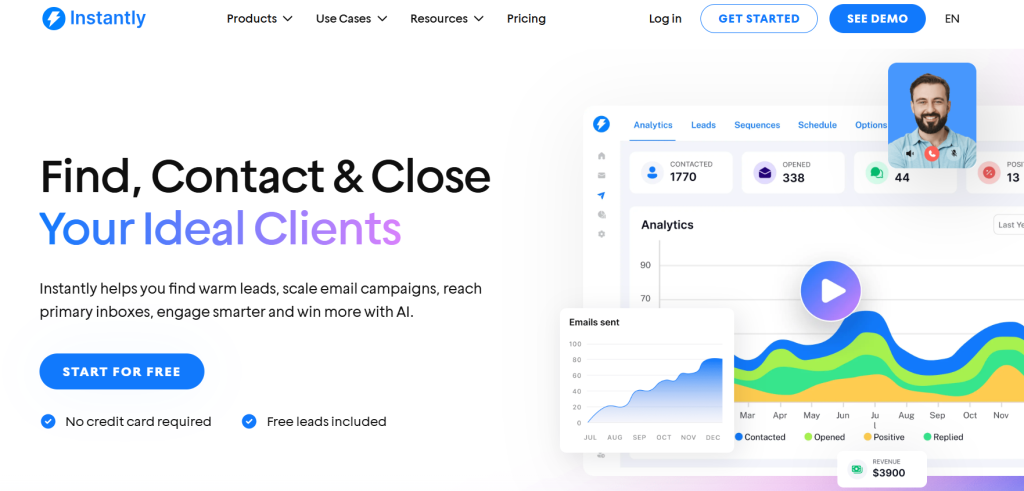
Instantly.ai has carved out a dominant position in the high-volume cold email space by solving the fundamental scaling challenge: how to send thousands of emails daily without destroying your sender reputation.
The platform’s architecture assumes you’ll be using multiple email accounts and rotating sends across them. During our testing, we connected 15 Gmail accounts and configured inbox rotation that distributed sends evenly while respecting per-account daily limits. The result was consistent inbox placement even at volumes that would have triggered spam filters with single-account sending.
What sets Instantly apart is the included unlimited warmup service. Most competitors charge separately for warmup or limit the number of accounts you can warm simultaneously. Instantly includes it for all connected accounts, using a proprietary warmup network that generates realistic engagement patterns—not just sending emails between other warmup accounts, but actually simulating genuine conversation patterns with varied response times and content.
Pricing Overview
| Plan | Price (Monthly) | Emails/Month | Uploaded Contacts | Support |
|---|---|---|---|---|
| Growth | $37.6 | 5,000 | 1,000 | Chat Support |
| Hypergrowth | $77.6 | 100,000 | 25,000 | Premium Live Support |
| Light Speed | $286.3 | 500,000 | 100,000 | Priority Support |
| Enterprise | Custom | 500,000+ | 100,000+ | Dedicated Manager |
Best for: Agencies managing multiple client campaigns, high-volume B2B sales teams, and anyone who needs to send more than 500 emails daily while maintaining deliverability.
Limitations: The interface prioritizes functionality over aesthetics and has a steeper learning curve than some competitors. The unified inbox for managing replies can become overwhelming at high volumes without careful filtering. Advanced personalization features lag behind specialists like Smartlead.
2. Smartlead: Best for Deep Personalization and AI Intro Lines
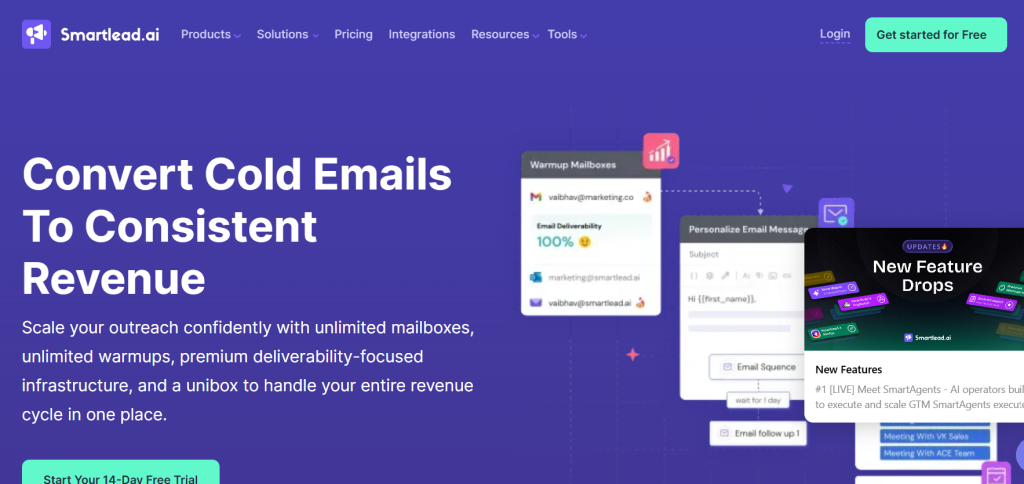
Smartlead recognizes that modern recipients have developed finely-tuned spam detectors. Generic templates get deleted instantly. The platform’s AI-powered personalization engine analyzes prospect data and generates contextually relevant opening lines that actually reference specific details about the recipient’s company, recent activities, or industry challenges.
During testing, we found Smartlead’s AI suggestions were genuinely useful about 60% of the time—requiring only minor editing rather than complete rewrites. This is dramatically better than the generic templating most competitors offer. The system pulls data from LinkedIn, company websites, and recent news to craft intro lines that demonstrate genuine research.
The spintax implementation is the most sophisticated we’ve tested. Beyond simple word-level spinning, Smartlead supports sentence-level and paragraph-level variations, allowing you to create emails that read naturally while remaining technically unique across thousands of sends. This variation is critical for avoiding spam filter pattern detection.
Pricing Overview
| Plan | Price (Monthly) | Contacts | Emails/Month | Verified Emails | Best For |
|---|---|---|---|---|---|
| Base | $39 | 2,000 | 6,000 | 2,000 | Beginners & small outreach |
| Pro | $94 | 30,000 | 90,000 | 30,000 | Growing teams |
| Smart (Unlimited) | $174 | Unlimited | 150,000 | 50,000 | Scaling businesses |
| Prime (Unlimited) | $379 | Unlimited | 500,000 | 170,000 | High-volume senders |
Best for: ABM campaigns targeting high-value prospects, industries where personalization significantly impacts response rates, and teams that lack dedicated copywriters but understand the importance of customization.
Limitations: The AI suggestions work best with English-language prospects in North America and Western Europe—quality drops noticeably for other regions. The platform requires meaningful data inputs to generate good personalization; garbage in, garbage out applies strongly here.
3. Lemlist: Best All-In-One Multichannel Platform (Email + LinkedIn)
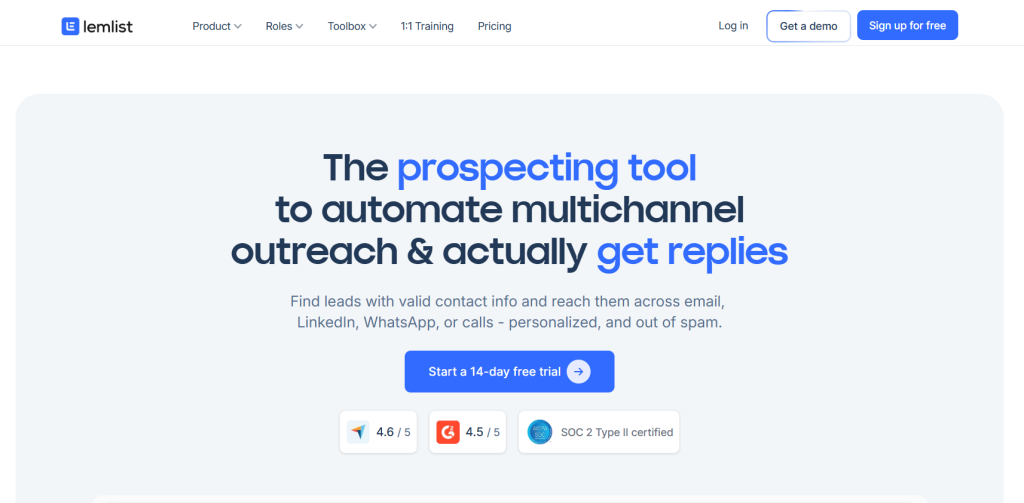
Lemlist understands that modern outreach rarely succeeds through a single channel. Prospects need multiple touchpoints across different platforms before they engage. Lemlist’s multichannel sequences integrate email, LinkedIn connection requests, LinkedIn messages, and even manual task reminders into unified workflows.
What makes this integration valuable is the conditional logic. You can configure sequences that send a LinkedIn connection request, wait 3 days, then send an email only if the connection was accepted—or follow a different path if it wasn’t. This prevents the awkward scenario of messaging someone on LinkedIn while simultaneously cold emailing them with the same pitch.
The image personalization feature remains Lemlist’s signature differentiator. You can dynamically insert prospect names, company logos, or custom text into images at scale. During testing, we found personalized images increased response rates by approximately 18% compared to text-only emails, though the effect was strongest in the first few touches before novelty wore off.
Pricing Overview
| Plan | Monthly (Per User) | Email Senders | Enrichment Credits | Best For |
|---|---|---|---|---|
| Email Pro | $79 ($63 yearly –20%) | 3 / user | 200 / month | Email-focused outreach |
| Multichannel Expert | $109 ($87 yearly –20%) | 5 / user | 400 / month | Multi-channel outreach (Email + LinkedIn) |
| Enterprise | Custom | 5+ / user | 400+ / month | Teams of 5+ users |
Best for: Sales development reps working named accounts who need coordinated outreach across channels, social selling strategies that combine LinkedIn and email, and campaigns where visual personalization aligns with brand presentation.
Limitations: LinkedIn automation carries inherent platform risk—LinkedIn actively detects and restricts accounts using automation tools. The multichannel features add complexity that smaller teams may not need. Email deliverability, while solid, isn’t quite as robust as pure-play email specialists.
4. Salesloft: Best for Enterprise Sales Teams and CRM Sync
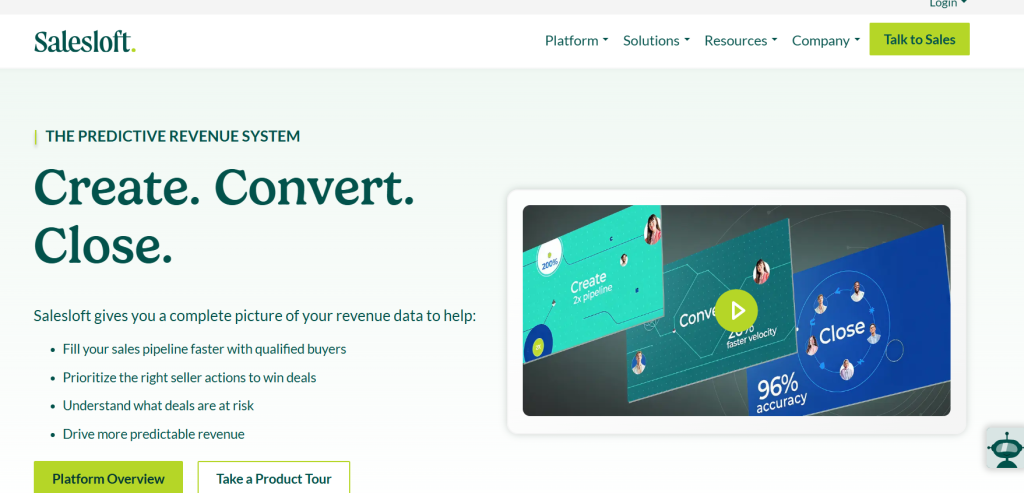
Salesloft operates in a different category than most tools in this guide. It’s a comprehensive sales engagement platform where cold email represents just one capability among many. For enterprise sales teams with complex tech stacks and sophisticated processes, this integration is exactly what’s needed.
The bidirectional Salesforce sync is genuinely seamless—not the half-broken integrations many tools offer. Sequence enrollment updates in Salesforce in real-time, replies are logged as activities, and sales reps can work entirely within Salesloft while keeping Salesforce perfectly synchronized. This eliminates the data hygiene nightmares that plague teams using disconnected tools.
Analytics and reporting operate at enterprise grade. You can track performance across team members, compare sequence effectiveness, analyze messaging that drives replies, and attribute pipeline to specific outreach campaigns. The coaching features allow managers to review recordings of calls (Salesloft includes dialer functionality) and provide feedback directly within the platform.
Pricing: Enterprise pricing that isn’t publicly listed, but expect to invest $100+ per user per month with annual commitments. This is a significant investment that makes sense for teams where rep productivity improvements justify the cost.
Best for: Enterprise B2B sales teams with existing CRM infrastructure, organizations where sales and marketing alignment requires shared systems, and companies that need comprehensive sales engagement beyond just cold email.
Limitations: Massive overkill for small teams or startups. The learning curve is substantial and requires dedicated onboarding. The platform’s breadth means email-specific features sometimes lag behind specialists. Cold email represents a relatively small part of what Salesloft does.
5. QuickMail: Best for Lead Generation Agencies Managing Multiple Clients
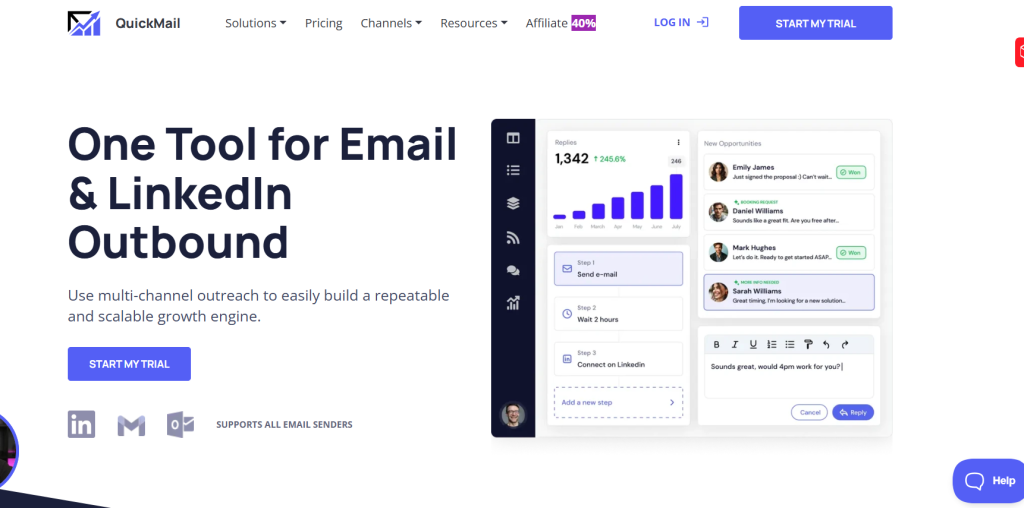
QuickMail was built by agency owners for agency operations, and this focus shows in every feature decision. The platform understands that agencies need to keep client campaigns completely separated, bill clients accurately for usage, and provide professional reporting without exposing backend complexity.
The client account structure allows you to create isolated workspaces for each client, with separate email accounts, domain configurations, and campaign data. This separation is critical when you’re managing competing clients in the same industry—you cannot have any risk of data leakage or cross-contamination.
White-label reporting generates client-ready performance dashboards that you can brand with your agency logo and color scheme. These reports present data clearly for non-technical clients while providing the depth needed to demonstrate value and inform strategy adjustments.
The team permission system allows you to grant copywriters access to campaign creation without exposing billing information, let junior team members manage specific client accounts without accessing others, and maintain admin oversight across all operations.
Pricing Overview
| Plan | Price (Monthly) | Senders | Contacts | Emails/Month | Best For |
|---|---|---|---|---|---|
| Starter | $9 | 1 Email + 1 LinkedIn | 1,000 | 3,000 | Beginners starting cold outreach |
| Growth | $99 | Unlimited | 30,000 (+$10/10k) | 100,000 | Solo founders & small teams |
| Agency | $299 | Unlimited | 50,000 (+$10/10k) | 300,000 | Agencies & large-scale outreach |
Best for: Lead generation agencies managing multiple simultaneous client campaigns, freelance consultants scaling beyond solo operations, and teams where access control and client separation are non-negotiable requirements.
Limitations: If you’re not running an agency or managing multiple distinct campaigns, you’re paying for organizational features you don’t need. The interface feels slightly dated compared to newer platforms, though functionality remains solid. Advanced AI features lag behind competitors focused on personalization.
6. Reply.io: Best for Visual Workflow Building
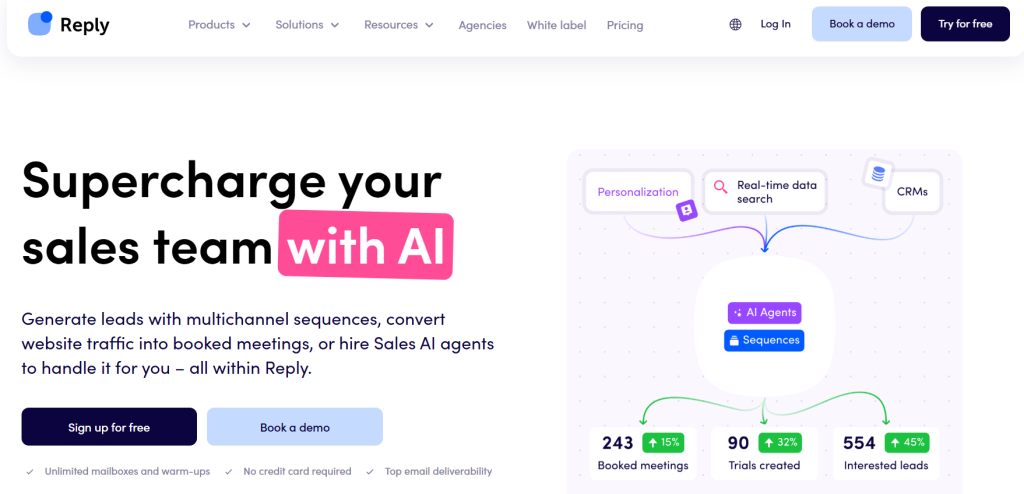
Reply.io solves a problem many cold email tools create: sequence logic becomes incomprehensible when campaigns grow complex. If-then conditional branching, wait timers, and multi-step sequences represented through dropdown menus and text configurations quickly become impossible to visualize.
Reply.io’s drag-and-drop canvas lets you build sequences visually, seeing the entire flow laid out spatially. You can add email steps, conditional branches based on engagement, LinkedIn touches, phone call tasks, and wait periods, then literally draw connections between steps to define the flow.
This visualization isn’t just aesthetic—it fundamentally changes how you design sequences. During testing, we found ourselves creating more sophisticated nurture flows in Reply.io simply because we could actually understand what we were building. The ability to see how prospects would flow through different branches made optimization intuitive rather than guesswork.
The platform includes solid fundamentals like email verification, sending optimization, and reply detection. The unified inbox provides a centralized location for managing all prospect conversations across campaigns.
Pricing Overview
| Plan | Price (Monthly) | Users / Mailboxes | Contacts | Channels | Best For |
|---|---|---|---|---|---|
| Email Volume | $159 (annual) | ∞ | 10,000 active | High-volume email outreach teams | |
| Multichannel | $89 / user (annual) | 10 mailboxes | Unlimited | Email, LinkedIn, SMS, WhatsApp | Teams needing multi-channel outreach |
| AI SDR (Jason AI) | $500 | 24/7 operations | Realtime search | Email + AI responses | Fully automated AI-powered outreach |
Best for: Teams building complex nurture sequences with multiple conditional branches, visual thinkers who struggle with text-based sequence builders, and operations where multiple team members need to understand and modify campaign logic.
Limitations: The visual builder, while intuitive for sequence construction, can feel constraining if you need to make bulk edits across many campaigns. Very simple sequences don’t benefit from visualization—you’re paying for capabilities you might not use. Email deliverability is solid but not class-leading.
7. Woodpecker: Best Budget-Friendly Option for Startups
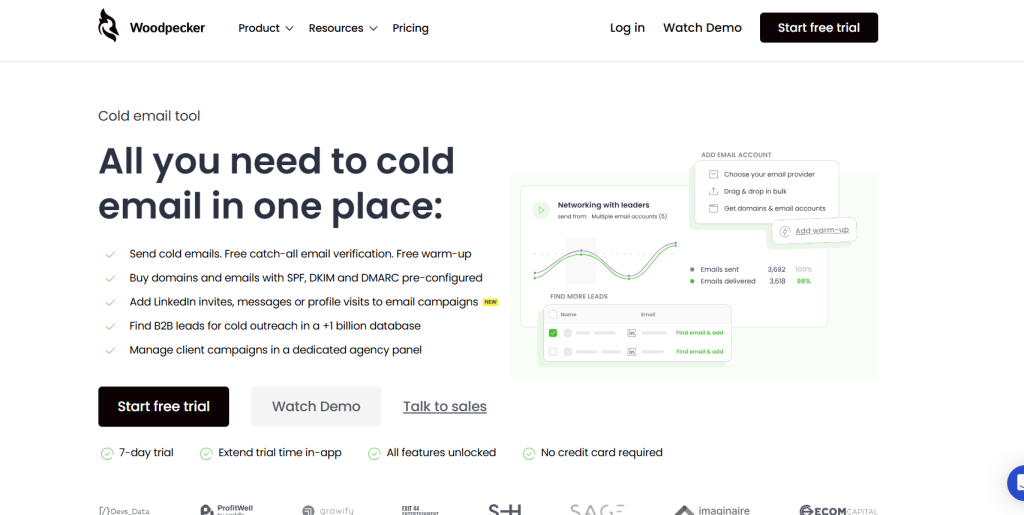
Woodpecker embraces simplicity as a feature rather than a limitation. The platform does cold email well without attempting to become an all-encompassing sales engagement platform, and the pricing reflects this focused approach.
Setup is straightforward—connect your email account, import a prospect list, write your sequence, and launch. The interface guides you through proper configuration without overwhelming you with advanced options you probably don’t need yet. This accessibility makes Woodpecker ideal for founders and small teams implementing cold outreach for the first time.
Despite the budget positioning, deliverability fundamentals are solid. Woodpecker implements proper sending delays, includes basic spintax for content variation, automatically detects replies and stops sequences, and integrates with email verification services to clean your lists before sending.
The platform includes A/B testing capabilities that let you test subject lines and email variants to optimize performance systematically. Analytics are clear and actionable without requiring data analysis expertise.
Pricing Overview
| Plan | Monthly Price | Contacted Prospects | Emails/Month | Stored Prospects | Free Warm-ups | Best For |
|---|---|---|---|---|---|---|
| Free | $0 | 50 | 600 | 200 | 0 | Trying features & small tests |
| Starter | $24 | 500 | 6,000 | 2,000 | 2 | Beginners with low-volume outreach |
| Growth | $126 | 10,000 | 120,000 | 40,000 | 20 | Popular choice for scaling teams |
| Scale | $903 | 100,000 | 1,200,000 | 400,000 | 135 | Large outreach campaigns |
| Max | $6,666 | Unlimited | Unlimited | Unlimited | Unlimited | Unlimited, enterprise-level outreach |
Best for: Bootstrapped startups with limited budgets, founders doing outbound sales themselves, and teams sending fewer than 200 emails daily who don’t need multichannel or advanced automation features.
Limitations: Limited scalability—costs increase linearly as you add email accounts without the volume discounts larger platforms offer. No included warmup service requires using third-party tools like Mailwarm. Advanced features like AI personalization, visual builders, and multichannel sequences simply don’t exist here.
8. Apollo.io: Best for Automated Data Enrichment
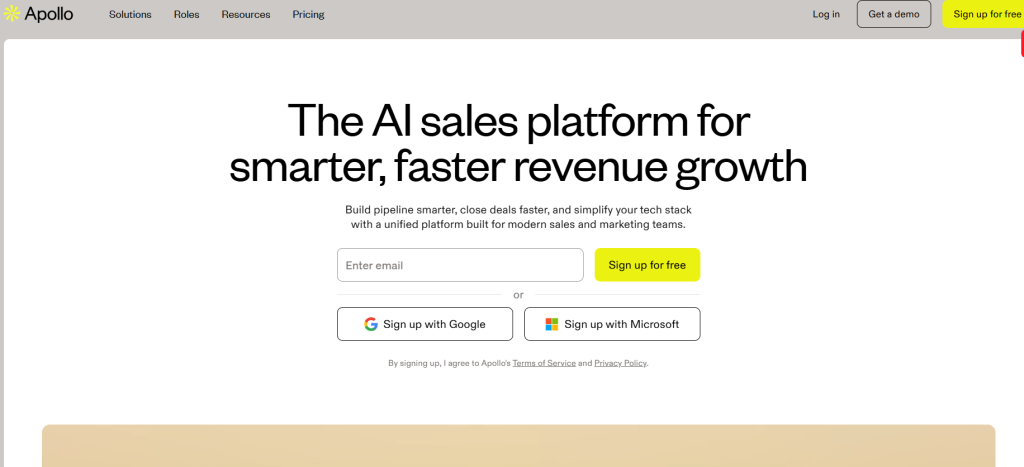
Apollo.io approaches cold email from a different starting point than most platforms. Rather than assuming you’re bringing your own prospect lists, Apollo provides access to a database of over 250 million contacts with built-in filtering, enrichment, and email verification before you ever send a message.
The prospecting workflow is integrated directly into the platform. You define your ideal customer profile using firmographic filters like company size, industry, revenue, technology stack, and growth signals, then identify specific job titles and seniority levels. Apollo returns matching contacts with verified email addresses, phone numbers, and enriched profile data.
This integration eliminates the typical workflow of prospecting in one tool, exporting to CSV, enriching data in another tool, verifying emails in a third tool, then finally importing into your cold email platform. Everything happens in one place, dramatically reducing friction and time investment.
The sequences functionality covers core cold email needs competently, though it lacks some advanced features specialized platforms offer. The unified inbox consolidates replies, and the CRM-lite functionality tracks deals through basic pipeline stages.
Apollo Platform Pricing Overview
| Plan | Monthly Price (Annual Billing) | Credits / Year | Best For |
|---|---|---|---|
| Free | $0 | 900 per user | Explore leads, manage pipeline, basic prospecting |
| Basic | $49 | 30,000 per user | Prospecting, outreach & deal management |
| Professional | $79 | 48,000 per user | Multi-touch outreach, AI & automation |
| Organization | $119 (min 3 users) | 72,000 per user | Advanced tools, custom solutions, expert support |
Best for: Teams that need to build prospect lists from scratch rather than working existing databases, companies targeting specific technographic criteria, and operations where database access and outreach platform integration creates efficiency gains.
Limitations: Data quality varies by region and industry—coverage is strongest for US-based tech companies and weaker for other markets. The platform tries to do many things, which means individual capabilities sometimes lack depth compared to specialists. Email deliverability is adequate but not exceptional.
9. Hunter: Best for SEO Link Building Campaigns
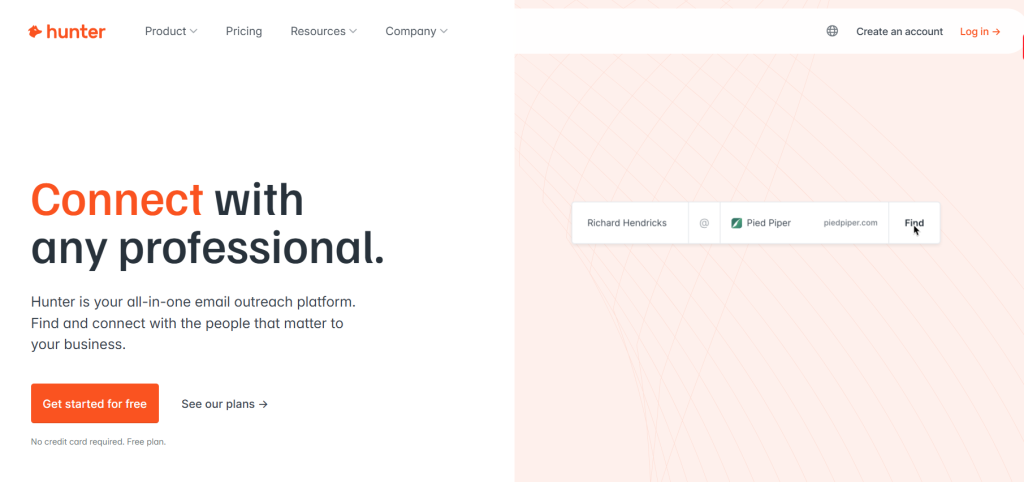
Hunter recognizes that not all cold email serves immediate sales purposes. Link building, PR outreach, partnership development, and blogger relations require different approaches than aggressive sales sequences.
The platform’s tone and features reflect this positioning. Sequences are called “campaigns” and emphasized for relationship building rather than conversion optimization. The interface encourages personalized, thoughtful outreach rather than high-volume blasting.
Hunter’s core strength has always been email finding—the ability to discover email addresses for specific people at specific companies. This functionality is deeply integrated into Campaigns, allowing you to build prospect lists by searching for roles at target websites directly within the outreach interface.
The domain search feature is particularly valuable for link builders. You can enter a target website domain and Hunter will return all associated email addresses it has in its database, along with confidence scores for deliverability. This beats manual hunting through contact pages and guessing email formats.
Hunter Plans & Pricing
| Plan | Monthly Price | Credits / Year | Email Accounts | Recipients / Sequence | Best For |
|---|---|---|---|---|---|
| Free | $0 | 50 | 1 | 500 | Trying Hunter & small tests |
| Starter | $34 ($408 yearly –30%) | 24,000 | 3 | 2,500 | Beginners starting outreach |
| Growth | $104 ($1,248 yearly –30%) | 120,000 | 10 | 5,000 | Scaling outreach campaigns |
| Scale | $209 ($2,508 yearly –30%) | 300,000 | 20 | 15,000 | Large teams & high-volume outreach |
| Enterprise | Custom | Custom | Custom | Custom | Advanced needs & dedicated support |
Best for: SEO professionals running link building campaigns, PR teams conducting media outreach, content marketers seeking guest posting opportunities, and anyone whose cold email focuses on relationship building rather than direct sales.
Limitations: Intentionally limited sequence complexity won’t satisfy teams needing elaborate automation. The platform’s relationship-building positioning means it lacks aggressive follow-up features some sales teams want. Email finding credits become a limiting factor at volume.
10. Warpleads: Best Newcomer to Watch in 2026
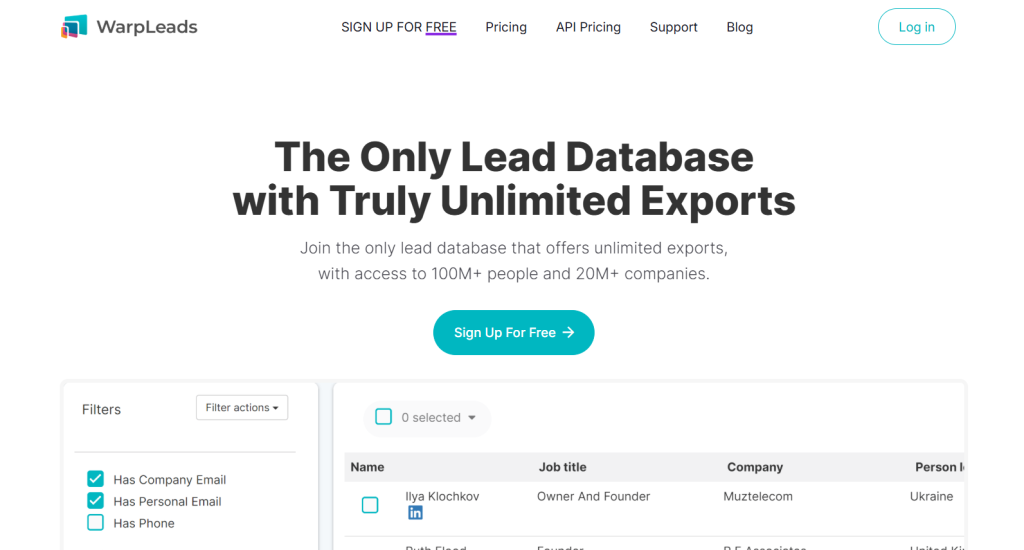
Warpleads entered the market in late 2024 and has been aggressively iterating based on user feedback throughout early 2026. The platform brings fresh thinking to cold email infrastructure, particularly around deliverability and warmup protocols.
The standout innovation is the warmup methodology. Rather than using the standard warmup networks most platforms employ (where your emails are essentially sent to and from other users’ warmup accounts), Warpleads has developed proprietary warmup infrastructure that simulates more realistic engagement patterns. During our testing, we observed faster reputation establishment compared to traditional warmup approaches.
The sending algorithm adapts in real-time based on engagement signals. If your emails are getting strong open and reply rates, the platform gradually increases sending volume. If engagement drops or spam complaints occur, it automatically throttles sending to protect your reputation. This dynamic adjustment happens automatically without requiring manual intervention.
The interface is modern and surprisingly intuitive for a young platform. The team is shipping features rapidly—we watched them add unified inbox improvements, enhanced spintax, and CRM integrations during our testing period alone.
WarpLeads Pricing Overview
| Plan | Monthly Price | Contacts / Month | Exports / Month | Best For |
|---|---|---|---|---|
| Free | $0 | 30 | 30 | Trying the platform & small tests |
| Unlimited Monthly | $99 | Unlimited | Unlimited | Scaling outreach & high-volume users |
Best for: Early adopters comfortable with occasional bugs in exchange for cutting-edge features, teams frustrated with legacy platforms’ approaches to deliverability, and price-conscious users who want modern infrastructure at startup pricing.
Limitations: Platform maturity is the primary concern. We encountered minor bugs that required support intervention, though the team was responsive. The feature set is still expanding—advanced capabilities like multichannel sequences and sophisticated analytics are on the roadmap but not yet implemented. Choosing Warpleads means accepting some growing pains.
Critical Features to Evaluate When Choosing a Tool
Beyond the specific platform reviews, understanding which capabilities truly matter will help you evaluate any cold email tool effectively. Here are the features that separate professional-grade platforms from amateur solutions.
Inbox Rotation and Spintax Capabilities
Sending all your emails from a single account is the fastest path to spam folder oblivion. Professional cold email requires distributing sends across multiple email accounts to stay below per-account spam complaint thresholds and avoid triggering volume-based filters.
Quality platforms support connecting unlimited email accounts and include intelligent rotation logic that distributes sends evenly while respecting individual account daily limits. The best implementations add randomization to sending times rather than mechanical patterns that scream “automation” to spam filters.
Spintax allows you to create template variations so that technically, no two emails you send are identical. At the simple level, this means word substitution—alternating between “Hello” and “Hi,” or “company” and “business.” Advanced spintax supports sentence-level and paragraph-level variation, creating genuinely different emails that convey the same core message.
The importance of spintax has increased as spam filters become more sophisticated. Filters now analyze sending patterns across accounts. If they detect identical messages being sent from multiple sources, all those sources get flagged as a coordinated spam campaign. Variation breaks this pattern detection.
Native Email Warmup vs. Third-Party Integrations
Email warmup is the process of gradually establishing a positive sending reputation for new email accounts or domains. Without warmup, immediately sending 100 cold emails from a fresh account triggers spam filters instantly.
Some platforms include native warmup functionality that runs automatically in the background, generating artificial engagement that signals to inbox providers that your account sends legitimate email. Other platforms require integrating third-party warmup services like Mailwarm or Warmbox, which means additional costs and complexity.
Native warmup is preferable because it’s seamless—accounts start warming the moment you connect them without requiring separate service subscriptions or configurations. However, third-party warmup services sometimes provide more sophisticated warmup networks and detailed reporting.
The critical factor is consistency. Warmup isn’t a one-time setup—it needs to run continuously as long as you’re sending cold email. Accounts that go dormant and then suddenly resume sending trigger the same red flags as fresh accounts.
Unified Inbox Management for Handling Replies
When you’re sending from multiple email accounts and running multiple campaigns simultaneously, replies become scattered across different inboxes. Manually checking each account individually doesn’t scale and creates response delay that kills deal momentum.
A unified inbox consolidates all replies from all connected accounts into a single interface where you can read, respond, and track conversations regardless of which sending account the prospect replied to. This centralization is essential for maintaining response speed and ensuring no leads slip through the cracks.
Advanced unified inbox implementations add features like conversation assignment (routing specific replies to team members), internal notes (team members can leave context without the prospect seeing it), and status tagging (marking conversations as qualified, not interested, follow-up needed, etc.).
The best systems also implement intelligent reply detection that automatically removes prospects from sequences when they respond. Without this automation, prospects who reply to your first email continue receiving the rest of your sequence, which creates terrible user experience and spam complaints.
Analytics and A/B Testing Granularity
Cold email optimization requires data. You need to know which subject lines generate opens, which email variants drive replies, what sending times perform best, and how different prospect segments respond to various messaging angles.
Basic analytics track opens, clicks, replies, and bounces at the campaign level. Professional platforms add cohort analysis (comparing performance across different prospect segments), time-series data (tracking performance trends over weeks and months), and attribution (connecting outreach campaigns to closed deals).
A/B testing capabilities let you systematically improve performance by testing variants against each other. At minimum, you need the ability to test different subject lines. Better implementations allow testing email body variants, different sequence timing, and various calls-to-action.
The sophistication of testing implementation matters significantly. Simple A/B tests split traffic 50/50 and require manual analysis to determine winners. Advanced multi-armed bandit algorithms automatically allocate more traffic to better-performing variants while continuing to test alternatives, maximizing results while still gathering data.
Real World Scenarios: Which Tool Fits Your Strategy?
Rather than declaring a single “best” tool, let’s examine three common scenarios and identify which platforms align best with each strategic approach.
Scenario A: The High-Volume Agency
You’re managing cold email campaigns for 8-12 clients simultaneously, sending collectively 5,000+ emails per day across all accounts. Each client has their own domains and email infrastructure. You need strict account separation, white-label reporting, and the ability to scale without per-account pricing becoming prohibitive.
Recommended Platform: Instantly.ai or QuickMail
Instantly’s unlimited email account model makes it the most cost-effective option at this scale. You pay a flat monthly fee regardless of how many accounts you connect, which matters enormously when you’re managing dozens of sending accounts across multiple clients. The included unlimited warmup service alone would cost hundreds of dollars monthly through third-party providers.
QuickMail becomes the better choice if client separation and white-label reporting are priorities. The platform’s agency-specific features—isolated client workspaces, team permission structures, and branded reporting—justify the slightly higher cost through operational efficiency and professional client presentation.
Both platforms handle high-volume sending well, though you’ll still need to manage domain reputation carefully and respect daily sending limits per account. The key advantage is that the platforms won’t become the bottleneck as you scale—pricing and feature limitations won’t force you to migrate platforms when you add your 15th client.
Scenario B: The Account-Based Marketing (ABM) Approach
You’re targeting 100-200 specific high-value accounts with deeply researched, highly personalized messaging. Volume is low but personalization requirements are extreme. Each email references specific details about the prospect’s company, recent activities, or industry challenges. You’re coordinating outreach across email and LinkedIn.
Recommended Platform: Smartlead or Lemlist
Smartlead’s AI-powered personalization engine will save countless hours while maintaining the customization quality ABM demands. The ability to automatically generate contextually relevant intro lines based on prospect data means you can achieve deep personalization at scale rather than manually researching and writing individual emails for each of your 200 target accounts.
Lemlist becomes preferable if your ABM strategy includes coordinated LinkedIn outreach alongside email. The multichannel sequences allow you to orchestrate touchpoints across platforms, ensuring consistent messaging and appropriate timing between connection requests, LinkedIn messages, and email follows. The image personalization features add a visual differentiator that cuts through inbox noise.
In ABM scenarios, deliverability concerns decrease slightly because you’re sending relatively few emails. The personalization quality and multichannel coordination become the differentiating factors rather than pure sending infrastructure scalability.
Scenario C: The Founder-Led Sales Motion
You’re a technical founder handling sales yourself while building product. You need cold outreach to work but can’t invest weeks learning complex platforms or afford enterprise pricing. You’re sending 50-100 emails per day from a single account, doing everything yourself, and need simple workflows that produce results without consuming your entire day.
Recommended Platform: Woodpecker or Hunter Campaigns
Woodpecker’s simplicity and pricing align perfectly with founder-led sales. You can get started in an afternoon without extensive tutorials, the interface doesn’t overwhelm you with advanced features you don’t need yet, and the cost won’t strain a bootstrapped budget. The platform handles the essential deliverability fundamentals while staying out of your way.
Hunter Campaigns makes sense if you’re simultaneously building prospect lists from scratch. The integrated email finding functionality eliminates the need for separate prospecting tools, and the platform’s relationship-building orientation aligns well with founder credibility—your emails come from the CEO personally, which carries weight that BDR outreach doesn’t.
At this stage, avoiding overinvestment in sophisticated features you don’t yet need matters more than having every advanced capability. Both platforms will serve you well until you hire a dedicated sales person, at which point you can reassess whether more advanced tools justify their costs.
Expert Insights: Avoiding the Spam Folder
Platform selection matters, but technical configuration determines whether your carefully crafted emails ever reach their intended recipients. Here’s what actually moves the deliverability needle.
The Role of DNS Records (SPF, DKIM, DMARC)
Email authentication protocols are no longer optional recommendations—they’re strict requirements enforced by major inbox providers. If your domain lacks proper SPF, DKIM, and DMARC records, your emails will be rejected or relegated to spam folders regardless of how good your cold email platform is.
SPF (Sender Policy Framework) specifies which mail servers are authorized to send email on behalf of your domain. When you send email through a cold outreach platform, that platform’s servers need to be included in your SPF record. Without this authorization, receiving servers reject your emails as potential spoofing attempts.
DKIM (DomainKeys Identified Mail) adds a cryptographic signature to your emails that proves they haven’t been tampered with in transit and genuinely originated from your domain. Most cold email platforms handle DKIM signing automatically once you complete their domain authentication setup, but you need to add the required DNS records they provide.
DMARC (Domain-based Message Authentication, Reporting, and Conformance) tells receiving servers what to do with emails that fail SPF or DKIM checks. As of 2026, Google and Yahoo require DMARC policies for bulk senders. Your policy should be set to “quarantine” or “reject” for failed authentication rather than “none,” which demonstrates you take email security seriously.
The technical implementation involves adding TXT records to your domain’s DNS configuration. Every cold email platform provides documentation for this process, and it typically takes 24-48 hours for DNS changes to propagate globally. This setup is unavoidable—factor it into your timeline when launching new campaigns.
Why You Should Never Use Your Primary Domain
Using your company’s primary domain for cold outreach is a catastrophic mistake that can permanently damage your email reputation for all communications—not just cold outreach.
Cold email inherently generates higher spam complaint rates than transactional or marketing emails sent to opted-in lists. Even with perfect targeting and excellent copy, some percentage of recipients will mark your emails as spam simply because they didn’t ask to receive them. This is expected and manageable—unless you’re risking your primary domain’s reputation.
Once a domain’s reputation is damaged with major inbox providers, recovery takes months and sometimes isn’t fully possible. Your customer support emails, password resets, invoice notifications, and legitimate business communications all suffer because your domain is flagged. This operational impact far exceeds any benefit from sending cold emails from your primary brand domain.
The solution is purchasing secondary domains specifically for cold outreach. These should be similar to your primary domain but distinct—if your company is example.com, you might use examplehq.com or tryexample.com for outreach. These domains protect your primary domain while still maintaining brand association.
The secondary domains need their own dedicated email accounts—typically Gmail Workspace or Microsoft 365 accounts. You’ll warm these accounts gradually and use them exclusively for cold outreach. If reputation issues occur, they’re isolated to the secondary domain while your primary business communications remain unaffected.
This separation is standard practice among professionals who send cold email at scale. The small additional cost of secondary domains and email accounts is trivial compared to the catastrophic risk of damaging your primary domain.
Frequently Asked Questions About Cold Email Software
What is the difference between cold email tools and Mailchimp?
Cold email platforms and traditional email marketing tools like Mailchimp serve fundamentally different purposes and operate under different technical and legal frameworks.
Mailchimp and similar ESPs (Email Service Providers) are designed for one-to-many broadcast messaging to recipients who have explicitly opted into your mailing list. They use shared IP addresses, provide list management for subscribers, and enforce strict policies against sending to purchased or cold lists.
Cold email tools are built for one-to-one-style outreach to prospects who haven’t opted in. They send through your own email accounts rather than shared infrastructure, support inbox rotation across multiple accounts, include warmup protocols to establish sender reputation, and implement features like reply detection and spintax that marketing platforms don’t need.
The legal distinction matters too. Marketing emails to opted-in lists fall under different regulations than cold outreach to prospects with whom you have no existing relationship. Cold email tools include features like individual opt-out handling and sender identification that align with B2B cold outreach compliance requirements.
Using Mailchimp for cold email violates their terms of service and will get your account banned quickly. Using a cold email tool for newsletter broadcasts to opted-in subscribers is technically possible but inefficient—you’d lack the segmentation, template building, and analytics optimized for marketing campaigns.
Is cold email outreach legal under GDPR and CAN-SPAM?
Cold email legality is nuanced and depends on jurisdiction, your business type, and how you execute outreach. The short answer is yes, B2B cold email is legal in most contexts, but compliance requirements must be followed rigorously.
Under CAN-SPAM (the US law governing commercial email), you must include a physical postal address in your emails, provide a clear unsubscribe mechanism, honor opt-out requests within 10 business days, and ensure your subject lines accurately reflect email content. Notably, CAN-SPAM doesn’t require prior consent for B2B communications—you can cold email business prospects without permission as long as you follow the rules.
GDPR (the European regulation) is more restrictive but includes a “legitimate interest” basis that can justify B2B cold outreach. You need to demonstrate that contacting the prospect serves a legitimate business purpose, your outreach is relevant to their professional role, and you provide clear opt-out mechanisms. Consent isn’t technically required for B2B communications under legitimate interest, though some conservative interpretations disagree.
Canada’s CASL (Canadian Anti-Spam Legislation) is stricter, requiring either prior consent or an “existing business relationship.” However, CASL includes exemptions for emails sent to business email addresses that contain inquiries or proposals related to the recipient’s professional activities.
The practical takeaway: B2B cold email to professional email addresses, with clear identification of sender, relevant business propositions, and functioning opt-out mechanisms, is generally legal across major jurisdictions. Consumer email (B2C cold outreach) faces much stricter requirements and is often not legally viable without prior consent.
How many cold emails can I safely send per day?
The safe daily sending volume depends on account age, domain reputation, and whether you’re using single or multiple accounts. Conservative limits protect deliverability while aggressive sending risks spam folder placement.
For new email accounts with fresh domains, start extremely conservatively: 10-20 emails per day for the first week, gradually increasing by 5-10 emails per day each week. This gradual ramp prevents triggering volume-based spam filters while your warmup protocol simultaneously establishes positive reputation through artificial engagement.
For established accounts with solid reputation (6+ months of normal usage and completed warmup), you can safely send 50-80 emails per day per account. This represents the upper boundary before you start risking deliverability issues even with good sender reputation.
The best practice for scaling beyond 50-80 emails daily is distributing sends across multiple accounts rather than pushing individual accounts beyond their safe limits. If you need to send 400 emails daily, configure 5-8 email accounts and rotate sends across them, keeping each account within the 50-80 email range.
These limits apply to cold email specifically. If your account also sends regular business communications, those count against your daily totals. An account sending 30 cold emails plus 20 replies to existing conversations is operating at 50 emails daily total volume.
Weekend sending patterns matter too. Accounts that send consistently Monday through Friday then go silent on weekends look legitimate. Accounts that maintain identical sending volumes seven days a week trigger automation detection. Build realistic patterns into your sending schedules.
Do I really need a dedicated IP address?
No, and for most cold email use cases, dedicated IP addresses actually create more problems than they solve. This recommendation surprises people familiar with email marketing best practices, but cold email infrastructure works differently.
Dedicated IPs make sense for high-volume email marketing where you’re sending hundreds of thousands of emails monthly and can effectively warm and maintain IP reputation through sheer volume. The IP’s reputation becomes associated with your sending patterns specifically rather than being shared with other senders.
Cold email operates at much lower volumes—even aggressive campaigns send only thousands of emails monthly per account, not hundreds of thousands. At this volume, you cannot effectively establish strong IP reputation because there simply isn’t enough sending activity to generate the positive signals inbox providers need.
More importantly, modern cold email is sent through your own email accounts (Gmail Workspace, Microsoft 365, etc.) rather than through mail server infrastructure you control. These services send from shared IP pools by design, and you don’t have the option to request dedicated IPs even if you wanted them.
The deliverability focus in cold email is domain reputation and account reputation, not IP reputation. Your domain’s authentication records (SPF, DKIM, DMARC), your sending patterns, engagement rates with your emails, and spam complaint rates matter far more than which specific IP address your emails originate from.
Save yourself the complexity and cost of dedicated IPs unless you’re operating mail servers directly and sending at true marketing volumes where IP reputation becomes relevant.
How long does it take to warm up an inbox?
Proper inbox warmup typically requires 2-4 weeks before you can begin full cold email campaigns, though the timeline varies based on domain age, desired sending volume, and how aggressively you want to ramp.
The warmup process gradually establishes positive sender reputation by generating artificial engagement patterns that signal to inbox providers that your account sends legitimate email. This involves sending emails between accounts in a warmup network, with automated opens, replies, and positive engagement signals.
Week one focuses on establishing basic sending patterns with very low volumes—typically 5-10 emails daily with high engagement rates. This builds initial positive signals without triggering any volume-based spam filters.
Week two gradually increases volume to 20-30 emails daily while maintaining the positive engagement patterns. The increased volume demonstrates consistent sending behavior rather than the sporadic patterns associated with spam accounts.
Weeks three and four continue ramping toward your target daily sending volume, typically reaching 50-80 emails daily by the end of the warmup period for accounts you plan to use actively in cold campaigns.
The critical factor is patience. Rushing the warmup process by increasing volume too quickly triggers the same spam filters you’re trying to avoid. The weeks invested in proper warmup protect months of future campaign deliverability.
Warmup isn’t a one-time process that ends after 3-4 weeks. Background warmup activity should continue running as long as you’re using accounts for cold outreach, maintaining the positive engagement signals that established your reputation initially. Most platforms that include native warmup run these background processes automatically without requiring configuration.
Conclusion
Choosing the right cold email outreach tool in 2026 requires looking beyond feature checklists to understand how different platforms align with your specific operational reality. There is no universal “best” tool—only the best tool for your use case, volume, team structure, and strategic approach.
If you’re managing high-volume agency operations, Instantly.ai or QuickMail provide the account management and scalability you need. Teams focused on deeply personalized ABM campaigns will find Smartlead or Lemlist better suited to their requirements. Founders handling sales themselves should prioritize simplicity and cost-effectiveness with Woodpecker or Hunter Campaigns.
Regardless of which platform you choose, remember that the tool represents only one component of cold email success. Proper domain authentication, gradual warmup protocols, careful list targeting, compelling copy, and genuine value propositions matter more than any platform feature. The best cold email tool poorly implemented will underperform a basic tool used strategically.
Start with the platform that matches your current situation rather than overinvesting in enterprise capabilities you might need eventually. Most tools offer trials or low-cost starter plans that let you validate deliverability and workflows before committing to annual contracts. Test in your specific environment with your actual prospect data—deliverability varies significantly based on industry, geography, and prospect seniority.
The cold email landscape will continue evolving as inbox providers tighten requirements and prospects develop more sophisticated spam detection. Choose platforms that demonstrate active development and respond to deliverability changes quickly. The tool that works well in early 2026 needs ongoing updates to maintain performance through 2026 and beyond.

![Marketing Automation Case Study: 12 Real Examples, Strategy & ROI Results [2026]](https://marketingcasestudy.io/wp-content/uploads/2026/05/marketing-automation-case-study-featured-768x403.png "Marketing Automation Case Study: Real Examples, Strategy & ROI Results [2026] 13")

