Artificial intelligence in 2026 is no longer experimental technology reserved for engineers and early adopters. It is infrastructure. Writers use AI to draft and refine content. Developers use it to generate, debug, and deploy code. Researchers use it to synthesize papers and extract insights from thousands of pages in minutes. Marketers use it to create videos, presentations, and campaigns at speeds that were impossible two years ago.
The problem is not a shortage of AI tools. It is a surplus. There are now hundreds of platforms competing for your attention and budget, many of them overpromising and underdelivering. Choosing the wrong tool does not just waste money. It wastes time learning an interface, building workflows, and creating outputs that turn out to be mediocre.
This guide cuts through the noise. We tested 12 AI platforms across their core use cases, compared their outputs head-to-head, evaluated free tiers against paid plans, and identified the specific scenarios where each tool outperforms the alternatives. Every recommendation below includes the exact situation where that tool is the right choice, and the situations where you should look elsewhere.
Quick Comparison: Top 12 AI Tools for 2026
The table below provides a snapshot of each tool’s primary use case, pricing, and free tier availability. Detailed reviews follow.
| Tool | Primary Use | Starting Price | Free Tier | Best Model | Our Rating |
| ChatGPT | General-purpose AI assistant | $20/mo (Plus) | Yes (capable) | GPT-4o / o3 | 9.0/10 |
| Claude | Writing, coding, long documents | $20/mo (Pro) | Yes (limited) | Opus 4.5 / Sonnet | 9.2/10 |
| Google Gemini | Multimodal + Google integration | $19.99/mo | Yes (generous) | Gemini 2.5 Pro | 8.5/10 |
| Perplexity | AI-powered research + search | $20/mo (Pro) | Yes | Multi-model | 8.8/10 |
| Midjourney | Artistic image generation | $10/mo | No | v6.1 | 9.0/10 |
| NotebookLM | Document-grounded research | Free | Yes (full) | Gemini-backed | 8.7/10 |
| ElevenLabs | AI voice synthesis + cloning | $5/mo (Starter) | Yes (limited) | Proprietary | 8.9/10 |
| Fireflies.ai | Meeting transcription + summaries | $18/mo | Yes (limited) | Proprietary | 8.3/10 |
| Synthesia | AI video with synthetic presenters | $22/mo | Free demo | Proprietary | 8.4/10 |
| n8n | AI workflow automation | Free (self-host) | Yes | Multi-model | 8.6/10 |
| Gamma | AI presentation builder | $10/mo | Yes (limited) | GPT-backed | 8.0/10 |
| Cursor | AI-native code editor | $20/mo (Pro) | Free (limited) | Multi-model | 9.1/10 |
How We Evaluated These AI Tools
Every tool in this guide was assessed across five dimensions.
Output quality: We tested each tool on standardized tasks: a 2,000-word article draft, a Python data analysis script, a research summary from three academic papers, and a creative image prompt. Outputs were evaluated for accuracy, coherence, and usefulness without additional editing.
Free tier viability: Can a professional get meaningful work done without paying? We used each free tier for a full work week and documented where limitations became blockers versus minor inconveniences.
Paid plan value: For tools with paid tiers, we assessed whether the upgrade delivers enough additional capability to justify the cost for a typical professional user processing 20 to 50 tasks per day.
Integration and workflow fit: An AI tool that exists in isolation is far less valuable than one that connects to your existing stack. We evaluated API access, plugin ecosystems, and native integrations with popular productivity tools.
Reliability and consistency: AI tools that produce brilliant output 60 percent of the time and garbage the other 40 percent are not useful for professional work. We tracked consistency across repeated runs of the same task types over two weeks.
Why the AI Tool Landscape in 2026 Is Fundamentally Different
Two shifts define the AI tools market in 2026 compared to even a year earlier. The first is the rise of reasoning models. OpenAI’s o1 and o3 series, along with comparable offerings from Anthropic and Google, introduced chain-of-thought processing that dramatically reduces hallucinations and improves accuracy on complex logic, math, and multi-step reasoning tasks. These models think before they respond, spending computational resources on internal deliberation rather than generating the first plausible-sounding answer.
The second shift is the emergence of agentic AI. Tools like n8n, Claude’s Cowork feature, and cursor-based coding assistants do not just answer questions. They execute multi-step workflows: researching a topic, drafting content, formatting it for publication, and scheduling it, all from a single instruction. This moves AI from assistant to autonomous worker for well-defined tasks.
These two shifts mean that the best AI tool for you in 2026 depends less on which chatbot produces the prettiest paragraph and more on which platform integrates reasoning and agency into the workflows where you actually spend your time.
Detailed Reviews: Best AI Tools for 2026
1. ChatGPT — Best General-Purpose AI Assistant
| Best For | General-purpose writing, coding, research, image generation, and Q&A across all skill levels |
| Pricing | Free tier (GPT-4o mini). Plus $20/mo (GPT-4o, o3). Pro $200/mo (unlimited o3, o1 Pro) |
| Free Tier | Yes — surprisingly capable for everyday tasks, limited access to advanced models |
| Key Strengths | Most versatile AI tool available, reasoning models (o1/o3), massive plugin ecosystem, Canvas collaborative editing, deep research with citations |
| Key Weaknesses | Output varies with prompt quality, hallucinations on niche topics, rate limits on advanced models, can feel generic without prompt engineering |
| Best For Teams | Generalists, content teams, customer support, educators, anyone needing a single AI tool |
| Output Consistency | High for standard tasks, moderate for specialized or technical domains |
| Best Pairing | Perplexity for verified research, Cursor for dedicated coding workflows |
ChatGPT remains the most widely used AI tool in the world, and for good reason. No other single platform handles as many different task types competently. It drafts emails, debugs Python scripts, generates images, analyzes uploaded documents, browses the web for current information, and holds multi-turn conversations that maintain context across dozens of exchanges.
The introduction of reasoning models represents the most significant upgrade in ChatGPT’s evolution. The o1 and o3 series use chain-of-thought processing that spends additional computation on internal reasoning before producing a response. In our testing, this reduced errors on math problems by roughly 70 percent compared to standard GPT-4o, and produced substantially better code for complex algorithms and data transformations.
Canvas mode, which enables collaborative writing and coding directly within the interface, addresses one of ChatGPT’s oldest limitations: the inability to edit specific sections of a long document without regenerating everything. With Canvas, you can highlight a paragraph, request changes, and see them applied in place. For writers and developers working on longer outputs, this transforms ChatGPT from a generation tool into a genuine collaboration partner.
Where ChatGPT Falls Short
ChatGPT’s biggest weakness is inconsistency. The same prompt can produce excellent output on one run and mediocre output on the next. This variability makes it unreliable for tasks that require consistent quality without human review. Hallucinations still occur, particularly on niche topics, recent events outside the training window, and highly technical domains where the model lacks sufficient training data.
The Plus plan at $20 per month is necessary for access to the best models and features. The free tier, while improved, restricts access to advanced reasoning models and limits usage during peak hours. For professionals who depend on AI throughout the workday, the free tier will frustrate more often than it satisfies.
The Verdict on ChatGPT
ChatGPT is the right starting point for anyone who wants a single AI tool that handles the widest range of tasks. It is the Swiss Army knife of AI: good at many things, best-in-class at few. If writing quality is your top priority, Claude outperforms it. If verified research matters, Perplexity is stronger. If coding is your primary use case, Cursor provides a more integrated experience. But no other tool matches ChatGPT’s breadth.
2. Claude — Best for Writing Quality, Coding, and Long Documents
| Best For | Long-form writing, code generation, document analysis, and complex instruction following |
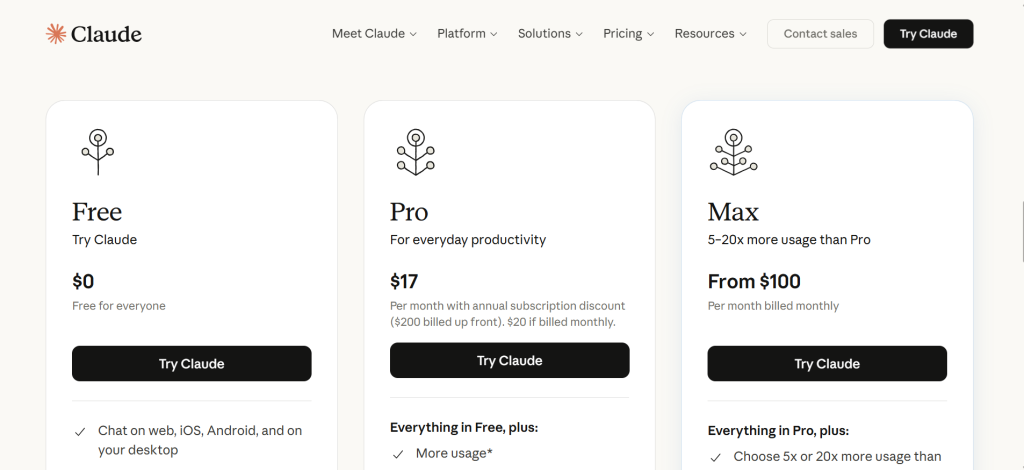
| Pricing | Free tier (Sonnet 4.5, limited). Pro $20/mo. Max $100/mo (extended usage, Opus access) |
| Free Tier | Yes — access to Sonnet 4.5 but strict message limits, especially during peak hours |
| Key Strengths | Best writing quality among all AI tools, 200K token context (500+ pages), style customization, Claude Code CLI tool, Cowork for multi-step automation |
| Key Weaknesses | Free tier very restrictive, Max plan expensive for individuals, image generation behind competitors, smaller plugin ecosystem |
| Best For Teams | Writers, developers, legal professionals, researchers processing long documents, anyone who values precision |
| Output Consistency | Highest among all tested tools — follows instructions precisely across repeated runs |
| Best Pairing | Perplexity for web research, Midjourney or ChatGPT for image generation |
Claude by Anthropic produces the most consistently high-quality written output of any AI tool we tested. Where ChatGPT’s writing often defaults to a recognizable AI tone, peppered with phrases like “in today’s rapidly evolving landscape,” Claude generates prose that reads as natural, structured, and human. The difference is most noticeable in long-form content: articles, reports, and documentation where sustained quality across thousands of words matters.
The 200,000-token context window is a genuine competitive advantage rather than a marketing number. We tested Claude with a 400-page legal contract and asked it to identify every clause related to intellectual property, liability limitations, and termination conditions. Claude produced a comprehensive, accurately cited summary in under two minutes. No other tool handled this volume of text with the same accuracy.
Style customization allows you to upload writing samples, and Claude automatically adapts its output to match your voice, tone, and structural preferences. For professionals who need AI-generated content that blends seamlessly with their existing body of work, this feature eliminates hours of post-generation editing.
Claude Code and Cowork: The Agentic Edge
Claude Code provides a command-line tool for agentic coding tasks. It can navigate codebases, edit files, run tests, and commit changes, all from terminal instructions. For developers who prefer working in their terminal rather than a chat interface, Claude Code integrates AI assistance directly into the development workflow without context switching.
Cowork, built into the desktop application, executes multi-step workflows across files and tools without requiring you to write code. You can instruct it to research a topic, draft a document, format it according to a template, and save the output, all in a single instruction chain. This agentic capability moves Claude beyond question-and-answer into genuine task automation.
The Verdict on Claude
Claude is the best choice for professionals who prioritize writing quality, instruction following, and working with long documents. It consistently outperforms ChatGPT and Gemini on writing tasks and matches or exceeds them on coding. The trade-offs are a more restrictive free tier, less mature web search capabilities, and a smaller ecosystem of integrations. For writers, developers, researchers, and legal professionals, Claude is the strongest tool available.
3. Google Gemini — Best for Multimodal Tasks and Google Workspace Integration
| Best For | Multimodal tasks (text, image, video, code) and teams deeply embedded in Google Workspace |
| Pricing | Free tier (generous). AI Premium $19.99/mo. AI Ultra for Business $124.99/mo (3-month offer) |
| Free Tier | Yes — generous for basic usage with access to Gemini 2.5 Flash |
| Key Strengths | Deep Gmail/Docs/Sheets/Slides integration, excellent image generation, handles text + images + video + code in one conversation, strong free tier |
| Key Weaknesses | Writing depth trails Claude, less effective for specialized queries, Google ecosystem dependency, interface cluttered with model options |
| Best For Teams | Google Workspace-dependent teams, educators, content creators needing multimodal capability |
| Output Consistency | Moderate — strong on multimodal, variable on long-form writing depth |
| Best Pairing | Claude for writing quality, NotebookLM for document research |
Gemini’s defining advantage is not the quality of any single output but the seamlessness of its integration with Google Workspace. It works directly within Gmail, Docs, Sheets, and Slides, providing contextual AI assistance without switching applications. You can ask Gemini to draft an email reply, generate a summary of a Google Doc, create a chart from Sheets data, or build presentation slides, all without leaving the tools your team already uses daily.
For businesses already invested in the Google ecosystem, this integration eliminates the friction that makes other AI tools feel like an extra step. Instead of copying text from a document, pasting it into a chatbot, getting a response, and pasting it back, Gemini operates in place. The time savings compound across a team of 20 or 50 or 200 people, each saving minutes per task, dozens of times per day.
Image generation capabilities rank among the best available. Gemini produces detailed, accurate visuals from text prompts and handles iterative refinement well. The multimodal capability, processing text, images, video, and code in a single conversation, is more mature in Gemini than in competing platforms.
Where Gemini Falls Short
Gemini’s writing quality for long-form content consistently trails Claude and often trails ChatGPT. Responses can feel surface-level, providing accurate information without the depth or nuance that complex topics require. For highly technical or specialized queries, Gemini is more likely than Claude or ChatGPT to produce generic answers that lack domain expertise.
The Google ecosystem dependency cuts both ways. If your team runs on Microsoft 365, Slack, or other non-Google tools, Gemini’s integration advantage disappears entirely, and you are left with a general-purpose chatbot that does not outperform its competitors on raw output quality.
4. Perplexity — Best AI-Powered Research and Search Engine
| Best For | Factual research, cited answers, competitive intelligence, and replacing Google search for complex queries |
| Pricing | Free tier. Pro $20/mo (advanced models, longer responses, file uploads) |
| Free Tier | Yes — limited Pro searches per day, standard searches unlimited |
| Key Strengths | Every answer includes cited sources, combines multiple search engines, follow-up questions maintain context, no ads, Pro tier adds advanced reasoning models |
| Key Weaknesses | Free tier limits Pro searches, can oversimplify complex topics, less effective for creative writing, source quality varies |
| Best For Teams | Researchers, journalists, analysts, content strategists, anyone who needs verified information |
| Output Consistency | High for factual queries, moderate for opinion or analysis requests |
| Best Pairing | Claude for writing from research findings, NotebookLM for document-specific analysis |
Perplexity has carved a unique and increasingly essential position as the AI search engine that actually shows its work. Every answer includes references to specific web pages, letting you verify claims, assess source quality, and dig deeper into the primary materials. This single feature addresses the most dangerous weakness of AI tools: the inability to distinguish confident-sounding fabrication from accurate information.
The platform combines Google, Bing, and proprietary ranking signals to determine which sources best answer your question, then synthesizes the information into a concise, readable response. Follow-up questions maintain full conversation context, letting you drill progressively deeper into a topic without re-explaining your research direction. For complex research tasks that would require 15 to 20 Google searches and hours of reading, Perplexity typically produces a comprehensive, cited answer in under a minute.
The Pro tier adds access to advanced reasoning models that produce longer, more detailed responses with deeper analysis. It also enables file uploads for analysis and increases the number of Pro-quality searches available per day. For professionals who do research-intensive work daily, the $20 monthly subscription pays for itself within the first few hours.
Where Perplexity Falls Short
Perplexity is not a content creation tool. It excels at finding and synthesizing information but produces functional prose rather than polished writing. For tasks that require creative output, persuasive writing, or extended narrative, ChatGPT and Claude are stronger choices. Source quality varies and should still be independently verified for high-stakes decisions. Answers can sometimes oversimplify complex topics by prioritizing conciseness over nuance.
5. Midjourney — Best for Artistic Image Generation
| Best For | Concept art, mood boards, creative visuals, social media imagery, and commercial artwork |
| Pricing | Basic $10/mo. Standard $30/mo. Pro $60/mo. No free tier |
| Free Tier | No — all access requires a paid subscription |
| Key Strengths | Highest aesthetic quality of any AI image generator, strong community for prompt sharing, excellent photorealism in v6.1, low entry price |
| Key Weaknesses | No free tier, Discord-based interface unintuitive for some, limited editing controls, less precise than Adobe Firefly for specifications |
| Best For Teams | Designers, artists, marketers, creative agencies, social media managers |
| Output Consistency | High for artistic styles, moderate for precise technical requirements |
| Best Pairing | ChatGPT or Claude for prompt crafting, Canva for final design assembly |
Midjourney produces the most aesthetically impressive AI-generated images available in 2026. Where competitors often produce images that look obviously AI-generated, with telltale smoothness, weird lighting, or uncanny compositions, Midjourney creates visuals that feel intentional and hand-crafted. The difference is most visible in artistic and creative applications: concept art, mood boards, editorial imagery, and brand visuals where aesthetic quality matters more than photographic accuracy.
Version 6.1 dramatically improved photorealism and consistency. Generated faces look natural, lighting behaves physically, and compositions follow principles that real photographers and artists would apply. For marketing teams that need high-quality visuals at scale without commissioning individual illustrations, Midjourney has become a production tool rather than a novelty.
The Discord-based community adds genuine value beyond the tool itself. Thousands of creators share prompts, techniques, and stylistic approaches that accelerate the learning curve. However, the Discord interface remains a barrier for users who find it unintuitive or who prefer a traditional web application experience.
6. NotebookLM — Best for Document-Grounded Research Without Hallucinations
| Best For | Analyzing your own documents, research papers, reports, and contracts with zero hallucination risk |
| Pricing | Free |
| Free Tier | Yes — fully free. 100 notebooks, 50 sources per notebook, 500K words per notebook |
| Key Strengths | Answers grounded exclusively in your documents, virtually eliminates hallucinations, Audio Overview podcast feature, citations to exact passages, remarkably generous free tier |
| Key Weaknesses | Cannot answer questions outside uploaded documents, limited to Google ecosystem sources, no real-time web search, basic collaboration features |
| Best For Teams | Researchers, students, legal professionals, analysts processing large document sets |
| Output Consistency | Very high — constrained by source material, which eliminates hallucination variance |
| Best Pairing | Perplexity for web research, Claude for writing based on findings |
NotebookLM takes a fundamentally different approach to AI research that solves the most dangerous problem in the space: hallucinations. Instead of answering from general training data that may or may not be accurate, NotebookLM builds a custom AI expert grounded exclusively in documents you upload. PDFs, Google Docs, websites, YouTube videos, and audio files become the sole knowledge base. Every answer includes citations pointing to specific passages in your source material.
The Audio Overview feature is unexpectedly useful. It transforms uploaded documents into a podcast-style discussion between two AI hosts, making dense research papers, technical documentation, and lengthy reports accessible through listening. For auditory learners and professionals who process information better through conversation than reading, this feature alone justifies using the tool.
The free tier is remarkably generous: 100 notebooks, 50 sources per notebook, and 500,000 words total per notebook, with no payment information required. For a tool this capable, the absence of a paywall makes NotebookLM one of the highest-value AI tools available in 2026.
7. ElevenLabs — Best for AI Voice Synthesis and Cloning
| Best For | Text-to-speech, voice cloning, podcast production, audiobook narration, and voice agents |
| Pricing | Free tier (limited). Starter $5/mo. Creator $22/mo. Pro $99/mo |
| Free Tier | Yes — 10,000 characters/month with limited voice options |
| Key Strengths | Most realistic AI voices available, voice cloning with minimal samples, emotion/tone control with voice tags, 30+ languages, voice agents for interactive applications |
| Key Weaknesses | Free tier very limited, high-quality output requires higher tiers, voice cloning raises ethical considerations, processing time for long content |
| Best For Teams | Content creators, podcasters, course creators, marketing teams, app developers building voice interfaces |
| Output Consistency | Very high — consistent voice quality across long content |
| Best Pairing | Claude for script writing, Synthesia for video with voice |
ElevenLabs generates the most realistic AI voices available in 2026. The output quality has crossed the threshold where most listeners cannot distinguish AI-generated speech from human recording. Voices capture emotion, pacing, and natural hesitations that make extended listening comfortable rather than fatiguing, a critical factor for audiobooks, podcasts, and training content.
Voice cloning is the standout feature. With a relatively small sample of your voice, ElevenLabs creates a clone that can read any text you provide and sound convincingly like you. This enables content creators, executives, and educators to scale audio content without recording every word manually. Voice tags like [whispers], [sarcastic], or [laughs] let you control delivery within the same script, adding emotional range that static text-to-speech cannot achieve.
The free tier provides 10,000 characters per month, enough to test the technology and produce short clips, but not sufficient for regular production use. The Starter plan at $5 per month offers reasonable value for light users, while serious audio producers will need the Creator or Pro tiers for the volume and quality controls they require.
8. Fireflies.ai — Best for Meeting Transcription and Summaries
| Best For | Automated meeting recording, transcription, AI summaries, action items, and searchable meeting archives |
| Pricing | Free (limited). Pro $18/mo. Business $29/mo. Enterprise custom |
| Free Tier | Yes — limited transcription minutes and storage |
| Key Strengths | Auto-joins Zoom/Meet/Teams, speaker ID with timestamps, AI summaries with action items, searchable archive across all meetings, CRM integrations |
| Key Weaknesses | Free tier very restrictive, accuracy drops with poor audio, privacy concerns, some team discomfort with recording |
| Best For Teams | Sales teams, project managers, consultants, anyone in meeting-heavy roles |
| Output Consistency | High with good audio, moderate with accents/crosstalk/poor quality |
| Best Pairing | Notion or Slack for distributing meeting summaries to teams |
Fireflies solves a universal productivity drain: the meeting that should have been documented but was not. It joins your Zoom, Google Meet, or Microsoft Teams calls automatically, records the conversation, and delivers AI-generated transcripts with speaker identification and time-stamped highlights. After each meeting, it produces organized summaries with sections for key decisions, action items, questions raised, and next steps.
The searchable archive is the feature that delivers compounding value. After months of use, you build a searchable knowledge base of every conversation your team has had. Need to find what was decided about the Q3 pricing strategy? Search across all transcripts and find the exact moment, with context. CRM integrations push meeting notes directly into Salesforce, HubSpot, and other platforms, eliminating manual data entry that sales teams despise.
Privacy is the legitimate concern. Recording every conversation requires organizational buy-in and clear policies about consent, storage, and access. Some team members feel uncomfortable knowing every word is captured and analyzed. Address this proactively with transparent policies rather than hoping no one notices.
9. Synthesia — Best for AI Video Creation with Synthetic Presenters
| Best For | Training videos, product demos, onboarding content, and localized marketing videos at scale |
| Pricing | Starter $22/mo. Creator $67/mo. Enterprise custom. Free demo available |
| Free Tier | Free demo only — not a functional free tier |
| Key Strengths | Professional videos without cameras/actors/studios, 175+ languages with lip sync, interactive avatars, 4K resolution, excellent for scaling L&D content |
| Key Weaknesses | Avatars still feel somewhat artificial, custom avatars cost extra, less creative flexibility than traditional video, length limits on starter plans |
| Best For Teams | L&D departments, HR teams, marketing teams producing localized content, SaaS companies needing product demos |
| Output Consistency | High — consistent quality across languages and avatar selections |
| Best Pairing | ElevenLabs for voice-over alternatives, Claude for script writing |
Synthesia enables companies to produce professional-quality videos using AI-generated avatars that speak in over 175 languages. No cameras, actors, or studios required. This capability is transformative for organizations that need to produce video content at scale: training modules for global teams, product demonstrations for international markets, onboarding materials in multiple languages, and localized marketing content.
Interactive avatars represent the platform’s most forward-looking feature. They can respond to user queries in real time, creating possibilities for personalized sales outreach, customer support, and interactive training where the avatar adapts its responses based on the viewer’s questions. Recent updates brought 4K resolution and more lifelike avatar movements that reduce, though do not eliminate, the uncanny valley effect.
The key limitation is creative flexibility. Synthesia produces structured, presenter-led content. It is not a tool for creative filmmaking, brand storytelling, or dynamic visual content. It excels within its niche of scalable, consistent, information-delivery video and should be evaluated within that scope.
10. n8n — Best for AI Workflow Automation
| Best For | Connecting AI models with apps and services for multi-step automated workflows |
| Pricing | Free (self-hosted, full features). Cloud: Starter $24/mo. Pro $60/mo |
| Free Tier | Yes — self-hosted version is fully featured and permanently free |
| Key Strengths | Free self-hosting with complete feature access, visual workflow builder, direct OpenAI/Anthropic/Google integrations, 400+ app connectors, full data privacy |
| Key Weaknesses | Self-hosting requires technical setup, cloud pricing scales with volume, learning curve for complex workflows, community support slower than enterprise tools |
| Best For Teams | Technical teams building agentic AI systems, developers, DevOps, data engineers |
| Output Consistency | Depends on underlying AI models and workflow design |
| Best Pairing | ChatGPT or Claude API for reasoning steps, Fireflies for meeting-triggered workflows |
n8n is the open-source automation platform that connects AI reasoning to real-world actions. Unlike Zapier or Make, which charge per workflow execution and limit customization, n8n lets you self-host for free with full feature access, giving you complete control over your data and workflows. You build automations visually by connecting nodes that represent triggers, AI processing steps, data transformations, and output actions.
The platform supports direct integration with OpenAI, Anthropic, Google, and other AI providers, letting you embed AI reasoning into any multi-step workflow. A practical example: a new customer support email arrives, n8n routes it to Claude for classification and draft response, pushes the response to your ticketing system for human review, and logs the interaction in your CRM. The entire chain runs automatically without human intervention for the initial processing.
For technical teams building agentic AI systems, n8n provides the connective tissue that links reasoning models to databases, APIs, communication tools, and business applications. The self-hosted option means your data never leaves your infrastructure, which matters for organizations with strict compliance requirements.
11. Gamma — Best AI-Powered Presentation Builder
| Best For | Rapid presentation creation from text prompts for professionals without design skills |
| Pricing | Free tier (limited, with watermark). Plus $10/mo. Pro $20/mo |
| Free Tier | Yes — limited credits with Gamma watermark on exports |
| Key Strengths | Creates complete decks from text descriptions in minutes, professional design quality, also creates documents and web pages, eliminates blank-slide paralysis |
| Key Weaknesses | Output needs editing for important presentations, limited design customization vs PowerPoint, content depth depends on prompt quality, basic animations |
| Best For Teams | Sales teams, consultants, educators, anyone who creates presentations frequently but lacks design skills |
| Output Consistency | Moderate — good first drafts that require human refinement |
| Best Pairing | Claude for content drafting before Gamma, Midjourney for custom imagery |
Gamma addresses a specific and universal pain point: the professional who needs to create presentations regularly but lacks design skills and time. You describe your topic, select the number of slides, choose a visual style, and Gamma builds the entire deck with layout, content, imagery, and design elements. The output is not a rough wireframe. It is a complete, visually polished presentation that you can present as-is for internal meetings or refine further for important client-facing deliverables.
The platform also creates documents and web pages using the same workflow, making it useful beyond just slide decks. For consultants who deliver proposals, educators who create course materials, and sales teams who customize pitch decks for different prospects, Gamma eliminates the hours spent on visual formatting and lets you focus on content.
The limitations are predictable. Output quality depends heavily on your initial prompt. Important presentations still require human editing for accuracy, messaging, and brand compliance. Design customization options are more limited than PowerPoint or Keynote. Gamma is a rapid first-draft tool, not a replacement for professional presentation design.
12. Cursor — Best AI-Native Code Editor
| Best For | Software development with AI deeply integrated into the coding workflow |
| Pricing | Hobby (free, limited). Pro $20/mo. Business $40/mo |
| Free Tier | Yes — limited completions and slow requests |
| Key Strengths | AI integrated directly into VS Code-based editor, multi-model support (GPT-4o, Claude, Gemini), codebase-aware suggestions, Tab completion that understands context, Agent mode for multi-file changes |
| Key Weaknesses | Free tier very limited for real use, learning curve for advanced features, requires adapting existing VS Code workflows, newer tool with evolving stability |
| Best For Teams | Software developers, full-stack engineers, development teams, anyone writing code daily |
| Output Consistency | High for code completion, variable for complex architectural decisions |
| Best Pairing | Claude Code for terminal-based work, GitHub Copilot as a comparison benchmark |
Cursor represents what happens when AI is built into the code editor from the ground up rather than bolted on as a plugin. Based on VS Code, it provides a familiar interface but adds AI capabilities that transform the development experience. Tab completion understands not just the current line but the broader context of your codebase, suggesting multi-line completions that align with your patterns, naming conventions, and architectural decisions.
Agent mode is the most powerful feature for experienced developers. You describe a change in natural language, and Cursor implements it across multiple files, handling imports, type definitions, tests, and documentation updates simultaneously. For refactoring tasks that would normally require touching 15 files manually, Agent mode can complete the work in a single instruction, with you reviewing and approving the changes.
Multi-model support lets you choose between GPT-4o, Claude, and Gemini for different tasks within the same editor. This flexibility means you can use Claude for complex refactoring and GPT-4o for quick completions, optimizing for quality and speed depending on the task. For developers who write code for more than two hours daily, the $20 monthly Pro plan eliminates enough friction to justify the investment within the first week.
Which AI Tool Should You Choose? A Decision Framework
Rather than declaring a single winner, the right choice depends on what you actually do all day. Here are the clearest recommendations based on our testing.
If you need one AI tool that does everything reasonably well: ChatGPT Plus at $20/mo. Nothing else matches its breadth across writing, coding, images, and research.
If writing quality is your top priority: Claude Pro at $20/mo. Consistently the best written output, strongest instruction following, and 200K token context for long documents.
If your team lives in Google Workspace: Gemini Premium at $19.99/mo. The in-app integration saves more time than any standalone chatbot.
If you do research-intensive work and need verified facts: Perplexity Pro at $20/mo. Cited sources transform AI from a guessing machine into a research assistant.
If you write code for a living: Cursor Pro at $20/mo as your primary editor, with Claude Code for terminal tasks. Together they cover IDE and CLI workflows.
If you create visual content: Midjourney Standard at $30/mo for artistic imagery. Add Gemini or ChatGPT for quick utility images.
If you produce audio or video content: ElevenLabs for voice, Synthesia for presenter-led video. Pair both with Claude for script writing.
If you need to automate multi-step workflows: n8n self-hosted (free) connected to your AI provider of choice. The most powerful and cost-effective automation stack available.
If you are on a zero budget: Google Search Console + NotebookLM + Claude free tier + ChatGPT free tier. Covers research, writing, and general tasks at no cost.
Recommended AI Tool Stacks by Role
| Role | Primary Tool | Supporting Tools | Monthly Cost | Coverage |
| Writer / Content Creator | Claude Pro | Perplexity Pro, Midjourney | $50–70 | Writing + Research + Images |
| Software Developer | Cursor Pro | Claude Code, ChatGPT Plus | $40–60 | IDE + Terminal + General |
| Researcher / Analyst | Perplexity Pro | NotebookLM, Claude Pro | $20–40 | Search + Documents + Writing |
| Marketing Team | ChatGPT Plus | Midjourney, Gamma, Synthesia | $50–80 | Content + Images + Video + Decks |
| Small Business Owner | ChatGPT Free | NotebookLM, Gamma Free | $0 | General + Research + Presentations |
| Enterprise Team | Claude + Gemini | n8n, Fireflies, Synthesia | $100–300+ | Full coverage + Automation |
Head-to-Head: Which Tool Wins Each Category?
| Category | Winner | Runner-Up | Notes |
| Overall Writing Quality | Claude | ChatGPT | Claude is more natural; ChatGPT more versatile |
| Coding Assistance | Cursor | Claude Code | Cursor for IDE; Claude Code for terminal |
| Research with Citations | Perplexity | NotebookLM | Perplexity for web; NotebookLM for your docs |
| Image Generation | Midjourney | Gemini | Midjourney for art; Gemini for utility images |
| Voice & Audio | ElevenLabs | N/A | Clear category leader with no close second |
| Video Creation | Synthesia | N/A | Best for structured presenter-led content |
| Meeting Productivity | Fireflies | N/A | Dominant in meeting transcription niche |
| Workflow Automation | n8n | Zapier | n8n wins on cost and flexibility; Zapier on ease |
| Presentations | Gamma | Gemini (Slides) | Gamma for speed; Gemini for Workspace integration |
| Free Tier Value | NotebookLM | ChatGPT | NotebookLM fully free; ChatGPT best free chatbot |
| Google Workspace Fit | Gemini | N/A | Unmatched integration advantage |
| Long Document Analysis | Claude | NotebookLM | Claude for 200K tokens; NLM for source grounding |
Frequently Asked Questions
Which AI tool should I start with if I have never used one?
ChatGPT’s free tier is the best starting point because it handles the widest range of tasks and has the most intuitive interface. Spend a week using it for tasks you already do: drafting emails, summarizing documents, brainstorming ideas, and answering questions. Once you understand what AI can and cannot do well, you will know whether you need a specialist tool for writing (Claude), research (Perplexity), or images (Midjourney).
Are free AI tools good enough for professional work?
For occasional use, yes. NotebookLM is fully free and handles document research exceptionally well. ChatGPT’s free tier manages basic writing, coding, and Q&A. Claude’s free tier produces excellent output but limits how many messages you can send. For professionals who use AI 20 or more times per day, paid tiers unlock better models, higher usage limits, and features that make a meaningful difference. Most professionals find that a single $20 monthly subscription pays for itself in time savings within the first week.
Can AI tools replace human writers, developers, or designers?
Not in 2026. AI tools accelerate human work rather than replacing it. A skilled writer using Claude produces more and better content than either the writer or Claude working alone. A developer using Cursor writes code faster with fewer bugs. A designer using Midjourney iterates on visual concepts in minutes instead of hours. The professionals who thrive are those who learn to direct AI effectively, not those who either ignore it or depend on it entirely.
How do I avoid AI hallucinations in professional work?
Three strategies reduce hallucination risk. First, use Perplexity for factual research because it cites sources you can verify. Second, use NotebookLM for document analysis because it only answers from your uploaded materials. Third, for any AI output that includes specific facts, statistics, or claims, verify them independently before publishing or acting on them. Reasoning models like o3 and Claude Opus hallucinate less frequently than standard models, but no AI tool is hallucination-free.
Is it worth paying for multiple AI tools?
For most professionals, two to three tools cover all needs. A common high-value stack combines one general-purpose chatbot (ChatGPT or Claude) with one specialist tool for your primary workflow (Cursor for coding, Perplexity for research, Midjourney for images). Adding a third tool for automation (n8n) or presentations (Gamma) rounds out the stack. Total cost of $40 to $70 per month typically delivers significant ROI through time savings and output quality improvements.
Which AI tool is best for coding in 2026?
Cursor is the best dedicated coding tool because AI is integrated directly into the editor rather than accessed through a separate interface. Claude Code is the strongest option for terminal-based development workflows. ChatGPT and Claude both produce strong code output through their chat interfaces, which works well for one-off scripts and code review. For professional developers, Cursor Pro at $20 per month is the highest-impact investment.
Final Words: AI Tools Are Infrastructure, Not Magic
The AI tools landscape in 2026 has matured past the hype cycle into practical utility. The question is no longer whether AI can help you work more effectively. It can. The question is which specific tools integrate best into your existing workflows, produce consistent enough output to trust for professional work, and deliver enough value to justify their cost.
The most important shift is from AI as a novelty to AI as infrastructure. In 2023, professionals experimented with ChatGPT out of curiosity. In 2026, they build their daily workflows around AI tools the same way they build them around email, calendars, and project management software. The tools that win are not the ones with the most impressive demos but the ones that reliably save time and improve output quality on the tasks you perform every day.
Two practical principles should guide your tool selection. First, start with one general-purpose tool and add specialists only when you hit specific limitations. Most people need ChatGPT or Claude as their foundation, plus one or two tools tailored to their primary work. Second, invest time in learning your chosen tools deeply rather than surface-skimming a dozen alternatives. A professional who masters Claude’s style customization and instruction-following capabilities will produce dramatically better output than someone who uses five different tools at a basic level.
The Stack That Works for Most Professionals
If you need a concrete recommendation, this three-tool stack covers the needs of most knowledge workers: one AI chatbot for general work (ChatGPT Plus or Claude Pro at $20 per month), Perplexity Pro for research ($20 per month), and one specialist tool for your primary creative output, whether that is Cursor for code, Midjourney for images, or Gamma for presentations ($10 to $30 per month). Total investment of $50 to $70 per month replaces hundreds of dollars in time that would otherwise go to manual research, first-draft writing, and repetitive formatting tasks.
The best AI tool is not the one that generates the most impressive single output. It is the one you actually use every day because it fits naturally into how you already work. Choose accordingly.


![Marketing Automation Case Study: 12 Real Examples, Strategy & ROI Results [2026]](https://marketingcasestudy.io/wp-content/uploads/2026/05/marketing-automation-case-study-featured-300x158.png)
