Education technology is no longer optional. It is the infrastructure on which modern teaching and learning runs. Studies show that 79 percent of teachers now use EdTech tools daily, and AI usage in classrooms has increased sixfold since 2023. Schools that invested in the right platforms saw measurable gains in student engagement, assessment efficiency, and learning outcomes. Schools that chose poorly ended up with shelfware: expensive licenses for tools that teachers abandoned within weeks.
The challenge in 2026 is not finding EdTech tools. It is choosing the right ones from a market that has exploded past saturation. The global EdTech market is projected to reach $348 billion by 2030, and the flood of new products means educators must distinguish between genuinely useful platforms and marketing noise. A gamified quiz tool and a full learning management system serve very different purposes, and pairing the wrong tool to the wrong need wastes both budget and instructional time.
This guide cuts through the noise. We tested 12 EdTech tools across the categories that matter most to educators, trainers, and institutions: learning management, interactive engagement, AI-powered tutoring, content creation, and self-paced learning. Every recommendation includes the specific teaching context where that tool excels and the situations where you should choose something else.
Quick Comparison: Top 12 EdTech Tools for 2026
The table below summarizes each tool’s primary use case, pricing, and free tier availability. Detailed reviews follow.
| Tool | Best For | Starting Price | Free Plan | AI Features | Best Audience |
| Google Classroom | K–12 classroom management | Free | Fully free | Basic | K–12 teachers |
| Canvas LMS | Higher ed course management | Free (basic) | Yes (teachers) | Moderate | Universities |
| Kahoot! | Gamified live quizzes | $26/mo | Yes (basic) | AI question gen | All educators |
| Khanmigo | AI-powered 1:1 tutoring | $4/mo | Free (teachers) | Core feature | K–12 students |
| Nearpod | Interactive lesson delivery | $159/yr | Yes (limited) | Moderate | K–12 teachers |
| Edpuzzle | Interactive video lessons | $15/mo (Pro) | Yes (limited) | Basic | K–12 teachers |
| Quizizz (Wayground) | Gamified assessments | Free (Starter) | Yes | AI content gen | K–12 teachers |
| Duolingo | Language learning | $7.99/mo | Yes (generous) | AI personalization | Language learners |
| Canva for Education | Visual content creation | Free (edu) | Fully free | AI design tools | All educators |
| Coursera | University-level courses | $59/mo (Plus) | Audit option | AI recommendations | Higher ed / corp. |
| Moodle | Open-source LMS | Free (self-host) | Yes | Plugin-based | Institutions |
| Quizlet | Flashcards and study tools | $7.99/mo | Yes (limited) | AI study modes | Students |
How We Evaluated These EdTech Tools
Every tool in this guide was assessed across six dimensions that determine whether an EdTech platform delivers real educational value or just looks good in a demo.
Student engagement impact: We measured how effectively each tool increases active participation compared to traditional instruction. Tools were tested in real classroom settings with diverse student populations across grade levels.
Ease of adoption: We tracked time from sign-up to first productive use. The best tools require under 15 minutes for a teacher to create and deliver their first lesson or assessment. Tools that require extensive training or IT support to deploy were noted as such.
Learning outcome alignment: We evaluated how well each tool connects to measurable learning objectives. Platforms that provide actionable data on student comprehension, not just completion metrics, scored higher.
Integration ecosystem: Modern classrooms run on interconnected tools. We assessed compatibility with Google Classroom, Canvas, Microsoft Teams, Schoology, and other LMS platforms through LTI, SSO, and rostering integrations.
Pricing fairness: We calculated the true cost per student per year for each tool at three scale points: individual teacher, school-wide deployment, and district-wide deployment. Hidden costs for premium features that become essential were factored into the total.
AI readiness: AI is reshaping EdTech in 2026. We assessed each tool’s AI capabilities, from question generation to adaptive learning to automated feedback, and how responsibly those features handle student data.
Why EdTech in 2026 Is a Different Landscape
Three shifts have fundamentally changed the EdTech market since 2023. The first is AI integration becoming table stakes. In 2023, AI in education was experimental. In 2026, 72 percent of educational institutions globally are integrating AI-powered tools. Khanmigo provides free AI tutoring for every verified teacher. Kahoot and Quizizz generate assessments from curriculum standards with a single prompt. Canvas and Moodle embed AI-driven analytics. Tools that lack AI features are falling behind competitors that automate the most time-consuming parts of teaching.
The second shift is the post-pandemic normalization of hybrid learning. The frantic tool adoption of 2020 to 2022 has settled into deliberate, evidence-based selection. Schools are now retiring tools that were adopted in emergency mode and replacing them with platforms that support both in-person and remote instruction seamlessly. The question is no longer whether to use technology but which technology produces the best learning outcomes per dollar spent.
The third shift is data privacy regulation tightening. COPPA enforcement, state-level student data privacy laws, and GDPR have made compliance a primary selection criterion. Tools that cannot demonstrate SOC 2 compliance, provide transparent data handling policies, or support single sign-on with institutional identity providers are being excluded from district procurement processes regardless of their instructional quality.
Detailed Reviews: Best EdTech Tools for 2026
1. Google Classroom — Best Free LMS for K–12 Schools
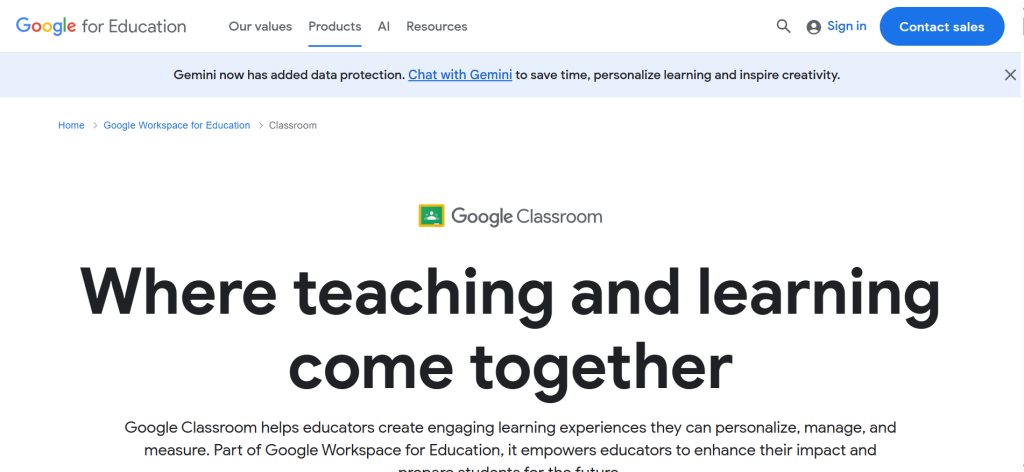
| Best For | K–12 schools already using Google Workspace for Education that need a free, simple LMS for assignment management and communication |
| Pricing | Completely free with Google Workspace for Education. Education Plus from $5/student/yr adds advanced analytics and security |
| Free Plan | Fully free with all core features. No hidden paywalls for basic classroom management |
| AI Features | Practice sets with auto-grading, AI-assisted lesson recommendations (Education Plus). Limited compared to dedicated AI tools |
| Key Strengths | Seamless Google Workspace integration (Docs, Drive, Meet, Slides), zero cost, fastest adoption curve of any LMS, works on any device, 150M+ users globally |
| Key Weaknesses | Limited customization vs. full LMS platforms, no built-in quiz engine (requires Google Forms), basic analytics, weak rubric tools, not suitable for higher ed complexity |
| LMS Integrations | Native to Google ecosystem. Connects with Nearpod, Edpuzzle, Kahoot, Quizizz, and hundreds of LTI tools |
| Best Pairing | Kahoot or Quizizz for engagement, Edpuzzle for video, Nearpod for interactive lessons |
Google Classroom is the most widely adopted LMS in K–12 education, with over 150 million users globally. Its dominance stems from a simple formula: it is completely free for schools using Google Workspace for Education, it integrates seamlessly with the Google tools that students and teachers already use daily, and it requires less than 15 minutes to set up a fully functional classroom. No other LMS matches this combination of zero cost and zero friction.
The platform handles the core workflow that defines modern classroom management: creating assignments, distributing them to students, collecting submissions, grading work, and communicating with students and parents. Everything flows through Google Drive, so student work is automatically organized and backed up. Google Meet integration provides built-in video conferencing for remote or hybrid instruction. Practice sets add AI-assisted auto-grading for certain question types, reducing the assessment burden on teachers.
Google Classroom’s real power emerges in its ecosystem role. Rather than trying to do everything itself, it serves as the central hub that connects specialized EdTech tools. Nearpod lessons, Edpuzzle videos, Kahoot quizzes, and Quizizz assessments all integrate directly into Google Classroom assignments, giving teachers a single dashboard for everything students need to access.
Where Google Classroom Falls Short
Google Classroom is deliberately simple, and that simplicity becomes a limitation for complex instructional needs. There is no built-in quiz engine; you must create quizzes through Google Forms, which lacks the sophistication of dedicated assessment tools. Analytics are basic compared to Canvas or Blackboard, providing completion data but limited insight into learning patterns. Rubric tools are functional but inflexible. For higher education, corporate training, or any context requiring detailed course design with modules, prerequisites, and competency tracking, Google Classroom is insufficient.
The Verdict on Google Classroom
Google Classroom is the right choice for K–12 schools that prioritize simplicity, cost-effectiveness, and ecosystem compatibility. It excels as a hub that connects specialized tools rather than trying to be everything itself. If you need advanced course design, detailed analytics, or enterprise-grade features, Canvas or Moodle will serve you better. But for the vast majority of K–12 classrooms, Google Classroom provides more than enough structure at exactly the right price: free.
2. Canvas LMS — Best Learning Management System for Higher Education
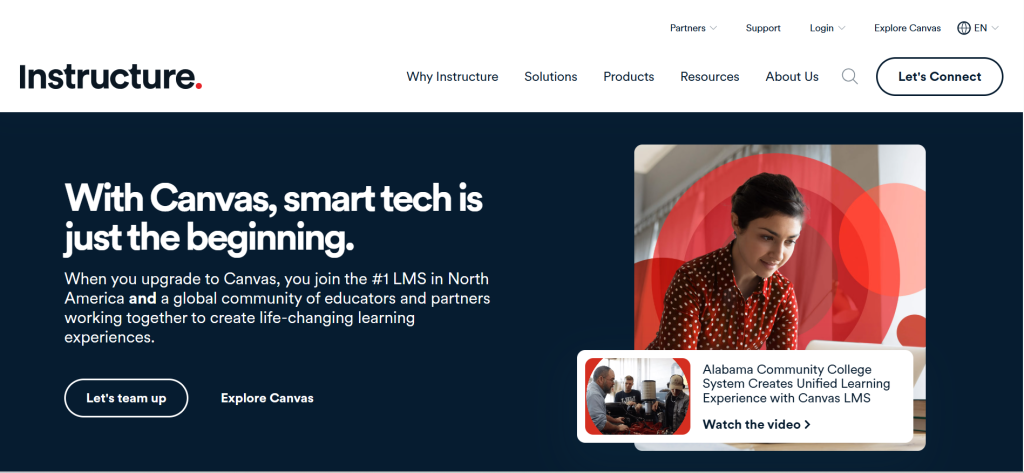
| Best For | Higher education institutions and organizations needing a robust, modern LMS with deep assessment and integration capabilities |
| Pricing | Free for Teachers (individual educators). Institutional licensing custom-quoted. Canvas Catalog for continuing ed |
| Free Plan | Yes — Free for Teachers edition lets individual educators create and deliver courses with no institutional license |
| AI Features | Canvas AI assistant for course building, SpeedGrader AI suggestions, learning analytics with predictive modeling, LTI integrations with AI tools |
| Key Strengths | Modern interface students prefer, SpeedGrader accelerates assessment 3–5x, strongest LTI/API integration ecosystem of any LMS, modular course design, robust discussion forums |
| Key Weaknesses | Institutional licensing is expensive for small schools, initial course setup requires significant investment, performance can slow with very large enrollments, some integrations require paid subscriptions |
| LMS Integrations | 500+ LTI integrations. Native support for Nearpod, Edpuzzle, Kahoot, Turnitin, Zoom, Microsoft Teams, Google tools |
| Best Pairing | Edpuzzle for video, Turnitin for plagiarism, Nearpod for interactive lessons, Kahoot for engagement |
Canvas LMS by Instructure has become the dominant learning management system in higher education, and its market share continues to grow. The platform succeeds because it solves the two problems that plagued earlier LMS platforms: usability and integration. Students find Canvas intuitive to navigate, and instructors can build sophisticated courses without requiring extensive technical training. The modular course design lets instructors organize content into sequential learning paths with prerequisites, mastery requirements, and differentiated assignments.
SpeedGrader is the feature that converts skeptical instructors. It provides inline annotation tools that let you grade assignments, provide feedback, and assess rubrics in a single streamlined view. Instructors who previously spent hours grading report cutting their assessment time by 60 to 70 percent. The analytics dashboard provides actionable data on student engagement and performance, flagging at-risk students before they fall too far behind to recover.
The integration ecosystem is Canvas’s strategic moat. Over 500 LTI-compatible tools connect directly into Canvas courses, from Edpuzzle video lessons to Turnitin plagiarism detection to Zoom video conferencing. The robust API supports custom integrations for institutions with specific workflow requirements. Canvas Catalog extends the platform into continuing education and professional development, letting institutions offer and sell courses to external learners.
Where Canvas Falls Short
Canvas’s institutional licensing puts it out of reach for many smaller schools and individual educators beyond the free tier. Initial course setup requires a meaningful time investment, particularly for instructors migrating from simpler platforms like Google Classroom. Performance can degrade with very large enrollments, and some of the most useful integrations (Turnitin, advanced proctoring tools) require separate paid subscriptions that increase the total cost of ownership beyond the Canvas license itself.
3. Kahoot! — Best for Gamified Live Engagement
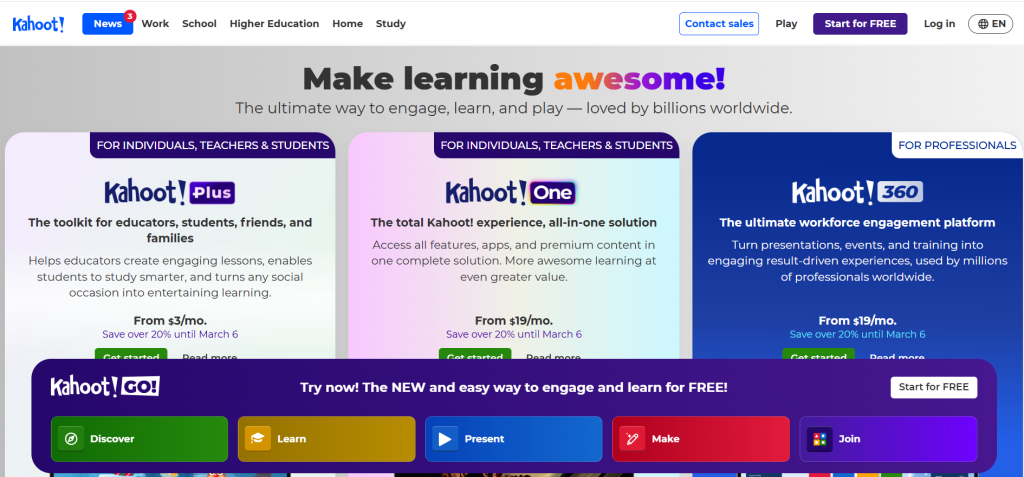
| Best For | Educators and trainers who want competitive, gamified quizzes to dramatically boost participation during live sessions |
| Pricing | Free (basic). Presenter $26/mo. Presenter+ $46/mo. Teams from $24/user/mo. Education plans from $3/teacher/mo (annual) |
| Free Plan | Yes — basic quizzes with up to 20 participants per session. Upgraded plans increase limits and add features |
| AI Features | AI question generator creates quizzes from topics or documents, AI-powered recommendations for relevant kahoot content, smart practice for self-paced review |
| Key Strengths | Gamification drives unmatched classroom energy, live competitive format with leaderboards and music, AI generates quizzes in seconds, works on any device, effective for K–12 and corporate training |
| Key Weaknesses | Free plan limits participants to 20, competitive speed can prioritize guessing over comprehension, limited depth for complex learning objectives, basic reporting on lower tiers, content creation can feel formulaic |
| LMS Integrations | Google Classroom, Canvas, Microsoft Teams, Schoology, Clever, ClassLink |
| Best Pairing | Canvas or Google Classroom as the LMS hub, Kahoot for in-class engagement moments |
Kahoot! turns assessment into an event. The countdown timer starts, the music plays, and a room full of students who were disengaged moments ago are suddenly competing to answer first. No other EdTech tool produces this level of immediate, visible engagement. The psychology is straightforward: competition, instant feedback, and social recognition activate motivation systems that passive instruction cannot reach.
AI question generation is the feature that transformed Kahoot from a fun novelty into a productivity tool for educators. Teachers can input a topic, paste a document, or upload a slide deck, and Kahoot generates a complete quiz with questions, answer options, and difficulty gradations in under 30 seconds. What previously required 20 to 30 minutes of manual question writing now happens almost instantly, letting teachers create formative assessments for every lesson rather than reserving quizzes for major review sessions.
Beyond the classroom, Kahoot has built a significant presence in corporate training. Companies use the platform for onboarding, compliance training, product knowledge assessments, and team building. The Team plans include features designed for enterprise deployment: centralized administration, reporting dashboards, branded experiences, and presentation mode that integrates quizzes into slide-based training content.
Where Kahoot Falls Short
The competitive format has a pedagogical limitation: it can reward speed over understanding. Students who guess quickly and get lucky can outscore students who think carefully about the correct answer. This is particularly problematic for complex questions where reflection matters more than reaction time. The free plan’s 20-participant limit makes it impractical for most classrooms without a paid subscription. Reporting is basic on lower tiers, and content creation, while fast, tends toward multiple-choice formats that do not assess higher-order thinking.
4. Khanmigo — Best AI-Powered Tutoring for K–12 Students
| Best For | K–12 students needing 24/7 AI tutoring that guides learning through Socratic questioning rather than giving direct answers |
| Pricing | Free for verified teachers. $4/mo or $44/yr for learners/parents. Parents can add up to 10 children at no extra cost. District pricing custom |
| Free Plan | Yes — fully free for all verified teachers. Learners pay $4/mo or $44/yr |
| AI Features | Core product is AI tutoring powered by GPT-4. Socratic questioning method, personalized tutoring on Khan Academy content, lesson plan generation, rubric creation, exit ticket generation for teachers |
| Key Strengths | Most affordable AI tutor at $4/mo, Socratic method prevents answer-giving, integrated with Khan Academy’s world-class content library, Common Sense Media 4-star rating for safety, teacher tools are completely free |
| Key Weaknesses | Only available to US billing addresses currently, student access requires parent or district subscription, can occasionally give incorrect answers, limited to Khan Academy content scope, voice features still developing |
| LMS Integrations | Embedded within Khan Academy platform. District integrations support Clever, ClassLink, and LMS rostering |
| Best Pairing | Google Classroom or Canvas as the LMS, Khanmigo for personalized AI tutoring on Khan Academy content |
Khanmigo represents the most significant development in AI tutoring since the technology became widely available. Built by Khan Academy and powered by GPT-4, it provides personalized, one-on-one tutoring for every student on every exercise, video, and article in the Khan Academy content library. Unlike ChatGPT and similar general-purpose AI tools that simply provide answers, Khanmigo is specifically designed to guide students to discover answers themselves through Socratic questioning. This pedagogical approach is what earned it a 4-star rating from Common Sense Media, the highest among AI education tools.
At $4 per month for learners, Khanmigo is dramatically more affordable than any other tutoring option. Human tutors cost $25 to $80 per hour. Competing AI homework help services charge $15 to $40 per month. Khanmigo provides unlimited, round-the-clock access to personalized tutoring across math, science, humanities, coding, and test preparation for less than the price of a single coffee. Parents who subscribe can add up to 10 children at no additional cost, making it genuinely accessible for families.
For teachers, Khanmigo is completely free and provides AI-powered tools that automate the most time-consuming parts of lesson preparation. It generates standards-aligned lesson plans, rubrics, exit tickets, discussion prompts, and multilingual parent newsletters. One teacher reported that rubric creation, which normally took an hour, was completed in under 15 minutes with Khanmigo. The student work summary feature gives teachers an on-demand overview of recent student progress, helping identify who needs extra support without manually reviewing every assignment.
Where Khanmigo Falls Short
Khanmigo is currently available only to users with US billing addresses, which excludes the global educator community that benefits from Khan Academy’s free content. Student access requires either a parent subscription or a district-level partnership; individual teachers cannot grant students access directly. The AI occasionally provides incorrect answers or struggles with certain problem types, which is a common limitation of current AI technology. Khanmigo’s scope is limited to Khan Academy’s content library, so subjects or curricula not covered by Khan Academy receive no tutoring support.
5. Nearpod — Best for Interactive Lesson Delivery
| Best For | K–12 teachers who want to transform static presentations into interactive lessons with real-time student participation and formative assessment |
| Pricing | Free (limited). Individual Silver $159/yr. Individual Gold $397/yr. School/District licensing custom. Often bundled with Flocabulary |
| Free Plan | Yes — limited to 40 students per lesson and basic interactive features |
| AI Features | AI-assisted lesson creation, interactive activity suggestions, AI-powered reports on student comprehension |
| Key Strengths | Transforms any slide deck into an interactive lesson, 15,000+ pre-made lessons in library, real-time student responses visible to teacher, works in live and self-paced modes, deep LMS integrations |
| Key Weaknesses | Free plan is significantly limited, premium pricing adds up per teacher, can overwhelm students with too many interactive elements, requires reliable internet/devices for all students, library content quality varies |
| LMS Integrations | Google Classroom, Canvas, Schoology, Microsoft Teams, any LMS via LTI link |
| Best Pairing | Google Classroom or Canvas as the LMS backbone, Nearpod for transforming individual lessons |
Nearpod solves a specific, universal problem in education: slide-based presentations are passive, and passive students do not learn effectively. The platform lets teachers upload any PowerPoint, Google Slides deck, or PDF and embed interactive elements directly into the slides: polls, open-ended questions, quizzes, draw-it activities, collaborative boards, virtual reality field trips, and matching games. Students participate on their own devices, and teachers see every response in real time on their screen.
The real-time visibility is what sets Nearpod apart from competitors. During a live lesson, teachers can see which students have responded, what they answered, and how quickly they engaged. This immediate feedback loop lets teachers adjust instruction on the fly: if 70 percent of students answer a concept-check question incorrectly, the teacher knows to reteach before moving on. Self-paced mode lets students work through lessons at their own speed, making Nearpod effective for both synchronous and asynchronous instruction.
The lesson library contains over 15,000 pre-made interactive lessons aligned to curriculum standards, saving teachers hours of content creation. These include lessons from Flocabulary (which Nearpod acquired), featuring hip-hop-based educational videos that are particularly effective for vocabulary and reading comprehension with younger students.
Where Nearpod Falls Short
The free plan is significantly limited compared to paid tiers, restricting both the number of students per lesson and the available interactive features. At $159 per year per teacher for the Silver plan, Nearpod becomes a substantial expense when deployed across an entire school without district licensing. The platform can overwhelm students if teachers embed too many interactive elements, turning a focused lesson into a series of disconnected activities. Pre-made library content varies in quality, and some lessons require customization before they are classroom-ready.
6. Edpuzzle — Best for Interactive Video-Based Lessons
| Best For | Teachers who want to turn passive video watching into active learning by embedding questions, audio notes, and progress tracking into any video |
| Pricing | Free (basic, limited videos). Pro Teacher $15/mo. Schools & Districts custom pricing |
| Free Plan | Yes — limited number of video lessons. Full access to embed questions and track progress |
| AI Features | AI-assisted question generation from video content, automated grading for multiple-choice questions |
| Key Strengths | Turns any YouTube or uploaded video into an interactive lesson, prevents skipping (students must answer to continue), automatic grade sync with LMS, tracks exactly where each student paused/replayed, 2M+ teachers use it globally |
| Key Weaknesses | Free plan limits number of active video lessons, if schools block YouTube some content becomes inaccessible, question types are limited compared to dedicated assessment tools, collaboration features are basic, recent pricing changes frustrated some educators |
| LMS Integrations | Google Classroom, Canvas, Schoology, Microsoft Teams, Moodle, Clever, ClassLink, Blackboard |
| Best Pairing | Google Classroom or Canvas for assignment distribution, Edpuzzle for the video lesson experience |
Edpuzzle addresses a fundamental problem with video-based instruction: there is no way to know whether students actually watched and understood a video unless you embed accountability into the viewing experience. Edpuzzle lets teachers take any video, whether from YouTube, Khan Academy, TED-Ed, their own recordings, or Edpuzzle’s original library, and insert questions at specific timestamps. Students cannot skip ahead without answering the questions, and the platform tracks exactly which sections each student watched, paused, or replayed.
This data transforms video from a passive homework assignment into an active learning tool. Teachers can see that a student watched the explanation of photosynthesis three times but skipped the section on cellular respiration, revealing exactly where comprehension breaks down. Automatic grade sync with Google Classroom, Canvas, Schoology, and other LMS platforms means grades flow directly into the gradebook without manual entry. For flipped classroom models, where students watch instructional content at home and apply it during class, Edpuzzle provides the accountability layer that makes the model work.
Over two million teachers globally use Edpuzzle, and the platform’s strength lies in its focused simplicity. It does one thing, interactive video, and does it exceptionally well. The Edpuzzle Originals library provides pre-made video lessons with embedded questions across subjects and grade levels, giving teachers ready-to-assign content when they need to supplement their own material.
Where Edpuzzle Falls Short
The free plan’s limitation on active video lessons forces teachers to rotate content rather than maintain a full library, which is disruptive to curriculum planning. If a school’s firewall blocks YouTube, any Edpuzzle lesson built from YouTube content becomes inaccessible, requiring teachers to upload videos directly. Question types are limited compared to dedicated assessment platforms, and recent pricing changes have frustrated educators who relied on more generous free-tier features. Collaboration features are basic, with limited support for co-teaching or departmental content sharing.
7. Quizizz (Wayground) — Best Free Gamified Assessment Platform
| Best For | K–12 teachers who want gamified assessments with a generous free tier that rivals or exceeds paid competitors |
| Pricing | Starter (free). School & District plans custom-quoted. Qualifies for ESSER, Title I, and EANS funding |
| Free Plan | Yes — Starter plan includes 18 question types, 20 resource storage, game modes, and community library access |
| AI Features | AI generates quizzes from topics, documents, or standards. AI creates flashcards, lessons, and presentations from uploaded materials. Auto-adapts difficulty |
| Key Strengths | Most generous free tier of any gamified assessment tool, 18 question types (vs. Kahoot’s limited free options), self-paced and live modes, AI content generation from any document, integrates with Canvas/Google Classroom/Schoology |
| Key Weaknesses | Rebranded to Wayground in 2025 causing user confusion, LMS integration only on paid plans, school/district pricing not publicly listed, fewer corporate training features than Kahoot, smaller brand recognition |
| LMS Integrations | Google Classroom, Canvas, Schoology, Clever, ClassLink (paid plans). SSO with Google/Microsoft |
| Best Pairing | Google Classroom as the LMS, Quizizz/Wayground for daily formative assessment |
Quizizz, which rebranded to Wayground in mid-2025, offers the most generous free tier of any gamified assessment platform. Where Kahoot’s free plan limits you to 20 participants and basic question types, Quizizz’s Starter plan provides access to 18 question types, including multiple choice, fill-in-the-blank, matching, reorder, draw, and open-ended responses, along with game modes, power-ups, leaderboards, and access to the community content library. For budget-constrained teachers, this free tier provides 80 percent of what paid competitors offer.
AI content generation is Quizizz’s standout feature in 2026. Teachers can upload a PDF, paste text, or type a topic, and the AI generates complete quizzes, flashcards, or lessons aligned to the content. It converts a single document into multiple learning formats, saving the hours that manual content creation requires. The AI also adapts question difficulty based on student performance, providing a lightweight form of adaptive learning within the gamified framework.
Both live and self-paced modes are available on the free tier. In live mode, students compete in real time with game mechanics that drive engagement. In self-paced mode, students work through assessments at their own speed, which is more appropriate for homework, review, and differentiated instruction. Teachers see detailed performance reports that break down results by question, student, and standard, providing formative assessment data that informs instructional decisions.
Where Quizizz Falls Short
The Wayground rebrand has caused confusion among educators who search for Quizizz and find a different brand name. LMS integration with Canvas, Schoology, and other platforms is only available on paid plans, which limits the tool’s usefulness in schools that require grade sync with their LMS. District pricing is not publicly available, requiring a sales conversation that slows procurement. Compared to Kahoot, Quizizz has less brand recognition and a smaller library of pre-made corporate training content, making it less suitable for enterprise use cases.
8. Duolingo — Best for Gamified Language Learning
| Best For | Individuals and students learning a new language through gamified, bite-sized daily lessons that maintain long-term motivation |
| Pricing | Free (with ads). Super $7.99/mo or $79.99/yr (ad-free, unlimited hearts). Family $12.99/mo (up to 6 users). Duolingo for Schools free |
| Free Plan | Yes — remarkably generous. Full access to all 40+ language courses. Limited hearts (lives) on free tier |
| AI Features | AI-powered spaced repetition adapts to individual learning speed, personalized difficulty scaling, AI speech recognition for pronunciation, Duolingo Max adds AI conversations and explanations |
| Key Strengths | Most effective gamification in EdTech (streaks, XP, leaderboards), 40+ language courses, free tier gives full course access, 600M+ registered users prove the model works, excellent mobile experience |
| Key Weaknesses | Less effective for advanced or conversational fluency, exercises can feel repetitive, limited grammar explanations, speaking practice lacks real conversation context, Max AI features only for select languages |
| LMS Integrations | Duolingo for Schools provides classroom management dashboard. Limited LMS integration compared to dedicated EdTech tools |
| Best Pairing | Use alongside a conversation-focused tool like iTalki or Tandem for speaking practice |
Duolingo has proven that gamification works for sustained learning. With over 600 million registered users and daily active user numbers that rival social media platforms, Duolingo has achieved something that no other language learning tool has: it makes people voluntarily practice a language every single day for months and years. The streak mechanic, XP points, leaderboards, and progression system tap into the same psychological rewards that make games addictive, but channel that motivation toward vocabulary, grammar, and listening comprehension.
The free tier is remarkably generous compared to other EdTech tools. Every language course is fully accessible without payment. The only limitations are ads between lessons and a hearts system that restricts how many mistakes you can make before waiting or paying for more. For most casual learners, the free tier provides everything needed to progress from beginner to intermediate proficiency. Duolingo for Schools adds a classroom management layer that lets teachers assign lessons, track student progress, and set goals, all completely free for educators.
AI-powered spaced repetition adjusts the frequency and difficulty of exercises based on each learner’s performance, ensuring that weak areas receive more practice while mastered material fades into maintenance mode. Duolingo Max, available for select languages, introduces AI-powered conversation practice and explanation features that use large language models to provide more natural, contextualized learning interactions.
Where Duolingo Falls Short
Duolingo excels at building foundational vocabulary and grammar but struggles to develop conversational fluency. Exercises often feel mechanical and repetitive, lacking the spontaneity of real language use. Grammar explanations are minimal, leaving learners to infer rules from examples rather than understanding them explicitly. Speaking exercises use speech recognition rather than real conversation, which is a poor substitute for human interaction. Advanced learners often plateau and need to supplement Duolingo with conversation practice, immersion, or structured courses.
9. Canva for Education — Best Free Design Tool for Educators and Students
| Best For | Educators and students who need to create professional visual content (presentations, infographics, posters, worksheets) without design skills |
| Pricing | Free for verified K–12 teachers and students. Includes premium features worth $130/yr. Canva Pro $15/mo for non-edu users |
| Free Plan | Yes — Canva for Education provides full Canva Pro features (100M+ templates, premium assets, Brand Kit) completely free for verified educators |
| AI Features | Magic Write (AI text generation), Magic Design (AI layout), text-to-image generation, AI-powered presentation builder, background remover, content summarizer |
| Key Strengths | Full Canva Pro free for educators (normally $130/yr), 100M+ templates designed for education, AI tools automate design work, students create instead of just consuming, collaboration in real time |
| Key Weaknesses | Not an LMS or assessment tool, students may focus on aesthetics over content, requires digital devices and internet, template overuse can make projects look similar, some AI features generate inconsistent results |
| LMS Integrations | Google Classroom, Canvas, Schoology, Microsoft Teams, Blackboard. Embeds via LTI into most LMS platforms |
| Best Pairing | Google Classroom or Canvas for course management, Canva for all visual creation tasks |
Canva for Education provides what is arguably the most generous free tier in all of EdTech. Verified K–12 teachers and their students receive full access to Canva Pro features, normally valued at $130 per year, at zero cost. This includes access to over 100 million templates, premium stock photos and videos, Brand Kit for maintaining school visual identity, and the full suite of AI-powered design tools including Magic Write, Magic Design, and text-to-image generation.
The educational impact goes beyond making prettier presentations. Canva transforms students from passive content consumers into active content creators. Students design infographics that demonstrate their understanding of historical events, create visual timelines of scientific discoveries, build interactive presentations that teach their peers, and produce professional-looking portfolios of their work. This creation-centered approach aligns with research showing that students learn more deeply when they synthesize and present information rather than simply reading or listening to it.
For teachers, Canva eliminates the design skills barrier that previously required hours of wrestling with PowerPoint or paying for graphic design tools. AI-powered tools generate professional layouts from a text description, create presentation slides from a topic outline, and produce visually consistent materials that maintain a polished, cohesive look. Real-time collaboration lets students work together on group projects, with the teacher able to monitor progress and provide feedback directly within the design.
Where Canva Falls Short
Canva is a content creation tool, not a teaching or assessment tool. It does not manage courses, grade assignments, deliver quizzes, or track learning outcomes. Students can become overly focused on visual aesthetics at the expense of content quality, spending more time choosing fonts and colors than developing their arguments. Template overuse is common, resulting in student projects that look impressively professional but suspiciously similar. Some AI-generated content, particularly text and images, requires review for accuracy and appropriateness.
10. Coursera — Best for University-Level Online Courses and Professional Development
| Best For | Students and professionals who want accredited university courses, professional certificates, and degree programs accessible online |
| Pricing | Free (audit most courses). Coursera Plus $59/mo or $399/yr (unlimited certificates). Individual courses $49–$99. Degrees from $9,000 |
| Free Plan | Yes — audit option lets you access course content for free. Certificates and graded assignments require payment |
| AI Features | AI-powered course recommendations, personalized learning paths, AI coach for career guidance, adaptive assessments in select courses |
| Key Strengths | Courses from 300+ top universities (Stanford, Yale, Google, Meta), professional certificates recognized by employers, degree programs at fraction of on-campus cost, Coursera for Business enterprise training, massive content library |
| Key Weaknesses | Course quality varies by instructor, certificate value depends on employer recognition, self-paced format requires strong self-discipline, free audit lacks certificates and graded work, peer-graded assignments can be inconsistent |
| LMS Integrations | Coursera for Campus integrates with institutional LMS. Coursera for Business provides enterprise dashboard. Limited direct K–12 integration |
| Best Pairing | Standalone for self-directed learning. Coursera for Campus integrates into university curriculum |
Coursera provides access to courses from over 300 of the world’s top universities and companies, making world-class education accessible to anyone with an internet connection. Courses from Stanford, Yale, the University of Michigan, Google, Meta, and IBM cover topics from machine learning to financial markets to graphic design. The breadth and depth of content is unmatched by any other online learning platform.
Professional certificates from Google, Meta, and IBM have gained significant employer recognition, providing pathways into technology careers without requiring a four-degree. Full online degree programs from accredited universities cost a fraction of their on-campus equivalents, with master’s degrees available starting around $9,000 compared to $50,000 or more for traditional programs. Coursera Plus at $59 per month or $399 per year provides unlimited access to over 7,000 courses and certificates, making it one of the most cost-effective professional development investments available.
Coursera for Business provides an enterprise training platform where organizations can assign courses, track completion, and build custom learning paths for employees. Coursera for Campus lets universities integrate Coursera content into their existing curriculum, giving students access to courses that their institution may not offer internally. The platform’s AI recommendations suggest relevant courses based on learning history, career goals, and skill gaps.
Where Coursera Falls Short
Course quality varies significantly by instructor and institution. Some courses feature engaging, well-produced content with meaningful assessments, while others feel like recorded lectures with minimal interaction. The self-paced format requires strong self-discipline, and completion rates for free courses are notoriously low. Peer-graded assignments, used in many courses, can produce inconsistent and sometimes unhelpful feedback. The free audit option lacks certificates and graded assignments, which limits its value for career advancement.
11. Moodle — Best Open-Source LMS for Institutions Wanting Full Control
| Best For | Schools, universities, and organizations that want a fully customizable, self-hosted LMS with no per-user licensing fees |
| Pricing | Free (self-hosted, open source). MoodleCloud from $130/yr (50 users). Moodle Workplace custom pricing for enterprise |
| Free Plan | Yes — fully free to download and self-host. MoodleCloud provides hosted option starting at $130/yr |
| AI Features | AI plugin ecosystem including AI-powered grading assistants, content generation plugins, and analytics. Not built-in but extensible through 2,000+ plugins |
| Key Strengths | Completely free and open source, no per-user fees, maximum customizability via 2,000+ plugins, full data ownership and control, massive global community, supports 100+ languages |
| Key Weaknesses | Self-hosting requires IT expertise, default interface feels dated, steeper learning curve than Canvas or Google Classroom, plugin quality varies, mobile experience lags behind competitors |
| LMS Integrations | LTI support for external tools. Integrates with Edpuzzle, Turnitin, Zoom, H5P, BigBlueButton, and hundreds of plugins. SCORM/xAPI compliant |
| Best Pairing | H5P for interactive content, BigBlueButton for video conferencing, Turnitin for plagiarism detection |
Moodle is the world’s most widely used open-source learning management system, powering education and training in over 240 countries. Its fundamental advantage is complete freedom: the software is free to download, install, and modify, with no per-user licensing fees. For institutions that want full control over their LMS, including data ownership, custom branding, and tailored workflows, Moodle provides capabilities that proprietary platforms cannot match at any price.
The plugin ecosystem, with over 2,000 community-developed extensions, makes Moodle one of the most extensible LMS platforms available. H5P integration adds rich interactive content types. BigBlueButton provides built-in video conferencing. Plagiarism detection, adaptive learning, competency tracking, and virtually any other feature can be added through plugins. For institutions with development resources, Moodle’s open codebase allows modifications that proprietary platforms would never permit.
MoodleCloud provides a hosted option for organizations that want Moodle’s features without managing servers, starting at $130 per year for 50 users. Moodle Workplace adds enterprise features like multi-tenancy, automation, and custom reporting for corporate training deployments. The platform supports over 100 languages, making it the most globally accessible LMS.
Where Moodle Falls Short
Self-hosting requires server infrastructure and IT expertise that many smaller schools lack. The default interface feels dated compared to Canvas and Google Classroom, though themes and customization can improve it significantly. The learning curve for administrators and instructors is steeper than for more polished competitors. Plugin quality varies widely, with some community-developed extensions lacking documentation, support, or compatibility with newer Moodle versions. The mobile experience, while improved, still lags behind the native apps of Canvas and Google Classroom.
12. Quizlet — Best for Self-Directed Study and Flashcard-Based Learning
| Best For | Students who want to study and memorize content efficiently using flashcards, practice tests, and AI-powered study modes |
| Pricing | Free (limited). Quizlet Plus $7.99/mo or $35.99/yr. Teacher plan $3.99/mo or $39.99/yr |
| Free Plan | Yes — create and study flashcard sets, access community-created sets. Ads and limited features |
| AI Features | Q-Chat AI tutor for Socratic studying, AI-generated practice tests, Learn mode with spaced repetition, AI explanations for wrong answers |
| Key Strengths | Largest library of user-created study sets in the world, spaced repetition optimizes memory retention, multiple study modes (flashcards, learn, test, match), Q-Chat AI tutor provides personalized explanations, accessible on any device |
| Key Weaknesses | User-created content quality varies enormously, free plan increasingly limited with more features paywalled, less effective for conceptual understanding vs. memorization, AI features require Plus subscription, ad-heavy free experience |
| LMS Integrations | Limited direct LMS integration. Embeddable links work with most platforms. Quizlet for Schools provides teacher dashboard |
| Best Pairing | Any LMS for course structure, Quizlet for student-driven review and memorization |
Quizlet is the dominant platform for flashcard-based studying, with the largest library of user-created study sets in the world. Students create or find flashcard sets on virtually any topic, then study them using multiple modes: traditional flashcard flipping, the Learn mode that uses spaced repetition to optimize memory retention, Test mode that generates practice exams from flashcard content, and Match mode that turns studying into a speed-based game.
Q-Chat, Quizlet’s AI tutor, represents the platform’s evolution beyond simple flashcards. Rather than just presenting information for memorization, Q-Chat engages students in conversational study sessions, asking probing questions, providing explanations for wrong answers, and adapting the difficulty based on student responses. This Socratic approach helps students develop understanding rather than just recognition, addressing the historical criticism that flashcard-based studying promotes shallow memorization.
For teachers, Quizlet provides a classroom management layer that lets educators create and distribute study sets, monitor student study activity, and identify which students are preparing for assessments and which are not. The Teacher plan adds features like customizable study activities, performance tracking, and the ability to remove ads from students’ experience.
Where Quizlet Falls Short
User-created content is Quizlet’s greatest strength and greatest weakness. The quality of study sets varies enormously, from meticulously accurate medical terminology to error-filled notes created by students who do not fully understand the material. The free plan has become increasingly limited, with more features moving behind the Plus paywall. The ad-heavy free experience is distracting for students. Quizlet excels at memorization but is less effective for developing deep conceptual understanding, critical thinking, or application-level skills.
Which EdTech Tool Should You Choose? A Decision Framework
The right EdTech tool depends entirely on what you are trying to accomplish and who you are trying to serve.
If you need a free LMS for a K–12 classroom: Google Classroom. Zero cost, fastest setup, largest ecosystem of compatible tools.
If you run a university or training program: Canvas LMS. Best-in-class assessment tools, 500+ integrations, SpeedGrader alone justifies the investment.
If you want to energize live sessions: Kahoot! for brand-name gamification and corporate training. Quizizz (Wayground) for a more generous free tier and more question types.
If you want AI tutoring for students: Khanmigo. At $4/mo (free for teachers), it is the most affordable and pedagogically sound AI tutor available.
If you want to make presentations interactive: Nearpod. Transforms any slide deck into a participatory lesson with real-time student responses.
If you use video instruction: Edpuzzle. Turns passive video watching into active learning with embedded questions and completion tracking.
If you teach languages: Duolingo. The most effective gamification model in EdTech, with a generous free tier and 40+ languages.
If you need visual content creation: Canva for Education. Full Pro features free for educators, including AI design tools.
If you want university-level courses: Coursera. Accredited content from 300+ top universities and companies.
If you want full LMS control with no licensing fees: Moodle. Open source, infinitely customizable, no per-user costs.
If students need to study and memorize: Quizlet. Largest flashcard library plus AI-powered study modes.
Recommended EdTech Stacks by Educator Role
| Educator Role | LMS / Hub | Engagement | Content Creation | Annual Cost / Teacher |
| K–12 Teacher (budget) | Google Classroom | Quizizz (free) | Canva for Education | $0 |
| K–12 Teacher (full stack) | Google Classroom | Kahoot + Nearpod | Canva + Edpuzzle | $185–$555 |
| K–12 + AI Tutoring | Google Classroom | Khanmigo (free) | Canva for Education | $0 (students $4/mo) |
| Higher Ed Instructor | Canvas LMS | Kahoot + Nearpod | Canva + Edpuzzle | Varies by institution |
| Language Teacher | Google Classroom | Duolingo for Schools | Canva for Education | $0 |
| Corporate Trainer | Canvas / Moodle | Kahoot Teams | Canva Pro + Coursera | $500–$2,000 |
| University Administrator | Canvas LMS | Built-in tools | Coursera for Campus | Custom institutional |
| Self-Directed Learner | N/A | Duolingo | Coursera + Quizlet | $60–$500/yr |
AI Features Comparison Across EdTech Tools
AI is the defining differentiator in EdTech for 2026. Here is how each tool’s AI capabilities compare.
| Tool | AI Content Gen | AI Tutoring | AI Assessment | AI Analytics | AI Maturity |
| Google Classroom | Basic (Practice Sets) | No | Auto-grading (limited) | Basic | Low |
| Canvas LMS | AI course builder | No (via LTI) | SpeedGrader suggestions | Predictive | Moderate |
| Kahoot! | Quiz generation from docs | No | Auto-grading | Performance reports | Moderate |
| Khanmigo | Lesson plans, rubrics | Core feature (GPT-4) | Practice problems | Student progress | High |
| Nearpod | Lesson suggestions | No | Real-time formative | Comprehension reports | Moderate |
| Edpuzzle | Question gen from video | No | Auto-grading (MC) | Watch behavior data | Low–Mod |
| Quizizz | Full content gen | No | Adaptive difficulty | Standard-level reports | Moderate |
| Duolingo | Adaptive content | Max conversations | Adaptive testing | Personalized pacing | High |
| Canva Edu | Magic Write/Design | No | No | No | Moderate |
| Coursera | Course recommendations | AI coach (beta) | Adaptive in select | Skill gap analysis | Moderate |
| Moodle | Via plugins | Via plugins | Via plugins | Via plugins | Low (extensible) |
| Quizlet | Flashcard gen | Q-Chat tutor | AI practice tests | Study analytics | Moderate–High |
True Annual Cost: Full EdTech Stack for a 30-Teacher School
EdTech costs can surprise schools when individual tool subscriptions are aggregated. Here is what a complete stack costs for a school with 30 teachers and 500 students.
| Stack | LMS Cost | Engagement Tools | Total Annual | Per Student |
| Budget Stack (all free) | $0 (Google Classroom) | $0 (Quizizz + Canva) | $0 | $0 |
| Standard Stack | $0 (Google Classroom) | $2,700 (Kahoot Edu 30 teachers) | $2,700 | $5.40 |
| Premium Stack | $0 (Google Classroom) | $4,770 (Nearpod Silver) + $5,400 (Kahoot) | $10,170 | $20.34 |
| Higher Ed Stack | Custom (Canvas) | Included in Canvas + $5,400 (Kahoot) | $20,000–$60,000+ | $40–$120 |
| Open Source Stack | $0 (Moodle self-host) | $0 (Quizizz + Canva) | Server costs only | $2–$5 |
Frequently Asked Questions
Which EdTech tool is best for corporate training?
For course delivery and management, Canvas LMS provides the most robust platform with its flexible course design, assessment tools, and reporting capabilities. For engagement during live training sessions, Kahoot’s Teams plan includes features specifically designed for corporate environments. For self-paced employee learning and professional development, Coursera for Business offers university-backed courses across thousands of professional topics. Moodle Workplace is the best option for organizations that want full control over their training platform with no per-user licensing fees.
What is the best free EdTech tool in 2026?
Canva for Education offers the most valuable free tier, providing Canva Pro features normally worth $130 per year at zero cost for verified K–12 educators and students. Google Classroom is the best free LMS with no feature restrictions. Khanmigo provides free AI teaching assistant tools for all verified teachers. Quizizz offers the most feature-rich free gamified assessment platform. Duolingo’s free tier gives full access to all 40-plus language courses. The most remarkable aspect of EdTech in 2026 is how much a school can accomplish at zero cost by combining these free tools.
How do I get my school to adopt a new EdTech tool?
Start with a small pilot. Choose one tool, recruit three to five teachers who are already tech-comfortable, and run it for one semester with clear success metrics like student engagement rates, assessment scores, or time saved on grading. Document the results with data, not anecdotes. Present the pilot outcomes to administration alongside the total cost of deployment, required training time, and data privacy compliance documentation. Schools that adopt EdTech successfully almost always start with voluntary adoption by enthusiastic teachers and expand based on demonstrated results rather than mandating tools top-down.
Are AI-powered EdTech tools safe for students?
Safety varies significantly by tool. Khanmigo leads in responsible AI for education with built-in safety guardrails, parent monitoring, and content moderation, earning a 4-star safety rating from Common Sense Media. General-purpose AI tools like ChatGPT lack these educational guardrails. When evaluating AI tools for students, look for age-appropriate content filtering, parent or teacher visibility into AI interactions, compliance with COPPA and state student data privacy laws, and a clear policy on whether student data is used to train AI models. Always pilot AI tools with small groups before school-wide deployment.
Can I build a complete EdTech stack for free?
Yes. A fully functional, zero-cost EdTech stack for K–12 includes Google Classroom for course management and assignment flow, Quizizz (Wayground) for gamified assessments with 18 question types, Canva for Education for visual content creation with full Pro features, Khanmigo for AI-powered teacher tools including lesson plans and rubrics, and Duolingo for Schools for language instruction. This combination covers classroom management, assessment, content creation, AI assistance, and specialized instruction at no cost. The only major gap is interactive lesson delivery at the Nearpod level, which requires paid plans for full functionality.
Which LMS should I choose: Google Classroom, Canvas, or Moodle?
Google Classroom if you prioritize simplicity, zero cost, and Google ecosystem integration, and your needs are K–12 classroom management without complex course design. Canvas if you need robust assessment tools (SpeedGrader), a massive integration ecosystem, and your institution can fund the licensing. Moodle if you want full control, zero per-user fees, and have IT resources to manage self-hosting and customization. For most K–12 schools, Google Classroom is the right starting point. For higher education, Canvas is the market leader. For budget-constrained institutions that value flexibility, Moodle provides capabilities that rival Canvas at no software cost.
Final Words: Technology Serves Teaching, Not the Other Way Around
The best EdTech stack is not the one with the most tools. It is the one where every tool solves a specific instructional problem and nothing sits unused. Schools that deploy six tools well outperform schools that purchase twelve and use three. The measure of EdTech success is not adoption rate or license count. It is whether students learn more effectively and teachers spend less time on administrative work and more time on the human interactions that no technology can replace.
The EdTech market in 2026 has reached a level of maturity and accessibility that would have been unimaginable five years ago. A K–12 school can build a complete, effective technology stack for zero dollars using Google Classroom, Quizizz, Canva for Education, and Khanmigo. That same school can add interactive lessons with Nearpod and video-based instruction with Edpuzzle for under $200 per teacher per year. The financial barriers to educational technology have essentially disappeared. The remaining barriers are time, training, and the discipline to choose tools deliberately rather than reactively.
AI is the variable that will reshape this landscape most dramatically in the coming years. Khanmigo has demonstrated that AI tutoring can be safe, pedagogically sound, and affordable. AI content generation in Kahoot, Quizizz, and Canva has eliminated the hours that teachers previously spent creating assessments and materials. The next frontier is AI that personalizes the entire learning experience, adapting not just difficulty but instructional approach, content format, and pacing to each individual student. The tools reviewed in this guide are the foundation. The transformation is just beginning.
The Stack That Works for Most Classrooms
If you need one concrete recommendation for a K–12 classroom: start with Google Classroom as your hub, add Quizizz for daily formative assessment (free), use Canva for Education for all visual creation (free), and point students to Khanmigo for AI-powered tutoring support (free for teachers, $4 per month for students). This combination costs nothing for the school, covers the essential EdTech categories, and can be set up in a single afternoon. Add Nearpod if your budget allows interactive lesson delivery, and Edpuzzle if you use video instruction. Total investment: zero to $350 per teacher per year. That is the sweet spot where technology meaningfully improves teaching without overwhelming the educator or the budget.


![Marketing Automation Case Study: 12 Real Examples, Strategy & ROI Results [2026]](https://marketingcasestudy.io/wp-content/uploads/2026/05/marketing-automation-case-study-featured-300x158.png)
