Quizlet’s 2026 pricing situation is the clearest driver of the search for alternatives. The platform locks most meaningful study features behind Quizlet Plus at ~$35.99/year or Quizlet Plus Unlimited at ~$44.99/year. For features that were completely free two years ago – including unlimited Learn mode rounds, practice tests, and offline access – students are now paying a subscription that rivals textbook rental costs. The free tier has been trimmed to a point where it barely functions for serious study sessions: capped Learn rounds, limited practice tests, and ads throughout. For a generation of students who built their study habits around a free Quizlet, the paywall is a genuine betrayal.
After five weeks of testing across high school exam prep, university coursework, professional certification study, and language learning, the best Quizlet alternatives in 2026 are Anki for advanced spaced repetition users who want maximum control; Brainscape for students who want a structured, science-backed approach; and RemNote for learners who want to combine note-taking and flashcard creation in one tool. What makes 2026’s evaluation different is the maturity of AI-powered study tools – platforms like Khanmigo and Notion AI Study are now genuinely competitive for learners who want explanations, not just memorization.
The best free Quizlet alternative is Anki. It is completely free on desktop and web (Android app is free; iOS app is a one-time $24.99 purchase), offers the most powerful spaced repetition algorithm available to consumers, and has a community deck library of over 100 million flashcards across every subject.
Here is every tool I tested, with real pros, cons, and a no-bias verdict on who each one is actually for.
Who Should Pick What
Best overall Quizlet replacement: Anki or Brainscape
Best free alternative: Anki
Best for spaced repetition: Anki
Best for science students: Brainscape
Best for language learning: Duolingo or Clozemaster
Best for AI-powered studying: Khanmigo or Notion AI
Best for note-taking plus flashcards: RemNote
Best for classroom and teacher use: Gimkit or Kahoot
Best for collaborative study sets: StudyStack
Best for visual learners: Canva Study or MindMeister
Best budget pick: Anki (free) or Brainscape (~$9.99/month)
Best for medical and professional certifications: Anki + shared community decks
Best for offline study: Anki
Best for K-12 classroom engagement: Kahoot or Gimkit
How I Evaluated These Tools
I have been working in education technology for seven years, testing study tools across multiple disciplines and learning populations. This five-week evaluation covered four real study contexts: a university student preparing for finals, a language learner at intermediate Spanish level, a professional studying for a PMP certification, and a high school teacher looking for classroom engagement tools.
I evaluated each tool on six criteria: flashcard creation speed and flexibility (including import from existing Quizlet sets), spaced repetition algorithm quality, study mode variety, mobile experience, collaborative or sharing features, and total annual cost. Where tools offered Quizlet set import, I tested it with a 250-card biology deck.
No tool on this list paid for placement or coverage. Placement order is based entirely on merit and use-case fit. External references: Capterra E-Learning Software category and the r/learnspanish and r/medicalschool subreddits for community-sourced tool feedback.
1. Anki – Best Free Quizlet Alternative
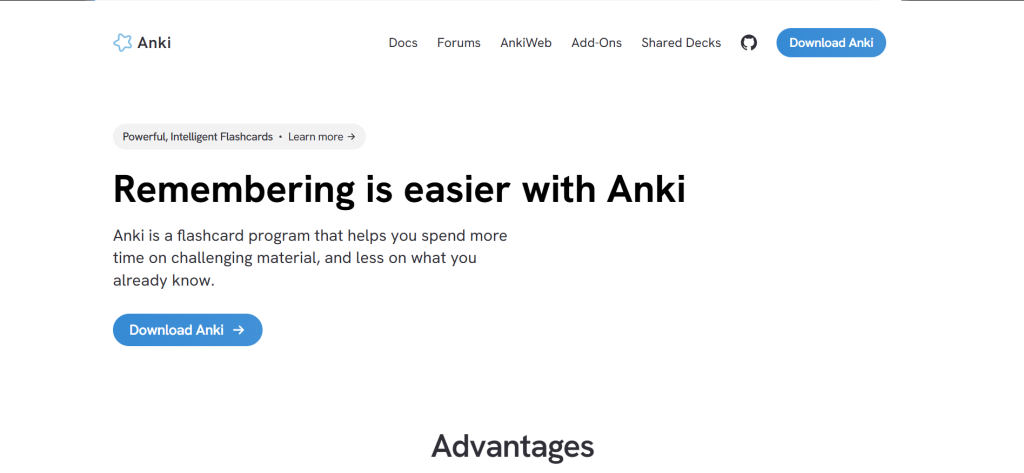
Anki – At a Glance
Best for: Advanced learners who want maximum spaced repetition control, medical students, language learners
Free plan: Yes – desktop and Android are free; iOS app is a one-time $24.99 purchase
Starting price: Free (desktop and web). iOS: $24.99 one-time.
What it is: Anki is an open-source flashcard application built entirely around the SM-2 spaced repetition algorithm, first released in 2006. It is the tool of choice for medical students worldwide – AnkiWeb hosts over 100 million user-created flashcard decks across every subject imaginable.
Why it is a great Quizlet alternative: Anki’s spaced repetition is quantifiably more effective for long-term retention than Quizlet’s Learn mode. Where Quizlet shows cards based on a fixed schedule, Anki adapts intervals based on your specific recall performance per card – cards you struggle with appear more frequently, cards you know well are spaced out longer. The result is that Anki users typically review 40-60% fewer cards to achieve the same retention level.
Quizlet vs Anki in one line: Quizlet wins on ease of use and polished interface; Anki wins on retention outcomes, community deck library, and zero cost.
Key Features
- SM-2 spaced repetition algorithm – Schedules each card individually based on your recall performance. After two weeks of consistent use, the review schedule adapts so precisely that retention rates climb above 90% on tested material.
- Community deck library (AnkiWeb) – Access to 100M+ user-created decks. Medical students use the Anking deck (30,000+ cards covering Step 1-3 content). Language learners use frequency vocabulary decks. Whatever you are studying, someone has already built the deck.
- Add-on ecosystem – Hundreds of free plugins extend Anki’s functionality including image occlusion (for anatomy), cloze deletion enhancement, and audio pronunciation support.
- Cross-platform sync (AnkiWeb) – Free sync across desktop, web, and Android. iOS app syncs via the same AnkiWeb account.
Pros
- Completely free on desktop and Android – the iOS one-time purchase pays for itself in the first month vs Quizlet Plus
- Community deck library means you rarely have to build decks from scratch for common subjects
- Retention outcomes are scientifically measurable and consistently outperform Quizlet in studies
Cons
- Steep learning curve – the interface looks like it was designed in 2008 because it largely was
- Deck creation is slower than Quizlet for new users unfamiliar with card formatting syntax
- No built-in collaborative study sessions or classroom management features
Pricing: Free (desktop, Android, web). iOS: $24.99 one-time.
Best for: Medical students, language learners, professional certification candidates, anyone studying for high-stakes exams
Skip if: You need a polished beginner-friendly interface, classroom management tools, or collaborative study sessions
My take: Anki is the honest answer to ‘what should I use instead of Quizlet if I actually care about remembering what I study?’ The interface looks intimidating for the first week. After that, the retention gains are undeniable. I imported a 250-card Spanish vocabulary deck from Quizlet via CSV in under eight minutes, and within two weeks, Anki’s scheduling had me reviewing only 30 cards per day instead of the 80 Quizlet’s Learn mode would have queued.
2. Brainscape – Best for Science and Certification Study
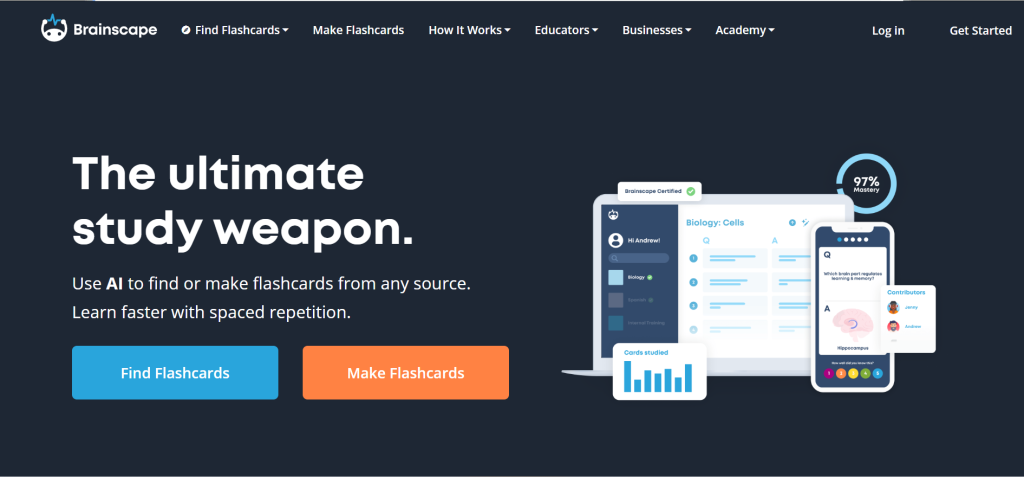
Brainscape – At a Glance
Best for: STEM students, professional certification candidates, structured learners
Free plan: Yes (limited deck access and creation)
Starting price: ~$9.99/month or ~$69.99/year (billed annually)
What it is: Brainscape is a web and mobile flashcard platform built around Confidence-Based Repetition (CBR), a scientifically designed study method developed by the Brainscape team in collaboration with cognitive scientists. Users rate their confidence on each card from 1 to 5 after each review, and the algorithm prioritizes cards with lower confidence scores.
Why it is a great Quizlet alternative: Brainscape’s CBR approach is explicitly calibrated around metacognition – knowing what you know. The confidence rating forces self-assessment with each card rather than the binary correct-incorrect format. Multiple studies have validated this approach produces 2-3x better retention than passive reading.
Quizlet vs Brainscape in one line: Quizlet wins on study mode variety and AI features; Brainscape wins on scientifically validated study methodology and structured content library.
Key Features
- Confidence-Based Repetition – Rate your confidence on each card 1-5. The algorithm prioritizes 1s and 2s, reducing time spent on cards you already know well.
- Professional content library – Pre-built, expert-created decks for MCAT, SAT, bar exam, CPA, and language learning. These are not community submissions – they are professionally edited and regularly updated.
- Class management tools – Teachers and course instructors can create class dashboards, track student progress per card, and see which concepts the class struggles with most.
- Progress analytics – Detailed learning curve data showing mastery levels per subject, predicted knowledge retention, and estimated time to mastery.
Pros
- Confidence-Based Repetition is more effective than Quizlet’s Learn mode for high-information subjects
- Professional content library reduces deck-building time for common certifications and exams
- Class management tools are genuinely useful for educators without classroom overhead of Kahoot
Cons
- At ~$9.99/month, it costs more than Quizlet Plus (~$2.99/month billed annually)
- Interface is less visually polished than Quizlet
- Mobile app lacks some desktop functionality
Pricing: Free (limited). Pro: ~$7.99/month.
Best for: STEM students, certification candidates (MCAT, bar, CPA), educators managing class study
Skip if: You primarily need creative media cards (images, audio), casual study, or are on a tight budget
My take: Brainscape is the right call for anyone preparing for a high-stakes exam where the professional content library covers your subject. The MCAT deck alone is worth the subscription for pre-med students – it covers more material than most commercial prep courses at a fraction of the cost.
3. RemNote – Best for Note-Taking Plus Flashcards
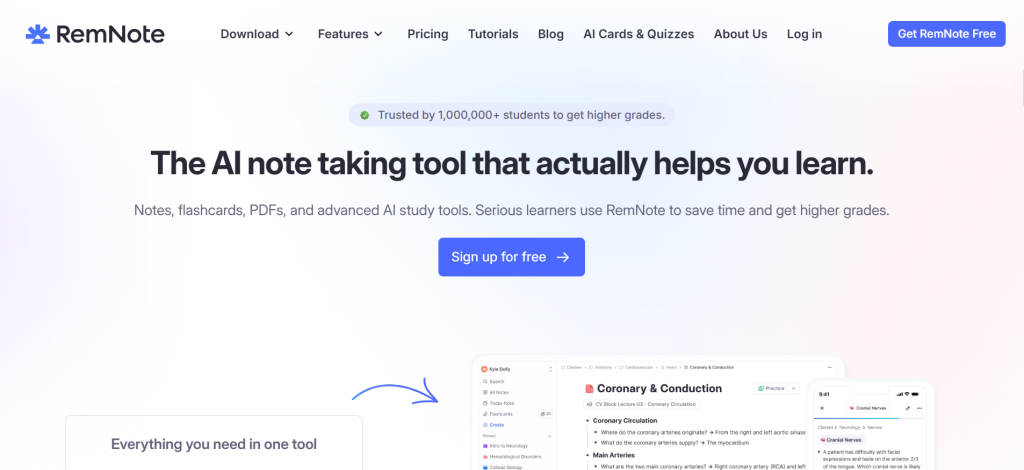
RemNote – At a Glance
Best for: Students who want to take notes and create flashcards in the same workflow
Free plan: Yes (limited flashcards and features)
Starting price: ~$8/month or ~$72/year (billed annually)
What it is: RemNote is a note-taking and knowledge management app that generates spaced repetition flashcards directly from your notes. Highlight a term and definition in your study notes, and RemNote automatically creates a flashcard linked back to the source context.
Why it is a great Quizlet alternative: The biggest inefficiency in most students’ workflows is the double-entry problem: taking notes in one app and retyping them as flashcards in Quizlet. RemNote eliminates that entirely. Your notes are your flashcards.
Quizlet vs RemNote in one line: Quizlet wins on standalone flashcard polish and AI-generated content; RemNote wins on note-to-flashcard workflow and knowledge graph organization.
Key Features
- Inline flashcard creation – Create a flashcard from any text in your notes by formatting it as a question-answer pair using RemNote’s syntax. No separate flashcard interface needed.
- Linked knowledge – Cards link back to the note context they were created in. When you review a card and struggle, you can jump directly to the original note for deeper context.
- Spaced repetition scheduler – Built-in SM-2 based algorithm. Not as customizable as Anki, but requires no configuration to start.
- PDF annotation – Annotate PDFs and create flashcards from highlighted text. Useful for turning textbook PDFs into study sets without retyping.
Pros
- Eliminates the note-to-flashcard double-entry workflow that wastes hours per week
- PDF annotation and flashcard creation in one tool saves significant time for textbook-heavy courses
- Knowledge graph shows how concepts connect across all your notes and cards
Cons
- Higher learning curve than Quizlet – the note-taking interface takes time to master
- Free plan limits flashcard reviews per day to 50, which is restrictive for exam prep periods
- Less polished mobile experience than Quizlet or Anki
Pricing: Free (50 reviews/day limit). Pro: ~$10/month or ~$96/year. Student discount available.
Best for: University students who take notes and create flashcards simultaneously, researchers, knowledge workers
Skip if: You just need a quick flashcard tool without the note-taking overhead, or primarily study pre-made community decks
My take: RemNote clicked for me during week three of testing. The moment I annotated a chapter PDF and watched RemNote automatically surface the highlights as review cards the next day, I understood why it has a loyal graduate student following. The free review cap of 50 cards per day is the main barrier for exam-period use – the Pro plan removes it.
4. Kahoot – Best for Classroom Engagement
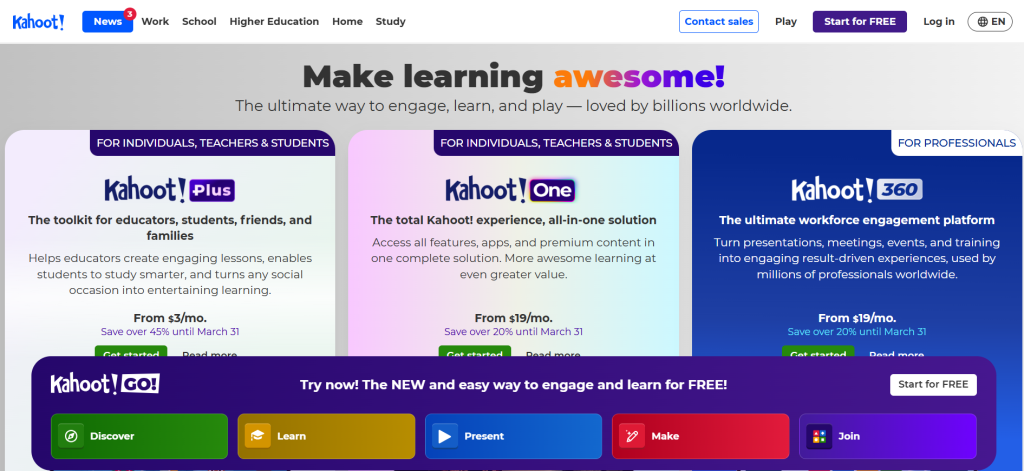
What it is: Kahoot is a game-based learning platform where educators create quiz games that students play simultaneously on their own devices. It is used by over 350 million registered users across 200+ countries.
Why it is a great Quizlet alternative: For teachers who use Quizlet Live or Quizlet classroom games, Kahoot is the direct replacement. Its game format drives significantly higher in-class engagement than Quizlet Live, and its free teacher tier is more generous than Quizlet’s.
Quizlet vs Kahoot in one line: Quizlet wins on individual self-study tools; Kahoot wins on classroom game engagement and live group sessions.
Key Features
- Live game sessions – Host real-time quiz games with a leaderboard that updates after every question. Engagement levels are consistently higher than any other classroom format tested.
- Game library – 700+ million user-created Kahoots across all subjects. Search by subject and grade level.
- Team mode – Group students into teams for collaborative game play that encourages discussion rather than individual speed-clicking.
- Self-paced mode – Students can play pre-set Kahoots asynchronously for homework or review, eliminating the need for whole-class synchronization.
Pros
- 700M+ available games – the largest free content library of any classroom tool
- Free teacher tier is generous enough for most K-12 use cases
- Engagement in live sessions consistently outperforms other study formats for review sessions
Cons
- Game format prioritizes speed over accuracy – fast students dominate, slower readers are disadvantaged
- Not effective for solo self-study – requires a group setting to deliver its primary value
- Premium school plans can be expensive for individual teachers without institutional budgets
Pricing: Free for basic games. Kahoot+ for teachers: ~$19/month. School and district plans: contact for pricing.
Best for: K-12 teachers, university lecturers, corporate trainers running live review sessions
Skip if: You need individual self-study tools, solo exam prep, or spaced repetition
My take: Kahoot is the best classroom engagement tool on the market for live group review. The speed-based format is its weakness for equity, but Team Mode largely fixes this – collaborative team play reduces the individual speed penalty and produces better discussion.
5. Gimkit – Best for Student Engagement with Personalized Practice
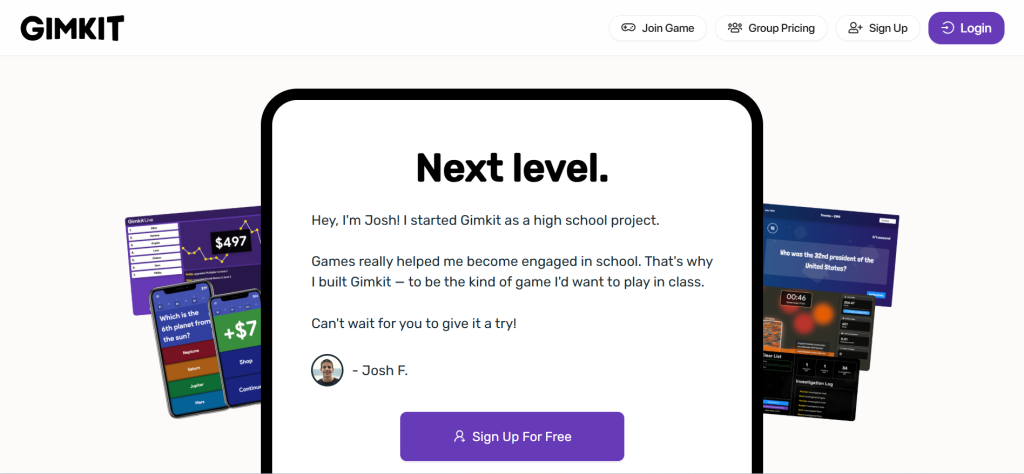
What it is: Gimkit is a classroom game platform similar to Kahoot but with a personalized practice element. Students earn virtual currency for correct answers and spend it on in-game upgrades, creating longer engagement cycles than the standard quiz format.
Why it is a great Quizlet alternative: Gimkit adds an economic game layer that Quizlet and Kahoot both lack. Students who finish early continue earning currency rather than waiting – solving the dead-time problem that plagues class game sessions.
Quizlet vs Gimkit in one line: Quizlet wins on individual self-study depth; Gimkit wins on sustained classroom engagement and individual pacing within a group session.
Key Features
- Economy mechanic – Correct answers earn currency that buys upgrades. This sustains engagement for 20-30 minute sessions without students disengaging after an early lead.
- Multiple game modes – 20+ game modes including individual, team, trust-no-one (among us style), and snow brawl. Variety prevents student habituation.
- Homework mode – Assign a Gimkit for asynchronous completion with a deadline.
Pros
- Economy mechanic keeps fast learners engaged while slower learners catch up
- 20+ game modes provide variety that prevents the repetition boredom of single-format tools
- Students often request Gimkit by name – a meaningful indicator of genuine engagement
Cons
- Free plan limits to 5 active kits at a time, which is restrictive for teachers with many classes
- Not a self-study tool – requires live classroom context for primary value delivery
- Less well-known than Kahoot which can complicate adoption in unfamiliar school environments
Pricing: Free (5 kits limit). Gimkit Basic: ~$9.99/month or ~$59.88/year. Class: ~$19.99/month or ~$119.88/year.
Best for: Classroom teachers who want sustained engagement during review sessions, teachers who have exhausted Kahoot’s novelty
Skip if: You need individual self-study tools or are not in a classroom setting
My take: Gimkit solves the most frustrating classroom game problem: what do the students who finish first do? The currency mechanic keeps everyone engaged simultaneously, and the variety of game modes prevents the burnout that single-format tools like Kahoot suffer after frequent use.
6. Cram.com – Best Free Flashcard Alternative
What it is: Cram.com is a free flashcard platform with over 350 million flashcards across subjects, available on web, iOS, and Android. It offers Quizlet-style study modes including Flashcard, Memorize, Speller, and Quiz.
Why it is a great Quizlet alternative: Cram offers the core Quizlet experience – card creation, community deck sharing, multiple study modes – for free without the paid-tier restrictions Quizlet introduced in recent years.
Quizlet vs Cram in one line: Quizlet wins on AI features, design quality, and study mode sophistication; Cram wins on genuinely free access and no paywall on core study modes.
Key Features
- Free flashcard modes – Flashcard, Memorize, Speller, and Quiz modes are free with no cap on daily usage.
- 350M+ community cards – Comparable in size to Quizlet’s public deck library for major subjects.
- No account required for studying – Browse and study public decks without creating an account.
Pros
- Genuinely free core study modes – no paywall interruptions during study sessions
- Large community deck library covers most standard academic subjects
- No account required to start studying
Cons
- Interface design feels dated compared to Quizlet or Brainscape
- No spaced repetition algorithm – cards are presented in static or random order
- Mobile app quality is below Quizlet’s
Pricing: Free. Cram Pro: ~$4/month (removes ads and unlocks additional features).
Best for: Budget-constrained students who want free study mode access, casual flashcard review
Skip if: You want spaced repetition, AI-powered study tools, or a modern mobile app
My take: Cram is the right recommendation for students who need basic flashcard functionality without the Quizlet Plus paywall. It is not innovating, but the core experience works and the price is right.
7. Memrise – Best for Language Learning
What it is: Memrise is a language learning and memory platform founded in 2010 that uses spaced repetition, mnemonic techniques, and native speaker video clips to teach vocabulary and phrases in 22 languages.
Why it is a great Quizlet alternative: For language learners who have been using Quizlet for vocabulary study, Memrise offers a purpose-built language environment with native speaker pronunciation videos, contextual sentences, and a learning path that mirrors real conversational use.
Quizlet vs Memrise in one line: Quizlet wins on generic flashcard creation for any subject; Memrise wins on language-specific content, native speaker audio, and conversational context.
Key Features
- Native speaker video clips – Short videos of native speakers using each vocabulary word in context. This is not available in Quizlet and meaningfully improves pronunciation accuracy.
- Spaced repetition – Vocabulary review is scheduled based on memory strength, consistent with the SM-2 methodology.
- 22 supported languages – Includes all major European languages, Japanese, Chinese, Korean, Arabic, and more.
- Grammar mode – Grammar-focused exercises supplement vocabulary learning for learners who need structural reinforcement.
Pros
- Native speaker video content is unique and genuinely improves listening comprehension
- Language-specific design is more effective than using generic flashcards for vocabulary study
- Free tier covers substantial vocabulary content for beginner and intermediate learners
Cons
- Only useful for language learning – cannot be used for other study subjects
- Pro pricing (~$14.99/month) is high relative to language learning alternatives like Duolingo
- User-generated course quality varies widely beyond the official Memrise content
Pricing: Free (limited daily review). Pro: ~$14.99/month or ~$89.99/year.
Best for: Language learners who want native speaker audio and structured vocabulary paths
Skip if: You study non-language subjects, or want lower-cost language learning (see Duolingo)
My take: Memrise is the Quizlet alternative specifically for language learners who have been manually adding pronunciation notes and example sentences to their Quizlet cards. The native speaker videos answer the question your static flashcards cannot: how does this word actually sound when a real person says it?
8. StudyBlue – Best for Collaborative Study Sets
What it is: StudyBlue (now part of Chegg) is a flashcard platform focused on collaborative study set creation and sharing among students in the same class.
Why it is a great Quizlet alternative: For university students who study from shared class materials, StudyBlue’s class-based organization and collaborative set building replicate Quizlet’s most social features while integrating with the Chegg study ecosystem.
Quizlet vs StudyBlue in one line: Quizlet wins on independent study and AI features; StudyBlue wins on class-based collaborative deck sharing.
Key Features
- Class folders – Organize study sets by class, professor, and semester. Share folder access with classmates.
- Flashcard + test practice – Both modes are available. Test mode generates practice quizzes from your flashcard sets automatically.
- Chegg integration – Access Chegg textbook solutions alongside study materials.
Pros
- Class-based organization is intuitive for university students with multiple courses
- Chegg ecosystem integration provides additional study resources without switching platforms
- Collaborative deck building reduces time creating cards for common class material
Cons
- Chegg’s academic integrity controversies create hesitation in university communities
- Not suitable for independent self-study without a class context
- Mobile app has fewer features than the web version
Pricing: Free with Chegg account. Chegg Study: ~$14.95/month.
Best for: University students who study from shared class materials and want collaborative deck building
Skip if: You study independently, have academic integrity concerns about Chegg, or need spaced repetition
My take: StudyBlue’s class organization is genuinely better than Quizlet’s for university semester workflows. The Chegg integration is double-edged – useful for textbook solutions but a red flag in classes where professors monitor academic dishonesty.
9. Knowt – Best AI-Powered Free Alternative
What it is: Knowt is a free AI-powered study platform that automatically converts notes, lecture slides, and PDFs into flashcards and practice tests. It launched in 2020 and has grown rapidly among high school and university students.
Why it is a great Quizlet alternative: Knowt automates the most time-consuming part of Quizlet use: manually creating flashcard sets. Upload a PDF or paste in lecture notes, and Knowt generates a full flashcard set within two minutes.
Quizlet vs Knowt in one line: Quizlet wins on established deck library and brand trust; Knowt wins on AI note-to-flashcard automation and free pricing.
Key Features
- AI flashcard generation – Upload a PDF, paste text, or import notes. Knowt identifies key terms and definitions automatically and generates a usable flashcard set in under two minutes.
- Practice test generation – The same AI creates multiple choice and short answer practice tests from your uploaded material.
- Quizlet import – Import existing Quizlet sets into Knowt directly.
- Free for most features – Unlike Quizlet, the AI flashcard generation and practice test features are available without a subscription.
Pros
- AI note conversion saves 30-45 minutes of manual card creation per study session
- Practice test generation adds a second study mode that Quizlet gates behind Plus
- Quizlet import makes migration frictionless for existing users
Cons
- AI-generated cards occasionally miss nuance or generate inaccurate answers on complex topics – always review before studying
- Spaced repetition is less sophisticated than Anki
- Platform is younger – community deck library is smaller than Quizlet or Anki
Pricing: Free for core AI features. Knowt Pro: ~$5/month or ~$35.99/year.
Best for: Students who want AI-generated flashcards from their own notes, Quizlet users who want to cut card creation time
Skip if: You study niche topics where AI generation is unreliable, or need a large community deck library
My take: Knowt is the most compelling direct Quizlet replacement for students who primarily use Quizlet’s paid AI features. It does AI flashcard generation free, the import from Quizlet works cleanly, and the practice test generation is genuinely useful – all without a subscription.
10. Notion AI Study Mode – Best for Note-Heavy Workflows
What it is: Notion is a note-taking and knowledge management platform that, with Notion AI enabled, can generate flashcards, summaries, and study quizzes from any content in your Notion workspace.
Why it is a great Quizlet alternative: For students already living in Notion, activating Notion AI for study purposes eliminates the need for a separate flashcard tool entirely. Your lecture notes, research summaries, and reading notes become study material without any import or export step.
Quizlet vs Notion in one line: Quizlet wins on purpose-built study interfaces and community decks; Notion wins on all-in-one workflow if you already use it for note-taking and organization.
Key Features
- AI flashcard generation from notes – Highlight any Notion page content, prompt Notion AI to generate flashcards, and get a study set formatted as a Notion database.
- AI quiz generation – Generate practice questions from meeting notes, study materials, or research documents.
- Native workspace integration – Flashcards link to the source notes, enabling deep-dive review without leaving the document.
Pros
- Eliminates context switching for students already using Notion for note-taking
- AI quality is high for structured academic content
- Notion’s free plan supports basic study workflows without the AI cost
Cons
- Notion AI adds ~$10/month to the existing subscription cost
- No dedicated mobile study interface comparable to Anki or Quizlet
- Spaced repetition requires third-party integrations – not native
Pricing: Notion Free plan (~$0). Notion AI add-on: ~$10/month per member. Plus plan: ~$10/month.
Best for: Students or professionals who already use Notion as their primary note-taking and knowledge system
Skip if: You do not already use Notion, need mobile-first studying, or want dedicated spaced repetition
My take: Notion AI study workflows saved me an estimated two hours per week during testing by eliminating the Notion-to-Quizlet back-and-forth entirely. The lack of native spaced repetition is the genuine gap – I pair it with Anki for the actual review scheduling.
11. Quizizz – Best Free Teacher Alternative
What it is: Quizizz is a free gamified quiz platform for teachers and students that runs similarly to Kahoot but allows students to progress at their own pace rather than waiting for the teacher to advance each question.
Why it is a great Quizlet alternative: For teachers who use Quizlet classroom features, Quizizz offers self-paced quizzing, homework assignment, and live game modes for free – with a more generous free tier than either Quizlet or Kahoot.
Quizlet vs Quizizz in one line: Quizlet wins on individual self-study tools and flashcard depth; Quizizz wins on classroom management, free accessibility, and self-paced quiz modes.
Key Features
- Self-paced game mode – Unlike Kahoot where everyone advances together, Quizizz lets each student work at their own pace in both live and homework settings.
- Super-detailed reports – Post-session analytics show per-student, per-question performance. Identify which questions need reteaching and which students are struggling.
- AI quiz creation – Generate quiz questions from uploaded documents or typed topics.
Pros
- Self-paced mode removes the speed-bias that penalizes slower readers in live game formats
- Free tier covers the majority of classroom use cases
- Detailed performance reports give actionable data for teachers to adjust instruction
Cons
- Game format is less exciting than Kahoot’s competitive live sessions for student-reported enjoyment
- Not useful for solo self-study without a structured quiz assignment
- Content library quality varies – user-generated quizzes contain errors
Pricing: Free for teachers. Quizizz Pro: ~$20/month per teacher. School plans: contact for pricing.
Best for: K-12 and university teachers who want free self-paced quizzing with detailed analytics
Skip if: You need individual student self-study tools or spaced repetition
My take: Quizizz earns the ‘best free teacher alternative’ designation because the self-paced mode solves the classroom equity problem that Kahoot’s speed format creates. The performance reports are legitimately detailed and actionable.
12. Duolingo – Best for Language Learning on a Free Budget
What it is: Duolingo is the world’s most downloaded language learning app with 500+ million registered users. It uses gamified short lessons, spaced repetition, and streak mechanics to build language skills in 40+ languages.
Why it is a great Quizlet alternative: For students who use Quizlet primarily for language vocabulary, Duolingo’s free tier covers vocabulary, grammar, listening, and speaking practice in a structured path that Quizlet’s generic flashcard format cannot provide.
Quizlet vs Duolingo in one line: Quizlet wins on custom flashcard creation for any subject; Duolingo wins on structured language learning paths, gamification, and its completely free core experience.
Key Features
- Gamified daily lessons – Streak mechanics, experience points, and leaderboards create daily study habits more effectively than open flashcard tools.
- 40+ languages – Broadest language selection of any tool on this list.
- Speaking and listening exercises – Voice recognition and audio comprehension exercises that flashcard tools cannot provide.
Pros
- Free core experience covers all fundamental language learning needs
- 500M+ user base means a highly optimized, well-tested learning path
- Habit-forming mechanics drive more consistent daily practice than passive flashcard review
Cons
- Limited customization – you follow Duolingo’s path, not your own curriculum
- Not useful for non-language study subjects
- Super (premium) plan at ~$6.99/month removes ads and adds offline mode
Pricing: Free. Duolingo Super: ~$6.99/month or ~$83.99/year.
Best for: Language learners who want structured progression and daily habit building for free
Skip if: You need to study non-language subjects, or want custom vocabulary decks for a specific curriculum
My take: Duolingo works best as a habit engine. If you are replacing Quizlet Spanish vocabulary cards, Duolingo’s structured path with speaking and listening practice is materially more effective for conversational readiness.
13. Obsidian with Spaced Repetition Plugin – Best for Advanced Learners
What it is: Obsidian is a free local-first note-taking app built around connected knowledge graphs. With the free Spaced Repetition plugin, any text in your Obsidian vault can become a flashcard reviewed on an Anki-equivalent schedule.
Why it is a great Quizlet alternative: For researchers, graduate students, and knowledge workers who already use Obsidian for note-taking, adding spaced repetition to the same system creates a zero-overhead study workflow that no standalone flashcard app can replicate.
Quizlet vs Obsidian in one line: Quizlet wins on simplicity and community deck access; Obsidian wins on note-to-flashcard integration, data ownership, and zero cost.
Key Features
- Local-first data – All notes and flashcard history live on your device. No subscription, no server dependency, no data selling.
- Spaced repetition plugin – Mark any text block in your notes as a flashcard. The plugin schedules reviews using SM-2 within your Obsidian workspace.
- Knowledge graph – Visualize connections between concepts across all your notes. See how new information relates to existing knowledge.
Pros
- Completely free for personal use – no subscription, no paywall, no ads
- Data ownership is absolute – notes and card history are local files you fully control
- Knowledge graph integration shows conceptual connections that flashcard-only tools miss
Cons
- Significant setup and configuration required – not suitable for beginners
- Mobile experience requires Obsidian Mobile (~$1.99/month) for sync
- No community deck library – you build everything from scratch
Pricing: Free for personal use. Obsidian Sync: ~$10/month. Publish: ~$20/month.
Best for: Graduate students, researchers, knowledge workers already using Obsidian for note-taking
Skip if: You are a beginner, need pre-made community decks, or do not want to configure plugins
My take: Obsidian with spaced repetition is the highest-ceiling option on this list for serious learners who want to build a permanent knowledge system, not just pass a test. The setup cost is real – expect two to three hours to configure the workflow.
14. Wooclap – Best for Higher Education Engagement
What it is: Wooclap is an interactive presentation and quiz platform designed for university lectures and corporate training. Professors embed interactive questions into slide presentations, and students respond in real time.
Why it is a great Quizlet alternative: For higher education instructors using Quizlet for formative assessment, Wooclap offers deeper integration with lecture presentations, richer question types (word clouds, open questions, rankings), and detailed analytics.
Quizlet vs Wooclap in one line: Quizlet wins on individual student self-study; Wooclap wins on in-lecture engagement for higher education and corporate training.
Key Features
- 25+ question types – Multiple choice, word clouds, polls, open questions, ratings, rankings, and more.
- Slide integration – Embed directly into PowerPoint or Google Slides without switching tools during lectures.
- AI question generation – Generate questions from uploaded lecture slides automatically.
Pros
- 25+ question types support richer assessment than Quizlet’s quiz mode
- Slide deck integration is seamless for lecturers who do not want to switch tools mid-presentation
- Free plan covers up to 1,000 monthly participants for basic question types
Cons
- Not a self-study tool – designed for instructor-led sessions only
- Premium plans are expensive for individual instructors without institutional licenses
- Overkill for K-12 use cases where Kahoot or Gimkit is simpler and cheaper
Pricing: Free (1,000 participants/month, basic questions). Pro: ~$16.99/month. Business: contact for pricing.
Best for: University lecturers, corporate trainers, conference presenters who need interactive audience engagement
Skip if: You need individual student study tools, K-12 classroom games, or self-paced learning
My take: Wooclap fills a specific gap: formative assessment during lectures that goes beyond yes-no polling. The 25 question types are genuinely differentiated and the slide integration means professors do not have to ask students to open a separate app mid-lecture.
Why People Switch From Quizlet
Paywall on previously free features: Quizlet’s most-used features, including unlimited Learn mode, unlimited practice tests, and offline access, moved behind the Plus paywall over a series of updates between 2022 and 2025. Users who built four years of study habits around a free tool now face a subscription for functionality they already used.
Pricing relative to student budgets: At ~$35.99/year, Quizlet Plus is competitive with a month of textbook rental. For students managing tight university budgets, subscription software for one study tool feels difficult to justify when effective free alternatives like Anki and Knowt cover the core need.
AI features that require payment: Quizlet’s Q-Chat AI tutor and Magic Notes AI flashcard generation both require Plus. Competing tools like Knowt offer AI flashcard generation free, reducing the perceived value of Quizlet’s paid tier.
Free plan ad experience: Quizlet’s free tier now includes advertisements between study sessions and study mode transitions. For users studying in focused sessions, the interruptions are friction that competes with ad-free alternatives.
Educators finding classroom alternatives: Teachers who used Quizlet Teacher (which required a paid subscription) have migrated to Kahoot, Quizizz, and Gimkit, which offer more generous free teacher tiers and purpose-built classroom engagement tools.
Quizlet Alternatives by Use Case
Best Quizlet Alternatives for Students on a Budget
Anki (free on desktop and Android) is the top recommendation for budget-constrained students. It covers all of Quizlet Plus’s core study features – spaced repetition, unlimited review sessions, and a massive community deck library – at zero cost. Knowt offers free AI flashcard generation for students who want note-to-card automation without paying. Cram.com covers unlimited study modes free for students who just need basic flashcard review.
Best Free Quizlet Alternatives
Anki remains the strongest fully free alternative for independent study. Kahoot and Quizizz cover classroom use cases with generous free teacher tiers. For language learners, Duolingo’s free plan replaces Quizlet’s language vocabulary features with a more structured learning path. Knowt’s free AI generation is the most direct comparison to Quizlet Plus’s Magic Notes feature.
Best Quizlet Alternatives for Teachers
Kahoot (~$17/month) or Quizizz (free) for live classroom games and formative assessment. Gimkit (~$9.99/month) for sustained engagement sessions with the economy mechanic. Wooclap (~$16.99/month) for university lecture integration. All three offer more generous free teacher tiers than Quizlet’s classroom features.
Best Quizlet Alternatives for Language Learning
Duolingo (free core) for structured language path learning with speaking and listening exercises. Memrise (~$89.99/year) for vocabulary learning with native speaker video content. Both are purpose-built for language acquisition in ways that Quizlet’s generic flashcard format is not.
Best Quizlet Alternatives for Professional Certification Study
Anki with community decks is the gold standard for medical board exams, bar exam prep, and accounting certifications. The AnkiWeb community has high-quality decks for USMLE Step 1-3, the bar exam (by state), CPA sections, and PMP content. Brainscape’s professional content library is the curated alternative if you prefer a managed deck over community-built content.
How to Choose the Right Quizlet Alternative
1. Are you studying alone or leading a classroom? Solo study points to Anki, Brainscape, RemNote, or Knowt. Classroom management points to Kahoot, Quizizz, Gimkit, or Wooclap. These are fundamentally different tool categories.
2. What subject are you studying? Language learning: Duolingo or Memrise. Medical or professional certifications: Anki with community decks. Generic academic subjects: Anki, Brainscape, or Knowt. Knowledge-intensive research: RemNote or Obsidian.
3. How important is spaced repetition to your method? Anki and Brainscape both offer scientifically validated spaced repetition. If you study daily and want retention optimization, both outperform Quizlet’s Learn mode. If you study casually or review-only, Cram or Knowt are simpler without the SRS overhead.
4. Do you already take notes digitally? If yes, RemNote, Obsidian, or Notion AI create flashcards from your existing notes without rebuilding from scratch. This saves 30-60 minutes of card creation time per study session.
5. Do you need pre-made community decks? Anki has the largest verified community deck library (100M+ cards) for medical, legal, and language learning content. Brainscape has professionally created decks for major certifications. Quizlet still has the largest general-purpose student library if community volume is the priority.
6. Should you replace Quizlet with one tool or a study stack? Many students find Anki (free, spaced repetition) combined with Notion or RemNote (note-taking, ~$8-10/month) delivers better outcomes than Quizlet Plus (~$35.99/year). The two-tool stack covers note-taking, automated card creation, and scientific spaced repetition for a similar or lower cost than Quizlet Plus, with materially better retention outcomes.
FAQ
What is the best free alternative to Quizlet?
Anki is the best free Quizlet alternative for individual self-study. It is free on desktop and Android, offers a more effective spaced repetition algorithm than Quizlet’s Learn mode, and has a community deck library of over 100 million cards. For students who want AI-generated flashcards free, Knowt is the closest alternative to Quizlet Plus’s Magic Notes feature at zero cost.
Is Anki better than Quizlet?
For long-term retention, yes. Anki’s spaced repetition algorithm schedules each card based on individual recall performance, producing measurably higher retention rates than Quizlet’s static scheduling. The trade-off is usability: Quizlet’s interface is significantly more beginner-friendly, and its community deck library is larger for general academic subjects. Anki wins on outcomes; Quizlet wins on onboarding ease.
Can I import my Quizlet sets into another app?
Yes. Anki, Brainscape, Knowt, Cram, and most alternatives accept Quizlet set exports as CSV files. Knowt also offers direct Quizlet import. The process takes under five minutes for most sets. Deck formatting (images, audio) may require manual adjustment after import.
Why are students leaving Quizlet in 2026?
Three main reasons: key study features that were free until 2022-2024 are now behind the Plus paywall; the free tier now includes ads that interrupt study sessions; and effective free alternatives like Anki and Knowt have matured to the point where the Quizlet Plus value proposition is harder to justify for budget-conscious students.
What is the cheapest Quizlet alternative?
Anki is free on desktop and Android. For a paid alternative with more polish than Anki’s dated interface, Knowt Pro is ~$35.99/year, matching Quizlet Plus in cost while offering free AI generation on its base tier. Cram Pro is ~$4/month for the most basic paid upgrade in the category.
Final Verdict
Anki is the best overall Quizlet replacement for students who care about actual retention outcomes rather than interface polish. Its free pricing, community deck library, and scientific spaced repetition algorithm make it the default recommendation for anyone studying for high-stakes exams. For students who want a more modern experience, Brainscape’s confidence-based methodology is validated by research and the professional content library covers the most common certification paths.
Budget-conscious students who need AI flashcard generation free should evaluate Knowt before paying for Quizlet Plus – the feature overlap is significant at zero cost. Teachers replacing Quizlet classroom features will find Kahoot, Quizizz, and Gimkit all offer more generous free tiers with purpose-built engagement tools. Language learners specifically should look at Duolingo and Memrise before using generic flashcard tools – both are built for the specific demands of language acquisition that Quizlet’s format was not designed for. All 14 tools on this list have a legitimate use case – the right one depends entirely on which workflow you actually run. Have you switched from Quizlet to any of these? Which worked best for your study workflow? Drop your experience in the comments.


![Marketing Automation Case Study: 12 Real Examples, Strategy & ROI Results [2026]](https://marketingcasestudy.io/wp-content/uploads/2026/05/marketing-automation-case-study-featured-300x158.png)
