Productivity in 2026 is not about doing more. The professionals who outperform their peers are not the ones with the longest to-do lists or the most app subscriptions. They are the ones who have built systems that eliminate decision fatigue, protect deep focus time, automate the repeatable, and ensure nothing important falls through the cracks.
The problem is not a shortage of productivity tools. It is a surplus. Thousands of apps compete for your attention and subscription budget, each promising a transformation in output that rarely materializes. Choosing the wrong tool does not just waste money. It wastes the cognitive overhead of learning an interface, migrating data, and building habits around something that never quite fits.
This guide cuts through the noise. We tested 12 productivity platforms across their core use cases, compared their outputs head-to-head, evaluated free tiers against paid plans, and identified the specific workflows where each tool outperforms the alternatives. Every recommendation below includes exactly when that tool is the right choice — and when you should look elsewhere.
Quick Comparison: Top 12 Productivity Tools for 2026
| Tool | Primary Use | Starting Price | Free Tier | Best Feature | Our Rating |
| Notion | All-in-one workspace | Free / $12/mo | Yes (generous) | Linked databases + AI | 9.2/10 |
| Todoist | Task management | Free / $4/mo | Yes (capable) | Natural language task entry | 9.0/10 |
| Obsidian | Knowledge management | Free | Yes (full) | Bidirectional linking graph | 9.1/10 |
| Toggl Track | Time tracking | Free / $9/mo | Yes (full core) | One-click timer + reporting | 9.3/10 |
| Reclaim.ai | AI calendar scheduling | Free / $8/mo | Yes (limited) | Auto-schedules tasks in calendar | 9.0/10 |
| Zapier | Workflow automation | Free / $19.99/mo | Yes (limited) | 6,000+ app integrations | 8.8/10 |
| Slack | Team communication | Free / $7.25/mo | Yes (limited) | Organized channels + integrations | 8.6/10 |
| Forest | Focus & Pomodoro timer | $3.99 one-time | Yes (Android) | Gamified phone distraction block | 8.5/10 |
| Notion Calendar | Calendar management | Free | Yes (full) | Multi-calendar unified view | 8.7/10 |
| Loom | Async video messaging | Free / $12.50/mo | Yes (25 videos) | Screen + cam async recording | 8.9/10 |
| Grammarly | AI writing assistant | Free / $12/mo | Yes (basic) | Real-time grammar & tone | 8.7/10 |
| Claude | AI assistant & deep work | Free / $20/mo | Yes (limited) | Long-form reasoning + 200K context | 9.0/10 |
How We Evaluated These Productivity Tools
Every tool in this guide was assessed across five dimensions that matter specifically to knowledge workers and professionals, not enterprise software buyers.
Real workflow impact: Each tool was used for two full work weeks across actual professional tasks — not staged demos or isolated tests. Evaluations were based on what the tool did to real output, not what the feature list promised.
Free tier viability: Can a professional get meaningful daily work done without paying? We used each free tier for a full work week and documented where limitations became genuine blockers versus minor inconveniences.
Paid plan ROI: For tools with paid tiers, we assessed whether the upgrade delivers enough additional capability to justify the cost for a typical professional processing 20 to 50 tasks per day.
Integration and workflow fit: A productivity tool that lives in isolation is far less valuable than one that connects to your existing stack. We evaluated API access, plugin ecosystems, and native integrations with the tools most professionals already use.
Cognitive load: The best productivity tools reduce friction, not add to it. We penalized tools that require significant mental overhead to maintain — even if their raw output quality was high.
Why the Productivity Tools Landscape Has Changed in 2026
Two shifts define the productivity tools market in 2026 compared to even two years earlier. The first is AI integration across every layer of the workflow. Notion’s AI writes meeting summaries and database filters from plain English. Reclaim.ai autonomously reschedules your calendar around focus blocks when meetings shift. Zapier’s AI builds automation workflows from a natural language description. Tools that previously required disciplined manual maintenance now largely configure themselves.
The second shift is the consolidation of the fragmented productivity stack. The era of maintaining twelve separate apps — one for tasks, one for notes, one for calendar, one for communication, one for documents — is giving way to unified platforms that handle multiple workflow layers simultaneously. The professionals who thrive are those who invest in fewer, deeper tools rather than accumulating more shallow ones.
Together, these shifts mean the productivity advantage in 2026 belongs to those who identify the right tools early, integrate them deeply, and use them consistently — not those who own the most subscriptions.
Detailed Reviews: Best Productivity Tools for 2026
1. Notion — Best All-in-One Productivity Workspac
| Best For | Professionals who want notes, tasks, wikis, and databases in a single connected workspace |
| Pricing | Free (personal). Plus $12/mo. Business $18/mo. AI add-on $10/mo |
| Free Tier | Yes — personal plan covers unlimited pages and blocks for solo use |
| Key Strengths | Linked databases, AI writing assistant, flexible layouts, 1,000+ templates, web clipper |
| Key Weaknesses | Setup overhead, AI costs extra, limited offline access, can lag with large workspaces |
| Best For Teams | Knowledge workers, consultants, researchers, content teams managing multi-project workflows |
| Output Consistency | High once configured — depends heavily on initial workspace design |
| Best Pairing | Toggl Track for time tracking, Zapier for automation, Claude for AI writing inside workflows |
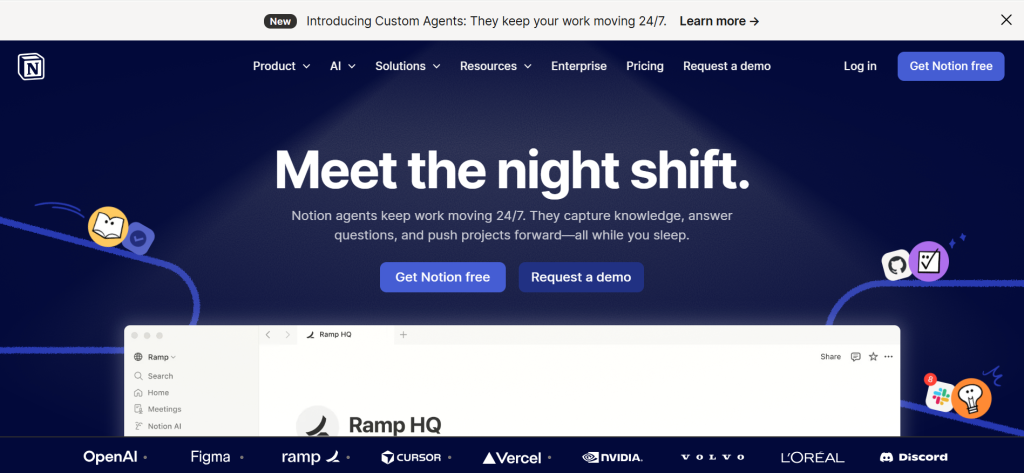
Notion earns its top position by solving the productivity stack’s most persistent problem: fragmentation. Most knowledge workers maintain mental overhead tracking which piece of information lives in which application — meeting notes in Google Docs, tasks in Todoist, project documentation in Confluence, reference material in Evernote. Notion collapses this into a single workspace where everything is connected by design.
The database functionality is what differentiates Notion from conventional note-taking tools. A project database can link to a client database which links to a deliverables database. Filter by deadline and see everything due this week. Filter by client and see every project, document, and task associated with that relationship. The same data, viewed from the angle most useful at any given moment, without maintaining separate systems for each view.
The AI integration — available as an add-on — generates meeting summaries from notes, drafts project briefs from bullet points, creates database filters from plain English descriptions, and summarizes long documents on demand. For teams, collaborative editing, comments, and permission controls bring shared workspace functionality previously requiring enterprise tools into a $12 monthly subscription.
Where Notion Falls Short
Notion’s power is also its learning curve. A professional who opens Notion expecting immediate intuitive use will be frustrated by the blank page. Building a workspace that genuinely reflects how you work requires hours of setup and weeks of iteration. The AI add-on at $10 per month adds meaningful cost on top of the Plus plan. For professionals who need only straightforward task management, simpler tools like Todoist eliminate the overhead Notion demands.
The Verdict on Notion
Notion is the strongest all-in-one productivity workspace for professionals managing complex, multi-dimensional work. The free personal tier covers solo use comprehensively. Professionals who invest the setup time build a system that replaces five separate tools with one — and that compounds in value over every month of use.
2. Todoist — Best Task Manager for Getting Things Done Fast
| Best For | Individuals who want clean, reliable, cross-platform task management that stays out of the way |
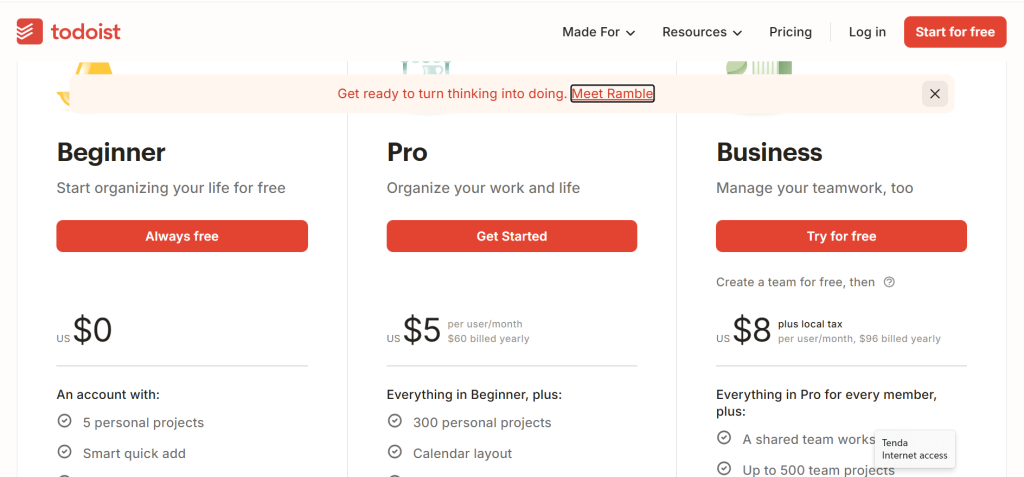
| Pricing | Free (5 active projects). Pro $5/mo. Business $8/mo/user |
| Free Tier | Yes — 5 projects, 5 collaborators, and basic features cover most individual use cases |
| Key Strengths | Natural language input, cross-platform sync, recurring tasks, priority levels, productivity karma |
| Key Weaknesses | No time tracking, limited note-taking, project cap on free tier |
| Best For Teams | Individual professionals, small teams needing lightweight shared task management |
| Output Consistency | Extremely high — reliable sync, notifications, and recurring task management across all platforms |
| Best Pairing | Toggl Track for time per task, Notion for project documentation, Reclaim.ai for auto-scheduling |
Todoist’s defining advantage is friction elimination. Natural language task entry means typing “submit quarterly report every first Monday at 9am” creates a correctly configured recurring task with a due date and time — no form fields, no menus, no dropdown navigation. The app parses intent and structures it correctly. For professionals who need to capture tasks quickly before the thought evaporates, this speed matters more than feature depth.
The cross-platform experience is genuinely consistent. The Mac app, iPhone app, browser extension, and Gmail or Outlook integrations all sync instantly and present the same interface. A task captured on your phone during a commute appears on your desktop before you sit down. Recurring tasks, priorities, project organization, and due dates behave identically across every surface.
The Karma system — a gamified productivity score based on task completion streaks and goal achievement — provides a lightweight motivational layer without overwhelming the clean interface. Professionals who respond to visible progress metrics find it reinforces the daily review habit that makes any task management system actually function.
Where Todoist Falls Short
Todoist manages tasks but does not contextualise them. It does not store meeting notes, project documentation, or reference material alongside the tasks they relate to. Professionals who need that contextual connection need a separate system for notes and documentation, which reintroduces the fragmentation problem that Notion solves. Todoist is the right choice when clean, reliable task capture and completion is the sole requirement.
The Verdict on Todoist
Todoist is the best pure task manager available for the professional who wants reliable, frictionless to-do management across every device. At $4 per month for the Pro plan, it is among the best-value paid productivity tools available. Pair it with Toggl Track for time awareness and Notion for project context to cover the full productivity workflow.
3. Obsidian — Best Knowledge Management Tool for Deep Thinkers
| Best For | Researchers, writers, and knowledge workers building a connected, searchable second brain over years |
| Pricing | Free (local vault). Sync $10/mo. Publish $20/mo |
| Free Tier | Yes — local vault is permanently free with all core features, including the full plugin ecosystem |
| Key Strengths | Bidirectional linking, graph view, 1,000+ plugins, fully local and private, Markdown portability |
| Key Weaknesses | Steep setup curve, sync costs extra, not collaborative, no built-in task management |
| Best For Teams | Individual knowledge workers, graduate researchers, writers, analysts — not suited for team collaboration |
| Output Consistency | Very high for note-taking; dependent on personal system design for overall knowledge quality |
| Best Pairing | Todoist for task management, Zotero for academic references via plugin, Toggl Track for deep work sessions |
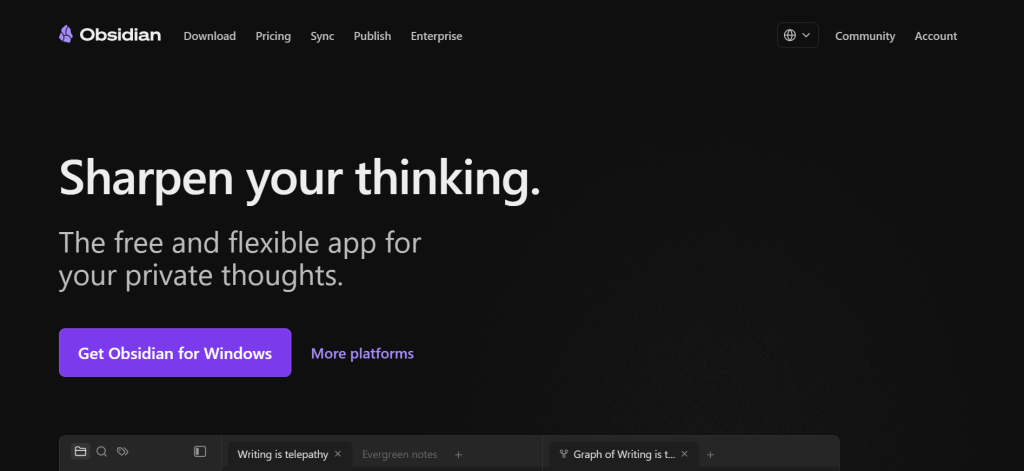
Obsidian takes a fundamentally different philosophical approach to knowledge management than any other tool on this list. Where Notion organizes information hierarchically in databases and folders, Obsidian builds a web of interconnected ideas through bidirectional linking. Every note you create can link to other notes, and those links operate in both directions — every note also knows which other notes reference it. The resulting knowledge graph mirrors how a thoughtful mind actually connects ideas across disciplines and time.
The compounding value proposition is what makes Obsidian worth the setup investment. A professional who has been building their vault for two years has a searchable, interconnected network of thousands of notes spanning their full working life. Writing a report means navigating a map of accumulated thinking rather than starting from scratch. The graph view renders this network visually, revealing unexpected connections between topics that conscious organization would never have surfaced.
The plugin ecosystem adds capabilities that transform Obsidian from a note-taking tool into a complete knowledge operating system. The Tasks plugin adds GTD-style task management. The Dataview plugin queries your vault like a database. The Calendar plugin creates a daily note system for journaling and structured review. For technically inclined professionals, Obsidian can be configured to handle workflows that would otherwise require three separate applications.
Where Obsidian Falls Short
Obsidian is not a tool you can use effectively on day one. Building a system that compounds in value requires genuine philosophical investment in how you capture, link, and retrieve knowledge — a practice most professionals have never consciously developed. Cross-device sync requires the paid Sync plan or self-hosted solutions. Collaboration is essentially unsupported for teams. For professionals who need simple note access rather than deep knowledge architecture, Notion or Apple Notes serve better.
The Verdict on Obsidian
Obsidian is the most powerful free knowledge management tool available for individuals willing to invest in building a serious system. The free local vault is genuinely full-featured. Professionals who commit to the methodology — atomic notes, consistent linking, regular review — will find their accumulated knowledge becoming a genuine competitive advantage over time.
4. Toggl Track — Best Time Tracking Tool for Productivity Intelligence
| Best For | Professionals who want to understand where their working hours actually go and improve how they allocate them |
| Pricing | Free (unlimited tracking). Starter $9/mo. Premium $18/mo |
| Free Tier | Yes — unlimited time tracking, projects, and basic reporting free for solo users |
| Key Strengths | One-click timer, browser extension, timeline reconstruction, project reports, idle detection |
| Key Weaknesses | No invoicing on free tier, billable rates behind paywall, mobile app less powerful than desktop |
| Best For Teams | Solo professionals, freelancers, agency teams tracking client time |
| Output Consistency | Extremely high — timer reliability and reporting accuracy are consistently excellent |
| Best Pairing | Todoist for task structure, Notion for project context, Reclaim.ai for calendar time blocking |
Time tracking is the most neglected productivity discipline among knowledge workers, and the one that most directly exposes the gap between subjective sense of effort and objective reality. Most professionals who start tracking their time discover within two weeks that their most demanding-feeling tasks consume less time than perceived, while low-priority reactive work — email, Slack, unscheduled calls — consumes far more. This data is the foundation of every meaningful productivity improvement.
Toggl Track makes the tracking habit as frictionless as possible. The browser extension sits in your toolbar, detecting which applications and websites you are using and suggesting time entries based on context. The one-click timer requires no project setup before starting — you can assign context retroactively. The timeline feature reconstructs your working day from application usage, letting you log hours you forgot to track manually.
The reporting layer converts raw tracking data into business intelligence. Weekly summaries show time distribution across projects and clients. Monthly trends reveal whether your time allocation is moving toward or away from your stated priorities. For professionals who have committed to any time management methodology — deep work, time blocking, GTD — Toggl Track provides the objective measurement that separates implementation from intention.
Where Toggl Track Falls Short
Toggl Track does not generate invoices natively on the free tier and requires integration with billing tools to convert tracked hours directly into client invoices. For professionals who need a seamless time-to-invoice workflow, connecting Toggl Track with FreshBooks or HoneyBook adds a step that an all-in-one platform handles automatically. For those who charge flat rates and do not need billable hour reporting, some features may never be fully utilized.
The Verdict on Toggl Track
Toggl Track’s free tier is the most capable of any free productivity tool on this list, covering every feature a solo professional needs. Install it today, run the timer for two weeks, and the resulting data will reshape how you structure your working day more effectively than any theoretical productivity system.
5. Reclaim.ai — Best AI Calendar Tool for Automated Time Blocking
| Best For | Professionals who want AI to automatically schedule focus blocks, tasks, and habits around their meetings |
| Pricing | Free (limited). Starter $8/mo. Business $12/mo. Enterprise custom |
| Free Tier | Yes — basic task scheduling and habits; advanced smart meetings require paid tier |
| Key Strengths | Auto time-blocking, task scheduling AI, habit protection, smart meeting links, buffer time rules |
| Key Weaknesses | Requires Google Calendar, can feel intrusive initially, best features behind paywall |
| Best For Teams | Individual professionals, managers with heavy meeting loads, remote teams protecting focus time |
| Output Consistency | High — rescheduling engine adapts reliably; AI decisions occasionally need manual override |
| Best Pairing | Todoist (direct integration for task syncing), Toggl Track for time reporting on completed blocks |
Reclaim.ai represents the most significant development in personal productivity tooling in 2026: a calendar that manages itself. Instead of manually blocking time for deep work every Sunday evening and watching those blocks collapse as meetings fill the week, Reclaim monitors your calendar continuously and autonomously reschedules task blocks, focus time, and habit sessions around whatever lands in your schedule.
The task scheduling integration is the flagship feature. Connect your Todoist or Asana account, assign time estimates and priorities to tasks, and Reclaim finds available slots in your calendar and books them automatically. When a meeting moves, Reclaim does not leave a task block stranded — it finds the next available slot and reschedules it. For professionals whose days are defined by meeting fragmentation, this autonomous rescheduling eliminates the daily overhead of manually rebuilding a realistic work plan.
Habit protection adds a layer of behavioral infrastructure that most professionals abandon within weeks when attempting to maintain it manually. Schedule a daily writing session, a lunch break, and an end-of-day review, and Reclaim holds those blocks unless a meeting is explicitly accepted over them. The friction of overriding a protected block is enough to prevent the casual erosion of habits that drives long-term productivity.
Where Reclaim.ai Falls Short
Reclaim.ai requires Google Calendar, which excludes Microsoft 365 and Outlook-dependent professionals from accessing its core value. The free tier’s limitation on smart meeting scheduling means the most powerful features require a paid plan relatively quickly. For professionals who prefer full manual control over their calendar and find automated rescheduling disorienting, the tool can initially feel intrusive until the logic of its decisions becomes familiar.
The Verdict on Reclaim.ai
Reclaim.ai is the right tool for professionals whose primary productivity problem is calendar fragmentation and the inability to protect time for deep work against a continuous inflow of meetings. At $8 per month on the Starter plan, it is among the most practically impactful paid productivity tools available in 2026.
6. Zapier — Best No-Code Workflow Automation Tool
| Best For | Professionals who want to automate repetitive cross-app workflows without writing code |
| Pricing | Free (100 tasks/mo). Starter $19.99/mo. Professional $49/mo |
| Free Tier | Yes — 100 tasks/month covers light testing; production use requires a paid tier |
| Key Strengths | 6,000+ app integrations, AI Zap builder, multi-step workflows, filters and conditions, no code required |
| Key Weaknesses | Costs scale with task volume, complex logic needs workarounds, slower than direct APIs |
| Best For Teams | Operations professionals, marketing teams, anyone with high-volume repetitive cross-app workflows |
| Output Consistency | Very high — Zapier’s reliability is industry-leading; occasional latency on the free tier |
| Best Pairing | Notion as workflow destination, Slack for triggered notifications, Gmail for automated email sequences |
Zapier’s 6,000-plus app integration library means it functions as the connective layer between virtually every tool in a professional’s stack. When a form submission creates a Notion database entry, generates a Slack notification, and sends a personalised email — without a single manual step — that is Zapier. The productivity gain is not from any individual automation but from the cumulative elimination of repetitive manual tasks that previously consumed hours each week.
The AI Zap builder, introduced in 2025, allows professionals to describe an automation in plain English and receive a working multi-step workflow. “When a new lead fills out my Typeform, add them to my Notion CRM, send them a welcome email, and create a follow-up task in Todoist in three days” produces a configured, ready-to-test Zap. The barrier between identifying a repetitive task and eliminating it has essentially collapsed for non-technical professionals.
For productivity workflows specifically, the highest-value Zapier automations involve information routing: ensuring that data captured in one tool automatically appears in the relevant context in another. New emails from important clients appearing as Todoist tasks. Completed Notion projects triggering invoice generation. Calendar events creating pre-populated meeting note pages. These flows eliminate the cognitive overhead of manually keeping systems synchronized.
Where Zapier Falls Short
Zapier’s pricing scales with task volume, which means automations that seem inexpensive to build can become meaningfully expensive at scale. The free tier’s 100-task monthly limit disappears quickly for any automation that triggers frequently. For technical teams who want more power and lower cost, n8n’s self-hosted free tier provides more flexibility. For professionals with a handful of high-value automations, Zapier’s ease of setup more than justifies its cost.
The Verdict on Zapier
Zapier is the right tool for professionals who have identified specific repetitive cross-app workflows that consume meaningful time. Start with the free tier to validate three or four high-value automations before upgrading. The Starter plan at $19.99 per month is justified once those automations are proven to save more time each month than the subscription costs.
7. Loom — Best Async Video Tool for Eliminating Unnecessary Meetings
| Best For | Remote professionals who want to communicate complex information asynchronously without scheduling calls |
| Pricing | Starter free (25 videos, 5-min cap). Business $12.50/mo. Enterprise custom |
| Free Tier | Yes — 25 video limit adequate for occasional use; active users hit the ceiling quickly |
| Key Strengths | Screen + face recording, instant shareable link, auto-transcript, viewer analytics, timestamped comments |
| Key Weaknesses | 5-minute cap on free tier, video limit on free tier, not suited to all corporate communication cultures |
| Best For Teams | Remote teams, client-facing professionals, managers delivering complex status updates |
| Output Consistency | Very high — recording, processing, and link sharing work reliably across all browsers |
| Best Pairing | Slack for sharing recordings within team channels, Notion for embedding Looms in project documentation |
Loom directly attacks the meeting problem — the 30-minute synchronous call that exists because no one has developed the habit of communicating complex information asynchronously. A walkthrough of a new process, an explanation of design feedback, a status update on a complex project — each of these triggers a calendar invite when it could be a 7-minute Loom recording that the recipient watches at their convenience, rewinds at the complicated part, and responds to with timestamped comments.
The productivity math is compelling. Replacing five 30-minute status calls per week with 5-minute recordings saves 2.5 hours of synchronous time for every participant. In a team of five, that is 12.5 hours returned to the collective each week. For remote professionals managing across international time zones, a Loom collapses a 24-hour email delay into a 10-minute video that conveys tone, context, and visual detail that no written message can match.
The viewer analytics add a layer of communication intelligence that changes how you think about information delivery. Seeing that a colleague rewatched the section explaining the deadline three times tells you something specific and actionable. Seeing that your client opened the deliverable walkthrough at 11 PM and watched it twice tells you the project is receiving serious attention. This feedback loop is invisible in email.
Where Loom Falls Short
The free tier’s 5-minute cap limits its usefulness for longer walkthroughs, and the 25-video cap means active users hit the ceiling within weeks. The Business plan removes both limits and adds analytics, making it the practical baseline for professionals using Loom regularly. Some clients in formal corporate or legal environments find video communication less appropriate than written documentation, so reading the audience before defaulting to Loom is worth doing.
The Verdict on Loom
Loom belongs in the toolkit of any professional who communicates regularly with remote colleagues or clients. The free tier is sufficient for occasional use. The Business plan at $12.50 per month is justified for professionals who replace even two meetings per week with recordings — the time savings alone deliver a clear return on that investment.
8. Notion Calendar — Best Calendar App for Unified Schedule Management
| Best For | Professionals managing multiple Google Calendars who want a unified, context-rich schedule view |
| Pricing | Free with any Notion account |
| Free Tier | Yes — fully free; connects unlimited Google Calendars |
| Key Strengths | Multi-calendar overlay, Notion database events, drag-to-reschedule, meeting prep notes, time zone clarity |
| Key Weaknesses | Google Calendar only (no Outlook), AI scheduling less advanced than Reclaim.ai, mobile app still maturing |
| Best For Teams | Notion-centric professionals, anyone juggling multiple calendars across work and personal contexts |
| Output Consistency | High — calendar sync is reliable; feature set still maturing relative to established calendar apps |
| Best Pairing | Reclaim.ai for AI auto-scheduling within the same calendar, Notion workspace for meeting notes linked to events |
Notion Calendar emerged as a serious calendar tool in 2025 and has become the default choice for Notion-centric professionals who want their schedule and work context to live in the same ecosystem. It renders multiple Google Calendars in a clean, information-dense view that surfaces the details needed for daily planning — meeting attendees, prep notes, Notion pages linked to agenda items — without the interface clutter of general-purpose calendar apps.
The integration with Notion databases is the defining feature. Notion pages with date properties — project deadlines, content publication dates, event records — appear directly in the calendar view alongside traditional meetings and appointments. For professionals whose workflow lives in Notion, this eliminates the mental context switch of checking a separate calendar application to understand what a given day actually holds.
Meeting preparation is where Notion Calendar delivers its most practical day-to-day value. Clicking on any calendar event surfaces linked Notion pages, previous meeting notes, and the ability to create a new note pre-populated with meeting metadata. The meeting starts with context already loaded rather than a blank document and a memory effort.
Where Notion Calendar Falls Short
Notion Calendar is Google Calendar only, which excludes Outlook and Microsoft 365 users entirely. Its AI scheduling capabilities are functional but less sophisticated than Reclaim.ai’s autonomous time-blocking engine. For professionals who need predictive calendar management or complex availability rules for client booking, a dedicated scheduling tool provides more depth.
The Verdict on Notion Calendar
Notion Calendar is the best free calendar application for professionals already embedded in the Notion ecosystem. Google Calendar users who find the native interface insufficient for multi-calendar management should try it immediately. The combination of Notion Calendar for viewing and Reclaim.ai for intelligent scheduling covers the full calendar productivity workflow at low combined cost.
9. Forest — Best Focus Tool for Defeating Smartphone Distraction
| Best For | Professionals whose primary productivity obstacle is smartphone distraction during focused work sessions |
| Pricing | $3.99 one-time (iOS). Free (Android). No subscription required |
| Free Tier | Yes — Android version is fully free |
| Key Strengths | Gamified focus sessions, phone lock mechanism, visual forest progress, team forest mode, real tree planting |
| Key Weaknesses | Phone only — no desktop blocking, simple feature set, coins accumulate slowly |
| Best For Teams | Individual professionals, study groups, teams building shared accountability for focus sessions |
| Output Consistency | Very high — the mechanism is simple and reliable; behavioral impact depends on individual motivation |
| Best Pairing | Todoist for structuring what to work on within each focus session, Toggl Track for logging session time |
Forest solves a specific and nearly universal productivity problem with elegant simplicity: the smartphone that is always within reach, always offering an easier thing to do than the difficult work in front of you. The mechanism requires no willpower theory or behavioral psychology expertise to implement. You plant a virtual tree. While the session timer runs, the tree grows. If you leave Forest to check social media, the tree dies. Over time, completed sessions build a forest that represents your accumulated focused hours — a visual record that users consistently find more motivating than abstract streak counters.
The emotional investment in the visual metaphor is more effective than it sounds. The minor sting of killing a growing tree is consistently enough to interrupt the unconscious phone-reaching habit that derails deep work sessions. Users report that the first week of using Forest reveals how frequently they reach for their phone without conscious intention — a discovery that changes behavior even outside of active Forest sessions.
The real-world impact layer, where accumulated in-app coins fund actual tree planting through environmental partnerships, adds a values dimension that resonates with the users it matters to. The Team Forest feature lets multiple people grow a shared forest simultaneously, adding light social accountability that many professionals find more motivating than individual tracking alone.
Where Forest Falls Short
Forest blocks your phone but does nothing about desktop distraction. A professional with Forest running on their phone who opens a social media site on their laptop is not meaningfully more focused. For professionals whose primary distraction is browser-based, dedicated extensions like Cold Turkey or Freedom provide more comprehensive blocking. Forest also does not help you decide what to work on — it only helps you actually do the work once you have committed to beginning.
The Verdict on Forest
Forest is the highest-ROI tool on this list relative to its cost. A one-time $3.99 investment that meaningfully changes smartphone distraction behavior is an extraordinary productivity return. For that specific problem — phone distraction during focused work — it is the most effective and lowest-friction solution available at any price.
10. Grammarly — Best AI Writing Assistant for Professional Communication
| Best For | Professionals who produce significant written output daily and want real-time editing across every text interface |
| Pricing | Free (basic). Premium $12/mo. Business $15/mo/user |
| Free Tier | Yes — grammar and spelling checks free; clarity, tone, and style suggestions require Premium |
| Key Strengths | Real-time grammar correction, tone detection, clarity suggestions, Google Docs and Word integration, style analytics |
| Key Weaknesses | Premium required for most valuable features, can over-correct natural voice, limited structural feedback |
| Best For Teams | Marketing teams, client-facing professionals, non-native English writers, anyone producing high volumes of written communication |
| Output Consistency | High — feedback is consistent and well-calibrated across professional writing contexts |
| Best Pairing | Claude for structural writing feedback and long-form drafting, Notion for document management |
Professional productivity includes the quality and speed of written communication, and Grammarly functions as a real-time editor that eliminates the revision cycle for most routine professional writing. Emails, Slack messages, Notion pages, Google Docs, reports — Grammarly surfaces corrections and suggestions across every text interface where professionals write, without requiring a context switch to a separate editing tool.
The tone detection feature is where Grammarly delivers value beyond grammar correction. A message flagged as coming across as “overly direct” or “uncertain” gives the writer actionable information about the impression they are creating before sending. For professionals who have experienced the downstream consequences of misread email tone — a client who felt dismissed, a colleague who read confidence as aggression — this preventive feedback has genuine business value that is difficult to quantify but easy to recognise.
Writing style analytics, available on the Business plan, track patterns across your writing over time: average sentence length, vocabulary variety, tone distribution, and clarity scores. For professionals who want to systematically improve their written communication rather than just fix individual errors, these longitudinal metrics provide the feedback loop that sustained improvement requires.
Where Grammarly Falls Short
Grammarly improves sentence-level writing but does not evaluate argument structure, logical coherence, or analytical depth — the factors that determine whether a document is genuinely useful to its reader. A report can be grammatically polished and structurally incoherent. Professionals who rely on Grammarly as a substitute for substantive writing feedback will find themselves with cleaner prose and the same underlying weaknesses. Claude or a skilled human editor provides the structural layer Grammarly cannot.
The Verdict on Grammarly
Grammarly belongs in the workflow of any professional who produces significant written output daily. The free tier covers basic needs. Premium at $12 per month unlocks the clarity and tone features that constitute most of the tool’s productivity value. Professionals for whom written communication directly affects business outcomes — client relationships, team management, sales — will find the Premium plan justified within the first week of use.
11. Slack — Best Team Communication Platform for Organised Async Work
| Best For | Teams who need organised, searchable, channel-based communication as a replacement for email fragmentation |
| Pricing | Free (limited history). Pro $7.25/mo. Business+ $12.50/mo |
| Free Tier | Yes — 90 days message history, 10 integrations; adequate for small teams in early testing |
| Key Weaknesses | 90-day free history limit, creates always-on expectations, notification management required |
| Key Strengths | Channel organisation, threaded replies, 2,600+ integrations, Workflow Builder, searchable message archive |
| Best For Teams | Remote teams, distributed organisations, client-facing teams with ongoing collaborative projects |
| Output Consistency | Very high — message delivery, search, and notification reliability are industry-leading |
| Best Pairing | Loom for async video within channels, Notion for documentation linked from Slack conversations |
Slack is the productivity tool that most frequently becomes an anti-productivity tool when implemented without deliberate communication norms. Channel-based organisation separates strategic conversation from project execution from social discussion. Threaded replies keep context attached to original messages. Searchable history makes decisions made in Slack retrievable rather than lost in a flat chronological feed. Used well, Slack eliminates the meetings that would otherwise exist purely to communicate information it delivers asynchronously.
Used poorly, Slack fragments attention every four minutes, creates implicit expectations of instant response that destroy deep work sessions, and generates a volume of communication that exceeds what human cognition can process without significant cognitive cost. The tool is neutral — the behavioral norms around its use determine whether it is a productivity asset or liability. Teams that implement channel naming conventions, response time expectations, and designated focus hours get the benefit. Teams that treat it as an always-on group chat do not.
The Workflow Builder, available on the Pro plan, automates routine Slack interactions: onboarding sequences, standup collection, approval routing, and recurring check-ins. For teams that run administrative processes through Slack, this eliminates significant repetitive manual work without requiring developer involvement.
Where Slack Falls Short
The free tier’s 90-day message history limit means project communications older than three months become inaccessible — a significant problem for teams who need to reference earlier decisions or review the full scope of a client relationship. The Pro plan at $7.25 per month removes this limitation. Without deliberate off-hours norms, Slack creates an always-available expectation that erodes the schedule boundaries that protect productive deep work.
The Verdict on Slack
Slack is the right communication platform for teams that commit to deliberate communication norms alongside the tool itself. Without those norms, it is an expensive distraction machine. With them, it replaces meeting overhead and email fragmentation with organised, searchable, asynchronous communication that compounds in value as the message archive grows over months and years.
12. Claude — Best AI Assistant for Deep Work, Writing, and Complex Reasoning
| Best For | Professionals who want AI assistance for writing, research synthesis, document analysis, and complex problem-solving |
| Pricing | Free (limited). Pro $20/mo. Max $100/mo |
| Free Tier | Yes — capable model available with message limits during peak hours |
| Key Strengths | Best writing quality among AI tools, 200K token context, style customization, instruction following, Cowork automation |
| Key Weaknesses | Free tier message limits frustrate heavy users, no project management features, web research less reliable than Perplexity |
| Best For Teams | Writers, analysts, consultants, researchers, developers — any professional whose primary output is language and reasoning |
| Output Consistency | Highest among AI tools — follows complex instructions precisely and consistently across repeated runs |
| Best Pairing | Notion for organising AI-generated outputs, Perplexity for web research, Todoist for action items from AI sessions |
Claude functions as a productivity multiplier for the portion of knowledge work that is fundamentally linguistic: writing, analysis, synthesis, communication, and reasoning through complex problems. The professionals who benefit most are not those who use it to avoid thinking — they are those who use it to think faster and more thoroughly than working alone would allow.
The 200,000-token context window is a genuine competitive advantage for complex professional work. Uploading a 150-page strategy document and asking Claude to identify every recommendation related to a specific business unit, synthesise the three frameworks appearing across multiple sections, and produce a one-page executive summary takes three minutes instead of three hours. The analysis is accurate, comprehensive, and directly usable as a starting point for professional output.
For writing-heavy roles, style customisation is the feature that most directly affects professional output quality. Upload examples of your strongest writing and Claude adapts its output to match your voice, vocabulary patterns, sentence structure preferences, and tonal register. The AI-generated first draft of a complex email or report reads like you wrote it, not like a machine approximated you. Post-generation editing time drops significantly because the starting point is already calibrated to your standards.
The Cowork desktop feature executes multi-step workflows autonomously: research a topic, synthesise the findings into a structured document, format it to a template, and save it to a specified location — all from a single instruction. For professionals managing high documentation workloads, this agentic capability moves Claude from assistant to autonomous worker for well-defined tasks.
Where Claude Falls Short
Claude is an AI reasoning and writing tool, not a business management platform. It does not track tasks, generate invoices, manage project timelines, or store client information. The free tier’s message limits are a genuine friction point for professionals who want to use AI assistance throughout the workday, making the Pro plan a practical necessity for daily use. For current web research and citation-heavy factual work, Perplexity is a more reliable tool.
The Verdict on Claude
Claude is the best AI productivity tool for professionals whose primary work output is writing, analysis, or complex reasoning. The free tier covers occasional use adequately. The Pro plan at $20 per month is justified for professionals who use AI assistance multiple times daily — the quality and consistency differential over alternatives compounds significantly at that usage level.
Which Productivity Tool Should You Choose? A Decision Framework
Rather than declaring a single winner, the right productivity tool depends on where your biggest time and energy losses currently occur. Here are the clearest recommendations based on two weeks of real-use testing.
If you want one workspace for everything: Notion free personal plan. Invest a weekend in setup and the system pays back from the first week of use.
If task management is chaotic and inconsistent: Todoist Pro at $4 per month. The natural language input and cross-platform reliability will change your relationship with your to-do list within days.
If you have no idea where your time actually goes: Toggl Track free tier. Install it today, run the timer for two weeks, and act on what you find. This single step delivers more productivity improvement than any other tool on this list for most professionals.
If your calendar is a fragmented mess of meetings with no protected focus time: Reclaim.ai at $8 per month. The autonomous rescheduling engine will protect more deep work time in one week than months of manual time blocking attempts.
If remote communication is creating meeting overhead: Loom free tier for all complex deliverable handoffs and status updates. Replace your next three status meetings with recordings and measure the time recovered.
If your phone is your biggest productivity obstacle: Forest at $3.99 one-time. The highest ROI productivity purchase available at any price point.
If you need to build knowledge that compounds over years: Obsidian free vault. Commit to the methodology, build the habit, and trust the compounding.
If writing quality and AI-assisted analysis are central to your work: Claude Pro at $20 per month. The quality differential over free alternatives compounds significantly at daily professional use levels.
Recommended Productivity Stacks by Role
| Role | Primary Tool | Supporting Tools | Monthly Cost | Coverage |
| Solo Knowledge Worker | Notion + Todoist | Toggl Track, Reclaim.ai, Forest | $12–20 | Workspace + Tasks + Time + Calendar + Focus |
| Remote Team Member | Slack + Notion | Loom, Todoist, Toggl Track | $19–32 | Communication + Docs + Async Video + Tasks |
| Writer / Content Creator | Claude Pro + Notion | Grammarly, Obsidian, Toggl Track | $32–44 | AI Writing + Organisation + Grammar + Knowledge |
| Manager / Team Lead | Reclaim.ai + Slack Pro | Loom, Notion, Zapier | $27–47 | Calendar + Communication + Async + Automation |
| Researcher / Analyst | Obsidian + Toggl Track | Claude Pro, Notion Calendar, Todoist | $20–28 | Knowledge + Time + AI Analysis + Calendar |
| Zero-Budget Professional | Notion Free | Toggl Track Free, Notion Calendar, Forest (Android) | $0 | Full coverage — workspace, time, calendar, focus |
Head-to-Head: Which Tool Wins Each Category?
| Category | Winner | Runner-Up | Notes |
| All-in-One Workspace | Notion | ClickUp | Notion on flexibility; ClickUp on built-in project structure |
| Task Management | Todoist | Notion Tasks | Todoist on speed and reliability; Notion on context integration |
| Knowledge Management | Obsidian | Notion | Obsidian for individuals; Notion for teams |
| Time Tracking | Toggl Track | Harvest | Toggl on free tier and UX; Harvest on invoicing integration |
| AI Calendar Scheduling | Reclaim.ai | Motion | Reclaim on pricing; Motion on task-calendar synthesis |
| Workflow Automation | Zapier | n8n | Zapier on ease; n8n on free self-hosted power |
| Team Communication | Slack | Microsoft Teams | Slack on UX and integrations; Teams on Microsoft 365 fit |
| Async Video | Loom | Claap | Loom dominates — no close second in the category |
| Focus & Anti-Distraction | Forest | Cold Turkey | Forest for phone; Cold Turkey for desktop blocking |
| AI Writing Assistant | Claude | ChatGPT | Claude on writing quality; ChatGPT on breadth |
| Writing Polish | Grammarly | ProWritingAid | Grammarly on real-time UX; ProWritingAid on analytical depth |
| Free Tier Value | Toggl Track | Notion | Toggl Track free is the most capable free tier on this list |
Frequently Asked Questions
What is the single most impactful productivity tool to start with?
Toggl Track, for one simple reason: it gives you data. Every other productivity improvement — better task management, smarter time blocking, stronger prioritisation — depends on accurate understanding of where your time currently goes. Most professionals discover within the first two weeks of tracking that their time allocation bears little resemblance to their perceived priorities. That discovery is the foundation of every meaningful change. It is free, takes five minutes to install, and delivers insight that no other tool can replicate.
Is a $50 to $70 per month productivity software budget worth it for a solo professional?
The right question is not whether the cost is worth it in the abstract — it is whether each specific tool saves more than its cost in time and output quality. A $20 per month tool that recovers one billable hour per week is generating a significant return against a $20 monthly cost. Start with free tools, validate the specific time savings they deliver, then add paid tiers only when you can articulate the concrete return. The productivity tools with the clearest ROI are time tracking (Toggl Track, free), scheduling (Calendly, free), and AI writing assistance (Claude Pro, $20 per month).
Does having more productivity tools actually make you more productive?
No — and this is the most important answer on this page. Tool proliferation is one of the most common productivity anti-patterns. Each additional application adds setup time, maintenance overhead, a learning curve, and cognitive switching cost. The professionals who achieve the highest output typically use fewer tools, configured more deeply, used more consistently. The goal is identifying the two or three tools that directly address your specific bottlenecks and mastering them — not accumulating a comprehensive stack of 15 applications used at a surface level.
Can AI tools like Claude replace other productivity tools?
AI assistants augment productivity tools rather than replacing them. Claude can draft the content that goes into Notion, help prioritise the tasks in Todoist, analyse the time data from Toggl Track, and write the communications delivered through Loom — but it does not manage projects, track time, or block your phone. The most effective productivity stacks integrate one AI assistant as the reasoning and writing layer on top of purpose-built tools for tasks, time, and communication. They complement rather than replace each other.
Which productivity tools work best for remote and async work?
Remote-first productivity requires particular investment in three areas: async communication (Loom for video, Slack with deliberate norms for text), shared documentation (Notion for accessible, up-to-date project context), and intelligent scheduling (Reclaim.ai for automatic time blocking, Calendly for meeting booking without email back-and-forth). The combination of Loom and Notion alone eliminates a significant fraction of the status meetings and information-seeking conversations that fragment remote work days.
What is the biggest mistake professionals make when building a productivity stack?
Optimising before establishing habits. A professional who spends a weekend building an elaborate Notion workspace before they have established a daily review habit, or who configures 20 Zapier automations before understanding which manual tasks actually consume the most time, has invested energy in the wrong order. The productive sequence is: first, track your time for two weeks to understand what you actually do. Then identify the two or three specific bottlenecks that are most costly. Then, and only then, select tools that directly address those bottlenecks. Build the system to fit the problem, not the problem to justify the system.
Final Words: Productivity Tools Are Infrastructure, Not Magic
The productivity tools landscape in 2026 has matured past the hype cycle into practical infrastructure. The question is no longer whether tools can help you work more effectively. They can. The question is which specific tools address the actual bottlenecks in your workflow, integrate well enough to use without friction, and deliver consistent enough output to trust for professional work.
The most important shift in how to think about productivity tools is from novelty to infrastructure. The professionals who extract the most value are not using the newest apps or the most sophisticated features. They are using a small set of well-chosen tools so consistently and deeply that those tools have become invisible — the same way a skilled professional does not think about their instrument, only their work.
Two practical principles should guide your tool selection. First, identify the specific constraint most limiting your output and solve that problem before adding tools for problems you do not yet have. Most professionals need a time tracker, one workspace tool, and one AI assistant as their foundation, plus one or two tools tailored to their specific role. Second, give each new tool a genuine 30-day trial before evaluating it. Most productivity tools have delayed payoffs — the compounding value of a well-built Obsidian vault, the behavioral shift from two weeks of Toggl Track data, the meeting time recovered through consistent Loom use — that only become visible after consistent use.
The Productivity Stack That Works for Most Professionals
If you want a concrete starting recommendation, this three-tool foundation covers the core needs of most knowledge workers: Toggl Track (free) to understand how your time is currently distributed, Notion (free) to organise your work and thinking in a single connected workspace, and Reclaim.ai ($8 per month) to protect the focus time that Toggl Track reveals you are losing to meeting fragmentation.
Total cost: $8 per month. Total setup time: under two hours across all three. Total coverage: time intelligence, workspace organisation, and calendar protection — the three pillars that most meaningful productivity improvement actually rests on.
The best productivity tool is not the one that generates the most impressive demo. It is the one you open every morning without having to remind yourself to.


![Marketing Automation Case Study: 12 Real Examples, Strategy & ROI Results [2026]](https://marketingcasestudy.io/wp-content/uploads/2026/05/marketing-automation-case-study-featured-768x403.png "Marketing Automation Case Study: Real Examples, Strategy & ROI Results [2026] 7")

