The average person manages over 100 online accounts, and reusing passwords across them creates catastrophic vulnerability — a single breach exposes every account sharing that password. Password managers generate unique, complex passwords for every account, store them in encrypted vaults protected by zero-knowledge architecture, autofill credentials across devices, and monitor for data breaches that may have exposed your information. The right password manager eliminates the need to remember passwords while dramatically improving security. The wrong choice wastes money on features you don’t need or, worse, trusts your credentials to a platform with a compromised security history.
The password manager market in 2026 divides into four categories serving different user priorities. Premium polished managers (1Password, Dashlane) prioritize design, features, and user experience at higher price points. Budget and open-source managers (Bitwarden, Proton Pass, RoboForm) provide strong security at minimal or zero cost through transparent, audited codebases. Security-focused enterprise managers (Keeper, NordPass) emphasize advanced encryption, compliance certifications, and administrative controls. Ecosystem-integrated managers (Apple Passwords, Google Password Manager) provide basic functionality built into operating systems and browsers at no cost, but with significant limitations.
This guide tests 12 password managers across every critical security and usability dimension, evaluating encryption standards, zero-knowledge architecture, independent security audit history, breach history, autofill accuracy, cross-platform compatibility, dark web monitoring, password sharing, family plans, passkey support, and actual cost per year. Every review identifies exactly who each tool serves best and who should choose something else, because a privacy-focused user needing open-source transparency has fundamentally different requirements than a family wanting the simplest shared vault experience.
Quick Comparison: Top 12 Password Managers for 2026
| Software | Best For | Individual/yr | Family/yr | Free Plan | Open Source | Breached? | Rating |
| 1Password | Polished UX + families | $4.99/M | $7.99/M | 14-day trial | No | Never | 9.4/10 |
| Bitwarden | Free open-source security | $19.80/yr | $47.88/yr | Yes, full | Yes | Never | 9.3/10 |
| NordPass | Balanced value + security | $35.76/Yr | $66.96 | Yes, basic | No | Never | 9.2/10 |
| Proton Pass | Privacy-first ecosystem | $23.88 | $59.88 (6) | Yes, good | Yes | Never | 9.1/10 |
| Keeper | Advanced security features | $20.04 | $44.04 (5) | 10 passwords | Partial | Never | 9.0/10 |
| RoboForm | Budget + form-filling | $11.88 | $19.08 (5) | Yes, limited | No | Never | 8.9/10 |
| Dashlane | Built-in VPN + monitoring | $59.88 | $89.88 (10) | Retired 2025 | No | Never | 8.7/10 |
| NordPass | Enterprise admin controls | $15.48 | $34.68 (6) | Yes, basic | No | Never | 9.2/10 |
| Enpass | Local-only vault storage | $23.99 | $47.99 (6) | 25 passwords | No | Never | 7.8/10 |
| Apple Passwords | Apple ecosystem built-in | Free | Free | Yes | Partial | Never | 7.5/10 |
| KeePass | Self-hosted local vault | Free | Free | Yes, full | Yes | Never* | 7.3/10 |
| LastPass | Avoid — breach history | $36/yr | $48/yr (6) | Yes, limited | No | YES, 2022 | 6.0/10 |
* KeePass itself was not breached, but a malicious copy using modified open-source code was distributed in early 2025. LastPass suffered major security incidents in 2022 that compromised encrypted vault data.
How We Evaluated These Password Managers
Every password manager was installed, configured, and tested with real credentials across Windows, macOS, iOS, Android, and all major browser extensions over multiple weeks of daily use.
Encryption and security architecture: We evaluated the encryption standard (AES-256, XChaCha20), zero-knowledge architecture implementation, key derivation function (PBKDF2, Argon2), and whether the vault design prevents the provider from accessing user data under any circumstances.
Independent security audits and breach history: We reviewed published third-party security audit reports (Cure53, NCC Group, Securitum), SOC 2 Type 2 compliance, and whether the company has ever suffered a data breach that compromised user vault data. Breach history is a disqualifying factor weighted heavily in our ratings.
Autofill accuracy and convenience: We tested autofill across 50+ websites including banking, e-commerce, social media, and multi-step login forms. We evaluated autofill trigger behavior (automatic vs. click-to-fill), form field recognition, credit card and address filling, and passkey support.
Cross-platform compatibility: We tested native apps on Windows, macOS, Linux, iOS, and Android, plus browser extensions for Chrome, Firefox, Safari, Edge, and Brave. Sync speed between devices, offline access, and feature parity across platforms were evaluated.
Password sharing and family features: We assessed vault sharing mechanisms, permission controls (view-only vs. full access), family plan member management, shared vault organization, emergency access, and digital legacy features.
Dark web monitoring and breach alerts: We tested whether the password manager monitors for compromised credentials on the dark web, the quality and timeliness of alerts, and whether monitoring is included in the base plan or requires add-on fees.
Why Password Managers Changed in 2026
Three developments reshaped the password manager landscape. First, the LastPass breach aftermath continued to drive users away from the platform throughout 2024 and 2025. The 2022 breach compromised encrypted vault data for millions of users, and subsequent reports of cryptocurrency thefts linked to decrypted vault contents demonstrated real-world consequences. This security failure created a mass migration event, with 1Password, Bitwarden, and NordPass being the primary beneficiaries. Any password manager recommendation in 2026 must account for breach history as a critical evaluation factor.
Second, passkey support became a standard differentiator. Passkeys — cryptographic credentials that replace passwords entirely — are now supported by Apple, Google, Microsoft, and major websites. Password managers that support passkey storage and autofill (1Password, Bitwarden, NordPass, Proton Pass, Dashlane) provide a bridge to the passwordless future, while those without passkey support (KeePass, older RoboForm versions) are increasingly limited. The best password managers in 2026 manage both traditional passwords and passkeys in a unified vault.
Third, Dashlane retired its free plan in September 2025, leaving Bitwarden and Proton Pass as the strongest remaining free options with unlimited password storage. This pricing change narrowed the field for users seeking no-cost password management and elevated the importance of distinguishing between truly capable free tiers (Bitwarden: unlimited passwords, unlimited devices, cross-platform sync) and restricted free tiers that function primarily as limited trials (Keeper: 10 passwords, Dashlane: plan retired entirely).
Detailed Reviews: Best Password Manager Software for 2026
1. 1Password — Best Overall Password Manager for User Experience and Family Sharing
| Best For | Individuals and families who want the most polished, intuitive password management experience with strong security, excellent sharing features, and consistent cross-platform quality |
| Pricing | Individual: $2.99/mo ($35.88/yr). Families: $4.99/mo ($59.88/yr) for up to 5 members. Teams: $19.95/mo (up to 10 users). Business: $7.99/user/mo. 14-day free trial. No free plan. No money-back guarantee |
| Key Features | AES-256 encryption with zero-knowledge architecture. Secret Key system adds a second encryption factor beyond the master password. Watchtower monitors for compromised passwords, weak credentials, and breached websites. Travel Mode removes selected vaults when crossing borders. Multiple vaults for organizing personal, work, and shared credentials. Passkey support for passwordless authentication. Universal Autofill across browsers and apps. Password generator with customizable rules. Secure document storage (1 GB per user). Password sharing via vault permissions (not individual items). Cross-platform: Windows, macOS, Linux, iOS, Android, Chrome, Firefox, Safari, Edge, Brave. SOC 2 Type 2 certified. Regular Cure53 security audits (2023–2025). Never breached |
| Key Strengths | Most polished, intuitive user interface across all platforms. Secret Key adds a second encryption factor that protects against server-side compromises. Watchtower provides comprehensive security monitoring integrated into the vault. Travel Mode is unique — temporarily hides sensitive vaults during border crossings. Excellent family sharing with up to 5 members, guest accounts, and vault-level permissions. Consistent cross-platform quality — desktop, mobile, and browser extensions all feel cohesive. Multiple independent security audits by Cure53 with published reports. Never suffered a data breach. SOC 2 Type 2 and ISO 27001 certified. Passkey support for passwordless future |
| Key Weaknesses | No free plan — only a 14-day trial, no money-back guarantee. $35.88/yr is more expensive than Bitwarden ($10/yr), NordPass ($15.48/yr), and RoboForm ($11.88/yr). No emergency access or digital legacy features. Password sharing requires vault-level sharing, not individual item sharing (less flexible). No built-in VPN or identity theft monitoring (Dashlane includes both). Dark web monitoring (Watchtower) is less proactive than Dashlane’s real-time alerts. No advanced form-filling for addresses and personal data (RoboForm excels here). Browser extension sometimes requires extra clicks vs. automatic inline autofill competitors |
| Integrations | Single sign-on (SSO) for business plans. Duo, Okta, and other identity providers. Safari, Chrome, Firefox, Edge, Brave browser extensions. iOS and Android biometric authentication |
| Best Pairing | 1Password as standalone for most users. 1Password + a separate VPN service for users wanting both password management and VPN |
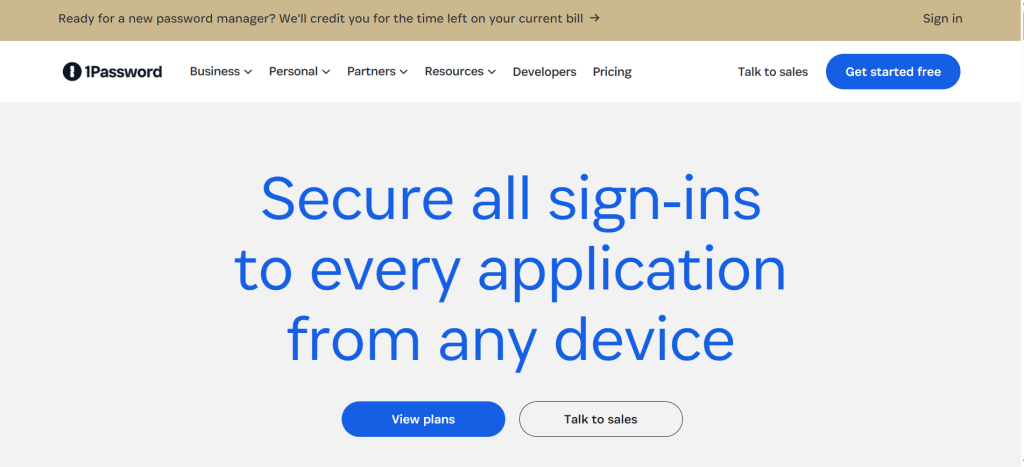
1Password delivers the most polished password management experience available in 2026. The interface is clean, visually organized, and built around getting users to their credentials quickly across every platform — desktop, mobile, and browser extension. While competitors like Bitwarden offer equivalent security at lower cost, 1Password’s design quality makes the difference between a tool you tolerate and one you actively enjoy using. Over 150,000 organizations use 1Password, including IBM, Slack, and Dropbox.
The Secret Key system provides a security layer unique to 1Password. In addition to the master password, 1Password generates a 128-bit Secret Key stored only on user devices. Decrypting the vault requires both the master password and the Secret Key, meaning that even if 1Password’s servers were compromised, attackers could not decrypt vault data without the Secret Key stored locally on each user’s device. This dual-factor vault encryption provides protection beyond what master-password-only competitors offer.
Travel Mode is 1Password’s most distinctive feature. When activated, Travel Mode temporarily removes selected vaults from all devices, leaving only vaults explicitly marked as “safe for travel.” When crossing international borders where device searches may occur, sensitive credentials — financial accounts, corporate systems, personal communications — are completely absent from the device. Deactivating Travel Mode restores all vaults. No other major password manager offers this capability.
Watchtower, 1Password’s security monitoring feature, continuously audits vault contents for compromised passwords (checking against known data breach databases), weak or reused passwords, accounts without two-factor authentication, and expiring credit cards or documents. This proactive audit reduces the manual effort of maintaining password hygiene across hundreds of accounts.
Where 1Password Falls Short
The absence of a free plan means every user pays from day one, which is difficult to justify when Bitwarden provides comparable security features for free. The $35.88 per year cost is 3.5 times Bitwarden’s premium tier. No emergency access or digital legacy features means there is no mechanism for trusted contacts to access the vault in emergencies. Password sharing requires vault-level organization rather than sharing individual items, which is less flexible than Dashlane or Keeper’s item-level sharing.
2. Bitwarden — Best Free and Open-Source Password Manager
| Best For | Security-conscious users who want a transparent, independently audited, open-source password manager with the most capable free tier available — including unlimited passwords on unlimited devices |
| Pricing | Free: unlimited passwords, unlimited devices, cross-platform sync, password generator, passkey support, secure notes. Premium: $10/yr ($0.83/mo) adds TOTP authenticator, advanced 2FA, 1 GB encrypted file storage, emergency access, vault health reports. Families: $40/yr for up to 6 users. Teams: $4/user/mo. Enterprise: $6/user/mo. 7-day free trial for organizations |
| Key Features | AES-256 encryption with zero-knowledge architecture. Fully open-source codebase (client and server) auditable by anyone. Self-hosting option for complete infrastructure control. Unlimited passwords and unlimited devices on free plan. Passkey support for passwordless authentication. Cross-platform: Windows, macOS, Linux, iOS, Android, Chrome, Firefox, Safari, Edge, Brave, and more. Password generator with customizable rules. Secure note storage. TOTP authenticator built in (Premium). Emergency access with configurable wait periods (Premium). Vault health reports for compromised, reused, and weak passwords (Premium). Password sharing via organizations and collections. Send feature for secure temporary credential sharing. SOC 2 Type 2 and SOC 3 compliant. Regular independent audits (Cure53, 2018; most recent July 2024). Never breached |
| Key Strengths | Best free tier available — unlimited passwords, unlimited devices, cross-platform sync at zero cost. Fully open-source: client and server code publicly auditable for transparency. Self-hosting option provides complete control over vault infrastructure. Premium at $10/yr is the most affordable paid password manager. Emergency access feature with configurable wait periods (Premium). Built-in TOTP authenticator eliminates the need for a separate authenticator app (Premium). Passkey support included even in the free tier. Send feature enables secure temporary sharing of credentials or text. Multiple independent security audits with published results. Never suffered a data breach. SOC 2 Type 2 and SOC 3 compliant |
| Key Weaknesses | Interface is functional but less polished than 1Password or Dashlane. Autofill requires triggering via browser extension click rather than automatic inline icons. Form-filling for addresses and personal data is limited compared to RoboForm. Desktop app and web app have inconsistent feature availability. Vault sharing through organizations and collections has a learning curve. Dark web monitoring requires manual breach checks rather than automatic scanning. Free plan lacks TOTP authenticator, emergency access, and vault health reports. Mobile app is adequate but less refined than 1Password or NordPass. File attachment migration during import must be done manually |
| Integrations | Directory sync (AD, Azure AD, LDAP) for enterprise. SSO integration (SAML). Duo, YubiKey, and FIDO2 hardware key support. All major browsers and platforms |
| Best Pairing | Bitwarden as standalone for budget-conscious users. Bitwarden Premium + separate 2FA app for users who want the authenticator on a different platform |
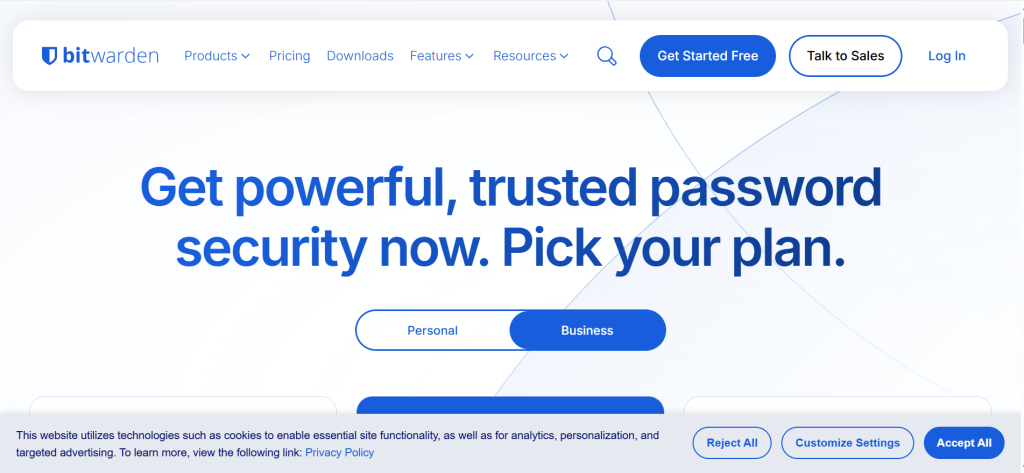
Bitwarden provides the strongest free password manager available in 2026. The free tier includes unlimited passwords stored across unlimited devices with cross-platform sync, a password generator, passkey support, and secure notes — features that most competitors lock behind paid tiers. Bitwarden’s free plan provides more functionality than many competitors’ paid plans, making it the obvious recommendation for users who want strong security without any subscription cost.
The open-source architecture is Bitwarden’s foundational advantage. Both client applications and server code are publicly available on GitHub, meaning any security researcher can audit the codebase for vulnerabilities, backdoors, or implementation flaws. This transparency provides a level of accountability that proprietary password managers cannot match. Multiple independent security audits by firms including Cure53 have confirmed Bitwarden’s security implementation. The combination of open-source transparency and independent auditing creates the strongest verifiable security posture in the password manager market.
The self-hosting option is unique among major password managers. Users who want complete control over their vault infrastructure can deploy Bitwarden on their own servers, ensuring that encrypted vault data never touches third-party infrastructure. This appeals to IT professionals, privacy advocates, and organizations with strict data residency requirements. No other major password manager offers full self-hosting at the free or consumer tier.
Where Bitwarden Falls Short
Bitwarden’s interface is functional but utilitarian. Compared to 1Password’s polished design, Bitwarden feels boxier, with navigation that requires more clicks. Autofill triggers via the browser extension rather than appearing inline in form fields. Dark web monitoring is manual rather than automated. The trade-off is explicit: Bitwarden prioritizes security and transparency over design polish, and users who value aesthetics may find the experience less satisfying than premium alternatives.
3. NordPass — Best Balance of Security, Features, and Value
| Best For | Users seeking a modern, well-designed password manager with strong security (XChaCha20 encryption), independent audits, and a good balance between features and price |
| Pricing | Free: unlimited passwords on 1 device at a time, password generator, passkey support. Premium: $1.29/mo ($15.48/yr) adds unlimited devices, dark web monitoring, password health, email masking, emergency access. Family: $2.89/mo ($34.68/yr) for up to 6 users. Business: $3.99/user/mo. 30-day money-back guarantee |
| Key Features | XChaCha20 encryption (faster and more modern than AES-256) with zero-knowledge architecture. Passkey support for passwordless authentication. Data breach scanner monitoring for compromised credentials. Password health check with strength scoring. Email masking (hide-my-email aliases). Emergency access for trusted contacts. Secure password sharing. Biometric login (fingerprint, Face ID). Cross-platform: Windows, macOS, Linux, iOS, Android, Chrome, Firefox, Safari, Edge, Brave, Opera. Independent audits by Cure53 (2020, 2024). SOC 2 Type 2 certified. Never breached |
| Key Strengths | XChaCha20 encryption is faster and more modern than the AES-256 standard used by most competitors. Excellent balance of features and price — Premium at $15.48/yr is affordable with comprehensive features. 30-day money-back guarantee provides risk-free evaluation. Clean, intuitive interface that balances polish and usability. Data breach scanner provides ongoing dark web monitoring. Email masking generates alias addresses to protect real email from spam and breaches. Emergency access allows trusted contacts to request vault access. Passkey support included across plans. Independent Cure53 audits in 2020 and 2024. Never suffered a data breach |
| Key Weaknesses | Free plan limits to 1 device at a time (Bitwarden allows unlimited devices on free). TOTP authenticator only available on business plans (not personal). Form-filling is more basic than RoboForm’s comprehensive form-filling. Cannot self-host (Bitwarden can). Emergency access not available on macOS app. Free plan is more restricted than Bitwarden’s free tier. Two-password system (Nord account + vault master password) can confuse new users. Based in Panama (NordSecurity) but parent company is Lithuanian |
| Integrations | Google Workspace, Azure AD, Okta (Business). All major browsers and platforms. YubiKey and hardware security key support |
| Best Pairing | NordPass + NordVPN + NordLocker for unified NordSecurity ecosystem |
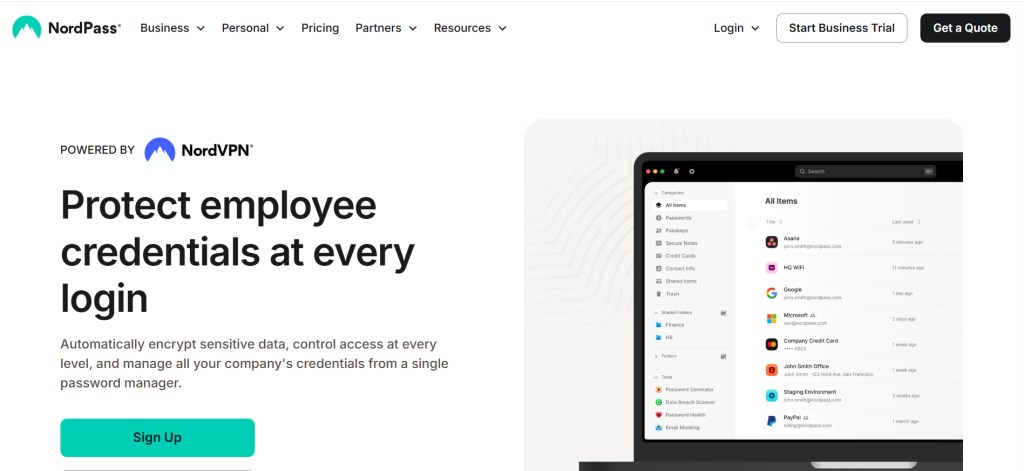
NordPass provides the best balance of security, features, and pricing in the 2026 password manager market. At $15.48 per year for Premium, NordPass delivers XChaCha20 encryption, dark web monitoring, password health scoring, email masking, emergency access, and passkey support at a price point between Bitwarden’s $10 per year and 1Password’s $35.88 per year. For users who want more features than Bitwarden’s free tier but find 1Password’s pricing unjustified, NordPass occupies the ideal middle ground.
The XChaCha20 encryption algorithm represents a technical advantage over the AES-256 standard used by most competitors. XChaCha20 is faster to compute, resistant to timing attacks, and requires no hardware acceleration — providing consistent performance across all device types including older smartphones and tablets. While both algorithms are considered cryptographically secure, XChaCha20 is the more modern standard and eliminates certain implementation vulnerabilities that can affect AES-256 in practice.
The email masking feature generates alias email addresses that forward to the user’s real inbox. When signing up for websites or services, using an alias prevents the real email address from being exposed in data breaches, reduces spam, and provides the ability to disable specific aliases if they begin receiving unwanted messages. This privacy layer goes beyond credential management into broader identity protection.
Where NordPass Falls Short
The free tier limits use to one device at a time, making it less practical than Bitwarden’s unlimited-device free plan. The TOTP authenticator is restricted to business accounts. Form-filling trails RoboForm’s comprehensive capability. No self-hosting option. The two-password system (Nord account password plus vault master password) creates initial confusion for new users.
4. Proton Pass — Best for Privacy-Focused Users in the Proton Ecosystem
| Best For | Privacy-focused users who want an open-source, Swiss-based password manager integrated with Proton Mail, Proton VPN, and Proton Drive for a unified privacy ecosystem |
| Pricing | Free: unlimited passwords on unlimited devices, up to 10 email aliases. Plus: $1.99/mo ($23.88/yr) adds dark web monitoring, integrated 2FA, unlimited email aliases, Proton Sentinel AI protection. Family: $4.99/mo ($59.88/yr) for up to 6 users. Proton Unlimited bundle: $9.99/mo includes Pass, Mail, VPN, Drive, and Calendar |
| Key Features | AES-256 encryption with zero-knowledge architecture. Fully open-source with published code. Swiss jurisdiction — protected by Swiss privacy laws outside Five Eyes, Nine Eyes, and Fourteen Eyes alliances. Email aliases (hide-my-email) for identity protection. Proton Sentinel AI-powered account protection against phishing and unauthorized access. Passkey support for passwordless authentication. Integrated 2FA/TOTP authenticator (Plus). Dark web monitoring (Plus). Secure password sharing. Proton ecosystem integration (Mail, VPN, Drive, Calendar). Cross-platform: Windows, macOS, Linux, iOS, Android, Chrome, Firefox, Safari, Edge, Brave. Independent security audits. Never breached |
| Key Strengths | Swiss jurisdiction provides the strongest privacy protection outside intelligence-sharing alliances. Fully open-source with independently audited codebase. Proton Sentinel AI provides proactive protection against phishing and account compromise. Free plan includes unlimited passwords on unlimited devices (matching Bitwarden). Email alias feature included in free tier (up to 10 aliases). Integration with Proton Mail, VPN, Drive, and Calendar creates a unified privacy ecosystem. Passkey support across plans. Strong free tier that exceeds most competitors. Founded by CERN scientists with deep cryptography expertise. Never suffered a data breach |
| Key Weaknesses | No emergency access feature (planned for future release). No live chat support (email support only). Dark web monitoring requires Plus plan. Plus pricing at $23.88/yr is more expensive than Bitwarden ($10/yr) and NordPass ($15.48/yr). Best value requires Proton Unlimited bundle at $119.88/yr. Interface is clean but less polished than 1Password. Cannot self-host (unlike Bitwarden). Younger product compared to established competitors (launched 2023). No desktop app for offline vault access on all platforms |
| Integrations | Proton Mail, Proton VPN, Proton Drive, Proton Calendar. SimpleLogin (acquired by Proton) for advanced email aliasing. All major browsers |
| Best Pairing | Proton Pass + Proton Mail + Proton VPN for complete privacy ecosystem |
Proton Pass brings the privacy-first philosophy of Proton Mail to password management. Based in Switzerland and protected by Swiss privacy laws, Proton operates outside the Five Eyes, Nine Eyes, and Fourteen Eyes intelligence-sharing alliances that cover most other password manager providers. For users who evaluate jurisdictional privacy as a critical factor, Proton’s Swiss base provides legal protections that Canadian (1Password), Lithuanian/Panamanian (NordPass), and United States (Keeper, Dashlane, RoboForm, LastPass) based alternatives cannot.
The Proton Sentinel feature uses AI to monitor account activity and block suspicious login attempts, phishing attacks, and credential-stuffing attempts before they succeed. This proactive protection goes beyond password management into account security, reducing the risk that compromised credentials from other services are used to attack the Proton account itself.
The free tier is remarkably generous, providing unlimited passwords on unlimited devices with up to 10 email aliases. This matches Bitwarden’s industry-leading free tier while adding email aliasing that Bitwarden does not include at any tier. For privacy-conscious users evaluating free options, Proton Pass and Bitwarden are the only two that provide unlimited storage on unlimited devices without cost.
Where Proton Pass Falls Short
The absence of emergency access is a notable gap for a password manager marketing to security-conscious users. No live chat support creates friction when issues arise. Proton Pass launched in 2023 and is a younger product with a less extensive feature set than established competitors. The best value comes through the Proton Unlimited bundle at $119.88/yr, which may be more than users need if they only want a password manager.
5. Keeper — Best for Advanced Security Features and Compliance
| Best For | Security-focused individuals and businesses that want advanced encryption, compliance certifications, and granular security controls beyond standard password management |
| Pricing | Personal: $1.67/mo ($20.04/yr). Family: $3.67/mo ($44.04/yr) for up to 5 users. Business Starter: $7/user/mo. Business: $3.75/user/mo (billed annually). BreachWatch dark web monitoring: add-on at extra cost. 30-day free trial. No money-back guarantee. Free plan: 10 passwords only |
| Key Features | AES-256 encryption with Elliptic Curve Cryptography (ECC) for app security. Zero-knowledge architecture. BreachWatch dark web monitoring (paid add-on). Emergency access with configurable designation (up to 5 trusted contacts). Secure file storage (10 GB with family plan). Self-destruct vault option after failed login attempts. Biometric login (fingerprint, Face ID). Passkey support. Password sharing with granular permissions. Encrypted messaging (KeeperChat). TOTP authenticator built in. Cross-platform: Windows, macOS, Linux, iOS, Android, all major browsers. SOC 2 Type 2, ISO 27001, and FedRAMP authorized. Multiple independent audits. Never breached |
| Key Strengths | Never breached — spotless security record. Dual encryption: AES-256 for vault data plus ECC for application security. FedRAMP authorization demonstrates government-grade security compliance. Emergency access supports up to 5 designated contacts with configurable wait periods. Self-destruct option wipes vault data after consecutive failed login attempts. BreachWatch monitors dark web for compromised credentials. Encrypted messaging via KeeperChat adds secure communication. Generous secure file storage (10 GB on family plan). Military, student, and first responder discounts available. Comprehensive compliance certifications (SOC 2, ISO 27001, FedRAMP) |
| Key Weaknesses | BreachWatch dark web monitoring is a paid add-on — not included in base subscription (competitors include this). Free plan is extremely limited (10 passwords — not usable for real password management). No money-back guarantee. Add-on pricing model means full-featured cost exceeds base subscription significantly. Interface is functional but less modern-feeling than 1Password or NordPass. Annual pricing can feel high when add-ons are included. No self-hosting option. KeeperChat messaging adoption depends on contacts also using Keeper |
| Integrations | SSO (SAML 2.0, Azure AD, Okta). SCIM directory provisioning. Duo, YubiKey, FIDO2. All major browsers and platforms |
| Best Pairing | Keeper Personal + BreachWatch add-on for comprehensive individual security |
Keeper provides the most security-focused password management experience, with dual encryption layers, FedRAMP authorization, and compliance certifications that appeal to security professionals and organizations with strict data protection requirements. The AES-256 encryption protects vault data, while Elliptic Curve Cryptography protects the application layer, creating a defense-in-depth architecture that competitors using single-layer encryption do not match.
The FedRAMP authorization is Keeper’s most distinctive compliance credential. FedRAMP (Federal Risk and Authorization Management Program) certifies that Keeper meets the security standards required for U.S. government use. This authorization requires rigorous independent assessment of security controls, continuous monitoring, and incident response capabilities. For businesses serving government clients or subject to government compliance requirements, Keeper’s FedRAMP status simplifies vendor approval processes.
Emergency access supports up to five designated trusted contacts, each with independently configurable wait periods. If the vault owner becomes incapacitated, designated contacts can request access. After the specified waiting period (24 hours, 48 hours, 7 days, 30 days — configured per contact), access is granted unless the vault owner denies the request. This granular emergency access exceeds most competitors that support only one or two emergency contacts.
Where Keeper Falls Short
The add-on pricing model is Keeper’s biggest weakness. BreachWatch dark web monitoring — a feature competitors like NordPass, 1Password, and Dashlane include in their base subscriptions — costs extra with Keeper. The free plan’s 10-password limit is effectively unusable for actual password management. No money-back guarantee means the 30-day trial is the only risk-free evaluation period.
6. RoboForm — Best Budget-Friendly Password Manager with Superior Form-Filling
| Best For | Budget-conscious users who want the most affordable premium password manager with the best form-filling capability for online shopping, applications, and personal data entry |
| Pricing | Free: unlimited passwords on 1 device, no sync. Premium: $0.99/mo ($11.88/yr). Family: $1.59/mo ($19.08/yr) for up to 5 users. Business: $3.50/user/mo. 30-day money-back guarantee. Free trial available |
| Key Features | AES-256 encryption with zero-knowledge architecture. Superior form-filling for addresses, personal data, credit cards, and custom fields. TOTP authenticator built in. Password health center with strength scoring. Data breach scanning. Emergency access for trusted contacts. Secure password sharing. Biometric login (fingerprint, Face ID). Offline access to vault data. Cross-platform: Windows, macOS, Linux, iOS, Android, all major browsers. Independent security audits. SOC 2 Type 2 certified. Never breached |
| Key Strengths | Lowest premium pricing in the market — $11.88/yr ($0.99/mo). Best form-filling capability across all password managers (addresses, credit cards, IDs, custom fields). Built-in TOTP authenticator eliminates need for separate app. Emergency access for trusted contacts. 25 years of development history (launched 2000) with no breaches. Security Center with comprehensive password health analysis. Offline vault access. Local-only storage option available. Free plan provides unlimited passwords on 1 device. 30-day money-back guarantee |
| Key Weaknesses | Interface feels dated compared to 1Password or NordPass. Free plan limited to 1 device without cross-device sync. No passkey support (significant limitation for future-proofing). Limited dark web monitoring compared to dedicated breach services. Desktop app design has not kept pace with modern competitors. Mobile app is functional but less refined. No email masking or alias features. Smaller development team means slower feature adoption than larger competitors |
| Integrations | QuickBooks, all major browsers. YubiKey and hardware key support. Windows Hello biometric |
| Best Pairing | RoboForm for affordable daily password + form management |
RoboForm delivers the most affordable premium password management at $11.88 per year — less than the cost of a single month of Dashlane. For users whose primary need is secure password storage and autofill at the lowest possible cost, RoboForm provides all essential features: AES-256 encryption, zero-knowledge architecture, TOTP authenticator, emergency access, password health analysis, and cross-platform sync. The 25-year development history (launched in 2000) makes RoboForm one of the oldest continuously operating password managers, with a spotless breach record.
The form-filling capability is RoboForm’s strongest technical differentiator. While all password managers autofill usernames and passwords, RoboForm excels at filling complex forms including shipping addresses, billing information, passport and ID details, and custom fields. For users who frequently shop online, fill out applications, or enter personal information across websites, RoboForm’s form-filling accuracy saves significant time and reduces data entry errors.
Where RoboForm Falls Short
No passkey support is an increasingly significant limitation as passwordless authentication becomes standard. The interface feels dated compared to modern competitors. Dark web monitoring is basic. The feature set is narrower than 1Password, NordPass, or Keeper. RoboForm is an excellent budget choice for traditional password management but is falling behind on next-generation authentication standards.
7. Dashlane — Best for Users Wanting VPN and Identity Monitoring Bundled with Password Management
| Best For | Users who want password management combined with a built-in VPN and dark web identity monitoring in a single subscription, and families wanting up to 10 members |
| Pricing | Premium: $4.99/mo ($59.88/yr). Family: $7.49/mo ($89.88/yr) for up to 10 members. Free plan: Retired September 2025. Business: $8/user/mo. 30-day money-back guarantee |
| Key Features | AES-256 encryption, zero-knowledge architecture. Built-in VPN powered by Hotspot Shield. Real-time dark web monitoring with instant alerts. Password health dashboard. Passkey support. One-click password changer for supported sites. Phishing alerts. Cross-platform: Windows, macOS, Linux, iOS, Android, all major browsers. No desktop app (browser extensions and web app only). Family plan supports up to 10 members (highest count). Never breached |
| Key Strengths | Built-in VPN is unique among password managers. Real-time dark web monitoring is more proactive than competitors. Family plan supports 10 members (1Password: 5, Bitwarden: 6, NordPass: 6). One-click password changer updates weak passwords on supported sites automatically. 30-day money-back guarantee. Never breached. Phishing alerts warn about suspicious websites |
| Key Weaknesses | Most expensive password manager at $59.88/yr for individual (3.5x Bitwarden Premium, nearly 6x RoboForm). Free plan retired September 2025 — no free option available. No published independent security audits (significant concern for a premium security product). No desktop app — relies entirely on browser extensions and web app. VPN is basic compared to dedicated VPN services. Limited emergency access features. Family plan pricing at $89.88/yr is the highest on this list |
| Integrations | SSO for business. All major browsers. iOS and Android biometric |
| Best Pairing | Dashlane as standalone for users wanting password management + VPN + monitoring in one subscription |
Dashlane’s bundled approach includes a built-in VPN, real-time dark web monitoring, and phishing alerts alongside password management. For users who want these capabilities without managing multiple subscriptions, Dashlane provides the most comprehensive single-subscription security bundle. The VPN, powered by Hotspot Shield, provides encrypted internet browsing for privacy on public WiFi networks. The dark web monitoring sends real-time alerts when credentials are found in breach databases, rather than requiring manual checks.
The family plan supporting up to 10 members is the most generous in the market. At $89.88 per year, the per-member cost for a full 10-person family is $8.99 per year per person — comparable to Bitwarden’s family pricing. Large families, roommate groups, or extended family units benefit from this higher member count.
Where Dashlane Falls Short
The $59.88 individual price is the highest on this list. The September 2025 retirement of the free plan eliminates entry-level evaluation beyond the 30-day trial. The absence of published independent security audits is a notable gap for a premium security product. No desktop app means vault access depends on browser extensions and web connectivity. The VPN is basic compared to dedicated services like NordVPN or Proton VPN.
8. Enpass — Best for Users Who Want Local-Only Vault Storage
| Best For | Users who want vault data stored locally on their devices rather than on cloud servers, with optional sync through their own cloud storage (iCloud, Dropbox, Google Drive, OneDrive) |
| Pricing | Individual: $1.99/mo ($23.99/yr). Family: $3.99/mo ($47.99/yr) for up to 6 users. One-time purchase: $79.99 (lifetime license). Free: 25 items on desktop |
| Key Features | AES-256 encryption. Vault stored locally by default — no proprietary cloud servers. Sync via user’s own cloud (iCloud, Dropbox, Google Drive, OneDrive, WebDAV). Breach monitoring via Have I Been Pwned integration. Password audit and health check. Biometric login. Cross-platform: Windows, macOS, Linux, iOS, Android. Browser extensions for Chrome, Firefox, Safari, Edge. TOTP authenticator built in. Multiple vault support |
| Key Strengths | Local-only storage means vault data never touches Enpass servers. Sync through user’s own cloud gives complete infrastructure control. Lifetime license option ($79.99) eliminates ongoing subscription costs. Built-in TOTP authenticator. Multiple vault support for organizing different contexts. Never breached (no cloud servers to breach) |
| Key Weaknesses | Free plan limited to 25 items (not practical for real use). Interface is less polished than major competitors. Smaller development team and community. No web vault (local apps only). Cloud sync requires separate cloud storage subscription. Autofill can be less reliable than established competitors. Limited sharing features. No dark web monitoring beyond basic Have I Been Pwned checks |
| Integrations | iCloud, Dropbox, Google Drive, OneDrive, WebDAV, Box for sync. Browser extensions for all major browsers |
| Best Pairing | Enpass for local vault control + user’s preferred cloud storage for sync |
Enpass takes a fundamentally different approach: vault data is stored locally on user devices rather than on Enpass’s servers. Cross-device sync happens through the user’s own cloud storage — iCloud, Dropbox, Google Drive, OneDrive, or any WebDAV server. This architecture means that Enpass never has access to vault data, eliminating the risk of a server-side breach entirely. For users who distrust cloud-based password vaults after the LastPass breach demonstrated the consequences of server-side compromise, Enpass’s local-first model provides architectural peace of mind.
The lifetime license at $79.99 eliminates ongoing subscription costs entirely. For users who plan to use a password manager for years, the lifetime license pays for itself within 2–3 years compared to subscription competitors.
9. Apple Passwords (iOS 18+ / macOS Sequoia+) — Best Free Built-In Option for Apple-Only Users
| Best For | Apple-only users who want basic password management built into the operating system with iCloud Keychain sync at no additional cost |
| Pricing | Free (built into iOS 18, macOS Sequoia, and later). Requires iCloud account |
| Key Features | AES-256 encryption with iCloud Keychain sync. Automatic password generation. Passkey support. AutoFill across Safari and supported apps. iCloud Keychain sync across Apple devices. Compromised password alerts. Shared password groups for families. Two-factor verification code support. Biometric unlock (Face ID, Touch ID). Available as standalone app in iOS 18 and macOS Sequoia |
| Key Strengths | Completely free with no subscription. Seamlessly integrated into Apple operating systems. Passkey support built in. Automatic strong password generation. Family sharing through iCloud groups. Compromised password detection. Zero friction for Apple ecosystem users |
| Key Weaknesses | Limited to Apple ecosystem (no Windows, no Android, no cross-platform). No browser extension for Chrome on non-Apple platforms. No advanced features (emergency access, secure notes, custom fields). No dark web monitoring. No password sharing outside Apple ecosystem. Limited organizational features (no folders, tags, or multiple vaults). Not practical for users with Windows or Android devices. No import/export flexibility |
| Integrations | Safari, iOS apps, macOS system-level integration. iCloud for sync |
| Best Pairing | Apple Passwords for basic Apple ecosystem use. Migrate to 1Password or Bitwarden when cross-platform needs arise |
Apple’s standalone Passwords app (introduced in iOS 18 and macOS Sequoia) transforms the previously hidden iCloud Keychain into a visible, organized password management interface. For users entirely within the Apple ecosystem who need basic password storage, generation, and autofill, Apple Passwords provides adequate functionality at zero cost. Passkey support, compromised password alerts, and family sharing through iCloud groups deliver essential security without a subscription.
Where Apple Passwords Falls Short
Apple Passwords is strictly limited to Apple devices. No Windows app, no Android app, no Chrome extension outside of Apple platforms. No advanced organizational features, no emergency access, no dark web monitoring, and no secure notes. Users who use any non-Apple device or need cross-platform access will find Apple Passwords inadequate and should choose a dedicated cross-platform manager.
10. KeePass — Best Self-Hosted Local Vault for Technical Users
| Best For | Technical users who want a free, open-source, locally-stored password database with complete control and no cloud dependency |
| Pricing | Completely free. Open-source (GPL). No paid tiers |
| Key Features | AES-256, ChaCha20, and Twofish encryption options. Database stored as local encrypted file (.kdbx format). Built-in OTP generator. Plugin ecosystem with hundreds of community extensions. Password generator with customizable rules. Cross-platform via community ports (KeePassXC for Mac/Linux, KeePassDX for Android). No cloud sync (manual sync via file sharing). Fully open-source |
| Key Strengths | Completely free with no restrictions. Strongest encryption options (AES-256, ChaCha20, Twofish). Local database file provides total control with zero cloud dependency. Plugin ecosystem extends functionality extensively. Decades of development and community trust. No data ever leaves user’s control |
| Key Weaknesses | No native mobile apps or browser extensions (community ports required). No cloud sync — manual file sync required. Complex setup for non-technical users. Interface is dated. No autofill without plugins. Security of community ports varies (malicious copy distributed in early 2025). No dark web monitoring, no breach alerts. No password sharing features. No customer support |
| Integrations | Hundreds of community plugins. KeePassXC (cross-platform community fork). Manual file sync via any method |
| Best Pairing | KeePass for local vault + cloud storage for manual sync if needed |
KeePass provides the most control of any password management solution — a locally stored, encrypted database file that never touches any server unless the user explicitly places it there. The database file (.kdbx format) can be stored on a USB drive, a local hard drive, or synced via any file sharing method the user controls. For technical users who distrust all cloud-based solutions, KeePass provides complete sovereignty over credential storage.
Where KeePass Falls Short
KeePass requires technical knowledge to set up, configure, sync, and maintain. The official application is Windows-only. Mac, Linux, iOS, and Android access requires community-developed ports (KeePassXC, KeePassDX) that are independently maintained. A malicious copy distributed in early 2025 using modified open-source code demonstrated that trusting community forks requires diligence. KeePass is for technically capable users who accept the management overhead in exchange for absolute control.
11. LastPass — NOT RECOMMENDED Due to Major 2022 Security Breach
| Best For | We do not recommend LastPass for any use case in 2026 due to the catastrophic 2022 security breach that compromised encrypted vault data for millions of users |
| Pricing | Free: unlimited passwords on 1 device type (mobile OR computer). Premium: $3/mo ($36/yr). Families: $4/mo ($48/yr) for up to 6 users |
| Key Features | AES-256 encryption, zero-knowledge architecture. Cross-platform support. Password sharing. Emergency access. Dark web monitoring. Password generator. TOTP authenticator |
| Key Strengths | Well-known brand with wide feature set. Cross-platform support. Affordable pricing |
| Key Weaknesses | CRITICAL: Suffered major security breaches in 2022 that compromised encrypted vault data for millions of users. Attackers accessed encrypted vault backups, meaning vault contents are potentially at risk if master passwords are cracked. Subsequent reports linked cryptocurrency thefts to decrypted LastPass vault contents. Multiple earlier security incidents (2015, 2019, 2021) demonstrated a pattern of security failures. Trust, once broken at this level in a password manager, is irrecoverable. Many security experts explicitly recommend migrating away from LastPass. Free tier restricted to one device type (mobile or desktop, not both) |
| Integrations | All major browsers and platforms |
| Best Pairing | Migrate from LastPass to 1Password, Bitwarden, or NordPass immediately |
LastPass is included in this guide solely to provide explicit migration guidance. The 2022 security breach was catastrophic for a password manager: attackers accessed encrypted vault backups containing usernames, passwords, secure notes, and form-filled data for millions of users. While the vault data was encrypted, the encryption protection is only as strong as each user’s master password. Users with weak master passwords are vulnerable to brute-force decryption of their entire vault contents.
Subsequent reporting linked over $35 million in cryptocurrency thefts to credentials extracted from decrypted LastPass vaults. This demonstrated real-world consequences beyond theoretical risk. Combined with earlier security incidents in 2015, 2019, and 2021, the pattern of security failures at LastPass makes it unsuitable for credential storage.
If you are currently using LastPass, export your vault data and migrate to 1Password, Bitwarden, NordPass, or any other password manager on this list immediately. Change all passwords stored in LastPass after migrating, as the encrypted vault data from the breach may be decrypted over time using advancing computational resources.
True Cost Comparison: Annual Password Manager Cost
| Password Manager | Individual/yr | Family/yr | Free Plan | What You Get |
| Bitwarden | $10 | $40 (6 users) | Yes — unlimited | Open-source, unlimited free, self-host option |
| RoboForm | $11.88 | $19.08 (5 users) | Yes — 1 device | Best form-filling, affordable premium |
| NordPass | $15.48 | $34.68 (6 users) | Yes — 1 device | XChaCha20, breach scanner, email masking |
| Keeper | $20.04 | $44.04 (5 users) | 10 passwords | FedRAMP, dual encryption, 5 emergency contacts |
| Proton Pass | $23.88 | $59.88 (6 users) | Yes — unlimited | Swiss privacy, open-source, email aliases |
| Enpass | $23.99 | $47.99 (6 users) | 25 items | Local vault, lifetime license ($79.99) |
| 1Password | $35.88 | $59.88 (5 users) | 14-day trial only | Best UX, Secret Key, Travel Mode |
| LastPass | $36 | $48 (6 users) | 1 device type | NOT RECOMMENDED — 2022 breach |
| Dashlane | $59.88 | $89.88 (10 users) | Retired 2025 | Built-in VPN, dark web monitoring, 10-member family |
| Apple Passwords | Free | Free | Yes — full | Apple ecosystem only, basic features |
| KeePass | Free | Free | Yes — full | Self-hosted, technical users only |
Security Comparison: Encryption, Audits, and Breach History
| Manager | Encryption | Zero-Know. | Open Source | Audited | SOC 2 | Breached? |
| 1Password | AES-256 + Secret Key | Yes | No | Cure53 (2023–2025) | Type 2 | Never |
| Bitwarden | AES-256 | Yes | Yes — full | Cure53 (2024) | Type 2 + 3 | Never |
| NordPass | XChaCha20 | Yes | No | Cure53 (2020, 2024) | Type 2 | Never |
| Proton Pass | AES-256 | Yes | Yes — full | Independent (2023+) | Pending | Never |
| Keeper | AES-256 + ECC | Yes | Partial | Multiple (ongoing) | Type 2 | Never |
| RoboForm | AES-256 | Yes | No | Independent | Type 2 | Never |
| Dashlane | AES-256 | Yes | No | None published | N/A | Never |
| Enpass | AES-256 | Yes | No | Independent | N/A | Never |
| KeePass | AES-256/ChaCha/Twofish | Yes | Yes — full | Community | N/A | Never* |
| LastPass | AES-256 | Yes | No | Multiple | Type 2 | YES — 2022 |
* KeePass itself was not directly breached, but a malicious copy using modified code was distributed in 2025.
Recommended Password Manager by User Type
| User Type | Recommended Choice | Why This Choice |
| Best overall experience | 1Password ($35.88/yr) | Most polished UX, Secret Key encryption, Travel Mode, excellent family sharing |
| Best free option | Bitwarden (free) | Unlimited passwords, unlimited devices, open-source, cross-platform, passkeys |
| Best value for money | NordPass Premium ($15.48/yr) | XChaCha20, dark web monitoring, email masking, good UX at mid-range price |
| Privacy-first user | Proton Pass (free or $23.88/yr) | Swiss jurisdiction, open-source, Proton ecosystem, unlimited free tier |
| Maximum security focus | Keeper ($20.04/yr + add-ons) | FedRAMP, dual encryption, 5 emergency contacts, self-destruct vault |
| Lowest possible cost | RoboForm ($11.88/yr) | Cheapest premium, best form-filling, 25-year track record |
| Large family (6–10 members) | Dashlane Family ($89.88/yr for 10) | Highest member count (10), built-in VPN, dark web monitoring |
| Apple-only ecosystem | Apple Passwords (free) | Built into iOS/macOS, passkeys, iCloud sync, zero cost |
| Technical / self-hosted | Bitwarden self-hosted or KeePass | Complete infrastructure control, open-source transparency |
| Migrating from LastPass | 1Password or Bitwarden | Clean security records, easy import from LastPass, strong encryption |
Which Password Manager Should You Choose? A Decision Framework
If you want the best overall password management experience: 1Password ($35.88/yr). Most polished interface, Secret Key system, Travel Mode, excellent family plan for 5.
If you want the best free password manager: Bitwarden (free). Unlimited passwords on unlimited devices with open-source transparency and passkey support.
If you want the best balance of security, features, and price: NordPass Premium ($15.48/yr). XChaCha20 encryption, dark web monitoring, email masking at a mid-range price.
If privacy is your highest priority: Proton Pass (free or $23.88/yr). Swiss jurisdiction, open-source, outside intelligence-sharing alliances.
If you need advanced security and compliance certifications: Keeper ($20.04/yr). FedRAMP authorized, dual encryption, 5 emergency contacts.
If you want the cheapest premium option: RoboForm ($11.88/yr). Lowest premium price with excellent form-filling.
If you want a VPN bundled with your password manager: Dashlane ($59.88/yr). Built-in VPN, real-time dark web monitoring, family plan for 10.
If you want local-only vault storage with no cloud dependency: Enpass ($23.99/yr or $79.99 lifetime) or KeePass (free).
If you’re currently using LastPass: Migrate immediately to 1Password, Bitwarden, or NordPass. Change all stored passwords after migration.
Frequently Asked Questions
Are password managers safe to use?
Password managers using AES-256 or XChaCha20 encryption with zero-knowledge architecture are significantly safer than the alternatives: reusing passwords, writing them on paper, or storing them in browser autofill. Zero-knowledge means the provider cannot access your vault data under any circumstances. The primary risk is a weak master password, which makes brute-force attacks feasible against encrypted vault data (as demonstrated in the LastPass breach aftermath). Use a strong, unique master password of at least 14 characters and enable two-factor authentication for maximum security.
What happened with the LastPass breach, and should I switch?
In 2022, attackers compromised LastPass infrastructure and accessed encrypted vault backups for millions of users. While the vault data was encrypted, users with weak master passwords are vulnerable to brute-force decryption. Reports have linked over $35 million in cryptocurrency thefts to credentials extracted from decrypted LastPass vaults. Combined with earlier security incidents in 2015, 2019, and 2021, security experts recommend switching to a password manager with a clean security record. If you are still using LastPass, migrate to 1Password, Bitwarden, or NordPass and change all passwords stored in LastPass.
What is the best free password manager in 2026?
Bitwarden provides the best free password manager with unlimited passwords, unlimited devices, cross-platform sync, passkey support, and open-source transparency. Proton Pass offers a comparably strong free tier with unlimited passwords, unlimited devices, and up to 10 email aliases. These are the only two password managers offering unlimited storage on unlimited devices at no cost. Apple Passwords is free but limited to Apple devices. KeePass is free but requires technical setup.
What are passkeys and do I need a password manager that supports them?
Passkeys are cryptographic credentials that replace passwords entirely. Instead of typing a password, you authenticate using biometrics (fingerprint, face scan) or a device PIN, which unlocks a private cryptographic key stored on your device. Passkeys are phishing-resistant, cannot be reused across sites, and eliminate the possibility of weak passwords. Password managers that support passkeys (1Password, Bitwarden, NordPass, Proton Pass, Dashlane, Keeper) store passkeys alongside traditional passwords, providing a single vault for all authentication credentials as the industry transitions from passwords to passkeys.
Can I use a password manager across different devices and operating systems?
Most password managers (1Password, Bitwarden, NordPass, Proton Pass, Keeper, RoboForm, Dashlane) provide native apps for Windows, macOS, Linux, iOS, and Android, plus browser extensions for Chrome, Firefox, Safari, Edge, and Brave. Vault data syncs across all connected devices through encrypted cloud storage. The exceptions are Apple Passwords (Apple devices only), KeePass (Windows native, community ports for other platforms), and Enpass (requires user-managed cloud sync). Check platform compatibility before choosing, especially if your household includes both Apple and Android devices.
How do I migrate from one password manager to another?
Most password managers support bulk import from competing products. The standard process involves exporting your vault from the current password manager (usually as a CSV or encrypted file), then importing into the new manager using its import tool. 1Password, Bitwarden, NordPass, and Dashlane all support direct import from major competitors including LastPass, 1Password, KeePass, and browser-stored passwords. After importing, verify that all entries transferred correctly, enable two-factor authentication, and delete the exported CSV file (which contains unencrypted passwords). The process typically takes 15–30 minutes.
Final Words: Choosing the Password Manager That Matches Your Security Needs
The best password manager is the one you will actually use consistently. A free Bitwarden account used daily provides dramatically better security than a premium 1Password subscription abandoned after two weeks. Start with a free option (Bitwarden or Proton Pass) to build the habit of using a password manager, then evaluate whether paid features justify upgrading. For users already committed to password management, 1Password provides the best experience, NordPass provides the best value, Bitwarden provides the strongest free tier, and Keeper provides the most advanced security controls.
Regardless of which password manager you choose, the immediate priority is ensuring you are not using LastPass. The 2022 breach compromised encrypted vault data that may be decrypted over time. If you or your family are still on LastPass, export your vault, import it into any other manager on this list, and change every password that was stored in LastPass. This single action provides more security improvement than any other recommendation in this guide.

![Marketing Automation Case Study: 12 Real Examples, Strategy & ROI Results [2026]](https://marketingcasestudy.io/wp-content/uploads/2026/05/marketing-automation-case-study-featured-768x403.png "Marketing Automation Case Study: Real Examples, Strategy & ROI Results [2026] 6")

