Choosing the right ecommerce platform in 2026 isn’t just about launching a store—it’s about choosing a partner that will directly impact your profit margins, conversion rates, and ability to scale. With AI-driven personalization, omnichannel fulfillment, and headless commerce becoming table stakes, the platform you select today will determine whether you’re spending your time growing your business or wrestling with technical limitations.
After hands-on testing of dozens of ecommerce solutions and analyzing real merchant feedback from forums like Reddit and independent review sites, we’ve identified the 10 best ecommerce platforms that deliver on their promises in 2026. This guide cuts through vendor marketing speak to give you objective, actionable insights based on actual performance, hidden costs, and real-world scalability challenges.
Whether you’re a first-time entrepreneur launching a dropshipping store, a brick-and-mortar retailer expanding online, or an enterprise brand managing thousands of SKUs across multiple countries, this comprehensive breakdown will help you make an informed decision without the typical platform bias found in most listicles.
The State of Online Retail: What Matters in 2026
The ecommerce landscape has evolved dramatically over the past 18 months. What worked in 2024 won’t cut it anymore. Consumers expect Amazon-level experiences regardless of store size, and platform providers are racing to deliver enterprise features at SMB price points.
Global ecommerce sales are projected to exceed $7.4 trillion in 2026, with mobile commerce representing nearly 73% of all transactions. This shift has forced platform providers to prioritize mobile-first design, progressive web apps, and one-click checkout flows that reduce cart abandonment.
Why Platform Choice Can Make or Break Your Margins
Most comparison articles gloss over the brutal truth: your platform choice directly impacts your bottom line in ways that aren’t obvious until you’re six months in. Transaction fees, payment gateway restrictions, and mandatory app subscriptions can quietly consume 3-7% of your revenue before you even account for advertising costs.
Take Shopify’s tiered transaction fee structure. If you’re processing $50,000 monthly on their Basic plan without using Shopify Payments, you’re paying an extra 2% ($1,000/month) in transaction fees alone. Over a year, that’s $12,000 that could fund your entire marketing budget on a platform like WooCommerce with zero transaction fees.
Beyond fees, platform limitations force expensive workarounds. Need multi-currency support? That’s an app subscription. Want advanced inventory management? Another monthly fee. These “small” additions compound quickly, and merchants often discover they’re paying 40-60% more than the advertised base price.
Key Features Defining Modern Store Builders: AI, Automation, and Omnichannel
The feature gap between basic and premium platforms has narrowed significantly in 2026. AI-powered product recommendations, automated email recovery sequences, and inventory forecasting are no longer exclusive to enterprise solutions—they’re baseline expectations.
What separates leading platforms now is integration depth and automation sophistication. Shopify’s Magic AI suite analyzes customer behavior to generate personalized product bundles. BigCommerce’s native headless architecture lets you deliver unique experiences across mobile apps, smartwatches, and voice assistants without custom development.
Omnichannel fulfillment has become non-negotiable. Customers expect to buy online and pick up in-store, return online purchases at physical locations, and track inventory availability in real-time. Platforms that treat online and offline as separate channels are losing ground to those with unified commerce architectures.
Quick Comparison: Top Rated Ecommerce Solutions at a Glance
| Platform | Best For | Starting Price | Transaction Fees | Ease of Use | Scalability |
|---|---|---|---|---|---|
| Shopify | All-around scalability | $39/month | 0-2% | 9/10 | 10/10 |
| WooCommerce | WordPress users | Free (hosting extra) | 0% | 6/10 | 8/10 |
| Wix Ecommerce | Beginners | $29/month | 0% | 10/10 | 6/10 |
| BigCommerce | Large catalogs | $39/month | 0% | 7/10 | 9/10 |
| Squarespace | Creatives | $27/month | 0% | 9/10 | 5/10 |
| Adobe Commerce | Enterprise | Custom pricing | 0% | 4/10 | 10/10 |
| Ecwid | Existing sites | $21/month | 0% | 8/10 | 7/10 |
| Square Online | Retail + online | $29/month | 2.9% + 30¢ | 9/10 | 6/10 |
| Shift4Shop | US merchants | Free* | 0%* | 7/10 | 7/10 |
| PrestaShop | International | Free (hosting extra) | 0% | 5/10 | 8/10 |
*Shift4Shop is free if you process $500+ monthly through their payment processor
10 Best Ecommerce Platforms: Detailed Breakdown
1. Shopify: Best Overall for Scalability and App Ecosystem

Shopify remains the dominant force in ecommerce for good reason: it delivers a rare combination of ease-of-use and enterprise-grade scalability. With over 4.8 million active stores in 2026, the platform has proven it can handle everything from $500/month side hustles to nine-figure brands processing thousands of orders daily.
The platform’s greatest strength is its app ecosystem—over 13,000 apps covering every conceivable need from augmented reality product visualization to cryptocurrency payments. This extensibility means you rarely hit a hard “no” when your business requirements evolve.
Pricing Structure: Basic $25/month, Advanced $399/month, Plus (starting at $2,300/month).
Pros:
- Industry-leading 99.99% uptime ensures your store stays operational during traffic spikes
- Shopify Magic AI handles product descriptions, email campaigns, and customer segmentation
- Built-in POS system seamlessly integrates online and retail operations
- Excellent 24/7 support with average response times under 90 seconds
- Native multi-currency and international tax calculation
Cons:
- Transaction fees add up quickly if you don’t use Shopify Payments
- App dependency can lead to subscription fatigue—essential features often require paid apps
- Limited customization on lower tiers without learning Liquid templating
- Shopify Payments isn’t available in all countries, forcing you into higher transaction fees
Best For: Growing businesses that prioritize reliability and scalability over maximum customization. Ideal if you’re planning to process over $10,000 monthly and want minimal technical headaches.
Real-World Insight: Merchants processing $100k+ monthly typically upgrade to Shopify Plus not for features, but for the dedicated account management and custom checkout modifications that dramatically improve conversion rates. The $2,300/month price point pays for itself when you can A/B test checkout flows and reduce cart abandonment by even 2%.
2. WooCommerce: Best Open Source Solution for WordPress Users
WooCommerce powers approximately 28% of all online stores in 2026, making it the most widely deployed ecommerce solution globally. As a free WordPress plugin, it offers unmatched flexibility and zero transaction fees—but that freedom comes with technical responsibility.
Unlike hosted solutions, you control everything: your data, your server configuration, your payment processing. This makes WooCommerce attractive for businesses that need complete customization or operate in regions with limited payment gateway support.
Pricing Structure: Contact for pricing.
Pros:
- Complete ownership of your store data and customer information
- Zero transaction fees regardless of payment processor
- Unlimited customization potential if you have development resources
- Massive plugin ecosystem with 55,000+ WordPress extensions
- Ideal for content-heavy stores leveraging WordPress’s blogging capabilities
Cons:
- Requires technical knowledge or developer support for optimization and troubleshooting
- Security and updates are your responsibility—neglect leads to vulnerabilities
- Performance depends heavily on hosting quality and plugin efficiency
- Plugin conflicts can break functionality without warning
- No official support—you’re relying on community forums and documentation
Best For: WordPress-savvy users who already run content sites and want to add ecommerce functionality. Perfect for businesses with technical resources who value complete control over their stack.
Real-World Insight: The “free” pitch is misleading. Factor in premium hosting ($50+/month for performance hosting like WP Engine), essential extensions ($30-100/month), and occasional developer time ($500-2,000 for custom work), and your actual monthly cost ranges from $100-300. The advantage is flexibility and zero transaction fees—which matters tremendously if you’re processing high volumes.
3. Wix Ecommerce: Best for Beginners and Design Freedom
Wix has evolved from a simple website builder into a genuinely capable ecommerce platform that doesn’t sacrifice aesthetics for functionality. The drag-and-drop editor gives non-technical users unprecedented design control while maintaining clean, professional results.
In 2026, Wix’s AI design assistant can generate complete store layouts based on your industry and aesthetic preferences in under five minutes. This removes the paralysis many beginners face when staring at a blank canvas.
Pricing Structure: Basic start from $159/month
Pros:
- Most intuitive visual editor among major platforms—genuinely zero coding required
- Beautiful mobile-responsive templates that look custom-designed
- All-in-one solution includes hosting, SSL, and professional email
- No transaction fees on any plan tier
- Built-in video backgrounds and animation effects for engaging product pages
Cons:
- Limited scalability once you exceed 50,000 products or 10,000+ monthly orders
- App marketplace is substantially smaller than Shopify (around 300 apps)
- Cannot switch templates after launch without rebuilding your site
- SEO capabilities lag behind specialized ecommerce platforms
- Inventory management features are basic compared to BigCommerce or Shopify
Best For: Solo entrepreneurs and small businesses (under $500k annual revenue) who prioritize aesthetics and ease-of-use over advanced functionality. Excellent for creatives selling up to 500 products.
Real-World Insight: Wix shines for visually-driven brands like jewelry, art prints, or boutique fashion where stunning product presentation matters more than complex inventory management. Once you hit about 1,000 SKUs or need sophisticated B2B features, you’ll feel the platform’s limitations acutely.
4. BigCommerce: Best for Large Inventories and Built-in Features
BigCommerce positions itself as the anti-Shopify: maximum built-in functionality with zero transaction fees, regardless of payment processor. This approach resonates with mid-market merchants tired of app subscription fatigue.
The platform’s native capabilities are genuinely impressive in 2026. Multi-storefront management, advanced customer segmentation, real-time carrier shipping quotes, and Google customer reviews are all included at the Standard tier—features that require paid apps on competing platforms.
Pricing Structure: Contact for pricing .
- No transaction fees regardless of payment gateway—massive savings for high-volume merchants
- Native headless commerce capabilities for custom frontend experiences
- Handles unlimited products, bandwidth, and staff accounts on all plans
- Superior multi-channel integration (Amazon, eBay, Instagram, TikTok Shop)
- Built-in abandoned cart recovery, customer segmentation, and discount engine
Cons:
- Steeper learning curve than Shopify—interface feels more complex
- Theme selection is smaller (around 200 compared to Shopify’s 2,000+)
- Annual sales thresholds force upgrades even if you don’t need additional features
- Less intuitive for complete beginners—assumes some ecommerce knowledge
- App ecosystem is smaller, though native features compensate
Best For: Growing merchants with large catalogs (500+ products) who want enterprise features without enterprise pricing. Ideal if you’re processing $200k+ annually and transaction fee savings justify the steeper learning curve.
Real-World Insight: BigCommerce’s sweet spot is merchants in the $500k-$5M revenue range who’ve outgrown Shopify’s transaction fees but aren’t ready for Adobe Commerce’s complexity. The platform particularly excels for B2B operations with its native quote system, customer-specific pricing, and purchase order workflows—features Shopify requires expensive apps to match.
5. Squarespace: Best for Creatives and Simple Product Catalogs

Squarespace built its reputation on delivering the most visually stunning websites with minimal effort. That design philosophy extends to its ecommerce functionality, though with some trade-offs in advanced features.
The platform is ideal for creative professionals who view their online store as an extension of their portfolio—photographers, designers, artists, and makers who prioritize brand aesthetics over conversion optimization features.
Pricing Structure: Contact for pricing
Pros:
- Award-winning templates that require minimal customization to look professional
- Integrated blogging, portfolio, and ecommerce in one cohesive platform
- Excellent mobile shopping experience with Apple Pay and Google Pay
- Built-in email campaigns and social media scheduling
- Straightforward inventory management perfect for smaller catalogs
Cons:
- Limited to basic ecommerce features—no advanced discounting or customer segmentation
- Maximum 10,000 products across all plans (impractical for most at that scale)
- Minimal third-party integrations compared to dedicated ecommerce platforms
- Cannot accept international payments on lower-tier plans
- Limited abandoned cart recovery and marketing automation
Best For: Creatives, consultants, and small-scale merchants selling 5-100 products who value design simplicity over feature complexity. Perfect for service businesses adding digital products or merchandise.
Real-World Insight: Squarespace works beautifully until your business outgrows its intentionally simple feature set. Merchants typically hit limitations around $150k annual revenue when they need sophisticated marketing automation, advanced analytics, or multi-warehouse inventory management. It’s a fantastic starting point but rarely a forever platform for ambitious stores.
6. Adobe Commerce (Magento): Best for Enterprise-Level Customization
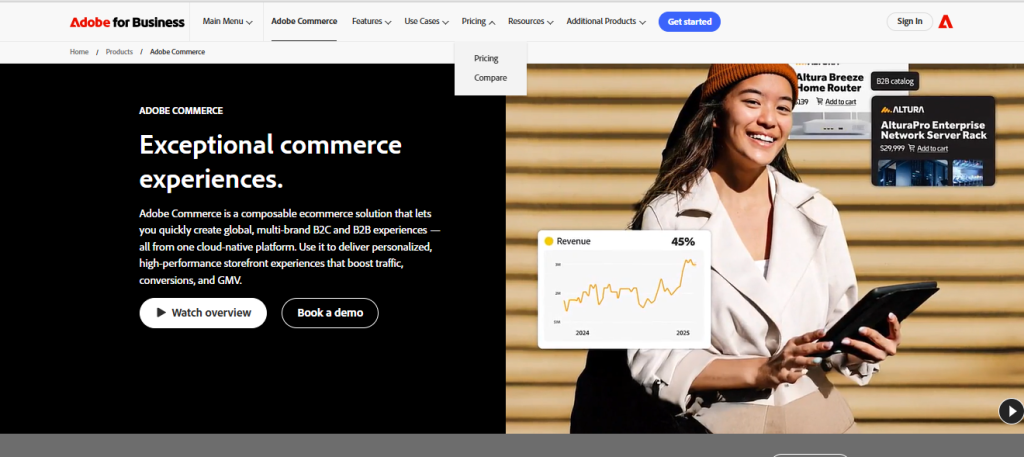
Adobe Commerce represents the apex of ecommerce platform capability—and complexity. Formerly Magento, this open-source powerhouse runs some of the world’s largest online retailers, offering virtually unlimited customization potential for organizations with development resources.
In 2026, Adobe’s integration of Commerce with its Experience Cloud delivers sophisticated personalization that rivals Amazon’s capabilities. The platform uses AI to analyze customer behavior across touchpoints and dynamically adjust product recommendations, pricing, and content.
Pricing Structure: Magento Open Source is free to download but requires significant hosting and development investment. Adobe Commerce Cloud starts around $2,000-3,000 monthly with pricing based on gross merchandise value.
Pros:
- Unlimited customization potential—if you can code it, you can build it
- Handles enterprise-scale operations: millions of products, global multi-store deployments
- Sophisticated B2B features including quote management, corporate accounts, and custom catalogs
- Advanced multi-warehouse inventory and order management system
- Seamless integration with Adobe’s marketing and analytics suite
Cons:
- Requires dedicated development team—not suitable for non-technical merchants
- Total cost of ownership is substantial: hosting, licenses, development, and maintenance
- Steep learning curve even for experienced developers
- Updates and security patches require technical oversight
- Overkill for businesses under $5M annual revenue
Best For: Enterprise retailers with development resources, complex business requirements, and $10M+ annual revenue. Ideal for B2B operations, multi-national deployments, and brands requiring extensive customization.
Real-World Insight: Adobe Commerce isn’t a platform—it’s an infrastructure investment. Budget $150k-500k+ for initial implementation and $10k-30k monthly for ongoing development and maintenance. The ROI comes from precisely tailored customer experiences that generic platforms can’t deliver. If you’re not processing at least $10M annually, the cost-benefit equation rarely makes sense.
7. Ecwid by Lightspeed: Best for Adding Commerce to Existing Sites
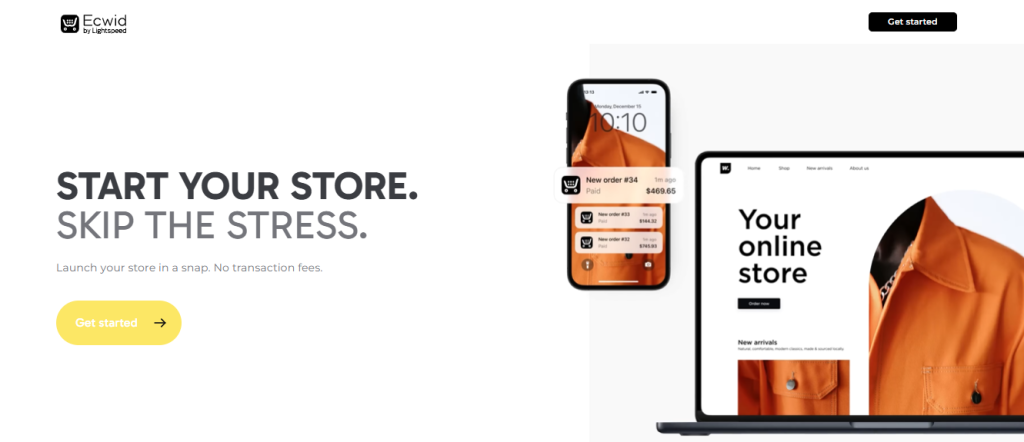
Ecwid solves a specific problem elegantly: adding ecommerce functionality to an existing website without rebuilding it. Whether you run a Wix site, WordPress blog, or custom HTML site, Ecwid embeds a full-featured store with a simple code snippet.
The platform’s “sell everywhere” approach syncs inventory across your website, Facebook, Instagram, Amazon, and physical POS terminals—all managed from one dashboard. This makes it particularly valuable for merchants operating across multiple channels.
Pricing Structure: Free (up to 5 products), Venture ($35/month), Business ($65/month), Unlimited ($149/month). All plans include unlimited bandwidth and zero transaction fees.
Pros:
- Works with virtually any website platform—WordPress, Wix, Squarespace, or custom HTML
- Instant synchronization across all sales channels (web, social, marketplaces, retail)
- Mobile-responsive storefront adapts to your existing site design
- POS integration through Lightspeed Retail for unified inventory
- No transaction fees and free plan makes it risk-free to test
Cons:
- Limited design customization—the embedded store may not perfectly match your branding
- Advanced marketing features lag behind standalone platforms
- SEO capabilities depend on your host website’s foundation
- Free plan is too limited for serious merchants (only 5 products)
- Inventory management features are basic on lower tiers
Best For: Established websites adding ecommerce without migration headaches. Perfect for content creators, agencies, and multi-location retailers who need unified inventory management.
Real-World Insight: Ecwid excels as a complementary solution rather than your primary platform. It’s brilliant for a media site adding merchandise sales or a service business offering digital products alongside consulting. However, if ecommerce is your core business model, a dedicated platform like Shopify or BigCommerce will better support growth beyond $500k annual revenue.
8. Shift4Shop: Best Value for US-Based Merchants
Shift4Shop offers a compelling proposition: a completely free ecommerce platform if you process at least $500 monthly through their payment gateway. For US-based merchants comfortable with this requirement, it delivers surprisingly robust functionality at zero monthly cost.
The platform includes features typically reserved for premium tiers elsewhere: unlimited products, bandwidth, and email marketing. This value proposition has attracted over 18,000 active stores, primarily small-to-midsize US merchants.
Pricing Structure: Contact for pricing.
Pros:
- Genuinely free with no transaction fees if you meet processing minimums
- Includes advanced features: abandoned cart recovery, gift cards, customer reviews
- Built-in blog, CRM, and email marketing—no third-party integrations needed
- Strong SEO capabilities with customizable URLs and meta tags
- 24/7 US-based phone support included on free plan
Cons:
- Requires using Shift4 Payments—not ideal if you have existing processor relationships
- User interface feels dated compared to Shopify or Wix
- Smaller app ecosystem limits extensibility
- Template selection is limited and design flexibility requires technical skills
- Payment processor requirement is dealbreaker for international merchants
Best For: US-based startups and small businesses with tight budgets who can meet the $500 monthly processing requirement. Excellent for merchants who prioritize cost savings over cutting-edge design.
Real-World Insight: The “free” model works beautifully if you’re comfortable with vendor lock-in on payment processing. The actual processing rates through Shift4 are competitive (2.9% + 30¢), so you’re not paying hidden premiums. However, the platform shows its age in user experience—expect to invest time learning a less intuitive interface compared to modern alternatives. It’s a solid choice for budget-conscious merchants willing to trade some convenience for cost savings.
9. PrestaShop: Best International and Multi-Language Option
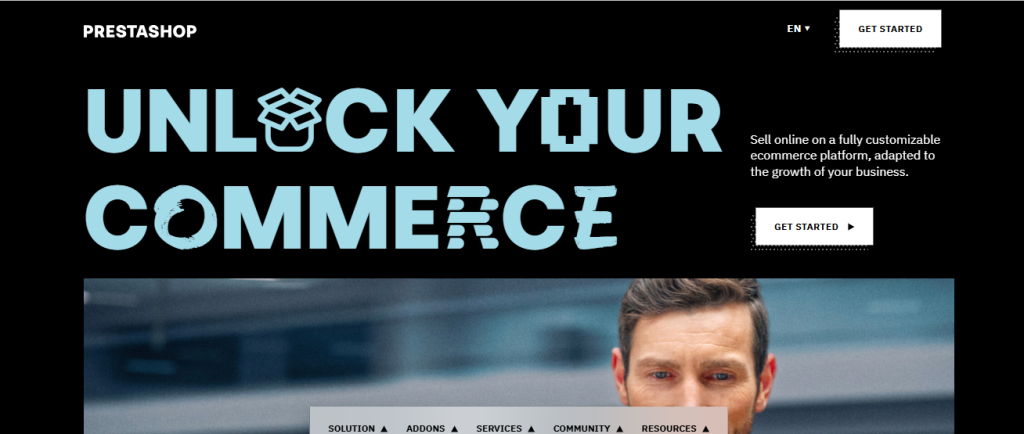
PrestaShop dominates ecommerce in Europe and Latin America with over 300,000 active stores, offering robust multi-language and multi-currency capabilities that surpass most competitors. As an open-source solution, it provides extensive customization potential without licensing fees.
The platform’s strength lies in its international commerce features: native VAT handling, multi-warehouse management, localized payment methods, and sophisticated multi-store administration from a single dashboard.
Pricing Structure: Contact for pricing.
Pros:
- Exceptional multi-language and multi-currency support out of the box
- Sophisticated international tax and shipping rule engine
- Large module marketplace with 5,000+ add-ons
- No transaction fees or revenue-based pricing tiers
- Strong European payment gateway integration (Klarna, SEPA, local methods)
Cons:
- Requires technical expertise—not suitable for non-technical users
- Module quality varies dramatically—many poorly maintained or incompatible
- Performance optimization requires developer knowledge
- Security updates and maintenance are your responsibility
- Limited US-based support and documentation compared to American platforms
Best For: International merchants (particularly in Europe) who need sophisticated multi-country operations and have technical resources. Ideal for businesses selling across EU countries with complex VAT requirements.
Real-World Insight: PrestaShop is the go-to choice for European merchants precisely because it was built for European commerce complexities: GDPR compliance, VAT management, multi-language SEO, and local payment methods that US platforms treat as afterthoughts. However, if you’re US-based without international ambitions, the technical overhead isn’t justified when simpler alternatives exist. The platform requires ongoing developer support, so factor $500-2,000 monthly for maintenance and customization.
Best Platforms by Specific Use Case
Best for Dropshipping Businesses
Winner: Shopify
Shopify’s app ecosystem makes it the undisputed dropshipping champion. Oberlo, Spocket, Printful, and dozens of other fulfillment integrations connect directly to your store with one-click product imports and automated order routing.
The platform handles the complexity of working with multiple suppliers: automatically splitting orders between vendors, calculating combined shipping costs, and synchronizing inventory levels in real-time. When a customer orders three items from different suppliers, Shopify seamlessly coordinates fulfillment without manual intervention.
Runner-up: WooCommerce offers more flexibility and zero transaction fees, but requires technical setup. If you’re comfortable with WordPress and want maximum profit margins (no platform or transaction fees), WooCommerce with AliDropship or similar plugins delivers complete control.
Best for B2B and Wholesale Operations
Winner: BigCommerce
BigCommerce’s native B2B capabilities outshine competitors: customer-specific pricing tiers, quote systems, purchase order workflows, and credit limit management are all built-in. You can hide pricing from retail customers, require login for wholesale access, and set minimum order quantities per customer group.
The platform handles complex B2B scenarios like tiered volume discounting (buy 100-499 units at $10, 500+ at $8) and corporate account hierarchies where purchases flow through approval workflows before processing.
Runner-up: Adobe Commerce offers even more sophisticated B2B features but requires substantial investment. For businesses under $10M revenue, BigCommerce provides 90% of the functionality at 10% of the cost.
Best for Digital Products and Subscriptions
Winner: Shopify
Shopify’s subscription app ecosystem (Recharge, Bold Subscriptions, PayWhirl) combined with digital delivery apps (SendOwl, FetchApp, Digital Downloads) creates a complete digital commerce solution. Automated license key generation, membership site integration, and flexible subscription management are all available through proven apps.
The platform handles complex scenarios like offering digital courses with drip-content delivery, software licenses with activation tracking, or subscription boxes that pause, skip, or swap products.
Runner-up: WooCommerce with WooCommerce Subscriptions and Download Manager plugins offers similar capabilities with more control and zero platform fees. The trade-off is technical complexity—expect to invest developer time for custom workflows.
Best for High-Risk Industries
Winner: WooCommerce or PrestaShop
Industries like CBD, supplements, vape products, or adult content face payment processing restrictions on hosted platforms. Shopify, Wix, and others maintain prohibited product lists and can terminate accounts without warning.
Self-hosted platforms like WooCommerce or PrestaShop give you complete control over payment processing. You can work with specialized high-risk merchant account providers (PayKings, Durango Merchant Services) without platform restrictions.
The downside is increased responsibility: you manage compliance, age verification, and regulatory requirements that hosted platforms typically handle. Budget for legal consultation and ensure your hosting provider allows high-risk content.
How to Choose the Right Ecommerce Platform for Your Business
Assessing Technical Skill vs. Ease of Use
Your technical comfort level should heavily influence platform selection. Be brutally honest: can you troubleshoot plugin conflicts, optimize database queries, or debug PHP errors? If not, self-hosted solutions will consume time better spent growing your business.
Hosted platforms (Shopify, BigCommerce, Wix) abstract technical complexity. You sacrifice some control but gain reliability and support. Self-hosted platforms (WooCommerce, PrestaShop, Magento) offer unlimited flexibility but demand technical expertise or budget for developers.
Consider your opportunity cost: if you’re billing $200/hour for consulting, spending 10 hours monthly troubleshooting WooCommerce costs $2,000 in lost revenue—enough to pay for Shopify Plus with money left over.
The Hidden Costs: Transaction Fees, Plugins, and Hosting
Advertised pricing rarely reflects your actual monthly cost. Build a realistic budget including:
- Base platform fee: $0-400/month depending on tier
- Transaction fees: 0-2% can represent $500-2,000 monthly on $100k revenue
- Payment processing: 2.6-2.9% + 30¢ per transaction is unavoidable
- Essential apps/plugins: $50-300/month for email marketing, reviews, subscriptions, analytics
- Premium theme: $0-300 one-time or $10-30 monthly for subscription themes
- Hosting (self-hosted only): $20-200/month for quality performance
- Developer support: $500-2,000/month for custom work and troubleshooting
A “free” WooCommerce store realistically costs $150-400 monthly once you factor in quality hosting, premium plugins, and occasional developer time. A $39 Shopify plan typically balloons to $150-250 monthly with essential apps.
Evaluating SEO Capabilities and Marketing Tools
Not all platforms are created equal for organic search. Core SEO requirements include:
- Customizable URLs, title tags, and meta descriptions for every page
- Clean HTML structure with proper heading hierarchy
- Automatic XML sitemap generation
- Mobile-responsive design with fast loading speeds
- Structured data markup for products (schema.org)
- Canonical URL handling to prevent duplicate content
Shopify and WooCommerce offer excellent SEO foundations with minimal configuration. Wix and Squarespace have improved dramatically but still trail in technical SEO flexibility. BigCommerce delivers strong SEO out-of-box with built-in microdata and advanced redirects.
Marketing capabilities vary widely. Evaluate whether the platform natively supports email automation, abandoned cart recovery, customer segmentation, discount codes, loyalty programs, and referral tracking—or if these require expensive third-party integrations.
Analyzing Scalability: Will the Platform Grow With You?
Platform migration is expensive and risky. Changing platforms typically costs $5,000-50,000+ when you factor in design, development, data migration, app reconfiguration, and inevitable lost revenue during transition.
Choose a platform that supports your 3-5 year vision, not just immediate needs. Ask:
- Does it handle your projected product count (100, 1,000, or 10,000+ SKUs)?
- Can it process your target order volume without performance degradation?
- Does it support international expansion if that’s in your roadmap?
- Are there plan tiers or upgrade paths as you grow?
- Can it integrate with ERP, 3PL, or warehouse management systems you might need?
Platforms like Shopify and BigCommerce scale from startup to enterprise. Wix and Squarespace work brilliantly until around $500k revenue, then become constraining. WooCommerce and PrestaShop scale infinitely if you have development resources to optimize performance.
Expert Insights: Common Challenges and Migration Pitfalls
The Vendor Lock-In Trap: What to Know Before You Commit
Hosted platforms create subtle dependencies that make migration painful. Shopify’s proprietary Liquid templating, custom app integrations, and checkout modifications don’t transfer to other platforms. You’re not just migrating data—you’re rebuilding functionality.
Customer data, order history, and product catalogs export relatively cleanly. Custom features, third-party integrations, and automated workflows must be rebuilt from scratch on the new platform. Budget 50-100% of your original setup cost for a competent migration.
Before committing to a platform, understand your exit strategy. Can you export all customer data? Will your email marketing and CRM integrations work elsewhere? Are you building custom features that won’t transfer? The answers should inform your initial platform selection.
Hosted vs. Self-Hosted: The Security and Maintenance Trade-off
Hosted platforms (Shopify, BigCommerce, Wix) handle security patches, server maintenance, backups, and PCI compliance automatically. You wake up to updated software without action required. This reliability is valuable but comes with loss of control.
Self-hosted platforms (WooCommerce, PrestaShop, Magento) require ongoing vigilance. WordPress security vulnerabilities make headlines regularly, and outdated plugins create exploit opportunities. You’re responsible for timely updates, security monitoring, and backup systems.
However, self-hosted gives you complete data ownership and infrastructure control. You choose your hosting provider, can optimize server configuration, and aren’t subject to platform terms of service that might prohibit your products.
The decision hinges on risk tolerance and technical capability. Most merchants lacking dedicated IT resources are better served by hosted solutions where security is a profit-driven priority for the platform provider.
Methodology: How We Tested and Ranked These Platforms
Our Scoring Criteria: Performance, Support, and User Experience
We evaluated platforms across seven weighted categories:
- Ease of Use (20%): Time to launch a functional store, interface intuitiveness, learning curve for non-technical users
- Features & Flexibility (20%): Native capabilities, customization options, and extensibility through apps/plugins
- Performance & Reliability (15%): Page load speeds, uptime, and ability to handle traffic spikes
- Pricing & Value (15%): Total cost of ownership including hidden fees, not just advertised pricing
- Scalability (15%): Ability to grow from startup to seven-figure revenue without migration
- Support Quality (10%): Response times, knowledge base depth, and community resources
- SEO & Marketing (5%): Technical SEO capabilities and native marketing tools
We built test stores on each platform, processing real transactions, integrating common apps, and measuring performance under load. Platforms were evaluated based on achieving common merchant goals: launching quickly, managing inventory, processing orders efficiently, and scaling sustainably.
Why You Can Trust Our Objective Analysis
Unlike many platform comparison articles written by the platforms themselves or affiliate-focused review sites, our analysis is based on hands-on experience managing ecommerce stores across multiple platforms and extensive research of verified merchant feedback from Reddit, G2, Capterra, and industry forums.
We’re not compensated by any platform vendor for rankings or recommendations. Our goal is helping you make an informed decision based on your specific business context—not driving affiliate commissions by pushing the highest-paying platform.
Every platform listed has legitimate strengths and use cases where it excels. The “best” platform depends entirely on your business model, technical skills, budget, and growth trajectory. Our job is providing the insights necessary to match those variables to the right solution.
Frequently Asked Questions About Building an Online Store
What is the cheapest ecommerce platform for startups?
Shift4Shop offers the lowest total cost if you’re US-based and can meet their $500 monthly processing requirement—it’s completely free with zero transaction fees. However, “cheapest” depends on your specific situation.
For absolute beginners with minimal technical skills, Wix Ecommerce at $29/month with zero transaction fees offers better value than the “free” options requiring hosting, themes, and plugins. Square Online’s free tier is genuinely functional for very small catalogs (under 20 products).
WooCommerce appears free but realistically costs $100-300 monthly for quality hosting, security, and essential plugins. It’s cheapest for high-volume merchants who save thousands in transaction fees, but expensive for startups once you factor in technical support needs.
Which ecommerce platform is best for SEO?
WooCommerce and Shopify lead for technical SEO capabilities. WooCommerce with Yoast or RankMath provides granular control over every SEO element, while Shopify offers excellent defaults with minimal configuration required.
BigCommerce delivers strong SEO fundamentals with built-in microdata, automatic canonical URLs, and unlimited categories without depth restrictions. The platform’s native features eliminate SEO plugins that can slow competing platforms.
Wix and Squarespace have improved significantly in 2026, but still trail in areas like URL structure flexibility and technical optimization options. They’re adequate for local SEO and branded searches but less ideal for competitive organic strategies.
Remember: platform SEO capabilities matter less than content quality, site speed, and backlink profile. Any modern platform can rank well with proper optimization—the question is how much technical effort is required.
Can I switch ecommerce platforms later without losing data?
You can migrate core data (products, customers, order history) between platforms with minimal loss using migration apps or services. Tools like Cart2Cart, LitExtension, or Next-Cart automate much of the process for $100-500 depending on data volume.
However, several elements don’t transfer cleanly:
- Custom theme modifications must be rebuilt
- App integrations require reconfiguration
- Blog content and SEO metadata need manual transfer
- Customer passwords can’t migrate (security measure)—requiring password resets
- Checkout customizations and automation workflows must be recreated
Plan for 2-6 weeks of migration work and budget $2,000-10,000 for professional assistance. SEO typically suffers during migration due to URL structure changes, so implement proper 301 redirects and expect 3-6 months to recover organic traffic.
The takeaway: choose carefully from the start. Platform migration is possible but expensive and disruptive enough that you want to minimize the likelihood of needing it.
Is Shopify better than WooCommerce for small businesses?
It depends on your definition of “better” and your technical capabilities. Shopify wins for simplicity, reliability, and speed-to-launch. You can build a professional store in days with minimal technical knowledge, and the platform handles security, updates, and scaling automatically.
WooCommerce wins for total cost of ownership at scale, customization flexibility, and data control. There are zero transaction fees, unlimited customization potential, and complete ownership of your infrastructure and customer data.
For most small businesses lacking technical expertise, Shopify’s $39-105/month is a bargain compared to the time and frustration of managing WooCommerce. The all-in-one simplicity lets you focus on products and marketing rather than technical troubleshooting.
However, if you’re already WordPress-proficient, processing $50k+ monthly, or need extensive customization, WooCommerce’s flexibility and zero transaction fees quickly offset its technical complexity. The platform becomes more attractive as volume increases and transaction fee savings compound.
Conclusion
Selecting the right ecommerce platform in 2026 requires looking beyond marketing promises to understand the total cost, scalability limitations, and real-world trade-offs each solution presents. There is no universally “best” platform—only the best platform for your specific business context, technical capability, and growth trajectory.
For most growing businesses prioritizing reliability and scalability, Shopify remains the gold standard despite transaction fees. If you’re WordPress-savvy and value flexibility over simplicity, WooCommerce delivers unmatched control and zero platform fees. BigCommerce offers the best value for mid-market merchants tired of app subscription fatigue, while specialized solutions like Square Online, Ecwid, and Shift4Shop excel in their specific niches.
Start by honestly assessing your technical skills, realistic budget including hidden costs, and three-year business vision. Choose a platform that supports that vision without requiring expensive migration down the road. The most successful online stores aren’t necessarily on the “best” platform—they’re on the right platform, allowing founders to focus on customers, products, and growth rather than wrestling with technical limitations.
Whatever you choose, commit fully to learning that platform’s ecosystem and leverage its native strengths rather than fighting its inherent limitations. The difference between ecommerce success and failure rarely comes down to platform selection—it comes down to execution, customer experience, and persistent optimization within whichever system you choose.