SEO in 2026 is no longer just about ranking on Google’s ten blue links. With AI Overviews reshaping search result pages, ChatGPT and Perplexity pulling traffic from traditional queries, and Google’s AI Mode changing how users interact with results, the SEO tool you choose now determines whether you can compete in both traditional and AI-driven search.
The problem is that most SEO tool reviews read like repackaged feature lists from pricing pages. They tell you Semrush has a big keyword database and Ahrefs has strong backlinks. That is not useful if you need to decide where to spend $1,500 or more per year.
This guide is different. We tested 12 SEO platforms against real websites, compared their data accuracy against Google Search Console, evaluated how each tool handles the new AI visibility landscape, and built decision frameworks based on actual use cases rather than marketing claims. Every recommendation below comes with the specific scenario where that tool outperforms the alternatives, and the situations where it falls short.
Quick Comparison: Top 12 SEO Tools for 2026
The table below summarizes pricing, primary strengths, and free tier availability for each platform. Detailed reviews follow.
| Tool | Best For | Starting Price | Free Tier | AI Visibility | Data Accuracy |
| Semrush | All-in-one SEO + AI visibility | $139/mo | Limited | Yes (built-in) | High |
| Ahrefs | Backlink analysis + competitive intel | $29/mo (Starter) | Webmaster Tools | Add-on ($199+) | Medium-High |
| SE Ranking | Affordable all-in-one platform | $52/mo (annual) | 14-day trial | Yes (new) | Medium-High |
| Screaming Frog | Technical SEO auditing | Free (500 URLs) | Yes | No | N/A (crawl data) |
| Surfer SEO | Content optimization + NLP | $99/mo | No | Yes (AI Tracker) | N/A (content) |
| Moz Pro | Domain Authority + local SEO | $49/mo | Limited | No | Medium |
| Mangools | Budget keyword research | $29.90/mo | 10-day trial | No | Medium |
| Ubersuggest | Small business SEO basics | $29/mo | Limited | Partial | Medium-Low |
| Google Search Console | First-party organic data | Free | Yes (full) | No | Highest (source) |
| Search Atlas | SEO automation + AI | $99/mo | 7-day trial | Yes | Medium |
| Writesonic | AI content + visibility tracking | $49/mo | Limited | Yes | Medium |
| Morningscore | Gamified SEO for beginners | $69/mo | Free trial | Yes (GEO Score) | Medium-Low |
How We Evaluated These SEO Tools
Every tool in this guide was assessed across five dimensions that matter most for day-to-day SEO work.
Data accuracy: We compared each tool’s traffic estimates and keyword data against Google Search Console numbers for the same websites and time periods. Tools that consistently inflate or deflate metrics were flagged.
AI visibility tracking: The search landscape is splitting into traditional rankings and AI-generated answers. We tested whether each tool can monitor how brands appear in ChatGPT responses, Google AI Overviews, Perplexity citations, and Google’s AI Mode.
Feature depth vs. usability: Having 50 features means nothing if the interface buries critical data behind four clicks. We assessed whether tools surface actionable insights quickly or overwhelm users with dashboards.
Value relative to price: We calculated the effective cost per feature category: keyword research, rank tracking, site auditing, backlink analysis, and content optimization. A tool at $52 per month that covers four of five categories delivers more value than a $139 tool that does all five but locks essential features behind higher tiers.
Scalability: We tested how each platform handles growth, from managing a single site to running an agency with dozens of client projects, including seat limits, API access, and reporting capabilities.
Why AI Visibility Tracking Has Become a Non-Negotiable in 2026
Before diving into individual tool reviews, it is worth understanding why AI visibility has reshaped the entire SEO tools market. In 2025, Google began rolling out AI Overviews more aggressively across commercial and informational queries. By early 2026, estimates suggest that AI-generated answers appear on more than 30 percent of search results pages, often pushing traditional organic listings below the fold.
Simultaneously, ChatGPT search, Perplexity, and other AI-native search engines have grown into meaningful traffic sources. Brands that are cited in AI-generated responses receive referral traffic that bypasses traditional rankings entirely. This means your SEO tool must now track two parallel systems: where you rank in traditional search results, and whether AI models mention or cite your brand when users ask relevant questions.
The tools that have adapted fastest to this shift, primarily Semrush, Surfer SEO, and SE Ranking, now offer dedicated AI visibility dashboards. Others, like Ahrefs, have added AI monitoring as a premium add-on. And some, like Mangools and Screaming Frog, have not addressed AI visibility at all, which limits their long-term strategic value even though they remain excellent at their core functions.
Detailed Reviews: Best SEO Tools for 2026
1. Semrush — Best All-in-One SEO and AI Visibility Platform
| Best For | Marketing teams, agencies, and businesses needing SEO, PPC, content, social, and AI visibility in one platform |
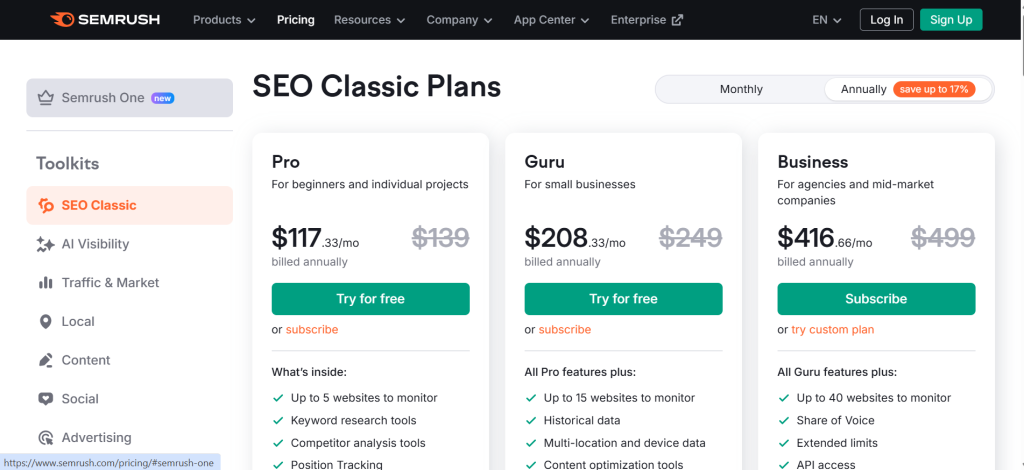
| Starting Price | $139/mo (Pro). Semrush One with AI tools at higher tiers |
| Free Tier | Limited free tier with restricted daily queries |
| AI Visibility | Yes — built-in. Tracks ChatGPT, AI Overviews, AI Mode, Perplexity (100M+ prompts) |
| Key Strengths | Largest keyword database (26.5B+), Personal KD, AI Visibility Toolkit, 7 integrated toolkits |
| Key Weaknesses | Steep learning curve (55+ features), backlink index slower than Ahrefs, full features need Guru+ plan |
| Data Accuracy | High — closest to GSC among paid tools (~40–60% overestimate) |
| Best Pairing | Screaming Frog for technical audits |
Semrush has held the top position in the all-in-one SEO category for several years, and in 2026 it has extended that lead further by becoming the first major platform to integrate AI search visibility tracking directly into its core product rather than treating it as a bolt-on feature.
The platform’s keyword database now exceeds 26.5 billion keywords, which remains the largest in the industry. But raw database size matters less than what you can do with the data. Semrush’s Keyword Magic Tool still generates the most comprehensive keyword lists when starting from a seed term, and the addition of Personal Keyword Difficulty, an AI-driven metric that estimates how hard it would be for your specific domain to rank for a given keyword, represents a genuine improvement over generic difficulty scores that ignore your site’s authority and topical relevance.
The Adobe Acquisition: What It Means for Users
In November 2025, Adobe announced a definitive agreement to acquire Semrush for approximately $1.9 billion in an all-cash transaction. The deal is expected to close in the first half of 2026. This acquisition signals Adobe’s bet on generative engine optimization (GEO) as a major growth channel alongside traditional SEO.
For current and prospective Semrush users, the short-term impact is minimal. Semrush continues to operate as a standalone product while the acquisition clears regulatory review. The longer-term implications are more interesting: Adobe plans to integrate Semrush’s visibility data with Adobe Experience Manager, Adobe Analytics, and its Brand Concierge AI tool. For enterprise marketing teams already using Adobe’s Creative Cloud and Experience Cloud, this integration could eliminate the gap between content creation and search optimization.
The risk is that Adobe could eventually prioritize enterprise features at the expense of smaller users, or fold Semrush’s pricing into Adobe’s notoriously complex enterprise licensing model. For now, the product remains unchanged and accessible at existing price points.
AI Visibility Tracking: Semrush’s Strongest Differentiator
Semrush’s AI Visibility Toolkit tracks brand mentions and citations across ChatGPT, Google AI Overviews, Google’s AI Mode, and Perplexity. The toolkit contains over 100 million prompts powering three core reports: Visibility Overview, Prompt Research, and Competitor Research. It covers 15 countries and provides daily updates on how your brand appears in AI-generated search responses.
This is not a surface-level feature. The Visibility Overview dashboard shows a daily AI Visibility score alongside traditional organic visibility, letting you track both metrics on the same timeline. You can see which specific prompts trigger mentions of your brand, which competitors appear alongside you, and how your AI visibility trend compares to your organic trend. The Prompt Research report reveals what questions users ask that lead to brand mentions, giving content teams direct input on what to write about.
No other all-in-one SEO platform offers this depth of AI visibility data as part of its core product. Ahrefs’ Brand Radar performs a similar function but costs $199 to $699 per month as an add-on, making the total Ahrefs cost significantly higher for teams that need both traditional SEO and AI monitoring.
Where Semrush Falls Short
Semrush’s biggest weakness is complexity. With more than 55 features organized across seven toolkits, the platform can overwhelm users who only need core SEO functions. The interface has improved but still requires significant time investment to learn effectively. New users often report spending two to three weeks before they feel comfortable navigating the dashboard without guidance.
Backlink data, while comprehensive, still trails Ahrefs in index freshness. Ahrefs updates its backlink index every 15 to 30 minutes, while Semrush’s refresh cycle is slower. For agencies and link builders who need near-real-time backlink monitoring, this gap is meaningful.
Pricing is another consideration. At $139.95 per month for the Pro plan, Semrush is not the most expensive option, but the most useful features, including Content Marketing tools, Looker Studio integration, and the full AI Visibility Toolkit, require the Guru plan at $249.95 per month or Semrush One at an even higher price point. The effective cost for a well-equipped Semrush setup often exceeds $250 per month.
Semrush Data Accuracy Assessment
In our testing, Semrush’s traffic estimates were consistently closer to Google Search Console data than Ahrefs or most other competitors. Semrush tends to overestimate organic traffic by 40 to 60 percent compared to actual GSC figures, which is typical for third-party tools that extrapolate from keyword rankings and estimated click-through rates. Ahrefs, by comparison, can overestimate by 300 percent or more for some domains, making trend analysis unreliable for absolute numbers.
Keyword difficulty scores in Semrush are well-calibrated for most niches, though they can be slightly optimistic for highly competitive commercial queries. The addition of Personal Keyword Difficulty partially addresses this by factoring in your domain’s specific authority.
The Verdict on Semrush
Semrush is the best choice for teams that want one platform to handle keyword research, rank tracking, site auditing, competitor analysis, content optimization, and AI visibility monitoring. The breadth of features justifies the price for marketing teams and agencies managing multiple sites. Solo SEO practitioners may find SE Ranking or Mangools deliver enough functionality at a fraction of the cost.
2. Ahrefs — Best for Backlink Analysis and Competitive Research
| Best For | SEO professionals, link builders, and agencies prioritizing backlink intelligence |
| Starting Price | Starter $29/mo (limited). Lite $129/mo. Standard $249/mo (recommended) |
| Free Tier | Webmaster Tools for verified site owners (limited Site Explorer + Audit) |
| AI Visibility | Brand Radar add-on: $199–$699/mo extra |
| Key Strengths | Largest backlink index (36T+ links), 15–30 min refresh, click metrics, Content Explorer |
| Key Weaknesses | Credit system restricts Lite usage, 63% price hike in 2023, costly AI add-on, no PPC tools |
| Data Accuracy | Medium-High — best backlinks, but overestimates organic traffic by up to 300%+ |
| Best Pairing | Google Search Console for accurate traffic baseline |
Ahrefs maintains the largest and most frequently updated backlink index in the industry, with over 36 trillion backlinks crawled and an index refresh rate of 15 to 30 minutes. For link building professionals, competitive analysts, and anyone whose SEO strategy centers on backlink acquisition, this remains Ahrefs’ defining advantage.
Keywords Explorer provides a feature that no other tool matches effectively: click metrics alongside search volume. For any keyword, Ahrefs shows not just how many people search for it, but how many of them actually click on a result. This is crucial for identifying keywords where AI Overviews or featured snippets absorb most clicks, leaving little traffic for organic results regardless of your ranking position.
The Credit System Problem
Ahrefs introduced a credit-based usage system that has generated significant frustration among paying users. On the Lite plan at $129 per month, credits can be exhausted within the first week of normal use for agencies running competitor analyses across multiple domains. Multiple users on review platforms report accounts being locked for “suspicious activity” during legitimate research, with customer support responses that feel dismissive rather than helpful.
The Lite plan experienced a 63 percent price increase from $79 to $129 in mid-2023, while simultaneously moving previously included features to higher tiers. This pricing strategy has pushed the practical starting point for Ahrefs to the Standard plan at $249 per month, because the Lite plan’s credit restrictions make it too constrained for professional use.
AI Visibility: Brand Radar as a Premium Add-On
Ahrefs’ Brand Radar tracks brand mentions in AI search responses, but it is positioned as a premium add-on costing $199 to $699 per month on top of your base subscription. For a team on the Standard plan, adding Brand Radar brings the total monthly cost to $448 or more, which is significantly higher than Semrush’s bundled approach.
Brand Radar monitors citations across ChatGPT, Google AI Overviews, and other AI platforms. The data is useful, but the pricing model makes it inaccessible for smaller teams and solo practitioners who still need AI visibility data to make informed content decisions.
Data Accuracy Concerns
Our testing revealed that Ahrefs frequently overestimates organic traffic by substantial margins. For one test domain receiving approximately 18,000 monthly visits across all channels according to Google Analytics, Ahrefs reported 77,400 organic visits. This level of overestimation makes Ahrefs traffic data unreliable for absolute measurements, though directional trends, whether traffic is rising or falling, remain useful.
Keyword volume estimates also tend to skew high. Independent practitioners report that Ahrefs keyword volumes for certain terms exceed actual traffic by a factor of three or more. The tool remains excellent for relative comparisons between keywords and domains but should not be treated as a source of precise traffic projections.
The Verdict on Ahrefs
Ahrefs is the right choice when backlink analysis is central to your SEO strategy. Its index freshness, click metrics, and Content Explorer remain best-in-class. However, the credit system, rising prices, data accuracy issues, and expensive AI add-on make it harder to recommend as a primary all-in-one tool compared to previous years. For teams that need both backlink depth and AI visibility without premium add-on costs, Semrush offers a more complete package at a lower total cost of ownership.
3. SE Ranking — Best Value All-in-One SEO Platform
| Best For | Small to mid-size agencies, freelancers, and growing businesses |
| Starting Price | Essential $52/mo (annual). Pro $95.20/mo (annual). Business $207.20/mo (annual) |
| Free Tier | 14-day free trial, no credit card required |
| AI Visibility | Yes — AI Search Toolkit included in base plans (new in 2026) |
| Key Strengths | 2.7x more keyword tracking than Ahrefs Lite at 62% less cost, clean UI, white-label reports, flexible scaling |
| Key Weaknesses | Smaller backlink database, less brand recognition, add-ons ($40/mo each) increase total cost |
| Data Accuracy | Medium-High — rank tracking closely matches manual SERP checks |
| Best Pairing | Ahrefs Webmaster Tools (free) for supplemental backlink data |
SE Ranking occupies the sweet spot that most SEO professionals are actually looking for: a platform that covers keyword research, rank tracking, site auditing, backlink monitoring, competitor analysis, and content optimization at a price point 40 to 60 percent below Semrush and Ahrefs.
The platform’s Pro plan at $95.20 per month (annual billing) tracks 2,000 keywords across 30 projects with three team seats included. To get comparable capacity from Ahrefs, you would need the Standard plan at $249 per month, and even then the keyword tracking limits are lower. SE Ranking delivers roughly 2.7 times more keyword tracking capacity for 62 percent less money.
In early 2026, SE Ranking launched its AI Search Toolkit, which tracks brand visibility across AI search platforms. While not yet as comprehensive as Semrush’s 100-million-prompt database, SE Ranking’s AI features are improving rapidly and are included in the base subscription rather than charged as add-ons.
Where SE Ranking Excels
Rank tracking accuracy is one of SE Ranking’s strongest attributes. The platform checks rankings daily by default with options for more frequent checks on higher plans, and the results closely match manual SERP checks. The interface displays clear visualizations of ranking changes, competitor movement, and SERP feature appearances without requiring complex filtering.
The site audit tool identifies technical issues with clear explanations and prioritized fix recommendations. It may not match Screaming Frog’s depth for large-scale technical audits, but for sites under 10,000 pages it provides everything most SEOs need.
For agencies, the white-label reporting, client management features, and flexible pricing that scales based on keyword volume rather than fixed tiers make SE Ranking particularly practical. You start with the capacity you need and scale up without committing to an expensive plan that includes features you will never use.
Where SE Ranking Falls Short
SE Ranking’s backlink database is smaller than those of Ahrefs and Semrush. For link-intensive strategies that require comprehensive competitor backlink profiling, you will still need Ahrefs or Semrush as a supplement.
Brand recognition matters when delivering reports to clients. SE Ranking’s data carries less inherent authority than metrics labeled “Semrush” or “Ahrefs” in client-facing deliverables, which can complicate agency workflows.
Advanced features like API access and the full AI Search Toolkit require the Pro or Business plans, and optional add-ons for Content Marketing ($40 per month), Local Marketing ($40 per month), and Social Media Management ($40 per month) can increase the total cost significantly if you need all of them.
The Verdict on SE Ranking
SE Ranking is the best choice for budget-conscious professionals who need 80 percent of what Semrush offers at roughly 40 percent of the price. It is particularly strong for freelancers, small agencies, and growing businesses. If backlink analysis depth is critical to your workflow, pair SE Ranking with Ahrefs’ free Webmaster Tools for a cost-effective stack.
4. Screaming Frog SEO Spider — Best for Technical SEO Auditing
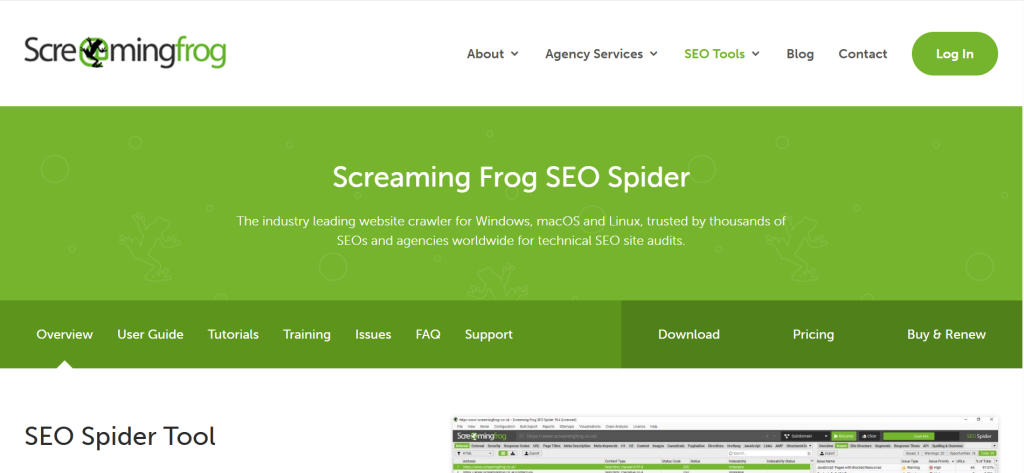
| Best For | Technical SEO specialists, developers, and consultants needing granular crawl data |
| Starting Price | Free (up to 500 URLs). Paid: £259/year (~$330/year) |
| Free Tier | Yes — fully functional up to 500 URLs |
| AI Visibility | No |
| Key Strengths | Deepest technical crawl data, JS rendering, GA/GSC/PageSpeed integrations, desktop privacy |
| Key Weaknesses | Desktop only, no cloud dashboard, no keyword/backlink/rank features, resource-intensive for large sites |
| Data Accuracy | N/A — direct crawl data, not estimated |
| Best Pairing | Any cloud-based SEO platform (Semrush, SE Ranking, or Ahrefs) |
Screaming Frog is not a cloud-based SEO suite. It is a desktop crawler that analyzes websites URL by URL, identifying broken links, redirect chains, duplicate content, missing meta tags, orphan pages, thin content, JavaScript rendering issues, and dozens of other technical factors. No cloud-based SEO tool provides the same depth of technical analysis.
The free version crawls up to 500 URLs, which covers most small sites entirely and provides meaningful audit data for larger sites. The paid version removes the URL limit and adds JavaScript rendering, custom extraction, Google Analytics integration, Search Console integration, PageSpeed Insights integration, and crawl scheduling.
For technical SEOs, Screaming Frog is not optional. It is the foundation of every serious technical audit. The tool identifies issues that cloud-based auditors miss because it crawls your site the same way search engine bots do, revealing the actual technical reality rather than a sampled approximation.
Limitations to Understand
Screaming Frog is exclusively a technical audit tool. It does not track keyword rankings, analyze backlinks, research competitors, or optimize content. It also lacks any AI visibility features. The desktop-only architecture means there is no cloud dashboard, no collaboration features, and no automated reporting pipeline. Large crawls on sites with millions of URLs can consume significant system memory and processing power.
For most practitioners, Screaming Frog works best as a complement to a cloud-based SEO platform rather than a standalone solution. Pair it with Semrush, SE Ranking, or even Google Search Console for a complete workflow.
5. Surfer SEO — Best for NLP-Driven Content Optimization
| Best For | Content teams, SEO writers, and agencies producing content at scale |
| Starting Price | $99/mo. Scale plan $219/mo for advanced AI features |
| Free Tier | No |
| AI Visibility | Yes — AI Tracker (Scale plan or $95/mo add-on). Tracks AI Overviews, ChatGPT, Perplexity |
| Key Strengths | Real-time NLP content scoring, Topical Map, Content Audit via GSC, Google Docs + WordPress integrations |
| Key Weaknesses | Content-only (not a full SEO suite), pricing steep for occasional use, AI content quality varies |
| Data Accuracy | N/A — content scoring tool, not a traffic estimator |
| Best Pairing | Semrush or SE Ranking for keyword research and rank tracking |
Surfer SEO solves a specific problem better than any other tool: telling writers exactly what to include in their content to maximize ranking potential. The Content Editor analyzes the top-ranking pages for your target keyword and generates a real-time content score based on NLP signals, including word count, heading structure, keyword density, related terms, and topical coverage.
The platform has evolved significantly beyond basic content scoring. The Topical Map feature now shows content cluster coverage gaps across your entire site, highlighting topics you have not yet addressed. Content Audit connects to Google Search Console to identify existing pages that are underperforming and suggests specific improvements to regain lost rankings. The auto-optimize feature can apply keyword insertions and structural changes automatically, though manual review is strongly recommended to maintain natural writing quality.
Surfer’s AI Tracker monitors brand visibility across Google AI Overviews, ChatGPT, and Perplexity, tracking how your content appears in AI-generated responses. The feature is included in the Scale plan and available as an add-on for $95 per month on lower tiers.
Where Surfer SEO Falls Short
Surfer is a content optimization tool, not a full SEO suite. It does not replace keyword research platforms, rank trackers, or backlink analysis tools. The pricing feels steep for teams that only need occasional content scoring rather than daily optimization workflows. AI-generated content quality varies by topic and can produce generic output that requires significant human editing. Content recommendations can sometimes feel formulaic, particularly for creative or narrative-driven content formats.
6. Moz Pro — Best for Domain Authority Tracking and Local SEO
| Best For | Agencies valuing Domain Authority metrics and businesses focused on local search |
| Starting Price | $49/mo (Starter). Standard $79/mo. Medium $143/mo |
| Free Tier | Limited free tier with MozBar browser extension |
| AI Visibility | No |
| Key Strengths | Invented Domain Authority (widely understood by clients), Moz Local for multi-location businesses, MozBar extension |
| Key Weaknesses | Smaller keyword/backlink database, slower crawler, dated interface, no AI visibility features |
| Data Accuracy | Medium — DA is directional, not a precise ranking predictor |
| Best Pairing | Screaming Frog for deeper technical audits |
Moz Pro’s primary value proposition in 2026 centers on two things: the Domain Authority metric it invented, and its local SEO capabilities through Moz Local. Domain Authority remains one of the most widely recognized SEO metrics among clients and stakeholders, even though SEO practitioners debate its accuracy as a ranking predictor. For agencies that need to communicate SEO progress in terms clients understand, DA remains a useful shorthand.
Moz Local excels at managing business information across directories, monitoring local search performance, and managing Google Business Profile optimization for businesses with multiple locations. If local SEO is a primary focus, Moz Local is competitive with or superior to the local features offered by Semrush and Ahrefs.
However, Moz Pro’s keyword database and backlink index are significantly smaller than those of Semrush and Ahrefs. The site crawler is slower and less thorough than Screaming Frog. The interface feels dated compared to newer competitors. Moz has not added AI visibility tracking features, which limits its strategic value as the search landscape evolves. At $49 per month for the entry-level plan, Moz Pro is affordable, but SE Ranking offers more features at a similar price point.
7. Mangools — Best Budget-Friendly Keyword Research Tool
| Best For | Freelancers, bloggers, and small teams needing straightforward keyword research |
| Starting Price | $29.90/mo (Basic). Premium $44.90/mo. Agency $89.90/mo |
| Free Tier | 10-day free trial |
| AI Visibility | No |
| Key Strengths | KWFinder excels at low-competition keywords, simple focused interface, five integrated tools, very affordable |
| Key Weaknesses | Smaller keyword database, weak backlink analysis, no content/AI features, daily search limits on lower tiers |
| Data Accuracy | Medium — adequate for discovery, less reliable for precise volumes |
| Best Pairing | Google Search Console + Screaming Frog Free |
Mangools packages five focused tools into one affordable suite: KWFinder for keyword research, SERPChecker for SERP analysis, SERPWatcher for rank tracking, LinkMiner for backlink analysis, and SiteProfiler for domain overview metrics. KWFinder’s strength is identifying low-competition keywords with intuitive difficulty scoring, making it particularly valuable for newer websites that cannot compete on high-difficulty terms.
The interface prioritizes simplicity. Where Semrush presents 55 features across seven toolkits, Mangools shows you exactly what you need for keyword research and SERP analysis without burying useful data behind layers of navigation. For SEO practitioners who spend most of their time on keyword research and basic rank tracking, Mangools delivers excellent value.
The trade-offs are real. Mangools’ keyword database is smaller, limiting results for niche or local queries. Backlink analysis through LinkMiner lacks the depth of Ahrefs or even SE Ranking. There are no content optimization features, no AI writing tools, no AI visibility tracking, and daily search limits on lower-tier plans can restrict heavy research sessions. Mangools works best as a specialized keyword research tool paired with Google Search Console and Screaming Frog rather than as a standalone SEO platform.
8. Ubersuggest — Best Lifetime Value for Small Business SEO
| Best For | Small business owners, hobbyists, and solo marketers wanting basic SEO without recurring costs |
| Starting Price | $29/mo or $290 lifetime (Individual). Business $49/mo or $490 lifetime |
| Free Tier | Limited free daily searches. 7-day trial for paid plans |
| AI Visibility | Partial — AI Keyword Overview report added recently |
| Key Strengths | Lifetime pricing eliminates subscriptions, simple interface, Chrome extension, adequate for single-site use |
| Key Weaknesses | Keyword volumes skew high, smaller backlink database, some features underdeveloped |
| Data Accuracy | Medium-Low — volumes overestimate; ranking tracking more reliable |
| Best Pairing | Google Search Console for accurate traffic data |
Ubersuggest’s lifetime pricing option is its defining advantage. For a one-time payment of $290, you get permanent access to keyword research, site auditing, rank tracking, and backlink monitoring for a single domain. This eliminates the compounding cost of monthly subscriptions that can total $1,500 or more per year with competing tools.
The tool delivers adequate keyword data for small business use cases. Rank tracking updates are frequent and, for some keywords, more accurate than higher-priced alternatives. The Chrome extension provides quick keyword metrics while browsing, and the site audit tool identifies critical technical issues without overwhelming non-technical users.
Where Ubersuggest struggles is data depth. Keyword volume estimates tend to skew high compared to actual search traffic, and the backlink database is significantly smaller than those of dedicated backlink tools. Some features feel underdeveloped compared to competitors, and the free tier is heavily restricted. For businesses that need competitive-grade data accuracy, Ubersuggest falls short. But for small businesses managing a single website with limited SEO budgets, the lifetime pricing makes it a defensible investment.
9. Google Search Console — Essential Free Tool for Every Website
| Best For | Every website owner — non-negotiable regardless of paid tools |
| Starting Price | Free |
| Free Tier | Yes — fully free, no limitations |
| AI Visibility | No |
| Key Strengths | Only source of actual Google search data (real impressions, clicks, CTR, positions), indexing diagnostics, Core Web Vitals |
| Key Weaknesses | No keyword difficulty, no competitor analysis, no backlinks, 16-month data limit, limited filtering |
| Data Accuracy | Highest — first-party data directly from Google’s index |
| Best Pairing | Any paid SEO platform for keyword discovery and competitive intelligence |
Google Search Console is the only tool that provides actual search performance data directly from Google’s index. Every other tool on this list estimates your traffic and keyword positions using proprietary methodologies that introduce varying degrees of inaccuracy. GSC shows you real impressions, real clicks, real click-through rates, and real average positions for every query your site appears for in Google search results.
The Coverage report identifies indexing problems that prevent pages from appearing in search results. Core Web Vitals reporting tracks page experience metrics that affect rankings. The URL Inspection tool shows exactly how Google renders any page on your site. The Performance report, while limited to 16 months of historical data, provides the most accurate view of organic search performance available from any source.
GSC’s limitations are well understood: no keyword difficulty metrics, no competitor analysis, no backlink data, no content optimization features, and no AI visibility tracking. It cannot show you keywords you are not already ranking for, which limits its usefulness for keyword discovery and opportunity analysis. The interface lacks advanced filtering and visualization capabilities.
Despite these limitations, Google Search Console should be the foundation of every SEO workflow. Use it as your source of truth for organic performance data, and use paid tools to fill the gaps in keyword discovery, competitive intelligence, and content optimization.
10. Search Atlas — Best Emerging All-in-One Alternative
| Best For | SEO professionals seeking a newer platform with AI automation and competitive pricing |
| Starting Price | $99/mo (Starter, 2 seats, 5 projects). Community Edition $29/mo (1 site, limited) |
| Free Tier | 7-day free trial (credit card required) |
| AI Visibility | Yes — built-in AI visibility tracking |
| Key Strengths | OTTO SEO AI automation, Ahrefs-like interface, covers all core SEO functions, more affordable than leaders |
| Key Weaknesses | Still maturing, mixed G2/Reddit reviews, smaller databases, slower customer support |
| Data Accuracy | Medium — growing but not yet matching established leaders |
| Best Pairing | Google Search Console for traffic validation |
Search Atlas launched in 2024 and has quickly positioned itself as a challenger to Semrush and Ahrefs. The platform covers keyword research, traffic analysis, backlink profiling, competitor research, content optimization, rank tracking, technical audits, and link-building outreach in a single dashboard. For users familiar with Ahrefs, the interface will feel immediately navigable.
The standout feature is OTTO SEO, an AI automation assistant that installs via a small pixel on your site and automatically identifies technical issues, reviews content, and suggests improvements from a central dashboard. This automation layer reduces the manual effort required for ongoing SEO maintenance and is particularly appealing to site owners who lack dedicated SEO staff.
Search Atlas is still maturing. User reviews on platforms like G2 and Reddit are mixed, with some reporting a learning curve and slower customer support response times. The backlink database and keyword data are less comprehensive than those of established leaders. However, at $99 per month for two users and five projects, Search Atlas offers substantially more value than Ahrefs’ comparably priced Lite plan.
11. Writesonic — Best AI Content and Visibility Platform
| Best For | Content marketers and writers needing AI-assisted creation with built-in SEO + AI visibility tracking |
| Starting Price | $49/mo (1 user). Professional $249/mo for full SEO + AI suite |
| Free Tier | Limited free plan (no credit card). Free audit up to 100 pages |
| AI Visibility | Yes — tracks brand across AI search platforms (Professional plan) |
| Key Strengths | Full content lifecycle (research → write → optimize → publish → track), AI Humanizer, 25+ languages |
| Key Weaknesses | SEO data less deep than Semrush/Ahrefs, full AI tracking needs $249/mo plan |
| Data Accuracy | Medium — aggregated from external sources, not proprietary index |
| Best Pairing | Semrush or SE Ranking for competitive research and backlinks |
Writesonic blurs the line between AI writing tools and SEO platforms. It covers the entire content lifecycle from keyword research and topic clustering through AI-assisted writing, optimization scoring, WordPress publishing, and performance tracking via Google Search Console integration.
The AI search visibility tracking feature lets you monitor how your brand appears across AI search engines, track citations, and analyze whether your content is being referenced by AI models for relevant queries. The SEO Checker and Optimizer evaluates content against ranking signals similar to Surfer SEO’s approach, but embedded within a broader content creation workflow.
The trade-off is that Writesonic’s SEO data does not match the depth of dedicated platforms like Semrush or Ahrefs. It pulls some data from external sources including Ahrefs and Google Search Console, which means you are working with aggregated data rather than a proprietary index. The Professional plan at $249 per month for full SEO and AI tracking features is expensive for what is essentially a content-first platform. For teams whose primary need is content production with SEO guidance, Writesonic is efficient. For teams that need deep competitive analysis, comprehensive backlink profiling, or enterprise-grade rank tracking, it is not a replacement for dedicated SEO tools.
12. Morningscore — Best for SEO Beginners and Small Businesses
| Best For | Beginners, small business owners, and teams who find traditional SEO tools overwhelming |
| Starting Price | $69/mo — single tier with unlimited users |
| Free Tier | Free trial available |
| AI Visibility | Yes — GEO Score tracks AI visibility across ChatGPT and Perplexity |
| Key Strengths | Gamified missions, dollar-value traffic metric, unlimited users (no per-seat costs), WordPress plugin |
| Key Weaknesses | Less data depth, smaller backlink database, gamification unnecessary for experienced SEOs |
| Data Accuracy | Medium-Low — adequate for directional insights, not precise measurements |
| Best Pairing | Google Search Console for accurate baseline data |
Morningscore takes a fundamentally different approach to SEO tools by gamifying the entire process. Instead of presenting raw metrics, it assigns a dollar value to your organic traffic and creates “missions”: actionable tasks that improve your visibility. Completing missions earns XP and levels, transforming SEO from an intimidating technical discipline into an achievable game-like experience.
The platform covers keywords, backlinks, technical health checks, competitor monitoring, and includes GEO Score for tracking AI search visibility. A WordPress plugin automates common on-page optimizations. The single pricing tier includes unlimited users, which eliminates the per-seat costs that accumulate quickly on Semrush, Ahrefs, and most other platforms.
The limitations are straightforward. Morningscore’s data depth does not approach Ahrefs or Semrush levels. The backlink database is smaller. The gamification, while effective for beginners, feels unnecessary for experienced SEO professionals. The smaller user community means fewer tutorials, guides, and community resources compared to market leaders. For experienced practitioners, Morningscore will feel too simplified. For beginners and small business owners, it is one of the most approachable entry points into SEO available.
Which SEO Tool Should You Choose? A Decision Framework
Rather than declaring a single winner, the right answer depends on your role, budget, and priorities. Here are the clearest recommendations based on our testing.
If you are a marketing team or agency managing multiple clients: Semrush. The breadth of features, AI visibility tracking, and reporting capabilities justify the higher price. Add Screaming Frog for technical audits.
If backlink analysis is your top priority: Ahrefs Standard plan. Its index freshness and click metrics remain unmatched. Budget for the Standard tier since the Lite plan is too restricted for professional use.
If you need strong features on a limited budget: SE Ranking Pro plan. You get comprehensive coverage at roughly 40 percent of what Semrush charges, with the flexibility to scale.
If you are a freelance writer or blogger focused on keyword research: Mangools or SE Ranking Essential plan. Mangools for simplicity, SE Ranking for broader feature coverage.
If you run a small business managing a single website: Ubersuggest lifetime plan plus Google Search Console. Total one-time cost of $290 covers your basics permanently.
If you produce content at scale and need optimization guidance: Surfer SEO paired with your SEO platform of choice. Surfer handles content scoring while your primary tool handles research and tracking.
If you are new to SEO and feel overwhelmed: Start with Google Search Console (free) and Morningscore. Add Mangools or SE Ranking once you understand the fundamentals.
If technical SEO auditing is a major part of your work: Screaming Frog is non-negotiable. Pair it with any cloud-based platform for keyword research and rank tracking.
Recommended Tool Stacks by Budget
| Budget Level | Primary Tool | Secondary Tools | Monthly Cost | Coverage |
| Starter (<$50/mo) | Google Search Console | Screaming Frog Free, Ubersuggest Free | $0 | Basic |
| Budget ($50–100/mo) | SE Ranking Essential | GSC, Screaming Frog Free | $52–65 | Good |
| Mid-Range ($100–200/mo) | SE Ranking Pro | GSC, Screaming Frog Paid | $95–125 | Strong |
| Professional ($200–350/mo) | Semrush Guru | GSC, Screaming Frog Paid | $250–280 | Comprehensive |
| Agency ($350–600/mo) | Semrush + Ahrefs Std | GSC, Screaming Frog, Surfer SEO | $500–600 | Full Coverage |
AI Visibility Tracking: Feature Comparison Across Platforms
AI visibility has become a defining differentiator between SEO platforms. Here is how the major tools compare on this emerging capability.
| Tool | ChatGPT | AI Overviews | Perplexity | Pricing Model | Depth |
| Semrush | Yes | Yes | Yes | Included | Deep (100M+ prompts) |
| Ahrefs | Yes | Yes | Yes | Add-on ($199–699) | Moderate |
| SE Ranking | Yes (new) | Yes | Partial | Included | Growing |
| Surfer SEO | Yes | Yes | Yes | Scale or $95/mo | Moderate |
| Writesonic | Yes | Partial | Partial | Professional plan | Moderate |
| Morningscore | Yes | Partial | Yes | Included | Basic |
| Moz Pro | No | No | No | N/A | None |
| Mangools | No | No | No | N/A | None |
| Screaming Frog | No | No | No | N/A | None |
Frequently Asked Questions
Which SEO tool is best for beginners in 2026?
Start with Google Search Console because it is free and provides the most accurate performance data available from any source. Once you understand how organic traffic flows to your site, add Mangools ($29.90 per month) for keyword research if you need simplicity, or SE Ranking Essential ($52 per month) if you want broader feature coverage. Ubersuggest’s lifetime plan at $290 is also a reasonable entry point for small business owners who prefer a one-time payment. Avoid jumping straight to Semrush or Ahrefs as a beginner; the complexity can be counterproductive until you understand SEO fundamentals.
Do I need more than one SEO tool?
Most professionals use two to three tools. A common high-value stack pairs one all-in-one platform (Semrush, SE Ranking, or Ahrefs) with Google Search Console for first-party data accuracy and Screaming Frog for technical auditing. Each tool draws from different data sources, so combining them provides a more complete and accurate picture of your search performance. For content-heavy workflows, adding Surfer SEO as a content optimization layer is often worthwhile.
Can free SEO tools compete with paid platforms?
Free tools cover essential functions well. Google Search Console provides the most accurate organic data available. Screaming Frog’s free version handles technical audits for sites up to 500 URLs. Ahrefs Webmaster Tools offers limited but useful site analysis for verified domains. Google Keyword Planner provides local keyword data with geographic filtering. However, free tools cannot match the keyword databases, competitor analysis capabilities, and backlink intelligence that paid platforms provide. For businesses investing seriously in organic growth, the ROI from paid tools typically justifies the cost through better data and significant time savings.
What is GEO and why does it matter for SEO tools?
GEO stands for generative engine optimization. It refers to the practice of optimizing your content and brand presence so that AI-powered search tools, including ChatGPT, Google AI Overviews, Google’s AI Mode, and Perplexity, cite or reference your brand when users ask relevant questions. As AI search grows, GEO is becoming as important as traditional SEO. Tools that track AI visibility, such as Semrush, Surfer SEO, SE Ranking, and dedicated GEO platforms, help you understand where your brand appears in AI-generated answers and what content changes could improve your citation rates.
How does the Adobe acquisition affect Semrush users?
In the short term, the impact is minimal. Semrush continues operating as a standalone product while the acquisition closes, which is expected in the first half of 2026. Existing subscriptions, pricing, and features remain unchanged. Longer term, Adobe plans to integrate Semrush’s visibility data with Adobe Experience Manager and other Adobe marketing products. Enterprise teams using Adobe’s ecosystem may benefit from tighter integration. The primary concern is whether Adobe will eventually shift Semrush toward enterprise-only pricing, but there is no indication of this at present.
Is Ahrefs still worth the price in 2026?
Ahrefs remains the best backlink analysis tool available, and its click metrics feature for keyword research is unique. However, the Lite plan at $129 per month is too credit-restricted for professional use, making the effective starting price $249 per month (Standard plan). Adding Brand Radar for AI visibility pushes costs to $448 per month or more. For teams whose primary need is backlink intelligence, Ahrefs is worth it at the Standard tier. For teams that need comprehensive all-in-one SEO capabilities including AI visibility, Semrush offers more features at a lower total cost. SE Ranking provides most of the same core functions at roughly 40 percent of the price.
Which SEO tool has the most accurate data?
Google Search Console provides the most accurate organic performance data because it comes directly from Google’s own index. Among paid third-party tools, Semrush tends to produce traffic estimates closest to actual GSC figures, typically overestimating by 40 to 60 percent. SE Ranking’s keyword position data closely matches manual SERP checks. Ahrefs provides the freshest backlink data but tends to overestimate organic traffic significantly, sometimes by 300 percent or more. No third-party tool provides perfectly accurate data; the best approach is to use GSC as your baseline and third-party tools for insights GSC cannot provide.
Final Words: The SEO Tool Landscape Is Splitting in Two
The SEO tools market in 2026 is undergoing a structural shift that will define which platforms survive the next three to five years. That shift is the division between traditional search optimization and AI search visibility, and the tools that bridge both sides will dominate while those that ignore AI visibility will slowly lose relevance.
Consider what has changed in just 18 months. Google AI Overviews now appear on a significant share of search queries, often answering the user’s question before they ever scroll to an organic result. ChatGPT search processes hundreds of millions of queries monthly. Perplexity has carved out a niche as an AI-native research engine. Google’s AI Mode is reshaping how users interact with search entirely. For the first time in SEO history, ranking number one on Google does not guarantee you the click. Your brand also needs to appear in the AI-generated answer above your listing, and in the AI search engines that bypass Google altogether.
This is why the tools that have invested in AI visibility tracking, primarily Semrush, Surfer SEO, SE Ranking, and newer entrants like Writesonic, are pulling ahead strategically. They give you visibility into both sides of the search equation. Tools that have not adapted, including some long-established names, are becoming incomplete. They still do their core jobs well, but they leave you blind to a growing share of how users discover information and make decisions.
Adobe’s $1.9 billion acquisition of Semrush is perhaps the clearest market signal of this shift. Adobe is not buying an SEO tool. It is buying a visibility intelligence platform that understands how brands appear across traditional search, AI-generated answers, and large language models. That framing tells you everything about where the industry is headed.
What This Means for Your Tool Selection
If you are choosing an SEO tool today, do not evaluate it solely on keyword database size, backlink index depth, or the number of features listed on its pricing page. Those metrics mattered in 2020. In 2026, the questions that matter are different.
Can the tool show you where your brand appears in AI-generated search results? Can it track which prompts and queries trigger mentions of your brand or your competitors? Can it tell you whether your content is structured in a way that AI models can parse, cite, and recommend? Can it measure whether changes to your content improve your AI visibility alongside your traditional rankings?
If the answer to those questions is no, the tool has a shelf life. It may still be useful today for its core functions, but it will not help you compete in the search environment that is taking shape right now.
A Practical Path Forward
For most SEO practitioners, the practical path forward involves three layers. The first layer is Google Search Console, which remains the only source of ground-truth organic data and costs nothing. The second layer is a primary SEO platform that handles keyword research, rank tracking, site auditing, competitor analysis, and ideally AI visibility tracking. Semrush, SE Ranking, and Ahrefs are the strongest options here, with Semrush offering the most complete AI visibility integration and SE Ranking offering the best value relative to cost. The third layer is a specialized tool that fills gaps in your primary platform: Screaming Frog for technical audits, Surfer SEO for content optimization, or a dedicated GEO platform for deeper AI visibility analysis.
The tools you choose will shape the data you see, and the data you see will shape the strategies you build. Choose platforms that show you the full picture of search in 2026, not just the portion that existed five years ago.
The best SEO tool is not the one with the most features or the biggest database. It is the one that gives you accurate, actionable data for the search landscape as it actually exists today, across traditional results, AI Overviews, ChatGPT citations, and every other surface where your audience is searching for what you offer. Choose accordingly, and revisit your stack at least annually, because this landscape is changing faster than any tool’s marketing page can keep up with.

![Marketing Automation Case Study: 12 Real Examples, Strategy & ROI Results [2026]](https://marketingcasestudy.io/wp-content/uploads/2026/05/marketing-automation-case-study-featured-768x403.png "Marketing Automation Case Study: Real Examples, Strategy & ROI Results [2026] 7")

