Payroll errors cost small businesses time, money, and employee trust. The IRS reports that 33 percent of employers make payroll errors annually, resulting in an average of $845 in penalties per incident. Payroll software automates wage calculations, tax withholding, direct deposits, tax filings, and compliance reporting so you pay your team accurately and on time while staying on the right side of federal, state, and local tax regulations. But small business payroll software pricing and capabilities vary dramatically, and choosing the wrong platform can cost more than the errors it prevents.
Small business payroll software in 2026 divides into three distinct categories. All-in-one payroll and HR platforms (Gusto, Rippling, Justworks) combine payroll processing with benefits administration, onboarding, compliance tools, and HR management. Focused payroll processors (OnPay, Patriot, Wave, SurePayroll, Homebase) prioritize fast, accurate payroll and tax filing without the complexity of full HR suites. Scalable enterprise-rooted platforms (ADP RUN, Paychex Flex, QuickBooks Payroll) serve small businesses today while providing growth paths to enterprise-grade capabilities as companies scale.
This guide tests 12 payroll platforms used by small businesses, evaluating each for payroll processing speed and accuracy, tax filing capability across all 50 states, direct deposit speed, benefits administration, employee self-service, integration with accounting software, customer support quality, and actual cost for teams of 10 and 25 employees. Every review identifies exactly who each platform serves best and who should choose something else, because a five-person startup running payroll for the first time has fundamentally different needs than a 40-person company expanding across multiple states.
Quick Comparison: Top 12 Payroll Software for Small Business
| Software | Best For | Starting Price | Tax Filing | Direct Deposit | Benefits | Our Rating |
| Gusto | Payroll + HR + benefits | $49/mo + $6/person | All 50 states | 2–4 days | Full suite | 9.4/10 |
| OnPay | Transparent flat pricing | $46/mo + $6/person | All 50 states | 4 days | Yes | 9.2/10 |
| QuickBooks Payroll | QuickBooks accounting users | $25/mo + $6/person | All 50 states | Next-day (Prem) | Yes | 9.0/10 |
| Rippling | Tech-forward unified HR+IT | $8/person/mo* | All 50 states | 2–3 days | Full suite | 9.1/10 |
| ADP RUN | Growing & scaling businesses | Custom pricing | All 50 states | Next-day avail. | Full suite | 8.9/10 |
| Paychex Flex | Dedicated support + HR | Custom pricing | All 50 states | Same-day avail. | Full suite | 8.8/10 |
| Patriot Payroll | Budget-conscious basics | $17/mo + $4/person | Full Svc. tier | 4 days | Limited | 8.5/10 |
| Square Payroll | Retail & restaurants | $35/mo + $6/person | All 50 states | Next business day | Limited | 8.4/10 |
| Homebase | Hourly teams + scheduling | $20/mo + $6/person | All 50 states | Standard | Limited | 8.3/10 |
| Wave Payroll | Freelancers & micro biz | $20/mo + $6/person | Select states | 4–5 days | No | 7.9/10 |
| SurePayroll | Very small teams | $20/mo + $4/person | All 50 states | 2–6 days | Limited | 7.8/10 |
| Justworks | PEO for growing teams | $59/person/mo | All 50 states | 2 days | Full PEO | 8.6/10 |
* Rippling pricing is per-person with custom platform fees; total cost varies by modules selected.
How We Evaluated These Payroll Platforms
Every platform was tested by processing actual payroll runs and evaluating the complete workflow from setup through year-end tax forms.
Payroll processing speed and accuracy: We measured time from starting a pay run to completion, automatic calculation accuracy for regular pay, overtime, bonuses, commissions, and deductions, error detection and prevention, and whether the platform supports unlimited pay runs at no additional cost.
Tax filing and compliance: We evaluated automatic federal, state, and local tax calculation, filing, and payment. We tested multi-state support, new hire reporting, W-2 and 1099 generation, year-end filing, and whether the platform offers tax penalty protection or error-free guarantees.
Direct deposit and payment options: We compared direct deposit processing times (same-day, next-day, 2-day, 4-day), check printing capability, pay card options, and the flexibility to handle different pay schedules (weekly, biweekly, semi-monthly, monthly).
Benefits administration: We assessed health insurance, dental, vision, 401(k), workers’ compensation, HSA/FSA, life insurance, and disability insurance availability, as well as benefits enrollment workflow quality and integration with payroll deductions.
Employee self-service: We tested employee access to pay stubs, tax forms, benefits enrollment, PTO requests, and personal information updates through both web and mobile interfaces.
Integrations and accounting sync: We evaluated integration quality with QuickBooks, Xero, FreshBooks, and other accounting platforms, plus time tracking, HR, and business tool integrations.
Why Small Business Payroll Changed in 2026
Three developments have reshaped the small business payroll landscape. First, payroll platforms evolved from simple payment processors into comprehensive workforce management platforms. Gusto now handles payroll, benefits, HR, onboarding, compliance, and tax credits. Rippling unifies payroll, HR, IT device management, and finance. Justworks provides a PEO model where they become the co-employer, handling payroll, compliance, benefits, and HR administration entirely. Small businesses choosing payroll software in 2026 are not just choosing how to pay employees — they are choosing their entire workforce management infrastructure.
Second, pricing increased across major platforms. Gusto raised its Simple plan from $40 to $49 per month in March 2025, a 22.5 percent increase. QuickBooks Payroll restructured its tiers. ADP and Paychex moved further toward custom pricing models that require contacting sales. These increases mean that accurate, current pricing information is essential for making cost-effective decisions, and any payroll comparison using pre-2025 pricing is providing misleading guidance.
Third, multi-state and remote workforce payroll became a baseline requirement rather than a premium feature. With remote work now standard across industries, small businesses routinely have employees in multiple states, each with different tax requirements, withholding rules, and compliance obligations. Platforms that charge extra for multi-state payroll or limit it to premium tiers create significant hidden costs for distributed teams. The best 2026 payroll platforms handle multi-state complexity as a standard capability.
Detailed Reviews: Best Payroll Software for Small Business
1. Gusto — Best All-in-One Payroll, Benefits, and HR Platform for Small Businesses
| Best For | Small businesses (1–100 employees) that want payroll, benefits administration, onboarding, and HR tools combined in one platform with an intuitive interface that first-time payroll administrators can navigate |
| Pricing | Simple: $49/mo base + $6/person/mo (single-state payroll, basic HR, employee self-service). Plus: $60/mo base + $9/person/mo (multi-state, next-day direct deposit add-on available, time tracking, advanced hiring tools). Premium: custom pricing (dedicated CSM, HR resource center, compliance alerts, certified HR experts). Contractor Only: free for 6 months, then $35/mo + $6/contractor. NOTE: Gusto raised Simple from $40 to $49 in March 2025 |
| Key Features | Full-service payroll with unlimited pay runs. Automatic tax calculations, filings, and payments in all 50 states. W-2 and 1099 generation and distribution. Employee self-service for pay stubs, tax forms, and benefits. Digital onboarding collecting new hire documents, tax forms, and benefits elections. Health insurance, dental, vision, 401(k), workers’ comp, HSA/FSA, life and disability insurance. R&D tax credit scanning for up to $250,000 in annual payroll tax offsets. Pay-as-you-go workers’ compensation. Time tracking (Plus and Premium). Hiring and applicant tracking. Performance reviews (add-on). Integration with 150+ third-party tools. Mobile app for payroll processing. Gusto Wallet employee financial wellness features |
| Key Strengths | Most intuitive payroll interface for first-time administrators — used by over 400,000 businesses. Comprehensive benefits suite (health, dental, vision, 401k, HSA/FSA, life, disability, commuter) within the payroll platform. Unlimited pay runs included in every plan at no additional cost. Digital onboarding automates new hire paperwork collection and benefits enrollment. R&D tax credit scanning identifies substantial payroll tax offsets many small businesses miss. Employee self-service reduces administrative burden for pay stubs, tax forms, and benefits questions. Gusto Wallet provides employee financial wellness features including savings tools. 150+ integrations including QuickBooks, Xero, FreshBooks, and major HR tools. Contractor-only plan available for businesses that work exclusively with 1099 workers |
| Key Weaknesses | Simple plan increased from $40 to $49/mo in March 2025 — 22.5% price increase. Simple plan is limited to single-state payroll (multi-state requires Plus at $60/mo + $9/person). Direct deposit takes 2–4 business days on Simple plan (next-day is Plus add-on at extra cost). Phone support not available on Simple plan (chat and email only). Some customer service reviews report slow response times and inconsistent quality. Benefits options are less extensive than ADP or Paychex for larger companies. Some advanced features (time tracking, performance reviews) are add-ons with additional costs. Add-ons can push total cost from $49 to $100+/mo before per-person fees |
| Integrations | QuickBooks Online and Desktop, Xero, FreshBooks, Clover, When I Work, Deputy, TSheets, Asana, DocuSign, Slack, and 150+ more |
| Best Pairing | Gusto for payroll + benefits + HR as standalone, or Gusto + QuickBooks for integrated payroll and accounting |
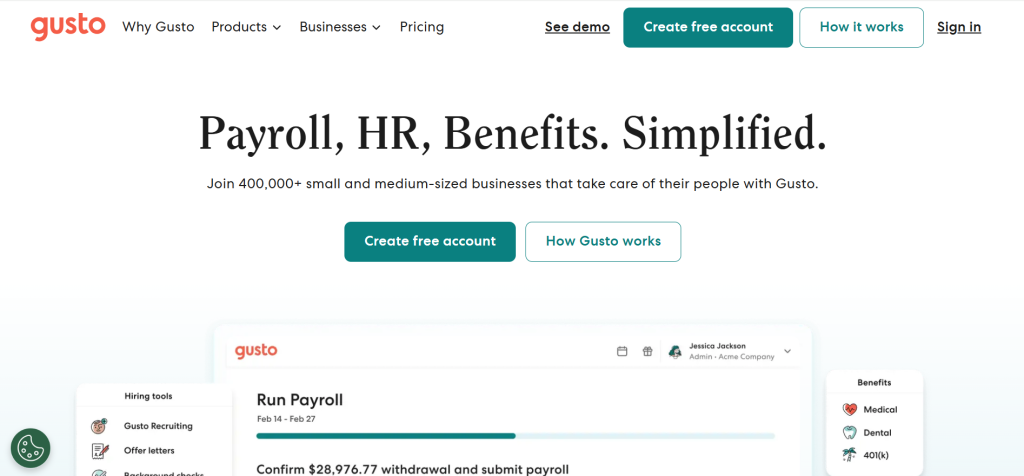
Gusto has become the default payroll platform for small businesses because it combines payroll processing with benefits administration, onboarding, and HR tools in an interface that non-payroll-professionals can operate confidently. Over 400,000 businesses use Gusto, making it the most widely adopted small business payroll platform in the United States. The platform handles unlimited pay runs, automatic tax calculations, tax filings in all 50 states, W-2 and 1099 generation, and direct deposit. Employee self-service lets team members access pay stubs, tax forms, and benefits information without bothering administrators.
The benefits administration is Gusto’s strongest differentiator against simpler payroll processors. Health insurance, dental, vision, 401(k) retirement plans, workers’ compensation, HSA and FSA accounts, life insurance, disability insurance, and commuter benefits are all administered within the payroll platform. Benefits deductions automatically calculate and apply to each pay run, eliminating the manual reconciliation that businesses using separate payroll and benefits systems must perform. For small businesses offering employee benefits for the first time, Gusto’s guided enrollment workflow makes the process manageable.
The R&D tax credit scanning feature deserves specific attention for technology companies, startups, and any business investing in product development. Gusto scans payroll data to identify potential R&D tax credits worth up to $250,000 in annual payroll tax offsets. Many small businesses qualify for these credits but never claim them because they are unaware they exist or assume the process is too complex. Gusto’s automated scanning identifies the opportunity and facilitates the claiming process.
Where Gusto Falls Short
The March 2025 price increase from $40 to $49 per month on the Simple plan, combined with the $6 per person per employee fee, creates costs that add up quickly. A 10-person team on Simple pays $109 per month ($1,308/year). Multi-state payroll requires the Plus plan at $60/mo + $9/person, raising that same 10-person team to $150/mo ($1,800/year). Customer service quality has been a growing concern, with some reviews reporting slow response times and difficulty reaching support on lower-tier plans.
The Verdict on Gusto
Gusto remains the best all-in-one payroll choice for small businesses that want payroll, benefits, and HR in a single platform. The interface quality, benefits breadth, and unlimited pay runs justify the premium over simpler processors for businesses that use the full feature set. Businesses that need only basic payroll without benefits will find better value with OnPay or Patriot.
2. OnPay — Best for Transparent, Simple Pricing with Full-Service Payroll
| Best For | Small businesses (1–50 employees) that want full-service payroll with transparent pricing, no upselling between tiers, and no surprises — particularly nonprofits, farms, and restaurants with industry-specific payroll needs |
| Pricing | $46/mo base + $6/person/mo. One plan with all features included — no tiers, no upsells. Includes multi-state payroll, tax filing, HR tools, onboarding, and benefits. Free setup, no long-term contracts. 30-day free trial |
| Key Features | Full-service payroll with unlimited pay runs in all 50 states. Multi-state payroll included at no extra cost. Automatic tax calculations, filings, and payments. W-2 and 1099 generation. Multiple pay rates and pay schedules. HR tools including onboarding checklists, document storage, and e-signatures. PTO tracking with customizable accrual rules. Benefits administration: health, dental, vision through licensed insurance brokers. Workers’ compensation administration. Industry-specific payroll for agriculture, nonprofits, and restaurants. Integration with QuickBooks, Xero, When I Work, Deputy |
| Key Strengths | One flat price with every feature included — no tier confusion or upselling. Multi-state payroll included at no additional cost (many competitors charge extra). Industry-specific payroll for agriculture (H-2A visa workers), nonprofits (housing allowances, ministry payroll), and restaurants (tip reporting). Transparent pricing that is publicly available and easy to calculate. Consistently high customer support ratings — real humans available by phone, chat, and email. Built-in access to licensed insurance brokers for benefits comparison. No long-term contracts and free setup. 30-day free trial provides adequate evaluation time |
| Key Weaknesses | No auto-payroll feature — each pay run requires manual initiation. Direct deposit takes up to 4 business days (no same-day or next-day option). Fewer integrations than Gusto or Rippling. No time tracking built in (requires third-party integration). Reporting is functional but less comprehensive than enterprise platforms. Mobile app functionality is more limited than desktop. Less name recognition may concern some business owners. Benefits options are less extensive than Gusto’s full suite |
| Integrations | QuickBooks Online and Desktop, Xero, When I Work, Deputy, Guideline, Vestwell, Mineral, PosterElite |
| Best Pairing | OnPay for transparent payroll + QuickBooks for accounting + When I Work for time tracking |
OnPay delivers full-service payroll at one transparent price with no tiers, no upsells, and no feature gates. While competitors segment features across Basic, Plus, and Premium plans, OnPay includes everything in a single offering: multi-state payroll, tax filing in all 50 states, HR tools, onboarding, benefits administration, and unlimited pay runs. For small business owners who want to know exactly what they will pay without navigating pricing tiers or discovering that needed features require an upgrade, OnPay’s transparency is its defining advantage.
The industry-specific payroll capability distinguishes OnPay for niche businesses that other platforms serve poorly. Agricultural businesses managing H-2A visa workers, seasonal employees, and farm-specific tax requirements get tailored payroll settings. Nonprofits with housing allowances, clergy payroll, and tax-exempt reporting requirements get purpose-built configurations. Restaurants with tip reporting, tip credit calculations, and tipped employee minimum wage compliance get specialized tools. These industry adaptations prevent the workaround headaches that businesses in these sectors experience with general-purpose payroll platforms.
Customer support quality is OnPay’s strongest reputation advantage. Real human support available by phone, chat, and email consistently receives high ratings across review platforms. For small business owners who are not payroll professionals and need guidance through complex situations — multi-state tax registration, workers’ compensation claims, benefits enrollment questions — responsive expert support provides genuine practical value.
Where OnPay Falls Short
The absence of auto-payroll means every pay run requires manual initiation. Four-day direct deposit is slower than competitors offering same-day or next-day options. The integration library is smaller than Gusto’s 150+ connections. No built-in time tracking requires a separate tool. For businesses that want a comprehensive HR platform beyond payroll, Gusto or Rippling provide broader capability.
3. QuickBooks Payroll — Best for Businesses Already Using QuickBooks Accounting
| Best For | Businesses already using QuickBooks Online for accounting who want seamless payroll integration that automatically posts payroll transactions to the general ledger without double entry |
| Pricing | Payroll Core: $25/mo + $6/person/mo (full-service payroll, auto tax filing, next-day direct deposit). Payroll Premium: $42.50/mo + $9/person/mo (same-day direct deposit, time tracking, HR advisor access, workers’ comp). Payroll Elite: $65/mo + $11/person/mo (tax penalty protection, personal HR advisor, project tracking). Bundle pricing available when combined with QuickBooks Online subscriptions. Prices reflect current promotional/standard rates |
| Key Features | Seamless QuickBooks Online integration with automatic journal entries. Full-service payroll with automatic tax filing in all 50 states. Same-day and next-day direct deposit options. W-2 and 1099 preparation and filing. Tax penalty protection on Elite plan (covers penalties from QuickBooks errors). Health benefits, 401(k), and workers’ compensation administration. Time tracking integration via QuickBooks Time. Auto-payroll for recurring schedules. Employee self-service portal. Mobile payroll processing. Expert HR support (Premium and Elite) |
| Key Strengths | Deepest accounting integration available — payroll transactions automatically post to QuickBooks general ledger. Same-day direct deposit available on Premium and Elite plans. Tax penalty protection on Elite plan covers any penalties resulting from QuickBooks payroll errors. Auto-payroll eliminates manual pay run initiation for recurring schedules. Bundle pricing with QuickBooks Online provides accounting + payroll at combined discount. Largest accounting software ecosystem in the small business market. Mobile app allows payroll processing on the go. Expert HR advisor access on Premium and Elite |
| Key Weaknesses | Best value requires existing QuickBooks Online subscription (additional $15–$100+/mo). Customer support quality varies significantly based on user reviews. Interface can feel complex for very simple payroll needs. Premium and Elite tiers are expensive when combined with QuickBooks Online subscription costs. Some features require the higher-tier plans. Direct deposit on Core plan is next-day (not same-day). Benefits administration options are less extensive than Gusto’s full suite. Learning curve for businesses new to both QuickBooks and payroll simultaneously |
| Integrations | QuickBooks Online (native), QuickBooks Time, QuickBooks Commerce, TSheets, and hundreds of QuickBooks ecosystem apps |
| Best Pairing | QuickBooks Payroll as integrated add-on to QuickBooks Online for unified accounting and payroll |
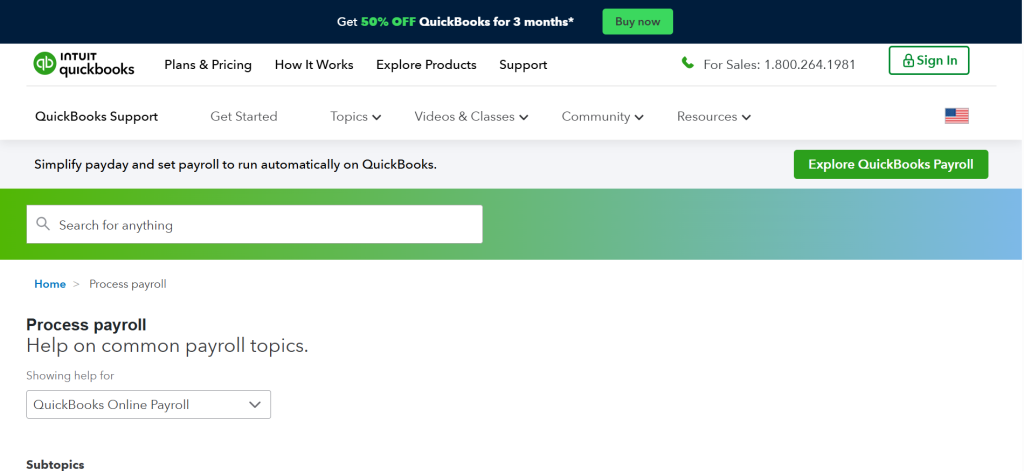
QuickBooks Payroll’s competitive advantage is a single integration: the seamless connection with QuickBooks Online accounting. When you run payroll, transactions automatically post to the correct general ledger accounts — wages expense, payroll tax liabilities, benefits payable, and direct deposit disbursements appear in your books without manual journal entries, CSV imports, or reconciliation. For the millions of small businesses already using QuickBooks for accounting, this native integration eliminates the most tedious and error-prone aspect of managing separate payroll and accounting systems.
The tax penalty protection on the Elite plan provides a financial safety net unique in the small business payroll market. If QuickBooks Payroll makes a tax filing error that results in IRS or state tax penalties, QuickBooks covers the penalty cost. For small business owners who worry about payroll tax compliance but lack the expertise to verify every filing, this protection converts an unpredictable risk into a covered liability.
Auto-payroll for recurring schedules eliminates the need to manually initiate each pay run. Businesses with salaried employees on consistent biweekly or monthly schedules can set payroll to process automatically, reducing the administrative burden to exception management (bonuses, overtime adjustments, new hires) rather than routine processing.
Where QuickBooks Payroll Falls Short
The real cost of QuickBooks Payroll includes the QuickBooks Online subscription ($15–$100+/mo), making the total combined cost significantly higher than standalone payroll platforms. Customer support quality is a persistent concern in user reviews. Businesses not already using QuickBooks gain no integration advantage and would find better standalone value with Gusto or OnPay.
4. Rippling — Best for Tech-Forward Companies Wanting Unified HR, Payroll, IT, and Finance
| Best For | Tech-savvy companies (10–500+ employees) that want payroll unified with HR, IT device management, and finance in a single modular platform with extensive automation and 600+ integrations |
| Pricing | Starts at $8/person/mo for payroll. Custom pricing based on selected modules. Platform fee may apply. No publicly available full pricing — requires contacting sales for quote. No free trial publicly offered |
| Key Features | Payroll processing in 90 seconds with automated calculations. Tax filing in all 50 states with 100% error-free guarantee. Global payroll in 185+ countries for international teams. No-code workflow automation builder for custom payroll and HR processes. IT device management (provision, manage, and wipe employee devices). 600+ software integrations. Benefits administration with health, dental, vision, 401(k), HSA/FSA, commuter. Employee onboarding that provisions payroll, benefits, devices, and software access simultaneously. Customizable reporting with data visualization. App and device management for employee software stack. Spend management and corporate cards |
| Key Strengths | Most comprehensive unified platform — HR, payroll, IT, and finance in one system. 90-second payroll processing is the fastest in the industry. 600+ integrations — more than any competitor. 100% error-free tax filing guarantee. Global payroll supports international teams in 185+ countries. No-code workflow builder automates complex multi-step processes. Unified employee lifecycle: onboarding provisions payroll, benefits, devices, and software simultaneously. Offboarding automatically revokes access across all connected systems. Modular design lets businesses add capabilities as needs grow. Enterprise-grade reporting with customizable dashboards |
| Key Weaknesses | Pricing requires contacting sales — no transparent public pricing. Adding modules increases cost significantly. Complexity may be overkill for very small teams (under 10). No 24/7 customer support. Mobile app has limited payroll processing functionality. Employee-facing knowledge base requires going through HR (no direct self-service help). Platform learning curve is steeper than simpler alternatives. Custom pricing model makes cost comparison difficult |
| Integrations | 600+ integrations including QuickBooks, Xero, NetSuite, Slack, Google Workspace, Microsoft 365, Okta, BambooHR, Greenhouse, and hundreds more |
| Best Pairing | Rippling as standalone unified platform for companies that want to consolidate HR, payroll, IT, and finance |
Rippling represents a fundamentally different approach to payroll: rather than a payroll application that adds HR features, Rippling is a unified workforce management platform where payroll is one module alongside HR, IT device management, expense management, and corporate finance. The payroll module processes pay runs in approximately 90 seconds with automated calculations, files taxes in all 50 states with a 100 percent error-free guarantee, and supports global payroll in 185+ countries. For companies that view payroll as one component of a broader employee management system, Rippling provides the most comprehensive single-platform solution.
The 600+ integrations make Rippling the most connected payroll platform available. When payroll runs, data automatically syncs to accounting software, time tracking tools, benefits providers, and HR systems. Employee onboarding simultaneously provisions payroll, benefits enrollment, company email, Slack access, software licenses, and even ships a configured laptop to the new hire’s address. Offboarding reverses the process, revoking access across all connected systems in a single workflow. This unified lifecycle management eliminates the forgotten account access, missed benefit cancellations, and orphaned software licenses that plague companies using separate systems.
The no-code workflow automation builder creates custom multi-step processes that trigger automatically based on conditions. A new hire in California automatically gets California tax withholding, California-specific compliance training, and California worker notification documents. A promotion triggers salary adjustment in payroll, benefits eligibility review, and manager notification. These automated workflows replace the manual checklists and email chains that small businesses typically use to coordinate cross-system changes.
Where Rippling Falls Short
The lack of transparent public pricing is Rippling’s most significant barrier for small businesses. Custom quotes require contacting sales, making it impossible to compare costs without a sales conversation. The modular pricing means total cost depends on which capabilities are selected, and adding modules increases cost significantly. For businesses with fewer than 10 employees that need only basic payroll, Rippling’s complexity and cost are difficult to justify over Gusto, OnPay, or Patriot.
5. ADP RUN — Best for Growing Businesses That Need Scalability to Enterprise Payroll
| Best For | Small businesses (1–49 employees) planning for growth that want a payroll platform backed by the largest payroll company in the world, with a clear upgrade path to ADP Workforce Now (50–999 employees) and ADP Vantage HCM (1,000+) |
| Pricing | Custom pricing — requires contacting sales for quote. Four plans available: Essential Payroll, Enhanced Payroll, Complete Payroll & HR+, and HR Pro Payroll. Pricing varies by business size, features selected, and negotiation. Typical range reported: $59–$150+/mo base + $4–$12/person |
| Key Features | Full-service payroll with automatic tax filing in all 50 states. W-2 and 1099 processing. Direct deposit with next-day options. New hire reporting. SUI management (Enhanced and above). Benefits administration: health, dental, vision, 401(k), workers’ comp. HR tools including employee handbook wizard, job descriptions, and HR forms library. Background checks and state unemployment insurance management. ADP Marketplace with hundreds of third-party integrations. Mobile payroll processing. Employee self-service portal. Scalable to ADP Workforce Now as business grows past 50 employees |
| Key Strengths | Backed by ADP, the largest payroll company globally — processes payroll for 1 in 6 U.S. workers. Clear growth path from ADP RUN (1–49) to Workforce Now (50–999) to Vantage HCM (1,000+). Comprehensive benefits administration through ADP’s insurance partnerships. ADP Marketplace provides hundreds of vetted integrations. Strong compliance resources and regulatory expertise. Name recognition provides credibility with employees and partners. Mobile app for payroll processing and employee self-service. Dedicated payroll support with experienced representatives |
| Key Weaknesses | No transparent public pricing — requires sales conversation. Custom quotes may include long-term contracts and early termination fees. Interface feels more enterprise-oriented than small-business-friendly alternatives. Setup and onboarding can take longer than cloud-native competitors. Add-on pricing for features included free in competitors (time tracking, HR tools). Customer support experiences vary significantly between dedicated reps and general support. SUI management excluded from Essential plan. Feature set requires navigating ADP’s complex product catalog |
| Integrations | ADP Marketplace with hundreds of integrations including QuickBooks, Xero, Wave, ZipRecruiter, Indeed, Slack, BambooHR, and many more |
| Best Pairing | ADP RUN for payroll + ADP’s benefits administration for companies planning to scale past 50 employees |
ADP RUN brings the resources and expertise of the world’s largest payroll company to businesses with 1 to 49 employees. ADP processes payroll for approximately one in six U.S. workers, providing regulatory expertise, compliance resources, and benefits partnerships that smaller providers cannot match. For small businesses that anticipate growth beyond 50 employees, ADP RUN provides a clear upgrade path to ADP Workforce Now and eventually ADP Vantage HCM, avoiding the disruption of migrating payroll platforms during rapid growth phases.
The benefits administration through ADP’s insurance partnerships provides access to benefits options comparable to large-enterprise packages. Small businesses that struggle to offer competitive benefits because they lack negotiating leverage with insurance carriers gain access to ADP’s group purchasing power. Health insurance, dental, vision, 401(k), workers’ compensation, and supplemental benefits are available through ADP’s carrier relationships at rates that individual small businesses typically cannot obtain independently.
Where ADP RUN Falls Short
The custom pricing model with no public transparency creates comparison difficulty and potential for overpaying. Long-term contracts and early termination fees may apply. The interface feels more enterprise-oriented than Gusto’s intuitive design. Setup and onboarding take longer. Features that Gusto and OnPay include as standard often require add-on fees with ADP. For businesses with simple payroll needs and no growth plans beyond 50 employees, ADP’s overhead provides limited advantage.
6. Paychex Flex — Best for Businesses That Want Dedicated Payroll Support and Human Guidance
| Best For | Small businesses that want a dedicated payroll specialist assigned to their account who knows their business, rather than rotating through anonymous support representatives |
| Pricing | Custom pricing — requires contacting sales. Multiple plan tiers available. Typical range: $39–$150+/mo base + variable per-person fees. Paychex offers promotions for new customers (often discounted first months) |
| Key Features | Full-service payroll with tax filing in all 50 states. Dedicated payroll specialist assigned to your account. Same-day and next-day direct deposit available. W-2 and 1099 processing. Benefits administration: health, dental, vision, 401(k), workers’ comp, HSA/FSA. HR tools including employee handbook builder, job costing, and compliance resources. Time and attendance tracking. Employee self-service with mobile access. New hire reporting and onboarding. Background checks and screening. PEO option (Paychex PEO) for comprehensive HR outsourcing. Scalable from sole proprietors to enterprise |
| Key Strengths | Dedicated payroll specialist who knows your business provides personalized guidance. Same-day direct deposit is the fastest payment option in the market. Comprehensive benefits administration with strong insurance carrier relationships. PEO option provides full HR outsourcing for businesses that want to offload all HR responsibilities. Strong mobile app for both administrators and employees. Scalable from single employee to thousands. Long-established company (founded 1971) with proven reliability. Wide range of plan options accommodating different business complexities |
| Key Weaknesses | Custom pricing with no public transparency — comparison requires contacting sales. Potential for long-term contracts and early termination fees. Add-on model means many features cost extra beyond the base plan. Interface can feel less modern than cloud-native competitors. Setup complexity may exceed simpler alternatives. Upselling during the sales and relationship process. Customer experiences vary significantly based on the quality of their assigned specialist. Pricing can increase significantly at renewal periods |
| Integrations | QuickBooks, Xero, and various accounting, time tracking, and HR integrations through the Paychex marketplace |
| Best Pairing | Paychex Flex standalone for businesses wanting dedicated support, or Paychex PEO for complete HR outsourcing |
Paychex Flex’s competitive advantage is the dedicated payroll specialist. While most small business payroll platforms route support through anonymous call centers or chat queues, Paychex assigns a named specialist to each account. This specialist learns the business’s pay structure, tax situations, benefits configuration, and recurring needs. When the business owner calls with a question, they reach someone who already understands their context rather than explaining their situation from scratch. For business owners who find payroll complex and want a human expert guiding them, this dedicated relationship provides genuine value.
Same-day direct deposit means employees receive their pay on the same day payroll is processed. This is the fastest direct deposit speed available in the small business payroll market, eliminating the 2–4 day delay that most platforms require. For businesses where payroll timing is critical — hourly workers who depend on predictable pay dates, companies that run payroll close to pay day — same-day processing provides meaningful operational flexibility.
Where Paychex Flex Falls Short
Custom pricing, potential contracts, and aggressive upselling create a sales-oriented experience that many small business owners find frustrating. The quality of the dedicated specialist varies, and some users report that specialist turnover means the personalized relationship advantage does not always materialize in practice. Pricing can increase significantly at renewal. For businesses comfortable with self-service payroll administration, the dedicated specialist model may provide limited value relative to the typically higher cost.
7. Patriot Payroll — Most Affordable Payroll for Budget-Conscious Small Businesses
| Best For | Budget-conscious small businesses with straightforward payroll needs that want the lowest entry point for reliable payroll processing |
| Pricing | Basic Payroll: $17/mo + $4/person/mo (payroll calculations, you handle tax filing). Full Service Payroll: $37/mo + $4/person/mo (automatic tax filing, deposits, and year-end forms). No long-term contracts. Free setup. Free trial available |
| Key Features | Unlimited payroll runs. Direct deposit and check printing. Employee self-service portal for pay stubs and tax documents. PTO accrual and tracking. Multiple pay frequencies (weekly, biweekly, semi-monthly, monthly). W-2 and 1099 preparation. Automatic tax filing and deposits (Full Service plan). Integration with QuickBooks and Patriot Accounting. Employee portal with mobile access. Free USA-based phone and email support |
| Key Strengths | Lowest starting price in the market — $17/mo + $4/person for Basic, $37/mo + $4/person for Full Service. Even Full Service is significantly cheaper than Gusto, OnPay, or QuickBooks Payroll. Straightforward interface without unnecessary complexity. Free setup and no long-term contracts. Free USA-based phone and email support. Basic plan provides a genuinely affordable option for businesses willing to handle tax filing. Full Service plan is still well below major competitors in price. Unlimited payroll runs at all price points. Integration with QuickBooks Online and Desktop |
| Key Weaknesses | Basic plan requires manual tax filing — significant compliance risk for unprepared businesses. Benefits administration is limited to workers’ comp (no health insurance, 401k, or other benefits). Fewer HR features than Gusto, Rippling, or ADP. Direct deposit takes up to 4 business days. Reporting capabilities are functional but not comprehensive. Integration library is smaller than larger platforms. No time tracking built in. Benefits options are minimal compared to full-service competitors |
| Integrations | QuickBooks Online and Desktop, Patriot Accounting software |
| Best Pairing | Patriot Payroll for affordable payroll + separate benefits broker for health insurance + QuickBooks for accounting |
Patriot Payroll offers the most affordable entry point for small business payroll. The Basic plan at $17 per month plus $4 per employee handles payroll calculations, direct deposits, and check printing while the business handles tax filing manually. The Full Service plan at $37 per month plus $4 per employee adds automatic tax filing, tax deposits, and year-end form preparation. Even the Full Service plan costs significantly less than Gusto, OnPay, or QuickBooks Payroll, making Patriot the clear choice for businesses where cost is the primary decision factor.
The Basic plan’s manual tax filing option deserves specific consideration. For businesses with a bookkeeper or accountant who already handles tax compliance, the Basic plan provides reliable payroll processing at the lowest possible cost. The $20 per month savings between Basic ($17/mo) and Full Service ($37/mo) amounts to $240 annually, which is meaningful for micro businesses. However, businesses without tax filing expertise should strongly consider Full Service, as manual payroll tax filing errors incur IRS penalties that quickly exceed the savings.
Where Patriot Falls Short
Patriot is a payroll tool, not an HR platform. No health insurance administration, no 401(k), no dental or vision, and limited HR features. Four-day direct deposit is slow. The integration library is minimal. Businesses that need benefits administration, time tracking, or comprehensive HR tools will need to add separate services, potentially negating the cost savings. Patriot serves the budget-conscious payroll need excellently but should not be expected to serve broader workforce management needs.
8. Square Payroll — Best for Retail and Restaurant Businesses Using Square POS
| Best For | Retail stores, restaurants, and service businesses already using Square for point-of-sale that want integrated payroll pulling directly from Square timecards and sales data |
| Pricing | $35/mo base + $6/person/mo. Contractor-only plan: $6/contractor/mo (no base fee). Tax filing included in all 50 states. No long-term contracts |
| Key Features | Seamless integration with Square POS, timecards, and team management. Automatic tax filing in all 50 states. Tip importing from Square POS transactions. Workers’ compensation through partner providers. Multiple pay rates and pay schedules. Employee self-service for pay stubs and tax forms. Square Team app for employee scheduling and time tracking. W-2 and 1099 preparation. Direct deposit with next business day processing. Contractor payments with no base fee |
| Key Strengths | Deepest Square ecosystem integration — hours, tips, and sales data flow directly into payroll. Tip importing from POS eliminates manual tip tracking for restaurants and service businesses. Contractor-only plan has no base fee — pay only $6/contractor. Next business day direct deposit is faster than many competitors. Square Team app provides scheduling, time tracking, and team communication alongside payroll. Clean, simple interface consistent with Square’s design philosophy. No long-term contracts |
| Key Weaknesses | $35/mo + $6/person is moderately priced but not the cheapest option. Benefits administration is limited compared to Gusto or ADP. HR tools are minimal — not suitable as an HR platform. Best value requires existing Square POS ecosystem commitment. Reporting capabilities trail enterprise-oriented platforms. Phone support limited to certain hours. Less suitable for businesses with complex payroll needs (multi-entity, advanced deductions). Fewer integrations outside the Square ecosystem |
| Integrations | Square POS, Square Timecards, Square Team, QuickBooks, Xero, and select third-party apps |
| Best Pairing | Square Payroll + Square POS + Square Team for unified retail/restaurant operations |
Square Payroll serves the specific payroll needs of retail stores, restaurants, and service businesses already embedded in the Square ecosystem. When employees clock in and out using Square Team, their hours automatically flow into payroll. When customers tip on Square POS transactions, those tips automatically import into the correct employee’s payroll calculation. This automation eliminates the manual tip tracking, hour reconciliation, and cross-system data entry that restaurants and retail businesses using separate POS and payroll systems must perform every pay period.
The contractor-only plan with no monthly base fee serves businesses that work primarily with independent contractors. Paying only $6 per contractor per month with no base fee makes Square the most cost-effective option for businesses with fluctuating contractor counts, seasonal hiring, or project-based workforces.
Where Square Payroll Falls Short
Square Payroll provides limited value for businesses outside the Square ecosystem. Benefits administration is minimal. HR tools are basic. The platform is designed as a component of the Square business suite, not as a standalone payroll solution. Businesses with complex payroll needs or those seeking comprehensive HR features should consider Gusto, OnPay, or Rippling.
9. Justworks — Best PEO for Small Businesses That Want to Outsource All HR and Compliance
| Best For | Small businesses (5–100+ employees) that want to outsource payroll, benefits, HR compliance, and workers’ compensation entirely to a Professional Employer Organization |
| Pricing | Basic: $59/person/mo (payroll, compliance, HR tools, state registrations, 24/7 support). Plus: $109/person/mo (adds medical, dental, vision, life, disability insurance, HSA, FSA, commuter benefits, 401k). Annual billing discounts available |
| Key Features | Full PEO model — Justworks becomes co-employer, handling payroll, taxes, compliance, and benefits. Payroll processing with automatic tax filing in all 50 states. Access to large-company benefits at small-company size through PEO pooled purchasing. Workers’ compensation included. Multi-state compliance handled automatically. 24/7 customer support. Employee self-service with mobile access. PTO management and time tracking. Onboarding and offboarding workflows |
| Key Strengths | PEO model handles payroll, taxes, compliance, and benefits completely — minimal business owner involvement needed. Large-company benefits access through pooled purchasing power. 24/7 customer support is genuinely available. Transparent per-person pricing without custom quotes or sales conversations. Multi-state compliance managed automatically. Strong for companies growing rapidly across states. User-friendly interface despite comprehensive capability. Workers’ compensation included in base pricing |
| Key Weaknesses | $59–$109/person/mo is significantly more expensive than self-service payroll. PEO co-employment model means Justworks becomes the employer of record for tax and benefits purposes. Loss of some control over HR processes and policy decisions. Not cost-effective for very small teams (under 5 employees). Switching away from a PEO involves migrating all employment relationships. Some business owners are uncomfortable with the co-employment concept. Benefits options may be less customizable than working with independent brokers |
| Integrations | QuickBooks, Xero, Slack, and select HR and accounting integrations |
| Best Pairing | Justworks as standalone PEO — designed to be the complete workforce management solution |
Justworks operates as a Professional Employer Organization (PEO), fundamentally different from traditional payroll software. Instead of providing tools for you to manage payroll, Justworks becomes the co-employer, handling payroll processing, tax filing, benefits administration, compliance, and workers’ compensation entirely. Business owners define pay rates and schedules; Justworks handles everything else. For small business owners who find payroll management overwhelming, compliance anxiety-inducing, or simply a poor use of their time, the PEO model delegates the entire function.
The benefits access advantage is Justworks’s strongest practical benefit. As a PEO with thousands of employees across all client companies, Justworks negotiates benefits rates using pooled purchasing power. A 10-person company accessing Justworks’ benefits gets health insurance, dental, vision, and retirement options comparable to what 500-person companies negotiate independently. This access to competitive benefits helps small businesses attract and retain talent against larger competitors.
Where Justworks Falls Short
The per-person pricing is substantially higher than self-service payroll. At $59/person on Basic (before benefits), a 10-person team pays $590/month ($7,080/year) compared to Gusto’s $109/month ($1,308/year) for the same team size. The PEO co-employment model requires comfort with Justworks becoming the employer of record. Switching away from a PEO involves migrating all employment relationships, creating significant switching costs.
10. Homebase — Best for Hourly Teams That Need Scheduling Plus Payroll Integration
| Best For | Small businesses with hourly workers that need scheduling, time tracking, and payroll unified so employee hours flow directly into pay calculations |
| Pricing | Payroll add-on: $20/mo base + $6/person/mo (requires Homebase scheduling plan). Free scheduling plan available. Payroll includes tax filing in all 50 states |
| Key Features | Employee scheduling with shift management, availability, and trade requests. Time clock with GPS tracking for mobile workers. Payroll processing with automatic tax filing. Hours automatically flow from time clock to payroll. Hiring and applicant tracking. Team messaging and communication. Break and overtime tracking with compliance alerts. Employee self-service. Mobile app for scheduling and time tracking |
| Key Strengths | Scheduling-to-payroll integration eliminates manual hour entry. Time clock with GPS for mobile and distributed teams. Free scheduling tier provides value before adding payroll. Break and overtime compliance alerts prevent violations. Team communication within the scheduling platform. Strong for restaurants, retail, and service businesses with hourly workers |
| Key Weaknesses | Payroll requires Homebase scheduling plan subscription. Total cost includes scheduling plan + payroll add-on. Payroll features are less comprehensive than dedicated payroll platforms. Benefits administration is limited. Not suitable for salaried-only workforces. Smaller company with fewer resources than Gusto or ADP |
| Integrations | QuickBooks, Clover, Toast, Shopify, Square, Google Jobs, ZipRecruiter |
| Best Pairing | Homebase for scheduling + payroll with hourly teams |
Homebase unifies the scheduling and payroll workflow for hourly teams. Employees are scheduled, clock in and out, take breaks (tracked for compliance), and their hours automatically flow into payroll calculations. This integration eliminates the manual timesheet collection, hour verification, and data entry between scheduling and payroll systems that businesses using separate tools must perform every pay period. For restaurants, retail stores, and service businesses where hourly scheduling is the foundation of operations, Homebase’s unified approach saves significant administrative time.
Where Homebase Falls Short
Payroll is an add-on to the scheduling platform, not a standalone product. The combined cost of scheduling plus payroll may exceed dedicated payroll platforms. Payroll features are less comprehensive than Gusto or OnPay. Benefits administration is limited. Salaried workforces gain minimal benefit from the scheduling-focused approach.
11. Wave Payroll — Best for Freelancers and Micro Businesses on the Tightest Budgets
| Best For | Freelancers, sole proprietors, and micro businesses (1–5 employees) that use Wave’s free accounting software and want integrated, affordable payroll |
| Pricing | $20/mo base + $6/person/mo. Tax filing included in 14 states (self-service tax states charge the same but you handle filings). No long-term contracts |
| Key Features | Payroll processing integrated with Wave’s free accounting software. Automatic tax calculations. Direct deposit. Employee self-service for pay stubs and tax documents. W-2 and 1099 preparation. Workers’ compensation add-on. Journal entries auto-post to Wave accounting. Year-end tax form generation |
| Key Strengths | Integration with Wave’s free accounting software provides payroll + accounting at low combined cost. $20/mo base is affordable for micro businesses. Simple interface appropriate for non-specialists. Auto-posting to Wave accounting eliminates manual journal entries. No contracts or commitments |
| Key Weaknesses | Full-service tax filing available in only 14 states — significant limitation for businesses in other states. Benefits administration is not available. HR features are minimal. Direct deposit takes 4–5 business days. Reporting is basic. Integration library outside Wave ecosystem is very limited. Feature set trails every competitor on this list except for basic payroll processing. Limited scalability as businesses grow |
| Integrations | Wave Accounting (native). Limited third-party integrations |
| Best Pairing | Wave Payroll + Wave Accounting + Wave Invoicing for complete free/low-cost micro business financial stack |
Wave Payroll serves micro businesses already using Wave’s free accounting software, creating a low-cost combined accounting and payroll stack. Payroll transactions automatically post to Wave’s accounting ledger, and the combined cost of free accounting plus $20/month payroll provides the most affordable accounting-plus-payroll solution available. For freelancers, sole proprietors, and very small businesses where cost is the dominant concern, Wave’s ecosystem delivers essential financial tools at minimal expense.
Where Wave Payroll Falls Short
Full-service tax filing is available in only 14 states. Businesses in other states must handle their own tax filing, which introduces compliance risk. No benefits administration, minimal HR features, slow direct deposit, and limited integrations constrain Wave to the smallest, simplest payroll needs. Businesses outgrowing Wave should consider Patriot, OnPay, or Gusto.
12. SurePayroll — Best for Very Small Businesses Wanting Simple, Reliable Payroll
| Best For | Very small businesses (1–10 employees) and household employers (nannies, caregivers) wanting straightforward payroll processing without complexity |
| Pricing | Full Service: approximately $20/mo + $4/person/mo. Self Service: lower base with manual tax filing. Auto-payroll available. Household employer plans available. Promotional pricing frequently offered |
| Key Features | Full-service payroll with tax filing in all 50 states. Auto-payroll for recurring schedules. Two-day and six-day direct deposit options. W-2 and 1099 preparation. Workers’ compensation through partners. Household and nanny payroll specialization. Employee self-service portal. Tax guarantee covering filing errors. Mobile access |
| Key Strengths | Specifically serves very small and household employers. Tax guarantee covers filing errors. Auto-payroll reduces ongoing management. Household employer payroll handles nanny tax complexity. Affordable pricing for the smallest teams. Simple, no-frills approach appropriate for non-specialists. Backed by Paychex (acquired 2011) for stability |
| Key Weaknesses | Feature set is very basic compared to comprehensive platforms. Benefits administration is minimal. HR tools are absent. Integration options are limited. Interface feels dated compared to modern alternatives. Direct deposit speed varies (2–6 days). Reporting is basic. Businesses growing past 10–15 employees will likely outgrow SurePayroll |
| Integrations | QuickBooks and limited additional integrations |
| Best Pairing | SurePayroll for simple small team payroll + QuickBooks for accounting |
SurePayroll serves the smallest businesses — those with 1 to 10 employees who need reliable payroll without complexity. The household employer specialization handles nanny payroll, caregiver payroll, and other household employment situations with the specific tax calculations and filing requirements that standard payroll platforms often handle poorly. For families employing household workers, SurePayroll’s dedicated nanny payroll product provides a turnkey solution for Schedule H tax obligations and quarterly filings.
Where SurePayroll Falls Short
SurePayroll’s basic feature set, limited integrations, and dated interface make it unsuitable for businesses with growth ambitions or complex needs. Businesses expanding beyond 10–15 employees should plan to migrate to Gusto, OnPay, or ADP for broader capability.
True Cost Comparison: Annual Payroll Software Cost by Team Size
| Platform | 10 Employees/yr | 25 Employees/yr | Price Model | Tax Filing |
| Gusto (Simple) | $1,308/yr | $2,388/yr | $49/mo + $6/person | All 50 states |
| Gusto (Plus) | $1,800/yr | $3,420/yr | $60/mo + $9/person | All 50 states |
| OnPay | $1,272/yr | $2,352/yr | $46/mo + $6/person | All 50 states |
| QB Payroll Core | $1,020/yr | $2,100/yr | $25/mo + $6/person | All 50 states |
| QB Payroll Premium | $1,590/yr | $3,210/yr | $42.50/mo + $9/person | All 50 states |
| Rippling | $960+/yr* | $2,400+/yr* | $8/person/mo + platform | All 50 states |
| ADP RUN | Custom | Custom | Contact sales | All 50 states |
| Paychex Flex | Custom | Custom | Contact sales | All 50 states |
| Patriot Basic | $684/yr | $1,404/yr | $17/mo + $4/person | DIY tax filing |
| Patriot Full Service | $924/yr | $1,644/yr | $37/mo + $4/person | All 50 states |
| Square Payroll | $1,140/yr | $2,220/yr | $35/mo + $6/person | All 50 states |
| Homebase Payroll | $960/yr | $2,040/yr | $20/mo + $6/person | All 50 states |
| Wave Payroll | $960/yr | $2,040/yr | $20/mo + $6/person | 14 states only |
| SurePayroll | $720/yr | $1,440/yr | $20/mo + $4/person | All 50 states |
| Justworks Basic | $7,080/yr | $17,700/yr | $59/person/mo | All 50 states |
* Rippling pricing is modular; base estimate reflects payroll module only. Platform fees and additional modules increase total cost. QB Payroll prices may not include QuickBooks Online subscription.
Recommended Payroll Stacks by Business Type
| Business Type | Recommended Solution | Why This Choice |
| First-time payroll (1–10 employees) | Gusto Simple ($49/mo + $6/person) | Most intuitive interface with payroll + benefits + HR in one platform |
| Budget-first (basic payroll only) | Patriot Full Service ($37/mo + $4/person) | Lowest full-service price with tax filing in all 50 states |
| QuickBooks accounting shop | QuickBooks Payroll Core ($25/mo + $6/person) | Native integration auto-posts payroll to accounting ledger |
| Restaurant / retail (Square POS) | Square Payroll ($35/mo + $6/person) | Tips and hours flow directly from POS to payroll |
| Growing past 50 employees | ADP RUN → ADP Workforce Now | Scalable growth path without payroll platform migration |
| Tech company wanting everything unified | Rippling ($8/person + platform) | HR + payroll + IT + finance in one automated platform |
| Want to outsource all HR | Justworks Basic ($59/person/mo) | PEO handles payroll, taxes, compliance, and benefits entirely |
| Nonprofits / farms / restaurants | OnPay ($46/mo + $6/person) | Industry-specific payroll with transparent, all-inclusive pricing |
| Hourly workforce with scheduling | Homebase ($20/mo + $6/person) | Scheduling, time clock, and payroll in one integrated system |
| Household employer (nanny) | SurePayroll ($20/mo + $4/person) | Specialized nanny/household payroll with Schedule H handling |
Which Payroll Software Should You Choose? A Decision Framework
If you want the best all-in-one payroll + HR + benefits platform: Gusto ($49/mo + $6/person). Most intuitive interface, broadest benefits suite, used by 400,000+ businesses.
If you want transparent pricing with no tiers or upsells: OnPay ($46/mo + $6/person). One flat price, every feature included, excellent customer support.
If you already use QuickBooks for accounting: QuickBooks Payroll ($25/mo + $6/person). Native integration auto-posts payroll transactions to your books.
If you want to unify HR, payroll, IT, and finance: Rippling ($8/person + platform). Most comprehensive unified platform with 600+ integrations.
If you’re planning to grow past 50 employees: ADP RUN (custom pricing). Clear upgrade path to ADP Workforce Now without platform migration.
If you want a dedicated payroll specialist who knows your business: Paychex Flex (custom pricing). Named specialist with same-day direct deposit.
If cost is your primary concern: Patriot Full Service ($37/mo + $4/person). Lowest full-service payroll with tax filing in all 50 states.
If you run a restaurant or retail store on Square: Square Payroll ($35/mo + $6/person). Tips and hours from POS flow directly to payroll.
If you want to outsource payroll and HR entirely: Justworks ($59/person/mo). PEO model handles everything with large-company benefits access.
If you have a nonprofit, farm, or restaurant with special payroll needs: OnPay ($46/mo + $6/person). Industry-specific configurations at one transparent price.
Frequently Asked Questions
How much should small business payroll software cost?
Most small business payroll platforms charge a base fee of $17 to $60 per month plus $4 to $11 per employee per month. For a team of 10 employees, expect to pay $57 to $170 per month ($684 to $2,040 per year) for full-service payroll including tax filing. Patriot Full Service offers the lowest transparent entry point at $37/mo + $4/person ($77/mo for 10 employees). Gusto Simple provides the best balance of features and price at $49/mo + $6/person ($109/mo for 10 employees). OnPay offers the best all-inclusive flat pricing at $46/mo + $6/person ($106/mo for 10 employees). PEO models like Justworks cost significantly more ($59–$109/person) but include benefits, compliance, and HR management.
What is the difference between payroll software and a PEO?
Payroll software (Gusto, OnPay, Patriot, QuickBooks Payroll) provides tools for your business to process payroll. You remain the employer, manage HR decisions, and administer benefits. The software automates calculations, tax filing, and payment processing. A Professional Employer Organization (Justworks, Paychex PEO, ADP TotalSource) becomes a co-employer, handling payroll, tax filing, benefits administration, HR compliance, and workers’ compensation entirely on your behalf. The PEO model costs more per employee but eliminates payroll and HR administration from the business owner’s responsibilities.
Can I switch payroll providers mid-year?
Yes, you can switch payroll providers mid-year, though the transition requires careful coordination. The new provider needs year-to-date payroll data for each employee (gross wages, tax withholdings, deductions, and contributions) to accurately calculate remaining tax obligations. Most major payroll platforms offer migration assistance. The ideal time to switch is at the beginning of a quarter to simplify tax reporting, but mid-year transitions are common and manageable with proper data transfer. Allow 2–4 weeks for setup, verification, and parallel testing before processing the first payroll on the new platform.
Do I need payroll software if I only have contractors?
Businesses that work only with independent contractors (1099 workers) have simpler payroll needs since contractors handle their own tax withholding. However, payroll software still provides value for contractor management: automated 1099 preparation and filing, payment tracking, and compliance documentation that protects against misclassification claims. Gusto offers a contractor-only plan (free for 6 months, then $35/mo + $6/contractor). Square Payroll offers contractor payments at $6/contractor with no base fee. These dedicated contractor plans are more cost-effective than full payroll subscriptions for contractor-only businesses.
What happens if my payroll software makes a tax filing error?
Tax filing error liability varies by provider. QuickBooks Payroll Elite includes tax penalty protection that covers penalties resulting from QuickBooks’ errors. Rippling provides a 100 percent error-free tax filing guarantee. Gusto and OnPay generally cover penalties for errors caused by their platform but require the business to provide accurate information. Patriot’s Full Service plan includes a tax filing guarantee. Read the specific terms of your provider’s tax guarantee carefully, as coverage typically requires that the business provided accurate employee data and approved payroll correctly. Errors caused by the business (wrong employee information, incorrect approvals) are generally not covered.
How fast can employees receive their pay through direct deposit?
Direct deposit speed varies significantly by provider and plan tier. Paychex Flex offers same-day direct deposit — the fastest option available. QuickBooks Payroll Premium and Elite offer same-day deposit. Square Payroll provides next-business-day deposit. Gusto’s Simple plan takes 2–4 business days (next-day available as add-on on Plus). OnPay takes up to 4 business days. Patriot takes up to 4 business days. Wave takes 4–5 business days. For businesses where payroll timing is critical, confirm direct deposit speed before committing to a platform.
Final Words: Matching Payroll Software to Your Business Reality
The best payroll software matches your business’s actual needs, not the longest feature list. A five-person service business needs reliable payroll processing and tax filing at the lowest cost — Patriot or OnPay delivers. A 20-person company offering health benefits and 401(k) needs integrated benefits administration — Gusto provides the most intuitive solution. A tech startup hiring across 10 states needs unified HR, payroll, and IT management — Rippling offers the most comprehensive platform. A restaurant on Square needs tips and hours flowing directly to payroll — Square Payroll integrates seamlessly.
Start with a free trial to verify that the interface, workflow, and support quality match your expectations before committing. Gusto offers promotional pricing for new customers. OnPay provides a 30-day free trial with full functionality. Patriot offers a free trial. QuickBooks Payroll frequently runs promotional rates. Test the actual payroll processing workflow, not just the feature list, because the platform you use every pay period needs to feel right in practice, not just in comparison tables.


![Marketing Automation Case Study: 12 Real Examples, Strategy & ROI Results [2026]](https://marketingcasestudy.io/wp-content/uploads/2026/05/marketing-automation-case-study-featured-300x158.png)
