Whether you’re producing beats in your bedroom or recording a full band, the best music making software turns your computer into a professional studio. Digital audio workstations (DAWs) have evolved dramatically, with AI-assisted composition, real-time stem separation, and cloud collaboration becoming standard features. We tested 12 music production software options across workflow, sound libraries, mixing capabilities, and value to help you choose the right music creation tool in 2026.
Quick Comparison Of Best Music Making Software
| Software | Best For | Price | Free Option | Rating |
| Ableton Live | Electronic music & live performance | $99–$749 | Lite free w/ hardware | 9.5 |
| Logic Pro | Mac all-in-one production | $200 one-time | No (GarageBand is free) | 9.4 |
| FL Studio | Beat making & hip-hop | $99–$899 | Free trial (save only) | 9.3 |
| Pro Tools | Professional studio recording | Free–$600/yr | Yes (Intro — 8 tracks) | 9.1 |
| Cubase | MIDI composition & film scoring | $100–$580 | Cubase LE free | 8.9 |
| Bitwig Studio | Modular sound design | $99–$399 | Free demo | 8.8 |
| Studio One | Recording & mixing workflow | Free–$400 | Yes (Prime free) | 8.6 |
| Reaper | Budget professional production | $60 personal | 60-day free trial | 8.5 |
| Reason | Virtual rack sound design | $10/mo–$499 | Free trial | 8.3 |
| GarageBand | Complete beginners on Apple | Free | Yes | 8.1 |
| BandLab | Free cloud collaboration | Free | Yes | 7.9 |
| LMMS | Free open-source production | Free | Yes | 7.5 |
Why 2026 Is Different
AI-Assisted Music Composition Entered DAWs
Logic Pro’s Session Players use machine learning to generate drum patterns, bass lines, and keyboard accompaniments that respond to your chord changes. Ableton Live 12 added real-time stem separation for isolating vocals, drums, and instruments from any audio file. Pro Tools introduced AI-powered mixing suggestions and Splice integration. AI in music making software isn’t replacing musicians—it’s accelerating creative workflows and removing technical barriers for songwriting and music production.
Lifetime Licenses vs. Subscriptions Became a Real Battleground
FL Studio’s lifetime free updates and Logic Pro’s $200 one-time purchase stand in stark contrast to Pro Tools’ subscription model ($100–$600/year) and Cubase’s paid upgrade cycle. In 2026, musicians are choosing music making software based on long-term cost just as much as features, making one-time-purchase DAWs more attractive for independent producers and home studio owners building beat making setups.
Cross-Platform and Cloud Collaboration Expanded
BandLab runs entirely in a browser with zero installation. Ableton Note and FL Studio Mobile let you sketch ideas on phones and import them to the full DAW. Pro Tools’ cloud collaboration enables real-time remote sessions. For producers working across devices and with remote collaborators, the best music production software now works everywhere rather than locking you to a single desktop for audio production.
Ableton Live
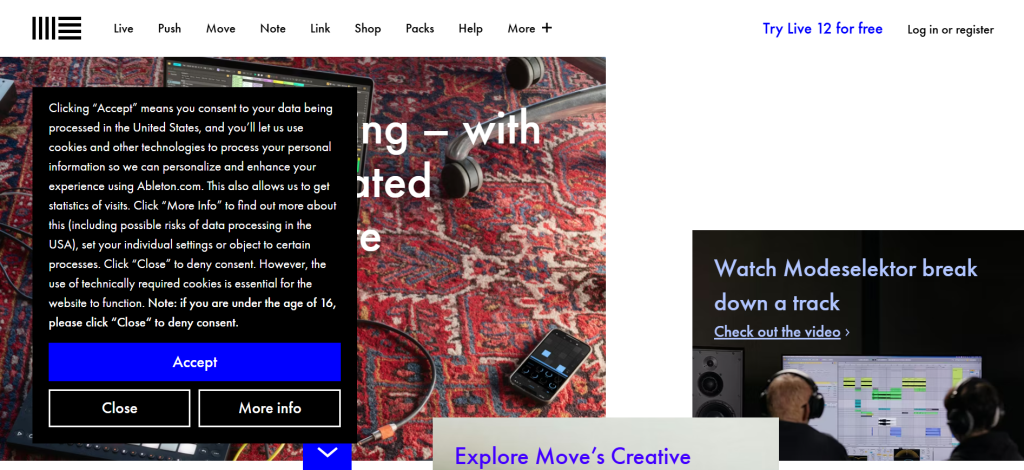
| Best For | Electronic music production, live performance, sound design |
| Pricing | Intro $99 | Standard $349 | Suite $749 (free Lite with hardware) |
| Free Option | Lite version (free with select hardware purchases) |
| Key Strength | Session View for non-linear, loop-based music creation |
| Sound Library | 5,000+ sounds, 70 GB+ (Suite), Max for Live integration |
| Platform | Windows, Mac |
| Our Rating | 9.5/10 |
Ableton Live occupies a unique position in the music making software landscape as both a full production environment and a live performance instrument. Session View lets you jam with clips, loops, and samples in a non-linear workspace that encourages experimentation. Live 12 introduced real-time stem separation, deeper MPE support, and an expanded Max for Live library. For electronic music producers, DJs, and sound designers, Ableton’s modular creative approach to beat making and audio production is unmatched.
Falls Short: Non-traditional interface has a learning curve for producers coming from linear DAWs. Suite at $749 is expensive. Not optimized for large-scale multi-mic recording sessions. Mixing workflow prioritizes creativity over precision compared to Pro Tools. Verdict: Best music making software for electronic producers and live performers who value creative experimentation over traditional recording workflows.
Logic Pro
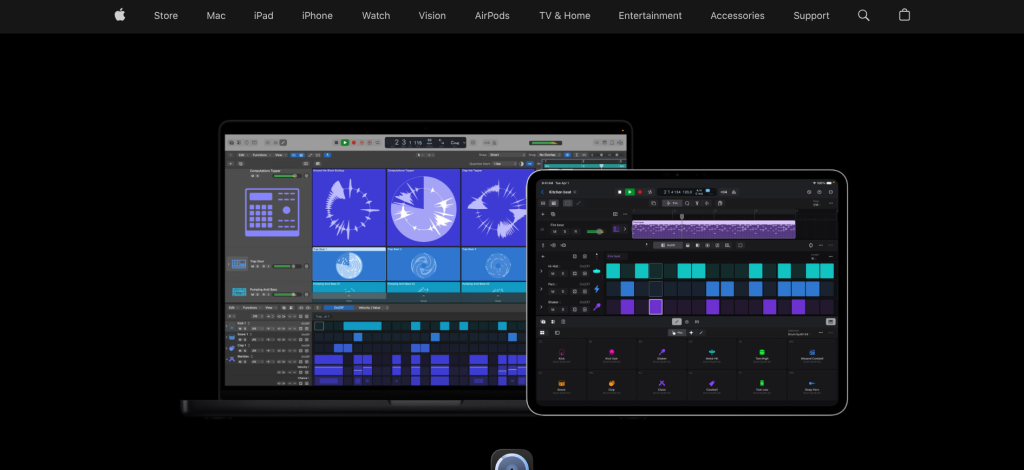
| Best For | All-in-one music production on Mac |
| Pricing | $200 one-time (Mac App Store), also available on iPad |
| Free Option | No (but GarageBand is free and projects transfer) |
| Key Strength | Massive sound library + AI Session Players for songwriting |
| Sound Library | 25,000+ loops, 2,800+ patches, Alchemy synth, Drum Machine Designer |
| Platform | Mac only, iPad |
| Our Rating | 9.4/10 |
Logic Pro delivers extraordinary value as music production software. For $200 one-time, you get a sound library that would cost $1,000+ in third-party plugins, AI-powered Session Players that generate intelligent accompaniments, Dolby Atmos spatial audio support, and professional mixing tools. The interface bridges the gap between GarageBand’s simplicity and professional DAW complexity, making it the natural upgrade path for Apple users entering serious music creation. Logic Pro 12 added enhanced AI mastering tools and improved Apple Silicon performance.
Falls Short: Mac-only limits availability. AI Session Players may frustrate experienced producers who prefer manual control. Live Loops doesn’t match Ableton’s Session View depth. Some MIDI editing workflows feel slower than FL Studio or Cubase. Verdict: Best value music making software available, offering professional production tools for the price of a single premium plugin.
FL Studio
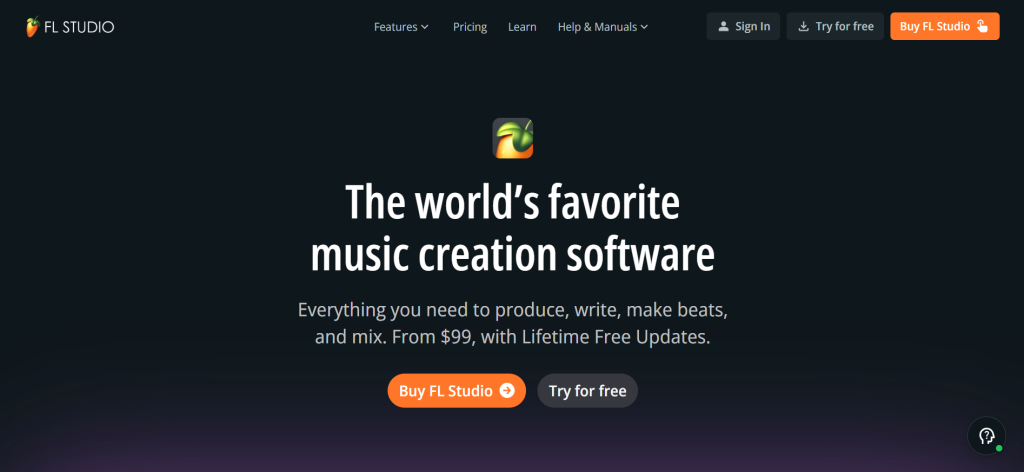
| Best For | Beat making, hip-hop/trap production, MIDI programming |
| Pricing | Fruity $99 | Producer $199 | Signature $299 | All Plugins $899 |
| Free Option | Free trial (full features, can’t re-open saved projects) |
| Key Strength | Lifetime free updates — buy once, get every future version |
| Sound Library | Built-in synths (Harmor, Sytrus, Flex), pattern-based workflow |
| Platform | Windows, Mac |
| Our Rating | 9.3/10 |
FL Studio is the best music making software for beat makers, with a piano roll widely considered the best in any DAW. The step sequencer makes programming drum patterns intuitive for beginners, while the pattern-based workflow encourages rapid song arrangement. Lifetime free updates make it the best long-term value—buy the Producer Edition once for $199 and receive every future version at no additional cost. Image-Line’s built-in synthesizers like Harmor and Sytrus are production-ready without third-party purchases.
Falls Short: Fruity Edition ($99) lacks audio recording. Audio comping isn’t as refined as Logic or Pro Tools. Mac version is newer and occasionally has compatibility quirks. Mixer workflow is less intuitive than traditional DAWs for complex mixing sessions. Verdict: Best music making software for beat makers and hip-hop producers who want lifetime value and the fastest pattern-based music creation workflow.
Pro Tools
| Best For | Professional studio recording, mixing, and post-production |
| Pricing | Intro Free | Artist $100/yr | Studio $300/yr | Ultimate $600/yr |
| Free Option | Yes — Pro Tools Intro (8 audio tracks, 8 MIDI tracks) |
| Key Strength | Industry-standard recording, editing precision, HDX hardware |
| Sound Library | Included instruments and effects, Splice integration |
| Platform | Windows, Mac |
| Our Rating | 9.1/10 |
Pro Tools remains the industry-standard music production software for professional recording studios, film scoring stages, and post-production facilities. If you plan to work in commercial studios, learning Pro Tools is essential. The editing precision, comping workflow, and HDX hardware system enable sessions with hundreds of tracks and zero-latency monitoring. Pro Tools Sketch adds an Ableton-style clip launcher for non-linear creative work, and 2026 updates introduced AI mixing tools and Splice integration for cloud-based music collaboration.
Falls Short: Subscription pricing makes it the most expensive long-term option. MIDI editing and virtual instruments lag behind Ableton, Logic, and FL Studio. Creative production tools feel bolted-on rather than native. HDX hardware requires significant investment for full capabilities. Verdict: Best music making software for recording engineers and professionals who need studio-standard compatibility and unmatched editing precision.
Cubase
| Best For | MIDI composition, orchestration, and film scoring |
| Pricing | Elements $100 | Artist $330 | Pro $580 |
| Free Option | Cubase LE (free with select hardware) |
| Key Strength | Best MIDI editing with Key Editor, Expression Maps, advanced automation |
| Sound Library | HALion instruments, Padshop synth, extensive orchestral sounds |
| Platform | Windows, Mac |
| Our Rating | 8.9/10 |
Cubase excels where music creation requires deep MIDI control and compositional precision. Expression Maps enable realistic orchestral articulations, the Key Editor provides the most detailed MIDI piano roll editing available, and the Score Editor outputs professional sheet music. For composers working in film, TV, and game scoring, Cubase’s arrangement and MIDI tools make complex compositions manageable. Think of it as the Windows alternative to Logic Pro with even deeper MIDI capabilities.
Falls Short: Steeper learning curve than most DAWs. Heavier interface slows initial workflow. Upgrade pricing between versions adds ongoing cost. Less popular for electronic and hip-hop production compared to Ableton and FL Studio. Verdict: Best music making software for MIDI composers, orchestrators, and producers who need the deepest compositional control.
Bitwig Studio
| Best For | Modular sound design and experimental production |
| Pricing | $99 (Essential) | $299 (Producer) | $399 (Studio) |
| Free Option | Demo available |
| Key Strength | The Grid — built-in modular synthesis environment |
| Sound Library | Extensive sound design tools, modulators, hybrid workflow |
| Platform | Windows, Mac, Linux |
| Our Rating | 8.8/10 |
Bitwig Studio is the most forward-thinking music making software on this list, built for producers who push sonic boundaries. The Grid provides a built-in modular synthesis environment where you create instruments and effects from scratch. The modulation system allows any parameter to control any other parameter with visual feedback. For sound designers and experimental electronic producers, Bitwig offers creative possibilities that more traditional music production software can’t match.
Falls Short: Smaller user community means fewer tutorials and presets. Sound library is more toolkit than ready-made. Less suited for traditional recording and mixing. Still building market share against established DAWs. Verdict: Best music making software for sound designers and experimental producers who want modular synthesis built into their DAW.
Studio One
| Best For | Integrated recording-to-mastering workflow |
| Pricing | Prime Free | Artist $100 | Professional $400 |
| Free Option | Yes — Studio One Prime (unlimited tracks, basic effects) |
| Key Strength | Single-window workflow from recording through mastering |
| Sound Library | PreSonus instruments, Ampire amp sim, Impact XT drum machine |
| Platform | Windows, Mac |
| Our Rating | 8.6/10 |
Studio One offers the smoothest recording-to-mastering workflow in music production software. The drag-and-drop interface makes arranging and editing intuitive, and the built-in mastering suite eliminates the need for separate mastering software. The Scratch Pad feature lets you experiment with arrangement ideas without affecting your main project. For producers who want a modern DAW without the legacy complexity of Pro Tools or Cubase, Studio One provides a streamlined music creation experience.
Falls Short: Smaller plugin ecosystem than Ableton or Logic. Not widely used in commercial studios. Third-party sample library support is less robust. Less suitable for live performance. Verdict: Best music making software for recording artists who want an end-to-end production and mastering workflow.
Reaper
| Best For | Budget-conscious professional production |
| Pricing | Personal $60 | Commercial $225 (perpetual + updates) |
| Free Option | 60-day free trial (fully functional) |
| Key Strength | Extreme customizability with scripting and themes |
| Sound Library | Basic included effects; relies on third-party plugins |
| Platform | Windows, Mac, Linux |
| Our Rating | 8.5/10 |
Reaper delivers professional-grade music production software for $60—a fraction of what Ableton, Cubase, or Pro Tools cost. Despite the low price, it supports unlimited tracks, advanced routing, comprehensive automation, and every major plugin format. The customizability through scripting and community themes means you can make Reaper look and behave like almost any other DAW. For budget-conscious producers who already own plugins and samples, Reaper provides the best value-to-capability ratio in music making software.
Falls Short: Minimal included sound library means you’ll need third-party plugins. Interface isn’t visually polished without community themes. Learning curve for customization can be steep. Less intuitive for complete beginners. Verdict: Best budget music making software for experienced producers who want professional capabilities without premium pricing.
Reason
| Best For | Virtual rack-based sound design and synthesis |
| Pricing | $10/mo subscription | Intro $99 | Suite $499 (perpetual) |
| Free Option | Free trial available |
| Key Strength | Virtual rack with cabling simulation for hardware-style routing |
| Sound Library | Europa synth, Kong drum machine, extensive Rack Extensions |
| Platform | Windows, Mac |
| Our Rating | 8.3/10 |
Reason’s virtual rack interface simulates a hardware studio where you patch cables between synthesizers, effects, and mixers. This unique approach to music making software appeals to producers who think in terms of signal flow and hardware routing. Europa is a genuinely excellent wavetable synthesizer, and the Rack Extension marketplace offers hundreds of virtual modules. Reason can also run as a plugin inside other DAWs, giving you its instruments and effects anywhere.
Falls Short: Declining market share means fewer tutorials and community resources. Rack interface can feel cluttered for complex projects. Audio recording capabilities lag behind major competitors. Subscription model for new users adds ongoing cost. Verdict: Best music making software for hardware-minded producers who love the creative inspiration of virtual racks and signal routing.
GarageBand
| Best For | Complete beginners learning music production on Apple devices |
| Pricing | Free (included with all Apple devices) |
| Free Option | Yes — fully free |
| Key Strength | Intuitive interface with professional-quality instruments |
| Sound Library | Live Loops, virtual instruments, drummer tracks, lesson mode |
| Platform | Mac, iPad, iPhone |
| Our Rating | 8.1/10 |
GarageBand is the most underestimated music making software available. For a free app, it includes virtual instruments, AI-powered drummer tracks, Live Loops for beat creation, and enough recording capability to produce release-quality music. Projects transfer directly to Logic Pro when you’re ready to upgrade, making it a legitimate starting point rather than a toy. For anyone curious about music creation on Apple devices, GarageBand removes every barrier to entry.
Falls Short: Apple-only. Limited to 255 tracks. No third-party plugin support. Mixing and mastering tools are basic. Not suitable for professional studio work. Verdict: Best free music making software for beginners on Apple devices who want to learn music production with zero investment.
BandLab
| Best For | Free cloud-based music collaboration |
| Pricing | Free (fully free, no premium tier) |
| Free Option | Yes — 100% free |
| Key Strength | Browser-based DAW with real-time collaboration and social features |
| Sound Library | Built-in instruments, loops, samples, and effects |
| Platform | Web browser, iOS, Android, Chromebook |
| Our Rating | 7.9/10 |
BandLab runs entirely in a web browser with zero installation required, making it the most accessible music making software available. Real-time collaboration lets multiple musicians work on the same project simultaneously from anywhere. The built-in social platform for sharing, remixing, and discovering music adds a community dimension no traditional DAW offers. For students, casual creators, and collaborative songwriters, BandLab provides free cloud-based music production tools.
Falls Short: Limited compared to desktop DAWs for professional production. No third-party plugin support. Requires internet connection. Mixing capabilities are basic. Not suitable for commercial studio work. Verdict: Best free music making software for collaborative creation and beginners on any device including Chromebooks.
LMMS
| Best For | Free open-source music production on any platform |
| Pricing | Free (open source) |
| Free Option | Yes — fully free and open source |
| Key Strength | Cross-platform with built-in synthesizers and sample support |
| Sound Library | ZynAddSubFX, built-in drum samples, VST support |
| Platform | Windows, Mac, Linux |
| Our Rating | 7.5/10 |
LMMS provides a free, open-source alternative for beat making and electronic music creation. The interface draws inspiration from FL Studio’s pattern-based workflow, and built-in synthesizers like ZynAddSubFX provide capable sound design without purchasing plugins. VST plugin support on Windows and Linux expands the sound palette further. For Linux users or producers who prefer open-source music production tools, LMMS is the most feature-rich free option outside Apple’s ecosystem.
Falls Short: No audio recording capability. Interface feels dated. Smaller community than commercial DAWs. No MIDI controller mapping interface. Stability issues reported on some systems. Verdict: Best free open-source music making software for beat creation, especially on Linux where DAW options are limited.
True Cost Comparison (Annual & Lifetime)
| Software | Entry Price | Full Version | Lifetime Cost Model |
| GarageBand | Free | Free | Free forever (Apple devices) |
| BandLab | Free | Free | Free forever (browser-based) |
| LMMS | Free | Free | Free forever (open source) |
| Reaper | $60 | $60 | $60 perpetual + 2 versions of updates |
| FL Studio | $99 | $199–$899 | One-time purchase with lifetime free updates |
| Logic Pro | $200 | $200 | One-time purchase with free updates |
| Studio One | Free | $400 | Perpetual license, paid major upgrades |
| Ableton Live | $99 | $749 | Perpetual license, paid major upgrades |
| Cubase | $100 | $580 | Perpetual license, paid upgrades (~$100–$200) |
| Bitwig Studio | $99 | $399 | Perpetual + optional $169/yr upgrade plan |
| Pro Tools | Free | $300–$600/yr | Subscription only (no perpetual option) |
| Reason | $99 | $499 | Perpetual or $10/mo subscription |
Recommended Picks by Producer Type
| Producer Type | Recommendation | Why |
| Beat maker / Hip-hop | FL Studio | Best piano roll, step sequencer, lifetime updates |
| Electronic / EDM | Ableton Live | Session View, sound design, live performance |
| Singer-songwriter (Mac) | Logic Pro | Best value, massive library, AI Session Players |
| Recording engineer | Pro Tools | Industry standard, editing precision, HDX system |
| Film/game composer | Cubase | Deepest MIDI editing, Expression Maps, scoring tools |
| Sound designer | Bitwig Studio | Modular Grid, advanced modulation, Linux support |
| Recording + mastering | Studio One | End-to-end workflow, integrated mastering suite |
| Budget producer | Reaper | $60 professional DAW, extreme customization |
| Complete beginner | GarageBand | Free, intuitive, upgrades to Logic Pro |
| Student / collaborator | BandLab | Free browser-based DAW with real-time collaboration |
Decision Framework
• Producing beats and patterns? FL Studio for lifetime value or Ableton for creative flexibility.
• Recording live instruments? Pro Tools for professional studios or Logic Pro for value.
• Composing for film, TV, or games? Cubase for MIDI depth and orchestration.
• Designing experimental sounds? Bitwig Studio for modular synthesis.
• Tight budget? Reaper ($60), LMMS (free), or GarageBand (free).
• Need cloud collaboration? BandLab for free browser-based teamwork.
• On Mac and want the best value? Logic Pro at $200 is unbeatable.
Frequently Asked Questions
What is the best free music making software?
GarageBand is the best free music making software for Apple users, offering professional instruments and direct Logic Pro upgrade path. BandLab is the best free option for any platform, running in a web browser with collaboration features. LMMS provides free open-source beat creation on Windows, Mac, and Linux.
Which DAW is best for beginners learning music production?
GarageBand for Apple users, FL Studio for beat makers (intuitive step sequencer), and BandLab for zero-investment browser-based creation. Logic Pro ($200) is also excellent for beginners who want room to grow into professional music making software.
Is FL Studio’s lifetime free update really free forever?
Yes. When you purchase any edition of FL Studio, you receive every future version at no additional cost. This includes major version upgrades that other DAWs charge $100-$200 for. It’s the best long-term value in music production software and a major reason FL Studio dominates among independent beat makers.
Do I need expensive music making software to produce professional tracks?
No. Reaper ($60), GarageBand (free), and even LMMS have been used on commercially released music. Billie Eilish’s debut album was produced largely in Logic Pro. Your skills, creativity, and time investment matter far more than your DAW price tag. Start with what you can afford and upgrade when you hit genuine limitations.
Can I switch DAWs without losing my work?
Most DAWs can export stems (individual audio tracks) that import into any other DAW. MIDI files transfer universally. GarageBand projects open directly in Logic Pro. However, software-specific features like Ableton’s Session View clips or FL Studio’s automation patterns don’t transfer, so pick your primary music making software carefully.
What computer specs do I need for music production software?
A modern computer with 16GB RAM, an SSD, and a multi-core processor handles most music making software comfortably. Apple Silicon Macs offer exceptional performance for Logic Pro. For large orchestral templates in Cubase or Pro Tools HDX, 32–64GB RAM and dedicated audio hardware improve performance significantly.

![Marketing Automation Case Study: 12 Real Examples, Strategy & ROI Results [2026]](https://marketingcasestudy.io/wp-content/uploads/2026/05/marketing-automation-case-study-featured-768x403.png "Marketing Automation Case Study: Real Examples, Strategy & ROI Results [2026] 6")

