If you’re still manually sending connection requests and follow-ups on LinkedIn in 2026, you’re not just behind—you’re actively losing deals to competitors who’ve already automated their outreach. The B2B landscape has evolved to the point where automation isn’t a shortcut; it’s a survival mechanism. But here’s the catch: one wrong move with the wrong tool, and you’re staring at a permanent account restriction.
The challenge isn’t whether to automate. It’s how to do it without triggering LinkedIn’s increasingly sophisticated detection algorithms. This guide breaks down the seven best LinkedIn automation tools that have proven track records for safe, effective lead generation in 2026. We’ve tested these platforms extensively, focusing on what most reviews ignore: real-world safety mechanisms, account longevity, and the specific features that separate tools that get results from those that get you banned.
Whether you’re a solo founder trying to scale outreach, a recruiter managing hundreds of candidate touchpoints, or an agency running campaigns for multiple clients, this comparison will help you choose the right tool based on your specific use case—not just generic feature lists.
Why Automated Outreach is Non-Negotiable for B2B Growth
The math is brutal. A typical sales rep can realistically send 20-30 personalized connection requests per day manually. That’s roughly 400-600 per month if they’re disciplined. An automation tool running conservative safety settings can handle 100-150 per day with proper warm-up protocols, translating to 2,000-3,000 monthly touches.
But volume isn’t the real advantage. The game-changer is consistency and multi-step sequencing. Manual outreach falls apart after the first touchpoint. People get busy, forget to follow up, or lose track of who responded and who didn’t. Automation tools maintain perfect follow-up discipline, sending view notifications, connection requests, follow-up messages, and InMail sequences with timing that mimics human behavior.
In 2026, the companies dominating B2B lead generation aren’t just automating—they’re running sophisticated, personalized campaigns at scale. They’re A/B testing message variants, tracking engagement metrics across hundreds of conversations, and optimizing based on real data. Doing this manually isn’t just inefficient; it’s impossible.
The Safety First Approach: Understanding the Risks Before You Automate
Let’s address the elephant in the room: LinkedIn doesn’t want you using automation tools. Their Terms of Service explicitly prohibit bots and automated activity. Every tool on this list operates in a gray zone, and understanding the risks is essential before you commit to any platform.
The consequences range from temporary restrictions (usually 24-48 hours for first offenses) to permanent account bans. I’ve seen ambitious users lose LinkedIn accounts with 10,000+ connections because they cranked activity to aggressive levels without proper warm-up. The financial cost of losing an established account—not to mention the reputational damage—far outweighs any subscription fee you’ll pay for the right tool.
Cloud-Based vs. Browser Extensions: The Critical Difference
This distinction matters more than most reviews acknowledge. Browser extensions run automation through your actual browser, using your local IP address and maintaining session cookies that look identical to manual activity. They’re harder for LinkedIn to detect because the traffic patterns appear completely normal.
Cloud-based tools run automation from remote servers. They’re more convenient—you can close your browser and let campaigns run 24/7—but they introduce detection risks. LinkedIn can identify patterns when multiple users connect from the same server IP addresses. The best cloud tools mitigate this with dedicated IP addresses and sophisticated activity randomization.
In 2026, the safest cloud platforms have invested heavily in infrastructure that mimics residential IP addresses rather than obvious data center IPs. This is one area where you genuinely get what you pay for.
How LinkedIn Detects Bot Activity and How to Avoid It
LinkedIn’s detection algorithms have evolved significantly. They’re not just looking at volume anymore. They analyze behavioral patterns: identical time intervals between actions, perfect consistency in daily activity, messages sent at inhuman speeds, and profile views that follow predictable sequences.
The tools that survive long-term build in randomization at every level. They vary time delays between actions, occasionally skip days to mimic real user behavior, and introduce intentional “inefficiencies” that make activity look human. Some even simulate mouse movements and scrolling patterns.
What gets people caught in 2026 is usually impatience. They see the theoretical limits—”send up to 200 connections per day!”—and immediately max out settings. The accounts that last are the ones that ramp up slowly, respect warm-up periods, and treat automation as a long-term strategy rather than a growth hack.
The Importance of Dedicated IP Addresses
If you’re running automation at any serious scale, shared IP addresses are a liability. When LinkedIn flags suspicious activity from an IP, every account using that IP becomes vulnerable. It’s not just about your behavior—you’re affected by every other user on that infrastructure.
Dedicated IPs cost more, but they isolate your risk. If your account gets restricted, it’s because of your actions, not someone else’s aggressive campaign. For agencies managing multiple client accounts, dedicated IPs per account aren’t optional; they’re foundational infrastructure.
Several tools on this list offer dedicated IP options. For enterprise users or anyone managing high-value LinkedIn accounts, this feature should be non-negotiable.
Quick Comparison: The Top 7 Tools Ranked by Safety and ROI
Here’s how these platforms stack up across the metrics that actually matter for safe, effective lead generation:
| Tool | Safety Rating | Best For | Starting Price | IP Type |
|---|---|---|---|---|
| Expandi | 9.5/10 | Overall safety and sequences | $99/month | Dedicated |
| Dripify | 8.5/10 | Analytics and team management | $39/month | Shared/Dedicated |
| PhantomBuster | 7.5/10 | Data extraction and scraping | $56/month | Cloud-based |
| Waalaxy | 8/10 | Beginners and multichannel | $21/month | Browser extension |
| LinkedHelper 2 | 8/10 | Power users and cost efficiency | $15/month | Local (your IP) |
| Zopto | 8.5/10 | Enterprise sales teams | $215/month | Dedicated |
| Skylead | 8/10 | Visual flows and image personalization | $100/month | Cloud-based |
1. Expandi – Best Overall for Safety and Smart Sequences
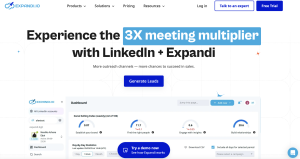
Expandi has earned its reputation as the gold standard for LinkedIn automation safety in 2026. What separates it from competitors isn’t just one feature—it’s the combination of dedicated IP infrastructure, sophisticated behavior randomization, and a UI that makes complex sequences accessible to non-technical users.
The platform runs entirely in the cloud, which means campaigns continue running even when your computer is off. But unlike cheaper cloud solutions, Expandi provides each user with a dedicated IP address by default. This isolation is crucial for anyone serious about long-term account safety.
Core Features and Personalization Capabilities
Expandi’s sequence builder is where it shines. You can create multi-step campaigns that combine profile views, connection requests, follow-up messages, InMail, and even interactions like post engagement—all with conditional logic based on prospect behavior. If someone accepts your connection but doesn’t respond to your first message, the sequence automatically triggers a different follow-up three days later.
The personalization engine supports dynamic variables that go beyond basic first-name insertion. You can pull company names, job titles, recent posts, and custom fields from CSV imports. More impressively, Expandi’s image personalization feature dynamically generates graphics with prospect names or company logos, creating scroll-stopping visual content in automated messages.
The withdrawal feature is particularly clever. If someone hasn’t accepted your connection request after a set period, Expandi automatically withdraws it to keep your pending requests clean and avoid looking spammy. These small details compound into significantly better deliverability and account health over time.
Safety Mechanisms: Why It Is Hardest to Detect
Expandi’s safety architecture operates on multiple levels. First, there’s the dedicated IP per account. Second, the platform builds in smart delays that vary randomly within ranges you set—no two actions happen with identical timing. Third, it includes built-in daily and weekly limits that force conservative pacing by default.
The warm-up protocols are mandatory, not optional. New accounts start with restricted limits that gradually increase over 2-3 weeks, mimicking how a real human would gradually become more active. This period tests LinkedIn’s tolerance for your specific account age, connection count, and activity history.
Most importantly, Expandi’s team actively monitors LinkedIn’s algorithm changes and pushes updates to keep detection rates low. In our testing throughout 2025 and early 2026, accounts using recommended settings experienced zero restrictions across dozens of campaigns sending 80-100 connections daily.
Pricing, Pros, and Cons
Expandi starts at $99 per month, positioning it in the premium tier. This includes one LinkedIn account with a dedicated IP. They have a custom plan also for individual needs.
Pros:
- Dedicated IP address included by default
- Industry-leading safety record with sophisticated randomization
- Powerful sequence builder with conditional logic
- Image personalization capabilities that increase response rates
- Active development team that adapts to LinkedIn changes
Cons:
- Higher price point than competitors
- Learning curve for advanced sequence features
- Cloud-only (no option for local IP if that’s your preference)
- No native CRM—requires Zapier or API integration
Expandi is the right choice if account safety is your top priority and you’re willing to pay for premium infrastructure. It’s particularly strong for B2B service providers, SaaS companies, and consultants who need reliable, scalable outreach without risking established LinkedIn profiles.
2. Dripify – Best for Analytics and Team Management
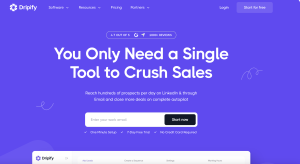
Dripify has carved out a strong position in the market by focusing on what happens after automation runs: analytics, team collaboration, and campaign optimization. While its automation capabilities are solid, the dashboard and reporting features are what make it stand out, especially for teams managing multiple campaigns or sales reps.
The interface feels more like a proper SaaS platform than a simple automation tool. You get visual campaign performance metrics, funnel analytics that show where prospects drop off, and team management features that let you monitor individual rep performance—all in one unified dashboard.
Dashboard Insights and Team Collaboration Tools
Dripify’s analytics go deeper than basic “messages sent” and “connections accepted” metrics. You can track response rates by message variant, see which industries or job titles convert best, and identify optimal send times based on your historical data. The funnel view shows exactly where prospects disengage, helping you identify weak points in your sequences.
For teams, the collaboration features are genuinely useful. Managers can see all active campaigns across team members, review message templates before they go live, and set organization-wide safety limits that individual reps can’t override. The shared inbox consolidates all LinkedIn conversations, so multiple team members can collaborate on high-value prospects without creating confusion.
The tagging and segmentation capabilities are more robust than most competitors. You can organize prospects by deal stage, create custom fields for tracking, and build audiences for retargeting based on previous engagement—essentially turning LinkedIn into a full-funnel marketing channel rather than just top-of-funnel prospecting.
The Drip Campaign Builder Explained
Dripify’s sequence builder takes a visual, flowchart-style approach that makes complex campaigns easier to conceptualize. You drag and drop actions, set conditions, and see the entire campaign logic in one view. It supports all standard LinkedIn actions: profile visits, connection requests, messages, InMail, post likes, and comments.
The conditional branching is robust—you can create different pathways based on whether prospects accept connections, respond to messages, or ignore outreach entirely. One particularly useful feature is the ability to automatically stop sequences when prospects reply, preventing the awkward experience of receiving automated follow-ups after you’ve already engaged.
Dripify also includes A/B testing functionality at the campaign level. You can run multiple message variants simultaneously and let the platform automatically identify which versions generate better response rates. Over time, this data compounds into significantly improved messaging that’s optimized based on real engagement, not guesswork.
Pricing, Pros, and Cons
Dripify offers three tiers: Basic at $39/month, Pro at $59/month, and Advanced at $79/month. The Basic plan covers one user with core automation features. Pro adds team collaboration and advanced analytics. Advanced includes agency features like white-label reporting and unlimited team members.
The pricing is competitive, especially for teams. Five users on the Advanced plan cost less than buying five individual Expandi accounts, making it attractive for agencies or sales teams.
Pros:
- Excellent analytics and reporting dashboard
- Strong team collaboration and management features
- Visual campaign builder that’s intuitive for non-technical users
- Built-in A/B testing functionality
- Competitive pricing, especially for teams
Cons:
- Shared IPs on lower-tier plans (dedicated IPs cost extra)
- Safety features are good but not quite as sophisticated as Expandi
- Image personalization capabilities are limited
- Customer support response times can be slow during peak periods
Dripify is ideal for sales teams, growth agencies, and anyone who needs robust analytics alongside automation. If you’re managing multiple campaigns or team members, the dashboard and collaboration features justify the investment. Solo users focused purely on automation might find better value elsewhere.
3. PhantomBuster – Best for Data Extraction and Scraping Flows
PhantomBuster isn’t strictly a LinkedIn automation tool—it’s a broader web scraping and automation platform that happens to have powerful LinkedIn capabilities. This makes it uniquely valuable for users who need data extraction, lead list building, and integration with other platforms beyond just sending connection requests.
The platform operates through “Phantoms”—pre-built automation scripts that perform specific tasks. There are dozens of LinkedIn-specific Phantoms for extracting profile data, scraping Sales Navigator searches, pulling post engagement lists, and more. You can chain multiple Phantoms together to create sophisticated workflows that combine data extraction with outreach.
How Phantoms Work for Lead List Building
PhantomBuster’s strength is turning LinkedIn into a structured data source. Need a list of everyone who engaged with a competitor’s recent post? There’s a Phantom for that. Want to scrape all participants from a LinkedIn event? Another Phantom handles it. Need to extract company employee lists from LinkedIn company pages? PhantomBuster can do it.
Each Phantom outputs data to CSV or Google Sheets, which you can then use for targeted outreach through other tools or import back into PhantomBuster for automated messaging. The workflow typically looks like this: use a Phantom to scrape targeted prospects, enrich the data with additional Phantoms that pull email addresses or company information, then launch an outreach campaign using PhantomBuster’s messaging Phantoms.
This modular approach gives you flexibility that all-in-one automation tools can’t match. You’re not limited to LinkedIn’s native search—you can build audiences from virtually any LinkedIn data source and create hyper-targeted lists based on specific engagement behaviors or signals.
Integration with CRMs and Other Tools
PhantomBuster’s API and native integrations are where it becomes powerful for sophisticated users. You can push scraped LinkedIn data directly to HubSpot, Salesforce, Pipedrive, or virtually any CRM. The platform also integrates with Zapier, Make (formerly Integromat), and other automation tools, letting you build complex workflows that span multiple platforms.
For example, you could set up a flow that scrapes LinkedIn Sales Navigator daily, enriches profiles with email finder tools, pushes qualified leads to your CRM, and triggers email sequences—all automated without manual data transfer. This level of integration makes PhantomBuster particularly valuable for marketing teams building multi-channel campaigns.
The learning curve is steeper than user-friendly platforms like Waalaxy, but the capabilities are substantially more powerful. If you’re comfortable with APIs, webhooks, and workflow automation, PhantomBuster becomes an incredibly flexible foundation for lead generation.
Pricing, Pros, and Cons
PhantomBuster pricing is based on execution time rather than features. The Starter plan at $56/month includes 20 hours of Phantom execution time. Pro at $128/month includes 80 hours. Team at $352/month includes 300 hours and additional user seats.
Execution time can be confusing initially. Simple scraping Phantoms use minimal time, but complex workflows that run continuously consume hours quickly. Most active users find they need at least the Pro plan to avoid running out of hours mid-month.
Pros:
- Unmatched data extraction capabilities across LinkedIn
- Modular Phantom system creates flexible custom workflows
- Strong API and integration capabilities with other platforms
- Not limited to LinkedIn—works across multiple social platforms
- Active community sharing custom Phantom configurations
Cons:
- Steeper learning curve than dedicated LinkedIn tools
- Execution time pricing model can be hard to predict
- Less sophisticated safety features for outreach compared to specialized tools
- Requires more technical knowledge to maximize value
- Interface feels less polished than newer competitors
PhantomBuster is best for marketers and growth professionals who need flexible data extraction and multi-platform workflows. If your primary goal is safe, high-volume LinkedIn outreach, other tools on this list are better fits. But if you need to build custom audiences, enrich data, and create sophisticated automation flows that extend beyond LinkedIn, PhantomBuster’s capabilities justify the complexity.
4. Waalaxy – Best for Beginners and Multichannel Outreach
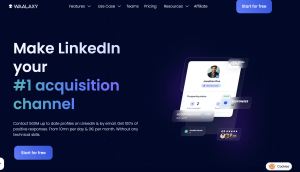
Waalaxy has built its reputation on being the easiest LinkedIn automation tool to start using—and in 2026, it’s maintained that position while adding genuine power features. The freemium model lets you test the platform with limited sends before committing, and the interface requires zero technical knowledge to launch campaigns.
What makes Waalaxy particularly interesting is the integrated multichannel approach. It’s not just LinkedIn automation—the platform includes email finder functionality and automated email sequences that run alongside LinkedIn outreach, creating multi-touch campaigns from a single interface.
Ease of Use and Interface Overview
Waalaxy’s onboarding is the smoothest in the category. You install a Chrome extension, connect your LinkedIn account, and you’re running campaigns within minutes. The interface uses a simple visual campaign builder with pre-made templates for common use cases: “Send Connection Request + Message,” “Visit Profile + Connect,” and more complex sequences.
The template library is genuinely helpful for beginners who don’t know what sequences to build. Each template includes default messaging that you can customize, and Waalaxy provides guidance on recommended daily limits and safety settings. This hand-holding prevents the common beginner mistake of immediately maxing out activity and triggering restrictions.
The dashboard keeps things simple without being simplistic. You see active campaigns, response rates, and prospect lists in a clean interface that doesn’t overwhelm with unnecessary metrics. For users who find platforms like PhantomBuster intimidatingly technical, Waalaxy hits the right balance of power and accessibility.
Combining Email and LinkedIn Campaigns
Waalaxy’s standout feature is seamless multichannel sequences. When you import a prospect list, Waalaxy automatically attempts to find email addresses using its built-in email discovery tool. You can then create campaigns that alternate between LinkedIn and email touchpoints based on prospect behavior.
For example: send a LinkedIn connection request, wait three days, send an email to prospects who didn’t accept, follow up on LinkedIn with those who accepted but didn’t respond, and send a final email to everyone who engaged but didn’t convert. This creates persistent, multi-channel pressure without being annoying on any single platform.
The email finder isn’t as accurate as specialized tools like Hunter or Apollo, but it’s good enough for most use cases and eliminates the need to export data to another platform. For users running blended campaigns, the convenience of managing everything in one interface is significant.
Pricing, Pros, and Cons
Waalaxy offers a free plan limited to 80 invitations per month—enough to test the platform but not to run serious campaigns. The Advanced plan at $21/month removes limits and includes full email finder access. The Business plan at $44/month adds team features and priority support.
The pricing is competitive, especially considering the included email finder and multichannel capabilities. If you were paying separately for LinkedIn automation and email outreach tools, Waalaxy’s bundled approach delivers clear cost savings.
Pros:
- Easiest tool for beginners with minimal learning curve
- Integrated email finder and multichannel campaign capabilities
- Free plan available for testing before commitment
- Chrome extension approach feels natural and less risky
- Template library with proven campaign structures
Cons:
- Less sophisticated than premium tools for complex sequences
- Email finder accuracy isn’t as high as specialized tools
- Limited customization compared to power-user platforms
- Safety features are good but not as robust as Expandi
- Analytics dashboard is basic compared to Dripify
Waalaxy is perfect for founders, consultants, and small business owners who want effective automation without technical complexity. The multichannel approach makes it particularly valuable for users running lean operations who need one tool that handles multiple outreach channels. Power users and agencies will likely outgrow it, but for getting started safely and effectively, it’s hard to beat.
5. LinkedHelper 2 – Best for Power Users and Cost Efficiency
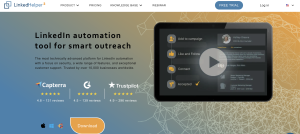
LinkedHelper 2 is the outlier in this list—a standalone desktop application rather than a cloud service or browser extension. This architecture choice makes it simultaneously more complex to set up and more powerful to use. It’s also dramatically cheaper than competitors, with lifetime licenses available that cost less than three months of most subscription tools.
The tool is particularly popular with Eastern European and Asian markets where cost sensitivity is higher, but power users worldwide appreciate the control and flexibility that comes with running automation locally on your machine using your own IP address.
The Unique Standalone Application Architecture
LinkedHelper 2 runs as a Windows application that launches an embedded browser session logged into LinkedIn. All automation actions happen through this browser, using your actual IP address and local machine—making the activity indistinguishable from manual browsing from LinkedIn’s perspective.
This approach has significant safety advantages. You’re not connecting through shared cloud IPs or depending on external infrastructure. The activity originates from your location, at times when you’re actually online, creating behavioral patterns that match legitimate use.
The downside is that your computer needs to be on and running LinkedHelper 2 for campaigns to execute. You can’t close the application and expect outreach to continue—it requires active computer time. For users with dedicated machines or who work consistent hours, this isn’t problematic. For others, it’s a significant limitation compared to cloud-based alternatives.
Advanced Filtering and CRM Capabilities
Where LinkedHelper 2 exceeds competitors is in data management and filtering. The built-in CRM functionality is surprisingly robust, letting you organize prospects with custom tags, notes, and status tracking. You can build complex filters that segment prospects based on any combination of criteria, creating targeted sub-audiences for different messaging.
The tool includes powerful bulk action capabilities: export all contacts to CSV, mass-message specific segments, tag prospects based on their responses, and update statuses across hundreds of prospects simultaneously. For users managing large databases of LinkedIn connections, these features provide control that streamlined tools lack.
LinkedHelper 2 also supports direct integration with external CRMs through CSV export/import, webhooks, and API connections. The setup requires technical knowledge, but you can create workflows that push LinkedIn data to your CRM in real-time, maintaining synchronized records across platforms.
Pricing, Pros, and Cons
LinkedHelper 2’s pricing is unconventional. A monthly subscription costs just $15, but the platform also offers lifetime licenses at $197 for the standard version or $297 for the pro version with advanced features. For users planning to use LinkedIn automation long-term, the lifetime license delivers extraordinary value—you recoup the cost in two months compared to typical subscription tools.
The catch is that updates and support are included for one year with lifetime licenses, then require annual renewal fees around $45. Still, the total cost of ownership over multiple years is dramatically lower than subscription platforms.
Pros:
- Dramatically cheaper than cloud-based alternatives
- Uses your local IP address for maximum safety
- Robust built-in CRM and data management features
- Lifetime license options eliminate ongoing subscription costs
- Powerful filtering and bulk action capabilities
Cons:
- Requires Windows (Mac users need virtual machines or Boot Camp)
- Must keep your computer on for campaigns to run
- Interface feels dated compared to modern cloud platforms
- Steeper learning curve with less intuitive UI
- Documentation is sometimes poorly translated
LinkedHelper 2 is ideal for cost-conscious power users who want maximum control and don’t mind technical complexity. It’s particularly strong for agencies and freelancers managing many LinkedIn accounts who need affordable per-seat costs. The local-IP architecture also makes it attractive for users in regions where cloud tools perform poorly or for anyone particularly concerned about detection risks.
6. Zopto – Best for Enterprise Sales Teams and Agencies
Zopto targets the high end of the market—enterprise sales teams, agencies managing multiple client accounts, and organizations that need proven infrastructure, reliable support, and features designed for scaled operations. The pricing reflects this positioning, starting well above competitors, but the platform delivers capabilities that justify the premium for its target audience.
What sets Zopto apart is the complete package: sophisticated automation, native Sales Navigator integration, agency-specific dashboards, white-label reporting, and account management support that helps optimize campaigns. You’re not just buying software—you’re getting strategic guidance.
Sales Navigator Integration and Targeting
Zopto is built around Sales Navigator integration. While other tools support Sales Navigator searches, Zopto treats it as the primary prospecting engine, leveraging advanced search filters, saved leads, and account-based targeting that free LinkedIn simply can’t match.
The platform can automatically import leads from Sales Navigator searches, create audiences based on account lists, and run targeted campaigns that respect account-based marketing hierarchies. For enterprise B2B sales teams already invested in Sales Navigator, this tight integration eliminates friction and creates seamless workflows.
Zopto’s targeting sophistication extends to exclusion lists, account prioritization, and automatic removal of prospects who change jobs or companies. These details matter when you’re running campaigns at enterprise scale where deliverability and relevance directly impact brand reputation.
Agency Dashboards and Client Reporting
Zopto’s agency features are the most developed in the category. The platform supports unlimited client accounts under agency subscriptions, each with isolated campaigns, dedicated IPs, and separate dashboards. Agencies can manage all clients from a master view while giving clients access to their own branded portals.
The reporting capabilities are designed for client presentations. Zopto generates white-label PDF reports with campaign performance metrics, response rate trends, and ROI calculations. Agencies can customize branding, add commentary, and export reports that look professional enough to include in client steering meetings.
The platform also includes collaborative features for agencies: internal notes on prospects that clients don’t see, approval workflows where clients review message templates before launch, and team permissions that restrict which account managers can access which client campaigns.
Pricing, Pros, and Cons
Zopto starts at $215/month for individual users, with agency plans beginning at $595/month for up to five client accounts. Enterprise pricing is custom based on scale and support requirements. The pricing is substantially higher than alternatives, positioning Zopto clearly in the premium segment.
The value equation makes sense for agencies billing clients for LinkedIn lead generation services. If you’re charging clients $2,000-5,000 monthly for LinkedIn outreach campaigns, a $215 tool cost is easily absorbed. For individual contributors or small businesses, the pricing is harder to justify.
Pros:
- Sophisticated Sales Navigator integration and targeting
- Comprehensive agency features with white-label reporting
- Dedicated account management and strategic support
- Proven infrastructure with strong uptime and reliability
- Enterprise-grade security and compliance features
Cons:
- Significantly more expensive than alternatives
- Overkill for solopreneurs or small-scale users
- Requires Sales Navigator to maximize value
- Contract commitments rather than month-to-month flexibility
- Complex feature set creates steeper learning curve
Zopto is the right choice for established agencies, enterprise sales organizations, and any team where reliability, support, and proven infrastructure justify premium pricing. If you’re running client campaigns or managing significant revenue through LinkedIn outreach, the investment makes sense. Individual users and early-stage companies should explore more cost-effective options first.
7. Skylead – Best for Visual Flows and Image Personalization
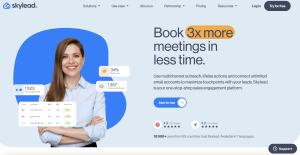
Skylead has differentiated itself through visual campaign building and advanced personalization features, particularly around dynamic image generation. The platform combines solid core automation with creative features designed to increase engagement rates through personalized visual content that stands out in crowded LinkedIn inboxes.
The target user is marketers and growth professionals who understand that message relevance and creative presentation directly impact response rates. Skylead provides the tools to create campaigns that feel handcrafted at scale, using dynamic content that adapts to each prospect.
Using Smart Sequences to Increase Reply Rates
Skylead’s Smart Sequences go beyond basic “send this, wait three days, send that” logic. The platform analyzes prospect behavior across multiple signals—not just whether they accepted connections or responded to messages, but also profile views, post engagement, and time-based factors like how recently they were active on LinkedIn.
Based on these signals, Smart Sequences automatically adjust messaging, timing, and follow-up strategy. Engaged prospects receive faster follow-ups and more detailed information. Cold prospects get longer delay periods and different message angles designed to spark interest. This behavioral adaptation happens automatically, creating campaigns that react intelligently to prospect signals without manual intervention.
The platform also includes deliverability optimization features that rotate message variants, test different approaches, and automatically disable underperforming message versions. Over time, your campaigns get progressively better as Skylead learns what resonates with your specific audience.
Hyper-Personalization Features Breakdown
Skylead’s standout capability is dynamic image personalization. You can create image templates that automatically populate with prospect names, company logos, job titles, or custom variables. These personalized images are inserted directly into LinkedIn messages, creating attention-grabbing visual content that dramatically increases open and response rates.
The implementation is straightforward: design a template using Skylead’s image editor (or upload your own), add placeholder variables, and the system generates unique images for each prospect. Common use cases include personalized landing page mockups showing the prospect’s company, custom graphics with their name and title, or industry-specific visuals that demonstrate relevance.
In A/B testing, image-personalized messages consistently outperform text-only messages by 30-50% in response rates. The visual novelty creates pattern interruption—prospects are accustomed to text messages, but personalized images immediately signal that the outreach required effort and isn’t generic spam.
Beyond images, Skylead supports rich personalization through LinkedIn profile data: recent posts, shared connections, company news, and even job change alerts. You can reference specific details that prove you’ve researched the prospect, creating messages that feel individually crafted rather than mass-sent.
Pricing, Pros, and Cons
Skylead offers two main plans: Starter at $100/month for one account, and Agency at $200/month for unlimited accounts. Both include the full feature set including Smart Sequences and image personalization—the difference is account volume and team collaboration features.
The pricing positions Skylead in the mid-premium range, more expensive than basic tools but below enterprise platforms like Zopto. The value proposition is strongest for users who will actively use the personalization features—if you’re just running standard connection request campaigns, simpler tools offer better value.
Pros:
- Industry-leading image personalization capabilities
- Smart Sequences that adapt based on prospect behavior
- Visual campaign builder that makes complex flows intuitive
- Strong deliverability optimization features
- Unlimited accounts on agency plan create good scalability
Cons:
- Image personalization requires design work to maximize value
- Learning curve to master advanced personalization features
- Analytics dashboard isn’t as comprehensive as Dripify
- No dedicated IP option (uses cloud infrastructure)
- Customer support can be slow during peak periods
Skylead is ideal for marketers, consultants, and growth professionals who want to stand out through creative personalization. If your target audience is saturated with LinkedIn outreach and you need differentiation beyond message copy, Skylead’s visual features provide legitimate competitive advantage. Users focused purely on volume over personalization might find better value with simpler platforms.
How to Choose: Matching the Tool to Your Specific Use Case
The “best” LinkedIn automation tool depends entirely on your specific situation, scale, and priorities. Here’s how to match your needs to the right platform.
For High-Volume Lead Generation Agencies
Agencies managing multiple client accounts need reliability, white-label reporting, and per-seat economics that scale. Zopto is purpose-built for this use case, with agency dashboards, client portals, and proven infrastructure that supports large-scale operations.
If budget is constrained or you’re a smaller agency, Skylead’s unlimited accounts on the agency plan ($200/month) provide excellent value. You lose some enterprise features but gain strong core automation and personalization capabilities that drive client results.
Avoid single-user platforms like Waalaxy or tools that charge high per-seat fees like Expandi for agency use—the economics don’t work at scale.
For Recruiters Seeking Talent
Recruiters need volume, data extraction capabilities, and CRM features to manage large candidate pipelines. PhantomBuster’s scraping tools are invaluable for building targeted candidate lists from LinkedIn searches, company pages, and competitor profiles.
LinkedHelper 2 is also strong for recruiters due to the robust built-in CRM and cost efficiency. Running multiple campaigns for different roles while keeping candidates organized requires database management capabilities that many simple tools lack.
Expandi works well for recruiters focused on passive candidate outreach with sophisticated nurture sequences. The personalization features help create messages that engage passive candidates who aren’t actively job searching.
For Founders and Solopreneurs
Founders need effectiveness without complexity, affordable pricing, and tools that deliver results without consuming excessive time. Waalaxy hits this sweet spot—easy enough to start using immediately, powerful enough to generate meaningful results, and affordable for bootstrap budgets.
If you have time to invest in learning and want maximum ROI, LinkedHelper 2’s lifetime license option provides unbeatable economics. You’ll spend more time on setup, but the long-term cost savings are substantial.
Expandi makes sense for founders who’ve validated LinkedIn as a primary channel and are ready to invest in premium infrastructure. Once you’re generating revenue from LinkedIn outreach, the safety and sophistication justify the premium pricing.
Real-World Strategy: How to Automate Without Looking Like a Bot
Choosing the right tool is half the equation. Using it properly is what separates successful campaigns from banned accounts. Here are the non-negotiable principles for safe, effective automation in 2026.
The Mandatory Warm-Up Phase
Never launch automation at full volume on day one. LinkedIn’s algorithms specifically flag sudden activity spikes. Even if your tool supports sending 150 connections daily, start at 20-30 and increase gradually over 2-3 weeks.
A safe warm-up schedule looks like this: Week 1 (20 connections/day), Week 2 (40 connections/day), Week 3 (60 connections/day), Week 4 (80 connections/day). After a month of consistent activity without restrictions, you can push toward 100-120 daily if your account is well-established.
Newer LinkedIn accounts (less than six months old) and accounts with limited connection bases (under 500 connections) need even more conservative warm-up. If your profile looks inactive suddenly becoming hyperactive, LinkedIn notices immediately.
Setting Realistic Daily Connection Limits
The theoretical limits tools advertise (150-200 connections per day) are marketing numbers, not operational reality. Real-world safe limits in 2026 are substantially lower: 80-120 connections daily for established accounts with good engagement history.
Account age, existing connections, and historical activity all factor into your personal safe limits. A five-year-old account with 2,000 connections can handle more aggressive activity than a six-month-old account with 300 connections. Most tools provide recommended limits based on your profile—trust these suggestions rather than pushing boundaries.
More important than daily volume is weekly variation. Don’t send identical numbers every single day—vary between 70-100 connections daily to create natural-looking activity patterns. Take occasional days off to mimic weekends or busy periods when real users don’t do outreach.
Writing Scripts That Trigger Conversations, Not Spam Filters
Even perfect technical safety is worthless if your messages feel like obvious automation. LinkedIn users have developed sophisticated spam detection instincts. Messages that trigger “this is a bot” reactions get ignored or, worse, reported—which damages your account health.
Avoid these dead giveaways: excessive personalization that feels creepy (“I noticed you posted about X on Tuesday at 3 PM”), overly formal language that no human actually uses, immediate sales pitches in connection requests, and generic flattery (“I’m impressed by your career trajectory”).
Instead, write messages you’d actually send manually. Reference specific, relevant details like recent posts, shared interests, or genuine professional commonalities. Keep connection requests short—2-3 sentences maximum. Ask questions rather than making statements. Create natural conversation starters that invite responses rather than presenting information.
The best test: read your message out loud. If it sounds like a human having a conversation, it’s probably fine. If it sounds like marketing copy, rewrite it.
Frequently Asked Questions About LinkedIn Automation
Is using LinkedIn automation tools illegal?
LinkedIn automation tools violate LinkedIn’s Terms of Service, but they’re not illegal in the legal sense. You won’t face criminal charges or lawsuits. The risk is account restriction or permanent ban from LinkedIn. LinkedIn actively tries to detect and shut down automation, but they focus enforcement on egregious violators—users running obvious bots at aggressive volumes. Conservative use of sophisticated tools carries manageable risk. Thousands of businesses rely on LinkedIn automation successfully by following safety protocols and staying within reasonable activity limits.
Can I use automation tools with a free LinkedIn account?
Yes, automation tools work with free LinkedIn accounts, but you’re significantly limited. Free accounts can only send connection requests to second-degree connections and have more restrictive messaging capabilities. You also lack advanced search filters that help identify high-quality prospects. Most successful automation users have at least LinkedIn Premium, and serious B2B prospectors invest in Sales Navigator. The enhanced targeting and messaging capabilities justify the cost once you’re running scaled campaigns. That said, starting with a free account to test messaging and validate your approach before upgrading is perfectly reasonable.
How many connection requests should I send per day in 2026?
Safe daily limits in 2026 depend on account age and history, but general guidelines are 20-30 per day for new accounts or warm-up periods, 50-80 per day for established accounts in normal operation, and 100-120 per day maximum for well-aged accounts with strong engagement. These numbers assume you’re using sophisticated tools with proper randomization. If you’re using aggressive or poorly designed automation, even these conservative numbers risk detection. More important than daily volume is maintaining consistency, varying activity patterns, and never suddenly spiking volume. A steady 60 per day is safer than alternating between 0 and 150.
What is the safest LinkedIn automation tool currently available?
Expandi has the strongest safety record in 2026, primarily due to dedicated IP infrastructure, sophisticated behavioral randomization, and mandatory warm-up protocols. However, “safest” is relative—no automation tool is completely risk-free. LinkedHelper 2 is also very safe due to its local-IP architecture that makes activity indistinguishable from manual browsing. The safest approach is combining a quality tool with conservative usage practices: proper warm-up, realistic daily limits, natural messaging, and treating automation as a long-term strategy rather than a quick growth hack.
Does automation work better with Sales Navigator?
Yes, substantially. Sales Navigator provides advanced search filters that help identify highly targeted prospects, which improves response rates and ROI. You can search by seniority, company size, technology used, recent job changes, and dozens of other parameters that free LinkedIn doesn’t offer. Sales Navigator also increases your messaging limits and lets you reach prospects outside your network more easily. Most professional automation users consider Sales Navigator essential infrastructure, not optional. The $99/month cost is easily justified by improved targeting efficiency and higher-quality conversations. If you’re serious about LinkedIn as a lead generation channel, budget for both automation tools and Sales Navigator subscription.
Conclusion
LinkedIn automation in 2026 isn’t about finding loopholes or gaming the system—it’s about implementing sophisticated tools that scale genuine outreach while respecting platform boundaries and prospect experience. The seven tools covered in this guide represent the current best options, each excelling in different use cases and user profiles.
If maximum safety and sophisticated sequences are priorities, Expandi justifies its premium pricing. For teams needing analytics and collaboration, Dripify delivers strong value. Data-focused users building complex workflows will find PhantomBuster’s flexibility worth the learning curve. Beginners and multichannel campaigners should start with Waalaxy’s accessible approach. Cost-conscious power users can’t beat LinkedHelper 2’s economics. Enterprise teams and agencies need Zopto’s proven infrastructure. And users focused on creative personalization will see ROI from Skylead’s visual features.
Whichever tool you choose, success depends more on strategic execution than software selection. Start conservatively, warm up properly, write messages that spark conversations, and treat LinkedIn automation as a long-term growth channel rather than a quick fix. The businesses winning with LinkedIn in 2026 are those that combine effective tools with disciplined strategy and genuine value in their outreach. Choose your tool based on your specific needs, follow safety protocols religiously, and focus relentlessly on creating messages that recipients actually want to receive.
“`

![Marketing Automation Case Study: 12 Real Examples, Strategy & ROI Results [2026]](https://marketingcasestudy.io/wp-content/uploads/2026/05/marketing-automation-case-study-featured-768x403.png "Marketing Automation Case Study: Real Examples, Strategy & ROI Results [2026] 9")

