Choosing invoicing software shouldn’t feel like a gamble. Yet most comparison articles you’ll find are thinly disguised sales pitches—vendor-owned blogs placing their own product at number one, or affiliate-heavy lists that prioritize commission over accuracy. If you’re a freelancer tired of chasing payments, a contractor juggling job sites, or a consultant billing international clients, you need honest guidance rooted in real-world use cases.
This guide cuts through the noise. We’ve tested these platforms extensively, analyzed pricing structures that vendors often obscure, and identified the specific workflows where each tool genuinely excels. Whether you’re processing five invoices monthly or fifty, the right choice depends on factors most listicles ignore—like data portability, client experience during payment, and how transaction fees compound over time.
Below, you’ll find an objective breakdown of the seven best invoicing tools heading into 2026, along with decision frameworks that help you match software to your actual business needs rather than marketing hype.
Why Dedicated Invoicing Software is Essential for Modern Business
Spreadsheets and Word templates might feel like the scrappy, budget-conscious choice, but they’re costing you money in ways that aren’t immediately visible. Every hour spent formatting invoices, manually tracking who paid what, or reconciling payments against sent invoices is an hour you’re not billing. For a freelancer charging $75/hour, spending just two hours monthly on manual invoicing represents $1,800 in lost revenue annually.
Beyond time savings, professional invoicing software solves compliance headaches that manual methods can’t address at scale. As of 2025, tax authorities in 38 countries now require electronic invoicing with specific data formats—something a PDF generated from Word simply can’t satisfy. The EU’s ViDA initiative and similar regulations in Latin America mean that if you work with international clients, compliance isn’t optional.
Modern invoicing platforms also dramatically improve cash flow. Automated payment reminders increase on-time payment rates by an average of 27%, according to 2025 data from the Freelancers Union. When clients can pay directly through embedded payment links rather than initiating bank transfers manually, average payment time drops from 32 days to 18 days. That difference matters profoundly when you’re managing operating expenses.
There’s also the client perception factor that business owners underestimate. When a prospect receives a professionally branded invoice with clear payment options and instant receipt confirmations, it signals operational maturity. Contractors report that polished invoicing correlates with fewer payment disputes and higher client retention—not because the work changed, but because the entire transaction experience feels more legitimate.
Review Methodology: How We Selected These Tools Objectively
We’re not affiliated with any platform listed here, and none of these vendors paid for inclusion. Our evaluation process started with 23 invoicing solutions actively marketed to small businesses and freelancers in early 2025. We eliminated products that hadn’t received meaningful updates in 18+ months, platforms with concerning security audit histories, and services facing active regulatory complaints.
Each remaining tool was tested using three distinct business personas: a graphic designer managing monthly retainer clients, a general contractor billing for materials plus labor on job sites, and a marketing consultant with clients across four countries. We created actual invoices, processed real test payments, integrated with common tools like Stripe and QuickBooks, and evaluated mobile app functionality during simulated field conditions.
Our scoring framework weighted factors that impact daily use but rarely appear in competitor reviews. These included the number of clicks required to send a standard invoice, how clearly transaction fees are disclosed before payment processing, whether invoice data can be exported in non-proprietary formats, and the quality of client-facing payment experiences (because your client’s frustration becomes your problem).
We also analyzed total cost of ownership beyond base subscription prices. Many platforms advertise low monthly fees but embed 3.5% transaction charges that aren’t prominent until you’re already migrated. For a business processing $50,000 annually through invoices, that difference between 2.9% and 3.5% represents $300—often exceeding the annual software subscription cost itself.
Key Features to Prioritize in Your Search
Not all invoicing features matter equally, and vendor feature lists deliberately obscure this reality. A platform might boast “400+ integrations” while lacking the three integrations your business actually needs. Focus your evaluation on capabilities that directly impact either your time investment or your cash flow velocity.
Recurring Billing and Retainers
If more than 30% of your revenue comes from ongoing client relationships, recurring billing isn’t a nice-to-have—it’s essential infrastructure. The difference between robust and basic recurring billing becomes apparent when you need to adjust rates mid-contract or pause billing for a client on hiatus without deleting their payment history.
Strong recurring billing systems let you set up milestone-based billing (invoice after deliverable approval), hybrid models (monthly retainer plus hourly overage), and automatic proration when clients upgrade or downgrade mid-cycle. Weak implementations simply duplicate the same invoice monthly, forcing you to manually adjust for any variation.
Pay particular attention to how failed payments are handled. Platforms with smart retry logic (attempting the charge at different times over several days) recover approximately 40% of initially failed payments automatically. Those that simply notify you of failure push that recovery work back onto your plate, often resulting in awkward client conversations.
Multi-Currency Support and Tax Compliance
Even if you’re primarily domestic today, client geography can shift quickly. Multi-currency support means more than displaying different symbols—it requires automatic exchange rate updates, the ability to invoice in one currency while your reports show another, and handling the complexity of when that exchange rate locks (at invoice creation versus payment receipt).
Tax compliance features separate amateur tools from business-grade platforms. As of 2025, you need automatic sales tax calculation that adjusts based on client location, supports tax exemption certificates, and generates jurisdiction-specific reports. For international work, VAT/GST handling varies dramatically by country, and getting it wrong triggers audits.
Several platforms now offer reverse-charge mechanism support for EU transactions and automatic Canadian GST/HST calculations by province. These aren’t exciting features until you need them—at which point their absence becomes a crisis during tax filing.
Client Portals and Payment Gateway Integrations
Your client’s payment experience directly affects how quickly you get paid. Invoice delivery via PDF attachment requires your client to open it, copy your payment details, log into their banking, and initiate a transfer. Each friction point increases the likelihood of “I’ll do this later” that becomes three weeks of delay.
Client portals that show outstanding invoices, payment history, and embedded payment buttons reduce that process to two clicks. The best portals also allow clients to save payment methods for one-click future payments—a feature that drops repeat invoice payment time to under 30 seconds.
Payment gateway integration variety matters because businesses increasingly prefer specific methods. Stripe and PayPal are standard, but in 2025-2026, many clients expect ACH direct debit (lower fees, but 3-4 day processing), digital wallets like Apple Pay for mobile payments, and even cryptocurrency options for tech-forward industries. The platform that supports your clients’ preferred payment method gets you paid faster.
Mobile App Usability for On-the-Go Management
If you invoice from job sites, client offices, or while traveling, mobile app quality isn’t secondary—it’s your primary interface. The gap between good and poor mobile implementations is substantial. Poor apps are simply responsive web views that technically function but require constant zooming and suffer from input lag.
Evaluate whether you can create an invoice from scratch on mobile (not just send pre-created ones), capture receipt photos that automatically attach to expense tracking, and receive payment notifications instantly. For contractors, the ability to photograph completed work and generate an invoice on-site while materials costs are fresh in memory prevents the revenue leakage that happens when you plan to “invoice it later.”
Offline capability deserves specific attention. Several tools now cache critical data so you can create invoices in areas with poor connectivity, with changes syncing once you’re back online. If you work in rural areas, industrial facilities with spotty WiFi, or travel internationally, this capability prevents dead time from becoming lost billing opportunities.
Detailed Breakdown of the 7 Best Invoicing Tools
Each tool below excels in specific contexts. Rather than ranking them hierarchically, we’ve identified the business scenarios where each platform delivers the strongest value. Your “best” choice depends on which scenario aligns with your workflow.
FreshBooks: Best Overall for Freelancers and Solopreneurs
FreshBooks has spent the past two years refining its user experience specifically for non-accountants, and that focus shows in every interaction. You can create a professional invoice in under 90 seconds, the mobile app feels genuinely native rather than web-wrapped, and clients consistently report that the payment experience is the smoothest they encounter.
Where FreshBooks particularly shines is proposal-to-payment workflow integration. You can send a project proposal, convert accepted proposals directly into projects with time tracking, and generate invoices automatically from logged hours—all within the same platform. For consultants and creative professionals who bill hourly or by deliverable, this eliminates the data re-entry that consumes time in fragmented toolchains.
The platform’s expense tracking is more sophisticated than competitors at this price point. Photograph a receipt, and machine learning categorizes it, extracts the amount, and makes it available for client billing if it’s a reimbursable expense. This matters enormously during tax season when you’re reconstructing business expenses from six months of crumpled receipts.
Pricing reality: Plans start at $9/month for up to 5 billable clients, scaling to $28/month for unlimited clients. However, credit card processing fees are 2.9% + $0.30 per transaction, and ACH payments cost 1% (with a $1 minimum). For businesses processing over $3,000 monthly, those transaction fees exceed the software subscription cost.
Best for: Freelance designers, writers, consultants, and photographers who need proposal tools integrated with invoicing and bill primarily in a single currency. The sweet spot is 5-50 invoices monthly with moderate automation needs.
Watch out for: Multi-currency support exists but feels bolted-on rather than native. International businesses will find currency conversion reporting awkward. Also, the included accounting features are basic—you’ll likely need QuickBooks integration if you have complex bookkeeping needs.
QuickBooks Online: Best for Scaling Small Businesses Requiring Full Accounting
QuickBooks Online represents the invoicing-as-part-of-accounting approach rather than standalone invoicing. If you’re only evaluating invoice creation and payment collection, QuickBooks feels overbuilt and expensive. But if you’re already tracking expenses, managing 1099 contractors, reconciling bank accounts, or preparing for tax filing, having invoicing integrated into that ecosystem eliminates painful data synchronization.
The platform’s strength is handling complexity that breaks simpler tools. You can create invoices with progress billing against estimates, handle job costing for project-based work, manage inventory that decreases when you invoice for products, and automatically categorize invoice payments into the correct income accounts. For businesses with employees or significant operating expenses, this integration saves hours weekly.
QuickBooks also offers the most robust sales tax handling of any platform reviewed. It automatically tracks nexus obligations across states (critical as remote work has created surprise sales tax liabilities for many businesses), applies correct rates based on client location down to ZIP+4 precision, and generates jurisdiction-specific tax reports. If you sell taxable products or services across multiple states, this alone justifies the cost.
Pricing reality: The Simple Start plan at $19/month includes basic invoicing, but most businesses need the Essentials plan ($37/month) for multiple users and bill management. Processing fees are 2.9% + $0.25 for card payments. Total cost of ownership is higher than dedicated invoicing tools, but you’re paying for comprehensive accounting.
Best for: Businesses with 3+ employees, inventory management needs, or complex job costing requirements. Also ideal if your accountant already uses QuickBooks, as collaboration becomes trivial.
Watch out for: The learning curve is steeper than alternatives. Budget 4-6 hours for initial setup if you’re configuring chart of accounts, sales tax settings, and integration with banks. Also, the mobile app prioritizes expense capture and reporting over invoice creation—field invoicing feels awkward.
Xero: Best for Collaboration with Accountants and Bookkeepers
Xero built its reputation on making accountant-business owner collaboration frictionless, and that architecture benefits invoicing workflows in subtle ways. The platform’s user permission system is more granular than competitors, letting you grant your bookkeeper invoice approval rights without giving them access to bank accounts or the ability to issue refunds.
The invoicing interface itself is clean but not remarkable. Where Xero differentiates is in the ecosystem that surrounds invoicing. Over 1,000 third-party apps integrate natively, meaning you can connect industry-specific tools (like project management for agencies or job scheduling for contractors) and have invoice data flow bidirectionally. This matters when you’re billing from timesheets created in Asana or generating invoices from completed jobs in Jobber.
Xero’s reporting is also exceptional for businesses that need insight, not just transaction records. You can analyze profit margins by client, identify which clients consistently pay late, and track invoice aging in ways that inform credit policy decisions. For growing businesses, these insights drive better financial management.
Pricing reality: Plans start at $2/month (up to 20 invoices) but most businesses need the Growing plan at $7/month for unlimited invoices and multi-currency support. Payment processing through Stripe or PayPal costs standard rates (2.9% + $0.30), as Xero doesn’t mark up gateway fees.
Best for: Businesses working closely with external accountants or bookkeepers, companies needing sophisticated app integration, and those who value financial reporting as much as transaction processing.
Watch out for: The U.S. version has fewer features than the original AU/NZ/UK versions, particularly around inventory management. Also, new users often find the interface less intuitive than FreshBooks—it’s built for people comfortable with accounting concepts.
Zoho Invoice: Best Feature-Rich Option for Automation Enthusiasts
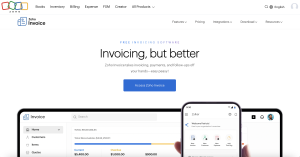
Zoho Invoice delivers enterprise-grade automation at small business prices, making it the choice for businesses that want to minimize manual invoice management. The workflow automation engine lets you create rules like “send reminder if unpaid after 7 days, escalate to second reminder after 14 days, mark as collections after 30 days, and notify me via Slack”—all without code.
The platform’s time tracking integration is particularly strong. If you use Zoho Projects or even third-party tools like Toggl, you can establish approval workflows where logged time gets reviewed before automatically generating invoices based on billing rates that vary by task type or team member. For agencies billing multiple clients with different rate structures, this prevents the billing errors that damage client relationships.
Zoho also excels at customization. You can create templates that look genuinely custom rather than “small business software template,” modify every element of the client portal to match your branding, and even adjust email reminder language to match your company’s communication style. This matters most for businesses where brand consistency impacts client perception.
Pricing reality: Zoho invoice plan completely free.
Best for: Agencies and consultancies with complex billing rules, businesses already using other Zoho products (CRM, Projects, Books), and automation-minded users comfortable spending time on setup to save time on execution.
Watch out for: The feature depth can overwhelm. If you need basic invoicing and don’t value automation, simpler tools will serve you better. Also, support quality is inconsistent—community forums are active, but response times for paid support tickets can stretch to 48+ hours.
Wave: Best Completely Free Solution for Micro-Businesses
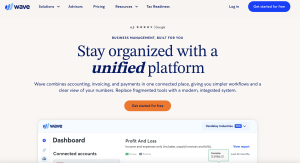
Wave’s completely free invoicing (supported by payment processing revenue) makes it compelling for businesses just starting out or with very low invoice volumes. There’s no trial period that expires, no invoice limits that force upgrades, and no feature restrictions that push you toward paid tiers. For truly micro businesses processing 5-10 invoices monthly, this is legitimate free-forever software.
The invoicing features themselves are surprisingly robust for a free product. You get unlimited customizable templates, automated payment reminders, recurring invoicing capability, and client portal access. The interface feels dated compared to modern competitors, but functionality-wise, it checks most boxes that small businesses actually need.
Where Wave monetizes is payment processing, and the fees are competitive rather than predatory. Credit card processing costs 2.9% + $0.60 (slightly higher per-transaction than competitors), and bank payments via ACH cost 1% with a $1 minimum. For businesses with low transaction volumes but high transaction values, those fees remain reasonable.
Pricing reality: Their basic plan is free. Their have a annual plan for 190$ to unlock upgraded feature.
Best for: New businesses validating a business model, side hustlers with variable monthly income, and micro-businesses that will realistically stay under 20 invoices monthly indefinitely.
Watch out for: Features like payroll and advanced reporting require paid add-ons that can eventually exceed the cost of all-inclusive competitors. Also, data export options are limited—if you grow beyond Wave, migration requires manual data recreation or paid migration services.
Square Invoices: Best for Contractors Needing Integrated POS Hardware
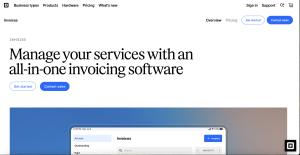
Square Invoices makes perfect sense if you’re already using Square for in-person payments and need to occasionally bill for jobs that span multiple visits or require deposits. The integration is seamless—your inventory, customer database, and payment processing all exist in one ecosystem, eliminating the data fragmentation that creates accounting headaches.
For contractors specifically—plumbers, electricians, landscapers, HVAC technicians—Square offers unique value in its field service features. You can generate an invoice on-site from your mobile device, collect payment immediately via card reader if the client wants to pay on completion, or email the invoice for later payment if they need to process it through accounts payable.
The deposit and partial payment handling is also cleaner than most competitors. You can require a percentage deposit at project start, mark progress milestones that trigger additional payment requests, and easily track which invoices have been partially versus fully paid. This matters enormously for managing cash flow on longer projects.
Pricing reality: Invoicing itself is free with no monthly subscription. Square makes money on payment processing: 2.9% + $0.30 for card payments and 1% for ACH. Their paid plan is for 48$. For businesses already paying for Square point-of-sale hardware, adding invoicing costs nothing extra.
Best for: Field service contractors, businesses with both in-person and invoiced revenue streams, and companies wanting unified reporting across all payment types without managing multiple systems.
Watch out for: Invoicing features are basic compared to dedicated tools. No time tracking integration, limited automation options, and reporting focuses on transactions rather than business insights. Also, you’re locked into Square’s payment processing—you can’t use a cheaper gateway for invoiced payments while using Square for in-person transactions.
Invoice Ninja: Best Open-Source Solution for Tech-Savvy Users
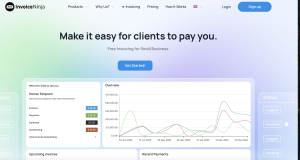
Invoice Ninja occupies a unique position as genuine open-source invoicing software that you can self-host or use via their cloud service. For businesses with specific security requirements, integration needs that require source code access, or simply philosophical preferences for open-source tools, it’s the only credible option in this category.
The self-hosted version gives you complete control over data, unlimited customization capability if you can code, and the ability to integrate with internal systems in ways that SaaS products can’t support. For software development agencies or technology consultancies, this level of control matters for both client perception and actual business needs.
Even the cloud-hosted version offers more flexibility than traditional competitors. You can modify invoice templates with HTML/CSS rather than being limited to pre-built themes, create custom fields for industry-specific data, and use the API to build automated workflows between Invoice Ninja and proprietary business systems.
Pricing reality: Their basic plan is free and they have a paid annual plan for 140$. Payment processing uses Stripe or PayPal at standard rates with no markup. Total cost of ownership is lower than most competitors if you’re comfortable with technical management.
Best for: Technology businesses, agencies with developer resources, companies with strict data residency requirements, and businesses needing deep integration with existing software stacks.
Watch out for: Self-hosting requires server management capability, security update diligence, and backup responsibility. Support is community-based unless you pay for premium support. Also, the interface feels more utilitarian than polished—it’s built for function over form.
Comparative Analysis: Pricing Models and Transaction Fees
Pricing transparency in invoicing software is deliberately murky. Vendors advertise low monthly subscriptions while obscuring processing fees, or promote “free” plans that become expensive once payment volume scales. Understanding total cost of ownership requires analyzing both subscription costs and transaction-based fees across your realistic usage patterns.
Monthly Subscriptions vs. Pay-Per-Invoice Models
Traditional monthly subscriptions work well when invoice volume is consistent and predictable. If you send 15-20 invoices monthly every month, paying $30/month for unlimited invoices costs less per invoice than pay-per-transaction models. The breakeven typically occurs around 10 invoices monthly—below that threshold, usage-based pricing is often cheaper.
Several platforms now offer hybrid models that better align costs with actual usage. Zoho Invoice’s free tier covering up to 1,000 invoices annually is effectively pay-per-invoice pricing at zero cost for micro-businesses. Wave’s software-is-free-but-processing-costs model means you only pay when clients actually remit payment, not when you send invoices.
For businesses with seasonal revenue patterns—tax preparers, holiday-focused retail, summer contractors—the ability to scale subscription costs down during slow months saves hundreds annually. Look for platforms offering month-to-month billing without annual commit requirements, or usage-based tiers that automatically adjust based on invoice volume.
Also consider user-based pricing versus company-based pricing. If three people in your business create invoices, platforms charging per-user (like QuickBooks at $15/additional user) become significantly more expensive than those with unlimited users at a flat rate (like Zoho Invoice). For growing teams, this difference compounds quickly.
Understanding Hidden Credit Card Processing Fees
Payment processing fees are where advertised pricing most dramatically diverges from actual costs. The standard “2.9% + $0.30 per transaction” that most platforms quote applies only to standard consumer credit cards processed in the United States. The moment you introduce complexity—business cards, international cards, currency conversion, or higher-value transactions—different fee structures activate.
Business credit cards and premium rewards cards trigger “interchange plus” pricing that adds 0.5-1.5% to the base rate. For B2B businesses where clients frequently pay with corporate cards, your effective processing rate is closer to 3.5-4%, not the advertised 2.9%. On a $5,000 invoice, that difference costs you an extra $30-55.
International transactions face additional markups. When a European client pays your dollar-denominated invoice with a Euro-based card, currency conversion fees (typically 1-2%) stack on top of processing fees. Some platforms disclose this in their terms; others let you discover it when reconciling deposits against invoices.
ACH bank transfers are consistently cheaper but significantly slower. At 1% with no per-transaction fee or a flat rate around $1-3, they cost substantially less than cards for high-value invoices. A $10,000 invoice costs $100 via ACH versus $300 via credit card processing. However, ACH takes 3-5 business days to settle versus 1-2 days for cards, impacting cash flow differently.
Few businesses realize they can offer clients discounts for ACH payment versus card payment, effectively passing processing cost differences to the client as a choice. Platforms that support this feature let you present two payment amounts: “$5,000 via bank transfer or $5,150 via credit card.” This is legal in most jurisdictions and immediately recovers processing costs from clients willing to pay via bank transfer.
Real-World Scenarios: Matching the Tool to the Workflow
Abstract feature comparisons matter less than how tools perform in your actual business context. The scenarios below represent common invoicing challenges and identify which platforms handle each situation most effectively.
Scenario 1: The Creative Freelancer Managing Retainers
Sarah runs a freelance content marketing business with five retainer clients paying $2,000-4,000 monthly, plus occasional project-based work. She needs automatic monthly invoicing for retainers, but project work requires custom line items for different deliverables. She bills hours over the retainer at $150/hour and needs that overage calculation automated.
Her payment timing is critical—she covers business expenses on a personal credit card and needs client payments to arrive before that bill is due on the 15th of each month. Late payments create cash flow problems, so automatic reminders are non-negotiable. She also needs financial reporting that helps her understand profit margins by client, since she suspects some retainers are actually unprofitable when considering time investment.
Best tool match: FreshBooks, specifically because its retainer billing lets her set up recurring monthly invoices that automatically include time tracked beyond the retainer allocation. The overage calculation happens automatically, and she can set invoice schedules to bill on the 1st for payment by the 10th. The profit-by-client reporting surfaces which relationships are worth expanding versus which should be repriced or released.
Alternative consideration: Zoho Invoice offers similar functionality at lower cost, but setup complexity is higher. If Sarah values simplicity over saving $10/month, FreshBooks is worth the premium.
Scenario 2: The Trade Contractor With High Mobile Needs
Marcus operates a residential electrical contracting business with two employees. He provides estimates on-site, then returns to complete work over one or more days. He needs to invoice immediately upon job completion while still at the client’s location, collecting payment before his truck leaves the driveway whenever possible. Materials costs need to be marked up 20% automatically, and labor is billed at $95/hour for him and $65/hour for his employees.
Roughly 60% of his work comes from three commercial property management companies that require emailed invoices with specific reference numbers and 30-day payment terms. The other 40% is residential work where he wants immediate payment. He needs a solution that handles both workflows without creating separate processes or requiring him to remember which client gets which treatment.
Best tool match: Square Invoices, because Marcus already uses Square card readers for in-person residential payment collection. He can generate an invoice on his phone, add line items with automatic markup calculations (configured once), and either collect payment immediately via his card reader or email the invoice to commercial clients. His entire payment ecosystem is unified—residential card payments, invoiced residential work, and commercial invoiced work all deposit into the same Square account with unified reporting.
Alternative consideration: If Marcus didn’t already use Square for other purposes, FreshBooks mobile app would be the stronger choice purely for invoicing. But the ecosystem integration makes Square more operationally efficient for his mixed payment model.
Scenario 3: The Consultant With International Clients
Priya runs a business process consulting practice with clients in the US, UK, Canada, and India. She invoices some clients in USD, others in GBP or EUR based on their preference, and needs her accounting records to show everything in USD for tax reporting. Exchange rates fluctuate between when she invoices and when clients pay, and she needs to account for that variance properly.
Several clients are subject to VAT rules requiring reverse-charge treatment, and she needs invoices to automatically display appropriate VAT language and calculations based on client location. Her accountant uses Xero and has asked her to use something that integrates cleanly so they’re not manually reconciling invoice data against bank deposits quarterly.
Best tool match: Xero, because it’s purpose-built for multi-currency businesses and handles the specific complexity Priya faces. She can set each client’s preferred currency, and Xero automatically handles exchange rate application at both invoice creation and payment receipt, properly accounting for gain/loss. The VAT handling includes reverse-charge mechanism support for EU clients, and since her accountant already uses Xero, they’re literally working in the same system with appropriate permission levels.
Alternative consideration: QuickBooks Online offers similar multi-currency support and might be less expensive, but since Priya’s accountant has specifically requested Xero, the collaboration benefits outweigh any cost savings. Switching accountants to save $20/month would be a false economy.
How to Choose the Right Tool: A Step-by-Step Evaluation Guide
Rather than choosing based on feature checklists that all look similar, use this decision framework to identify the platform that actually matches your operational reality.
Assessing Your Current Volume vs. Projected Growth
Start by calculating how many invoices you create monthly right now, then project realistically where that might be in 18 months. Not your aspirational “if everything goes perfectly” number, but a realistic assessment based on your current growth trajectory and capacity.
If you’re currently at 8-10 invoices monthly and realistically expect 15-20 within a year, you’re shopping in the small-platform category where FreshBooks, Wave, and Zoho Invoice make sense. If you’re at 25 invoices and projecting 60+, you need to evaluate platforms that scale efficiently—QuickBooks Online or Xero become relevant because their infrastructure won’t require migration as you grow.
Also consider invoice complexity, not just quantity. Five complex invoices with job costing, multiple line items, and partial payment tracking require more robust tools than fifty simple single-line-item invoices. Match platform sophistication to invoice complexity, not just volume.
Build a simple spreadsheet with current monthly invoice volume, average invoice value, payment method mix (card vs. ACH vs. check), and recurring versus one-time invoice ratio. This data helps you calculate actual total cost of ownership across platforms, because the “cheapest” subscription often becomes expensive once processing fees apply to your actual payment mix.
Checking Integration Compatibility with Your CRM and Bank
Standalone invoicing software only works well if it integrates with the other tools you actually use. Make a list of your current business software stack—CRM, project management, time tracking, expense management, bank accounts—then check whether your shortlisted invoice platforms offer native integration or require third-party connectors like Zapier.
Native integration is always preferable to third-party middleware. When FreshBooks directly integrates with Stripe, data syncs in real-time and edge cases are handled properly. When you’re connecting through Zapier, there’s additional cost ($20-50/month for sufficient task volume), potential sync delays, and edge cases that break the automation.
Bank feed integration deserves specific verification. Automatic reconciliation between invoices and bank deposits saves hours monthly, but only if your bank is supported. All platforms support major US banks, but if you use a regional credit union or online-only bank like Relay, verify support explicitly before committing.
If you use a CRM like HubSpot or Salesforce, bidirectional sync is critical—not just pushing invoice data into the CRM, but pulling client contact information and project details from the CRM to pre-populate invoices. One-way integration creates data entry duplication that wastes the time you’re trying to save.
The Importance of “Test Driving” Client Experience
Most evaluation guides focus entirely on your experience creating invoices while ignoring your client’s experience paying them. This is backwards—client payment friction directly impacts how quickly you get paid, making it arguably more important than your interface experience.
Create a test invoice and send it to yourself at a personal email address. Experience it as your client would. How many clicks to payment? Is it immediately obvious how to pay? Can you save payment information for future invoices? Does the email look professional or like generic software output?
Test payment with both a credit card and bank account if possible. How smooth is the process? Do the confirmation emails arrive promptly? What does the receipt look like? Some platforms send beautifully branded payment confirmations; others send plain-text emails that feel automated and impersonal.
Also test on mobile specifically. Approximately 40% of invoice payments now initiate from mobile devices, and platforms that aren’t mobile-optimized on the client side create payment abandonment. If your invoice email doesn’t render well on mobile, or if the payment page requires zooming and horizontal scrolling, you’re losing money to friction.
Expert Insights: Overlooked Challenges in Invoicing Software
Beyond feature comparisons, several structural issues rarely appear in vendor marketing materials but significantly impact long-term satisfaction with invoicing platforms.
Data Portability and Vendor Lock-in
Few businesses consider exit strategy when selecting invoicing software, but vendor lock-in creates serious problems if you eventually need to switch. Not all platforms allow comprehensive data export, and those that do often export in proprietary formats that don’t import cleanly into competitors.
Before committing, verify that you can export your complete invoice history, client database, and payment records in standard formats—ideally CSV for data and PDF for invoice copies. Some platforms only allow exports of current-year data, creating problems if you need historical records for audit purposes or tax filing years later.
Also test the export process itself. Some vendors technically offer data export but make it difficult—requiring support ticket submission rather than self-service, limiting export frequency, or formatting exports in ways that require extensive cleanup before they’re usable elsewhere. This isn’t accidental; it creates switching friction that keeps you paying monthly even when you’re dissatisfied.
Open-source solutions like Invoice Ninja sidestep this entirely since you control the database. For businesses with compliance requirements around data retention or concerns about vendor stability, this control factor may justify the additional technical complexity of self-hosting.
Security Standards for Client Data Protection
Your invoicing platform stores client names, contact information, project details, and payment information—a complete profile of your business relationships. This data is valuable to bad actors for phishing attacks, competitive intelligence, and identity theft. Yet most small businesses select invoicing software without considering security standards.
At minimum, verify that your platform is PCI DSS compliant for payment processing and uses encryption for data at rest and in transit. These are baseline requirements, not differentiators. Beyond basics, look for platforms that offer two-factor authentication for your account, granular user permissions so team members only access data they need, and audit logs showing who accessed what data when.
Also research the vendor’s security incident history. Have they had breaches? How did they disclose and respond? A vendor that’s never reported an incident either has strong security or poor detection—you can’t tell which. A vendor that’s had an incident but demonstrated rapid response, clear communication, and system improvements may actually be more trustworthy.
For businesses in regulated industries—healthcare, legal, financial services—verify that the platform will sign a Business Associate Agreement (BAA) under HIPAA or equivalent compliance documentation. Many consumer-focused invoicing tools won’t, which creates liability if you’re invoicing for services that involve protected information.
Frequently Asked Questions About Invoicing Tools
What is the difference between invoicing software and accounting software?
Invoicing software focuses specifically on creating invoices, tracking what’s owed to you, and collecting payment. Accounting software manages your entire financial picture—expenses, income, payroll, tax preparation, and financial reporting. The key difference is scope: invoicing is one transaction type that accounting software includes among many capabilities.
For most freelancers and very small businesses, standalone invoicing software is simpler and cheaper. You handle the limited accounting you need via spreadsheets or a tax professional. As you add employees, manage inventory, or need detailed financial reporting, full accounting software becomes worth the added complexity.
Some platforms blur the line. FreshBooks started as invoicing software and added basic accounting features. QuickBooks is accounting software that includes robust invoicing. Your decision should be based on whether you need the accounting features—if not, don’t pay for or tolerate the complexity of full accounting platforms.
Is it better to use a standalone invoicing tool or an all-in-one accounting suite?
This depends entirely on your business complexity and current pain points. If invoicing is your only financial management challenge and you’re comfortable handling other accounting tasks manually or through an accountant, standalone tools like FreshBooks or Wave deliver better user experience at lower cost.
If you’re already struggling to track expenses, constantly searching for receipts during tax season, or spending hours reconciling what you actually earned versus what you invoiced, you need accounting software, not just invoicing. In that context, QuickBooks Online or Xero makes sense despite higher cost, because you’re solving multiple problems with one platform.
A common evolution path is starting with standalone invoicing, then migrating to integrated accounting as the business grows. This works fine if you choose an invoicing tool that integrates well with accounting software (like FreshBooks with QuickBooks). It creates painful migration work if your invoicing tool doesn’t export cleanly or you’ve built workflows that don’t translate.
Can I customize invoice templates to match my brand identity?
Every platform reviewed here offers some degree of template customization, but the depth varies dramatically. Basic customization—adding your logo, changing color schemes, and modifying which fields display—is universal. Advanced customization—modifying layout, adding custom fields, or changing typography—ranges from simple to impossible depending on platform.
FreshBooks and Zoho Invoice offer the most flexibility for non-technical users through visual editors that let you drag elements, adjust spacing, and preview changes in real-time. Invoice Ninja allows full HTML/CSS customization if you can code, giving you unlimited design control. QuickBooks and Xero offer moderate customization—more than basic but less than creative professionals typically want.
If brand presentation is critical to your business (design agencies, luxury service providers, businesses with sophisticated corporate clients), invest time during trial periods specifically testing template customization. Create an invoice that matches your existing proposal or contract templates, because consistency across all client-facing documents reinforces brand professionalism.
How do these tools handle late payment reminders?
Automated payment reminders are standard functionality, but implementation quality varies significantly. Basic implementations send a generic reminder email at fixed intervals after the invoice becomes overdue. Better implementations allow you to customize reminder timing, escalation sequences, and message content based on client relationship or invoice value.
FreshBooks, Zoho Invoice, and Xero all offer escalating reminder sequences where the tone and urgency increase with each successive reminder—a gentle “just checking if you received this” at 3 days overdue, a firmer “payment is now 14 days late” at two weeks, and a final “we need to discuss this immediately” at 30 days. You can customize all message text, which matters because generic messages feel impersonal and are often ignored.
Some platforms also support reminder preferences by client. If you have a corporate client whose AP department processes everything on 30-day terms regardless of invoice due date, you can disable automatic reminders for them while keeping reminders active for other clients. This prevents the awkward situation of automated reminders damaging relationships with reliable clients who simply have slower internal processes.
Watch out for platforms that count weekends and holidays in reminder timing. Sending a strongly worded payment reminder that arrives on Christmas Day looks tone-deaf and damages relationships. Better platforms allow you to exclude holidays and weekends from reminder schedules.
Conclusion
The best invoicing tool for your business isn’t the one with the longest feature list or the most impressive demo. It’s the platform that aligns with how you actually work, processes payments in ways your clients find convenient, and costs less in total than the time and revenue it saves you. For most freelancers and solopreneurs, FreshBooks offers the best balance of usability and capability. Trade contractors already using Square gain more value from the integrated ecosystem than standalone tools provide. Businesses with complex accounting needs should pay for QuickBooks or Xero rather than trying to make simpler tools stretch beyond their design intent.
The $200-500 annual cost difference between platforms is less important than choosing one that you’ll actually use consistently. Late payment follow-up only helps your cash flow if you actually send reminders. Time tracking only improves billing accuracy if the tool is simple enough that you log time in the moment rather than reconstructing it later. Start with the tool that matches your current reality, verify that it can scale with your projected growth, and most importantly, test the client payment experience before fully committing.
Whichever platform you choose, the goal remains consistent: get paid faster, spend less time on administrative work, and maintain the professional presentation that helps clients take you seriously. The right invoicing tool is invisible infrastructure that works without requiring your constant attention—freeing you to focus on the actual work that generates the revenue you’re invoicing.

![Marketing Automation Case Study: 12 Real Examples, Strategy & ROI Results [2026]](https://marketingcasestudy.io/wp-content/uploads/2026/05/marketing-automation-case-study-featured-768x403.png "Marketing Automation Case Study: Real Examples, Strategy & ROI Results [2026] 10")

