Choosing the right HR software in 2026 isn’t just about digitizing employee records anymore. It’s about finding a platform that can handle AI-powered workforce planning, navigate increasingly complex compliance requirements, and scale alongside your organization without breaking your budget. The challenge? Most rankings you’ll find are published by vendors themselves or affiliate sites with financial incentives clouding their recommendations.
This guide cuts through the noise. We’ve analyzed hundreds of user reviews from G2, Reddit discussions where HR professionals speak candidly about their experiences, and tested platforms across different business scenarios. Whether you’re a 10-person startup moving beyond spreadsheets or a 5,000-employee enterprise consolidating multiple legacy systems, you’ll find concrete guidance tailored to your specific situation.
The HR technology landscape has fundamentally shifted in the past 18 months. What worked for companies in 2026 may no longer meet the demands of 2026’s workforce management challenges. Let’s explore what’s actually driving software selection decisions right now and which platforms deliver on their promises.
The Evolution of HR Tech: What Buyers Need to Know Before Choosing
The HR software market in 2026 looks dramatically different than it did even two years ago. Consolidation has accelerated, with mid-tier players either getting acquired or expanding rapidly through strategic partnerships. More importantly, the baseline expectations have shifted. Features that were considered premium add-ons in 2024—like predictive turnover analytics or automated compliance monitoring—are now standard in most competitive platforms.
What separates leaders from laggards isn’t just feature lists anymore. It’s execution quality, particularly around implementation timelines and ongoing support responsiveness. A system that takes eight months to fully implement might technically have more capabilities than a competitor, but if your team can’t access those features for over half a year, that theoretical advantage evaporates quickly.
Current Trends Shaping Human Resources Platforms
AI integration has moved from marketing buzzword to genuine utility in 2026. The most effective implementations focus on reducing administrative burden rather than replacing human judgment. We’re seeing platforms that can auto-categorize employee inquiries and route them appropriately, suggest compensation adjustments based on market data and performance metrics, and flag potential compliance issues before they become problems.
Employee experience has also become a primary differentiation point. The consumerization of enterprise software means employees now expect HR systems to feel as intuitive as their personal banking apps. Platforms with clunky mobile experiences or confusing navigation face significantly higher support ticket volumes and lower adoption rates.
Remote and hybrid work permanence has fundamentally altered requirements. Features for managing distributed teams, handling multi-state or international payroll compliance, and facilitating asynchronous performance reviews are no longer nice-to-haves for a narrow segment. They’re baseline requirements for the majority of buyers.
HRIS vs. HCMS vs. HCM: Defining the Terminology
The alphabet soup of HR acronyms genuinely matters when evaluating vendors, because companies use these terms inconsistently and the distinctions affect what you’re actually buying.
An HRIS (Human Resource Information System) typically refers to the foundational database that stores employee information, tracks time and attendance, and manages basic workflows. Think of it as the core record-keeping system.
HCMS (Human Capital Management System) generally includes HRIS functionality plus talent management features like performance reviews, learning management, and succession planning. It’s focused on developing and optimizing your workforce beyond just administration.
HCM (Human Capital Management) is often used interchangeably with HCMS, though some vendors use it to describe their most comprehensive suite that includes payroll, benefits, recruiting, and advanced analytics in addition to core HR and talent management.
The practical implication: when a vendor says they offer “HCM,” dig into exactly which modules are included in their base pricing versus sold as add-ons. A $30/employee/month HCM that requires separate purchases for payroll and recruiting isn’t necessarily more expensive than a $45 all-inclusive alternative.
Why 2026 is the Year of AI-Driven Workforce Management
After years of overpromising, AI capabilities in HR software have finally reached practical maturity in 2026. The difference between previous generations and current implementations is specificity. Rather than vague claims about “AI-powered insights,” leading platforms now offer concrete automation that directly impacts daily workflows.
Predictive attrition modeling has moved beyond simple flight-risk scores. Current systems can identify the specific factors contributing to turnover risk for individual employees—whether it’s compensation gaps relative to market, insufficient growth opportunities, or manager relationship issues—and suggest targeted interventions.
Intelligent document processing has eliminated much of the manual data entry that plagued HR teams. Systems can now extract relevant information from offer letters, I-9 forms, and benefits elections with 95%+ accuracy, automatically populating the appropriate fields and flagging inconsistencies for human review.
Conversational interfaces for employee self-service have dramatically reduced support ticket volumes. Instead of employees navigating through multiple menus to request PTO or update direct deposit information, they can simply type or speak their request naturally, with the system interpreting intent and executing the appropriate action.
Best HR Software by Business Size and Specific Needs
The “best” HR software varies dramatically depending on your organization’s size, growth trajectory, and specific operational challenges. A platform that’s perfect for a 50-person services company might be completely wrong for a 50-person manufacturer, even though they have the same headcount. Here’s how the leading options stack up against real-world use cases.
1. BambooHR: Best Overall All-in-One Solution for Small Businesses
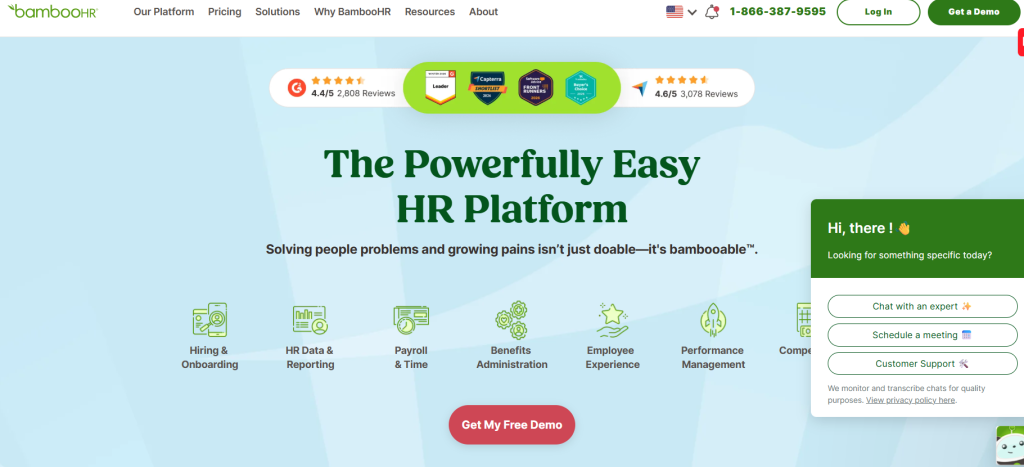
BambooHR continues to dominate the small business segment in 2026, and for legitimate reasons beyond their marketing budget. For companies with 10-250 employees, BambooHR offers the ideal balance of capability and usability.
What makes it work: The interface genuinely requires minimal training. New HR coordinators can typically navigate core functions within their first hour. The mobile app feels native rather than like a wrapped website, which matters when managers are approving time-off requests between meetings. Implementation usually takes 4-6 weeks rather than months, and their support team responds to tickets within a few hours rather than days.
The platform includes applicant tracking, onboarding workflows, e-signatures, time tracking, performance management, and employee self-service portals in their standard package. Payroll is available but requires partnering with specific providers, which creates some integration friction.
Pricing Overview
| Plan | Starting Price | Best For | Key Features |
|---|---|---|---|
| Core | Starts at $10 per employee/month | Small to growing businesses needing essential HR tools | HR data & reporting, hiring & onboarding, time-off & benefits tracking, employee experience tools, HR insights, compliance intelligence, 1 compliance training course, AI assistant |
| Pro | Custom quote | Companies focused on employee engagement & performance | Everything in Core + performance management, employee community, 15 compliance training courses, upgraded AI assistant |
| Elite | Custom quote | Larger businesses needing advanced insights & analytics | Everything in Pro + compensation management, custom dashboards & analytics, HR benchmarks, premium services, 300+ compliance training courses, advanced AI assistant |
Best for: Service-based businesses, professional firms, and companies that prioritize user experience over deep customization capabilities. Not ideal if you need robust payroll directly integrated or have complex union workforce requirements.
2. Rippling: Top Choice for Mid-Sized Growing Companies
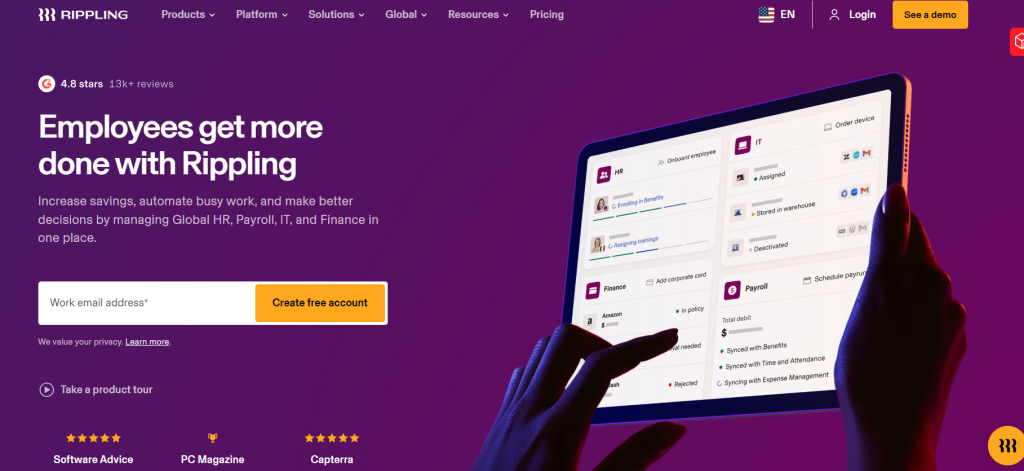
Rippling has aggressively captured market share in the 100-1,000 employee segment by solving a problem most competitors ignore: the integration nightmare between HR, IT, and finance systems. Their platform manages not just HR functions but also device management, software provisioning, and spend controls from a unified interface.
The killer feature isn’t any single module—it’s the workflow automation across systems. When you hire someone, Rippling can automatically provision their laptop, create their email account, enroll them in benefits, add them to payroll, grant access to necessary software, and schedule their onboarding tasks. When they leave, it reverses everything instantly. This level of integration eliminates the security and compliance gaps that plague companies using separate point solutions.
Payroll is truly native to the platform rather than a bolt-on integration, and they handle multi-state compliance automatically. The learning management system includes content creation tools rather than just hosting purchased courses. Performance review workflows support matrix reporting structures, which matters for companies with complex organizational designs.
Best for: Tech companies, agencies with complex contractor relationships, and any organization experiencing rapid growth where manual processes are breaking down. Less suitable for companies needing deep industry-specific compliance features or those with limited bandwidth for initial configuration.
3. Workday HCM: Leading Enterprise HCM for Complex Organizations
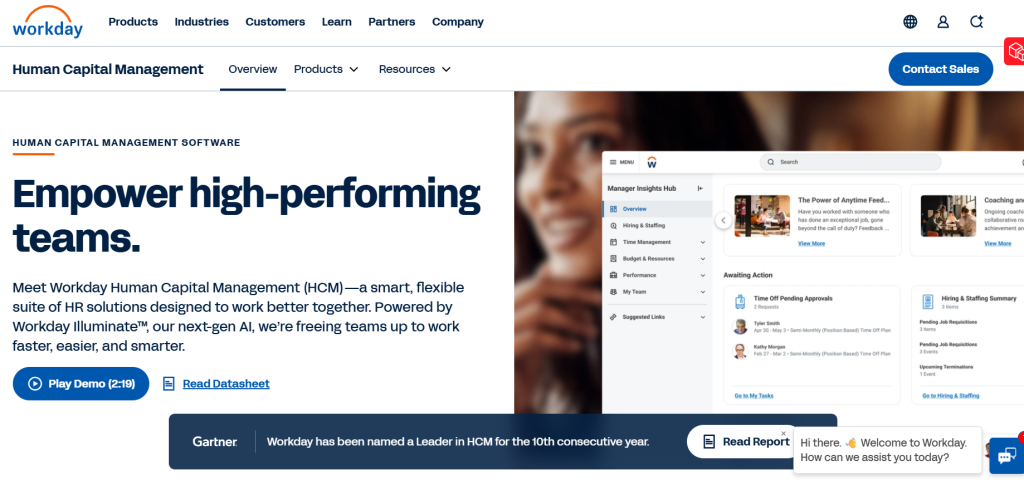
Workday HCM remains the enterprise standard in 2026, particularly for organizations with 1,000+ employees operating across multiple countries. While newer competitors have eroded some of Workday’s market share, they still lead in handling genuinely complex scenarios.
Where Workday excels: Managing intricate organizational structures with matrix reporting, multiple legal entities, and diverse employee populations including full-time staff, contractors, and contingent workers. Their financial integration capabilities are unmatched, which matters for enterprises needing sophisticated workforce cost analysis. The platform handles multi-country payroll with proper localization rather than just translating interfaces.
The 2026 version has significantly improved mobile experience and streamlined navigation based on role-based dashboards. They’ve also opened their ecosystem to more third-party integrations, addressing a longstanding complaint about their walled-garden approach.
Implementation timelines still average 9-14 months for large deployments, and you’ll need dedicated internal resources or consultants to manage the process. Pricing isn’t publicly disclosed but typically starts around $150,000 annually for mid-sized enterprises and scales dramatically with employee count and module selection.
Best for: Large enterprises, particularly those in regulated industries needing detailed audit trails and complex approval workflows. Organizations with significant international operations benefit most. Not appropriate for companies under 500 employees due to cost and complexity.
4. Justworks: Best Professional Employer Organization (PEO) for Benefits Administration
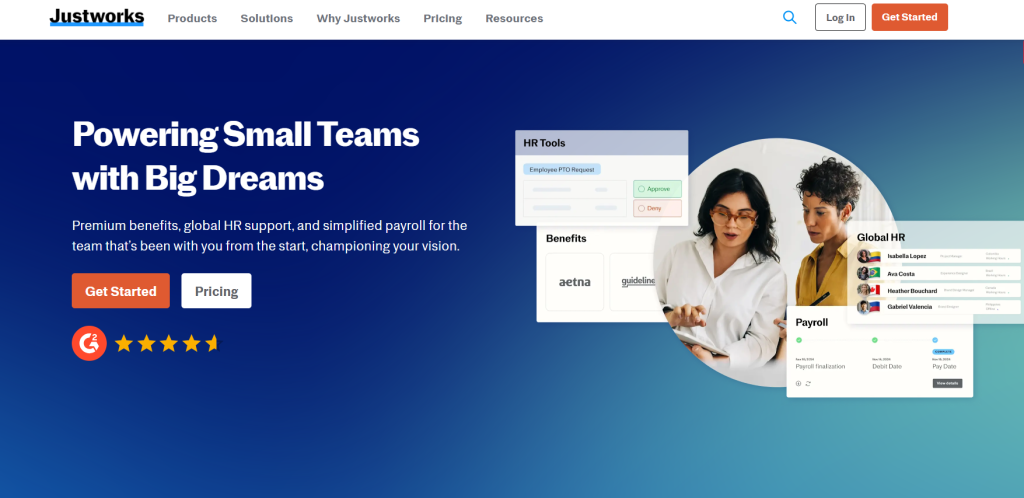
Justworks leads the PEO category for small to mid-sized businesses prioritizing benefits access and simplified compliance. The PEO model means Justworks becomes your co-employer, which allows your employees to access Fortune 500-level benefits plans despite your smaller size.
The value proposition centers on benefits leverage. Through Justworks, a 30-person company can offer health insurance options, 401(k) with matching, FSA/HSA plans, and commuter benefits at rates typically available only to much larger employers. They handle all compliance filings, workers’ compensation insurance, and provide HR advisory support included in their pricing.
The trade-off: You’re ceding some control by entering a co-employment relationship. Justworks must approve certain HR decisions, and if you ever want to leave, transitioning out of a PEO creates some operational friction. Their platform’s HR features are functional but less sophisticated than dedicated HRIS systems.
Justworks Pricing Overview
| Plan | Price | Base Fee | Best For | Key Features |
|---|---|---|---|---|
| Payroll | $8 per employee/month | + $50/month | Small teams needing payroll & basic HR tools | Payroll for all employees, HR tools, expert support, access to time tracking |
| PEO Basic | $79 per employee/month | No base fee | Businesses needing compliance & HR support | Payroll, compliance support, HR consulting & tools, 24/7 support, 401(k), time tracking |
| PEO Plus (Popular) | $109 per employee/month | No base fee | Companies wanting full-service HR & benefits | Everything in PEO Basic + health insurance administration, HSA/FSA accounts, mental health benefits, fertility benefits |
Best for: Small companies where competitive benefits are crucial for talent attraction but where HR bandwidth is limited. Companies planning to scale beyond 250-300 employees may outgrow the PEO model and face a complex transition.
5. Deel: Best EOR Services for Global and Remote Teams
Deel has become the dominant player for companies hiring internationally without establishing foreign entities. Their Employer of Record (EOR) service legally employs your workers in 150+ countries while you maintain day-to-day management control.
What sets Deel apart in 2026: Their compliance infrastructure is genuinely comprehensive rather than just contract templates. They maintain in-country legal entities, handle localized payroll tax withholding, manage statutory benefits enrollment, and provide proper employment contracts that comply with local labor laws. When regulations change—which happens frequently in many jurisdictions—Deel updates contracts and processes automatically.
The platform also includes contractor management for independent workers, equipment shipping logistics, and immigration support for visa sponsorship. Their payment infrastructure supports 120+ currencies with competitive FX rates.
Deel Pricing Overview
| Plan | Starting Price | Best For | Key Features |
|---|---|---|---|
| Employee of Record (Standard) | $599 per employee/month | Companies hiring globally without setting up local entities | Legal employment in 110+ countries, automated onboarding & compliance, benefits enrollment, managed payroll & tax filing, HR & legal support, 24/7 support |
| Employee of Record (Enterprise) | $899 per employee/month | Enterprises needing enhanced legal & security support | Everything in Standard + dedicated onboarding manager, in-app redlining, legal response guarantees, Slack/MS Teams support channel, audit log export, SSO/SAML |
| US PEO | $125 per employee/month | Businesses hiring employees across all 50 US states | Payroll, HR & compliance in one place, federal/state/local tax handling, regulatory compliance, competitive benefits access, lifecycle event support, onboarding & document management |
Best for: Companies hiring remote talent internationally, particularly in countries where establishing your own entity isn’t economical. Also strong for organizations testing new markets before committing to permanent establishment. Less relevant if all employees are domestic.
6. Freshteam: Best Free HR Software for Startups on a Budget
Freshteam by Freshworks offers genuinely functional HR capabilities at no cost for up to 50 employees, making it the strongest option for bootstrapped startups not ready to invest in paid platforms.
The free tier includes applicant tracking with job posting to multiple boards, candidate pipeline management, employee onboarding with task checklists, time-off management with approval workflows, and employee directory with org chart visualization. It’s not a stripped-down trial—these are fully functional features without time limits.
Limitations become apparent around reporting and customization. You can’t build custom workflows or generate sophisticated analytics. Integration options are limited compared to paid platforms. There’s no payroll functionality. Support is primarily community-based rather than direct assistance.
The upgrade path to paid tiers ($75-99/month for 50 employees) adds recruiting analytics, custom workflows, enhanced reporting, and priority support. For companies scaling beyond 50 people, you’ll likely graduate to a more comprehensive platform, but Freshteam provides a legitimate bridge for early-stage companies.
Best for: Pre-seed and seed-stage startups under 50 employees where HR processes are minimal and budget is extremely constrained. Teams comfortable with limited customization and willing to manually handle certain processes through workarounds.
Real-World Scenarios: Matching Software to Your Situation
Generic capability lists don’t actually help you choose because they ignore the specific context that makes or breaks software decisions. Here’s how different organizational situations should influence your platform selection.
Scenario 1: The Rapid Scaler (Adding 50+ Employees Annually)
You’re a Series B SaaS company currently at 120 employees, projecting 250 by year-end and 400+ by late 2026. Your current system (probably BambooHR or Gusto) is starting to show cracks. Onboarding workflows are breaking down. Your finance team is complaining about limited reporting flexibility. You just hired your first international employee and realized you have no infrastructure for that.
What matters most: Scalability isn’t just about supporting higher headcount—it’s about whether workflows that work at 100 people still work at 500. You need robust API access for integrations because your tech stack will expand. Payroll must handle multi-state complexity automatically as you open new offices. Reporting needs to support sophisticated headcount planning.
Right choice: Rippling makes the most sense here. Their platform handles 50 to 5,000 employees without requiring migration to an “enterprise” tier. The IT management integration becomes increasingly valuable as device provisioning scales. Their international capabilities through Deel partnership provide a growth path for global hiring.
Alternatives to consider: TriNet offers PEO services that scale well and includes enterprise-grade benefits. ADP Workforce Now works if you prioritize payroll reliability above all else, though the interface feels dated compared to newer platforms.
Implementation approach: Migrate during a slower hiring period if possible, but don’t wait until your current system completely breaks. Budget 8-12 weeks for implementation. Get your finance and IT teams involved early since Rippling touches their workflows significantly.
Scenario 2: The Compliance-Focused Healthcare or Finance Firm
You’re a 350-person healthcare provider or financial services firm where regulatory compliance isn’t just important—it’s existential. HIPAA requirements, SOC 2 audits, detailed access controls, and comprehensive audit trails aren’t optional features. A compliance failure could result in significant fines or business consequences.
What matters most: Detailed permission controls for who can access what employee data. Comprehensive audit logs showing every system action with timestamps and user identification. Automated compliance workflows for required training, certifications, and policy acknowledgments. Vendor security certifications and willingness to sign BAAs (Business Associate Agreements) for HIPAA.
Right choice: Workday HCM or UKG Pro (formerly UltiPro) depending on your size. Workday excels if you’re larger than 500 employees with complex reporting structures. UKG Pro is better optimized for 200-1,000 employee healthcare organizations specifically, with pre-built compliance workflows for credentialing, license tracking, and mandatory training.
These platforms cost significantly more than alternatives (often $75-120 per employee monthly), but the compliance infrastructure they provide is genuinely differentiated rather than marketing fluff. Their audit trail capabilities, role-based access controls, and documentation for regulatory reviews justify the premium in high-risk industries.
Implementation approach: Budget 4-7 months for implementation and involve your compliance team from day one. Document your requirements explicitly rather than assuming the vendor knows your industry needs. Request references from similar organizations in your specific sector, not just generic healthcare or finance references.
Scenario 3: The Distributed Remote-First Tech Team
You’re a 75-person fully remote software company with employees across 20 states and contractors in eight countries. You’ve never had an office and don’t plan to open one. Your current patchwork of tools (Gusto for payroll, BambooHR for records, Carta for equity, separate EOR services for international team members) requires too much manual coordination.
What matters most: Seamless experience for international and domestic team members—they shouldn’t feel like second-class citizens with different processes. Automated multi-state tax compliance as employees move frequently. Strong mobile experience since people work from different locations and time zones. Equity management integration for option grants and vesting schedules.
Right choice: Deel combined with Rippling creates the strongest stack for this scenario. Use Rippling for your US employees and contractors, leveraging their superior domestic payroll and IT management. Use Deel for all international team members, taking advantage of their EOR infrastructure and localized expertise.
The integration between these platforms in 2026 is much smoother than separate point solutions. Deel data flows into Rippling for unified reporting and directory management. Your team experiences relatively consistent workflows regardless of location.
Alternative approach: Remote.com offers combined domestic and international capabilities in one platform, which simplifies vendor management but provides less sophisticated features than the Rippling/Deel combination. Consider Remote if you prioritize simplicity over optimization.
Implementation approach: Migrate domestic employees to Rippling first (6-8 weeks), then transition international team members to Deel (3-4 weeks per country cluster). The phased approach minimizes disruption compared to a simultaneous cutover across your entire global team.
Comparative Analysis of Top Features
Individual features matter less than their execution quality and integration with related capabilities. Here’s what actually differentiates platforms across the functions that impact daily operations most significantly.
Payroll Automation and Tax Compliance Capabilities
Payroll is where HR software failures become immediately visible and expensive. Errors show up in employee bank accounts, tax filings go wrong, and compliance issues create actual legal risk. The gap between adequate and excellent payroll functionality is substantial.
Leading platforms like Rippling and Gusto handle multi-state tax withholding automatically, adjusting calculations as employees move or work temporarily in different jurisdictions. They file federal and state payroll taxes on your behalf, assume liability for calculation errors, and automatically update for tax law changes without requiring you to track regulatory updates.
Where systems differ significantly: Off-cycle payroll handling. When you need to pay out bonuses or correct errors between regular cycles, some platforms make this seamless while others require manual workarounds. Contractor payment infrastructure varies widely—leading systems support international contractor payments in local currencies while basic platforms may only handle domestic ACH transfers.
Garnishment management becomes critical if you employ hourly workers. Systems like ADP and Paychex excel here because they’ve built specialized workflows from decades of processing garnishment orders. Newer platforms sometimes handle basic garnishments but struggle with complex multi-state or priority order scenarios.
Year-end processing for W-2s, 1099s, and ACA reporting reveals platform maturity. Systems that have processed multiple year-ends handle regulatory changes smoothly and deliver documents on time. Newer entrants occasionally stumble on edge cases despite working fine during regular payroll cycles.
Performance Management and Employee Engagement Tools
Performance management has evolved significantly in 2026, with annual review cycles giving way to continuous feedback models. The best platforms support multiple philosophies rather than forcing you into one methodology.
Lattice and Culture Amp specialize exclusively in performance and engagement, offering more sophisticated features than general HR platforms’ built-in modules. They support OKR tracking, 360-degree feedback, pulse surveys, and engagement analytics with significantly more depth than HRIS add-ons.
BambooHR and Rippling provide performance management that’s functional for straightforward scenarios—manager reviews, self-assessments, and goal tracking. These work well if your process is relatively standard and you prioritize having everything in one system over best-in-class performance features.
Workday’s performance module shines in complex organizational structures with matrix reporting, multiple review participants, and calibration workflows across departments. The sophistication comes with corresponding complexity—simpler organizations may find it overcomplicated.
The engagement survey landscape has matured considerably. Basic pulse surveys are now commoditized—most platforms include simple survey distribution. What differentiates leaders is intelligent frequency optimization (not surveying people constantly), benchmarking against similar companies, and actionable insights rather than just data dumps.
Integration with compensation planning separates advanced from basic systems. Platforms that connect performance ratings directly to merit increase workflows, visualize compensation relative to performance distribution, and support compensation committee reviews provide substantially more value than those treating performance and compensation as separate modules.
Recruiting and Applicant Tracking Systems (ATS) Integration
The recruiting function sits awkwardly in many HR platforms—important enough to include but specialized enough that dedicated tools often work better. Your decision depends on hiring volume and sophistication needs.
Companies hiring fewer than 30 people annually typically find native ATS modules within platforms like BambooHR or Rippling completely adequate. These systems handle job posting distribution, candidate pipeline management, interview scheduling, and basic collaboration among hiring team members. They won’t wow recruiting teams accustomed to specialized tools, but they eliminate integration headaches.
Organizations hiring 50+ people yearly often benefit from dedicated ATS platforms like Greenhouse or Lever despite the integration complexity. These specialized systems provide sophisticated candidate sourcing, robust interview plan templates, detailed pipeline analytics, and candidate relationship management features that general HR platforms don’t match.
The integration quality between your HRIS and external ATS determines whether this split approach creates operational friction or works smoothly. Look for bidirectional sync—not just pushing hired candidates into your HRIS, but pulling employee data back into your ATS for referral tracking and internal mobility programs.
One-way integrations create data maintenance nightmares. If a candidate becomes an employee through your ATS but then you update their personal information in your HRIS, does that update flow back? In poor integrations, you end up with duplicate records and conflicting data.
In 2026, several platforms have achieved genuinely seamless integration: Greenhouse with Rippling, Lever with BambooHR, and Ashby with several HRIS platforms. These partnerships prioritize integration quality because both vendors recognize users often choose specialized tools for different functions.
Self-Service Portals and Mobile App Experience
Employee self-service isn’t just about reducing HR’s workload—though that matters. It’s about employee experience and autonomy. Poor self-service infrastructure generates frustration and support tickets, while excellent implementations become invisible because they just work.
Mobile app quality varies dramatically across platforms. Leading implementations like Rippling and Gusto feel like consumer apps with intuitive navigation, fast load times, and comprehensive functionality. Employees can request time off, view pay stubs, update personal information, access tax documents, and manage benefits enrollment entirely from their phones without compromising usability.
Weaker mobile experiences feel like afterthoughts—often just mobile-responsive web views rather than true native apps. These technically function but frustrate users with awkward navigation, slow performance, and features that mysteriously require desktop access for no apparent reason.
Manager self-service capabilities matter as much as employee access. Can managers approve time-off requests, view their team’s schedules, access headcount reports, and review employee information from mobile devices without calling HR? Leading platforms empower managers with appropriate visibility and control within their scope, while weaker systems force managers back to HR for basic operational questions.
Document access and e-signature functionality separates modern from dated systems. Employees should be able to view offer letters, sign benefits elections, acknowledge policies, and access tax forms without email attachments or printed paperwork. Platforms with native e-signature capabilities (BambooHR, Rippling) provide smoother experiences than those requiring third-party DocuSign integrations, though the latter works adequately if implementation is clean.
Notification management has become critical as systems attempt to keep users informed without overwhelming them. Smart platforms allow granular notification preferences—employees can choose to receive mobile push notifications for certain events, email for others, and in-app only for low-priority items. Systems with crude notification controls become noise generators that train users to ignore all alerts.
How to Choose the Right HR Platform for Your Organization
Selection frameworks from software vendors and consulting firms tend to be comprehensive but not actually helpful—30-point evaluation matrices create analysis paralysis without clarifying what truly matters for your specific context. Here’s a practical approach that focuses on decision drivers rather than exhaustive checklists.
Step-by-Step Evaluation Framework
Step 1: Define your breaking point. What specifically is broken about your current approach that’s forcing this decision now? Be concrete: “Our spreadsheet-based PTO tracking requires 10 hours weekly of manual reconciliation and we’ve made payroll errors three times this quarter.” Starting with pain points clarifies which capabilities matter most versus nice-to-haves.
Step 2: Project 18-24 months forward. Don’t buy for your current state—buy for where you’ll be soon. If you’re 75 employees today but realistically targeting 150 by late 2026, evaluate platforms at the 150-person threshold. Migrating systems is expensive and disruptive, so getting two years of runway from your choice justifies paying for capabilities slightly ahead of your current needs.
Step 3: Identify your must-have integrations. Map your critical systems that must connect to HR software: accounting platforms, single sign-on providers, existing ATS if keeping it separate, time tracking if using external tools. Confirm native integrations exist rather than just API access, because building custom integrations is expensive and fragile.
Step 4: Determine your implementation capacity. How much internal time can you realistically dedicate to implementation? If your answer is “very little because we’re slammed,” favor platforms with quick implementation timelines (4-8 weeks) and strong support even if they cost more. If you have dedicated project resources, you can consider more complex platforms that require longer setup but offer deeper customization.
Step 5: Demo with realistic scenarios. Don’t accept generic vendor demonstrations that show ideal cases with clean data. Provide your actual scenarios: “Show me how we’d handle an employee who works remotely from three different states throughout the year” or “Walk through paying bonuses to 40 people mid-cycle with different tax treatments.” Platforms either handle your reality smoothly or they don’t.
Step 6: Check references obsessively. Request references from companies as similar to yours as possible—same industry, comparable size, similar growth rate. Ask specific questions about implementation timeline accuracy, how quickly support responds to tickets, and what unexpected limitations they discovered after purchasing. References provided by vendors are obviously filtered, but their answers to specific questions still reveal useful information.
Step 7: Validate the exit path. What happens if you need to leave this platform in two years? How difficult is data export? Does the vendor hold your historical information hostage? Understanding exit friction helps you assess vendor lock-in risk and negotiate contractual terms around data portability.
Understanding Pricing Models: Per-User Fees vs. Base Pricing
HR software pricing structures directly impact your total cost but aren’t always straightforward to compare. Vendors purposely obscure pricing to avoid direct comparisons and maximize negotiating leverage. Here’s how to decode what you’re actually paying.
Per-user-per-month (PUPM) pricing is most common for platforms serving small to mid-sized companies. BambooHR, Rippling, and similar platforms charge $8-45 per employee monthly depending on modules selected. This scales linearly with headcount, making budgeting straightforward but potentially expensive as you grow.
Tiered pricing offers different per-user rates based on employee count ranges. You might pay $35/employee/month for 1-50 employees, $28/employee/month for 51-200, and $22/employee/month for 201-500. This rewards growth but creates awkward threshold effects where adding one more employee bumps you into a higher tier affecting everyone’s rate.
Platform fees plus per-user charges represent how many enterprise systems price. You pay a base platform fee ($10,000-50,000 annually) for system access, then additional per-user charges on top. Total cost can be lower at scale compared to pure PUPM models, but the base fee makes small deployments expensive.
Module-based pricing lets you pay only for features used but creates bill complexity. Core HRIS might be $10/employee/month, with payroll adding $15, performance management adding $5, and recruiting adding $8. Your eventual bill depends on your mix. This theoretically allows customization but often ends up more expensive than all-inclusive alternatives once you’ve added necessary modules.
PEO pricing bundles HR technology with HR services, typically ranging from $60-150 per employee monthly. This includes benefits administration, compliance support, workers’ comp insurance, and advisory services in addition to technology. Compare this to unbundled alternatives by calculating your total spend on technology plus broker fees plus workers’ comp rather than just comparing tech subscription costs.
Identifying Hidden Costs: Implementation, Support, and Add-ons
The subscription price is just your starting point. Total cost of ownership includes several categories that vendors downplay during sales cycles but that substantially affect your budget.
Implementation fees range from zero for simple platforms like Gusto to $50,000+ for enterprise deployments. Mid-market implementations typically cost $5,000-25,000 depending on data migration complexity, required customization, and integration setup. Some vendors waive implementation fees to win deals but then provide minimal support, leaving you struggling. Others charge explicitly but include dedicated resources ensuring smooth deployment.
Data migration costs emerge when you have substantial historical information to transfer. Vendors usually migrate current employee records as part of implementation, but moving years of performance review history, past payroll data, or previous benefits elections often requires additional fees or extensive manual work.
Training costs appear when vendor-provided training is insufficient. Basic platforms need minimal training, but complex systems may require bringing in consultants to train your team, costing $5,000-30,000 depending on company size and system complexity.
Integration development fees hit when you need custom integrations beyond standard marketplace options. Even platforms with extensive integration libraries sometimes can’t connect to your specific accounting system or industry-specific tools. Custom integration development through vendors or consultants easily costs $10,000-50,000 per integration.
Support tier pricing means premium support costs extra at many vendors. Base subscriptions often include email support with 24-48 hour response times. Phone support, dedicated account management, or guaranteed response times require upgraded support packages adding 15-30% to your base subscription.
Add-on module fees accumulate as you activate additional functionality. That affordable base price often excludes recruiting, performance management, advanced reporting, or other capabilities you’ll eventually need. Map out your likely module requirements over 24 months rather than just initial needs to estimate realistic costs.
Red Flags to Watch For During Vendor Demos
Certain patterns during evaluation indicate likely post-purchase problems. These red flags don’t necessarily disqualify vendors but should trigger deeper investigation before signing.
Vague answers about integration specifics. When you ask how their system integrates with your accounting platform and the rep says “we have robust API capabilities,” that often means no pre-built integration exists and you’ll need custom development. Insist on seeing the actual integration working or confirming it’s listed in their integration marketplace.
Implementation timeline uncertainty. Reputable vendors can estimate implementation timelines within reasonable ranges because they’ve done this repeatedly. If timelines are vague or “it depends on how fast your team moves,” they either lack implementation experience or are hiding likely delays.
Feature roadmap promises solving current gaps. “That feature isn’t available yet but it’s on our roadmap for Q3” means don’t count on it. Roadmaps shift constantly based on technical challenges and competing priorities. Buy based on current functionality, treating any future additions as potential upside rather than expected delivery.
Switching topics when asking about limitations. Strong vendors acknowledge what their system doesn’t do well and explain why it may not matter for your use case. Vendors who deflect limitation questions or pivot to other features often oversell capabilities, leading to disappointment after purchase.
Unusually aggressive discounting. Significant discounts off “list price” are standard in enterprise software, but excessive discounting (50%+ off) suggests weak demand or poor product-market fit. Why are they so desperate for your business? It might indicate underlying problems like high churn rates or financial instability.
References all from different industries or sizes. If you’re a 200-person financial services firm and all their references are 50-person tech companies, that suggests they don’t have successful deployments matching your profile. Customer bases reflect where vendors truly excel versus where they’re trying to expand.
Our Evaluation Methodology: Ensuring Objective Rankings
The HR software ranking landscape suffers from pervasive bias because most rankings come from sources with financial incentives tied to specific vendor recommendations. We’ve approached evaluation differently to provide actually useful guidance for buyers navigating this complex market.
How We Eliminate Vendor Bias
We don’t accept vendor sponsorships, affiliate commissions, or advertising from HR software companies. This eliminates the most direct financial conflict that compromises many rankings. When every “best” list earns revenue when you click their recommendations, those recommendations become suspect.
Our evaluation team includes former HR practitioners who’ve implemented and managed these systems at companies ranging from 40 to 4,000 employees. This operational experience reveals gaps between vendor marketing and daily reality that pure analysts miss. We know what actually matters versus what sounds good in demos.
We maintain ongoing access to multiple platforms rather than relying on vendor demonstrations. Sales demos showcase carefully curated scenarios with ideal data. Real evaluation requires logging into systems, navigating actual workflows, testing edge cases, and experiencing the friction real users encounter.
We document and disclose our testing methodology rather than presenting rankings as mysterious outputs. You can assess whether our priorities align with yours and weight factors differently if your context demands it. Transparent methodology builds trust more effectively than unsubstantiated “expert” claims.
Aggregated User Sentiment: Insights from Reddit and G2
User reviews on platforms like G2 provide valuable signal but require interpretation. Reviews skew toward extremes—very satisfied and very frustrated users write reviews while the satisfied middle stays silent. We account for this by looking at patterns across hundreds of reviews rather than cherry-picking individual experiences.
Reddit discussions in communities like r/humanresources and r/smallbusiness reveal insights that formal reviews miss. Users discuss problems candidly without vendor mediation. Common complaints appearing repeatedly across unrelated discussions indicate systematic issues rather than isolated experiences.
We specifically track satisfaction divergence between HR administrators and end users. Some platforms score well with HR teams who manage them daily but frustrate employees with poor self-service experiences. Others provide excellent employee experience but create administrative burden for HR staff. Ideal platforms balance both constituencies’ needs.
Customer support quality emerges clearly from aggregated feedback. Users consistently mention whether support teams respond quickly, whether they actually solve problems or deflect, and whether documentation helps with common issues. Support quality affects daily experience more than specific feature differences.
Implementation experience patterns reveal which vendors consistently deliver smooth deployments versus those with erratic execution. When multiple unrelated reviews mention implementations taking twice as long as promised or requiring extensive troubleshooting, that indicates systemic implementation process problems.
Scoring Criteria: Usability, Customer Support, and Scalability
Our evaluation framework weights factors based on their impact on long-term satisfaction and total cost of ownership rather than feature checklist completeness. Three categories drive approximately 60% of user satisfaction variance.
Usability (30% weight): How intuitively can new users navigate core workflows? Can employees complete common tasks without contacting HR? Do managers have appropriate visibility without overwhelming complexity? We test specific scenarios like “request time off,” “update direct deposit,” and “approve expense reports” measuring clicks required and whether the path is obvious without training.
Customer support quality (20% weight): When things go wrong—and they will—how quickly and effectively does support respond? We evaluate average response times, resolution rates, and whether support can handle complex scenarios versus just directing users to documentation. Support quality becomes crucial during payroll issues, compliance questions, or technical problems.
Scalability (10% weight): Will the platform grow with you without requiring migration in 18-24 months? Can workflows that work at your current size handle 2x employee count? Does pricing structure become prohibitive at scale? We assess both technical scalability and economic scalability.
Feature depth (15% weight), integration ecosystem (10% weight), implementation quality (10% weight), and pricing transparency (5% weight) comprise the remaining evaluation criteria. Each matters but secondary to whether the system is actually pleasant to use, backed by responsive support, and able to grow with your organization.
Frequently Asked Questions About HR Software
How long does it typically take to implement a new HRIS?
Implementation timelines vary significantly based on platform complexity, your data quality, and internal resource availability. Simple platforms like Gusto or basic BambooHR deployments take 4-6 weeks from contract signing to going live. This includes data migration, system configuration, testing, and training.
Mid-complexity implementations for platforms like Rippling or comprehensive BambooHR deployments typically require 6-10 weeks. These involve more intricate configurations, multiple integration setups, and workflow customization requiring iterative testing and refinement.
Enterprise HCM implementations for platforms like Workday or UKG Pro typically take 6-14 months. These complex deployments involve extensive customization, data migration from multiple legacy systems, integration with numerous enterprise applications, comprehensive testing, and phased rollouts across departments or regions.
The most common implementation delays stem from poor data quality in your existing systems, slow decision-making about configuration options, and insufficient internal resource allocation. Vendors assume you’ll dedicate appropriate time to reviewing configurations and testing functionality. When buyers treat implementation as entirely the vendor’s responsibility, timelines extend significantly.
Can small businesses manage HR without dedicated software?
Small businesses can technically manage HR without dedicated software up to approximately 15-20 employees, though it becomes increasingly painful and risky as you approach that threshold. Spreadsheet-based PTO tracking, manual payroll processing through your bank, and paper benefit enrollments technically work but create substantial administrative burden and compliance risk.
The true cost of no HR software isn’t just time—it’s errors and exposure. Manual payroll calculations frequently produce mistakes costing money to fix and damaging employee trust. Spreadsheet-based time tracking provides no audit trail for compliance purposes. Benefits administration through carriers directly without a benefits platform creates enrollment errors and employee frustration.
The inflection point for most businesses arrives when you hire your first employee in a second state, when you offer multiple benefit options requiring enrollment coordination, or when time-off tracking conflicts start consuming several hours weekly. At that point, even inexpensive HR software ($40-60 per employee monthly) delivers positive ROI within weeks through time savings alone.
Startups with 5-10 employees should at minimum use a payroll service like Gusto ($40/month base plus $6/employee) rather than fully manual processing. This automates tax calculations, handles filings, and provides basic time-off tracking, eliminating the highest-risk manual processes while keeping costs reasonable.
Is cloud-based HR software secure for sensitive employee data?
Cloud-based HR platforms from reputable vendors typically provide significantly better security than on-premises systems or local file storage that most small to mid-sized companies could implement independently. Leading providers invest millions annually in security infrastructure, employ dedicated security teams, and undergo regular third-party audits.
Look for specific security certifications that indicate serious security practices: SOC 2 Type II compliance, ISO 27001 certification, and GDPR compliance for platforms handling international data. Vendors serving regulated industries should be willing to sign Business Associate Agreements for HIPAA compliance.
The highest security risks aren’t typically the platform itself but user behavior: weak passwords, sharing login credentials, accessing systems on unsecured networks, or falling for phishing attacks. Strong HR platforms enforce security policies like multi-factor authentication, password complexity requirements, and session timeouts that many small organizations wouldn’t enforce independently.
Data encryption should be standard both in transit and at rest. Leading platforms encrypt data using AES-256 encryption, maintain redundant backups across multiple geographic regions, and provide detailed access logs showing who accessed what information when. These capabilities exceed what most organizations can implement with on-premises systems.
The legitimate cloud security concern isn’t whether cloud platforms are secure but whether you’ve selected a reputable vendor following security best practices versus a marginal provider cutting corners. Stick with established vendors serving thousands of customers who can’t afford security incidents over startups with unproven security track records.
When is the right time to switch from a spreadsheet to HR software?
The clearest signals that spreadsheets have become inadequate include: you’re spending more than three hours weekly maintaining employee data across multiple spreadsheets, you’ve made a payroll or time-off calculation error in the past quarter, you’re managing employees in multiple states requiring different compliance tracking, or you’re about to hire your 15th employee and recognize current processes won’t scale much further.
Many businesses wait too long to implement HR software because they underestimate the actual cost of manual processes. Tally the hours you spend on time-off tracking, payroll processing, benefits administration, and maintaining employee records. Multiply by an appropriate hourly rate. That’s your baseline cost to maintain the status quo, making HR software cost comparison much clearer.
Regulatory compliance requirements often force the transition. Once you operate in multiple states, tracking varied tax withholding, different labor law requirements, and multiple unemployment insurance accounts manually becomes unrealistic. Software that handles multi-state complexity automatically becomes essential rather than optional.
The ideal implementation timing is before acute pain forces hasty decisions under pressure. If you’re at 12 employees currently and hiring 5 more over the next quarter, implement HR software now while you have capacity to choose carefully and implement thoughtfully. Waiting until you’re drowning in manual processes leads to rushed evaluations and suboptimal choices.
Budget allocation provides another practical trigger. If you’ve raised funding, established consistent revenue, or reached profitability supporting operational investment, that’s an appropriate time to implement proper infrastructure even if you’re technically managing with spreadsheets currently. Professional HR systems signal organizational maturity to employees and facilitate future growth.
Conclusion
Selecting HR software in 2026 requires cutting through marketing noise to focus on what actually drives long-term satisfaction: usability in daily workflows, responsive support when problems arise, and scalability as your organization grows. The “best” platform varies dramatically based on your specific context—company size, growth rate, industry requirements, and operational priorities.
For most small businesses under 100 employees prioritizing ease of use and quick implementation, BambooHR remains the strongest all-around choice. Rapidly growing companies benefit from Rippling’s broader integration across HR, IT, and finance functions. Enterprises with complex organizational structures and stringent compliance requirements should seriously evaluate Workday despite higher costs. Organizations hiring internationally need Deel’s EOR infrastructure. Bootstrapped startups can start with Freshteam’s free tier before graduating to paid platforms.
The decision framework matters more than any specific recommendation: define what’s broken about your current approach, project your needs 18-24 months forward, validate implementation timelines and total costs including hidden fees, and confirm the platform handles your specific scenarios rather than just generic use cases. Check references obsessively and watch for red flags during demos indicating likely post-purchase disappointment.
Start your evaluation now rather than waiting until current processes completely fail. The best implementation timing is while you still have capacity to choose carefully and deploy thoughtfully, not when you’re desperately seeking any solution to stop the immediate pain. Take the time to get this decision right—you’ll live with the consequences daily for the next several years.

![Marketing Automation Case Study: 12 Real Examples, Strategy & ROI Results [2026]](https://marketingcasestudy.io/wp-content/uploads/2026/05/marketing-automation-case-study-featured-768x403.png "Marketing Automation Case Study: Real Examples, Strategy & ROI Results [2026] 9")

