
Tracking personal finances manually with spreadsheets eventually breaks down. Home accounting software automates bank connections, expense categorization, budget tracking, and financial reporting so you always know where your money goes. The right tool helps you build savings, reduce unnecessary spending, and plan for major financial goals. But the personal finance software landscape changed dramatically after Mint’s shutdown in March 2024, and choosing the right replacement in 2026 requires understanding which tools serve which financial personality.
Home accounting software in 2026 divides into five distinct categories serving different financial management styles. Hands-on budgeting apps (YNAB, EveryDollar, Goodbudget) require active engagement, assigning every dollar a purpose before spending. Automated tracking platforms (Monarch Money, Quicken Simplifi, Copilot Money) connect to accounts and provide financial dashboards with minimal manual input. Subscription and bill management tools (Rocket Money) specialize in identifying recurring charges and negotiating lower rates. Investment and net worth trackers (Empower) provide portfolio monitoring and retirement planning alongside basic budgeting. Spreadsheet-based solutions (Tiller Money) deliver automated bank data into Google Sheets or Excel for unlimited customization.
This guide tests 12 home accounting applications across every major personal finance workflow, evaluating each for budgeting methodology, bank connection reliability, expense categorization accuracy, investment tracking depth, couples and household support, mobile app quality, data security, and actual cost relative to value. Every review identifies exactly who each tool serves best and who should choose something else, because a disciplined zero-based budgeter using YNAB has fundamentally different needs than a hands-off tracker using Simplifi.
Quick Comparison: Top 12 Home Accounting Software for 2026
| Software | Best For | Monthly | Annual | Free Plan | Invest Track | Couples | Our Rating |
| YNAB | Zero-based budgeting | $14.99/mo | $109/yr | 34-day trial | No | Shared login | 9.4/10 |
| Monarch Money | All-in-one financial dashboard | $14.99/mo | $99.99/yr | 7-day trial | Yes | Yes — best | 9.3/10 |
| Quicken Simplifi | Automated spending tracking | $5.99/mo | $71.88/yr | 30-day trial | Yes | Yes | 9.0/10 |
| Copilot Money | Apple ecosystem finance | $13/mo | $95/yr | 1-month trial | Yes | Yes | 9.1/10 |
| Rocket Money | Subscription & bill mgmt. | $4–$12/mo | $48–$144/yr | Yes, basic | Limited | Yes | 8.7/10 |
| Tiller Money | Spreadsheet automation | $6.58/mo | $79/yr | 30-day trial | Via sheets | Shared sheet | 8.5/10 |
| EveryDollar | Dave Ramsey budgeting | $17.99/mo | $79.99/yr | Yes, basic | No | Shared login | 8.3/10 |
| Empower | Free net worth & investing | Free | Free | Yes, fully | Yes — best | Dashboard | 8.6/10 |
| Goodbudget | Digital envelope budgeting | $10/mo | $80/yr | Yes, limited | No | Yes, sync | 8.0/10 |
| PocketGuard | How much can I spend? | $13/mo | $75/yr | 7-day trial | Limited | No | 7.9/10 |
| Honeydue | Couples finance management | Free | Free | Yes, fully | Limited | Yes — built for | 7.8/10 |
| NerdWallet | Free credit + budget tool | Free | Free | Yes, fully | Limited | No | 7.5/10 |
How We Evaluated These Home Accounting Apps
Every application was tested with real financial accounts over multiple billing cycles to assess practical daily use.
Budgeting methodology and flexibility: We evaluated the budgeting approach (zero-based, envelope, spending plan, automated tracking), the ability to customize categories, rollover behavior, goal setting, and whether the methodology genuinely changes spending behavior or merely reports it.
Bank connection reliability: We tested connection stability across major banks (Chase, Bank of America, Wells Fargo, Capital One, Fidelity, Vanguard), connection speed, multi-factor authentication handling, transaction import delay, and error recovery when connections break.
Expense categorization accuracy: We measured automatic categorization accuracy across common merchants, the ease of correcting miscategorized transactions, rule creation for recurring corrections, split transaction handling, and how quickly the system learns from corrections.
Investment and net worth tracking: We assessed investment account support, portfolio performance tracking, asset allocation visualization, retirement projection tools, real estate and vehicle value tracking, and overall net worth calculation accuracy.
Couples and household support: We tested multi-user access, permission controls, shared vs. individual budget visibility, separate logins, notification management for both partners, and how well the tool handles joint plus individual spending patterns.
Mobile app quality: We evaluated app responsiveness, transaction entry speed, notification usefulness, widget availability, offline functionality, and whether the mobile experience is truly comparable to the desktop or web interface.
Why Home Accounting Software Changed in 2026
Three developments have fundamentally reshaped the personal finance software landscape. First, Mint’s shutdown in March 2024 displaced tens of millions of users who relied on free, automated financial tracking. Intuit redirected Mint users to Credit Karma, which provides credit monitoring but lacks the budgeting, categorization, and financial dashboard features that Mint users depended on. This mass migration created unprecedented demand for Mint alternatives, accelerating development across Monarch Money, Copilot Money, Quicken Simplifi, and Rocket Money. Any home accounting software list that still includes Mint as a current option is publishing outdated information.
Second, AI-powered categorization and financial insights became standard features across all major platforms. Copilot Money’s machine learning adapts to individual spending patterns, building personalized categorization models that improve with use. Monarch Money introduced AI-driven insights that identify spending trends, predict upcoming expenses, and suggest budget adjustments. Rocket Money uses AI to detect price increases in subscriptions and flag optimization opportunities. The era of purely manual transaction categorization is ending, though apps like YNAB intentionally maintain manual elements for behavioral accountability.
Third, the pricing gap between free and paid personal finance tools widened significantly. With Mint’s free comprehensive dashboard gone, the remaining free options (Empower, Honeydue, NerdWallet, Goodbudget’s free tier) each cover only a portion of what Mint provided. Comprehensive financial dashboards now cost $95 to $180 per year (Monarch, YNAB, Copilot), creating a meaningful decision between free tools with limitations and paid tools with complete feature sets. Understanding what you actually need before paying determines whether a subscription delivers value or wastes money.
Detailed Reviews: Best Home Accounting Software for 2026
1. YNAB (You Need A Budget) — Best for Transforming Spending Habits Through Zero-Based Budgeting
| Best For | People who want total control over spending through proactive budgeting where every dollar receives a specific assignment before it’s spent. Ideal for getting out of debt, breaking paycheck-to-paycheck cycles, and building disciplined financial habits |
| Pricing | $14.99/mo on monthly plan. $109/yr on annual plan ($9.08/mo equivalent). 34-day free trial. College students with proof of enrollment get 12 months free. Up to 6 users can share one subscription |
| Key Features | Zero-based budgeting methodology built on four rules: Give Every Dollar a Job, Embrace Your True Expenses, Roll With the Punches, Age Your Money. Bank account connections import transactions automatically. Manual transaction entry encouraged for spending awareness. Goal tracking for savings, debt payoff, and financial milestones. Age of Money metric shows how long dollars sit before being spent. Loan tracking and debt payoff planning. Direct import and file-based import for bank transactions. Reporting with spending trends, net worth, and income vs. expense. Educational resources including free live workshops. Apple Watch support. Cross-platform: web, iOS, Android, desktop |
| Key Strengths | Zero-based budgeting methodology genuinely transforms how users think about and manage money. YNAB reports new users save an average of $600 in first two months and over $6,000 in the first year. Four Rules methodology creates lasting behavioral change, not just spending visibility. 34-day free trial provides adequate time to learn the system before committing. Up to 6 users per subscription makes it cost-effective for families. Age of Money metric provides a unique insight into financial buffer. Extensive free educational resources (workshops, guides, videos) teach personal finance alongside the tool. Active community with forums and user-created content. Apple Card, Apple Cash, and Apple Savings account support added |
| Key Weaknesses | $14.99/mo or $109/yr pricing is higher than most personal finance apps. Steep learning curve — new users often spend several hours setting up their first month. Requires active daily or weekly engagement to categorize and assign every dollar. No investment tracking or portfolio management beyond account balances. No subscription detection or bill negotiation features. Mobile app can feel cramped for detailed budget review on smaller screens. Auto-categorization exists but YNAB intentionally limits automation for behavioral accountability. Interface resembles a spreadsheet, which can overwhelm visual learners. Rolling over unused budget amounts between months differs from traditional budgeting approaches |
| Integrations | Bank connections via Plaid for automatic transaction import. File-based import (OFX, QFX, QIF, CSV). Apple Card and Apple Cash integration. Alexa voice support. API available for third-party integrations |
| Best Pairing | YNAB for budgeting + Empower for investment tracking + Tiller for custom spreadsheet reporting |
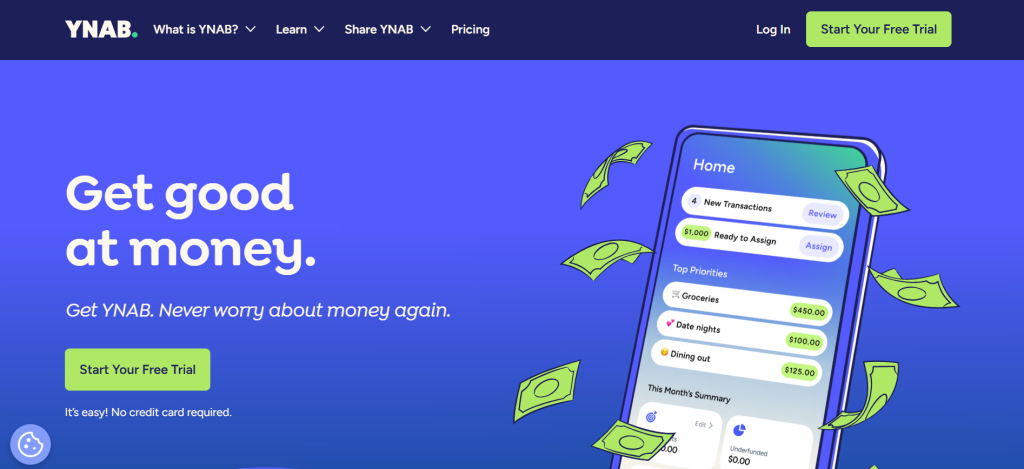
YNAB teaches a zero-based budgeting philosophy where every dollar receives a specific assignment before you spend it. Instead of tracking spending after the fact, YNAB forces you to plan ahead: assign money to rent, groceries, entertainment, savings, and every other category before the month begins. This proactive approach creates a fundamentally different relationship with money than passive tracking tools like Simplifi or Monarch. You confront every spending decision against your stated priorities, which is why YNAB users consistently report the highest behavior change of any personal finance application.
The Four Rules methodology creates the behavioral framework that distinguishes YNAB from every competitor. Rule One (Give Every Dollar a Job) ensures no money sits unassigned. Rule Two (Embrace Your True Expenses) breaks large, irregular expenses like annual insurance or holiday gifts into monthly contributions so you’re always prepared. Rule Three (Roll With the Punches) acknowledges that budgets need adjustment and teaches users to move money between categories without guilt. Rule Four (Age Your Money) builds a buffer so you’re spending last month’s income on this month’s bills, eliminating the paycheck-to-paycheck cycle.
The trade-off for this effectiveness is significant engagement cost. YNAB is not a set-and-forget tool. Users who thrive with YNAB check the app regularly, manually approve or correct transaction categories, and actively manage their budget allocations. Users who want passive tracking find YNAB’s constant engagement requirements exhausting rather than empowering. YNAB works brilliantly for the right personality type and creates frustration for the wrong one.
Where YNAB Falls Short
YNAB is purely a budgeting tool, not a comprehensive financial dashboard. There is no investment tracking beyond showing account balances, no subscription detection, no bill negotiation, and no net worth visualization comparable to Monarch or Empower. The $109 per year cost is significant for an app that covers only budgeting. Users who want both budgeting and investment tracking need a second tool (Empower, typically) alongside YNAB.
The Verdict on YNAB
YNAB is the best personal finance tool for people who want to fundamentally change their relationship with money. The average savings of $6,000 in the first year means the $109 annual cost pays for itself many times over — if you actually use it. The 34-day free trial provides enough time to determine whether YNAB’s methodology matches your personality. If you’re willing to put in the work, YNAB delivers the highest return on engagement of any budgeting application.
2. Monarch Money — Best All-in-One Financial Dashboard for Households

| Best For | Couples and households who want a comprehensive financial dashboard combining budgeting, investment tracking, net worth monitoring, bill management, and long-term financial planning in one modern interface |
| Pricing | $14.99/mo on monthly plan. $99.99/yr on annual plan ($8.33/mo equivalent). 7-day free trial. Welcome discounts frequently available (50% off first year common) |
| Key Features | Comprehensive financial dashboard with budgeting, spending tracking, and cash flow visualization. Investment tracking with portfolio performance, asset allocation, and holdings detail. Net worth tracking across all account types including real estate (Zillow integration) and vehicles. Recurring bill and subscription detection with due date notifications. Custom reporting with flexible date ranges and category filters. Long-term financial planning with multi-year projections and retirement planning. Joint budgeting with separate logins and customizable permissions per household member. AI-powered insights for spending trends and optimization suggestions. Apple Card, Apple Cash, and Apple Savings integration. Cross-platform: web, iOS, Android |
| Key Strengths | Most comprehensive Mint replacement available — covers budgeting, investing, net worth, and planning. Best couples and household support with separate logins, customizable permissions, and shared financial visibility. Investment tracking provides portfolio performance, allocation analysis, and holdings detail. Net worth tracking includes real estate via Zillow and vehicle values. Long-term financial planning with multi-year projections and retirement planning. Custom reporting with flexible filters provides deep spending analysis. Modern, beautiful interface with intuitive design across web and mobile. Community-driven feature development with user voting on roadmap priorities. Reliable bank connections with strong Plaid integration. Active development with frequent feature updates |
| Key Weaknesses | $14.99/mo or $99.99/yr pricing is a significant step up from free options. Only 7-day free trial may not be enough to evaluate thoroughly. Automatic transaction categorization accuracy varies and requires manual corrections. No bill negotiation or subscription cancellation service. Customer support response times have received complaints. Bank connection reliability can be inconsistent for some institutions. Learning the full feature set takes time due to platform depth. No paycheck planning feature for budgeting around pay cycles |
| Integrations | Bank connections via Plaid. Apple Card, Apple Cash, Apple Savings integration. Zillow integration for real estate values. CSV import for manual account data. API connections expanding |
| Best Pairing | Monarch Money as standalone for most users, or Monarch + Tiller for spreadsheet analysis alongside the dashboard |
Monarch Money emerged as the most comprehensive Mint replacement by combining the financial dashboard approach Mint users loved with investment tracking, net worth monitoring, and long-term planning that Mint never provided. The platform aggregates checking accounts, savings accounts, credit cards, investment portfolios, loans, real estate, and vehicles into a single unified financial view. For households that want to see their complete financial picture in one place without managing multiple tools, Monarch provides the most complete single-app solution available.
The couples and household support is Monarch’s strongest differentiator. Each household member receives their own login credentials with customizable permissions controlling what each person can see and modify. Partners can maintain individual spending categories alongside shared household budgets, view joint net worth while preserving individual account privacy where desired, and receive personalized notifications. This granular permission control handles the complexity of real household finances — joint checking, individual credit cards, separate retirement accounts, shared mortgage — better than any competitor.
The investment tracking provides meaningful portfolio visibility that YNAB and most budgeting apps lack entirely. Holdings detail, performance tracking, asset allocation analysis, and return calculations provide the investment overview that Mint-era users relied on Personal Capital (now Empower) to provide separately. Having both budgeting and investment tracking in one platform eliminates the need to maintain two separate financial tools.
Where Monarch Money Falls Short
Monarch’s breadth comes at the cost of budgeting depth. The budgeting tools are capable but less behavioral and transformative than YNAB’s zero-based methodology. Transaction categorization accuracy varies, requiring manual corrections that passive-tracking users find frustrating. The $99.99 annual cost is the second-highest on this list, and the 7-day free trial provides limited evaluation time.
3. Quicken Simplifi — Best for Automated Spending Tracking with Minimal Effort
| Best For | Users who want comprehensive financial tracking with minimal setup effort — connect accounts, and the system automatically categorizes spending, tracks trends, and shows remaining discretionary money |
| Pricing | Promotional: $2.99/mo for first year. Regular: $5.99/mo billed annually ($71.88/yr). $14.99/mo on month-to-month plan. 30-day free trial. College students get 12 months free with enrollment proof |
| Key Features | Automatic spending categorization with learning capability. Spending Plan showing remaining discretionary money after bills and savings goals. Subscription and recurring payment tracking with due date alerts. Watchlists for monitoring spending in specific categories. Investment dashboard with individual holding performance and cryptocurrency tracking. Net worth tracking. Custom reports by spending, income, and savings. Refund tracking on individual transactions. Goal tracking for savings targets. Multi-user access for spouses or financial advisors. Cross-platform: web, iOS, Android |
| Key Strengths | Cleanest, most intuitive interface of any financial dashboard. Spending Plan shows exactly how much discretionary money remains after bills and goals. Automatic categorization reduces manual work significantly. Subscription tracking identifies recurring charges and sends due date alerts. Investment tracking includes cryptocurrency and individual holding performance. Lowest regular pricing of the comprehensive paid dashboards ($5.99/mo). Refund tracking feature unique among competitors. Multi-user access supports spouse or financial advisor collaboration. Strong Fidelity and major brokerage connections. Regular pricing and promotional offers make it cost-effective |
| Key Weaknesses | Less effective at changing spending behavior compared to YNAB or envelope methods. Categorization accuracy varies and sometimes requires manual corrections. Limited detailed budgeting tools for category-by-category planning. No bill negotiation or subscription cancellation service. No Zillow integration for automated real estate values (manual entry required). Passive tracking approach may not build financial discipline for users who need structure. Some users report occasional bank connection issues. Feature set is narrower than Monarch Money’s comprehensive platform |
| Integrations | Bank connections via Plaid. Investment and cryptocurrency account connections. CSV import. iOS and Android with widget support |
| Best Pairing | Simplifi for automated daily tracking + YNAB for disciplined budgeting when needed |
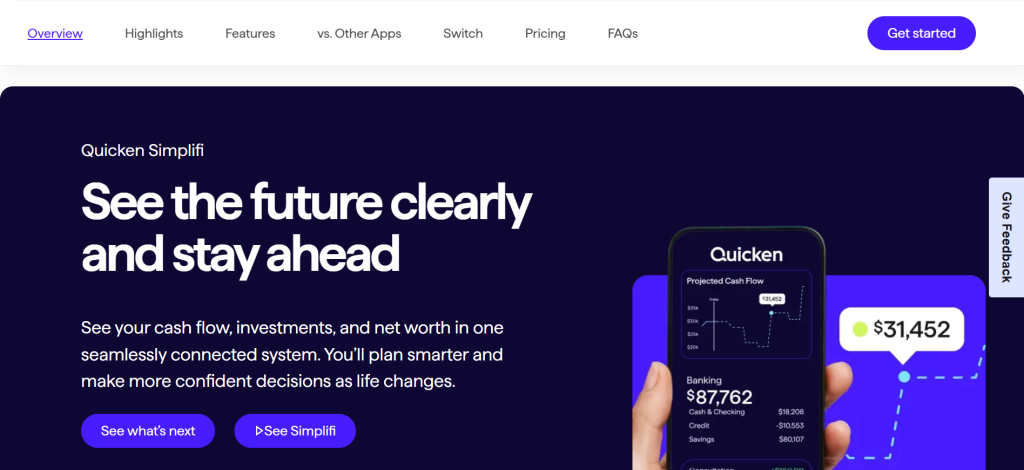
Quicken Simplifi delivers the cleanest automated financial tracking experience available. Where YNAB demands active engagement and Monarch provides comprehensive depth, Simplifi prioritizes simplicity: connect your accounts, and the platform automatically categorizes spending, identifies recurring bills, tracks subscription charges, and displays your complete financial picture in a scrollable dashboard. For people who want financial visibility without financial homework, Simplifi provides the best balance of insight and minimal effort.
The Spending Plan is Simplifi’s most practical feature. After accounting for recurring bills, savings goals, and expected income, the Spending Plan displays exactly how much discretionary money remains for the month. This single number answers the most common personal finance question — ‘how much can I spend without causing problems?’ — without requiring users to manage detailed budget categories. The Spending Plan updates in real-time as transactions come in, providing continuous awareness of financial position.
The subscription tracking feature identifies recurring charges across all connected accounts and displays them with amounts, billing dates, and merchant names. This centralized view makes it easy to spot forgotten subscriptions, duplicate charges, or price increases. While Simplifi does not offer the subscription cancellation service that Rocket Money provides, the visibility alone helps users identify savings opportunities.
Where Quicken Simplifi Falls Short
Simplifi’s passive tracking approach provides visibility but limited behavioral change. Users who need structure and accountability to control spending will find Simplifi too hands-off. The budgeting tools are basic compared to YNAB or Monarch. No Zillow integration means real estate values require manual updates. The feature set, while clean, is narrower than Monarch’s comprehensive platform.
4. Copilot Money — Best for Apple Ecosystem Users Who Want AI-Powered Financial Tracking
| Best For | Apple users (Mac, iPhone, iPad) who want the most beautifully designed financial tracking app with AI-powered categorization that learns and adapts to individual spending patterns |
| Pricing | $13/mo on monthly plan. $95/yr on annual plan ($7.92/mo equivalent). 1-month free trial (60 days with promo codes). Apple devices only (Mac, iPhone, iPad, web beta). No Android |
| Key Features | AI-powered transaction categorization that builds a private machine learning model from your spending patterns. Adaptive budgeting system that learns from habits and suggests realistic budget amounts. Spending dashboards with category breakdowns and trend analysis. Investment tracking with portfolio performance and allocation. Net worth tracking across all account types. Recurring transaction detection with billing predictions. Natural language search for finding transactions conversationally. Variable vs. static budget categories for flexible or fixed spending. Real-time spending notifications. Venmo integration for reimbursement tracking. Apple Card, Apple Cash, and Apple Savings integration. Cross-Apple platform: Mac, iPhone, iPad, web |
| Key Strengths | Best-designed personal finance app available — Apple Design Award recognition. AI categorization builds personalized model that improves with every correction. Natural language search enables conversational transaction queries. Adaptive budgeting suggests realistic amounts based on actual spending patterns. Beautiful visualizations make financial data genuinely engaging to review. Recurring transaction detection predicts billing dates and amounts. Investment tracking with portfolio performance provides complete financial picture. Venmo integration handles reimbursement tracking that most apps ignore. Active development with frequent feature additions and improvements. Strong community following with high user satisfaction ratings |
| Key Weaknesses | Apple only — no Android app, excluding roughly half of smartphone users. $95/yr is premium pricing for a tracking tool that does not change behavior like YNAB. No bill negotiation or subscription cancellation service. No long-term financial planning or retirement projections (Monarch provides these). Couples features are limited compared to Monarch’s household permissions. No free tier — free trial only. Category customization requires learning the AI system’s conventions. Feature set still maturing compared to established competitors |
| Integrations | Bank connections via Plaid. Apple Card, Apple Cash, Apple Savings. Venmo receipt forwarding. Investment account connections. CSV import |
| Best Pairing | Copilot for daily Apple tracking + YNAB for zero-based budgeting discipline when needed |
Copilot Money provides the most beautifully designed personal finance experience on Apple devices, with AI-powered categorization that meaningfully improves over time. The application builds a private machine learning model unique to each user, learning from transaction corrections to categorize future spending with increasing accuracy. After training on approximately 30 transactions, the AI categorization becomes remarkably precise for recurring merchants and predictable spending patterns. This personalized learning distinguishes Copilot from apps that apply generic categorization rules.
The design quality is not superficial. Beautiful spending visualizations, intuitive navigation, and thoughtful interaction design make financial data genuinely engaging to review. Users who abandoned previous budgeting apps because the experience felt tedious find that Copilot’s design quality sustains regular engagement. In personal finance software, where consistent use determines effectiveness, design that encourages daily interaction provides measurable practical value.
The natural language search feature enables conversational transaction queries. Instead of navigating filter menus, users type queries like ‘how much did I spend on restaurants last month?’ or ‘show me all Amazon purchases over $50’ and receive instant results. This conversational approach to financial data feels natural and reduces the friction between having a question and finding the answer.
Where Copilot Falls Short
Apple exclusivity immediately eliminates Copilot for Android users and mixed-platform households. The $95 per year pricing is premium for a tool that primarily tracks spending without the behavioral methodology of YNAB. Couples features are less developed than Monarch’s household system. Long-term financial planning and retirement projections are absent. Copilot is an exceptional tracking tool, but users seeking comprehensive financial management may still need additional tools.
5. Rocket Money — Best for Finding and Canceling Subscriptions and Negotiating Lower Bills
| Best For | Anyone who suspects they’re paying for forgotten subscriptions, overpaying for services, or wants someone else to handle bill negotiation — plus basic budget tracking |
| Pricing | Free: Basic account with spending tracking, subscription identification, and bill reminders. Premium: $4–$12/mo (user selects price in range). Premium includes subscription cancellation, bill negotiation, unlimited budgets, smart savings, and credit score monitoring. Bill negotiation takes 40% of first year’s savings as fee |
| Key Features | Automatic subscription detection across all connected accounts. Subscription cancellation concierge service (Premium). Bill negotiation service for cable, phone, internet, and other recurring bills. Smart Savings automatic transfers to savings goals. Spending tracking with category breakdowns. Budget creation with category limits. Bill calendar with due date reminders. Credit score monitoring. Net worth snapshot. Account syncing across banks, credit cards, and loans. Cross-platform: web, iOS, Android |
| Key Strengths | Subscription detection catches forgotten recurring charges that other apps miss. Cancellation concierge handles the work of contacting companies and canceling services. Bill negotiation service can reduce cable, phone, and internet bills significantly. Free tier provides genuine utility for subscription visibility and spending tracking. Smart Savings automates transfers to help build savings without active management. Dual value: saves money through cancellations and negotiations plus provides budgeting tools. Credit score monitoring included in Premium. Low barrier to entry with free tier and choose-your-price Premium |
| Key Weaknesses | Budgeting tools are basic compared to YNAB, Monarch, or Simplifi. Bill negotiation takes 40% of first year’s savings — significant fee for larger savings. Premium pricing is user-selected ($4–$12/mo), which creates confusion about value. Subscription cancellation requires Premium subscription. Net worth and investment tracking are basic. No zero-based budgeting or envelope methodology. Reports and analytics trail comprehensive competitors. Some users report inconsistent bill negotiation results |
| Integrations | Bank connections via Plaid. Credit card and loan account syncing. Credit score monitoring via TransUnion |
| Best Pairing | Rocket Money for subscription management + YNAB or Monarch for comprehensive budgeting |
Rocket Money’s value proposition is unique among personal finance tools: it actively saves you money rather than merely tracking how you spend it. The subscription detection feature scans all connected accounts for recurring charges, presenting them in a centralized list with amounts, billing dates, and merchant names. Users consistently discover forgotten subscriptions they assumed were canceled months ago. The platform reports that the average user finds $500 or more in annual subscription charges they were unaware of or no longer wanted.
The subscription cancellation concierge (Premium) takes the work of actually canceling unwanted services off the user’s plate. Identify a subscription you no longer want, tap to request cancellation, and Rocket Money’s team contacts the company, handles the cancellation process, and confirms completion. For users who perpetually intend to cancel subscriptions but never make the phone calls, this service converts intention into action.
The bill negotiation service contacts service providers (cable, internet, phone, insurance) and negotiates lower rates on the user’s behalf. Rocket Money’s negotiators use volume leverage and retention department techniques to secure discounts that individual consumers often struggle to obtain. The service charges 40 percent of the first year’s savings, meaning you only pay if they actually reduce your bills — but the 40 percent fee is substantial for larger savings amounts.
Where Rocket Money Falls Short
Rocket Money is a subscription management and bill reduction tool with basic budgeting attached, not a comprehensive personal finance platform. The budgeting tools are functional but lack the depth, methodology, or behavioral change capability of YNAB, Monarch, or even Simplifi. Users who need both subscription management and serious budgeting should pair Rocket Money with a dedicated budgeting app.
6. Tiller Money — Best for Spreadsheet Users Who Want Automated Financial Data in Google Sheets or Excel
| Best For | Spreadsheet enthusiasts who want automated bank data flowing into Google Sheets or Excel with unlimited customization that no app can match |
| Pricing | $79/yr. 30-day free trial. No monthly option. Works with Google Sheets (free) and Microsoft Excel (requires Office subscription) |
| Key Features | Automatic daily bank transaction feed into Google Sheets or Excel. Pre-built templates: Budget, Net Worth, Debt Payoff, Transaction Tracker, Category Tracker. Automated balance updates for all connected accounts. Custom categorization rules for automated transaction sorting. Community-created template library with specialized layouts. Foundation template provides complete budgeting system out of the box. Full spreadsheet flexibility for unlimited customization. Transaction history maintained in organized spreadsheet format. Email notifications for large transactions |
| Key Strengths | Unlimited customization that no app can match — build exactly the financial system you want. Full data ownership and portability in standard spreadsheet format. Automated bank feeds eliminate manual data entry while preserving spreadsheet control. Pre-built templates provide immediate functionality for common financial tasks. Community template library offers specialized solutions for unique needs. Foundation template provides YNAB-like budgeting in spreadsheet format. Works with familiar tools (Google Sheets, Excel) requiring no new software learning. Complete transparency — every formula, calculation, and data source is visible and modifiable. Data export is inherent since everything lives in a standard spreadsheet |
| Key Weaknesses | $79/yr requires spreadsheet comfort to justify the cost. Requires spreadsheet knowledge to customize beyond provided templates. No mobile app (uses Google Sheets or Excel mobile apps for access). Setup takes longer than dedicated finance apps. No real-time spending alerts or push notifications. No investment tracking beyond account balances. Visual presentation depends entirely on user’s spreadsheet design skills. Bank connection reliability varies (same Plaid infrastructure as apps). No community forums or social features within the product |
| Integrations | Google Sheets and Microsoft Excel as primary platforms. Bank connections via Plaid. CSV export inherent in spreadsheet format |
| Best Pairing | Tiller for custom spreadsheet analysis + Monarch or YNAB for mobile daily tracking and alerts |
Tiller Money bridges the gap between personal finance apps and spreadsheet control. The platform automatically feeds bank transactions, balances, and financial data into Google Sheets or Microsoft Excel templates. You get the automation of bank connections with the unlimited customization of a spreadsheet environment. For power users who have always wished their finance app worked exactly the way they want, Tiller provides complete control over every calculation, visualization, and organizational structure.
The Foundation template provides a complete budgeting system comparable to YNAB’s approach, implemented entirely in a spreadsheet. Income, category budgets, actual spending, and remaining balances update automatically as transactions feed in. Users who find apps restrictive but want the structure of a budgeting system get both flexibility and framework. Beyond budgets, templates for net worth tracking, debt payoff planning, and transaction categorization provide immediate functionality that users customize over time.
The data ownership advantage cannot be overstated. Every transaction, balance, and calculation lives in a spreadsheet format you control completely. If Tiller ceased operations tomorrow, your financial data remains intact and accessible in Google Sheets or Excel. No export process, no data migration, no loss of history. For users who have experienced the frustration of Mint’s shutdown and the difficulty of extracting years of financial data from a closing platform, Tiller’s inherent data portability provides genuine peace of mind.
Where Tiller Falls Short
Tiller requires spreadsheet comfort that eliminates it for most casual users. The lack of a mobile app (beyond accessing Google Sheets or Excel) makes quick financial checks inconvenient. No push notifications, no spending alerts, and no real-time visualizations mean daily engagement depends on user discipline. Tiller is for the specific user who wants spreadsheet control and accepts the trade-offs that come with it.
7. EveryDollar — Best for Dave Ramsey Followers Using Zero-Based Budgeting
| Best For | Dave Ramsey followers who want a budgeting app built specifically around Baby Steps methodology and zero-based budgeting principles |
| Pricing | Free: Basic version with manual transaction entry, zero-based budgeting, unlimited categories, goal tracking. Premium: $17.99/mo or $79.99/yr. Premium adds automatic bank connections, transaction streaming, and financial roadmap. Also available through Ramsey+ membership (includes Financial Peace University) |
| Key Features | Zero-based budgeting where income minus expenses minus savings equals exactly zero. Dave Ramsey Baby Steps integration with goal tracking. Drag-and-drop transaction categorization (Premium). Financial roadmap feature showing timeline for reaching financial goals. Debt payoff tracking with snowball method emphasis. Custom budget categories with unlimited subcategories. Monthly budget carryover or reset options. Shared access through same login credentials. Cross-platform: web, iOS, Android |
| Key Strengths | Built specifically around Dave Ramsey’s proven financial methodology. Zero-based budgeting ensures every dollar has a purpose. Free version provides genuine budgeting capability with manual entry. Financial roadmap visualizes long-term goal timelines. Baby Steps integration provides clear financial milestone progression. Drag-and-drop transaction management (Premium) balances ease with engagement. Large Ramsey community provides support, motivation, and accountability. Intuitive interface that is simpler than YNAB for basic budgeting |
| Key Weaknesses | Free version requires manual entry of every transaction — no bank connections. Premium at $79.99/yr is expensive for a budgeting-only tool. No investment tracking or portfolio monitoring. No net worth calculation or visualization. No subscription detection or bill negotiation. Limited reporting compared to Monarch or Simplifi. Shared access uses same login credentials — no separate accounts for partners. Strong Ramsey philosophical alignment may feel prescriptive to non-Ramsey users. Features are narrow compared to comprehensive financial platforms |
| Integrations | Bank connections via Plaid (Premium only). No investment account connections. No third-party integrations |
| Best Pairing | EveryDollar for Ramsey budgeting + Empower for free investment and net worth tracking |
EveryDollar is the budgeting app for Dave Ramsey’s community. The application implements his zero-based budgeting philosophy and Baby Steps methodology as a digital tool, providing the structure and accountability that his millions of followers seek. If you follow Ramsey’s approach to personal finance, EveryDollar aligns your budgeting tool with your financial philosophy. If you do not follow Ramsey’s approach, other options provide more flexibility.
The free version is genuinely functional for basic budgeting. Manual transaction entry forces users to confront every purchase, creating spending awareness that automated tools cannot replicate. Unlimited budget categories, goal tracking, and the zero-based methodology are available without paying. The trade-off is that manual entry of every transaction is tedious for users accustomed to automatic import, and the lack of bank connections on the free tier means financial data requires constant manual updates.
The Premium version adds automatic bank connections that stream transactions into the budget. Importantly, transactions are not auto-categorized — they appear in a queue for the user to drag and drop into the correct budget category. This deliberate design choice preserves the spending awareness that manual interaction creates while eliminating the data entry burden. The financial roadmap feature provides timeline visualization for reaching goals, showing exactly when each Baby Step milestone will be achieved at current progress rates.
Where EveryDollar Falls Short
EveryDollar is narrowly focused on budgeting within the Ramsey framework. No investment tracking, no net worth calculation, no subscription management, and no advanced reporting. The shared access model uses the same login for both partners rather than providing separate accounts. At $79.99 per year for Premium, it provides less functionality than Monarch ($99.99/yr) or YNAB ($109/yr), both of which offer broader feature sets.
8. Empower (formerly Personal Capital) — Best Free Tool for Investment Tracking and Net Worth Monitoring
| Best For | Investors and wealth builders who want comprehensive, free portfolio tracking, net worth monitoring, and retirement planning alongside basic spending analysis |
| Pricing | Completely free for the financial dashboard, budgeting tools, investment tracking, and retirement planner. Wealth Management advisory services: fee starting at 0.89% for first $1 million in assets (separate paid service). No premium tier for the dashboard — all tracking features are free |
| Key Features | Investment portfolio tracking with holdings detail, performance, and allocation analysis. Retirement Planner with Monte Carlo simulation for projected outcomes. Net worth tracking aggregating all financial accounts, real estate, and vehicles. Fee Analyzer identifies hidden investment fees across all accounts. Asset allocation analysis with target vs. actual comparison. Spending tracking with category breakdowns and monthly trends. Bill and income tracking. Cash flow visualization. 401(k) fee analysis. Education planning tools. Cross-platform: web, iOS, Android |
| Key Strengths | Completely free — the last major free comprehensive financial dashboard since Mint’s shutdown. Best investment tracking of any personal finance app (free or paid). Retirement Planner with Monte Carlo simulation provides sophisticated projection modeling. Fee Analyzer identifies hidden investment fees that cost thousands over time. Asset allocation analysis helps optimize portfolio balance. Net worth tracking provides complete financial picture including investments, real estate, and vehicles. No advertisements or premium feature locks on the dashboard. Strong connections to major brokerages (Fidelity, Vanguard, Schwab, etc.) |
| Key Weaknesses | Empower is also a wealth management firm and will call you to sell advisory services — sales outreach can be persistent and annoying. Budgeting features are basic — spending tracking without methodology or behavioral guidance. No zero-based budgeting, envelope system, or proactive budget management. Transaction categorization is basic and less accurate than dedicated budgeting apps. Mobile app focuses on investment overview rather than daily spending management. No subscription detection or bill negotiation. Bill and spending features feel secondary to investment tools. Interface prioritizes wealth management over budget management |
| Integrations | Bank connections via Plaid. Major brokerage connections (Fidelity, Vanguard, Schwab, etc.). 401(k) and retirement account connections. Real estate and mortgage tracking |
| Best Pairing | Empower for investment tracking and net worth + YNAB or EveryDollar for daily budgeting |
Empower provides the best free investment tracking and net worth monitoring available in any personal finance application. The investment dashboard displays holdings across all connected accounts with performance tracking, asset allocation analysis, and fee identification. The Retirement Planner uses Monte Carlo simulation to project retirement outcomes across thousands of scenarios, providing probability-based confidence levels for retirement goals. These tools are genuinely sophisticated — comparable to what financial advisors use — and they are completely free.
The Fee Analyzer is Empower’s most practically valuable feature for many users. The tool scans all connected investment accounts and identifies management fees, expense ratios, and other costs that most investors never examine. A user paying 0.8 percent in fund fees when comparable index funds charge 0.03 percent may be losing tens of thousands of dollars over their investment lifetime. The Fee Analyzer quantifies this cost difference and identifies specific savings opportunities.
The critical caveat with Empower is that the free dashboard exists to generate leads for Empower’s paid wealth management service. Users who connect accounts with significant assets will receive phone calls from Empower’s advisory team offering portfolio management services. Some users find this outreach helpful; many find it persistent and unwelcome. The free dashboard is genuinely valuable, but users should expect sales outreach as the trade-off for free access.
Where Empower Falls Short
Empower is an investment tracking tool with basic budgeting attached, not a budgeting app. The spending tracking, categorization, and budget management features are minimal compared to YNAB, Monarch, or even Simplifi. Users who need both investment tracking and serious budgeting will pair Empower with a dedicated budgeting app. The sales outreach for wealth management services is the ongoing cost of the free dashboard.
9. Goodbudget — Best Free Digital Envelope Budgeting System
| Best For | Users who want the discipline of envelope budgeting without physical cash, particularly couples who want a shared digital envelope system |
| Pricing | Free: 10 envelopes, 1 account, 2 devices, 1 year of transaction history. Plus: $10/mo or $80/yr for unlimited envelopes, unlimited accounts, 5 devices, 7 years of history, debt tracking, and CSV export |
| Key Features | Digital envelope budgeting system where each category has a specific allocation. Manual transaction entry for spending awareness. Envelope allocation and transfer between categories. Debt tracking and payoff planning (Plus). Multi-device sync for couples. Transaction history and spending reports. Goal envelopes for savings targets. CSV export (Plus). Cross-platform: web, iOS, Android |
| Key Strengths | Envelope methodology provides concrete spending discipline. Free version is genuinely functional for basic budgeting. Manual entry forces spending awareness and accountability. Sync between devices enables couples to share budget visibility. Simple interface with gentle learning curve. No bank connections means no data security concerns from account linking. Goal envelopes create savings discipline within the envelope framework |
| Key Weaknesses | No bank connections — all transactions must be entered manually. Free version limited to 10 envelopes and 1 year of history. Interface feels dated compared to modern alternatives. No investment tracking, net worth, or subscription management. Setup can feel cumbersome and ‘onerous’ per some user reviews. Limited reporting capabilities. Small community compared to YNAB or Monarch. Plus pricing ($80/yr) is high for a manual-entry tool |
| Integrations | CSV export (Plus). No bank connections, no investment account links. No third-party integrations |
| Best Pairing | Goodbudget for envelope discipline + Empower for free investment tracking |
Goodbudget digitizes the physical envelope budgeting system where cash is divided into envelopes labeled for each spending category. When an envelope is empty, spending in that category stops. This concrete, tactile approach to budget limits creates discipline that abstract budget lines often fail to enforce. The free version provides 10 envelopes on 2 devices — enough for basic budgeting — making Goodbudget the best genuinely free budgeting tool with real methodology.
The deliberate absence of bank connections is a philosophical choice. Like YNAB’s emphasis on manual engagement, Goodbudget’s manual entry forces users to consciously record every purchase, creating the spending awareness that automatic tracking cannot replicate. The trade-off is significant: users who find manual entry tedious will abandon Goodbudget quickly, while users who embrace the discipline will find it effective.
Where Goodbudget Falls Short
The manual-only approach with no bank connections is a significant limitation in 2026. The interface feels dated. The free tier’s 10-envelope limit constrains detailed budgets. At $80/yr for Plus, Goodbudget competes poorly with YNAB ($109/yr) and Monarch ($99.99/yr), both of which provide dramatically more functionality including bank connections.
10. PocketGuard — Best for Answering ‘How Much Can I Safely Spend?’
| Best For | Users who want the simplest possible answer to one question: how much money can I safely spend right now after bills and savings goals? |
| Pricing | $13/mo or $75/yr. 7-day free trial. No free tier (trial converts to paid) |
| Key Features | ‘In My Pocket’ feature showing safe spending amount after bills and goals. Automatic bill detection and upcoming payment tracking. Bank connection with automatic transaction categorization. Debt payoff planning with strategies. Savings goals tracking. Subscription tracking. Spending analysis by category and merchant. Cash flow forecasting. Cross-platform: iOS, Android |
| Key Strengths | Simplest approach to personal finance — one number tells you what’s safe to spend. Automatic bill detection reduces setup work. Debt payoff planning with comparison strategies. Clean mobile-first interface. Quick setup (under 10 minutes). After-bills approach aligns with how most people think about money |
| Key Weaknesses | No free tier — 7-day trial converts directly to paid. $75/yr is significant for a simplified tool. No investment tracking or net worth monitoring. Limited reporting compared to comprehensive alternatives. Couples features are absent. Feature set feels thin relative to pricing. Some categorization accuracy issues. Less customizable than most competitors |
| Integrations | Bank connections via Plaid. No investment connections. No third-party integrations |
| Best Pairing | PocketGuard for simple daily spending awareness + Empower for free investment tracking |
PocketGuard’s approach to personal finance is radical simplification. Rather than presenting comprehensive dashboards with dozens of metrics, PocketGuard answers one question: after all your bills are paid and savings goals are met, how much money can you safely spend? This single metric, displayed prominently as ‘In My Pocket,’ provides immediate spending guidance without requiring users to manage detailed budget categories, review transactions, or analyze spending trends.
The after-bills approach matches how most people actually think about money. Rather than allocating every dollar to categories, most people want to know what’s left after obligations. PocketGuard calculates this automatically by subtracting upcoming bills, recurring charges, and savings goal contributions from available income and account balances.
Where PocketGuard Falls Short
The elimination of the free tier in favor of a 7-day trial that converts to $75/yr makes PocketGuard a hard sell against competitors that offer more functionality at similar or lower prices. No investment tracking, no couples features, and limited customization constrain the tool’s utility. Simplifi provides similar automated tracking with more features at comparable pricing.
11. Honeydue — Best Free App Built Specifically for Couples Managing Money Together
| Best For | Couples who want a free, simple app for managing shared finances, splitting bills, and communicating about money together |
| Pricing | Completely free. No paid tiers, no premium features locked behind subscription |
| Key Features | Account visibility controls (share what you choose with your partner). Shared bills tracking with split and payment reminders. In-app commenting and emoji reactions on transactions. Joint and individual account tracking. Monthly spending limits by category. Bank connections for automatic transaction import. Shared bill reminders and due date alerts. Cross-platform: iOS, Android |
| Key Strengths | Completely free with no hidden costs. Built specifically for couples with relationship-aware features. Account visibility controls let each partner choose what to share. In-app communication about spending reduces awkward money conversations. Bill splitting and shared expense tracking. Simple, focused interface for couples finance |
| Key Weaknesses | Feature set is very basic compared to comprehensive alternatives. No investment tracking or net worth monitoring. Limited reporting and analytics. Bank connections can be unreliable. Small development team means slower feature updates. No web version — mobile only. Budgeting tools are minimal. No debt payoff planning or financial goal features |
| Integrations | Bank connections for automatic transactions. No investment or loan integrations |
| Best Pairing | Honeydue for couples coordination + YNAB or Monarch for comprehensive household budgeting |
Honeydue solves a specific problem: couples who need a shared financial view and a low-friction way to communicate about money. Each partner connects their accounts and chooses what to share — from full account details to just transaction amounts to nothing at all. This granular privacy control accommodates the wide spectrum of financial transparency that different couples maintain. The in-app commenting feature lets partners react to transactions with comments or emoji, turning potentially awkward money conversations into casual in-app exchanges.
The complete absence of cost is Honeydue’s primary competitive advantage. For couples who want basic shared financial visibility without committing to a subscription, Honeydue provides genuine utility at zero cost. The bill splitting, shared reminders, and communication features serve the couples use case effectively for the most common money management needs.
Where Honeydue Falls Short
Honeydue’s simplicity becomes a limitation for couples who need comprehensive financial management. No investment tracking, minimal budgeting tools, no debt planning, and basic reporting constrain the platform. Bank connection reliability issues and slow development progress suggest limited resources. Couples who need more than basic shared visibility will outgrow Honeydue and migrate to Monarch, which provides superior household financial management.
12. NerdWallet — Best Free All-Around Financial Tool with Credit Monitoring and Basic Budgeting
| Best For | Users who want a free financial tool combining credit score monitoring, basic budgeting, and financial education without paying for any subscriptions |
| Pricing | Completely free. Revenue from affiliate partnerships and advertising, not from user subscriptions |
| Key Features | Free credit score monitoring with weekly updates. Basic budgeting with spending category tracking. Account syncing for bank and credit card accounts. Net worth tracking. Bill tracking and reminders. Cash flow overview. Financial product recommendations (credit cards, loans, insurance). Cross-platform: web, iOS, Android |
| Key Strengths | Completely free with no premium tier restrictions. Credit score monitoring provides ongoing financial health visibility. Well-known brand with extensive financial education content. Financial product recommendations can help optimize credit cards, loans, and insurance. Simple interface suitable for financial beginners. No sales calls (unlike Empower) |
| Key Weaknesses | Budgeting features are very basic compared to dedicated budgeting apps. Revenue model based on affiliate recommendations may influence product suggestions. Investment tracking is limited. No zero-based budgeting or envelope methodology. Transaction categorization is basic. Limited reporting and analytics. Not a primary budgeting tool — more of a financial awareness and product comparison platform |
| Integrations | Bank and credit card connections. Credit bureau partnerships for score monitoring |
| Best Pairing | NerdWallet for free credit monitoring + YNAB or Goodbudget for serious budgeting |
NerdWallet provides a free financial tool that combines credit score monitoring, basic spending tracking, and financial product recommendations. For users who primarily want free credit monitoring with some budgeting capability, NerdWallet fills the gap left by Mint’s shutdown without requiring a subscription or premium tier. The weekly credit score updates, spending category tracking, and net worth overview provide basic financial awareness at zero cost.
The financial product recommendations are both NerdWallet’s strength and its limitation. Recommendations for credit cards, loans, insurance, and savings accounts can genuinely help users optimize their financial products. However, since NerdWallet earns revenue from affiliate partnerships, users should evaluate recommendations independently rather than assuming they represent the optimal choice for their specific situation.
Where NerdWallet Falls Short
NerdWallet is a financial awareness and product comparison tool with basic budgeting attached, not a dedicated personal finance application. The budgeting features are minimal. Transaction categorization is basic. For users who need actual budgeting methodology, expense analysis, or financial planning, a dedicated tool (YNAB, Monarch, Simplifi) is necessary alongside NerdWallet’s credit monitoring.
True Cost Comparison: Annual Cost of Home Accounting Software
| Software | Monthly Plan | Annual Plan | 2-Year Cost | What You Get for the Cost |
| YNAB | $179.88/yr | $109/yr | $218 | Zero-based budgeting + methodology + education |
| Monarch Money | $179.88/yr | $99.99/yr | $199.98 | Budget + investing + net worth + planning |
| Quicken Simplifi | $71.88/yr* | $71.88/yr | $143.76 | Automated tracking + spending plan + investments |
| Copilot Money | $156/yr | $95/yr | $190 | AI tracking + investing + design (Apple only) |
| Rocket Money | $48–$144/yr | $48–$144/yr | $96–$288 | Subscription mgmt + negotiation + basic budget |
| Tiller Money | N/A | $79/yr | $158 | Spreadsheet automation + unlimited customization |
| EveryDollar | $215.88/yr | $79.99/yr | $159.98 | Ramsey budgeting + bank connections (Premium) |
| Empower | Free | Free | $0 | Investment tracking + net worth + retirement planning |
| Goodbudget | $120/yr | $80/yr | $160 | Envelope budgeting + debt tracking (Plus tier) |
| PocketGuard | $156/yr | $75/yr | $150 | Safe-to-spend amount + bill tracking |
| Honeydue | Free | Free | $0 | Couples finance + shared bills + communication |
| NerdWallet | Free | Free | $0 | Credit monitoring + basic budgeting + product recs |
* Quicken Simplifi promotional price: $2.99/mo ($35.88) for first year, then regular pricing.
Recommended Home Accounting Stacks by Financial Situation
| Financial Situation | Recommended Stack | Why This Combination |
| Getting out of debt | YNAB ($109/yr) | Zero-based methodology proven to change spending behavior and accelerate debt payoff |
| Couples / household | Monarch Money ($99.99/yr) | Best household support with separate logins, permissions, and shared financial dashboard |
| Investor / wealth builder | Empower (free) + YNAB ($109/yr) | Empower for investment tracking, YNAB for spending discipline |
| Apple ecosystem user | Copilot Money ($95/yr) | Best design, AI categorization, investment tracking for Apple devices |
| Subscription overload | Rocket Money (free or Premium) | Find and cancel forgotten subscriptions, negotiate lower bills |
| Spreadsheet enthusiast | Tiller Money ($79/yr) | Automated bank data in Google Sheets or Excel with unlimited customization |
| Dave Ramsey follower | EveryDollar (free or $79.99/yr) | Built specifically around Baby Steps methodology and Ramsey principles |
| Complete beginner | Goodbudget (free) or NerdWallet (free) | Free tools with gentle learning curves to build the budgeting habit |
| Wants everything free | Empower + Honeydue + NerdWallet (all free) | Investment tracking + couples finance + credit monitoring at zero cost |
| Passive tracker | Quicken Simplifi ($71.88/yr) | Connect accounts, minimal effort, automatic insights and spending plan |
Which Home Accounting Software Should You Choose? A Decision Framework
If you want to fundamentally change your spending habits: YNAB ($109/yr). Zero-based methodology with proven average savings of $6,000 in the first year.
If you want one app for everything (budget, investing, net worth, planning): Monarch Money ($99.99/yr). Most comprehensive single platform for households.
If you want automated tracking with minimal effort: Quicken Simplifi ($71.88/yr). Clean Spending Plan shows remaining discretionary money.
If you use Apple devices and value beautiful design: Copilot Money ($95/yr). Best-designed finance app with AI categorization.
If you’re bleeding money on forgotten subscriptions: Rocket Money (free basic, $4–$12/mo Premium). Find, track, and cancel unwanted charges.
If you love spreadsheets and want total control: Tiller Money ($79/yr). Automated data in Google Sheets or Excel with unlimited customization.
If you follow Dave Ramsey: EveryDollar (free basic, $79.99/yr Premium). Baby Steps methodology in an app.
If you want free investment tracking and retirement planning: Empower (free). Best investment dashboard with no cost, accept sales calls as trade-off.
If you’re a couple wanting free shared finance: Honeydue (free). Built for couples with privacy controls and in-app communication.
If you want a free tool to just get started: Goodbudget (free) for envelope discipline, or NerdWallet (free) for credit monitoring plus basic tracking.
Frequently Asked Questions
What happened to Mint, and what’s the best replacement?
Intuit shut down Mint in March 2024 and redirected users to Credit Karma, which provides credit monitoring but lacks the budgeting, expense categorization, and financial dashboard features Mint users relied on. The best Mint replacement depends on what you valued most: for the financial dashboard and spending tracking, Monarch Money provides the most comprehensive Mint-like experience with additional investment tracking. For free automated tracking similar to Mint’s cost structure, Empower provides investment and net worth tracking at no cost. For the budgeting methodology Mint lacked, YNAB provides transformative spending discipline.
Which home accounting software is best for couples?
Monarch Money provides the best couples experience with separate logins for each partner, customizable permission controls governing what each person can view and modify, shared budgets alongside individual categories, and comprehensive household financial overview. Honeydue is the best free option for couples, offering privacy controls and in-app communication about spending, though its feature set is much more basic. YNAB allows up to 6 users per subscription but uses shared login credentials rather than separate accounts.
Is YNAB worth $109 per year?
YNAB reports that new users save an average of $600 in their first two months and over $6,000 in the first year. If those savings hold true for you, the $109 annual cost represents a 55x return on investment. The key variable is whether you will actually use it consistently. YNAB’s methodology requires active engagement — assigning every dollar, reviewing transactions, adjusting categories. Users who embrace this engagement save dramatically. Users who find the engagement burdensome abandon the app and waste their subscription. The 34-day free trial provides enough time to determine which type you are.
Do I need to pay for a budgeting app, or are free tools enough?
Free tools are sufficient for basic financial tracking. Empower provides free investment and net worth monitoring. Honeydue provides free couples finance management. Goodbudget provides free envelope budgeting for up to 10 categories. NerdWallet provides free credit monitoring and basic spending tracking. However, paid tools provide superior budgeting methodology (YNAB), comprehensive dashboards (Monarch), AI-powered categorization (Copilot), and subscription management (Rocket Money). The decision depends on whether basic tracking meets your needs or whether you need structured methodology and comprehensive features to achieve your financial goals.
Is my financial data safe when I connect bank accounts to budgeting apps?
Most major budgeting apps use Plaid or similar aggregation services to connect to bank accounts. These connections use bank-grade encryption (AES 256-bit) and do not store your bank password. The aggregation service creates a tokenized connection that reads transaction data without having direct account access or the ability to initiate transactions. Multi-factor authentication adds additional security. While no system is completely immune to security risks, reputable budgeting apps use the same security infrastructure that banks themselves employ. Users should verify that any app they connect to uses established aggregation services and supports multi-factor authentication.
Can I use multiple budgeting apps together?
Yes, and many users deliberately combine tools to cover different needs. The most common combinations pair a budgeting app (YNAB, EveryDollar, Goodbudget) for spending discipline with a tracking or investment tool (Empower, Monarch, Copilot) for financial visibility. For example, YNAB for zero-based budgeting plus Empower for free investment tracking provides comprehensive coverage at $109 per year total. Rocket Money for subscription management alongside any budgeting app catches charges that budgeting alone misses. The key is choosing tools that complement rather than duplicate each other.
Final Words: Choosing the Right Home Accounting Software for Your Financial Personality
The best home accounting software matches your financial personality, not the highest feature count. Disciplined planners who want control over every dollar thrive with YNAB’s zero-based methodology. Hands-off trackers who want visibility without homework succeed with Simplifi or Copilot. Comprehensive managers who want budgeting, investing, and planning in one place choose Monarch. Spreadsheet enthusiasts who want total customization build exactly what they need with Tiller. Couples wanting shared financial coordination start with Honeydue or invest in Monarch. The most expensive tool is the one you stop using because it doesn’t fit how you think about money.
Start with a free trial or free tool to build the habit before committing to a paid subscription. YNAB’s 34-day trial, Simplifi’s 30-day trial, and Empower’s completely free dashboard all provide adequate time to evaluate whether the tool matches your workflow. Goodbudget’s free tier provides permanent access to basic envelope budgeting. The goal is not finding the perfect app on day one — it’s finding the one you will actually use consistently. A basic free tool used daily beats a comprehensive paid tool abandoned after two weeks.

![Marketing Automation Case Study: 12 Real Examples, Strategy & ROI Results [2026]](https://marketingcasestudy.io/wp-content/uploads/2026/05/marketing-automation-case-study-featured-768x403.png "Marketing Automation Case Study: Real Examples, Strategy & ROI Results [2026] 6")

