Data loss is not a hypothetical risk. It is a statistical certainty. Hard drives fail. Ransomware encrypts entire networks overnight. Employees accidentally delete folders that took months to build. Laptops get stolen, flooded, or dropped. A 2025 study found that 60 percent of small businesses that lose their data shut down within six months. The only reliable protection is a backup that exists somewhere other than the device it is protecting.
Cloud backup tools automate this protection. They create encrypted, off-site copies of your files that you can restore from anywhere, turning a potential catastrophe into a minor inconvenience. But the cloud backup market in 2026 ranges from dead-simple consumer tools to enterprise-grade platforms that protect petabytes across global infrastructure. Choosing the wrong tool means either paying for features you do not need or discovering gaps in your protection when it is too late.
This guide cuts through the noise. We tested 12 cloud backup services for reliability, backup speed, restore speed, encryption strength, pricing transparency, and ease of use. Every recommendation includes the specific scenario where that tool outperforms alternatives and the situations where you should look elsewhere.
Quick Comparison: Top 12 Cloud Backup Tools for 2026
The table below summarizes each tool’s primary strength, pricing, and storage model. Detailed reviews follow.
| Tool | Best For | Starting Price | Storage | Encryption | Our Rating |
| Backblaze | Simple unlimited PC backup | $9/mo | Unlimited | AES-128 (256 opt.) | 9.0/10 |
| IDrive | Multi-device family/SMB backup | $99.50/yr (5TB) | 5TB–100TB | AES-256 + ZK option | 9.1/10 |
| Acronis Cyber Protect | Backup + cybersecurity combined | $49.99/yr | 250GB–50TB | AES-256 | 8.7/10 |
| CrashPlan | Business endpoint backup | $10/device/mo | Unlimited | AES-256 | 8.5/10 |
| Carbonite | Set-and-forget business backup | $83.99/yr | Unlimited (Safe) | AES-256 + TLS | 7.8/10 |
| Veeam | Enterprise VM + cloud workloads | Custom | Varies | AES-256 | 9.2/10 |
| SpiderOak One | Zero-knowledge encrypted backup | $6/mo (150GB) | 150GB–5TB | AES-256 ZK | 8.0/10 |
| Backblaze B2 | Developer/business storage target | $6/TB/mo | Pay-per-TB | AES-256 + SSE | 9.0/10 |
| Wasabi | Affordable object storage | $7.99/TB/mo | Pay-per-TB | AES-256 | 8.3/10 |
| Druva | SaaS enterprise data protection | Custom | Varies | AES-256 + TLS | 8.6/10 |
| MSP360 | Managed backup for MSPs/IT | $49.99/mo | Varies (BYO) | AES-256 + ZK | 8.2/10 |
| pCloud | Lifetime cloud storage + backup | $199 lifetime (2TB) | 500GB–10TB | AES-256 + ZK | 8.4/10 |
How We Evaluated These Cloud Backup Tools
Every tool in this guide was assessed across six dimensions that determine whether a backup service actually protects your data or gives you a false sense of security.
Backup speed: We measured initial backup time for a standardized 500 GB dataset consisting of documents, photos, video files, and database files. Initial backup speed matters because a tool that takes weeks to complete the first backup leaves you unprotected during the most vulnerable period.
Restore reliability: Backup is meaningless without reliable restoration. We tested full restores, partial file restores, and point-in-time recovery for each tool, measuring both speed and data integrity after restoration.
Encryption and security: We evaluated encryption at rest (AES-256 minimum), encryption in transit (TLS 1.2+), zero-knowledge options (where the provider cannot access your data), and two-factor authentication support. Compliance certifications (SOC 2, HIPAA, GDPR) were noted for enterprise tools.
Pricing transparency: Cloud backup pricing can be deceptive. We calculated the true annual cost for 1 TB, 5 TB, and 10 TB of backed-up data, including hidden fees for egress (downloading your own data), version retention, and restoration.
Ease of use: We measured time from sign-up to first completed backup. The best tools require under 10 minutes. Tools that require IT expertise to configure properly were noted as such.
Platform coverage: Modern backup needs span Windows, Mac, Linux, iOS, Android, NAS devices, servers, and cloud-to-cloud (Microsoft 365, Google Workspace). We noted which platforms each tool supports and which it ignores.
Why Cloud Backup in 2026 Is More Critical Than Ever
Three trends have elevated cloud backup from a nice-to-have to essential infrastructure in 2026. The first is ransomware sophistication. Modern ransomware specifically targets backup systems, encrypting or deleting backup files before encrypting production data. Tools that offer immutable backups, where backup data cannot be modified or deleted even by an administrator, have become critical for organizations of any size.
The second trend is the expansion of data across devices and cloud services. The average professional now generates data across a laptop, phone, cloud storage accounts, Microsoft 365 or Google Workspace, and potentially NAS devices at home or in the office. Backup solutions must cover this entire surface, not just a single computer.
The third trend is the 3-2-1 backup rule becoming the 3-2-1-1-0 rule. The updated framework recommends three copies of data on two different media types, with one off-site copy, one immutable or air-gapped copy, and zero errors verified through restore testing. Cloud backup tools that support immutability and automated restore verification have moved from enterprise luxury to essential requirement.
Detailed Reviews: Best Cloud Backup Tools for 2026
1. Backblaze — Best for Simple, Unlimited Personal Computer Backup
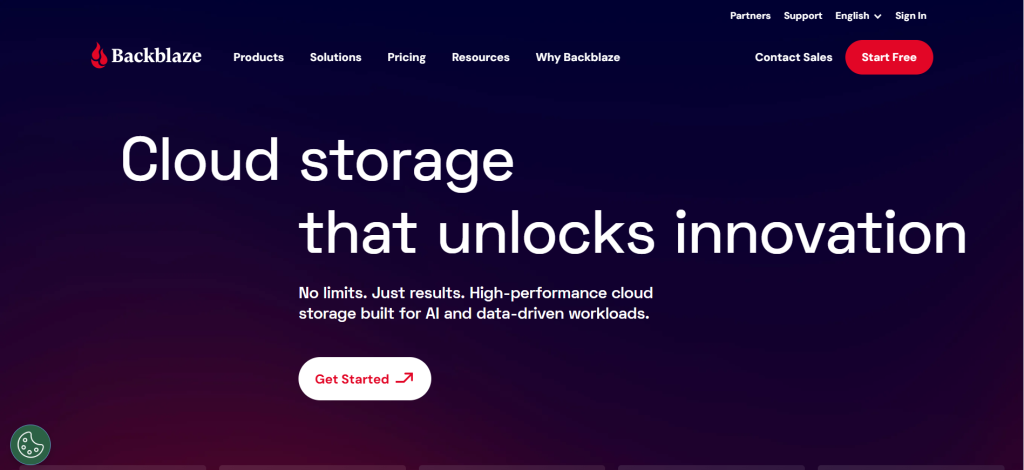
| Best For | Individuals and small businesses wanting unlimited, set-and-forget computer backup with zero configuration |
| Pricing | $9/mo or $99/yr per computer. Business: $99/yr per computer. 15-day free trial |
| Storage | Truly unlimited — no file size limits, no storage caps |
| Encryption | AES-128 default, optional personal encryption key (AES-256 when using private key) |
| Key Strengths | Simplest backup setup available, unlimited storage, affordable, restore via web or shipped USB drive, B2 storage for developers |
| Key Weaknesses | One computer per license only, 30-day version history on basic, no image-based backup, no NAS/mobile backup, initial upload can be slow |
| Platform Support | Windows, Mac only (no Linux, no mobile, no NAS) |
| Best Pairing | IDrive for multi-device coverage, B2 for NAS and server backup targets |
Backblaze offers the simplest backup experience on the market. Install the software, and it automatically detects and backs up everything on your computer with no file selection wizards, no size limits, and no complicated configuration. For users who want data protection without thinking about data protection, Backblaze is the obvious choice.
Unlimited storage at $9 per month or $99 per year makes Backblaze one of the most affordable options per gigabyte, particularly for users with large photo libraries, video collections, or design files. There are no file size restrictions: a single 50 GB video file backs up the same as a 50 KB document. Restores are available via web download for individual files or through a physical USB drive shipped to your location for full restores, which Backblaze will refund if you return the drive within 30 days.
B2 Cloud Storage, Backblaze’s S3-compatible object storage platform, operates as a separate product at $6 per TB per month with generous free egress of up to three times your average monthly storage. B2 serves as an affordable backup target for NAS devices, servers, and applications that need programmatic access to cloud storage. It integrates with tools like Synology Hyper Backup, Veeam, and MSP360.
Where Backblaze Falls Short
Backblaze backs up only one computer per license. If you have three devices, you need three separate subscriptions at $297 per year, compared to IDrive’s single $99.50 per year plan covering unlimited devices. There is no mobile backup, no NAS backup, and no Linux support for the personal product. The default version history retains files for only 30 days (extendable to one year for additional cost), which is significantly shorter than CrashPlan’s unlimited retention. There is no image-based backup or bare-metal recovery capability.
The Verdict on Backblaze
Backblaze is the best choice for individuals who want to back up a single computer with zero effort and unlimited storage at a low monthly cost. If you need multi-device backup, mobile protection, or longer version retention, IDrive offers better value. If you need server or NAS backup, Backblaze B2 as a storage target paired with a backup client like MSP360 or Arq is the more complete solution.
2. IDrive — Best Multi-Device Backup for Families and Small Businesses
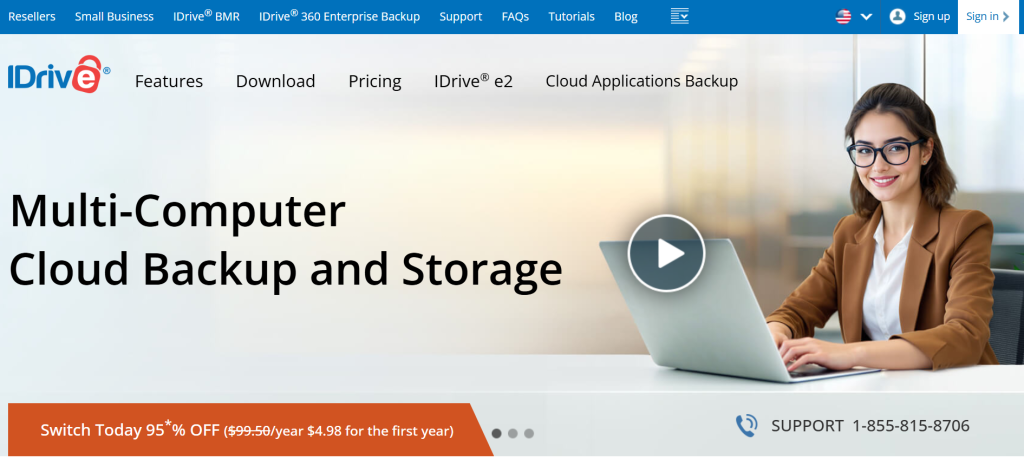
| Best For | Users who need to back up multiple devices (computers, phones, NAS) under a single affordable account |
| Pricing | Free 10GB. Personal 5TB $99.50/yr. Personal 10TB $104.65/yr. Team 5TB $99.50/yr. Business unlimited users from $99.50/yr |
| Storage | 5TB to 100TB depending on plan. Not unlimited |
| Encryption | AES-256 encryption. Optional private key (zero-knowledge) encryption set during initial setup |
| Key Strengths | Unlimited devices on one account, IDrive Express physical drive for fast initial backup, supports Windows/Mac/Linux/iOS/Android/NAS, 30 file versions, cloud-to-cloud M365/Google backup |
| Key Weaknesses | Not unlimited storage (caps at plan size), initial upload speeds can be slow, interface feels dated, plans above 10TB jump in price significantly |
| Platform Support | Windows, Mac, Linux, iOS, Android, NAS, servers — the widest coverage of any consumer backup |
| Best Pairing | Backblaze for a single-PC unlimited backup alongside IDrive’s multi-device coverage |
IDrive provides the widest platform coverage of any consumer-grade backup service. A single account backs up unlimited Windows, Mac, and Linux computers plus iOS and Android devices plus NAS devices. For families with five laptops, three phones, and a home NAS, or small businesses with a dozen employee machines, IDrive eliminates the per-device pricing that makes competitors expensive at scale.
The Personal 10 TB plan at $99.50 per year provides substantial storage at a cost that undercuts most competitors when calculated per device. IDrive Express solves the initial backup problem by shipping a physical drive to your location: you back up locally at full disk speed, ship the drive back, and IDrive loads it into your cloud account. This bypasses the days or weeks that large initial backups can take over typical internet connections.
Cloud-to-cloud backup for Microsoft 365 and Google Workspace adds protection for email, documents, and calendars stored in cloud services. File versioning retains up to 30 versions of each file, and real-time sync keeps files accessible across devices. End-to-end encryption with an optional private key ensures that even IDrive cannot access your data, though enabling private key encryption during initial setup is critical because it cannot be added later.
Where IDrive Falls Short
IDrive’s storage is not unlimited. If your data exceeds the plan cap, you must upgrade to a larger (and significantly more expensive) tier. Upload speeds for the initial backup can be frustratingly slow, even with IDrive Express available as a workaround. The interface feels dated compared to modern competitors, with features sometimes buried behind multiple menu layers. Customer support response times are inconsistent, though the knowledge base is comprehensive.
3. Acronis Cyber Protect Home Office — Best Backup with Built-In Cybersecurity

| Best For | Users who want backup and active cybersecurity protection (anti-malware, anti-ransomware) combined in one tool |
| Pricing | Essential $49.99/yr (local only). Advanced $54.99/yr (250GB cloud). Premium $124.99/yr (1TB cloud + 5TB). 30-day trial |
| Storage | 250GB to 50TB cloud storage depending on plan. Also supports local backup targets |
| Encryption | AES-256. Blockchain-based file authentication for data integrity verification |
| Key Strengths | Backup + antivirus + anti-ransomware in one tool, full disk imaging for bare-metal recovery, M365 and Google Workspace cloud-to-cloud backup, AI ransomware detection with auto-restore |
| Key Weaknesses | Higher starting price than pure backup tools, resource-intensive on older machines, 250GB base cloud storage requires upgrades, complex interface, full features need Premium plan |
| Platform Support | Windows, Mac, iOS, Android. Supports local + cloud + hybrid backup targets |
| Best Pairing | Backblaze B2 or Wasabi as additional cloud backup targets for redundancy |
Acronis Cyber Protect Home Office takes a fundamentally different approach from pure backup tools by combining data backup with active cybersecurity protection. The platform includes anti-malware scanning, real-time anti-ransomware detection, vulnerability assessment, and web filtering alongside full backup capabilities. This integrated approach means your backup system also actively defends against the threats most likely to cause data loss in the first place.
AI-powered ransomware detection identifies encryption attempts in real time and automatically restores affected files from clean backups before the damage spreads. Full disk imaging supports bare-metal recovery, meaning you can restore an entire computer, including the operating system, applications, and settings, to new hardware if the original machine is destroyed. Blockchain-based file authentication lets you verify that backed-up files have not been tampered with.
Cloud-to-cloud backup for Microsoft 365 and Google Workspace protects email, calendars, and cloud-stored documents. Hybrid backup to both local drives and cloud storage follows the 3-2-1 rule automatically. The Try and Decide feature lets you test suspicious software in a sandboxed environment and revert all changes if anything goes wrong.
Where Acronis Falls Short
Acronis’s pricing starts higher than pure backup alternatives because you are paying for cybersecurity features that overlap with existing antivirus software. The base cloud storage of 250 GB on the Advanced plan is inadequate for users with large data sets, forcing upgrades to the Premium plan at $124.99 per year. The software is resource-intensive and can noticeably slow older machines during scans and backups. The interface packs so many features that users who just want simple backup may find it overwhelming.
4. CrashPlan — Best for Small Business Endpoint Backup
| Best For | Small businesses needing centralized, unlimited endpoint backup for employee computers with compliance certifications |
| Pricing | Essential $10/device/mo. Professional $15/device/mo. Enterprise custom pricing. 30-day free trial |
| Storage | Truly unlimited — no storage caps, no file size limits |
| Encryption | AES-256 in transit and at rest. Note: no private key (zero-knowledge) encryption option |
| Key Strengths | Unlimited storage and file versions, unlimited version retention with no auto-deletion, centralized admin dashboard, HIPAA/SOC 2/GDPR compliance, set-and-forget operation |
| Key Weaknesses | $10/device/mo adds up with many endpoints, no consumer plans, no mobile backup, no disk imaging, no NAS backup, lacks zero-knowledge encryption |
| Platform Support | Windows, Mac, Linux. No mobile, no NAS, no server OS backup |
| Best Pairing | IDrive for mobile and NAS coverage, Veeam for server workloads |
CrashPlan targets small business endpoint backup with a focus on simplicity, compliance, and unlimited retention. Administrators manage all employee computers from a single dashboard, set backup policies, and monitor compliance without touching individual machines. The platform runs quietly in the background after initial configuration, backing up continuously without requiring employee interaction.
The standout feature is unlimited file version retention with no auto-deletion policy. Where most backup tools retain 30 to 90 days of file versions, CrashPlan keeps every version of every file indefinitely. This means you can restore any version of any document from any point in time since the backup began. For industries where document history matters, such as legal, healthcare, or financial services, this unlimited retention is a significant advantage.
HIPAA, SOC 2, and GDPR compliance certifications make CrashPlan suitable for regulated industries that require documented data protection. The platform encrypts data with AES-256 both in transit and at rest, though notably it does not offer zero-knowledge encryption, meaning CrashPlan could theoretically access your data if compelled.
Where CrashPlan Falls Short
At $10 per device per month, CrashPlan becomes expensive for larger teams. A 50-employee company pays $6,000 per year, compared to IDrive’s Business plan which covers unlimited users for less. There are no consumer or personal plans available. Mobile device backup is not supported. There is no disk imaging or bare-metal recovery capability, no NAS backup, and no courier recovery option for large restores. The lack of zero-knowledge encryption is a notable gap for privacy-conscious organizations.
5. Carbonite — Best Set-and-Forget Backup for Non-Technical Users
| Best For | Non-technical individuals and businesses who want automatic, invisible backup that requires no ongoing management |
| Pricing | Basic $83.99/yr (limited). Safe Core $83.99/yr (unlimited). Safe Power $179.99/yr (unlimited + server). Safe Ultimate $299.99/yr |
| Storage | Unlimited on Safe plans. Basic plan excludes video files and has 4GB per-file limit |
| Encryption | AES-256 at rest, TLS 1.2 in transit. Private key encryption available on Safe plans |
| Key Strengths | True set-and-forget operation, unlimited storage on Safe plans, automatic file detection, remote file access via web portal, solid reputation since 2005 |
| Key Weaknesses | Basic plan excludes video and large files, slow upload/download speeds, dated interface, fewer features than competitors, per-year billing only |
| Platform Support | Windows, Mac. Safe Power/Ultimate add server backup. No mobile, no Linux |
| Best Pairing | IDrive for mobile device backup, Backblaze B2 for additional server targets |
Carbonite has operated since 2005, making it one of the longest-running cloud backup services. Its primary value proposition is invisibility: install the software, and it silently backs up your computer in the background without requiring any configuration decisions, file selections, or ongoing management. For non-technical users who want data protection without learning about backup strategies, Carbonite delivers exactly that.
The Safe plans offer truly unlimited storage with no file size restrictions, automatic file detection, and continuous background backup. Remote file access through a web portal lets you retrieve files from any browser. Safe Power adds server backup capabilities, and Safe Ultimate includes image-based backup for bare-metal recovery. Private key encryption is available on Safe plans, adding zero-knowledge protection.
Carbonite’s simplicity is genuine, but it comes at the cost of features. Upload and download speeds are consistently slower than competitors like IDrive and Backblaze. The interface feels dated and offers fewer customization options than modern alternatives. The Basic plan excludes video files and imposes a 4 GB per-file size limit, which makes it unsuitable for photographers, videographers, or anyone with large media files.
6. Veeam — Best for Enterprise Virtual Machine and Cloud Workload Backup
| Best For | Enterprises protecting virtual machines, physical servers, cloud workloads, and SaaS applications at scale |
| Pricing | Community Edition free (limited). Veeam Data Platform starts at custom pricing. Per-workload licensing |
| Storage | Bring your own storage — works with any S3-compatible, NAS, tape, or cloud target |
| Encryption | AES-256. Immutable backups. Air-gapped and hardened repository support. Ransomware-proof architecture |
| Key Strengths | Industry leader for VM backup (VMware/Hyper-V), instant VM recovery, immutable and air-gapped backups, comprehensive SaaS protection (M365, Salesforce), SureBackup automated restore testing |
| Key Weaknesses | Enterprise pricing inaccessible for small businesses, complex to deploy and manage, requires dedicated IT staff, steep learning curve, licensing model can be confusing |
| Platform Support | VMware, Hyper-V, AWS, Azure, GCP, physical Windows/Linux servers, M365, Salesforce, Kubernetes |
| Best Pairing | Backblaze B2 or Wasabi as cost-effective S3-compatible storage targets |
Veeam is the industry standard for enterprise backup and disaster recovery, protecting virtual machines, physical servers, cloud workloads, and SaaS applications across complex infrastructure. The platform’s defining capability is instant VM recovery: when a virtual machine fails, Veeam can boot a fully functional copy directly from the backup storage within minutes, keeping services running while the primary system is repaired.
Immutable backup support prevents ransomware from encrypting or deleting backup files, even if attackers gain administrator access to the backup server. Air-gapped repositories add another layer of protection by physically isolating backup data from the network. SureBackup automates restore testing by periodically booting backed-up VMs in a sandboxed environment and verifying that they function correctly, ensuring that your backups actually work before you need them.
The platform supports the broadest range of enterprise workloads: VMware vSphere, Microsoft Hyper-V, AWS, Azure, Google Cloud, physical Windows and Linux servers, Microsoft 365, Salesforce, and Kubernetes containers. For organizations with complex, multi-cloud infrastructure, Veeam provides a single management plane for all backup and recovery operations.
Where Veeam Falls Short
Veeam is an enterprise tool with enterprise complexity and enterprise pricing. Small businesses and individuals should look elsewhere. Deployment requires dedicated IT staff, and the learning curve is substantial. The licensing model has evolved through multiple iterations and can confuse even experienced administrators. The Community Edition is free but limited to 10 workloads, which barely scratches the surface of most organization’s needs.
7. SpiderOak One — Best for Zero-Knowledge Encrypted Backup
| Best For | Privacy-focused users who require zero-knowledge encryption where the provider cannot access files under any circumstances |
| Pricing | 150GB $6/mo. 400GB $11/mo. 2TB $14/mo. 5TB $29/mo. 14-day free trial |
| Storage | 150GB to 5TB depending on plan. Not unlimited |
| Encryption | AES-256 with true zero-knowledge architecture. Provider cannot decrypt your files even under legal compulsion |
| Key Strengths | Strongest privacy protection available, zero-knowledge by default (not optional), cross-platform sync, file sharing with encryption, no data accessible by provider |
| Key Weaknesses | Expensive per GB compared to unlimited competitors, slower backup speeds, dated interface, smaller company with limited support resources, no disk imaging |
| Platform Support | Windows, Mac, Linux. No mobile backup, no NAS |
| Best Pairing | Backblaze for large-volume backup, SpiderOak for sensitive files requiring maximum privacy |
SpiderOak One is built around a single principle: the backup provider should never be able to access your data. Zero-knowledge encryption is not an optional setting in SpiderOak; it is the fundamental architecture. Your encryption keys are generated and stored only on your devices. SpiderOak’s servers store encrypted data that the company cannot decrypt, even if compelled by law enforcement or subpoena.
For journalists, attorneys, healthcare providers, activists, and anyone handling genuinely sensitive information, this architecture provides protection that most competitors cannot match. IDrive and Acronis offer optional private key encryption, but it must be enabled during setup and is not the default. Backblaze asks for your encryption key during restores, which undermines the zero-knowledge model. SpiderOak provides zero-knowledge protection by design with no configuration required.
The platform also includes file sync across devices and encrypted file sharing, extending the privacy model beyond backup into daily workflow. Cross-platform support covers Windows, Mac, and Linux, making it one of the few backup tools with native Linux support.
Where SpiderOak Falls Short
SpiderOak’s storage plans are expensive compared to unlimited competitors. The 5 TB plan at $29 per month costs $348 per year, compared to Backblaze’s unlimited storage at $99 per year. Backup speeds are slower than competitors, the interface feels dated, and the company’s smaller size means fewer support resources. There is no disk imaging, no mobile backup, and no NAS support. SpiderOak is the right choice for privacy-sensitive files, not for backing up everything.
8. Backblaze B2 — Best Affordable Cloud Storage Target for Businesses
| Best For | Developers and businesses needing S3-compatible object storage as a backup target at a fraction of AWS pricing |
| Pricing | $6/TB/mo pay-as-you-go. First 10GB free. B2 Reserve from $1,560/yr (20TB). B2 Overdrive $15/TB/mo for high throughput |
| Storage | Pay per TB. No minimum, no maximum. Scales to exabytes |
| Encryption | AES-256 server-side encryption. Optional client-side encryption via backup tools. Object Lock immutability |
| Key Strengths | 1/5 the cost of AWS S3, generous free egress (3x monthly storage), S3-compatible API, Object Lock for immutability, integrates with Veeam/MSP360/Synology/Arq |
| Key Weaknesses | Not a backup tool — requires separate backup software, no consumer-facing UI for backups, single data center region, less feature-rich than AWS S3 |
| Platform Support | S3-compatible API works with any backup software that supports S3 targets |
| Best Pairing | Veeam, MSP360, Arq, or Synology Hyper Backup as the backup client with B2 as the storage target |
Backblaze B2 is not a backup tool. It is a cloud storage platform that serves as an affordable target for backup tools. The distinction matters: B2 does not include backup client software, scheduling, or file selection. Instead, it provides S3-compatible object storage at $6 per TB per month, roughly one-fifth the cost of AWS S3, that integrates with dozens of backup applications.
Generous free egress sets B2 apart from competitors. You can download up to three times your average monthly storage for free, and egress through CDN and compute partners like Cloudflare, Fastly, and Vultr is always free. AWS charges $0.09 per GB for egress, meaning a 1 TB restore from S3 costs $90 while the same restore from B2 costs nothing. For organizations that need to restore data regularly or access backups frequently, this egress policy can save thousands annually.
Object Lock provides immutability support, preventing backed-up data from being modified or deleted during the retention period, even by administrators. This protects against ransomware that specifically targets backup repositories. B2 Reserve offers capacity-based pricing with all-inclusive egress for businesses that prefer predictable annual billing, starting at 20 TB.
9. Wasabi — Best for Budget Object Storage with Predictable Pricing
| Best For | Organizations needing affordable, hot object storage for backup targets with predictable per-TB pricing |
| Pricing | $7.99/TB/mo (hot storage). No egress fees under “reasonable use” policy. Minimum 1TB billing |
| Storage | Pay per TB. Minimum 1TB billing per bucket. 90-day minimum storage duration |
| Encryption | AES-256. Server-side and client-side encryption. Immutable storage via Object Lock |
| Key Strengths | Competitive per-TB pricing, no explicit egress fees, S3-compatible API, immutable storage, multi-region availability, integrates with major backup tools |
| Key Weaknesses | 90-day minimum storage duration, “reasonable use” egress policy can restrict heavy downloaders, minimum 1TB billing, less transparent pricing than Backblaze B2 |
| Platform Support | S3-compatible API works with any backup software that supports S3 targets |
| Best Pairing | Veeam, MSP360, or Arq as the backup client with Wasabi as storage target |
Wasabi markets itself as hot cloud storage at cold storage prices, and the per-TB pricing is competitive at $7.99 per month. Like Backblaze B2, Wasabi is a storage target rather than a backup tool, requiring separate backup software to manage the actual backup process. The S3-compatible API ensures compatibility with most backup applications including Veeam, MSP360, Arq, and Synology Hyper Backup.
Wasabi advertises no egress fees, but the reality is more nuanced. A “reasonable use” policy limits free downloads to an amount equal to or less than your active monthly storage. Organizations that download more data than they store may face restricted or suspended service. By comparison, Backblaze B2’s egress policy is more transparent: free up to three times monthly storage, then $0.01 per GB beyond that.
A 90-day minimum storage duration means that data deleted before 90 days is still billed for the full period. This matters for organizations with rapidly changing datasets or those that frequently rotate backups. Wasabi’s Object Lock provides immutability for ransomware protection, and multi-region availability across the US, Europe, and Asia-Pacific supports geo-redundancy requirements.
10. Druva — Best SaaS-Native Enterprise Data Protection
| Best For | Enterprises needing fully SaaS-based data protection across endpoints, servers, cloud workloads, and SaaS applications |
| Pricing | Custom per-workload pricing. Tiered by data source type and retention. Contact sales for quotes |
| Storage | Included in subscription — no bring-your-own-storage required. Built on AWS infrastructure |
| Encryption | AES-256 at rest and in transit. TLS 1.2+. Envelope encryption with customer-managed keys |
| Key Strengths | Fully SaaS — no infrastructure to manage, covers endpoints + servers + cloud + SaaS, built on AWS with global deduplication, compliance tools for governance and eDiscovery, ransomware recovery |
| Key Weaknesses | Enterprise pricing inaccessible for SMBs, complex licensing model, requires sales engagement for pricing, less control over storage location than self-managed solutions |
| Platform Support | Windows, Mac, Linux, AWS, Azure, GCP, VMware, M365, Salesforce, Google Workspace, endpoints |
| Best Pairing | Standalone — designed to be the single data protection platform for the entire organization |
Druva provides enterprise data protection as a fully SaaS platform, meaning there is no infrastructure to deploy, manage, or maintain. Backup storage, management consoles, and recovery mechanisms all run in Druva’s cloud built on AWS infrastructure. For enterprises that want to eliminate the operational burden of managing backup servers, storage arrays, and tape libraries, Druva removes the entire infrastructure layer.
The platform covers the full spectrum of enterprise data: endpoints (laptops, desktops), physical and virtual servers, AWS and Azure cloud workloads, Microsoft 365, Google Workspace, and Salesforce. Global deduplication across all data sources reduces storage consumption and backup windows. Compliance tools support data governance, legal hold, and eDiscovery requirements for regulated industries.
Ransomware recovery capabilities include anomaly detection that identifies unusual data change patterns, quarantine of affected backups, and curated snapshots that exclude compromised data from the recovery set. For enterprises managing thousands of endpoints and multiple cloud environments, Druva simplifies what would otherwise require a complex multi-tool backup architecture.
11. MSP360 — Best for Managed Service Providers and IT Teams
| Best For | Managed service providers (MSPs) and IT teams managing backup across multiple client environments with flexible storage targets |
| Pricing | Managed Backup from $49.99/mo (per company). Per-computer and per-server licensing. Free edition available |
| Storage | Bring your own storage — works with AWS S3, Backblaze B2, Wasabi, Azure, GCP, and local targets |
| Encryption | AES-256. Optional zero-knowledge encryption. Client-side encryption before upload |
| Key Strengths | Multi-tenant management for MSPs, flexible BYO storage model, supports file + image + SQL backups, centralized web console across all clients, ransomware protection with immutability |
| Key Weaknesses | Interface can feel cluttered, learning curve for full configuration, per-computer licensing adds complexity, requires separate storage subscription |
| Platform Support | Windows, Mac, Linux, Windows Server, VMware, Hyper-V, M365 |
| Best Pairing | Backblaze B2 or Wasabi as the storage backend for optimal cost |
MSP360 (formerly CloudBerry) is built for managed service providers and IT teams that manage backup across multiple client environments. The multi-tenant management console lets a single MSP monitor, configure, and troubleshoot backup jobs across dozens of client organizations from one interface. Bring-your-own-storage flexibility means you choose the cloud storage provider that best fits your cost and performance requirements.
The platform supports file-level backup, image-based backup for bare-metal recovery, SQL database backup, and Microsoft 365 backup. Ransomware protection includes immutable backup support when paired with storage providers that offer Object Lock. The centralized web console provides real-time monitoring, alerting, and reporting across all managed endpoints.
For MSPs, the licensing model aligns with the service provider business model: per-computer and per-server pricing lets you bill clients based on their actual resource consumption. A free edition with limited features allows evaluation before committing to paid plans. The combination of MSP360 for backup management and Backblaze B2 for storage creates one of the most cost-effective enterprise backup stacks available.
12. pCloud — Best Lifetime Cloud Storage with Backup Features
| Best For | Users who prefer a one-time payment for long-term cloud storage with basic backup and sync capabilities |
| Pricing | Free 10GB. Premium 500GB $49.99/yr or $199 lifetime. Premium Plus 2TB $99.99/yr or $399 lifetime. Ultra 10TB $1,190 lifetime |
| Storage | 500GB to 10TB depending on plan |
| Encryption | AES-256. Optional pCloud Crypto (zero-knowledge) for an additional fee ($49.99/yr or $125 lifetime) |
| Key Strengths | Lifetime payment option eliminates recurring costs, client-side zero-knowledge encryption available, cross-platform sync, file sharing and collaboration, European data centers (Switzerland) |
| Key Weaknesses | Primarily cloud storage (not purpose-built backup), no continuous automatic backup, no disk imaging, limited backup scheduling, Crypto costs extra |
| Platform Support | Windows, Mac, Linux, iOS, Android. Browser access |
| Best Pairing | Backblaze for automatic continuous backup, pCloud for synced file access and long-term storage |
pCloud occupies a unique position by offering lifetime payment plans that eliminate recurring subscription costs. The 2 TB Premium Plus plan at $399 as a one-time payment pays for itself compared to Dropbox or Google Drive within three to four years of use. For users planning to store data long-term, this pricing model provides significant savings over subscription-based competitors.
Swiss hosting provides strong data privacy protections under Swiss law. Optional pCloud Crypto adds client-side zero-knowledge encryption to a dedicated folder, ensuring that neither pCloud nor any third party can access encrypted files. The platform provides cross-platform sync across Windows, Mac, Linux, iOS, and Android with file sharing and collaboration features.
However, pCloud is primarily a cloud storage and sync service rather than a purpose-built backup tool. It lacks continuous automatic backup, comprehensive scheduling options, disk imaging, and the set-and-forget operation that dedicated backup tools provide. It works best as a complement to a dedicated backup service: use Backblaze or IDrive for automatic backup protection, and pCloud for synced file access and long-term storage.
Which Cloud Backup Tool Should You Choose? A Decision Framework
Rather than declaring a single winner, the right choice depends on what you are protecting, how many devices you have, and what threats concern you most.
If you want the simplest backup for one computer: Backblaze. Install it and forget it. Unlimited storage, $99 per year, zero configuration.
If you need to back up multiple devices under one account: IDrive. Covers computers, phones, NAS, and servers. Best value per device for families and small businesses.
If you want backup and antivirus combined: Acronis Cyber Protect. Active ransomware protection plus full disk imaging plus cloud backup in one tool.
If you manage employee computers for a business: CrashPlan. Centralized management, unlimited retention, compliance certifications. Consider Veeam for larger enterprises with VMs.
If you want backup that requires zero technical knowledge: Carbonite Safe. True set-and-forget operation since 2005. Unlimited storage, invisible background backup.
If you run enterprise virtual infrastructure: Veeam. Industry standard for VM backup with instant recovery, immutable backups, and automated restore testing.
If privacy is your top priority: SpiderOak One. True zero-knowledge encryption by design, not as an optional setting.
If you need affordable S3-compatible storage for backup targets: Backblaze B2. $6/TB/mo with generous free egress beats AWS S3 pricing by 5x.
If you manage backup for multiple clients as an MSP: MSP360 with Backblaze B2 or Wasabi storage. Multi-tenant management with cost-effective storage.
If you want to eliminate recurring storage costs: pCloud lifetime plans. One-time payment with Swiss privacy protections.
If you need fully SaaS enterprise data protection: Druva. No infrastructure to manage, covers endpoints through cloud workloads in one platform.
Recommended Backup Stacks by Scenario
| Scenario | Primary Tool | Storage Target | Annual Cost | Coverage |
| Individual (1 PC) | Backblaze Personal | Included (unlimited) | $99 | Full PC backup |
| Family (5+ devices) | IDrive Personal 10TB | Included (10TB) | $99.50 | All devices + phones |
| Freelancer (PC + privacy) | SpiderOak 2TB + Backblaze | Included | $267 | ZK files + full PC |
| Small Business (10 PCs) | CrashPlan Essential | Included (unlimited) | $1,200 | Endpoints + compliance |
| SMB (servers + PCs) | Acronis + Backblaze B2 | B2 ($6/TB/mo) | $500–$1,500 | Endpoints + servers |
| MSP (multi-client) | MSP360 + Backblaze B2 | B2 ($6/TB/mo) | $600+ | Multi-tenant managed |
| Enterprise | Veeam + Wasabi/B2 | BYO ($6–$8/TB/mo) | $5,000+ | VMs + cloud + SaaS |
| Enterprise (SaaS-only) | Druva | Included | Custom | Full stack, no infra |
Security and Encryption Comparison
Security is the most important factor in choosing a cloud backup tool. Here is how the leading services compare on encryption, zero-knowledge, and immutability.
| Tool | At-Rest | In-Transit | Zero-Knowledge | Immutability | Compliance |
| Backblaze | AES-128* | TLS 1.2 | Optional key | No (B2 yes) | SOC 2 |
| IDrive | AES-256 | TLS 1.2 | Optional (setup) | No | HIPAA avail. |
| Acronis | AES-256 | TLS 1.2 | No | Local only | HIPAA, GDPR |
| CrashPlan | AES-256 | TLS 1.2 | No | No | HIPAA, SOC 2, GDPR |
| Carbonite | AES-256 | TLS 1.2 | Safe plans only | No | HIPAA avail. |
| Veeam | AES-256 | TLS 1.2 | Configurable | Yes (core) | SOC 2, HIPAA, GDPR |
| SpiderOak | AES-256 | TLS 1.2 | Yes (default) | No | HIPAA, ITAR |
| Backblaze B2 | AES-256 | TLS 1.2 | Client-side | Object Lock | SOC 2 |
| Wasabi | AES-256 | TLS 1.2 | Client-side | Object Lock | SOC 2, HIPAA |
| Druva | AES-256 | TLS 1.2 | Envelope keys | Yes | SOC 2, HIPAA, GDPR |
| MSP360 | AES-256 | TLS 1.2 | Yes (optional) | Via storage | Varies by storage |
| pCloud | AES-256 | TLS 1.2 | Crypto add-on | No | Swiss GDPR equiv. |
* Backblaze Personal uses AES-128 by default but upgrades to AES-256 when you set a personal encryption key. B2 storage uses AES-256 server-side encryption by default.
True Annual Cost Comparison: Backing Up 5 TB of Data
Backup pricing can be deceptive. Here is what each tool actually costs to protect 5 TB of data for one year, including storage, egress for one full restore, and any required add-ons.
| Tool | Annual Storage | 1x Full Restore | Total Year 1 | Notes |
| Backblaze | $99 | Free (web) / $189 (USB) | $99–$288 | Unlimited storage, 1 PC only |
| IDrive 10TB | $99.50 | Free (IDrive Express) | $99.50 | Best multi-device value |
| Acronis Premium | $124.99 | Free (local or cloud) | $124.99 | Includes cybersecurity |
| CrashPlan (1 device) | $120 | Free (download) | $120 | Unlimited retention |
| Carbonite Safe Core | $83.99 | Free (download) | $83.99 | Unlimited storage, slow speeds |
| SpiderOak 5TB | $348 | Free (download) | $348 | Zero-knowledge premium |
| Backblaze B2 | $360 | Free (under 3x) | $360 | Requires separate backup tool |
| Wasabi | $479.40 | Free (under 1x) | $479.40 | 90-day min. storage duration |
| pCloud 2TB (lifetime) | $399 one-time | Free | $399 Y1, $0 after | Not purpose-built backup |
Frequently Asked Questions
How much cloud backup storage do I actually need?
Most individuals need 500 GB to 2 TB for a personal computer. Small businesses typically need 5 to 20 TB depending on the number of employees and the volume of documents, media, and databases. If your primary files are documents and spreadsheets, less storage suffices. If you work with video, photography, or large databases, choose unlimited plans from Backblaze or CrashPlan, or high-capacity plans from IDrive. When in doubt, estimate your current data volume and multiply by 1.5 to account for growth over the next two years.
Is cloud backup secure enough for sensitive data?
Reputable providers encrypt data both in transit with TLS and at rest with AES-256. For maximum security, choose a provider that offers zero-knowledge encryption, where even the backup provider cannot access your files. SpiderOak provides zero-knowledge by default. IDrive and pCloud offer it as an optional setting. For businesses handling regulated data in healthcare, finance, or legal industries, choose providers with HIPAA, SOC 2, or GDPR compliance certifications and verify that the encryption architecture meets your regulatory requirements.
What is the difference between cloud backup and cloud storage?
Cloud backup automatically copies files from your devices to a remote server on a continuous or scheduled basis. It is designed for data protection and disaster recovery. Cloud storage like Google Drive, Dropbox, and OneDrive synchronizes files across devices for access and collaboration. The critical difference is that cloud storage mirrors deletions: if you delete a file from Google Drive, it disappears everywhere. Cloud backup retains historical versions, so accidental deletions can be reversed. Most professionals need both: cloud storage for daily file access and cloud backup for data protection.
How long does the initial cloud backup take?
Initial backup time depends on your data volume and internet upload speed. On a typical 10 Mbps upload connection, 1 TB takes roughly 10 days of continuous uploading. Services like IDrive Express and Backblaze’s USB restore drive (used in reverse) can bypass this bottleneck by handling the initial transfer via physical media. After the initial backup, incremental backups transfer only changed data, typically completing in minutes to hours depending on daily data change volume.
Should I use cloud backup or local backup?
Both. The 3-2-1 backup rule recommends three copies of your data on two different media types with one copy off-site. Local backup to an external drive or NAS provides fast restoration for everyday file recovery. Cloud backup provides off-site protection against physical disasters like fire, theft, or flooding that would destroy both your computer and local backup. Services like Acronis and IDrive support hybrid backup to both local and cloud targets simultaneously.
Can ransomware encrypt my cloud backups?
Modern ransomware specifically targets backup systems, which is why immutable backups have become essential. Immutability means backed-up data cannot be modified or deleted during the retention period, even by administrators with full access. Veeam, Backblaze B2, Wasabi, and Druva all support immutable backup storage. Additionally, cloud backups that use continuous versioning (like CrashPlan’s unlimited versions) allow you to roll back to a pre-encryption state even if current files are compromised. Always test your restore process periodically to confirm your backups are actually recoverable.
Final Words: Backup Is Insurance You Actually Control
Cloud backup is the only category in this entire technology stack where the best possible outcome is that you never need it. Every dollar you spend on backup is insurance against an event you hope never happens. But when that event arrives, and it will, the difference between a tool that works and a tool you never set up is the difference between a minor disruption and a catastrophic loss.
The cloud backup market in 2026 has matured to the point where reliable protection is affordable at every scale. Individuals can protect unlimited data for $99 per year with Backblaze. Families and small businesses can cover every device for under $100 per year with IDrive. Enterprises can protect complex multi-cloud infrastructure with Veeam and Druva. The technology works. The encryption is strong. The restoration processes are reliable.
The remaining variable is you. The most common cause of data loss from backup failure is not a technical problem with the backup tool. It is the failure to set up backup in the first place, or setting it up and then ignoring the warnings when it stops working. Choose a tool from this guide, install it today, verify that the initial backup completes, and test a restore once to confirm it works. Then forget about it until you need it. That is the entire strategy.
The Stack That Works for Most People
If you need one concrete recommendation: install Backblaze on your primary computer for unlimited automatic backup at $99 per year. If you have multiple devices, switch to IDrive’s 10 TB plan at $99.50 per year for broader coverage. Add a local backup to an external drive using your operating system’s built-in tools (Time Machine on Mac, File History on Windows) for fast daily restores. Total annual cost: $100 to $200. Total peace of mind: complete.
For businesses, pair CrashPlan or Acronis for endpoints with Backblaze B2 for server and NAS backup storage. This combination covers employee computers with unlimited retention, protects servers with affordable cloud storage, and keeps your total cost well below enterprise pricing while delivering enterprise-grade protection. Test your restores quarterly, and sleep well knowing that data loss is a solved problem.


![Marketing Automation Case Study: 12 Real Examples, Strategy & ROI Results [2026]](https://marketingcasestudy.io/wp-content/uploads/2026/05/marketing-automation-case-study-featured-300x158.png)
