Animation software spans an enormous range of creative disciplines, and choosing the wrong tool wastes months of learning time on capabilities you will never use. A 2D character animator who purchases Cinema 4D will find world-class 3D tools but nothing for frame-by-frame drawing. A motion graphics designer who chooses Toon Boom Harmony will encounter the industry’s best 2D animation pipeline but no kinetic typography or infographic tools. A business marketer who selects Blender will face a professional 3D suite when all they needed was a drag-and-drop explainer video builder. The animation software that is objectively best is meaningless without matching it to what you actually create.
The animation software landscape in 2026 divides into five distinct categories that serve fundamentally different creator types. Professional 2D animation tools (Toon Boom Harmony, Adobe Animate, Moho, OpenToonz) provide frame-by-frame drawing, character rigging, and compositing for broadcast-quality cartoons and films. 3D animation suites (Blender, Cinema 4D) handle modeling, rigging, rendering, and simulation for film, gaming, and visual effects. Motion graphics platforms (After Effects) create animated titles, infographics, and visual effects for video production. Business animation builders (Vyond, Doodly) enable non-animators to produce explainer videos and training content. Interactive animation tools (Rive) create runtime animations for web applications and games.
This guide tests 12 animation tools across every major animation discipline, evaluating each for animation capability depth, drawing and painting tools, character rigging and deformation, rendering quality and speed, pipeline compatibility, learning curve, and true annual cost. Every review identifies the specific animation style, skill level, and project type each tool serves best, because there is no universal best animation software — only the best tool for what you specifically need to create.
Quick Comparison: Top 12 Animation Software for 2026
| Platform | Best For | Starting Price | Annual Cost | Free Option | Platform | Our Rating |
| Blender | Free 3D animation suite | Free | $0 | Yes, fully free | Win/Mac/Linux | 9.5/10 |
| Toon Boom Harmony | Pro 2D studio animation | $28.50/mo | $342–$1,554/yr | 21-day trial | Win/Mac | 9.4/10 |
| After Effects | Motion graphics & VFX | $22.99/mo | $275.88/yr | 7-day trial | Win/Mac | 9.3/10 |
| Adobe Animate | 2D vector & interactive | $22.99/mo | $275.88/yr | 7-day trial | Win/Mac | 8.8/10 |
| Moho Pro | 2D rigged character | $399.99 once | $399.99 (once) | 30-day trial | Win/Mac | 8.7/10 |
| Cinema 4D | 3D motion graphics | $109/mo | $839/yr | 14-day trial | Win/Mac/Linux | 9.1/10 |
| Vyond | Business animated video | $58.25/mo | $699/yr | 14-day trial | Web-based | 8.2/10 |
| Rive | Interactive web/app anim | Free | $0–$540/yr | Yes, generous | Web + runtimes | 8.5/10 |
| OpenToonz | Free open-source 2D | Free | $0 | Yes, fully free | Win/Mac/Linux | 7.8/10 |
| Krita | Free 2D frame-by-frame | Free | $0 | Yes, fully free | Win/Mac/Linux | 7.9/10 |
| Cascadeur | AI physics-based anim | Free (non-comm) | $0–$180/yr | Yes (non-comm) | Win/Mac/Linux | 8.3/10 |
| Doodly | Whiteboard doodle videos | $39/mo | $468/yr | No free version | Win/Mac | 7.0/10 |
How We Evaluated These Animation Tools
Every tool was tested by creating standardized animation projects relevant to its category.
Animation capability depth: We assessed the range and sophistication of animation features: keyframe types, interpolation curves, timeline control, layer management, onion skinning, frame-by-frame drawing, tweened animation, physics simulation, and procedural animation support.
Drawing and painting tools: For 2D animation tools, we evaluated brush quality, pressure sensitivity, vector vs. bitmap drawing, stabilization, fill tools, color palette management, and how naturally the drawing experience translates from tablet input to animated output.
Character rigging and deformation: We tested bone rigging setup speed, inverse kinematics quality, deformation smoothness, Smart Bones and equivalent systems, mesh deformation, lip-sync automation, and how efficiently rigs translate keyframed poses into natural character movement.
Rendering quality and speed: We compared real-time preview capability, final render quality, GPU acceleration, render farm support, and the visual output quality achievable at production deadlines.
Pipeline compatibility: We evaluated export format support (PSD, SVG, FBX, USD, Lottie, HTML5 Canvas, video codecs), integration with other animation and compositing tools, scripting APIs, and asset exchange capabilities for multi-tool workflows.
Learning curve and documentation: We measured time to first meaningful output, quality and quantity of official documentation, tutorial availability, community size, and whether the tool serves beginners, intermediate users, or exclusively professionals.
Why Animation Software Changed in 2026
Three developments have reshaped how animators choose their tools. First, AI-assisted animation has moved from research demos to production tools. Cascadeur’s AI inbetweening calculates physically plausible intermediate frames from keyframes, respecting center of mass and momentum constraints. Adobe After Effects uses Firefly AI for generative content and Rotobrush 3.0 for AI-powered object isolation. Toon Boom Harmony 25 introduced Ember, an AI add-on for storyboarding and pre-visualization. These AI capabilities do not replace animators but eliminate the most tedious aspects of the workflow, particularly inbetweening and rotoscoping.
Second, the free tier of professional animation tools has expanded dramatically. Blender provides a complete 3D animation suite that rivals Maya at zero cost. Krita offers professional-quality 2D drawing and frame-by-frame animation for free. OpenToonz provides studio-level 2D animation tools developed by Studio Ghibli. Cascadeur provides AI-powered 3D character animation free for non-commercial use. Rive provides interactive animation creation free for individuals. The era when learning animation required expensive software has ended completely.
Third, interactive and runtime animation has become a distinct category. Rive creates animations that run natively in web browsers, mobile apps, and games at 120 frames per second, replacing pre-rendered video with real-time interactive content. Lottie format adoption means animations created in After Effects can play as lightweight, scalable, interactive elements on any platform. This shift from animation-as-video to animation-as-code creates new career paths for animators who bridge design and development.
Detailed Reviews: Best Animation Software for 2026
1. Blender — Best Free Professional 3D Animation, Modeling, and Rendering Suite
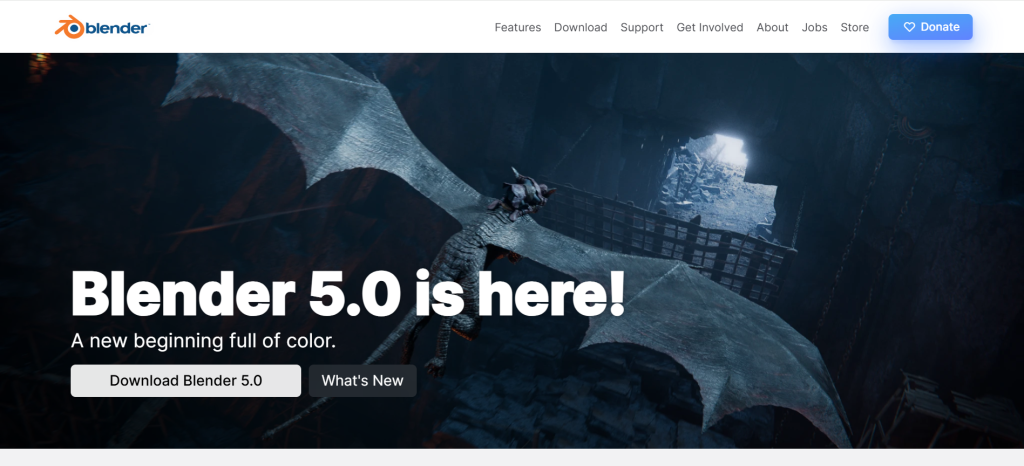
| Best For | Any animator who wants professional 3D animation, modeling, sculpting, rendering, and compositing at zero cost, from students to indie studios to Hollywood productions |
| Pricing | Completely free and open-source (GNU GPL license). No paid tiers, no feature restrictions, no watermarks. Blender Development Fund accepts voluntary corporate and individual donations |
| Animation Tools | Full 3D keyframe animation with graph editor, dope sheet, and NLA (Non-Linear Animation) editor. Grease Pencil 2D animation within 3D space. Geometry Nodes for procedural animation. Rigid body, soft body, cloth, and fluid physics simulation. Particle systems. Shape keys for facial animation. Armature-based character rigging with IK/FK switching |
| AI & Advanced | Community AI plugins for motion capture retargeting and retopology. Geometry Nodes procedural system enables complex automated animation. EEVEE real-time rendering engine for instant animation previews. Cycles PBR ray-tracing for photorealistic final renders. Grease Pencil bridges 2D hand-drawn animation within the 3D environment |
| Key Strengths | Completely free with no restrictions whatsoever. Used by Netflix, Ubisoft, Epic Games, Amazon Studios in production. Covers modeling, sculpting, rigging, animation, rendering, compositing, and video editing in one application. Grease Pencil provides unique 2D-in-3D animation capability. Geometry Nodes procedural system rivals Houdini for many tasks. Cycles and EEVEE rendering engines included. Massive community with thousands of free tutorials. Runs on Windows, Mac, and Linux |
| Key Weaknesses | Steep learning curve due to enormous feature scope. Industry pipelines still primarily expect Maya or 3ds Max project files. 2D animation via Grease Pencil is unique but not a replacement for dedicated 2D tools like Toon Boom. Sculpting, while improved, is less refined than ZBrush. Some advanced simulation features require Houdini-level complexity. Character animation tools, while complete, lack some Maya-specific workflow refinements |
| Integrations | FBX, USD, Alembic, glTF export for game engines (Unreal, Unity, Godot). Python scripting API for custom tools and pipeline integration. Grease Pencil exports to SVG and video. Add-on ecosystem with hundreds of free and commercial extensions |
| Best Pairing | Blender for 3D animation + Krita for 2D concept art + After Effects for motion graphics compositing (all three cover most animation needs) |
Blender’s position as the best overall animation software recommendation in 2026 rests on a simple proposition: it provides professional-quality 3D animation, modeling, sculpting, rigging, rendering, compositing, and video editing in a single application at zero cost. No other software on this list, at any price, matches this breadth of integrated capability. Studios including Netflix, Ubisoft, and Epic Games use Blender in production pipelines. Oscar-nominated animated shorts have been created entirely in Blender. The software is not a simplified free alternative — it is a full professional suite that competes with tools costing $1,000 to $5,000 per year.
The animation toolset is comprehensive. The Graph Editor provides Bezier curve control over every animated property. The Dope Sheet manages keyframe timing across multiple objects and armatures. The Non-Linear Animation editor enables stacking, blending, and remixing animation clips. Armature-based character rigging supports FK/IK switching, constraints, drivers, and custom bone shapes. Shape keys enable facial animation with blendshapes. Physics simulations handle rigid bodies, soft bodies, cloth, fluid, and smoke. Particle systems create hair, grass, and effects animation.
Grease Pencil deserves special attention as a feature unique to Blender. It enables 2D hand-drawn animation within the full 3D environment, meaning you can draw 2D characters that exist in 3D space alongside 3D objects, lit by 3D lighting, viewed through 3D cameras. This hybrid 2D/3D approach powers visual styles that no other tool can replicate, and studios are increasingly exploring Grease Pencil for animated projects that blend traditional and CG aesthetics.
Where Blender Falls Short
The feature scope that makes Blender powerful also makes it intimidating. Learning the full application takes months to years, and beginners frequently feel overwhelmed by the interface density. Industry pipelines in major animation studios still primarily run on Maya, meaning Blender skills alone may not meet all studio hiring requirements. Pure 2D animation workflows are better served by dedicated tools like Toon Boom Harmony or Moho, as Grease Pencil, while innovative, is not optimized for traditional 2D production pipelines.
The Verdict on Blender
Blender is the universal first recommendation for any animator willing to invest learning time. It costs nothing, covers every 3D animation discipline, includes unique 2D capabilities through Grease Pencil, and is accepted in professional production pipelines. For 3D character animation, environmental animation, physics simulation, rendering, and compositing, no other tool provides comparable capability at any price, let alone free.
2. Toon Boom Harmony — Best Industry-Standard Professional 2D Animation Pipeline
| Best For | Professional animation studios, broadcast 2D animation, and serious 2D animators who need the industry-standard tool used on major TV series and streaming productions |
| Pricing | Essentials: $28.50/mo ($342/yr). Advanced: $71/mo ($852/yr). Premium: $129.50/mo ($1,554/yr). Student pricing available at reduced rates. 21-day free trial for all tiers. Harmony 25 is the current version with Ember AI add-on |
| Animation Tools | Traditional frame-by-frame drawing with full onion skinning. Cut-out puppet animation with advanced bone rigging and deformers. Hybrid workflows combining hand-drawn and puppet animation. Master Controller for efficient character pose management. Auto lip-sync technology. Multiple audio track support. Timeline with X-sheet view for traditional animation workflow |
| AI & Advanced | Toon Boom Ember (Harmony 25 add-on): AI-powered storyboarding and pre-visualization. Advanced deformers for smooth, organic character movement. Node-based compositing for complex scene assembly with unlimited effects. 3D camera integration adds parallax depth effects to 2D scenes. Scan and paint tools for traditional animation digitization. Color palette management across entire productions |
| Key Strengths | Undisputed industry standard for professional 2D broadcast animation. Used on Rick and Morty, The Simpsons, Bob’s Burgers, dozens of Netflix originals. Handles both traditional hand-drawn and cut-out puppet animation in one platform. Advanced deformers create smooth, organic character movement impossible in simpler tools. Node-based compositing enables complex multi-layer scene assembly. Production management tools support large studio teams. Three pricing tiers scale from indie to enterprise |
| Key Weaknesses | Premium tier at $1,554/yr is expensive for individual animators. Steep learning curve, especially for node-based compositing in Premium tier. Essentials tier lacks many features professional animators need (deformers, node compositing). Interface feels overwhelming compared to Moho or Krita. Hardware requirements increase significantly for complex productions. Not designed for 3D animation or motion graphics |
| Integrations | Storyboard Pro for pre-production pipeline. PSD and PSB import from Photoshop. Export to video, image sequences, SWF. Unity and game engine export for cut-out game animation. Harmony Server for studio pipeline management. Ember AI add-on for storyboarding |
| Best Pairing | Storyboard Pro for pre-production + Harmony Premium for animation + After Effects for final compositing |
Toon Boom Harmony is the software that produces most of the 2D animation you watch on television and streaming platforms. Rick and Morty, The Simpsons, Bob’s Burgers, Hilda, The Cuphead Show, and dozens of Netflix and Disney+ animated series are created in Harmony. This market position is not marketing — it reflects genuine technical superiority in the 2D production pipeline. No other tool matches Harmony’s combination of traditional drawing quality, puppet rigging depth, deformer sophistication, compositing power, and production management capability.
The deformer system is what separates Harmony from every other 2D animation tool. Envelope deformers warp character parts along curves. Bone deformers bend rigid elements smoothly. Game bone deformers provide game-engine-compatible rigging. These deformers, combined with the Master Controller system that manages complex rig states through a single interface, enable character animation that moves organically rather than mechanically — a quality difference immediately visible when comparing Harmony animation to output from simpler puppet tools.
The node-based compositing system (Premium tier) enables visual effects workflows comparable to dedicated compositing software. Light effects, shadows, tone shading, color overrides, blur effects, and custom shader networks can be built through node connections, creating production-quality final output directly within the animation software rather than requiring round-tripping to After Effects or Nuke.
Where Toon Boom Harmony Falls Short
The three-tier pricing creates frustration: Essentials lacks deformers and node compositing, meaning serious animators must start at Advanced ($852/yr) or Premium ($1,554/yr) to access the features that make Harmony superior. The learning curve is steep even for experienced animators, particularly the node-based compositing and advanced rigging systems. The interface, while powerful, feels dense and unintuitive compared to Moho or Krita. Harmony is exclusively a 2D animation tool — any 3D requirements must be handled externally.
3. Adobe After Effects — Best Motion Graphics, Visual Effects, and Compositing Platform
| Best For | Motion graphics designers, visual effects artists, and video producers who create animated titles, infographics, transitions, logo animations, and visual effects compositions |
| Pricing | After Effects only: $22.99/mo (annual) or $31.49/mo (month-to-month). Creative Cloud All Apps: $54.99/mo. Students: $19.99/mo for All Apps. 7-day free trial. Business: $35.99/mo per license |
| Animation Tools | Layer-based timeline with unlimited composition nesting. Keyframe animation with Bezier, hold, and expression-driven interpolation. Expression scripting (JavaScript-based) automates complex animation behaviors. Puppet tool for simple character deformation. Shape layer animation with path operations. Camera animation in 2.5D and 3D space. Particle systems and physics simulation via plugins |
| AI & Advanced | Rotobrush 3.0: AI-powered object isolation and rotoscoping. Content-Aware Fill for video removes objects automatically. Firefly AI for generative effects (via Creative Cloud). Text-based motion tracking. Auto-generated captions. AI-powered scene detection. Enhanced speech for audio cleanup. Properties panel for streamlined animation control |
| Key Strengths | Undisputed industry standard for motion graphics and visual effects compositing. Expression scripting enables procedural animation and automated complex behaviors. Massive plugin ecosystem (Trapcode, Element 3D, Lottie, Bodymovin, etc.) extends capabilities infinitely. Lottie/Bodymovin exports lightweight animations for web and mobile apps. Deep integration with Premiere Pro, Illustrator, and Photoshop. Thousands of templates and presets available commercially. Essential Graphics panel creates reusable motion graphics templates |
| Key Weaknesses | $275.88/yr subscription is expensive for individual users. Not designed for character animation or frame-by-frame 2D work. Resource-intensive and demands powerful hardware (32+ GB RAM recommended). Preview rendering slows iterative workflows on complex compositions. Learning curve for expressions and advanced compositing is steep. Layer limit can become cumbersome in very complex scenes. Real-time playback requires RAM preview caching |
| Integrations | Dynamic Link to Premiere Pro (no rendering required between apps). Illustrator and Photoshop layer import. Lottie/Bodymovin export for web and mobile. Essential Graphics export to Premiere Pro. Cinema 4D Lite included for basic 3D. Frame.io for client review |
| Best Pairing | After Effects for motion graphics + Premiere Pro for editing + Illustrator for vector assets + Cinema 4D for 3D elements |
After Effects defines the motion graphics discipline the same way Photoshop defines image editing — it is so dominant that the industry was built around its capabilities. Animated titles, lower thirds, logo reveals, data visualizations, social media graphics, broadcast packages, and visual effects compositions are created predominantly in After Effects because no competing tool matches its combination of animation precision, plugin ecosystem, and workflow integration.
The expression system transforms After Effects from a manual keyframe tool into a procedural animation engine. Expressions written in JavaScript-based syntax can link properties, create mathematical relationships between animation elements, generate random but controlled motion, and automate complex behaviors that would require hundreds of manual keyframes. A wiggle expression on position creates natural organic movement. A time-linked expression on rotation creates perpetual spinning. Looped expressions repeat animation cycles indefinitely. This programmability enables motion graphics that would be impractical to create manually.
The Lottie/Bodymovin pipeline has become After Effects’ most significant recent contribution to the animation ecosystem. Designers create animations in After Effects using standard tools and workflows, then export via the Bodymovin plugin to Lottie format — lightweight JSON files that render as vector animations on web pages and mobile apps. This pipeline means a motion graphics designer can create animations that ship as interactive, scalable, 60fps elements in production applications, replacing static images and pre-rendered video with responsive animation.
Where After Effects Falls Short
After Effects is categorically not a character animation tool. The Puppet tool provides basic character deformation, but it cannot compete with Toon Boom Harmony, Moho, or even Blender for character rigging and animation. Frame-by-frame drawing is possible but clumsy compared to dedicated 2D animation tools. The subscription cost at $275.88 per year is significant, particularly when motion graphics represents only part of a creator’s workflow. Hardware requirements are demanding: complex compositions with particle effects and 3D elements require 32+ GB of RAM and a dedicated GPU.
4. Adobe Animate — Best 2D Vector Animation for Interactive Content and Web
| Best For | Designers creating 2D vector animations, interactive web content, animated ads, and HTML5 Canvas experiences that combine animation with user interaction |
| Pricing | Animate only: $22.99/mo (annual) or $31.49/mo (month-to-month). Creative Cloud All Apps: $54.99/mo. Students: $19.99/mo for All Apps. 7-day free trial |
| Animation Tools | Frame-by-frame vector and bitmap drawing with onion skinning. Classic tween (property interpolation) and shape tween (morphing). Motion tween with motion paths for smooth movement. Bone tool (Armature) for character rigging with IK. Asset panel for reusable animation components. Camera tool for pan, zoom, and rotation. Layer parenting for hierarchical animation |
| AI & Advanced | Asset Warp for mesh-based character deformation. Auto lip-sync from audio. Texture atlas generation for game sprite sheets. ActionScript and JavaScript API for interactive content. HTML5 Canvas, WebGL, and SVG animation export. Integration with Adobe Fresco for advanced drawing. Camera depth with parallax effects |
| Key Strengths | Only professional tool that creates both animation and interactive content in one workflow. HTML5 Canvas and WebGL export produces interactive web animations. Frame-by-frame and tweened animation in one platform. Bone tool enables puppet-style character rigging. Deep integration with Illustrator for vector asset creation. Asset panel provides reusable animation components across projects. Multiple export formats: HTML5 Canvas, WebGL, SVG, video, animated GIF, sprite sheets |
| Key Weaknesses | $275.88/yr subscription cost. Steep learning curve for interactive features (scripting required). Performance lags with complex multi-layered animations. Primarily 2D with no 3D capability. Character rigging is less sophisticated than Toon Boom or Moho. Legacy Flash associations create confusion about current capabilities. Drawing tools are adequate but less natural than Krita or Toon Boom |
| Integrations | Illustrator, Photoshop, After Effects, Premiere Pro via Creative Cloud. HTML5 Canvas for web browsers. WebGL for GPU-accelerated web content. Adobe Fresco for advanced drawing. CreateJS JavaScript library for interactive content |
| Best Pairing | Adobe Animate for interactive animation + Illustrator for vector assets + After Effects for video compositing |
Adobe Animate occupies a unique position as the only professional animation tool that produces both traditional animation and interactive content within a single workflow. An animated character can respond to mouse clicks. An animated infographic can let viewers explore data. An animated educational module can test comprehension with embedded quizzes. This interactivity, exported to HTML5 Canvas and WebGL, makes Animate irreplaceable for creators whose animation must do more than play passively.
The vector-based animation system provides clean, scalable output at any resolution. Frame-by-frame drawing with onion skinning handles traditional animation. Classic and motion tweens automate smooth movement between keyframes. Shape tweens morph between vector shapes. The bone tool creates character rigs with inverse kinematics for puppet-style animation. This combination of animation methods in one tool makes Animate versatile across animation styles, though it does not match specialized tools in any single approach.
For web animation specifically, Adobe Animate remains the professional standard. No other tool produces interactive HTML5 Canvas animations with the same level of creative control. Animated banner ads, interactive educational content, animated web experiences, and HTML5 games are all produced in Animate by designers who need their animations to respond to user input rather than simply play as video.
Where Adobe Animate Falls Short
Character rigging in Animate is functional but significantly less sophisticated than Toon Boom Harmony’s deformer system or Moho’s Smart Bones. The drawing tools, while adequate, feel less natural than Krita or Toon Boom’s brush engines. Performance degrades with complex animations, particularly those with many layers and timeline instances. The subscription cost at $275.88 per year is identical to After Effects, which provides greater capability for video-based animation work.
5. Moho Pro — Best 2D Rigged Character Animation with Perpetual License
| Best For | 2D character animators who want the best bone rigging system for puppet-style animation, with a one-time purchase price and no subscription requirement |
| Pricing | Moho Pro 14: $399.99 one-time perpetual license. Moho Debut 14: $59.99 one-time. Upgrade from Pro 13: $119.99. Education: 40% off retail. 30-day free trial. No subscription option. Free updates within version 14 |
| Animation Tools | Industry-leading bone rigging system with Smart Bones for complex deformations. Forward and Inverse Kinematics with FK/IK switching. Smart Warp for mesh deformation. Liquid Shapes for soft-body animation. Frame-by-frame drawing with boiling brushes. Automated tweening for smooth transitions. Physics simulation (springs, constraints). Graph editor for precise curve control. Timeline with multiple animation layers |
| AI & Advanced | No AI features (marketed as ‘no AI’). Smart Bones automatically handle complex joint deformations. Liquid Shapes create dynamic soft-body effects (fire, smoke, water). Moho 14.4 SIDE QUEST: export to Unreal, Unity, Godot, and Blender. Freehand drawing with boiling brushes for natural-looking lines. Delayed constraints for follow-through and overlapping animation. SVG and PSD import with layer structure preserved |
| Key Strengths | Best-in-class bone rigging system for 2D puppet animation. One-time $399.99 purchase with no subscription required. Smart Bones handle complex deformations that other tools struggle with. Used in Oscar-nominated films (Wolfwalkers, The Breadwinner, Song of the Sea by Cartoon Saloon). Liquid Shapes create unique soft-body animation effects. Export to game engines (Unreal, Unity, Godot) via SIDE QUEST. Physics simulation adds realistic secondary motion. 30-day free trial provides extensive evaluation. Perpetual license with free updates within version |
| Key Weaknesses | $399.99 upfront is significant versus free Blender or Krita. Major version upgrades require additional purchase. Community and tutorial ecosystem smaller than Blender, After Effects, or Toon Boom. Node-based compositing absent (Toon Boom Premium advantage). Not suitable for 3D animation, motion graphics, or business video. Drawing tools are vector-optimized but less natural for frame-by-frame than Krita or Toon Boom. No AI-assisted animation features |
| Integrations | PSD and SVG import preserving layers. Export to Unreal, Unity, Godot via SIDE QUEST. Export to Blender. Video export (MP4, MOV, AVI). Image sequence export. Papagayo integration for lip-sync. Lua scripting for automation |
| Best Pairing | Moho Pro for 2D character animation + Krita for drawing/painting + After Effects for compositing |
Moho’s rigging system is what animators call a ‘secret weapon’ — a phrase used literally by directors at Cartoon Saloon, the studio behind Oscar-nominated films Wolfwalkers, The Breadwinner, and Song of the Sea. Smart Bones automatically handle the complex deformations that occur at character joints, particularly elbows, knees, and shoulders where simple rotation creates visual artifacts. Where other tools require manual cleanup of joint deformations, Moho’s Smart Bones system handles these automatically, producing smooth, natural movement from simple bone manipulation.
The perpetual license at $399.99 makes Moho the most cost-effective professional 2D character animation tool over time. Toon Boom Harmony Advanced costs $852 per year, meaning Moho Pro pays for itself versus Harmony in under six months. The trade-off is that Harmony provides superior compositing, production management, and deformer variety, but for studios and freelancers focused primarily on character animation rather than full production pipelines, Moho’s one-time cost is compelling.
Moho 14.4 introduced SIDE QUEST, which exports Moho designs, rigs, and animations to game engines including Unreal Engine, Unity, and Godot, as well as to Blender. This game engine pipeline makes Moho relevant for 2D game development, a growing market that values Moho’s efficient rigging system for creating animated characters that need to run at real-time frame rates.
Where Moho Falls Short
The $399.99 upfront cost is significant when Blender and Krita provide animation capabilities for free. The community and tutorial ecosystem is notably smaller than Blender, After Effects, or Toon Boom, meaning self-learners have fewer resources. Node-based compositing, which Toon Boom Premium provides for complex scene assembly, is absent in Moho. Drawing tools are optimized for vector animation but feel less natural for frame-by-frame work than Krita’s brush engine or Toon Boom’s drawing tools.
6. Cinema 4D — Best 3D Motion Graphics and Broadcast Design Animation
| Best For | Motion graphics designers, broadcast designers, and 3D artists who need intuitive 3D animation with the best MoGraph toolset for procedural and generative animation |
| Pricing | Monthly: $109/mo. Annual: $839/yr ($69.91/mo). Maxon One bundle: $1,265/yr (Cinema 4D + ZBrush + Redshift + Red Giant + Forger). Perpetual license discontinued January 2024. 14-day free trial. Education pricing available |
| Animation Tools | MoGraph: industry-standard procedural animation system for motion graphics. Cloner, Effector, and Field systems for generative animation. Full keyframe animation with F-curve editor. Character animation with CMotion walk cycle generator. Soft body, rigid body, cloth, and particle physics. Hair and fur simulation. Voronoi fracture for destruction effects. Take system for animation variations |
| AI & Advanced | Scene Manager for modern node-based workflow. Redshift GPU renderer for fast, production-quality output (Maxon One). Pyro simulation for fire and smoke effects. Unified simulation framework. Direct integration with After Effects via Cineware. Maxon One bundle includes Red Giant effects suite for After Effects |
| Key Strengths | MoGraph is the undisputed best toolset for procedural 3D motion graphics. Most intuitive interface among professional 3D applications. Deep After Effects integration via Cineware (edit C4D scenes directly in AE). Maxon One bundle provides enormous value (C4D + ZBrush + Redshift + Red Giant). Excellent for broadcast design, title sequences, and commercial animation. CMotion walk cycle generator accelerates character animation. Active development with regular feature additions |
| Key Weaknesses | $839/yr subscription (perpetual discontinued January 2024). Not suitable for 2D animation. Character animation tools are less advanced than Maya or Blender. Sculpting capabilities are basic compared to ZBrush. Simulation depth trails Houdini significantly. Subscription model alienates users who prefer one-time purchase. Some advanced features require Maxon One bundle at $1,265/yr |
| Integrations | After Effects via Cineware (direct scene editing). FBX, USD, Alembic export. Redshift GPU renderer. Red Giant effects suite (Maxon One). Unreal Engine and Unity export. Python and C++ scripting APIs |
| Best Pairing | Cinema 4D for 3D motion graphics + After Effects for compositing + Red Giant for effects (Maxon One bundle) |
Cinema 4D’s MoGraph system is the reason this tool dominates broadcast design and motion graphics studios worldwide. MoGraph enables procedural, generative animation that would require thousands of manual keyframes in other 3D applications. The Cloner object duplicates geometry in patterns. Effectors modify cloned objects based on fields, sound, formulas, or random values. Fields control where and how effects apply. Combined, these tools create the kinetic typography, data visualizations, abstract compositions, and geometric animations that define modern broadcast design.
The After Effects integration via Cineware provides the most seamless 2D/3D animation pipeline available. A Cinema 4D scene embedded in an After Effects composition can be edited directly within After Effects: camera angles, object positions, materials, and lighting adjustments happen without leaving the compositing application. This round-tripping eliminates the render-import-adjust cycle that slows other 3D-to-2D workflows.
The Maxon One bundle at $1,265 per year represents exceptional value for studios that need Cinema 4D, ZBrush (digital sculpting), Redshift (GPU rendering), Red Giant (After Effects effects suite), and Forger (mobile sculpting). Purchasing these tools separately would cost significantly more, and the bundle creates a cohesive pipeline from sculpting through animation to final compositing.
Where Cinema 4D Falls Short
The perpetual license discontinuation in January 2024 forces all users into subscription pricing, which alienates creators who prefer one-time purchases. Character animation tools, while functional, are less advanced than Maya or Blender for complex character work. Simulation depth for fluid dynamics, destruction, and large-scale particle effects trails Houdini significantly. The $839 annual cost and $1,265 Maxon One price represent significant ongoing investment.
7. Vyond — Best Business Animation Platform for Non-Animators
| Best For | Businesses, L&D teams, marketing departments, and non-animators who need to produce professional animated explainer videos, training content, and presentations without animation skills |
| Pricing | Starter: $699/yr ($58.25/mo billed annually). Professional: $1,199/yr ($99.92/mo). Enterprise: $1,649/yr (custom multi-seat pricing). Essential plan discontinued for new users May 2025. AI credits system for advanced AI features. 14-day free trial. Prices increased May 2025 |
| Animation Tools | Drag-and-drop scene assembly from pre-built characters, props, and backgrounds. Three animation styles: Contemporary, Business Friendly, Whiteboard. Character Builder creates custom branded animated people. Auto lip-sync from uploaded or text-to-speech audio. Timeline editing with scene-based structure. Entrance, emphasis, and exit animations. Motion paths for object movement |
| AI & Advanced | AI-powered video generation from text prompts. AI voiceover generation in multiple languages and voices. Photo-to-Character converts photos into animated avatars. AI translation for global content distribution. Custom avatar creation ($200 add-on). AI credits system for premium AI features. Brand Kit for consistent visual identity |
| Key Strengths | No animation skills required to produce professional-looking business videos. AI video generation from text prompts produces complete videos automatically. Pre-built asset library with thousands of characters, props, and backgrounds. Character Builder creates custom branded people matching company visual identity. Auto lip-sync from audio tracks. Collaboration features support team-based production. Three visual styles cover most business use cases. Direct translation for multilingual content |
| Key Weaknesses | Starting at $699/yr is expensive for occasional use. Prices increased significantly in May 2025. AI credits system adds hidden costs beyond subscription. Animation style is immediately recognizable and can feel generic. Limited creative flexibility compared to actual animation software. Not suitable for entertainment, artistic, or broadcast animation. Custom avatars cost $200 additional. Essential plan discontinued, raising minimum price floor |
| Integrations | Video export (MP4). Direct sharing to YouTube, Vimeo. LMS (Learning Management System) integration. SVG import for custom assets. Brand Kit for consistent branding. Team collaboration features |
| Best Pairing | Vyond for animated business videos + Canva for supporting graphics + LMS platform for training deployment |
Vyond serves a fundamentally different market than every other tool on this list. Its users are not animators — they are L&D professionals, marketing managers, corporate trainers, and business communicators who need animated video content without the skills or time to learn actual animation software. A training manager who needs to produce 20 onboarding videos per year does not need Toon Boom Harmony’s deformer system. They need drag-and-drop scene assembly, pre-built characters that match their brand, auto lip-sync, and export to their LMS platform. Vyond provides exactly this.
The AI video generation from text prompts represents Vyond’s strongest 2026 feature addition. Describe a video concept in natural language, and Vyond generates a complete animated video with appropriate scenes, characters, actions, and narration. The output serves as a starting point that can be refined through the visual editor. For businesses producing high volumes of training and communication content, this AI generation compresses days of manual assembly into hours.
The price increases in May 2025 raised the minimum entry point significantly, with the Essential plan discontinued for new users. The Starter plan at $699 per year is substantial for individual users, though businesses compare this cost to the thousands of dollars required for a single professionally produced animated video. For organizations that produce animated content regularly, Vyond’s annual cost often equals the price of a single outsourced video.
Where Vyond Falls Short
Starting at $699 per year after the May 2025 price increase, Vyond is expensive for occasional use. The AI credits system means some features cost beyond the subscription. The animation output is recognizably ‘Vyond style’ — experienced viewers identify it immediately, which may undermine perceived production quality. Creative flexibility is fundamentally limited compared to actual animation tools. Custom avatars require a $200 additional purchase. The platform is categorically unsuitable for entertainment animation, artistic projects, or broadcast-quality production.
8. Rive — Best Interactive Runtime Animation for Web, Mobile, and Games
| Best For | Designers and developers creating interactive, real-time animations that run natively in web browsers, mobile apps, and games at 120 fps without pre-rendering |
| Pricing | Free: $0 for individuals (unlimited files, community features). Team: $45/mo per editor ($540/yr). Organization: custom pricing. Free tier is genuinely generous with most features. Web-based editor, no download required |
| Animation Tools | State machine system for interactive animation logic. Keyframe animation with Bezier interpolation. Bone rigging for character animation. Mesh deformation with weighted vertices. Blend states for smooth transitions between animations. Constraints and target tracking. Motion path animation. Nested artboards for reusable components |
| AI & Advanced | State machines create interactive logic without coding. Runtime renderers for web (Canvas/WebGL), iOS, Android, Flutter, React Native, Unity, Unreal. Animations rendered at up to 120fps at runtime. Real-time interactivity responds to user input, device sensors, and application data. Lottie-competitive but with interactive state machine capability. Blend spaces for parametric animation blending. Listeners for user interaction triggers |
| Key Strengths | Only animation tool specifically designed for interactive, real-time runtime animation. State machines create complex interactive behaviors without code. Free tier is genuinely generous for individual creators. Runtime files are extremely lightweight (kilobytes, not megabytes). Animations render at up to 120fps on target devices. Cross-platform runtimes for web, iOS, Android, Flutter, React Native, Unity, Unreal. Web-based editor requires no software installation. Growing adoption by design teams at major tech companies |
| Key Weaknesses | Not suitable for traditional animation production (film, TV, video). State machine paradigm requires different thinking than timeline-based animation. Limited drawing tools compared to dedicated 2D animation software. No rendering to video (runtime-only output). Ecosystem is still growing with fewer tutorials than established tools. Team pricing at $540/yr per editor adds up for larger teams. Learning curve for state machine logic can challenge pure designers |
| Integrations | Web (HTML5 Canvas/WebGL), iOS, Android, Flutter, React Native, Unity, Unreal Engine runtimes. Figma plugin for design-to-animation workflow. SVG, PNG, and Lottie import. REST API for programmatic control. JavaScript and native SDKs for all platforms |
| Best Pairing | Figma for UI design + Rive for interactive animation + target platform runtime for deployment |
Rive represents a fundamentally different approach to animation: rather than creating content that plays as video, Rive creates animations that run as code on the target device. A Rive animation in a mobile app responds to user interaction in real time — a character’s eyes follow the cursor, a button morphs when pressed, a loading indicator adapts to actual progress. This interactivity at 120 frames per second, delivered in files measured in kilobytes rather than megabytes, is impossible with video-based animation and challenging even with Lottie.
The state machine system is Rive’s key innovation. Designers create animation states (idle, hover, active, error) and define transitions between them with conditions (mouse enter, click, data change). The state machine handles all the logic of which animation plays when, with smooth blending between states. This approach enables designers to create interactive animation behaviors that traditionally required developer programming, bridging the gap between design and development.
The free tier is remarkably generous: individual creators get unlimited files, full animation and state machine capabilities, and access to all runtime platforms. Team features (collaboration, version control, shared libraries) require the paid plan at $45 per editor per month. For solo designers and developers, the free tier provides complete production capability at zero cost.
Where Rive Falls Short
Rive is not an animation tool in the traditional sense — it does not produce video, does not support frame-by-frame drawing at production quality, and does not serve film, television, or video production workflows. The state machine paradigm, while powerful, requires thinking about animation differently than timeline-based tools, which challenges designers transitioning from After Effects or Animate. Drawing tools are basic compared to dedicated 2D software. The tutorial and community ecosystem, while growing rapidly, is smaller than established animation tools.
9. OpenToonz — Best Free Open-Source Professional 2D Animation Suite
| Best For | 2D animators who want professional-grade traditional animation tools at zero cost, particularly those working in frame-by-frame and hybrid animation styles |
| Pricing | Completely free and open-source. No paid tiers, no watermarks, no restrictions. Developed originally by Digital Video S.p.A. for Studio Ghibli. Open-sourced in 2016. Community-maintained |
| Animation Tools | Traditional frame-by-frame animation with advanced onion skinning. X-sheet (exposure sheet) view for traditional animation workflow. Vector and raster drawing tools. Advanced in-between generation. Scanning and cleanup tools for paper animation. Multi-layer compositing. Camera movement with 3D multiplane effects. Effects library including particles, blur, glow, and shadows |
| AI & Advanced | GTS (Ghibli Total System) scanning and cleanup pipeline. Plastic tool for mesh-based character deformation. Effects column for non-destructive visual effects. Script-based automation for production workflows. Motion interpolation for assisted in-betweening |
| Key Strengths | Completely free with professional-grade 2D animation tools. Developed for and used by Studio Ghibli on production films. X-sheet view provides traditional animation workflow used in professional studios. Advanced scanning and cleanup tools for paper-to-digital workflows. Plastic tool provides mesh deformation for hybrid puppet/hand-drawn animation. Cross-platform (Windows, Mac, Linux). Open-source means community can extend and customize. No account creation or telemetry required |
| Key Weaknesses | Interface feels dated and unintuitive compared to modern animation software. Documentation is sparse and community tutorials are limited. Steep learning curve with limited onboarding guidance. Stability issues reported on some systems and configurations. Drawing tools feel less responsive than Krita or Toon Boom. Development pace is slower than commercially-backed alternatives. Vector tools are less refined than Adobe Animate or Moho |
| Integrations | Video and image sequence export. PSD layer import. Pencil tests and animatics. Limited third-party plugin ecosystem. TWAIN scanner support for paper animation digitization |
| Best Pairing | OpenToonz for traditional animation + Krita for digital painting + After Effects or Blender for compositing |
OpenToonz carries a pedigree that no other free animation tool can claim: it was developed for Studio Ghibli, the legendary studio behind Spirited Away, Princess Mononoke, and My Neighbor Totoro. The commercial version, Toonz, was the production tool for Ghibli’s hand-drawn animation pipeline. When Digital Video S.p.A. open-sourced the software in 2016, the animation community gained access to tools that had powered some of the most celebrated animated films in history.
The X-sheet (exposure sheet) view provides the traditional animation workflow that professional studios use for managing complex frame-by-frame animation. Unlike timeline-based interfaces that stack layers horizontally, the X-sheet presents a vertical grid where animators manage exposure (which drawing appears on which frame), timing, and layer relationships in the format that has been standard in animation production for decades. For animators trained in traditional techniques, this workflow feels more natural than any other digital tool.
The scanning and cleanup pipeline reflects OpenToonz’s origin as a production tool. Paper drawings can be scanned, vectorized, and cleaned up within the application, maintaining the authentic quality of hand-drawn animation while enabling digital compositing and effects. The Plastic tool adds mesh-based deformation that enables hybrid workflows: hand-drawn characters can be rigged for limited puppet-style movement while retaining the aesthetic of traditional animation.
Where OpenToonz Falls Short
The interface feels dated and unintuitive, reflecting the software’s origin as an internal studio tool rather than a consumer product. Documentation is sparse, community tutorials are limited, and the onboarding experience provides minimal guidance. Drawing tools feel less responsive and natural than Krita or Toon Boom. Stability issues on certain hardware and OS configurations frustrate some users. For most beginners, Krita provides a more accessible free entry point to 2D animation.
10. Krita — Best Free Digital Painting and 2D Frame-by-Frame Animation
| Best For | Digital artists and 2D animators who want professional-quality painting tools with frame-by-frame animation capability at zero cost |
| Pricing | Completely free and open-source. Optional paid versions on Steam ($14.99) and Microsoft Store ($14.99) for automatic updates. Epic Games Store also offers it. Krita Foundation accepts donations |
| Animation Tools | Frame-by-frame animation with onion skinning. Animation timeline with layer management. Transform mask animation for basic tweens. Animation curves for interpolated properties. Storyboard docker for planning. Audio import for lip-sync reference. Export to video (MP4, MKV), animated GIF, PNG sequences, and sprite sheets |
| AI & Advanced | Brush engine with hundreds of customizable brushes (pencil, ink, paint, pastel, watercolor, airbrush). Color management with ICC profiles. HDR painting support. Vector drawing tools alongside raster. Perspective assistants for accurate backgrounds. Resource manager for sharing brush packs and palettes. Python scripting for automation |
| Key Strengths | Best digital painting tools of any free application (rivals Photoshop for painting). Brush engine is exceptionally responsive with natural-feeling strokes. Frame-by-frame animation with intuitive onion skinning. Clean, modern interface that beginners learn quickly. Cross-platform (Windows, Mac, Linux, Android, ChromeOS). PSD file compatibility for Photoshop integration. Active development with regular feature releases. Optional Steam/Microsoft Store purchase supports development while providing auto-updates. Large community with extensive tutorials |
| Key Weaknesses | Animation features are basic compared to dedicated animation software. No character rigging or puppet animation. No tweened animation (frame-by-frame only for drawing). Timeline is simplified compared to Toon Boom, Moho, or OpenToonz. Not suitable for complex productions or long-form animation. Performance can slow with very large canvases and many animation frames. No built-in compositing beyond basic layer operations |
| Integrations | PSD import/export for Photoshop compatibility. SVG export. Video export via FFmpeg. PNG sequence export for compositing in After Effects or Blender. Brush pack sharing through resource manager. Python scripting API |
| Best Pairing | Krita for drawing and painting + OpenToonz or Blender for animation production + After Effects for compositing |
Krita’s primary identity is as a digital painting application, and in that role it rivals Adobe Photoshop’s brush quality at zero cost. The brush engine is extraordinarily responsive, with natural-feeling pressure sensitivity, tilt recognition, and brush dynamics that make digital drawing feel like working with traditional media. Hundreds of built-in brushes simulate pencil, ink, watercolor, oil paint, pastel, charcoal, and airbrush. For animation artists who draw their frames before animating them, Krita provides the most natural digital drawing experience available for free.
The animation features, while basic compared to dedicated tools, are well-implemented for frame-by-frame work. The timeline provides clear frame management with onion skinning that shows previous and next frames at adjustable opacity. Audio import enables animators to sync their drawing to dialogue or music. Export options include video files, animated GIFs, and PNG sequences that can be imported into dedicated compositing tools. For short-form animation, loops, animated illustrations, and frame-by-frame character animation tests, Krita handles the workflow capably.
The combination of professional painting quality and animation capability makes Krita the ideal starting point for artists approaching animation from a drawing background. Rather than learning a complex animation application to create frame-by-frame work, artists can animate in the same application where they already paint, using the same brushes and workflow they know.
Where Krita Falls Short
Krita is not a production animation tool. There is no character rigging, no puppet animation, no tweened motion, and no compositing beyond basic layers. The animation timeline is simplified compared to any dedicated animation application. Long-form animation projects with hundreds of frames quickly become difficult to manage. For anything beyond short-form frame-by-frame animation, creators need to export to a dedicated tool like OpenToonz, Toon Boom, or Blender.
11. Cascadeur — Best AI-Powered Physics-Based 3D Character Animation
| Best For | 3D character animators who want AI-assisted, physically plausible animation without motion capture, particularly indie game developers and solo animators |
| Pricing | Free: $0 for non-commercial use (full features, watermark on export). Indie: $12/mo or $120/yr (commercial use, revenue under $100K). Pro: $30/mo or $180/yr (no revenue cap). Enterprise: custom pricing. All tiers include all animation features |
| Animation Tools | Physics-based animation system that calculates center of mass, momentum, and balance. AI AutoPhysics predicts physically plausible movement from key poses. AI inbetweening generates intermediate frames respecting physical constraints. Ghost visualization shows projected motion trajectory. IK/FK rig with full-body interaction. Ballistic trajectories for jumping and aerial movement. Support for humanoid and custom rigs |
| AI & Advanced | AI AutoPhysics: automatically makes animation physically plausible. AI AutoPosing: generates intermediate poses from start and end keyframes. AI Inbetweening: creates smooth transitions between key poses using physics simulation. Ghost system visualizes motion arcs and trajectories. Center of mass visualization ensures realistic balance. Full-body IK means moving one body part affects the entire pose naturally. FBX and Collada export for game engines |
| Key Strengths | AI inbetweening generates physically plausible animation from minimal keyframes. Physics engine ensures characters maintain realistic balance and momentum. Ghost visualization previews motion trajectories before committing. Free for non-commercial use with all features. Indie pricing at $120/yr is extremely affordable for commercial game development. Produces physically convincing animation without motion capture equipment. FBX export integrates with Blender, Maya, Unity, Unreal, Godot. Focused tool that does one thing (character animation) exceptionally well |
| Key Weaknesses | Character animation only (no modeling, rendering, or compositing). Not suitable for 2D animation, motion graphics, or non-character work. AI-generated animation may need manual refinement for artistic stylization. Limited to character/creature animation with skeletal rigs. Smaller community and tutorial ecosystem than Blender or Maya. Physics-based approach may conflict with highly stylized animation goals. Cannot replace full-body motion capture for highest-fidelity requirements |
| Integrations | FBX and Collada export to Blender, Maya, 3ds Max, Unity, Unreal Engine, Godot. Supports importing characters from any 3D application. DAE export for web and mobile engines |
| Best Pairing | Blender or Maya for modeling and rigging + Cascadeur for character animation + game engine for deployment |
Cascadeur represents a paradigm shift in 3D character animation: instead of manually posing every frame or investing in expensive motion capture equipment, animators set key poses and the AI calculates physically plausible movement between them. The system understands center of mass, momentum transfer, balance, and trajectory physics. A character jumping between platforms will maintain realistic arc, balance during landing, and natural weight distribution throughout the motion — all generated automatically from the start and end poses.
The AI inbetweening is most valuable for the animation types that are hardest to create manually: athletic actions, acrobatic movements, combat sequences, and any motion involving airborne phases. These animations require precise physics understanding that traditional keyframe animation approximates through animator skill. Cascadeur’s physics engine calculates the physically correct result, which the animator can then adjust artistically. This approach produces a physically grounded starting point that is faster and more reliable than building the same animation from scratch.
For indie game developers specifically, Cascadeur fills a critical gap. Creating high-quality character animation traditionally requires either skilled animators (expensive to hire) or motion capture equipment (expensive to acquire). Cascadeur enables a solo developer or small team to produce physically convincing character animations at a fraction of the cost and time, with the Indie tier at just $120 per year for commercial use.
Where Cascadeur Falls Short
Cascadeur is exclusively a character animation tool — it does not model, rig, texture, render, or composite. Characters must be created in other software (Blender, Maya) and imported. The AI-generated animation, while physically plausible, may not match the specific artistic style desired for highly stylized projects. The tool cannot replace motion capture for the highest-fidelity animation requirements in AAA game development or feature film. The community and tutorial ecosystem is still small relative to established tools.
12. Doodly — Best Whiteboard and Doodle-Style Animated Video Creation
| Best For | Marketers, educators, and content creators who need whiteboard-style animated videos for explainers, presentations, and social media without drawing or animation skills |
| Pricing | Standard: $39/mo ($468/yr). Enterprise: $69/mo ($828/yr). One-time payment options occasionally available. No free version or free trial. Enterprise adds custom fonts, logo, hand styles, and premium assets |
| Animation Tools | Simulated hand-drawing animation creates the whiteboard video effect. Drag-and-drop interface with pre-made doodle illustrations. Custom image import with auto-trace for hand-drawn effect. Multiple hand styles and drawing tools. Scene-based editing. Speed control for drawing animation. Voiceover recording and import. Background music library |
| AI & Advanced | Auto-trace converts imported images into doodle-style drawings. Multiple whiteboard styles (whiteboard, blackboard, glass board, green screen). Custom hand selection for drawing animation. Text animation with handwriting effect. Path editing for drawing order customization |
| Key Strengths | Simplest possible path to creating whiteboard-style animated videos. No drawing or animation skills required. Pre-built library of doodle illustrations and icons. Custom image auto-trace creates hand-drawn effect from any image. Multiple whiteboard surface styles. Voiceover integration for narrated explainers. Straightforward interface with minimal learning curve |
| Key Weaknesses | $39/mo ($468/yr) is expensive for a single-purpose tool. No free trial makes evaluation risky. Limited to whiteboard-style animation only (no other animation types). Output can look generic due to shared pre-built assets. Drawing animation speed is constant, lacking natural variation. Video quality and smoothness are basic. Not suitable for any animation beyond whiteboard-style. Smaller and declining market as competitors add whiteboard features |
| Integrations | Video export (MP4). Voiceover recording and import. Background music library. Custom image import with auto-trace |
| Best Pairing | Doodly for whiteboard videos + Canva for supporting graphics + YouTube/social media for distribution |
Doodly serves the narrowest use case on this list: creating videos that simulate a hand drawing illustrations on a whiteboard in real time. This specific animation style remains popular for educational explainers, product demonstrations, and marketing content because the drawing action holds viewer attention and the simplicity of the visual style focuses attention on the concept rather than production quality. A well-scripted whiteboard video can outperform expensive live-action or traditional animation in engagement metrics.
The auto-trace feature addresses the biggest limitation of whiteboard video tools: being restricted to pre-built illustration libraries. Import any image — a product photo, a custom diagram, a logo — and Doodly converts it into a doodle-style drawing that appears to be hand-drawn on the whiteboard. This capability allows brands to maintain visual identity within the whiteboard format rather than relying entirely on generic illustrations.
The competitive landscape for Doodly has shifted significantly. Canva Video now includes whiteboard-style templates. Vyond offers whiteboard as one of its three animation styles alongside more sophisticated options. Even free tools like OpenShot and Shotcut can create basic whiteboard effects with overlays. Doodly’s advantage is its singular focus on the whiteboard format, which means its tools and workflow are optimized for that specific output, but the pricing at $39 to $69 per month makes it hard to justify when multi-purpose alternatives include whiteboard capability alongside broader features.
Where Doodly Falls Short
At $468 to $828 per year with no free trial, Doodly is the most expensive entry on this list relative to its capability scope. The tool does exactly one thing: whiteboard-style animation. For creators who occasionally need whiteboard videos but also create other content types, Vyond or Canva Video provide whiteboard as one option among many for lower overall cost. The pre-built asset library creates a recognizable look that frequent viewers associate with generic content. The lack of a free trial means committing to a purchase without testing.
Which Animation Software Should You Choose? A Decision Framework
The right tool depends on your animation style, skill level, project type, and budget.
If you want the best free 3D animation tool: Blender. Complete professional suite at zero cost. Used in Hollywood productions. Covers modeling, rigging, animation, rendering, compositing.
If you create broadcast 2D animation: Toon Boom Harmony ($342–$1,554/yr). Industry standard used on major TV series and streaming shows.
If you design motion graphics: After Effects ($275.88/yr). Industry standard for animated titles, infographics, VFX, and Lottie web animations.
If you need interactive web animation: Adobe Animate ($275.88/yr) for HTML5 Canvas/WebGL or Rive (free) for runtime interactive animation.
If you animate 2D characters on a budget: Moho Pro ($399.99 once). Best rigging system with perpetual license. Used in Oscar-nominated films.
If you need 3D motion graphics: Cinema 4D ($839/yr). MoGraph toolset is unmatched for procedural 3D animation with deep After Effects integration.
If you create business animated videos: Vyond ($699/yr). No animation skills needed for professional explainer and training content.
If you want free 2D drawing and animation: Krita (free). Best digital painting tools with frame-by-frame animation capability.
If you need AI-assisted character animation: Cascadeur (free non-commercial, $120/yr Indie). AI physics-based inbetweening from key poses.
If you want free traditional 2D pipeline: OpenToonz (free). Studio Ghibli’s production tool, open-sourced with X-sheet workflow.
True Cost Comparison by Animation Discipline
| Animation Discipline | Industry Standard | Annual Cost | Budget Alternative | Annual Cost | Savings |
| 2D broadcast animation | Toon Boom Harmony Premium | $1,554/yr | OpenToonz + Krita | $0/yr | $1,554 |
| 2D character (rigged) | Toon Boom Harmony Advanced | $852/yr | Moho Pro 14 | $400 once | $852/yr after Y1 |
| 3D character animation | Maya ($1,785/yr) | $1,785/yr | Blender | $0/yr | $1,785 |
| 3D motion graphics | Cinema 4D + After Effects | $1,115/yr | Blender + DaVinci Resolve | $0/yr | $1,115 |
| Motion graphics (2D) | After Effects | $276/yr | Blender (Grease Pencil) | $0/yr | $276 |
| Interactive web/app | Rive Team | $540/yr | Rive Free | $0/yr | $540 |
| Business explainer video | Vyond Professional | $1,199/yr | Canva Video Pro | $120/yr | $1,079 |
| Whiteboard animation | Doodly Standard | $468/yr | Canva Video (whiteboard) | $0–$120/yr | $348+ |
| Game character animation | Maya + MotionBuilder | $3,570/yr | Blender + Cascadeur Indie | $120/yr | $3,450 |
| Student/learning | Free student licenses | $0 | Blender + Krita + OpenToonz | $0 | $0 |
Capability Comparison Matrix
| Tool | 2D FBF | 2D Rig | 3D Anim | MoGfx | VFX | Rigging | Drawing | AI | Audio | Best For |
| Blender | ★★★ | ★★ | ★★★★★ | ★★★ | ★★★★ | ★★★★★ | ★★★ | ★★ | ★★ | 3D generalist |
| Harmony | ★★★★★ | ★★★★★ | ★ | ★ | ★★★ | ★★★★★ | ★★★★★ | ★★ | ★★★ | 2D broadcast |
| After Effects | ★ | ★★ | ★★ | ★★★★★ | ★★★★★ | ★★ | ★ | ★★★ | ★★★ | Motion graphics |
| Animate | ★★★★ | ★★★ | ★ | ★★ | ★ | ★★★ | ★★★ | ★★ | ★★ | Interactive web |
| Moho Pro | ★★★ | ★★★★★ | ★ | ★ | ★★ | ★★★★★ | ★★★ | ★ | ★★ | 2D characters |
| Cinema 4D | ★ | ★ | ★★★★ | ★★★★★ | ★★★ | ★★★★ | ★ | ★★ | ★ | 3D MoGraph |
| Cascadeur | ★ | ★ | ★★★★ | ★ | ★ | ★★★★ | ★ | ★★★★★ | ★ | Game characters |
Recommended Animation Stacks by Project Type
| Project Type | Professional Stack | Cost/yr | Budget Stack | Cost/yr |
| 2D animated series | Harmony Premium + Storyboard Pro | $2,100+ | OpenToonz + Krita | $0 |
| 3D animated film | Maya + ZBrush + Arnold | $3,000+ | Blender (all-in-one) | $0 |
| Motion graphics reel | After Effects + Cinema 4D (Maxon One) | $1,541 | Blender + DaVinci Resolve | $0 |
| 2D indie game | Moho Pro + After Effects | $676 | Krita + Blender (Grease Pencil) | $0 |
| 3D game characters | Maya + Cascadeur Pro + Substance | $2,565 | Blender + Cascadeur Indie | $120 |
| Interactive web UI | Rive Team + After Effects | $816 | Rive Free + Blender | $0 |
| Corporate training | Vyond Professional | $1,199 | Canva Pro + free tools | $120 |
| YouTube animation | After Effects + Animate | $552 | Blender + Krita | $0 |
| Student/beginner | Free student licenses | $0 | Blender + Krita + OpenToonz | $0 |
| Freelance generalist | After Effects + Blender + Moho | $676 | Blender + Krita | $0 |
Frequently Asked Questions
Which animation software is best for complete beginners?
For 2D drawing and frame-by-frame animation, Krita is the best starting point: it provides professional painting tools with animation capability at zero cost, and the interface is cleaner and more intuitive than any alternative. For 3D animation, Blender is the universal recommendation, offering the most extensive free tutorial ecosystem and a complete professional toolset. For business users without any animation background, Vyond produces polished animated videos through drag-and-drop assembly. The key is matching your starting point to your goal: an aspiring character animator has different needs than a marketing manager.
Is Blender really good enough for professional animation?
Yes. Blender is used in production by Netflix, Ubisoft, Epic Games, and Amazon Studios. Oscar-nominated animated shorts have been created entirely in Blender. The Cycles rendering engine produces photorealistic output. The Grease Pencil system creates unique 2D-in-3D animation that no other tool can replicate. The main limitations are industry pipeline compatibility (some studios require Maya) and specific workflow refinements where Maya’s character animation tools have advantages built over decades of studio feedback. For independent creators, students, and studios that control their own pipeline, Blender is a professional tool without qualification.
Should I learn Toon Boom Harmony or Moho for 2D character animation?
Choose Toon Boom Harmony if you plan to work in professional animation studios, need traditional frame-by-frame animation alongside puppet rigging, or require production management tools for team workflows. Choose Moho Pro if you primarily create puppet-style rigged animation, prefer a one-time purchase over subscription, work as a solo animator or in a small team, or create content for games (Moho exports to Unity, Unreal, and Godot). Moho’s Smart Bones system is arguably the best 2D rigging tool available, while Harmony’s deformers and node compositing provide superior production pipeline capability.
What is the best animation software for game development?
For 3D game character animation, the Blender plus Cascadeur combination provides exceptional value: model and rig characters in Blender (free), animate them in Cascadeur with AI-assisted physics-based animation ($120/yr Indie), and export to Unity, Unreal, or Godot. For 2D game animation, Moho Pro ($399.99 once) exports directly to game engines via SIDE QUEST, while Krita (free) creates sprite sheets for frame-by-frame game animation. The budget path costs $120 per year or less while producing animation quality that rivals much more expensive professional pipelines.
Do I need After Effects for motion graphics or can I use Blender?
After Effects remains the industry standard for motion graphics because of its expression system, plugin ecosystem, template marketplace, and Lottie export for web animation. However, Blender’s Geometry Nodes and Grease Pencil provide genuinely competitive motion graphics capability at zero cost. If you need Lottie export, Adobe ecosystem integration, or access to the vast template and plugin marketplace, After Effects is necessary. If you prefer a free tool and can work without those specific integrations, Blender produces equally impressive motion graphics through different workflows.
What hardware do I need for animation software?
Hardware requirements vary dramatically by animation type. 2D frame-by-frame animation (Krita, OpenToonz) runs well on modest hardware with a graphics tablet: 8 GB RAM, any modern processor, and integrated graphics are sufficient. 3D animation (Blender, Cinema 4D) benefits significantly from a dedicated GPU with 8+ GB VRAM, 16–32 GB RAM, and a multi-core processor. Motion graphics compositing (After Effects) demands 32+ GB RAM for complex compositions with particle effects. A drawing tablet (Wacom, XP-Pen, Huion) is essential for any 2D animation work and helpful for 3D sculpting. The single best hardware investment for most animators is a quality drawing tablet and sufficient RAM.
Final Words: Choose Your Animation Tool by What You Create, Not by What’s Popular
The animation software market in 2026 presents a paradox of abundance: more professional-quality tools are available for free than at any point in history, yet the sheer number of options makes choosing harder, not easier. The resolution to this paradox is simple — match the tool to the animation discipline, not the other way around. A 2D character animator needs Toon Boom Harmony, Moho, or Blender’s Grease Pencil. A motion graphics designer needs After Effects or Cinema 4D. A 3D generalist needs Blender or Maya. A business communicator needs Vyond. Trying to use one tool for every animation type produces mediocre results across the board.
Start with free tools and upgrade only when you can articulate exactly what capability you need that free tools cannot provide. Blender covers every 3D animation discipline at professional quality for zero cost. Krita provides exceptional 2D drawing and basic animation for free. OpenToonz offers studio-quality 2D animation tools from Studio Ghibli’s production pipeline at no cost. Cascadeur provides AI-assisted character animation free for non-commercial use. Rive creates interactive runtime animations for free. The era when learning animation required expensive software is completely over.
The most important number in this guide is the true cost comparison over time. Blender plus Krita plus OpenToonz costs exactly $0 per year and covers 2D drawing, 2D animation, 3D animation, rendering, and compositing. A professional stack of Toon Boom Harmony Premium plus After Effects plus Cinema 4D costs over $2,600 per year. Both produce broadcast-quality animation. The paid tools offer specific workflow advantages that matter in professional studio environments, but for independent creators, students, and small studios, the free tools eliminate every financial barrier to creating professional animation. Choose based on what you need to create, invest the savings into your craft, and upgrade tools only when the investment directly enables work that pays for the upgrade.


![Marketing Automation Case Study: 12 Real Examples, Strategy & ROI Results [2026]](https://marketingcasestudy.io/wp-content/uploads/2026/05/marketing-automation-case-study-featured-300x158.png)
