Studying in 2026 looks nothing like it did five years ago. The best students are not necessarily the ones who spend the most hours at their desks. They are the ones who study smarter, using digital tools that adapt to their learning pace, eliminate friction from note-taking, surface knowledge gaps before the exam, and help them write research papers that actually say something.
The problem is not a shortage of student study tools. It is the opposite. App stores overflow with productivity apps, AI tutors, flashcard platforms, and focus tools, many of which promise dramatic grade improvements and deliver mediocre experiences. Picking the wrong tool wastes the one resource students have the least of: time.
This guide cuts through the noise. We tested 12 of the best study tools for students across their core academic use cases, compared outputs and learning outcomes head-to-head, evaluated free tiers with the realistic budgets of college students in mind, and identified the specific academic scenarios where each tool gives you the edge. Every recommendation below includes exactly when that tool is the right choice — and when you should look elsewhere.
Quick Comparison: Top 12 Study Tools for Students in 2026
The table below provides a snapshot of each tool’s primary use case, pricing, and free tier availability. Detailed reviews follow.
| Tool | Primary Use | Starting Price | Free Tier | Best Feature | Our Rating |
| Anki | Spaced repetition flashcards | Free | Yes (full) | Forgetting curve algorithm | 9.5/10 |
| Notion | All-in-one note-taking & organization | Free (students) | Yes (generous) | Linked databases + AI | 9.1/10 |
| Quizlet | Flashcards + practice tests | Free / $35.99/yr | Yes (capable) | Learn Mode & Live | 8.8/10 |
| Khan Academy | Free video lessons + practice | Free | Yes (full) | Personalized mastery | 9.3/10 |
| Grammarly | AI writing assistant | Free / $12/mo | Yes (limited) | Real-time grammar & tone | 8.7/10 |
| Wolfram Alpha | Computational math & science | Free / $7.99/mo | Yes (limited) | Step-by-step solutions | 9.0/10 |
| Obsidian | Linked knowledge management | Free | Yes (full) | Bidirectional linking | 8.9/10 |
| Otter.ai | Lecture transcription & notes | Free / $16.99/mo | Yes (limited) | Real-time lecture capture | 8.5/10 |
| Zotero | Citation manager & research | Free | Yes (full) | One-click citations | 9.2/10 |
| Photomath | Math problem solver | Free / $9.99/mo | Yes (capable) | Camera-based solving | 8.6/10 |
| Forest | Focus & Pomodoro timer | $3.99 (one-time) | Android free | Gamified focus sessions | 8.4/10 |
| Claude | AI tutor & essay assistant | Free / $20/mo | Yes (limited) | Long-form explanation depth | 9.0/10 |
How We Evaluated These Student Study Tools
Every tool in this guide was assessed across five dimensions relevant to academic performance.
Learning outcome quality: We tested each tool with standardized academic tasks: a 500-card anatomy flashcard deck, a 2,000-word argumentative essay draft, a calculus problem set, a literature review from five academic papers, and a 90-minute mock lecture transcription. Outputs were evaluated for accuracy, educational value, and usability without additional setup.
Free tier viability for students: Most students operate on tight budgets. We used each free tier for a full academic week, across a range of subjects, and documented where limitations became genuine blockers versus minor inconveniences. A tool that gates its core feature behind a paywall ranked lower regardless of raw quality.
Cross-subject versatility: A study tool that only works for one discipline has limited value for the average student juggling four or five subjects. We evaluated each tool across STEM, humanities, social sciences, and professional programs.
Integration with existing student workflows: Tools that slot naturally into how students already work — Google Docs, university learning management systems, mobile devices — provide more value than isolated platforms with steep learning curves.
Long-term retention support: Studying for tomorrow’s exam is not the same as learning for next year’s licensing board or graduate school application. We weighted tools that support long-term knowledge retention, not just short-term cramming, more heavily in our final rankings.
Why the Best Study Tools for Students Have Changed Fundamentally in 2026
Two shifts define the student study tools market in 2026 compared to even a few years earlier. The first is the mainstreaming of AI-powered personalization. Platforms that previously showed every student the same content now adapt in real time to individual knowledge gaps, pace, and learning style. Khan Academy’s Khanmigo tutor, Quizlet’s AI-generated practice tests, and Anki’s algorithm-driven review schedules all reflect this shift from static to adaptive learning.
The second shift is the collapse of the note-taking and research workflow into fewer, more powerful tools. Students used to juggle a word processor for writing, a separate app for notes, another for citations, and another for flashcards. Tools like Notion now handle note-taking, task management, project wikis, and database organization in a single workspace. Obsidian connects ideas across an entire semester of notes the way the human brain naturally links concepts. Zotero handles the citation workflow that used to eat hours of every research paper.
These two shifts mean that the best study tools for students in 2026 reward those who invest time in learning their tools deeply. The student who masters Anki’s spaced repetition algorithm will retain more from a single week of reviewing than a student who re-reads notes for ten hours. The difference is not effort. It is methodology.
Detailed Reviews: Best Study Tools for Students in 2026
1. Anki — Best Flashcard Tool for Long-Term Retention
Best For: Medical students, language learners, law students, and anyone who needs to retain large volumes of factual information long-term
Pricing: Desktop app free. AnkiMobile (iOS) $24.99 one-time. AnkiDroid (Android) free. AnkiWeb sync free.
Free Tier: Yes — the desktop app and AnkiDroid are completely free with full features
Key Strengths: Spaced repetition algorithm based on the forgetting curve, massive shared deck community (AnkiWeb), image occlusion, audio card support, complete customization, offline access
Key Weaknesses: Steep initial learning curve, dated UI, requires consistent daily commitment, card creation is time-consuming without shared decks
Best For Students: Pre-med, medical, nursing, pharmacy, law, language learning, standardized test prep (MCAT, USMLE, bar exam)
Output Consistency: Extremely high — the algorithm is scientifically validated and works the same way every session
Best Pairing: Obsidian for building notes before converting to Anki cards, Khan Academy for understanding concepts before memorizing them
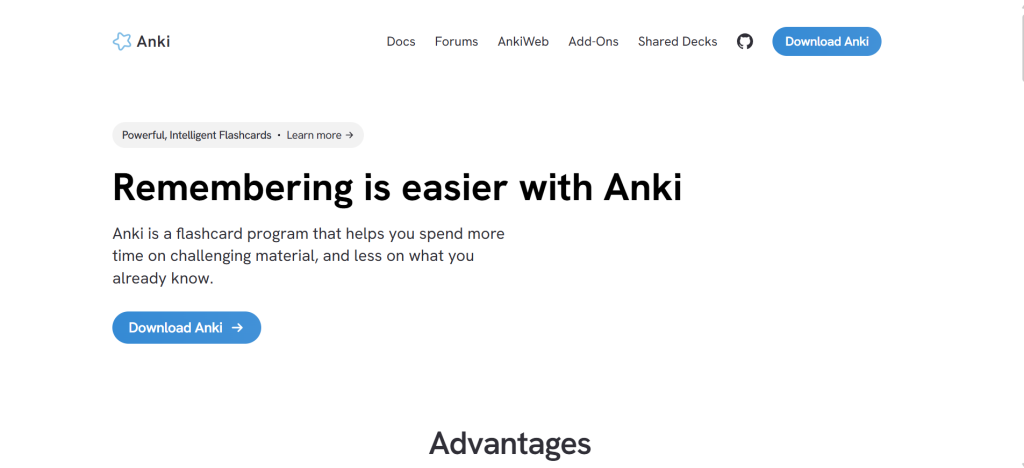
Anki is not the flashiest study app. It has not updated its visual design in years. It does not have a social leaderboard or a streak notification. What it has is the most effective learning algorithm ever built into a free study tool, and for students with large factual knowledge bases to master, nothing else comes close.
The spaced repetition system works by showing you a card at increasing intervals based on how confidently you recalled it. Cards you find easy are shown less frequently. Cards that give you trouble are shown more often. Over weeks and months, this approach drives information from short-term recall into durable long-term memory. The research behind spaced repetition is among the most replicated findings in cognitive science, and Anki’s algorithm implements it faithfully.
The AnkiWeb community has created shared decks for virtually every major academic subject. The Anking deck, used by thousands of medical students, covers the entire USMLE Step 1 curriculum with over 30,000 cards organized by topic, clinical relevance, and First Aid chapter. Language learners will find frequency-ranked vocabulary decks for dozens of languages. Bar exam candidates have complete MBE subject decks. For most students, the best starting point is finding an existing deck for your subject rather than building from scratch.
Where Anki Falls Short
Anki demands consistency. Skipping review sessions causes cards to pile up, and returning after a week off means facing hundreds of overdue reviews. Students who cannot commit to daily 20 to 30 minute review sessions will find the backlog demoralizing. The interface requires initial setup, and creating high-quality cards from scratch takes time. For students who need to study tonight for tomorrow’s exam, Anki is the wrong tool. For students building knowledge over a semester or a year, it is the right one.
The Verdict on Anki
Anki is the highest-ROI study tool available for students who commit to using it daily. The desktop and Android versions are completely free. The science is settled. The community is enormous. The only thing standing between most students and dramatically better long-term retention is the discipline to open the app every morning and do their reviews.
2. Notion — Best All-in-One Study Workspace
Best For: Students who want one organized digital workspace for notes, assignments, reading lists, and project management
Pricing: Free for personal use (Notion Education). Plus $12/mo. AI add-on $10/mo (students get Plus free through education program)
Free Tier: Yes — generous personal tier covers most student needs; verified students get Plus free
Key Strengths: Flexible note-taking, linked databases for organizing courses and assignments, AI writing assistant, web clipper, calendar integration, excellent mobile app, strong template community
Key Weaknesses: Requires significant setup time, performance can lag with large workspaces, AI add-on costs extra, offline access limited on free tier
Best For Students: Undergraduates juggling multiple courses, research students, graduate students managing long-term projects
Output Consistency: High — depends on how well you configure your workspace initially
Best Pairing: Zotero for citation management, Anki for converting notes into flashcards
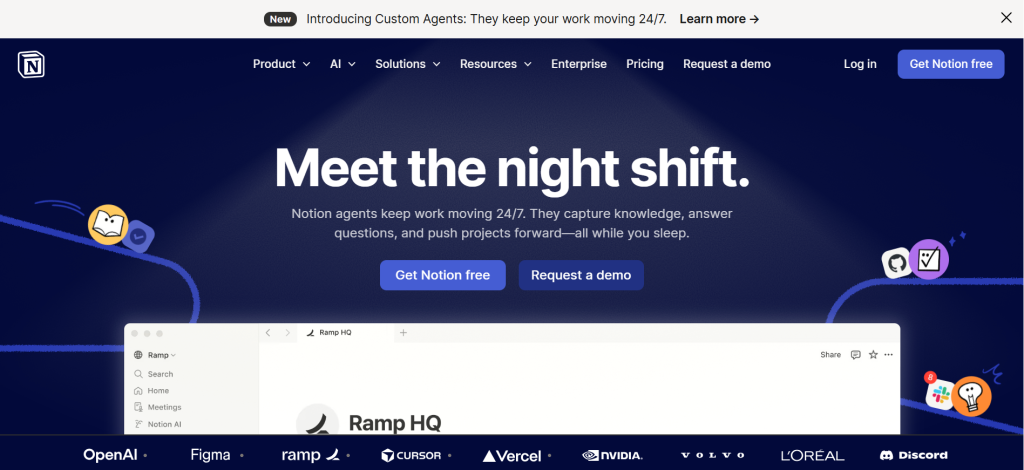
Notion earns its place as the best all-in-one study workspace because it bends to how each student thinks rather than forcing every student into a fixed structure. Whether you organize your academic life by course, by project, by week, or by some combination of all three, Notion accommodates it. A student’s Notion workspace can serve as a second brain that captures lecture notes, stores research references, tracks assignment deadlines, and links related concepts across every subject simultaneously.
The database functionality is what separates Notion from basic note-taking apps like Evernote or Apple Notes. You can create a reading list database that tracks books, articles, and papers with status, priority, and linked summaries. You can build a course hub where each class has its own wiki, weekly notes, and assignment tracker connected to a master semester calendar. Linked views let you see the same information from multiple perspectives without duplicating data.
For students verified through an educational institution, Notion provides the Plus plan free, which includes unlimited file uploads, version history, and priority support. This makes it genuinely competitive for students who would otherwise rely on a combination of Google Docs, a calendar app, and a to-do list.
Where Notion Falls Short
Notion’s flexibility is also its learning curve. A student who sits down expecting to immediately understand the tool will be frustrated by the blank page. The investment required to set up a workspace that actually works is real, typically several hours to build initial templates and a few weeks before the system feels natural. For students who prefer simpler tools, Google Docs and a physical planner will serve them better. Notion rewards those who invest the setup time; it frustrates those who do not.
The Verdict on Notion
Notion is the strongest digital workspace for students managing complex academic lives across multiple courses and long-term projects. The free education tier removes the cost barrier entirely. Students who spend a weekend setting up their workspace properly will find themselves with an organizational system that compounds in value throughout the entire semester.
3. Khan Academy — Best Free Learning Platform for Concept Mastery
Best For: Students who need to build foundational understanding in math, science, history, economics, and standardized test prep
Pricing: Completely free
Free Tier: Yes — entirely free with no premium tier for students. Khanmigo AI tutor available separately
Key Strengths: Comprehensive K-12 and college-level content, adaptive practice that targets knowledge gaps, step-by-step video explanations, SAT/ACT/GMAT/LSAT prep, MCAT content, no ads
Key Weaknesses: Content depth falls off at advanced college level, AI tutor (Khanmigo) costs extra, less useful for humanities and social sciences, passive video-watching can feel productive without being effective
Best For Students: High school students, college freshmen in introductory courses, anyone preparing for standardized tests
Output Consistency: Very high — content quality is consistently excellent and pedagogically sound
Best Pairing: Anki for converting mastered Khan Academy concepts into retention flashcards, Wolfram Alpha for solving specific problems outside the platform
Khan Academy’s position on this list of the best study tools for students is deserved by one simple fact: it provides college-level educational content for free, without ads, built by expert educators and pedagogical researchers. For any student struggling with a foundational concept in algebra, chemistry, biology, economics, or history, Khan Academy is the first place to look before paying for a tutor.
The mastery-based progression is what elevates it above YouTube tutorials and static textbooks. Rather than moving through content on a fixed schedule regardless of comprehension, Khan Academy tests your understanding at each step and routes you back through prerequisite concepts when gaps are identified. A student who cannot factor quadratic equations does not get pushed into calculus. They get sent back to practice the foundational algebra that calculus depends on, which is how real learning works.
The SAT and ACT prep content, developed in partnership with College Board, is among the most effective and cost-efficient test prep available. Students using Khan Academy’s Official SAT Practice for 20 hours show an average score improvement that rivals paid prep courses costing hundreds of dollars. For students from lower-income backgrounds for whom standardized testing is a significant barrier, this represents genuine educational equity.
Where Khan Academy Falls Short
Advanced coursework is where Khan Academy runs out of depth. Upper-level university courses in fields like organic chemistry, real analysis, advanced macroeconomics, and literary theory are not covered comprehensively. Students in competitive academic programs will need to supplement Khan Academy with textbooks, university resources, and professional tutoring for specialized content. The platform also skews toward STEM and under-serves humanities students looking for essay writing guidance, historical analysis frameworks, or literary criticism methods.
The Verdict on Khan Academy
Khan Academy belongs in every student’s toolkit, full stop. It is free, it is pedagogically excellent, and it covers the foundational knowledge that determines success in most introductory college courses and standardized tests. Students who use it to build genuine conceptual understanding rather than just watching videos passively will see meaningful academic results.
4. Zotero — Best Citation Manager and Research Organizer
Best For: Students writing research papers, theses, dissertations, or any academic work requiring citations
Pricing: Free
Free Tier: Yes — 300MB cloud storage free. Storage plans from $20/year for more space. Core features fully free.
Key Strengths: One-click citation capture from browser, automatic bibliography generation, PDF annotation sync, group libraries for collaborative research, supports APA, MLA, Chicago, and 10,000+ citation styles, Word and Google Docs integration
Key Weaknesses: Requires initial browser extension setup, 300MB free storage fills up with PDFs quickly, interface takes adjustment, mobile app limited
Best For Students: Any student writing papers with citations, especially undergraduates and graduate students in research-intensive programs
Output Consistency: Very high — citation formatting is consistent and accurate across styles
Best Pairing: Google Scholar for finding sources, Notion for organizing research notes, Claude for summarizing papers
Research paper writing has two components: the intellectual work of finding and analyzing sources, and the mechanical work of formatting citations correctly. Zotero eliminates the mechanical work almost entirely. The browser extension captures bibliographic information from journal databases, library catalogs, Google Scholar, and most academic publisher websites in a single click. You end up inside a database of every source you have ever saved, ready to drop into any citation style your professor requires.
The Word and Google Docs plugin inserts citations as you write and auto-generates a formatted bibliography at the end of your document. Changing citation styles for a different course requires selecting a new style from the menu, and Zotero reformats every citation in your paper instantly. For students who have spent hours manually reformatting bibliographies between APA and MLA, this single feature justifies the entire tool.
PDF annotation syncs your highlights and notes across devices and keeps them attached to the source in your library. When you return to a paper you annotated three months ago to cite it in a new essay, all your notes are still there, in context, ready to use. The research process becomes cumulative rather than starting from scratch with every assignment.
Where Zotero Falls Short
Zotero’s free cloud storage tier of 300MB fills up quickly if you save full-text PDFs for every source. Students who rely heavily on the PDF storage feature will either need to pay for additional storage or store PDFs locally and rely on Zotero primarily for metadata and citations. The initial setup requires installing both the desktop application and browser extension, which takes 15 minutes but can feel like a barrier when you just want to start writing.
The Verdict on Zotero
Zotero is the best free citation manager available, and it is not particularly close. The time it saves across four years of undergraduate paper-writing or two to three years of graduate research is substantial. Students who set it up at the beginning of their academic career rather than after suffering through manual citation formatting are making one of the highest-leverage productivity decisions available to them.
5. Wolfram Alpha — Best Computational Study Tool for STEM Students
Best For: Students solving math, physics, chemistry, and engineering problems who need step-by-step solutions and conceptual explanations
Pricing: Free (basic). Pro $7.99/mo. Pro for Students $4.25/mo
Free Tier: Yes — basic computation free; step-by-step solutions require Pro
Key Strengths: Solves equations, integrals, derivatives, and systems of equations with steps, covers physics formulas, chemistry data, statistical analysis, graphing, unit conversions, and more
Key Weaknesses: Step-by-step requires paid tier, not a substitute for understanding the underlying concepts, humanities and social science use cases are limited
Best For Students: Engineering, mathematics, physics, chemistry, statistics, and pre-med students
Output Consistency: Extremely high — computational results are accurate and reproducible
Best Pairing: Khan Academy for understanding why the method works, Photomath for camera-based equation scanning
Wolfram Alpha occupies a unique position among the best study tools for students because it is not trying to teach you or quiz you. It is a computational engine that answers math, science, and data questions with the precision of a textbook and the speed of a calculator. A student who inputs a definite integral gets not just the numerical answer but a step-by-step solution showing every substitution, rule applied, and simplification in the process.
The breadth of computational coverage is extraordinary. Wolfram Alpha handles calculus (derivatives, integrals, series, differential equations), linear algebra (matrix operations, eigenvalues, systems of equations), statistics (distributions, hypothesis testing, regression), chemistry (molecular weights, reaction balancing, thermodynamic data), physics (unit conversions, formula application, relativistic calculations), and hundreds of other specialized domains. For STEM students, this makes it a universal problem-solving companion that replaces dozens of specialized calculators.
The Pro tier, available at a discounted rate for students, unlocks step-by-step solutions, which are the pedagogically useful component. Seeing only the final answer to a calculus problem tells you if you got it right. Seeing the step-by-step solution tells you where your method diverged from the correct approach, which is what actually improves your understanding.
Where Wolfram Alpha Falls Short
Wolfram Alpha is a tool for students who already know what question to ask. It does not explain concepts from the ground up, identify your knowledge gaps, or adapt to your level of understanding. A student who does not understand what a derivative represents will not gain that conceptual understanding from Wolfram Alpha’s computations. It solves problems; it does not build the foundational comprehension that those problems are designed to develop. Use it alongside Khan Academy, not instead of it.
The Verdict on Wolfram Alpha
For STEM students, Wolfram Alpha Pro at the student discount rate is one of the highest-value paid study tool investments available. The step-by-step solutions transform it from an answer machine into a study companion that reveals exactly where your problem-solving approach breaks down. The free tier covers basic computation adequately for occasional use.
6. Grammarly — Best AI Writing Assistant for Student Essays
Best For: Students who want real-time writing feedback on grammar, clarity, tone, and structure for essays, reports, and research papers
Pricing: Free. Premium $12/mo (annual). Education plans available
Free Tier: Yes — basic grammar and spelling checks free; advanced clarity and tone suggestions require Premium
Key Strengths: Real-time grammar correction, sentence clarity suggestions, tone detection, plagiarism checker (Premium), citation assistance, integrates with Google Docs, Word, and browser
Key Weaknesses: Premium required for most useful features, can over-correct voice, AI writing detection concerns at some institutions, dependent on internet connection
Best For Students: Undergraduate and graduate students in writing-intensive programs, non-native English speakers, students with learning differences affecting writing mechanics
Output Consistency: High — feedback is consistent and well-calibrated for academic writing
Best Pairing: Claude for deep essay structure feedback, Zotero for citation management in the same documents
Grammarly has become one of the most widely used student study tools not because it makes students better writers overnight, but because it provides a real-time editor that catches the small, consistent errors that erode grades on otherwise strong essays. For students whose ideas are strong but whose sentence-level writing is inconsistent, Grammarly functions as a patient, tireless writing tutor who reads every word and flags every unclear construction.
The integration with Google Docs, Microsoft Word, and the browser makes it practically invisible in the writing workflow. Students write normally, and corrections surface as underlines they can accept, reject, or learn from. The tone detector alerts you when academic writing drifts toward overly casual language, or when argumentative writing inadvertently reads as uncertain. These micro-adjustments accumulate into meaningfully cleaner final drafts.
For non-native English speakers navigating academic writing conventions, Grammarly provides particular value. English academic writing has specific idiomatic patterns that are difficult to absorb through classroom instruction alone, and Grammarly’s suggestions often illuminate these patterns in context, at the moment of writing, which is when the feedback is most usable.
Where Grammarly Falls Short
Grammarly improves sentence-level writing but does not evaluate argument structure, evidence integration, or analytical depth — the factors that determine the difference between a B essay and an A essay in most humanities and social science courses. A paper can be grammatically perfect and logically incoherent. Students who rely on Grammarly as a substitute for writing feedback from professors, writing center tutors, or AI tools with deeper analytical capability will find themselves with cleaner prose and the same structural weaknesses. The Premium tier’s cost is also a genuine barrier for budget-conscious students, particularly since most useful features sit behind the paywall.
The Verdict on Grammarly
Grammarly belongs in the toolkit of virtually every student who writes in English as a second language, and in the toolkit of most native English-speaking students who produce written work regularly. The free tier covers basic needs adequately. For students in writing-intensive programs where essay grades significantly impact GPA, the Premium plan is worth the investment.
7. Obsidian — Best Knowledge Management Tool for Advanced Students
Best For: Students who want to build a connected, searchable knowledge base that grows throughout their academic career
Pricing: Free for personal use. Sync $10/mo. Publish $20/mo
Free Tier: Yes — local vault is fully featured and permanently free
Key Strengths: Bidirectional linking creates a personal knowledge graph, completely local and private, plugin ecosystem with 1,000+ community plugins, graph view reveals conceptual connections, Markdown-based for portability
Key Weaknesses: Steep learning curve, requires self-directed setup without templates, sync between devices costs extra, not ideal for collaborative work
Best For Students: Graduate students, researchers, philosophy and humanities majors, anyone building knowledge across multiple years
Output Consistency: Very high for note-taking; depends on personal system design
Best Pairing: Zotero for references (Zotero plugin available), Anki for converting atomic notes to flashcards
Obsidian takes a fundamentally different approach to student note-taking than any other tool on this list. Where Notion organizes information hierarchically into databases and pages, Obsidian builds a web of interconnected ideas through bidirectional linking. Every note you create can link to other notes, and those links go both ways, meaning every note also knows what other notes reference it. The result is a personal knowledge graph that mirrors how you actually think about a subject, where biology and chemistry connect because of biochemistry, where historical events link to economic theories, where philosophy of mind connects to neuroscience.
For students who engage seriously with ideas over years rather than semesters, Obsidian creates something genuinely rare: a second brain that grows smarter the more you use it. A graduate student who has been building their Obsidian vault for two years has a searchable, interconnected network of thousands of notes spanning their entire academic life. Writing a thesis means navigating a knowledge map rather than scrambling to remember what you read and where.
The graph view, which renders your knowledge base as a visual network of nodes and connections, is more than a novelty. It reveals conceptual clusters, orphaned ideas that need integration, and unexpected connections between topics you thought were separate. Students who use Obsidian for interdisciplinary work consistently report discovering relationships between subjects that they had not consciously recognized.
Where Obsidian Falls Short
Obsidian is not a tool you can sit down with and immediately start using effectively. Building a system that works requires reading, experimentation, and a philosophy of note-taking that most students have never consciously developed. Syncing between devices requires the paid Sync plan or technical self-hosting setup. For students who need collaborative note-taking, Obsidian is the wrong choice — it is designed for individual knowledge management, not team workspaces.
The Verdict on Obsidian
Obsidian is the right choice for graduate students, researchers, and self-directed learners who want to build knowledge that compounds across years rather than evaporates after each exam. For undergraduate students in their first or second year who are still figuring out basic study habits, Notion or simple note-taking will serve better. For those ready to invest in a more serious system, Obsidian’s free local vault is the most powerful knowledge management tool available at any price.
8. Otter.ai — Best Tool for Capturing Lecture Notes Automatically
Best For: Students who want automatic transcriptions of lectures, study group discussions, and recorded class sessions
Pricing: Free (limited). Pro $16.99/mo. Business $30/mo. Education plans available
Free Tier: Yes — 300 minutes/month of transcription, limited to 30 minutes per conversation
Key Strengths: Real-time transcription with speaker identification, imports recordings, integrates with Zoom and Google Meet, AI summaries with action items, searchable archive of all transcripts
Key Weaknesses: Free tier severely limits monthly minutes, accuracy drops with accents or poor audio, requires audio access to lectures (not always permitted), less useful for formula-heavy STEM lectures
Best For Students: Students who struggle to take notes while listening, students with learning differences, law and social science students where lecture content is dense and verbal
Output Consistency: High with clear audio, moderate with crosstalk, accents, or technical terminology
Best Pairing: Notion for organizing transcripts alongside course notes, Anki for pulling key concepts from transcripts into flashcards
Otter.ai addresses a genuine cognitive bottleneck in the lecture experience: most students cannot simultaneously listen for comprehension and write coherent notes. Research consistently shows that handwriting or typing notes during lectures produces incomplete records and reduces in-the-moment understanding. Otter.ai eliminates this tradeoff by handling the transcription automatically, freeing students to focus entirely on understanding rather than documenting.
The real-time transcription appears on your phone or laptop screen as the lecture unfolds, with speaker identification that separates the professor’s words from student questions. After class, Otter.ai generates an AI summary highlighting key points, definitions, and notable exchanges. The entire transcript becomes searchable, so finding a specific concept from a lecture three weeks ago takes seconds rather than flipping through pages of handwritten notes.
For online courses conducted over Zoom or Google Meet, Otter.ai integrates directly, automatically joining recorded sessions and generating transcripts without any additional setup. Students taking asynchronous online courses with recorded video lectures can import the recordings and get searchable transcripts of content they might otherwise need to rewatch entirely to locate a single point.
Where Otter.ai Falls Short
The free tier’s 300-minute monthly limit disappears quickly for students with multiple lecture-heavy courses. A single 50-minute lecture consumes a significant portion of the monthly allocation. Students who want to capture every class session will need the Pro plan, which adds meaningful cost to an already stretched student budget. For STEM courses where the lecture content relies heavily on equations written on a whiteboard, transcription captures the verbal explanation but misses the mathematical notation that often carries the most information.
The Verdict on Otter.ai
Otter.ai is a high-value tool for students in lecture-intensive programs where verbal content is primary. Humanities, law, social sciences, and pre-professional programs where professors convey most course content through speaking benefit most. Students who can negotiate the free tier limitations or justify the Pro cost relative to their transcript volume will find it meaningfully improves their note quality and in-class comprehension.
9. Quizlet — Best Study Tool for Collaborative Flashcards and Practice Tests
Best For: Students who want quick flashcard creation, collaborative study sets, and adaptive practice modes
Pricing: Free (limited features). Quizlet Plus $35.99/year (~$3/month)
Free Tier: Yes — creates and studies basic flashcard sets free; advanced modes and AI features require Plus
Key Strengths: Massive library of user-created study sets across every subject, multiple study modes (Learn, Match, Test, Spell), AI-generated practice tests, collaborative sets for group studying, mobile-first design
Key Weaknesses: Ads and distractions on free tier, community decks vary dramatically in quality, not as effective as Anki for long-term retention, subscription required for best features
Best For Students: High school students, college students in introductory courses, any student whose classmates already use Quizlet
Output Consistency: Moderate — highly dependent on the quality of the study set used
Best Pairing: Anki for serious long-term retention, Khan Academy for understanding concepts behind the terms
Quizlet’s greatest strength is network effects. When half a class uses the same Quizlet set, collaborative studying becomes frictionless. Students create, share, and build on each other’s study sets, so a newcomer to any popular course typically finds a ready-made, already-vetted set waiting for them on the platform. The social dimension of Quizlet — seeing which friends are also studying, competing on Match mode, and collaborating on Live mode in class — adds engagement that purely individual tools cannot replicate.
The AI-powered Test mode generates practice exams from your flashcard sets automatically, mixing question formats including multiple choice, true/false, and written answers. For students preparing for in-class tests, this removes the effort of creating practice questions manually. The Learn mode uses adaptive logic to identify which terms you are struggling with and focuses review time accordingly, though its algorithm is less sophisticated and scientifically rigorous than Anki’s spaced repetition.
Where Quizlet Falls Short
For students who take long-term knowledge retention seriously, Quizlet’s algorithm is less effective than Anki’s. Quizlet is designed for active studying in the period leading up to an exam, not for building durable memory over months and years. Community sets also vary dramatically in accuracy; studying from a poorly made set is worse than not studying at all, because incorrect information studied repeatedly is difficult to unlearn. Always verify community sets against course materials before committing to them.
The Verdict on Quizlet
Quizlet is the best collaborative flashcard tool for students and works particularly well in social study environments where shared sets drive motivation. For students whose classmates already use it, Quizlet is the obvious choice. For students focused on building knowledge that lasts beyond finals week, Anki provides a more effective alternative at equivalent or lower cost.
10. Photomath — Best Math Solver for Step-by-Step Visual Problem Solving
Best For: Students who want to scan handwritten or printed math problems and get step-by-step solutions instantly
Pricing: Free (basic scanning). Photomath Plus $9.99/mo or $69.99/year
Free Tier: Yes — camera scanning with solutions; step-by-step animated explanations require Plus
Key Strengths: Camera-based equation recognition, step-by-step animated solutions, covers arithmetic through calculus, word problem solver, multiple solution methods shown, works offline
Key Weaknesses: Plus required for animated steps, STEM scope limited to mathematics, accuracy decreases with complex or handwritten equations, can enable passive learning without engagement
Best For Students: Middle school through college-level math students, students stuck on homework problems, visual learners who need to see solution steps
Output Consistency: Very high for printed equations, moderate for complex handwritten problems
Best Pairing: Khan Academy for conceptual understanding of the methods Photomath applies, Wolfram Alpha for more advanced computation
Photomath removes one of the most frustrating barriers in math education: the student who is stuck on a problem at 11 PM with no teacher, tutor, or classmate available to help. Point the camera at the problem, and Photomath identifies the equation, selects the appropriate solution method, and walks through every step. For students who need to understand why a particular step was taken, not just that it was taken, the animated step-by-step breakdown makes the reasoning explicit and visual.
The word problem solver extends this beyond equations written in mathematical notation. Type in “A train leaves Chicago traveling at 65 mph…” and Photomath identifies the problem type, sets up the equation, and solves it step by step. For younger students learning to translate verbal problems into mathematical operations, this guided translation is often more valuable than the final numerical answer.
The platform’s coverage spans arithmetic through calculus, covering the range of mathematics that most students encounter from middle school through the end of college. For graduate-level mathematics and abstract proofs, Wolfram Alpha handles more advanced territory.
Where Photomath Falls Short
The risk with any homework solver is passive use: scanning a problem, copying the answer, and moving to the next one without absorbing the method. Photomath has no mechanism to prevent this, and students who use it as an answer machine rather than a learning tool will find their test performance unchanged despite completing every homework assignment. The tool is most valuable when used deliberately: scanning a problem you genuinely attempted, studying the step-by-step solution to understand where your approach diverged from the correct one, then attempting a similar problem without the tool.
The Verdict on Photomath
Photomath is the best math study tool for visual learners and students who get stuck on homework problems without access to real-time tutoring. The free camera-scanning feature provides meaningful value, and the Plus subscription unlocks the animated steps that make it genuinely educational rather than just a calculator. Students who use it as a learning tool rather than a shortcut will see measurable improvement in mathematical problem-solving.
11. Forest — Best Focus and Productivity Tool for Distraction-Free Studying
Best For: Students who struggle with phone distraction during study sessions and want a gamified Pomodoro timer
Pricing: $3.99 one-time (iOS). Free (Android). Subscription not required.
Free Tier: Yes — Android version is free. iOS requires one-time purchase.
Key Strengths: Gamified focus sessions (plant trees, earn coins, grow forest), whitelist/blacklist apps, team forest for study groups, real tree planting through partnerships, simple and distraction-resistant design
Key Weaknesses: iOS requires payment, limited features versus dedicated Pomodoro apps, does not block desktop distractions, coins accumulate slowly
Best For Students: Anyone who struggles with phone use during study sessions, students who benefit from visual progress tracking, study group users
Output Consistency: Very high — the mechanism is simple and consistent
Best Pairing: Notion for organizing what to study, Anki for structuring the study content within focus sessions
Forest solves a specific and universal student problem: the phone that keeps pulling attention away from the textbook. The mechanism is deliberately simple and emotionally engaging. When you want to study, you plant a virtual tree. While the timer runs, the tree grows. If you leave the app to check social media or browse the web, the tree dies. Over time, your successful study sessions build a forest that represents your accumulated focused hours, a visual record of your academic effort that students report finding genuinely motivating.
The Pomodoro-style session structure, typically 25 minutes of focused work followed by a short break, aligns with research on sustained attention and cognitive fatigue. The app implements this without complexity: set the timer, plant the tree, study until it rings. The gamification layer, earning coins for completed sessions that can unlock new tree species or donate to real tree-planting initiatives, adds an external reward that complements the internal satisfaction of productive work.
For study groups, the Team Forest feature lets multiple users grow a shared forest simultaneously, adding light social accountability that many students find more motivating than working alone. The real-world impact component, where coins can fund actual tree planting through partnerships with environmental organizations, adds a values dimension that resonates with students who care about social impact.
Where Forest Falls Short
Forest blocks your phone but does nothing about desktop distraction. A student with Forest running on their phone who opens Twitter on their laptop is not meaningfully more productive. For students whose primary distraction is desktop-based, dedicated browser extensions like Cold Turkey or Freedom provide more comprehensive blocking. Forest also does not help students figure out what to study or how to study it — it only helps them focus once they have already decided to begin.
The Verdict on Forest
Forest is the most student-friendly focus tool available for the specific problem of smartphone distraction during study sessions. The one-time cost on iOS removes subscription friction. The visual forest mechanic creates emotional investment in completed sessions. For students who identify phone use as their primary study obstacle, Forest delivers exactly what it promises at a price that fits any student budget.
12. Claude — Best AI Tutor and Essay Assistant for Deep Academic Work
Best For: Students who need thorough concept explanations, essay feedback, research assistance, and help analyzing complex texts
Pricing: Free tier (limited). Pro $20/mo. Max $100/mo
Free Tier: Yes — access to capable model with message limits during peak hours
Key Strengths: Best explanation depth among AI tools, excellent essay feedback on structure and argument, handles long academic texts (200K token context), follows complex multi-step instructions, does not just give answers but teaches reasoning
Key Weaknesses: Free tier message limits frustrate heavy users, image generation behind competitors, web browsing less reliable than Perplexity for citations
Best For Students: Graduate students, serious undergraduates, students working on research papers, anyone who needs a tutor-like AI that explains concepts thoroughly
Output Consistency: Highest among AI tools for academic writing and explanation tasks
Best Pairing: Perplexity for finding and verifying sources, Zotero for managing citations, Wolfram Alpha for math computation
Claude earns its place among the best study tools for students not by replacing the work of learning but by making the process more efficient and genuinely educational. When a student asks Claude to explain a concept, the response does not just deliver the textbook definition. It explains the concept from multiple angles, connects it to related ideas, anticipates common misconceptions, and checks whether the explanation landed by asking follow-up questions. It responds the way a thoughtful, patient tutor would rather than the way a search engine would.
For essay writing, Claude provides the kind of substantive feedback that professors intend to give but often do not have time for. Submit a draft essay and ask Claude to evaluate your argument’s logical structure, identify unsupported claims, assess whether your evidence actually supports your thesis, and suggest where transitions are missing. The feedback is specific, actionable, and calibrated to academic standards in a way that generic grammar checkers cannot approach.
The 200,000-token context window means Claude can read an entire textbook chapter, a full academic paper, or a draft dissertation chapter in a single session. Students can upload course readings and ask Claude to explain specific passages, identify the author’s main argument, connect the text to other course materials, or generate discussion questions before a seminar. For literature courses, philosophy seminars, and any field where primary source analysis is central to learning, this capability transforms exam and essay preparation.
Where Claude Falls Short
Claude’s free tier has strict message limits that a heavily-studying student will hit quickly. Unlike Wolfram Alpha, Claude is not the right tool for precise mathematical computation where numerical accuracy is critical — Wolfram Alpha is more reliable for that purpose. For students who need cited, web-verified factual information, Perplexity is a better first choice. Claude is at its best for explanation, analysis, writing feedback, and concept synthesis rather than pure information retrieval.
The Verdict on Claude
Claude is the best AI study assistant for students who want an intelligent tutor rather than a search engine. For difficult concepts that require explanation from multiple angles, for essays that need structural feedback rather than grammar correction, and for making sense of complex academic texts, Claude provides consistently higher-quality educational support than any alternative. The free tier covers occasional use; serious students in demanding programs will find the Pro upgrade worthwhile.
Which Study Tool Should You Choose? A Decision Framework
Rather than recommending a single best study tool for all students, the right choice depends on your academic situation, learning style, and the specific problems you are trying to solve.
If you are in a memory-heavy program (medicine, law, language learning): Anki is non-negotiable. Start with AnkiDroid free, find or build decks for your subject, and commit to daily 20-minute reviews. The long-term retention gains compound enormously over a semester.
If you need to organize your academic life across multiple courses: Notion with the free education plan creates a workspace that replaces a planner, notebook, reading list, and project manager simultaneously. Invest a weekend setting it up correctly.
If you write research papers regularly: Zotero is the first tool to install, before writing your next paper. The citation management savings alone justify the 15 minutes of setup. Pair it with Claude for essay feedback.
If you struggle with math and science problem sets: Wolfram Alpha Pro at the student discount covers the step-by-step solutions that turn homework from an exercise in frustration to a genuine learning experience.
If lecture note-taking is your bottleneck: Otter.ai handles transcription automatically, freeing your attention for comprehension during class rather than documentation.
If your phone is your biggest study obstacle: Forest at $3.99 (one-time) is the highest-ROI purchase for distracted students. Simple mechanism, genuine behavioral effect.
If you want an AI tutor for deep understanding: Claude’s free tier for occasional use, Pro for daily academic support, especially for essay writing, concept explanation, and text analysis.
Recommended Study Tool Stacks by Student Type
| Student Type | Primary Tool | Supporting Tools | Monthly Cost | Coverage |
| Pre-Med / Nursing | Anki | Khan Academy, Wolfram Alpha | $0–8 | Retention + Concepts + Problem-Solving |
| Undergraduate (Humanities) | Notion | Zotero, Grammarly, Claude | $0–20 | Organization + Research + Writing |
| Graduate Researcher | Obsidian | Zotero, Claude Pro, Otter.ai | $20–40 | Knowledge + Citations + AI Tutoring |
| STEM Undergrad | Wolfram Alpha | Khan Academy, Photomath, Anki | $4–8 | Problem-Solving + Concepts + Retention |
| Law Student | Anki | Otter.ai, Notion, Claude | $17–37 | Retention + Transcription + Analysis |
| High Schooler (Budget) | Khan Academy | Quizlet, Forest | $0–4 | Free Learning + Flashcards + Focus |
| Online Student | Otter.ai | Notion, Claude, Zotero | $17–37 | Transcription + Organization + Assistance |
Head-to-Head: Which Tool Wins Each Academic Category?
| Category | Winner | Runner-Up | Notes |
| Long-Term Retention | Anki | Quizlet | Anki’s algorithm is scientifically superior; Quizlet better for short-term prep |
| Free Learning Content | Khan Academy | YouTube EDU | Khan Academy’s adaptive practice edges out passive video |
| Note Organization | Notion | Obsidian | Notion easier to start; Obsidian better for advanced users |
| Citation Management | Zotero | Mendeley | Zotero’s free tier and browser integration lead the category |
| Essay Writing Support | Claude | Grammarly | Claude on structure/argument; Grammarly on sentence-level mechanics |
| Math Problem Solving | Wolfram Alpha | Photomath | Wolfram Alpha more comprehensive; Photomath better for visual scanning |
| Knowledge Mapping | Obsidian | Notion | Obsidian’s bidirectional linking is unmatched for concept connections |
| Lecture Capture | Otter.ai | Fireflies.ai | Otter.ai optimized for students; Fireflies better for professional meetings |
| Focus & Productivity | Forest | Toggl Track | Forest excels specifically at phone distraction; Toggl better for time tracking |
| Collaborative Flashcards | Quizlet | Anki | Quizlet’s shared set ecosystem dominates for group study |
| Free Tier Value | Khan Academy | Zotero + Anki | Khan Academy fully free; Zotero and Anki tie for free desktop tools |
| AI-Powered Studying | Claude | ChatGPT | Claude leads on explanation depth and academic writing; ChatGPT on breadth |
Frequently Asked Questions
What is the single best study tool for students who have never used dedicated study apps?
Start with Khan Academy for building conceptual understanding in any subject where you have gaps, and Anki for turning that understanding into durable long-term retention. Both are completely free. Together they cover the two most evidence-backed learning strategies available: conceptual explanation and spaced repetition. Once you have integrated these into your routine, add Zotero if you write research papers and Forest if phone distraction is your primary obstacle.
Are paid study tools worth the investment for students?
For most foundational study tools, free tiers provide exceptional value. Anki, Khan Academy, Zotero, and Obsidian are completely free and among the most powerful tools in the category. The paid tools that deliver the clearest return on student investment are Wolfram Alpha Pro for STEM students at the student discount rate, Grammarly Premium for students in writing-intensive programs, and Claude Pro for graduate students who need an AI tutor for complex academic work. Evaluate paid upgrades based on time savings per week rather than feature lists.
Can AI study tools replace actual studying?
No, and students who try to use them this way typically perform worse, not better. AI tools like Claude can explain a concept from multiple angles and provide essay feedback, but they cannot create the neural connections that actual learning requires. Understanding comes from grappling with material, making mistakes, and correcting them. The most effective use of AI study tools is as a tutor: ask Claude to explain a concept you already attempted to understand but could not, not as a first resort before you have tried to understand it yourself.
How do I use study tools without getting distracted by setting them up?
The setup overhead is a genuine risk. Students who spend three hours building a perfect Notion workspace on Sunday and never use it have wasted three hours. The practical approach is to start with the simplest tool that addresses your most pressing problem: if retention is the issue, open AnkiDroid and find a shared deck today. If citation management is painful, install the Zotero browser extension before your next research session. Add complexity only after the simple tool has become a habit.
Which study tools are best for students with ADHD or learning differences?
Forest directly addresses the attention challenge by gamifying focus sessions and blocking phone distractions. Otter.ai removes the note-taking burden that competes with listening comprehension. Anki’s short, gamified review sessions work with shorter attention spans rather than against them. Notion’s flexible structure allows students to organize information visually in whatever format makes sense to their thinking style. And Claude’s patient, multi-angle explanations make it an effective substitute for the repeated explanations that ADHD students often need but feel uncomfortable requesting from professors.
What study tools work best for online or remote students?
Online students benefit most from Otter.ai for automatic transcription of recorded lectures, Notion for maintaining course organization without a physical classroom structure, Zotero for managing research sources digitally, and Claude for the tutor-style explanation that in-person students get from professor office hours. The combination addresses the three main challenges of online learning: passive video consumption, organizational drift, and the absence of on-demand academic support.
Final Words: The Best Study Tools for Students Are the Ones You Actually Use
The landscape of student study tools in 2026 is genuinely remarkable. The most effective learning methodology available, spaced repetition through Anki, is free. A comprehensive subject library covering most school and college content, Khan Academy, is free. A citation manager that eliminates bibliography formatting, Zotero, is free. An AI tutor that explains concepts with patience and depth, Claude’s free tier, is accessible to every student with an internet connection.
The tools exist. The science behind them is solid. The outcomes they enable — better retention, cleaner writing, more organized research, deeper understanding — are well documented. The variable is not access. It is commitment.
Two practical principles should guide how you build your study tool stack. First, solve your most pressing academic problem before adding tools for problems you do not yet have. A student who cannot retain vocabulary for a language final should focus entirely on Anki before worrying about Obsidian’s knowledge graph features. Second, give each tool a genuine trial of at least two weeks before evaluating whether it works. Study tools, especially spaced repetition systems, have delayed payoffs. Students who abandon Anki after three days because they do not immediately feel smarter are making the wrong call.
The Study Stack That Works for Most Students
If you want a concrete starting point, this three-tool foundation covers the core academic needs of most students: Anki for long-term retention of course content (free), Zotero for research paper citation management (free), and Khan Academy for concept explanation and skill practice (free). Total cost: nothing. Total setup time: under an hour across all three. These three tools, used consistently, will meaningfully improve retention, research efficiency, and writing quality before you spend a single dollar on anything else.
The best study tool for students is not the most sophisticated platform or the one with the most features. It is the one that directly addresses the specific bottleneck in your learning workflow and that you will actually open and use tomorrow morning. Start there, master it, and build from there.