Choosing the right accounting software is no longer just about tracking expenses and generating invoices. In 2026, businesses face unprecedented compliance complexity, growing automation demands, and the need for real-time financial visibility across multiple channels. The software you select today will either accelerate your growth trajectory or become a costly bottleneck that limits scalability.
This comprehensive guide examines the 10 best accounting software solutions available in 2026, analyzed through the lens of real-world business scenarios rather than superficial feature checklists. Whether you’re a solo consultant managing multiple clients, an eCommerce operation processing thousands of transactions monthly, or a CFO evaluating enterprise-grade financial management platforms, you’ll find segmented recommendations that address your specific operational challenges and growth stage.
We’ve gone beyond generic descriptions to analyze critical decision factors most comparison articles overlook: total cost of ownership calculations, data migration complexity, API ecosystem strength, and the often-underestimated impact of staff training requirements when switching platforms.
The State of Business Accounting in 2026
The accounting software landscape has undergone a fundamental transformation since 2024. Cloud-based solutions now command over 78% of the small to medium business market, driven by remote work normalization and the integration of artificial intelligence into core financial workflows.
Modern platforms have evolved from simple bookkeeping tools into comprehensive financial command centers. Machine learning algorithms now predict cash flow patterns with 85-90% accuracy, automatically categorize transactions with minimal human oversight, and flag anomalies that might indicate fraud or compliance issues before they escalate.
Three major trends are reshaping purchase decisions in 2026: embedded banking features that blur the line between accounting software and financial institutions, vertical-specific solutions designed for niche industries like construction or non-profits, and open API architectures that enable businesses to build custom integrations without expensive middleware.
The regulatory environment has also intensified. Multi-state sales tax compliance, beneficial ownership reporting requirements, and evolving payroll tax obligations mean that software selection now carries significant compliance risk. Choosing a platform without robust tax engine capabilities or one that lags behind regulatory updates can expose your business to penalties that far exceed any subscription cost savings.
Quick Verdict: The Top 3 Contenders at a Glance
If you’re pressed for time, here’s the executive summary of our top three recommendations based on different business profiles:
QuickBooks Online remains the best overall choice for small businesses with growth ambitions. Its ecosystem of 750+ integrations, mature mobile application, and embedded payments infrastructure make it the Swiss Army knife of accounting platforms. Expect to invest $35-$235 monthly depending on feature requirements, with realistic total costs reaching $400-600 monthly when you factor in payroll, payments processing, and necessary third-party apps.
Xero takes the crown for businesses prioritizing scalability and international operations. Its unlimited user model and superior multi-currency handling make it ideal for companies expanding beyond domestic markets. The learning curve is steeper than QuickBooks, but the platform rewards that investment with greater flexibility as transaction volumes increase. Budget $15-$78 monthly for the software, though most growing businesses land in the $37-78 range.
Wave delivers genuinely free accounting for solo entrepreneurs and microbusinesses processing under 200 transactions monthly. While limited compared to paid alternatives, it provides legitimate double-entry bookkeeping, invoicing, and receipt scanning without charging subscription fees. Wave monetizes through payment processing and payroll add-ons, which are competitively priced but not industry-leading.
10 Best Accounting Software Reviews and Comparisons
QuickBooks Online: Best Overall for Small Business Growth
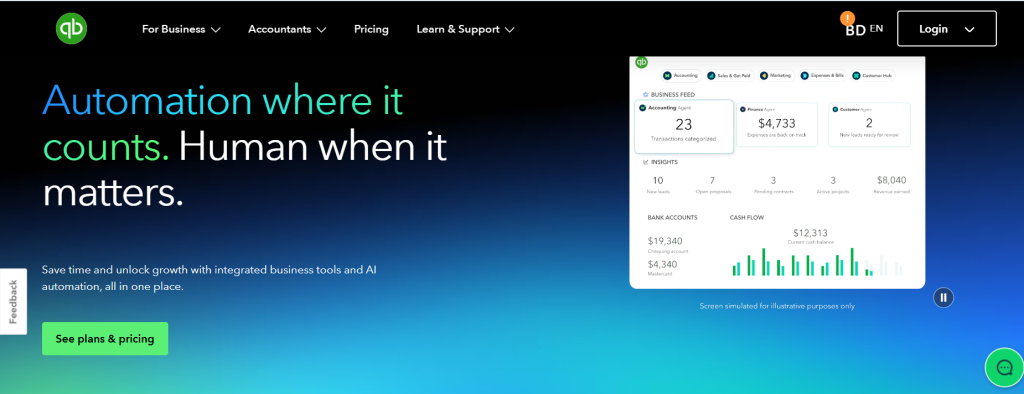
QuickBooks Online dominates the small business accounting market with approximately 4.5 million subscribers globally, and that market position translates into tangible benefits. The platform’s massive user base means you’ll find accountants, bookkeepers, and consultants familiar with its workflow in virtually every market, reducing training costs and knowledge transfer challenges when hiring financial professionals.
The software excels at automating routine workflows. Bank reconciliation happens largely on autopilot once you’ve trained the categorization engine, typically requiring only 10-15 minutes weekly for review rather than hours of manual transaction coding. The invoice-to-payment cycle integrates seamlessly, with QuickBooks Payments embedded directly into invoices, reducing collection times by an average of 8-12 days according to Intuit’s 2026 user data.
Strengths:
- Industry-leading integration marketplace with connections to virtually every business application category
- Mature mobile apps (iOS and Android) with full functionality for core accounting tasks
- Robust inventory tracking in Plus and Advanced tiers, suitable for businesses with up to 5,000 SKUs
- Excellent tax preparation workflow with direct export to TurboTax and most professional tax software
- Built-in project profitability tracking and class/location segmentation for multi-department businesses
Limitations:
- User limits feel artificially restrictive (5-25 users depending on tier) forcing upgrades that competitors don’t require
- Advanced automation features like custom workflows require the $235/month Advanced tier
- Reporting customization lags behind platforms like Xero and Sage Intacct for complex financial analysis
- Customer support quality has declined as the user base has scaled, with phone support often difficult to access
Best for: Established small businesses (3-50 employees) in retail, professional services, or light manufacturing that value ecosystem breadth and local accountant availability over customization depth.
Pricing reality: Simple Start ($19/month) works only for the simplest operations. Most businesses need Essentials ($37/month for up to 3 users) or Plus ($57/month for up to 5 users), and Advanced ($137.50/month for up to 25 users)
Xero: Best for Growing Businesses and Scalability
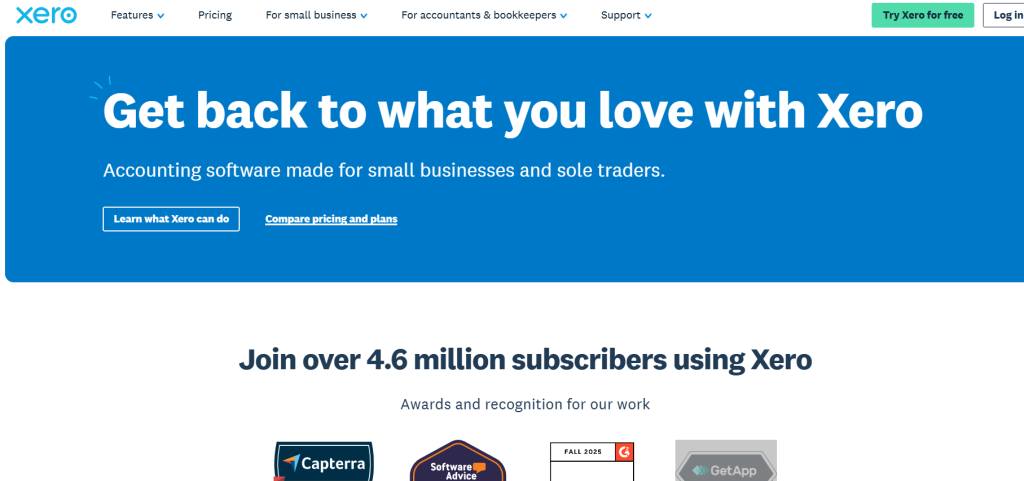
Xero originated in New Zealand and built its reputation on solving problems that American accounting software ignored: unlimited user access, superior multi-currency handling, and bank reconciliation workflows designed for high transaction volumes. Those strengths remain distinctive in 2026, making Xero the preferred choice for businesses experiencing rapid growth or operating across international boundaries.
The platform’s unlimited user model fundamentally changes collaboration dynamics. Instead of rationing access or paying per-seat premiums, you can invite your entire team, external accountant, department managers, and advisors without cost anxiety. This encourages financial transparency and enables real-time decision-making that’s hampered when user limits force businesses to share login credentials or restrict access to outdated financial data.
Xero’s bank reconciliation interface handles bulk processing more elegantly than competitors. Businesses processing 500+ transactions monthly report 30-40% time savings compared to QuickBooks, primarily because Xero’s matching algorithm and bulk action capabilities reduce repetitive clicking and page loading delays.
Strengths:
- Unlimited users on all plans—a game-changer for businesses with multiple locations or large teams
- Superior multi-currency accounting with automatic exchange rate updates and realized/unrealized gain tracking
- Clean, intuitive interface that non-accountants navigate easily without extensive training
- Strong bank feed infrastructure with connections to 21,000+ financial institutions globally
- Excellent inventory management in higher tiers with FIFO costing and multi-location tracking
- Robust API with 1,000+ integrations including vertical-specific applications for construction, non-profits, and agencies
Limitations:
- Transaction limits (20-unlimited depending on tier) can force upgrades for high-volume businesses
- Project tracking requires third-party applications—not built natively like QuickBooks
- Fewer local accountants specialize in Xero compared to QuickBooks in many US markets
- Advanced reporting requires third-party tools like Fathom or Spotlight Reporting
- Payroll is separate and only available in select countries (US, UK, Australia, New Zealand)
Best for: Growing businesses (5-100 employees) planning international expansion, companies with high transaction volumes, organizations that need to provide financial access to large teams or multiple advisors.
Pricing reality: Early plan ($29/month) is too limited for most. Growing plan ($50/month) hits the sweet spot for businesses processing up to 1,000 transactions monthly. Established plan ($75/month) removes transaction limits and adds multi-currency.
FreshBooks: Best for Freelancers and Service-Based Billing
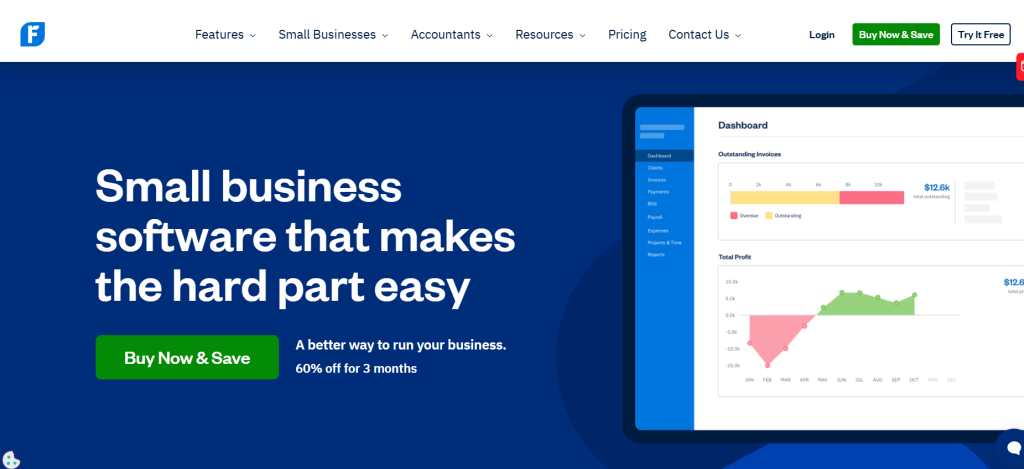
FreshBooks carved out a distinctive niche by obsessing over a single workflow: getting service professionals paid faster. While it has expanded into general accounting functionality, the platform’s DNA remains focused on time tracking, project billing, and client communication rather than comprehensive financial management.
The software shines when your revenue model centers on billable hours or project-based deliverables. Time tracking integrates across desktop and mobile with automatic reminders, reducing the revenue leakage that plagues consultancies when team members forget to log hours. Project profitability appears in real-time as time entries and expenses accumulate, enabling mid-project course corrections before margins evaporate.
Client communication tools distinguish FreshBooks from traditional accounting software. Automated payment reminders with customizable messaging and scheduling reduce collection effort. Client portals provide project status visibility without requiring access to your accounting system. These features matter significantly for consultants, agencies, and professional services firms where client experience directly impacts retention and referrals.
Strengths:
- Exceptional time tracking with mobile apps, browser extensions, and project-based organization
- Intuitive invoicing with professional templates and customization options that non-designers can manage
- Proposal and estimate tools built natively rather than requiring separate applications
- Project profitability tracking that updates in real-time as costs and time accumulate
- Client portal features that enhance transparency and reduce administrative communication
- Retainer management and auto-billing for recurring service agreements
Limitations:
- Inventory management absent—not suitable for product-based businesses
- Basic job costing capabilities lag dedicated construction or manufacturing solutions
- Limited multi-currency support compared to Xero or QuickBooks
- Bill management and accounts payable functionality feels like an afterthought
- Reporting depth insufficient for complex financial analysis or external stakeholder requirements
- Client limits (5-unlimited depending on tier) force upgrades that feel arbitrary
Best for: Freelancers, consultants, agencies, and service professionals billing by time or project rather than selling products. Ideal for businesses with 1-20 team members where client communication and time tracking drive profitability.
Pricing reality: Lite plan ($23/month for 5 clients) works only for side hustles. Plus ($43/month for 50 clients) suits most freelancers. Premium ($70/month for unlimited clients) necessary for agencies. Select custom pricing adds dedicated support and custom features for larger operations.
Zoho Books: Best for Automation and Suite Integration
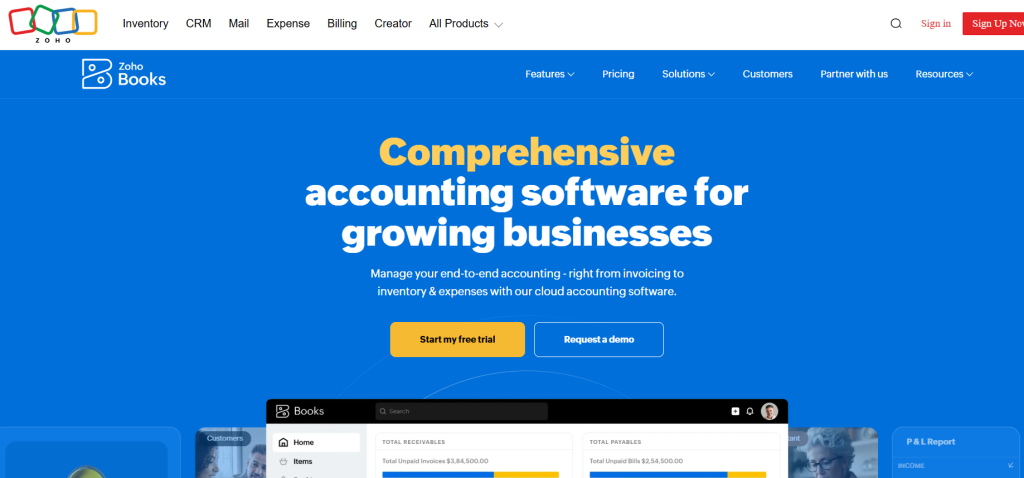
Zoho Books delivers exceptional value when evaluated as part of the broader Zoho ecosystem rather than as standalone accounting software. The platform integrates natively with 45+ Zoho applications spanning CRM, project management, inventory, HR, and analytics—creating a unified business management system at a fraction of enterprise software costs.
Automation capabilities in Zoho Books surpass what you’d expect at its price point. Workflow rules enable custom automation without coding: automatically convert estimates to invoices when customers accept, trigger reminder sequences based on payment status, or create vendor bills from approved purchase orders. These automations reduce manual data entry and the errors that accompany repetitive tasks.
The platform’s reporting engine provides financial and operational insights that blend accounting data with CRM activities, project status, and inventory movements. This cross-functional visibility helps growing businesses identify which customers, products, or projects actually drive profitability—insights buried in spreadsheets when using disconnected systems.
Strengths:
- Exceptional value with robust features at $15-60/month price points
- Native integration across the entire Zoho suite creates unified business management infrastructure
- Advanced automation with workflow rules, approval hierarchies, and custom triggers
- Multi-currency and global tax compliance including GST, VAT, and sales tax handling
- Client and vendor portals that enable self-service without requiring software access
- Comprehensive inventory management with serial number tracking and multi-warehouse support
Limitations:
- Integration ecosystem beyond Zoho products remains limited compared to QuickBooks or Xero
- Learning curve steeper than user-friendly alternatives like FreshBooks or Wave
- Customer support quality inconsistent, particularly on lower-tier plans
- US-based accountants less familiar with platform compared to mainstream alternatives
- Mobile apps functional but lag polish of QuickBooks or Xero equivalents
Best for: Growing businesses already using or planning to adopt Zoho CRM, Projects, or other suite applications. Ideal for operations requiring extensive automation without custom software development, particularly those with international operations requiring multi-currency and global tax compliance.
Pricing reality: Free plan exists but limits 1,000 invoices annually and 1 user. Standard ($10/month) provides core accounting. Professional ($20/month) adds automation and custom workflows most businesses need. Premium ($30/month) includes advanced inventory and custom modules. Prices drop significantly with annual billing.
Oracle NetSuite: Best for Enterprise Resource Planning
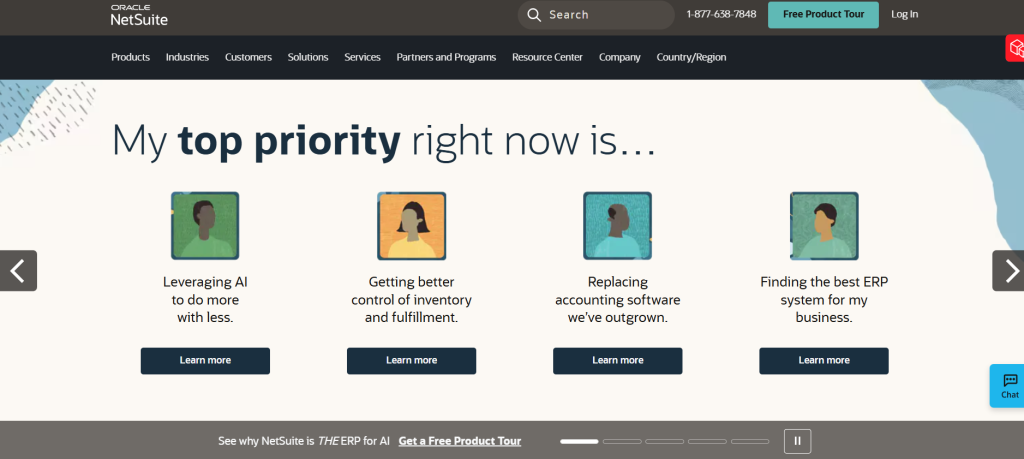
NetSuite operates in a different category than other platforms in this guide. It’s a comprehensive enterprise resource planning (ERP) system where accounting represents one module within an integrated business management suite spanning financials, inventory, order management, CRM, and eCommerce.
The platform targets businesses that have outgrown traditional accounting software—typically organizations processing $5-500 million in annual revenue with complex operational requirements. Multi-subsidiary consolidations, advanced revenue recognition rules, sophisticated inventory management across multiple locations, and comprehensive project accounting justify NetSuite’s significantly higher investment.
Implementation timelines span 3-9 months with required consultation from NetSuite partners or internal IT resources. This isn’t software you purchase, install, and start using immediately. The extended implementation enables deep customization to match your specific workflows, chart of accounts structure, and reporting requirements rather than forcing your business to conform to rigid software constraints.
Strengths:
- True multi-entity consolidation with inter-company eliminations and currency translation
- Advanced revenue recognition engine handling complex scenarios including ASC 606 compliance
- Comprehensive inventory and supply chain management with demand planning and procurement optimization
- Sophisticated project accounting with resource planning, time tracking, and profitability analysis
- Customizable dashboards and KPI monitoring with role-based access controls
- Built-in business intelligence and financial planning tools eliminating need for separate systems
- Global tax compliance across 100+ countries with automatic updates for regulatory changes
Limitations:
- Significant investment required: $999-2,500+ monthly licensing plus implementation costs of $25,000-250,000
- Complex implementation requiring 3-9 months and specialized consultant expertise
- Steep learning curve necessitating extensive user training and change management
- Customization flexibility can lead to over-engineering if not carefully managed
- Difficult to exit once implemented due to data complexity and process dependencies
Best for: Mid-market and enterprise businesses ($5M-500M revenue) with complex operations including multiple legal entities, international operations, sophisticated inventory requirements, or project-based revenue models requiring advanced accounting treatment.
Pricing reality: NetSuite uses custom pricing based on modules, user count, and transaction volume. Expect minimum investment of $12,000-30,000 annually for licensing plus $25,000-100,000+ in implementation costs. Total first-year investment typically ranges $50,000-150,000 for a mid-market implementation.
Sage Intacct: Best for Advanced Financial Management and CFOs
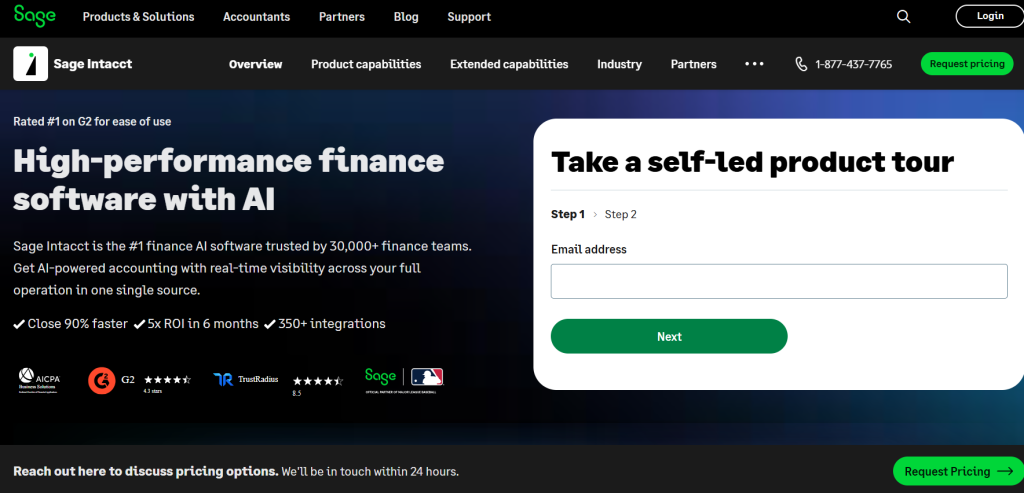
Sage Intacct targets the upper end of the mid-market with sophisticated financial management capabilities that satisfy CFO-level reporting requirements without the complexity and cost of full ERP systems. The platform particularly excels in industries with specialized accounting needs: non-profits, healthcare, hospitality, franchises, and professional services.
Dimensional accounting represents Intacct’s signature capability. Instead of forcing all segmentation through classes or departments like traditional accounting software, Intacct enables unlimited custom dimensions—tracking financial performance by product line, location, project, funding source, and customer segment simultaneously without restriction. This flexibility enables nuanced financial analysis that answers complex business questions without exporting data to spreadsheets.
The platform’s reporting and consolidation capabilities rival enterprise systems while maintaining cloud-based accessibility and modern user experience. Multi-entity consolidation happens in real-time rather than through month-end close procedures. Customizable dashboards provide role-specific visibility from executive KPI monitoring to operational metrics for department managers.
Strengths:
- Dimensional accounting provides unlimited segmentation for sophisticated financial analysis
- Real-time multi-entity consolidation with inter-company eliminations and currency translation
- Industry-specific editions pre-configured for non-profits, healthcare, hospitality, and professional services
- Advanced reporting and business intelligence without requiring separate analytics platforms
- Robust API ecosystem enabling custom integrations and workflow automation
- Sophisticated revenue recognition, project accounting, and subscription billing capabilities
- Strong vendor bill management and approval workflow automation
Limitations:
- Premium pricing starting around $400-600/month puts it out of reach for small businesses
- Implementation typically requires 2-4 months and certified partner involvement
- Learning curve significant compared to small business accounting software
- Inventory management adequate but not as robust as dedicated ERP systems
- Interface feels dated compared to modern alternatives like Xero despite recent updates
Best for: Growing mid-market companies ($3M-100M revenue) with sophisticated financial reporting requirements, multi-entity structures, or industry-specific accounting needs. Particularly strong for SaaS companies, franchises, non-profits, and professional services firms requiring advanced project accounting.
Pricing reality: Custom pricing based on modules and user count. Typical implementations start around $400-600/month for core financial management with 5-10 users, scaling to $1,500-3,000/month for full-featured implementations. Implementation costs range $15,000-50,000 depending on complexity and partner rates.
Wave: Best Free Accounting Software for Solo Entrepreneurs
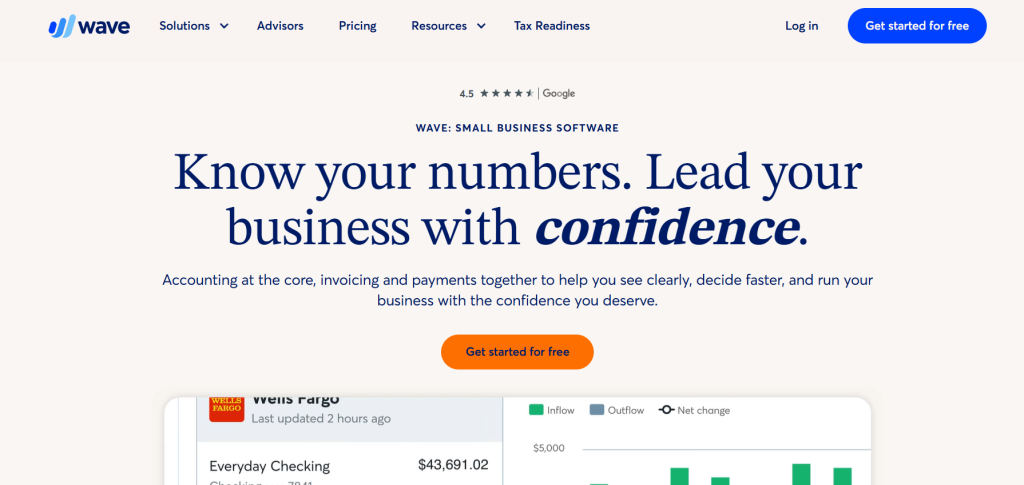
Wave disrupted the accounting software market by offering genuinely free double-entry bookkeeping without artificial feature limitations designed to force upgrades. The software remains free in 2026 for core accounting, invoicing, and receipt scanning—monetizing instead through payment processing and payroll services.
The platform works remarkably well for microbusinesses processing under 200 transactions monthly. Bank connections import transactions automatically. Invoicing includes professional templates and automatic payment reminders. Receipt scanning via mobile app eliminates shoe boxes full of paper documentation. These fundamentals cover 80% of what solo entrepreneurs and very small businesses actually need.
Limitations become apparent as transaction volume increases or business complexity grows. No inventory tracking. Basic reporting that lacks customization. Limited integration options beyond Wave’s own ecosystem. Single user access only on the free plan. These constraints eventually push growing businesses toward paid alternatives, but Wave provides a legitimate on-ramp for entrepreneurs testing business viability without monthly software costs.
Strengths:
- Genuinely free for core accounting, invoicing, and receipt scanning without transaction limits
- Clean, intuitive interface that non-accountants navigate without training
- Unlimited income and expense tracking with automatic bank connections
- Professional invoicing with customizable templates and automated payment reminders
- Receipt scanning via mobile app with OCR text extraction
- Basic financial reports including P&L, balance sheet, and cash flow statements
Limitations:
- No inventory management whatsoever—unsuitable for product-based businesses
- Limited reporting customization and no advanced analytics
- Single user on free plan prohibits collaborating with bookkeepers or accountants
- Integration ecosystem minimal compared to paid alternatives
- Payment processing fees (2.9% + $0.60 for credit cards) higher than competitors
- Payroll available only in select states with pricing comparable to standalone providers
- Limited customer support on free plan—primarily help articles and community forums
Best for: Solo entrepreneurs, freelancers, and microbusinesses with under 200 monthly transactions, simple revenue models without inventory, and limited need for collaboration or advanced reporting. Excellent for validating business concepts without fixed costs.
Pricing reality: Core accounting remains free. The pro plan costs $190/year.
Kashoo: Best for Simplicity and Ease of Use
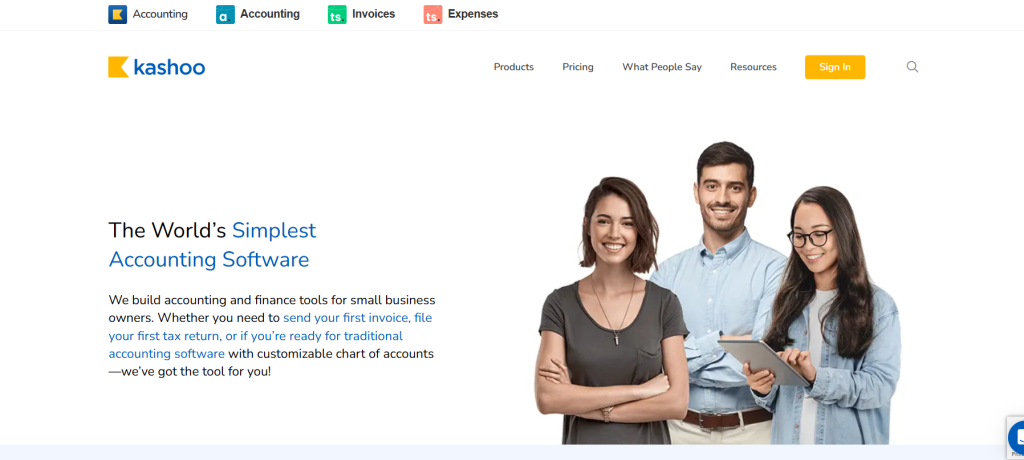
Kashoo targets small business owners who find traditional accounting software overwhelming and primarily need basic bookkeeping without complexity. The platform strips away advanced features that confuse non-accountants, focusing instead on intuitive transaction categorization, straightforward invoicing, and simple financial reports.
The software’s signature feature is its approachability. The interface uses plain language instead of accounting jargon. Setup wizards guide users through initial configuration without requiring chart of accounts knowledge. Automatic bank reconciliation handles transaction categorization with minimal user input once the system learns your patterns.
Kashoo works well for very small businesses—typically under $500K in annual revenue—where the owner handles bookkeeping personally rather than employing dedicated financial staff. The limited feature set becomes a benefit rather than constraint when complexity itself represents the primary barrier to financial organization.
Strengths:
- Exceptionally simple interface designed for non-accountants
- Fast setup process—typically under 30 minutes to full operation
- Automatic bank transaction import and intelligent categorization
- Clean, professional invoicing with payment reminders
- Basic expense tracking with receipt attachment capability
- Straightforward financial reports without overwhelming detail
- Responsive customer support with actual humans available via phone and email
Limitations:
- Very limited feature set—no inventory, project tracking, or time billing
- Minimal integration options beyond basic bank connections
- No multi-user access—single login only
- Reporting lacks depth for anything beyond basic financial statements
- No mobile app—mobile web interface only
- Not suitable for businesses with growth ambitions beyond basic bookkeeping
Best for: Very small businesses and solo entrepreneurs who find traditional accounting software overwhelming and need only basic income/expense tracking and simple invoicing. Ideal for service businesses without inventory or complex operational requirements.
Pricing reality: Single plan at $20/month (or $216/year with annual billing) and for advanced is $30/month($360 annually). No tiers or add-ons. Straightforward pricing matches the product philosophy, though the feature limitations mean most businesses outgrow Kashoo as revenue scales.
ZarMoney: Best for Transparent Pricing and Inventory Management
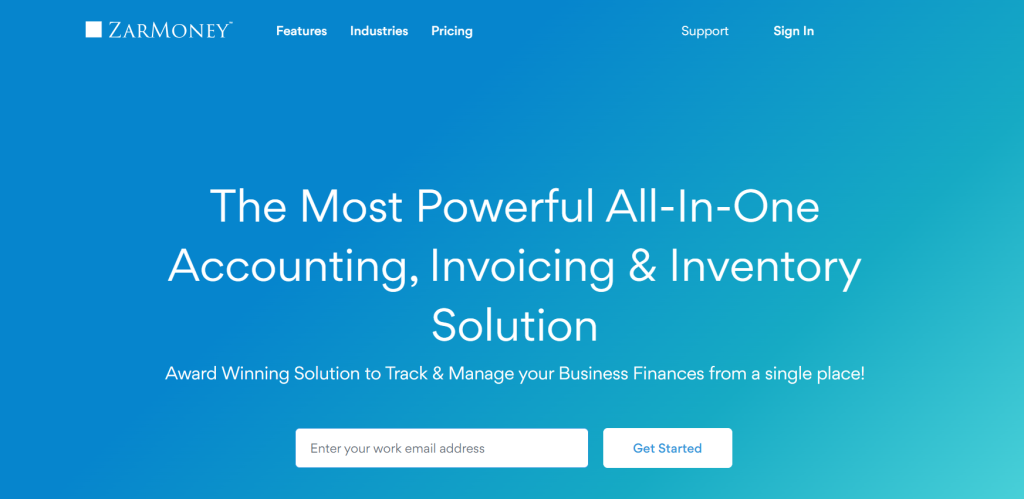
ZarMoney positions itself as a full-featured accounting solution without per-user fees or transaction limits—addressing a common frustration with competitors that force upgrades based on team size or volume growth. The platform particularly emphasizes inventory management capabilities, making it relevant for product-based businesses that find QuickBooks inventory tracking inadequate.
Inventory features include multi-location tracking, serial number management, barcode scanning, and landed cost calculation. These capabilities typically require mid-market solutions or expensive QuickBooks add-ons, yet ZarMoney includes them in base pricing. For businesses managing physical products across multiple warehouses or requiring precise inventory valuation, this represents significant value.
The platform also includes manufacturing and assembly capabilities often absent from small business accounting software. Build assemblies from components, track work-in-progress inventory, and calculate production costs—functionality that bridges the gap between simple accounting software and dedicated manufacturing systems.
Strengths:
- Unlimited users without per-seat fees—rare at this price point
- Comprehensive inventory management with multi-location, serial tracking, and barcoding
- Manufacturing and assembly features for businesses producing goods
- Transparent pricing without transaction limits or hidden upgrade triggers
- Multi-currency support with automatic exchange rate updates
- Integrated CRM functionality for customer relationship management
- Vendor portal enabling suppliers to update information and submit invoices
Limitations:
- Interface feels dated compared to modern alternatives like Xero
- Learning curve steeper than user-friendly options due to feature density
- Limited integration ecosystem—primarily focused on eCommerce platforms
- Smaller user base means fewer accountants familiar with the platform
- Customer support quality inconsistent based on user reviews
- Reporting capabilities adequate but not exceptional
Best for: Product-based businesses requiring robust inventory management without enterprise software costs. Particularly suitable for wholesalers, manufacturers, and multi-location retailers processing 1,000+ monthly transactions where per-user or transaction-based pricing becomes prohibitive.
Pricing reality: Starter plan ($20/month) supports 2 user. Enterprise plan ($350/month) adds unlimited users—the value sweet spot. No transaction limits or surprise fees.
Neat: Best for Receipt Organization and Document Management
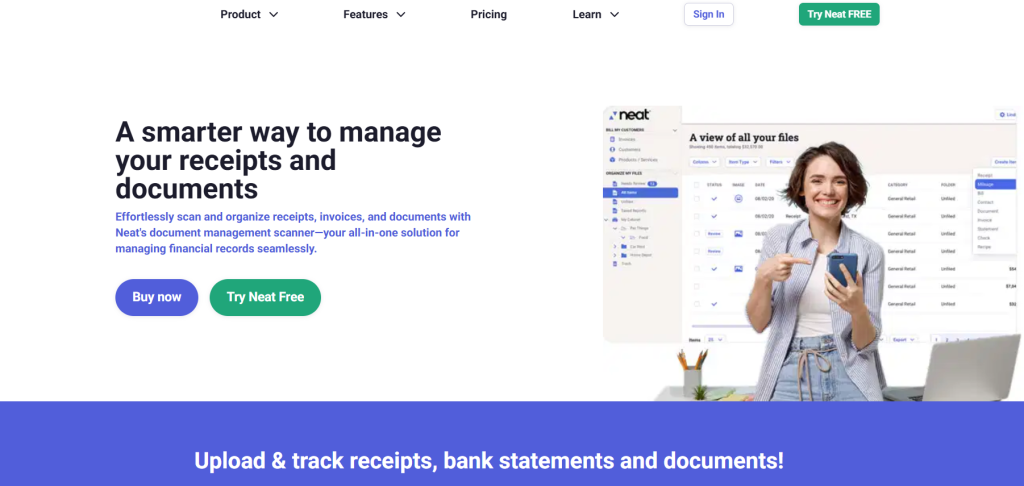
Neat evolved from a document scanning hardware company into cloud-based accounting software, and that heritage remains evident in its exceptional receipt and document management capabilities. The platform excels at extracting data from receipts, invoices, and financial documents, reducing manual data entry that consumes time and introduces errors.
The software’s OCR (optical character recognition) technology automatically extracts vendor, date, amount, and category information from receipts captured via mobile app or desktop scanner. This data populates accounting records automatically rather than requiring manual transaction entry. For businesses processing numerous cash receipts or reimbursable expenses, this automation delivers significant time savings.
Document organization extends beyond receipts. Store and categorize any financial document—contracts, statements, tax forms, invoices—with powerful search capabilities that retrieve documents instantly. This eliminates the filing cabinet chaos or disorganized folder structures that plague many small businesses, particularly valuable during tax preparation or audit situations.
Strengths:
- Exceptional OCR technology for receipt and document data extraction
- Mobile app with receipt capture that processes images in seconds
- Unlimited document storage with powerful search and organization
- Automatic expense categorization based on vendor and learning algorithms
- Clean financial reports suitable for tax preparation and basic analysis
- Integration with QuickBooks and Xero for businesses using Neat as receipt management layer
- Bank and credit card connections for automatic transaction import
Limitations:
- Accounting functionality basic compared to dedicated platforms
- No invoicing capability—focused on expense side of bookkeeping
- Limited reporting depth insufficient for complex financial analysis
- No inventory, project tracking, or time billing
- Single user on base plan requires upgrades for team collaboration
- Integration ecosystem limited beyond QuickBooks and Xero connections
Best for: Businesses generating high volumes of receipts requiring organization and data extraction, particularly those in industries with significant reimbursable expenses like consulting, real estate, or field services. Also valuable as a receipt management layer supplementing more capable accounting platforms.
Pricing reality: Base plan ($16.66/month) covers single user with 500 monthly transactions. VIP Service plan ($66.66/month) adds unlimited transactions and 3 users. Automated Insights ($216.66/month) includes 5 users and advanced features. Consider as supplemental tool rather than complete accounting solution for most businesses.
Specialized Solutions for Niche Business Models
Best for eCommerce and Inventory Heavy Businesses
eCommerce operations face unique accounting challenges that general platforms handle poorly: high transaction volumes, complex inventory movements across sales channels and fulfillment centers, marketplace fee reconciliation, and multi-channel revenue aggregation. These requirements demand specialized functionality beyond basic accounting software capabilities.
Top recommendation: A-Systems (formerly AcctVantage) integrates natively with Shopify, Amazon, eBay, Walmart, and 40+ other marketplaces. The platform automatically imports orders, reconciles fees, tracks inventory across all channels, and handles complex scenarios like bundled products and dropshipping. Pricing starts around $50/month based on order volume.
Alternative consideration: QuickBooks Commerce (formerly TradeGecko) extends QuickBooks Online with advanced inventory management including demand forecasting, automated reorder points, and manufacturing assembly. Particularly strong for businesses selling both online and through wholesale channels requiring unified inventory visibility.
Budget option: Zoho Books provides surprisingly capable eCommerce integration at its premium tier, connecting to major platforms and offering multi-location inventory tracking. While not as specialized as dedicated solutions, it handles up to 5,000 SKUs effectively for $70/month.
Critical features to demand: Real-time inventory synchronization across all sales channels, landed cost calculation including freight and tariffs, automated marketplace fee categorization, sales tax collection and remittance across multiple jurisdictions, and COGS calculation using FIFO or weighted average methods.
Best for Non-Profits and Fund Accounting
Non-profit organizations require fund accounting capabilities that track restricted donations, grants, and program expenses separately—functionality absent from commercial accounting software. Compliance requirements including Form 990 preparation, grant reporting, and donor contribution tracking demand specialized features.
Top recommendation: Sage Intacct for Non-Profits delivers sophisticated fund accounting with unlimited fund and grant tracking, allocation capabilities, and compliance reporting. The platform handles complex scenarios including matching requirements, multi-year grants, and indirect cost allocation following federal guidelines. Expect investment of $500-800/month minimum.
Mid-market alternative: QuickBooks Non-Profit Edition provides basic fund accounting using class tracking for programs and funding sources. While less sophisticated than Sage Intacct, it satisfies requirements for smaller non-profits under $2M in revenue at familiar QuickBooks pricing ($45-60/month). Many non-profit accountants know QuickBooks, reducing consulting costs.
Budget option: Wave technically works for very small non-profits using income/expense categories to distinguish programs and funding sources. Free pricing appeals to startup non-profits, though limitations become apparent as grant complexity or donor management requirements increase.
Essential capabilities: Fund accounting with restricted and unrestricted tracking, grant management with deadline and milestone monitoring, allocation of shared costs across programs, budget vs. actual comparison by fund and program, donation tracking with IRS contribution requirements, and 990-ready financial statements.
Best for Construction and Project-Based Contractors
Construction companies face distinct accounting requirements: job costing across multiple projects, progress billing and retainage, subcontractor management with lien waivers, AIA billing formats, certified payroll for prevailing wage compliance, and change order tracking. General accounting software handles these scenarios poorly without extensive customization.
Top recommendation: Foundation by Sage (formerly Sage 300 Construction) delivers comprehensive construction accounting including detailed job costing, subcontractor management with compliance tracking, equipment cost allocation, union payroll with certified reporting, and AIA billing. Designed specifically for commercial contractors. Pricing starts around $195/month per user.
Alternative consideration: QuickBooks Desktop Premier Contractor Edition provides job costing, progress invoicing, and change order tracking familiar to construction accountants. While less specialized than Foundation, it handles requirements for residential builders and smaller commercial contractors at lower cost ($350-550/year).
Cloud alternative: Procore integrated with QuickBooks Online or Sage Intacct combines construction project management with accounting through integration. Procore handles field operations, RFIs, submittals, and daily logs while syncing cost data to your accounting platform. Total cost $400-800/month depending on project volume.
Must-have features: Multi-level job costing (project, phase, cost code), progress billing and retention tracking, subcontractor insurance and lien waiver management, change order workflow with approval hierarchy, equipment cost tracking and allocation, union and prevailing wage payroll, and AIA format billing.
Critical Features to Analyze Before Buying
Automation, AI, and Bank Reconciliation Capabilities
Automation quality directly impacts the hours you’ll spend on bookkeeping monthly. Modern platforms leverage machine learning to reduce manual transaction categorization, but implementation quality varies dramatically. Effective automation learns your categorization patterns, achieving 85-90% accuracy after processing 200-300 transactions. Weak systems remain stuck at 60-70% accuracy indefinitely, negating the automation benefit.
Test automation capabilities during trial periods by importing actual bank data rather than demo accounts. Evaluate how many transactions require manual intervention after the initial training period. Leading platforms like QuickBooks and Xero typically achieve high accuracy within 2-3 weeks. Lagging systems remain dependent on manual review indefinitely.
AI-powered features now include cash flow forecasting, anomaly detection for potential errors or fraud, and smart recommendations for tax deductions. QuickBooks Advanced includes cash flow forecasting that predicts 90-day balances based on historical patterns and outstanding invoices. Xero Analytics provides visual cash flow projections with scenario planning capabilities.
Bank reconciliation workflows matter more than feature checklists suggest. The difference between platforms that require 15 minutes weekly versus 45 minutes accumulates to 26 hours annually—meaningful time investment in bookkeeping maintenance. Look for bulk matching capabilities, keyboard shortcuts that accelerate repetitive actions, and smart matching algorithms that identify transfers and duplicate transactions automatically.
Tax Compliance and Multi-State Reporting
Tax compliance complexity has intensified dramatically since the 2018 Wayfair decision enabled states to require sales tax collection from remote sellers. Businesses now navigate economic nexus thresholds in 45+ states, each with unique rules, filing frequencies, and tax rates that change quarterly.
Robust sales tax engines automatically determine where you have collection obligations based on sales volume, register with appropriate jurisdictions, calculate correct rates including state, county, and local taxes, and generate ready-to-file returns. Leading implementations include TaxJar integration (available for QuickBooks, Xero, and others) or native capabilities in platforms like Sage Intacct.
Evaluate how software handles economic nexus monitoring. Best-in-class systems track sales by state, alert you when approaching thresholds that trigger obligations, and facilitate registration through integrated services. Weak systems leave you manually tracking spreadsheets and risking non-compliance penalties that dwarf software costs.
Multi-state operations also require proper income tax reporting across jurisdictions. If you have employees, contractors, or physical presence in multiple states, verify that payroll modules or integrations handle state income tax withholding, unemployment insurance, and local tax requirements correctly. Errors in payroll tax compliance trigger aggressive enforcement from state revenue departments.
Payroll Integration and Human Capital Management
Payroll represents recurring monthly or biweekly processing that must happen correctly and punctually. Integration between accounting and payroll eliminates duplicate data entry, reduces errors, and ensures labor costs post to proper accounts automatically. Yet integration quality varies from seamless to frustrating depending on vendor relationships.
Native payroll from your accounting software provider typically provides tightest integration. QuickBooks Payroll posts to QuickBooks Online automatically with perfect chart of accounts mapping. Xero Payroll (available in US, UK, Australia, New Zealand) integrates seamlessly with Xero accounting. These implementations eliminate journal entry creation and account mapping confusion.
Third-party payroll from providers like Gusto, ADP, or Paychex requires integration setup and ongoing maintenance. While functional, expect occasional sync issues, particularly around payroll tax liabilities and payments. Budget time for monthly reconciliation to verify all payroll costs posted correctly.
Advanced human capital management extends beyond payroll processing to time tracking, PTO accrual, benefits administration, and compliance reporting. These features matter most for businesses with 15+ employees where HR administration becomes substantial. Platforms like Sage Intacct and NetSuite include robust HCM capabilities. Smaller businesses typically integrate specialized HR platforms like BambooHR or Rippling with accounting software.
Mobile App Functionality and Remote Access
Mobile functionality matters most for specific workflows rather than comprehensive accounting management. Field service businesses need receipt capture and expense recording on location. Sales professionals require invoice creation and payment processing while traveling. Contractors need change order approval and timesheet entry from job sites.
Evaluate mobile apps based on your actual use cases rather than feature parity with desktop versions. QuickBooks Online mobile app provides near-complete functionality including invoicing, expense recording with receipt capture, mileage tracking, payment processing, and basic reporting. Most users never need desktop access after initial setup.
Xero mobile app focuses on essential workflows: bank reconciliation, invoice approval, expense claims with receipt scanning, and financial dashboard viewing. The more streamlined approach works well for business owners who primarily need visibility and approval capabilities rather than detailed transaction entry.
FreshBooks mobile excels at time tracking and expense recording—the workflows that matter most for its target audience of service professionals and consultants. Quick time entry with project selection and automatic reminders reduce revenue leakage from forgotten billable hours.
Security considerations intensify with mobile access. Verify that apps support biometric authentication (fingerprint or face recognition), require re-authentication after inactivity periods, and enable remote device deauthorization if phones are lost or stolen. Cloud-based platforms provide better security than locally-installed software for mobile scenarios.
How to Evaluate Software Based on Business Stage
Startups vs. Established Enterprises: Analyzing Scalability
Early-stage startups face different accounting software decisions than established businesses. Startups prioritize low costs, easy setup, and flexibility to pivot without legacy system constraints. Established enterprises require robust audit trails, multi-user access controls, advanced reporting for stakeholders, and integration with existing systems.
Startup considerations favor platforms like Wave (free), FreshBooks (simple, fast setup), or QuickBooks Online Simple Start (familiar to investors and acquirers). Prioritize time-to-value over feature completeness. You need basic income/expense tracking and invoicing operational within hours, not weeks. Advanced features matter less when transaction volumes remain low and team size stays under 5.
Growth stage businesses (post-product-market-fit, scaling revenue) should evaluate based on where you’ll be in 24 months rather than current requirements. If you’re processing 200 transactions monthly today but projecting 2,000 within two years, choose platforms that scale gracefully like Xero or QuickBooks Plus rather than starting with limited solutions you’ll outgrow quickly.
Enterprise operations require platforms that handle complexity: Sage Intacct for sophisticated financial management, NetSuite for full ERP capabilities including operations integration. These implementations take months and cost tens of thousands but provide infrastructure supporting hundreds of millions in revenue across multiple entities and geographies.
Critical scalability indicators: user limits that won’t require upgrades as team grows, transaction volume capacity beyond current processing, API availability enabling custom integrations as needs evolve, multi-entity consolidation if expansion or acquisition plans exist, and reporting depth satisfying external stakeholder requirements including investors, lenders, or potential acquirers.
Calculating Total Cost of Ownership Beyond the Subscription
Advertised subscription pricing represents only a portion of true accounting software costs. Comprehensive total cost of ownership analysis includes implementation effort, training time, integration development, add-on applications, payment processing fees, and opportunity cost of features that don’t quite fit your workflow requiring manual workarounds.
Implementation costs vary dramatically by platform. Wave or FreshBooks require 2-4 hours for basic setup that most business owners handle personally—essentially zero cost. QuickBooks or Xero might require 8-16 hours including chart of accounts configuration, bank connections, and historical data import—manageable with online tutorials or $500-1,000 in bookkeeper assistance. Sage Intacct or NetSuite require professional implementation costing $15,000-100,000+ and consuming weeks or months.
Training investment scales with team size and software complexity. Simple platforms like Wave or Kashoo require minimal training—perhaps 1-2 hours of tutorial watching. Complex systems like Sage Intacct or NetSuite demand structured training programs costing $2,000-10,000 plus ongoing support as staff turnover occurs.
Integration costs emerge when core accounting software doesn’t provide required functionality. eCommerce businesses might add channel integration tools ($50-200/month). Service businesses might need time tracking platforms ($8-15/user/month). Construction companies might require project management software ($30-150/user/month). These “necessary” add-ons inflate costs beyond base accounting subscriptions.
Payment processing fees represent ongoing costs easily overlooked during evaluation. If you process $100,000 annually in credit card payments, 2.9% fees cost $2,900 yearly—meaningful expense difference if competitive platforms charge 2.6% ($2,600, saving $300 annually). Bank payment fees matter less individually but accumulate with volume.
Calculate realistic annual costs: (Monthly subscription × 12) + (Payment processing fees) + (Essential add-on subscriptions) + (Implementation costs / 3 years) + (Annual training and support needs). This comprehensive view often reveals that the “cheap” option costs more than mid-tier alternatives when total ownership is calculated honestly.
The Importance of API Access and Third-Party Integrations
API (Application Programming Interface) availability determines whether you can connect accounting software with other business applications or remain locked into vendor-provided functionality. Open APIs enable integration with CRM systems, eCommerce platforms, inventory management tools, and custom applications—extending software capabilities beyond out-of-box features.
Integration ecosystem breadth matters most for businesses using specialized tools in their workflow. QuickBooks Online leads with 750+ pre-built integrations spanning virtually every business software category. Xero follows with 1,000+ apps in its marketplace. These ecosystems mean you’ll find connectors for niche applications without custom development.
API documentation quality determines integration difficulty when pre-built connectors don’t exist. Well-documented APIs like Xero, QuickBooks, and Sage Intacct enable competent developers to build custom integrations within days or weeks. Poorly documented APIs extend timelines to months or make integration impractical without vendor assistance.
Rate limits and authentication methods impact integration reliability. APIs that limit requests to 500/day may constrain businesses processing high transaction volumes. Modern OAuth authentication provides better security than legacy API keys but requires more sophisticated implementation. Evaluate these technical details or consult with integration developers before committing to platforms.
Webhook support enables real-time synchronization rather than periodic batch updates. When customers pay invoices, webhooks instantly notify connected applications rather than waiting for hourly sync cycles. This responsiveness matters for customer-facing integrations where immediate data accuracy impacts experience.
Proprietary platforms with closed APIs limit flexibility but sometimes offer advantages. Fully integrated systems like NetSuite don’t require external integrations because functionality is built natively. This eliminates sync issues and maintenance burdens but locks you into vendor-provided capabilities.
Real World Scenarios: Matching Software to Workflow
Scenario: The High-Volume Online Retailer
An online retailer processing 3,000-5,000 orders monthly across Shopify, Amazon, and their own website faces accounting challenges that general software handles poorly. Manual transaction entry is impractical at this volume. Inventory tracking across multiple warehouses and sales channels requires real-time synchronization. Marketplace fee reconciliation grows complex with different commission structures per platform.
Recommended solution: A-Systems or similar eCommerce-specific accounting connected to major marketplaces provides automated order import, fee reconciliation, and inventory synchronization. Transactions post automatically with proper categorization by channel. Inventory updates in real-time as orders process across all platforms. Monthly reconciliation requires hours instead of days with manual entry.
Alternative approach: Zoho Books or QuickBooks Commerce offers mid-market capability with strong eCommerce integrations at lower cost than specialized platforms. Suitable for businesses with 2,000-10,000 SKUs not requiring advanced features like demand forecasting or complex bundling.
Critical workflow requirements: Automatic order import from all sales channels, proper COGS calculation using FIFO or weighted average, marketplace fee categorization by type (commission, fulfillment, advertising), multi-state sales tax calculation and remittance, inventory synchronization preventing overselling, and landed cost tracking including freight and tariffs.
This business should avoid basic platforms like Wave or FreshBooks completely. Transaction volume overwhelms manual entry capabilities, and lack of inventory management creates operational chaos. Budget $200-400/month for capable accounting infrastructure supporting this scale.
Scenario: The Consultant Managing Multiple Clients
A management consultant working with 8-12 clients simultaneously needs precise time tracking, project profitability visibility, flexible billing arrangements including hourly, project-based, and retainer structures, and professional client communications. The accounting software must distinguish between clients and projects while tracking which activities are billable versus administrative.
Recommended solution: FreshBooks excels at exactly this workflow. Time tracking integrates across desktop and mobile with project-level granularity. Billing accommodates hourly rates, project fees, and retainer drawdowns. Project profitability appears in real-time as time entries accumulate. Client portals provide transparency without granting accounting system access. Proposals and estimates flow naturally into projects and invoices.
Alternative approach: QuickBooks Online Plus with TSheets integration provides similar functionality with stronger accounting depth. Time tracking requires separate subscription but integrates seamlessly. QuickBooks project profitability reports rival FreshBooks. Choose this path if you need robust expense management or work with an accountant who prefers QuickBooks.
Essential workflow features: Project-level time tracking with mobile entry, billable vs. non-billable designation, multiple billing rate support (by role, project, or client), automatic invoice generation from time entries, project profitability with budget vs. actual comparison, retainer and prepayment management, and client portals for project transparency.
Avoid general accounting platforms lacking time tracking and project billing. Wave, Zoho Books, or basic QuickBooks tiers force awkward workarounds that waste time and reduce profitability visibility. Budget $35-60/month for consultant-optimized accounting addressing this workflow directly.
Scenario: The Subscription-Based SaaS Company
A software-as-a-service company with recurring subscription revenue faces unique accounting challenges: revenue recognition over contract terms rather than at point of sale, deferred revenue liability tracking, monthly recurring revenue (MRR) and annual recurring revenue (ARR) metrics, churn analysis, and cohort-based customer lifetime value calculations. Standard accounting software lacks these capabilities natively.
Recommended solution: Sage Intacct with subscription billing module provides sophisticated revenue recognition following ASC 606 standards, deferred revenue automation, and integration with billing platforms like Stripe or Chargebee. The system handles complex scenarios including multi-year contracts, mid-contract upgrades, and prorated billing automatically. Subscription metrics report in dashboards providing MRR, ARR, churn rates, and expansion revenue visibility.
Alternative approach: QuickBooks Online integrated with subscription billing and revenue recognition platforms like Maxio (formerly SaaSOptics) or Chargebee extends basic accounting with subscription-specific capabilities. Total cost approaches Sage Intacct while providing less integrated experience, but works effectively for SaaS companies under $5M ARR not ready for mid-market platforms.
Critical requirements: ASC 606 compliant revenue recognition spreading contract value over terms, deferred revenue liability tracking and automated release, subscription metrics (MRR, ARR, CMRR) with cohort analysis, integration with billing platforms (Stripe, Chargebee, Recurly), churn and expansion revenue visibility, and multi-period forecasting for investor reporting.
Standard accounting platforms like Wave, FreshBooks, or basic QuickBooks force SaaS companies into manual revenue recognition spreadsheets and lack metrics investors demand. Budget $500-1,500/month for accounting infrastructure appropriate to SaaS business models, viewing it as essential financial infrastructure rather than discretionary expense.
Expert Insights: Common Pitfalls When Switching Platforms
Data Migration Challenges to Anticipate
Switching accounting software ranks among the most anxiety-inducing business technology decisions, primarily because financial data migration carries significant risk. Errors in transaction transfer corrupt historical reporting, complicate tax preparation, and undermine confidence in financial data integrity.
Historical transaction import typically succeeds for bank transactions, invoices, bills, and basic journal entries. Most platforms provide import templates or conversion tools handling common data structures. Problems emerge with nuanced data: partially paid invoices, inventory lot tracking, project allocations, and custom fields that don’t map cleanly between systems.
Year-end transitions minimize migration complexity significantly. Starting new software on January 1st requires only beginning balance transfers rather than full transaction history. Historical data remains accessible in the old system for reporting or audit purposes while new transactions flow through the replacement platform. This approach reduces migration risk dramatically compared to mid-year transitions.
Plan transition timelines realistically: 2-4 weeks for simple businesses with basic transaction types, 4-8 weeks for growing businesses with moderate complexity including inventory or projects, and 2-4 months for sophisticated operations requiring multi-entity consolidation or advanced features. Rushing migration increases error rates and stress levels unnecessarily.
Parallel processing provides safety during transition. Run old and new systems simultaneously for 1-2 months, entering transactions in both platforms. Compare financial statements between systems to identify discrepancies before fully retiring the legacy platform. While duplicating effort temporarily, this approach builds confidence that new software produces accurate results.
Professional assistance justifies investment for complex migrations. Bookkeepers or accountants experienced with both source and destination platforms reduce error rates and timeline significantly. Budget $500-2,000 for professional migration assistance on moderately complex transitions, more for sophisticated operations with multi-year transaction histories.
The Learning Curve and Staff Training Requirements
Software capability matters little if your team can’t use it effectively. Learning curve assessment should weigh heavily in selection decisions, particularly for businesses without dedicated accounting staff where business owners or administrative personnel handle bookkeeping alongside other responsibilities.
Intuitive platforms like Wave, FreshBooks, or Kashoo require 2-4 hours of tutorial watching or experimentation before users achieve basic competency. Transaction entry, invoicing, and basic reporting become comfortable within 1-2 weeks of regular usage. These platforms prioritize approachability over feature depth, suitable for simple operations.
Mid-range platforms like QuickBooks Online or Xero demand 8-16 hours of structured learning for competent usage. Chart of accounts configuration, transaction categorization, reconciliation workflows, and report customization require understanding of accounting concepts beyond simple income/expense tracking. Budget 2-3 weeks before users work efficiently without constant reference to help documentation.
Sophisticated platforms like Sage Intacct or NetSuite necessitate formal training programs. Professional training courses cost $1,000-5,000 per user covering 2-5 days of intensive instruction. Even after formal training, users require 2-3 months of regular usage before achieving proficiency with advanced features. Plan for reduced productivity during this ramp-up period.
Staff turnover amplifies training burden. Simple platforms allow replacement employees to achieve basic competency quickly through self-service learning. Complex systems require expensive retraining investments each time accounting staff turn over. Factor turnover patterns into total cost of ownership calculations—high-turnover organizations benefit from simpler platforms with lower training barriers.
Vendor training resources vary dramatically in quality. Leading platforms provide comprehensive learning libraries including video tutorials, guided workflows, and interactive demos. Budget providers offer minimal documentation forcing users to learn through trial and error or community forums. Evaluate training resource quality during trial periods before committing to platforms.
Frequently Asked Questions About Accounting Software
What is the difference between ERP and standard accounting software?
Enterprise Resource Planning (ERP) systems integrate accounting with operational functions including inventory management, order processing, manufacturing, supply chain, and customer relationship management within unified databases. Standard accounting software focuses specifically on financial transactions, reporting, and compliance without deep operational integration.
ERP platforms like NetSuite, Microsoft Dynamics, or SAP provide real-time visibility across all business functions. When sales processes orders, inventory automatically reserves, accounting recognizes revenue using appropriate rules, and procurement triggers replenishment if stock drops below thresholds. This integration eliminates data silos and manual coordination between departments.
Standard accounting software requires integration with separate operational systems. QuickBooks Online might connect to Shopify for eCommerce, separate inventory management software, and standalone CRM. These integrations work but require ongoing maintenance and occasionally produce synchronization errors requiring manual reconciliation.
Cost and complexity differences are substantial. ERP implementations cost $50,000-500,000+ with 3-12 month timelines requiring consultant expertise. Standard accounting software costs $200-2,000 annually with implementation measured in hours or days. Most businesses under $10M revenue lack the transaction complexity justifying ERP investment and operational discipline required to leverage its capabilities effectively.
Is cloud-based accounting software secure for sensitive financial data?
Cloud-based accounting platforms typically provide superior security compared to locally-installed software, despite persistent concerns about storing financial data externally. Leading providers invest millions annually in security infrastructure that individual businesses cannot replicate: 256-bit encryption in transit and at rest, redundant data centers with disaster recovery capabilities, 24/7 security monitoring, and regular penetration testing by third-party security firms.
Physical security risks actually increase with local installations. Laptops containing QuickBooks Desktop get stolen. Offices experience fires or floods destroying servers. Employees leave with data access. Cloud platforms eliminate these physical security vectors while adding access controls impossible with desktop software: IP address restrictions, two-factor authentication, session timeouts, and granular permission systems limiting data access by role.
Compliance certifications provide security validation. Platforms serving enterprises maintain SOC 2 Type II certification verifying security controls meet rigorous standards. Some achieve additional certifications like ISO 27001 or maintain PCI DSS compliance for payment processing. Review security documentation when evaluating platforms for businesses handling particularly sensitive data.
Reasonable precautions maximize cloud security: enable two-factor authentication for all users, restrict access using principle of least privilege, review access logs periodically for suspicious activity, and maintain current software versions receiving security patches. These practices, combined with vendor security infrastructure, provide protection exceeding what most small businesses achieve with local software installations.
Can I switch accounting software in the middle of a fiscal year?
Mid-year accounting software transitions are possible but increase complexity compared to year-end changes. Financial reporting requires combining partial-year data from two systems, complicating month-end closes, quarterly reporting, and year-end tax preparation. However, operational or compliance drivers sometimes necessitate mid-year transitions despite these challenges.
Month-end transitions minimize disruption. Complete all period-end processes in the existing system, close the month fully, then begin the new system on the first day of the following month. Transfer only ending balances rather than full transaction history, keeping prior-period data accessible in the legacy system for reporting needs.
Parallel processing reduces transition risk. Run both systems simultaneously for 1-2 months, entering transactions in both platforms. Compare financial statements between systems to verify accuracy before retiring the old software. While temporarily duplicating effort, this approach builds confidence in data integrity.
Tax preparation complexity increases with mid-year transitions. Your accountant or tax preparer will need access to both systems when preparing annual returns, increasing their time investment and potentially your preparation fees. Communicate transition plans early so tax professionals can plan appropriately and advise on potential complications.
Year-end transitions remain preferable when timing flexibility exists. Starting new software on January 1st eliminates multi-system reporting complexity and simplifies tax preparation significantly. Unless compelling business drivers demand immediate change, schedule transitions during your fiscal year-end period.
Which accounting software is easiest for non-accountants to use?
Wave and FreshBooks represent the most approachable platforms for business owners without accounting backgrounds. Both use plain language instead of accounting jargon, provide guided setup workflows, and focus interfaces on essential tasks rather than overwhelming users with comprehensive feature sets.
Wave prioritizes simplicity through minimalism. The free platform provides core accounting functionality with clean interfaces requiring minimal training. Bank connections import transactions automatically. Simple categorization eliminates complex chart of accounts management. Basic invoicing uses professional templates without design complexity. Financial reports present P&L and balance sheet in digestible formats without accounting degree requirements.
FreshBooks targets service professionals with intuitive time tracking and project billing workflows. The software guides users through client setup, project creation, and invoice generation using conversational interfaces. Time tracking requires simply starting and stopping timers rather than understanding billable hours accounting. Project profitability appears in visual dashboards rather than complex reports.
QuickBooks Online deserves mention despite steeper learning curve because its market dominance means abundant training resources exist. YouTube tutorials, community forums, and local bookkeepers familiar with the platform reduce the knowledge barriers. The Simple Start tier provides reasonably approachable introduction to proper bookkeeping practices.
Kashoo specifically targets ease of use, stripping away features that confuse non-accountants. Setup completes in under 30 minutes. Automatic categorization handles most transactions. Simple invoicing and basic reporting cover essential needs without complexity. While limited, Kashoo succeeds at making basic bookkeeping accessible to business owners who find traditional accounting software overwhelming.
Do I still need a bookkeeper if I use accounting software?
Accounting software reduces bookkeeping time requirements but rarely eliminates the need for professional financial expertise entirely. The answer depends significantly on business complexity, transaction volume, owner financial competency, and growth stage.
Very simple operations can manage without professional bookkeeping assistance: solo freelancers processing under 100 monthly transactions, service businesses without inventory, operations with straightforward revenue models and minimal expenses. Modern software automates transaction categorization effectively for simple scenarios. Monthly reconciliation requires 30-60 minutes. Financial statements generate automatically. Tax preparation may require only annual accountant review.
Growing businesses benefit from part-time bookkeeping support even with capable software. As transaction volume increases, time investment in monthly reconciliation, financial review, and process management grows beyond what busy owners should handle personally. Hourly bookkeepers cost $25-75 depending on location and expertise—often justifying investment when monthly bookkeeping consumes 4+ owner hours that could focus on revenue-generating activities.
Complex operations require professional bookkeeping regardless of software capabilities: multi-entity businesses needing consolidated reporting, companies with sophisticated inventory, project-based businesses requiring detailed job costing, or operations facing intensive compliance requirements. Software provides infrastructure but professional expertise ensures correct application of accounting principles, proper tax treatment, and accurate financial reporting.
Strategic value extends beyond transaction processing. Experienced bookkeepers identify tax planning opportunities, recommend process improvements, provide context for financial performance, and prepare for growth-stage requirements like audits or institutional financing. This advisory value typically exceeds tactical transaction processing benefits as businesses mature.
Hybrid approaches optimize cost and expertise. Business owners handle routine transaction categorization and invoice processing using accounting software while engaging bookkeepers for monthly reconciliation review, financial statement preparation, and strategic guidance. This division typically provides 60-70% of full-service bookkeeping value at 30-40% of the cost.
Conclusion
Selecting accounting software in 2026 requires moving beyond superficial feature comparisons to evaluate how platforms align with your specific business model, growth trajectory, and operational workflow. The “best” accounting software exists only in context: Wave excels for bootstrapped solo entrepreneurs where free pricing matters more than advanced features, while Sage Intacct serves CFOs requiring sophisticated financial management justifying premium investment.
Prioritize decision factors based on your business stage and pain points. Early-stage startups should emphasize fast setup, low costs, and simplicity over feature completeness. Growing businesses must evaluate scalability, ensuring platforms accommodate projected transaction volumes and team size without forced migrations. Established enterprises require audit trails, advanced reporting, and integration capabilities supporting complex operations.
Total cost of ownership analysis prevents expensive surprises. Look beyond monthly subscription pricing to calculate realistic annual costs including implementation, training, necessary add-ons, payment processing fees, and potential consulting support. The platform advertising $20/month that requires $200/month in essential integrations costs more than competitors charging $60/month with comprehensive native functionality.
Trial periods provide invaluable validation before committing. Import actual transaction data rather than using demo accounts. Process real invoices and expenses. Generate the specific financial reports your decision-making requires. Evaluate whether automation actually reduces manual effort or simply shifts work to different tasks. These real-world tests reveal friction that feature checklists and sales demonstrations obscure.
For most small businesses actively comparing options today, QuickBooks Online Plus provides the best balance of capability, ecosystem breadth, and accountant familiarity—justifying its market leadership despite higher costs and artificial user limits. Growing businesses prioritizing scalability and international operations should seriously evaluate Xero for its unlimited users and superior multi-currency handling. Budget-conscious solo entrepreneurs should start with Wave’s genuinely free platform, graduating to paid alternatives only when transaction volume or feature requirements demand it.
Whatever platform you choose, remember that accounting software represents financial infrastructure rather than mere bookkeeping convenience. Select based on where your business is heading rather than where it stands today, and budget appropriately for the implementation, training, and ongoing support required to leverage your investment fully.

![Marketing Automation Case Study: 12 Real Examples, Strategy & ROI Results [2026]](https://marketingcasestudy.io/wp-content/uploads/2026/05/marketing-automation-case-study-featured-768x403.png "Marketing Automation Case Study: Real Examples, Strategy & ROI Results [2026] 13")
