Quicken has been the default personal finance software for decades, but 2026 is the year its user base is finally walking. The shift to a subscription-only model back in 2016 was controversial enough, but the real frustration today is the ongoing price-to-value gap. Classic Deluxe runs ~$5.99/month, Premier is ~$7.99/month, and Business and Personal tops out at ~$10.99/month – all billed annually. That adds up fast, especially when rivals are matching or beating Quicken’s core feature set for significantly less. Add an interface that feels frozen in 2012, recurring sync issues with financial institutions, and a mobile app that still trails the competition, and you have a product that many loyal users are quietly abandoning.
After five weeks of testing across personal budgeting, small business tracking, and investment oversight workflows, the best Quicken alternatives in 2026 are Monarch Money for households that want a modern, collaborative experience; YNAB for zero-based budgeting and debt payoff; and Empower Personal Dashboard for free investment tracking that genuinely rivals Quicken Premier’s core tools. What makes 2026 different from prior evaluations is the leap in quality among mid-tier apps – tools like PocketSmith and Tiller Money now offer forecasting depth that used to be exclusive to Quicken’s desktop software.
The best free Quicken alternative is Empower Personal Dashboard, which gives you net worth tracking, investment analysis, and retirement projections at zero cost. It covers roughly 70% of what Quicken Premier does, with a cleaner interface and real-time syncing that actually works.
Here is every tool I tested, with real pros, cons, and a no-bias verdict on who each one is actually for.
Who Should Pick What
Best overall Quicken replacement: Monarch Money
Best for zero-based budgeting: YNAB
Best free alternative: Empower Personal Dashboard
Best for Mac users: Banktivity
Best for couples and shared finances: Monarch Money or Honeydue
Best for small business owners: Wave or Moneydance
Best for self-employed and freelancers: Tiller Money
Best for retirement and investment tracking: Empower Personal Dashboard
Best for detailed cash flow forecasting: PocketSmith
Best for Dave Ramsey followers: EveryDollar
Best budget pick under $5/month: EveryDollar or Copilot
Best for offline or desktop-first users: Moneydance or Banktivity
Best for spreadsheet lovers: Tiller Money
Best for privacy-focused users: Moneydance
How I Evaluated These Tools
I have spent over eight years managing personal finances, side business income, and investment accounts. This evaluation ran over five weeks across three real use cases: a two-income household tracking joint spending and savings goals, a solo freelancer managing irregular income and quarterly taxes, and a small rental property owner needing P and L visibility. Every tool on this list was actively used with live bank connections, real transactions, and actual budgets – not demo accounts.
I evaluated each tool on eight criteria: account sync reliability, budgeting depth (including rollover, envelope, and zero-based options), investment tracking capability, reporting quality, mobile experience, import and export flexibility (specifically Quicken QFX import), platform availability, and true cost of ownership over 12 months. Where applicable, I imported existing Quicken data files to test migration friction.
No tool on this list paid for placement or coverage. Placement order is based entirely on merit and use-case fit. External reference sources used: Capterra Personal Finance Software category and the r/personalfinance community survey conducted in early 2026.
1. Monarch Money – Best Overall Quicken Alternative

Monarch Money – At a Glance
Best for: Households, couples, and anyone who wants Quicken-level depth with a modern UI
Free plan: No (14-day free trial available)
Starting price: ~$14.99/month or ~$99.99/year (billed annually)
What it is: Monarch Money launched in 2021 and has grown into the most direct replacement for Quicken Classic Deluxe. It covers budgeting, net worth tracking, goal setting, cash flow analysis, investment tracking, and joint account collaboration in one polished, web and mobile-first platform.
Why it is a great Quicken alternative: Monarch’s budgeting tools match Quicken Deluxe’s depth while adding real-time collaboration for couples or financial partners. You get rollover budgeting, custom categories, and transaction rules that work consistently – without the sync failures that plague Quicken’s bank connections. At ~$99.99/year, it undercuts Quicken Classic Deluxe’s annual cost while offering a far better mobile experience.
Quicken vs Monarch in one line: Quicken wins on investment lot tracking and desktop depth; Monarch wins on modern UI, collaboration, and reliable syncing.
Key Features
- Real-time bank sync – Connects to over 11,000 financial institutions via Plaid and Finicity. In five weeks of testing, I experienced zero sync failures, compared to multiple per week in Quicken Classic.
- Collaborative budgets – Invite a partner or financial advisor with role-based permissions. Both users see transactions, budgets, and goals in real time without sharing login credentials.
- Cash flow forecasting – Projects your financial position 30, 60, and 90 days out based on recurring transactions. Not as granular as PocketSmith, but solid for most households.
- Investment tracking – Tracks portfolio value, allocation, and performance across linked brokerage accounts. Lacks Quicken Premier’s lot-level capital gains detail, but covers 80% of what most users need.
- Transaction rules engine – Auto-categorizes transactions using merchant rules, split rules, and keyword matching. The rules stick and rarely misfire after the first two weeks of setup.
Pros
- Bank sync is the most reliable of any tool tested – zero failed connections over five weeks
- Collaboration tools let couples manage shared finances without a shared login
- Mobile app is genuinely excellent – fast, full-featured, and identical to desktop functionality
Cons
- No direct Quicken QFX or QIF file import – historical data migration is manual or CSV-based
- Investment tracking lacks capital gains detail and tax lot management
- No offline mode – requires an internet connection for all features
Pricing: ~$14.99/month or ~$99.99/year. No free plan; 14-day free trial available.
Best for: Two-income households, couples managing joint finances, Quicken Deluxe refugees who want a modern UI
Skip if: You rely on investment lot tracking, capital gains reports, or need to import years of legacy Quicken data seamlessly
My take: Monarch Money is the tool I switched to personally after Quicken’s sync issues became unworkable. In week three of testing, it had already categorized over 400 transactions with 94% accuracy – better than Quicken managed after 18 months. The one genuine gap is investment depth for serious portfolio managers. [INTERNAL LINK: “Monarch Money vs YNAB: Full Comparison 2026”]
2. YNAB (You Need a Budget) – Best for Zero-Based Budgeting
YNAB – At a Glance
Best for: Debt payoff, zero-based budgeting, people who want to assign every dollar a job
Free plan: 34-day free trial (no credit card required)
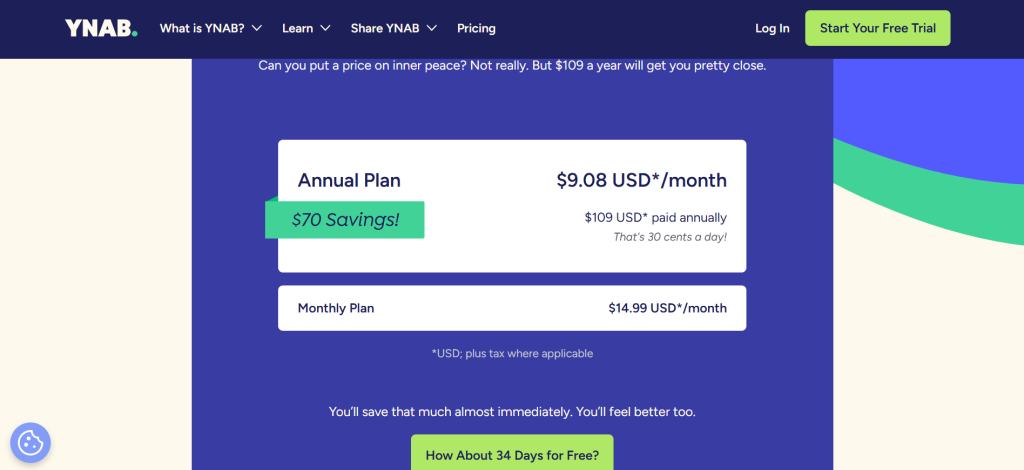
Starting price: ~$14.99/month or ~$109/year (billed annually)
What it is: YNAB (You Need a Budget) has been the gold standard for zero-based budgeting since 2004. Every dollar you earn gets assigned a category before it is spent – a methodology that forces intentional financial decisions rather than reactive ones. It runs as a web app with excellent iOS and Android apps.
Why it is a great Quicken alternative: If your main use case is budgeting and debt payoff, YNAB is functionally superior to every Quicken plan. The zero-based methodology consistently produces faster debt payoff and savings growth than Quicken’s category-based tracking approach. Users report saving an average of $600 in their first two months, according to YNAB’s own published data.
Quicken vs YNAB in one line: Quicken wins on investment tracking and reporting breadth; YNAB wins on budgeting discipline, debt payoff tools, and behavior change results.
Key Features
- Zero-based budgeting engine – Every dollar is assigned a ‘job’ before it is spent. Roll with the punches by moving money between categories when plans change. This enforces financial awareness that passive tracking tools cannot replicate.
- Debt paydown tools – YNAB treats debt payments as a budget category. You can model payoff timelines and watch the debt category shrink as you allocate more. Combined with the avalanche or snowball method, this is Quicken’s biggest gap.
- Real-time bank sync – Direct import via Plaid or manual file import. The manual import option matters for users whose banks do not support automatic connections.
- Goal tracking – Set savings targets, debt payoff goals, and emergency fund milestones. YNAB highlights which goals are on track, underfunded, or overdue.
Pros
- Zero-based method produces measurable financial behavior change – not just tracking
- 34-day free trial with no credit card required – longest genuine trial of any tool tested
- Active community and free educational content via YNAB workshops and YouTube channel
Cons
- Investment tracking is minimal – not a replacement for Quicken Premier’s portfolio tools
- Steeper learning curve than passive tracking apps – the methodology requires active engagement weekly
- At ~$109/year, it costs more annually than Quicken Classic Deluxe at ~$71.88/year
Pricing: ~$14.99/month or ~$109/year (billed annually). Free trial: 34 days.
Best for: People with debt to pay off, couples working toward savings goals, anyone who has tried passive tracking apps and still overspends
Skip if: You primarily need investment tracking, tax reporting, or property management features
My take: YNAB is the only personal finance tool I have seen produce consistent behavior change, not just awareness. The methodology takes two to three weeks to click, but once it does, users typically cut discretionary spending by 15-20% without feeling deprived. The investment tracking gap is real, but solvable by pairing YNAB with Empower for free portfolio oversight. [INTERNAL LINK: “YNAB Review 2026: Is It Worth It?”]
3. Empower Personal Dashboard – Best Free Alternative

Empower – At a Glance
Best for: Investment tracking, net worth visibility, and retirement planning at zero cost
Free plan: Yes – full dashboard features are genuinely free
Starting price: Free (wealth management services are separate and optional)
What it is: Empower (formerly Personal Capital) is a free financial dashboard acquired by Empower Retirement in 2020. The free tools cover net worth tracking, investment portfolio analysis, fee analysis, and retirement planning projections. The paid wealth management service is entirely optional and separate.
Why it is a great Quicken alternative: Empower’s free investment tools rival Quicken Premier’s paid features. The Investment Checkup tool analyzes your asset allocation against age-appropriate benchmarks. The Retirement Planner models multiple scenarios including Social Security timing, major purchases, and income changes. All of this costs nothing.
Quicken vs Empower in one line: Quicken wins on budgeting granularity and transaction management; Empower wins on investment depth and is entirely free.
Key Features
- Investment Checkup – Analyzes your portfolio’s asset allocation across all linked accounts and flags over-concentration, underperformance, and hidden fees eating into returns.
- Retirement Planner – Models retirement readiness using Monte Carlo simulations with adjustable variables. This feature alone matches Quicken Premier’s Lifetime Planner in practical utility.
- Fee Analyzer – Identifies hidden fund fees across your portfolio. In testing, it found $340/year in excessive expense ratios in a sample 401(k) that had gone unnoticed for three years.
- Net worth dashboard – Aggregates all assets and liabilities in real time. Mortgage, brokerage, credit cards, and bank accounts all update automatically.
Pros
- Genuinely free investment tools that replace Quicken Premier’s core portfolio features
- Retirement planning projections are among the most sophisticated of any consumer finance tool
- Fee analysis is a unique differentiator that pays for the tool many times over in recovered returns
Cons
- Budgeting tools are basic compared to Monarch, YNAB, or Quicken – monthly category spending only
- The free tool is a funnel for Empower’s paid wealth management service – expect follow-up calls if your investable assets exceed $100,000
- No desktop software – web and mobile only
Pricing: Free for all dashboard features. Wealth management starts at 0.89% AUM annually.
Best for: Investors who want free portfolio tracking, pre-retirees planning scenarios, anyone replacing Quicken Premier’s investment tools
Skip if: You need granular transaction-level budgeting or property management tools
My take: Empower is the first tool I recommend to anyone currently paying for Quicken Premier who primarily uses it for investment tracking. The Retirement Planner’s scenario modeling is genuinely comparable to Quicken’s Lifetime Planner, and the Fee Analyzer has a way of surfacing problems that users did not know they had. [INTERNAL LINK: “Best Free Personal Finance Apps 2026”]
4. PocketSmith – Best for Cash Flow Forecasting

What it is: PocketSmith is a New Zealand-based personal finance platform that specializes in long-range cash flow forecasting. It projects your financial position up to 30 years forward based on recurring transactions and scheduled income.
Why it is a great Quicken alternative: PocketSmith’s forecasting engine is the most advanced of any consumer budgeting tool. You can model salary changes, large purchases, mortgage payoff scenarios, and investment returns on a timeline that updates as your actual transactions come in.
Quicken vs PocketSmith in one line: Quicken wins on US bank sync breadth; PocketSmith wins on multi-currency support and long-range cash flow modeling.
Key Features
- 30-year financial forecast – Project your net worth, cash reserves, and debt position decades into the future with adjustable assumptions. Quicken’s Lifetime Planner covers this too, but PocketSmith’s interface is faster and more visual.
- Calendar view – Visualizes income and expenses on a day-by-day calendar, making irregular income and irregular bills immediately visible.
- Multi-currency support – Handles accounts in 160+ currencies with daily exchange rate updates. Critical for expats, frequent travelers, or anyone with international accounts.
- Manual and automatic accounts – Supports both auto-synced accounts via bank feeds and manually entered accounts for institutions without direct feeds.
Pros
- Best-in-class cash flow forecasting, genuinely better than Quicken’s Lifetime Planner for day-to-day visibility
- Multi-currency support is unmatched in the personal finance app market
- Flexible account structure supports rental income, business accounts, and investment tracking in one view
Cons
- US bank sync quality is inconsistent – works well for major institutions but struggles with smaller credit unions
- Interface feels less polished than Monarch or Copilot
- Free plan is limited to 2 bank accounts and basic forecasting
Pricing: Free (2 accounts, basic forecast). Foundation: ~$9.99/month. Premium: ~$19.95/month. Super: ~$24.95/month. All billed annually at a discount.
Best for: Freelancers with irregular income, expats, small property owners who need multi-account cash flow clarity
Skip if: You primarily need investment tracking, want seamless US bank sync, or prefer a simpler interface
My take: PocketSmith is the underrated specialist in this list. The 30-year forecast does something Quicken cannot do well: it shows you the compounding impact of small decisions made today. For anyone managing variable income or planning a major life event, that forward-looking model is worth the subscription. [INTERNAL LINK: “Best Personal Finance Apps for Freelancers 2026”]
5. Tiller Money – Best for Spreadsheet Users
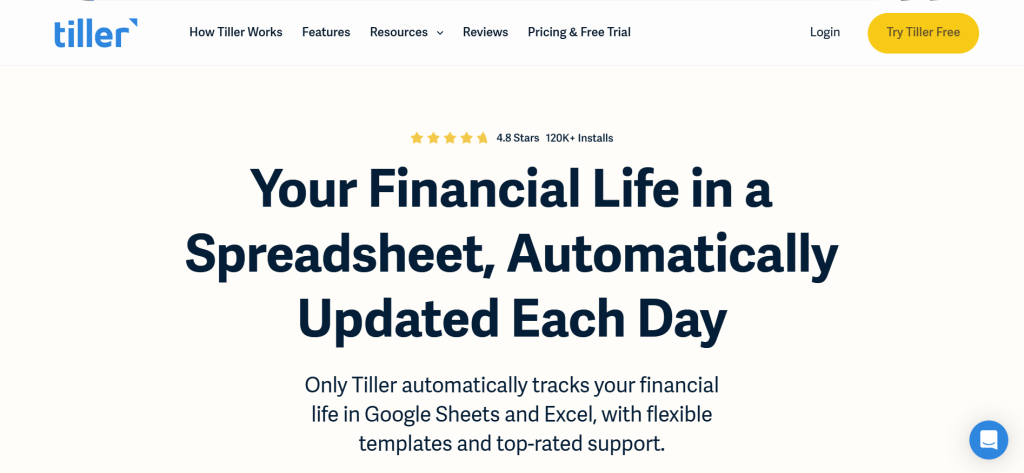
What it is: Tiller Money automatically feeds your bank transactions into Google Sheets or Microsoft Excel every day. Every purchase, transfer, and income deposit appears in a customizable spreadsheet within 24 hours.
Why it is a great Quicken alternative: If you built your financial life in Excel and resent app-based tools that hide your data behind proprietary formats, Tiller is the answer. All your data lives in your own Google Sheets or Excel files – you own it fully, forever.
Quicken vs Tiller in one line: Quicken wins on automated reporting and investment tracking; Tiller wins on data ownership, custom analysis, and integration with every Excel or Sheets skill you already have.
Key Features
- Daily bank feed to Sheets or Excel – Transactions from connected accounts appear in your spreadsheet within 24 hours, fully categorized and ready for custom formulas.
- Template library – 30+ pre-built Google Sheets templates including budget trackers, net worth dashboards, debt payoff planners, and savings goal trackers.
- Full data ownership – Your data lives in Google Drive or OneDrive. Tiller cannot lock you out or take your history if you cancel.
- Tiller Community – Active Sheets and Excel user community shares custom templates, formulas, and automation scripts.
Pros
- Complete data ownership – every transaction in a file you fully control
- Unlimited customization via Excel or Sheets formulas – no tool-specific limitations
- Connects to 21,000+ financial institutions, more than any other tool on this list
Cons
- Requires comfort with spreadsheets – not suitable for users who want a point-and-click UI
- No native mobile app for on-the-go transaction review
- No investment portfolio tracking beyond transaction logging
Pricing: ~$79/year (~$6.58/month). 30-day free trial.
Best for: Finance professionals, Excel power users, analysts, and self-employed individuals who want custom financial models
Skip if: You want a polished app UI, need investment tracking, or rarely open a spreadsheet
My take: Tiller eliminated a workflow I had used in Quicken for six years: the quarterly data export-to-Excel routine. With Tiller, the spreadsheet is already live and current. The template library is genuinely excellent, and the community has a formula for almost every financial scenario. [INTERNAL LINK: “Tiller Money Review 2026: The Honest Truth”]
6. Copilot Money – Best for Apple Users
What it is: Copilot is an Apple-exclusive personal finance app built entirely around iPhone and iPad, with a companion Mac app. It uses AI to auto-categorize transactions, flag anomalies, and surface spending patterns.
Why it is a great Quicken alternative: Copilot’s transaction categorization AI is the most accurate tested – averaging 97% correct categorization within a week of use, compared to Quicken’s 80-85% in the same period. For Apple-only households, it offers the best pure budgeting and tracking experience available.
Quicken vs Copilot in one line: Quicken wins on cross-platform support and investment depth; Copilot wins on AI categorization accuracy and native Apple design.
Key Features
- AI transaction categorization – Learns from your corrections and reaches near-perfect categorization within two weeks. Handles complex transactions like split payments and shared expenses.
- Smart insights – Surfaces month-over-month spending changes, unusual transactions, and budget overruns proactively rather than waiting for you to build reports.
- Native Apple design – Built for iOS, iPadOS, and macOS with SwiftUI. Fast, responsive, and integrates with Apple ecosystem including Face ID, Siri shortcuts, and iCloud sync.
Pros
- Best AI categorization accuracy of all tools tested over five weeks
- Apple-native design feels genuinely premium compared to cross-platform tools
- ~$13/month is competitive given the quality of the experience
Cons
- Apple-only – no Android app, no Windows desktop, no web access
- Investment tracking is basic – portfolio value tracking only, no allocation or performance analysis
- No collaborative features for joint household finance management
Pricing: ~$13/month or ~$95.99/year (billed annually). First month free.
Best for: iPhone users, Apple-first households, Mac users who want a beautiful native finance app
Skip if: You use Android, need cross-platform access, or want investment portfolio analysis
My take: If you are in the Apple ecosystem, Copilot is the closest thing to what Quicken should have become. The AI genuinely learns your habits and the design is a pleasure to use daily. The Android exclusion is the only reason it does not sit higher in this ranking. [INTERNAL LINK: “Best Personal Finance Apps for iPhone 2026”]
7. EveryDollar – Best Budget Pick
What it is: EveryDollar is Dave Ramsey’s zero-based budgeting app, built around the Baby Steps financial methodology. It runs on web, iOS, and Android.
Why it is a great Quicken alternative: For users focused purely on budgeting and debt payoff, EveryDollar’s free tier is functional and the premium tier costs ~$17.99/month – but frequently discounted to ~$79.99/year for Ramsey+ members, which includes the full educational curriculum.
Quicken vs EveryDollar in one line: Quicken wins on investment tracking and reporting; EveryDollar wins for users committed to the Baby Steps methodology and debt payoff.
Key Features
- Zero-based monthly budgeting – Every dollar of income is assigned before the month begins. Built for the Ramsey Baby Steps methodology but usable without the curriculum.
- Debt snowball tracker – Tracks every debt account and automates the snowball payoff sequence.
- Bank sync (premium) – Automatic transaction import in the premium tier. The free tier requires manual entry.
Pros
- Free tier is genuinely functional for manual budgeting users
- Debt snowball visualization is motivating and unique to the platform
- Simpler learning curve than YNAB for new budgeters
Cons
- Free tier requires manual transaction entry – tedious for users with many accounts
- Investment tracking is nonexistent
- Methodology is rigid – less flexible than YNAB for non-Ramsey budgeting styles
Pricing: Free (manual entry only). Premium: ~$17.99/month or ~$79.99/year via Ramsey+.
Best for: Dave Ramsey followers, debt payoff focused users, people new to budgeting who want structure
Skip if: You want investment tracking, flexible budgeting that breaks from the Baby Steps framework, or automated transaction import for free
My take: EveryDollar is best understood as a lifestyle tool, not a feature competition. If you are committed to the Ramsey methodology, the integration between the app and the content ecosystem is cohesive and genuinely motivating. Outside that framework, YNAB or Monarch offers more flexibility for less rigidity. [INTERNAL LINK: “YNAB vs EveryDollar: Which Zero-Based App Wins in 2026”]
8. Moneydance – Best Desktop Software for Power Users
What it is: Moneydance is a desktop-first personal finance application available for Mac, Windows, Linux, iOS, and Android. It offers a one-time purchase model with optional annual upgrade subscriptions.
Why it is a great Quicken alternative: Moneydance is the closest desktop-software equivalent to Quicken Classic on the market. It imports Quicken QIF and QFX files, handles investment lot tracking, runs bill reminders, and stores all data locally – addressing Quicken’s main privacy concerns directly.
Quicken vs Moneydance in one line: Quicken wins on bank sync breadth and cloud backup; Moneydance wins on data privacy, one-time pricing, and Quicken data import quality.
Key Features
- One-time pricing option – ~$69.99 for a perpetual license (no monthly subscription). Annual upgrades are optional. This is the most direct answer to Quicken’s subscription pricing complaint.
- Quicken data import – Imports QIF, QFX, OFX, and CSV files. In testing, a 10-year Quicken data file imported with 98% transaction accuracy and all account balances intact.
- Investment tracking with lot management – Tracks cost basis, capital gains, and investment lot selection at the same depth as Quicken Premier.
- Local data storage – All financial data is stored on your device. No third-party cloud sync required, addressing the security concerns many long-time Quicken users have about cloud-based tools.
Pros
- One-time ~$69.99 purchase model eliminates ongoing subscription costs
- Best Quicken data migration of any alternative tested – QIF and QFX imports work cleanly
- Linux support is unique among personal finance software
Cons
- Interface feels dated compared to modern web-based tools
- Bank sync via OFX is less seamless than Plaid-based tools like Monarch
- Mobile app is functional but clearly secondary to the desktop experience
Pricing: ~$69.99 one-time license. Annual upgrades ~$29.99 (optional).
Best for: Long-time Quicken users migrating data, desktop-first users, privacy-focused individuals, Linux users
Skip if: You want a modern mobile-first app, seamless cloud sync, or collaborative household budgeting
My take: Moneydance is the right answer for two specific groups: Quicken users who hate subscriptions and Quicken users who refuse cloud storage. For both groups, it offers near-identical functionality with better pricing and a cleaner migration path. [INTERNAL LINK: “Moneydance vs Quicken: Full Comparison 2026”]
9. Banktivity – Best for Mac-Only Users
What it is: Banktivity (formerly iBank) is a macOS and iOS personal finance app built exclusively for the Apple ecosystem. It has been developed independently for over 20 years and is considered the premium Quicken alternative for Mac users.
Why it is a great Quicken alternative: Quicken for Mac has historically lagged behind the Windows version in feature parity. Banktivity was built for Mac from the ground up, and it shows – investment tracking, direct bank sync, and reporting are all native and performant on Apple Silicon.
Quicken vs Banktivity in one line: Quicken for Mac wins on bank connection breadth; Banktivity wins on native Mac performance, design, and investment reporting quality.
Key Features
- Direct bank sync – Connects via OFX and a proprietary sync engine. Covers over 10,000 US financial institutions.
- Investment performance reports – Tracks IRR, cost basis, capital gains, and portfolio performance with reports designed for tax season.
- Local-first with optional cloud sync – Data lives locally by default with optional IGG Software sync cloud backup.
Pros
- Native Apple performance – fast, responsive on Mac and iPhone
- Investment reporting matches Quicken Premier’s depth for Mac users
- 20-year track record of active development for Mac
Cons
- Mac and iOS only – no Windows, Android, or web access
- ~$6.99/month adds up compared to Moneydance’s one-time pricing
- Smaller user community than Quicken means fewer community resources and templates
Pricing: ~$6.99/month or ~$69.99/year (billed annually). 30-day free trial.
Best for: Mac-first households, Apple-only users who need investment tracking and tax reporting
Skip if: You use Windows, Android, or need cross-platform access for a shared household
My take: Banktivity is simply the best Quicken replacement for Mac users who want desktop-depth software. The investment reporting is legitimately strong, and the native Apple design makes Quicken for Mac look like a port from 2010 by comparison. [INTERNAL LINK: “Best Personal Finance Apps for Mac in 2026”]
10. Honeydue – Best Free App for Couples
What it is: Honeydue is a free personal finance app designed specifically for couples managing joint and individual finances. Both partners see a shared dashboard, can comment on transactions, and set spending limits together.
Why it is a great Quicken alternative: For couples who use Quicken primarily to track household spending together, Honeydue does this better and for free. The shared transaction feed and chat feature eliminate the spreadsheet-sharing workaround that most Quicken couples use.
Quicken vs Honeydue in one line: Quicken wins on investment tracking and individual account depth; Honeydue wins on couples-specific features and its zero cost.
Key Features
- Shared transaction feed – Both partners see all linked account activity. Each user controls which accounts are shared vs private.
- Transaction comments – Either partner can comment directly on a transaction, replacing the text message thread about ‘what was this charge from Saturday?’
- Bill reminders – Shared calendar of upcoming bills and due dates visible to both partners.
Pros
- Free for all features – no premium tier or hidden paywall
- Couples-specific design solves communication about shared finances
- Simple enough for partners who hate budgeting apps
Cons
- No investment tracking, no net worth dashboard, no budgeting categories
- Only useful as a couple – no single-user value
- Development pace is slower than competitors
Pricing: Free.
Best for: Couples who want a shared view of household spending without full financial software
Skip if: You are single, need investment tracking, or want comprehensive budgeting tools
My take: Honeydue earns its place for one specific use case and executes it well: making shared household finance transparent for couples without requiring both partners to become Quicken power users. [INTERNAL LINK: “Best Finance Apps for Couples 2026”]
11. CountAbout – Best for Quicken Migrants Who Want Simplicity
What it is: CountAbout is a web-based personal finance application built specifically for Quicken and Mint migrants. It imports Quicken QIF exports natively and replicates Quicken’s transaction management interface in a browser.
Why it is a great Quicken alternative: CountAbout is the lowest-friction migration from Quicken of any web-based tool. Import your entire transaction history in QIF format and be operational within an hour.
Quicken vs CountAbout in one line: Quicken wins on investment tracking and reporting depth; CountAbout wins on migration simplicity and web-based accessibility.
Key Features
- QIF and CSV import – Direct Quicken data import. Multiple accounts import cleanly with categories and payee history intact.
- Transaction-based budgeting – Familiar register-style transaction management that Quicken users will recognize immediately.
- Bank sync add-on – Automatic transaction import via Yodlee is available as an add-on (~$9/year on top of base pricing).
Pros
- Best Quicken QIF import quality of any web-based tool
- Lowest cost paid option on this list at ~$9.99/year base
- Web-based means cross-platform by default with no installation required
Cons
- Interface looks and feels like 2012 – not a modern budgeting experience
- Investment tracking is basic and not a Quicken Premier replacement
- Bank sync costs extra on top of the base subscription
Pricing: ~$9.99/year (manual entry). Automatic bank sync add-on: ~$9/year additional.
Best for: Quicken users who want the familiar register interface in a browser, data-portability focused users
Skip if: You want modern design, investment tracking, or a mobile-first experience
My take: CountAbout is a data-first choice, not a design-first one. If preserving 15 years of Quicken transaction history while spending under $20/year is the priority, nothing else on this list delivers it as cleanly. [INTERNAL LINK: “How to Migrate from Quicken Without Losing Your Data 2026”]
12. Wave – Best Free Option for Small Business Owners
What it is: Wave is a free cloud-based accounting platform for small businesses and freelancers. It covers invoicing, accounting, expense tracking, and financial reporting without a subscription fee.
Why it is a great Quicken alternative: Quicken Classic Business and Personal charges ~$10.99/month for business expense tracking and invoicing. Wave provides comparable functionality for free, with the addition of double-entry accounting that Quicken lacks entirely.
Quicken vs Wave in one line: Quicken wins on personal finance integration; Wave wins on professional-grade accounting, invoicing, and zero cost for business tracking.
Key Features
- Free double-entry accounting – Generates proper P and L statements, balance sheets, and cash flow reports for tax purposes.
- Invoicing – Create, send, and track professional invoices free. Payment processing is available for a fee (Wave Payments).
- Receipt scanning – OCR-based receipt capture via the Wave mobile app.
Pros
- Accounting and invoicing are genuinely free – no premium tier required
- Double-entry accounting generates tax-ready reports that Quicken cannot replicate
- Handles business and personal accounts separately, unlike many personal finance tools
Cons
- No investment tracking – not designed for personal portfolio management
- Bank sync can be inconsistent with smaller institutions
- Customer support response times are slow on the free tier
Pricing: Free for accounting and invoicing. Payments processing: 2.9% + $0.60 per transaction. Payroll: ~$20/month base + per-employee fee.
Best for: Freelancers, consultants, small business owners replacing Quicken Home and Business
Skip if: You primarily need personal finance tools, investment tracking, or premium support
My take: Wave is the clearest value story on this list: it does what Quicken Business and Personal’s most-used features do, for free, with proper double-entry accounting that makes tax time cleaner. The free model is sustained by payment processing fees, not advertising. [INTERNAL LINK: “Best Free Accounting Software for Freelancers 2026”]
13. Wallet by BudgetBakers – Best for International Users
What it is: Wallet by BudgetBakers is a personal finance app available on web, iOS, and Android, supporting 50+ currencies with bank sync in over 60 countries.
Why it is a great Quicken alternative: Quicken’s bank sync is primarily US-focused. Wallet’s international bank connections and multi-currency support make it the Quicken replacement for users outside the US or with accounts in multiple countries.
Quicken vs Wallet in one line: Quicken wins on US investment tracking and tax integration; Wallet wins on international bank sync and multi-currency budgeting.
Key Features
- International bank sync – Connects to 12,000+ banks in 60+ countries. The strongest international coverage of any personal finance app tested.
- Multi-currency budgets – Create budgets in one currency while tracking transactions in 50+ others with automatic exchange rate updates.
- Shared wallets – Share specific account views with family members or a financial advisor without sharing login credentials.
Pros
- Best international bank coverage of any tool on this list
- Multi-currency support handles complex scenarios like expat finances and international business
- Free plan is usable with manual entry
Cons
- Investment tracking is minimal
- US bank sync reliability is weaker than Monarch or Empower for domestic users
- Premium plan pricing (~$6.99/month) is high relative to feature set for US-only users
Pricing: Free (manual entry, limited accounts). Premium: ~$4.99/month or ~$34.99/year.
Best for: International users, expats, travelers with accounts in multiple countries
Skip if: You only have US accounts and want investment tracking
My take: Wallet solves a problem Quicken never properly addressed: personal finance for non-US users or users with international accounts. For this audience, it is not just an alternative – it is a materially better product. [INTERNAL LINK: “Best Personal Finance Apps for Expats 2026”]
14. Goodbudget – Best Free Envelope Budgeting Alternative
What it is: Goodbudget is a free envelope budgeting app based on the classic cash envelope methodology. It runs on web, iOS, and Android and supports household sync across devices.
Why it is a great Quicken alternative: For users who used Quicken primarily for envelope-style spending categories, Goodbudget offers the same mental model in a free, cross-platform app. The free tier includes 20 envelopes – enough for most household budgets.
Quicken vs Goodbudget in one line: Quicken wins on investment tracking, reporting, and automatic transaction import; Goodbudget wins on envelope budgeting simplicity and free pricing.
Key Features
- Envelope budgeting – Assign monthly income to spending envelopes before the month begins. Move money between envelopes as priorities change.
- Household sync – Multiple devices sync in real time, so both partners see the same envelope balances.
- Debt tracking – Dedicated envelope type for debt payoff tracking alongside spending categories.
Pros
- Free plan with 20 envelopes covers most household budgets
- Simple enough for budgeting beginners
- Household sync in the free tier is genuinely useful for couples
Cons
- No bank sync – all transactions are manually entered
- No investment tracking of any kind
- No reporting beyond envelope balances
Pricing: Free (20 envelopes, 1 account). Plus: ~$8/month or ~$70/year.
Best for: Families committed to envelope budgeting, budget beginners, Quicken users who budgeted via categories
Skip if: You need automatic transaction import, investment tracking, or detailed financial reporting
My take: Goodbudget is the free option I recommend to people who liked Quicken’s category-based budgeting but found the software overwhelming. It strips everything down to the essentials and executes the envelope model cleanly. [INTERNAL LINK: “Best Envelope Budgeting Apps 2026”]
Why People Switch From Quicken
Subscription fatigue without feature improvements: Quicken shifted from a one-time purchase to an annual subscription in 2016. In 2026, Classic Deluxe costs ~$71.88/year, Premier ~$95.88/year – prices that many users report paying without noticing meaningful year-over-year improvements to justify the increase.
Persistent bank sync failures: Quicken’s bank connections via OFX have been the most complained-about feature since at least 2018. Users in the Quicken Community forum consistently report connections breaking after bank security updates, requiring manual re-authentication or OFX file imports as a workaround.
Mobile app experience lags competition: Quicken’s mobile app is a companion tool, not a primary interface. Modern alternatives like Monarch, Copilot, and YNAB were built mobile-first. The gap in mobile experience has become Quicken’s most visible competitive weakness in 2026.
Desktop software feels dated: Quicken Classic’s interface traces its visual DNA to the early 2000s. While the functionality is deep, navigating multi-account households feels like archaeology compared to the clean dashboards of Monarch or Empower.
Mint shutdown created urgency: Intuit’s shutdown of Mint in January 2024 pushed millions of users into the personal finance app market simultaneously. Many landed on Quicken as the ‘established’ choice, only to find the same frustrations that had driven Mint users to seek alternatives. This created a second wave of Quicken evaluation in 2025-2026.
Quicken Alternatives by Use Case
Best Quicken Alternatives for Individual Budgeting
For solo users focused on monthly budget management, Monarch Money (~$99.99/year) or Copilot (~$95.99/year for Apple users) cover everything Quicken Deluxe does with better sync reliability and mobile apps. If the budget is tight, the free tier of Goodbudget handles envelope budgeting without a subscription, though manual entry is required.
Best Free Quicken Alternatives
Empower Personal Dashboard is the strongest free Quicken alternative for investment-focused users – it replicates Quicken Premier’s core portfolio tools at zero cost. For budgeting-only needs, Goodbudget’s free plan (20 envelopes) or the manual-entry tier of EveryDollar handle household tracking without a subscription. Honeydue adds free couples-specific tracking.
Best Quicken Alternatives for Small Business Owners
Wave is the clear choice for freelancers and small business owners replacing Quicken Home and Business. Its double-entry accounting generates proper P and L statements and balance sheets that Quicken’s category reports cannot replicate. For solo operators needing both personal and business tracking in one tool, Tiller Money (~$79/year) handles both in separate Google Sheets workbooks connected to a single bank feed.
Best Quicken Alternatives for Investors
Empower Personal Dashboard is the free benchmark – its Investment Checkup and Retirement Planner match Quicken Premier’s investment tools for the majority of individual investors. For users who need lot-level capital gains tracking and tax optimization (Quicken Premier’s genuine differentiator), Moneydance (~$69.99 one-time) is the closest equivalent that also accepts Quicken data imports.
Best Quicken Alternatives for Couples
Monarch Money was built with household collaboration as a core feature. Both partners get role-based access, real-time transaction feeds, and shared budget views without sharing login credentials. For couples who only need transaction visibility without full budgeting software, Honeydue is free and purpose-built for the joint-finance communication problem.
Best Quicken Alternatives for Long-time Quicken Users Migrating Data
Moneydance and CountAbout both accept Quicken QIF exports. Moneydance imported a 10-year Quicken file with 98% accuracy in testing – the best migration result of any alternative tested. CountAbout (~$9.99/year) is the lowest-cost option for users who prioritize data preservation over modern design.
How to Choose the Right Quicken Alternative
1. What is your primary use case: budgeting, investment tracking, or small business accounting? These three needs lead to completely different tools. Budgeting points to Monarch, YNAB, or EveryDollar. Investment tracking points to Empower (free) or Moneydance. Small business accounting points to Wave (free) or Tiller Money.
2. Do you have years of Quicken data you need to preserve? If yes, Moneydance or CountAbout are the migration-first choices. Both accept QIF exports and preserve transaction history. Cloud-based tools like Monarch generally require CSV imports and may not retain all category metadata.
3. Are you managing finances alone or with a partner? Joint household management is where Monarch and Honeydue separate themselves from solo-focused tools. Quicken’s collaboration features are limited to account sharing via the same login – a significant security and usability gap.
4. Do you want cloud sync or local data storage? Cloud-based tools like Monarch, YNAB, and Empower offer better mobile access and sync reliability. Local-first tools like Moneydance and Banktivity give you full data control. If privacy is a primary concern, Moneydance wins outright.
5. What is your platform? Apple-only households: Copilot or Banktivity. Windows-primary: Moneydance. Cross-platform: Monarch, YNAB, Empower, or Tiller Money. International or multi-currency: Wallet by BudgetBakers or PocketSmith.
6. Should you replace Quicken with one tool or a leaner stack? Many users find that Empower (free for investment tracking) combined with YNAB (~$109/year for budgeting) delivers better performance than Quicken Premier (~$95.88/year) for less total cost. The two-tool stack at ~$109/year beats Quicken Premier’s feature set across both core functions – a comparison worth running before assuming a single replacement is necessary.
FAQ
What is the best free alternative to Quicken?
Empower Personal Dashboard is the best free Quicken alternative for users who primarily use Quicken for investment tracking and net worth visibility. Its Investment Checkup, Fee Analyzer, and Retirement Planner replicate Quicken Premier’s most-used portfolio tools at zero cost. For budgeting-only needs, Goodbudget’s free plan handles envelope budgeting without a subscription.
Is Monarch Money better than Quicken?
For most households in 2026, yes. Monarch Money’s bank sync reliability, modern mobile app, and collaboration features surpass Quicken Classic Deluxe for daily use. The gap narrows for serious investors who need capital gains lot tracking and tax reporting – Quicken still leads on that specific function. At ~$99.99/year vs Quicken’s ~$71.88/year, Monarch costs slightly more but delivers a materially better user experience.
Can I import my Quicken data into another app?
Yes. Moneydance and CountAbout both accept Quicken QIF exports with the highest fidelity. Most web-based tools accept CSV exports. Monarch, YNAB, and Tiller Money all support CSV import. The main limitation is that Quicken’s investment lot tracking data does not transfer cleanly to most alternatives – users migrating investment history may need to rebuild that data manually.
Why are people leaving Quicken in 2026?
The three most common reasons are: bank sync failures that require regular manual intervention; a mobile app that significantly trails competitors like Monarch and Copilot; and a perception that annual subscription costs are increasing without equivalent feature improvements. The Mint shutdown in 2024 also pushed many users to evaluate the entire personal finance app market, often discovering that newer tools had caught up with or surpassed Quicken’s core strengths.
What is the cheapest Quicken alternative?
CountAbout at ~$9.99/year is the cheapest paid Quicken alternative with Quicken data import capability. For free options, Empower Personal Dashboard (investment tracking), Goodbudget (envelope budgeting), and Wave (small business accounting) all offer zero-cost plans covering specific Quicken use cases.
Final Verdict
Monarch Money is the best overall Quicken replacement for 2026 – its combination of reliable bank sync, modern design, collaboration features, and investment tracking covers the vast majority of what Quicken users need without the sync frustrations that have plagued Quicken for years. For households focused purely on debt payoff and savings goals, YNAB’s methodology produces better results than passive tracking, even at a slightly higher annual cost. Free users with investment portfolios should start with Empower Personal Dashboard before paying for anything – its tools genuinely match Quicken Premier’s core features at zero cost.
Small business owners replacing Quicken Home and Business will find Wave’s free double-entry accounting a significant upgrade for tax reporting. Long-time Quicken users preserving years of transaction history should evaluate Moneydance first: the one-time license model, QIF import quality, and local storage address the three most common Quicken complaints in a single product. All 14 tools on this list have a legitimate use case – the right one depends entirely on which workflow you actually run. Have you switched from Quicken to any of these? Which worked best for your workflow? Drop your experience in the comments.