Pinterest has a problem it will not admit publicly. The platform that built its reputation on clean, distraction-free visual discovery has become one of the most ad-saturated feeds on the web. In 2025, Pinterest generated over $3.6 billion in revenue, and a meaningful chunk of that came from inserting sponsored pins between every three to four organic saves. Users on Reddit have labeled the experience ‘unusable.’ Creators who relied on Pinterest for organic traffic have watched reach collapse while the algorithm increasingly favors product listings over genuine inspiration boards. And if you are a designer or researcher who saves content with intent, the broken links and AI-generated spam have turned the platform into a minefield.
After five weeks of testing across real client projects, personal mood boards, and team workflows, the best Pinterest alternatives in 2026 are Milanote for creative teams and agencies, Dribbble for design professionals who want community alongside inspiration, and Are.na for anyone who needs an ad-free, research-quality curation experience. What makes 2026’s evaluation different from prior years is the rise of purpose-built tools. Platforms are no longer trying to replicate Pinterest’s social graph. They are solving specific problems: better organization, privacy-first saving, professional networking, or focused design inspiration without lifestyle content noise.
The best free option is Behance. It is completely free to use, gives you unlimited portfolio space, and has an active community of 50+ million members. If you are primarily using Pinterest to get feedback on creative work and stay connected to industry trends, Behance replaces it without costing a dollar.
Here are all 15 tools I tested, with real pros, cons, and a no-bias verdict on who each one is actually for.
Quick Comparison Table
| Alternative | Best For | Free Plan? | Starting Price | My Rating |
|---|---|---|---|---|
| Milanote | Creative mood boarding, agencies | Yes (100 notes) | ~$9.99/month | 5/5 |
| Dribbble | Design pros seeking clients | Yes (limited) | ~$8/month | 4.5/5 |
| Behance | Portfolio + community feedback | Yes (full) | Free | 4.5/5 |
| Are.na | Ad-free research curation | Yes (200 blocks) | ~$7/month | 4.5/5 |
| Raindrop.io | Visual bookmarking + search | Yes (unlimited) | ~$3/month | 4.5/5 |
| Designspiration | Design discovery by color | Yes | Free | 4/5 |
| Flickr | Photography communities | Yes (1,000 photos) | ~$6.99/month | 4/5 |
| We Heart It | Lifestyle + Gen Z inspiration | Yes (full) | Free | 3.5/5 |
| Mainstream visual discovery | Yes (full) | Free | 3.5/5 | |
| Savee | Designer bookmarking, Figma teams | Yes (limited) | Contact for pricing | 4/5 |
| Tumblr | Visual blogging + niche communities | Yes (full) | Free | 3.5/5 |
| Mix | Content discovery across topics | Yes (full) | Free | 3/5 |
| ArtStation | Digital artists + game/film industry | Yes | ~$9.99/month Pro | 4/5 |
| Houzz | Interior design + home renovation | Yes (full) | Free | 4/5 |
| Magazine-style curated feeds | Yes (full) | Free | 3.5/5 |
Who Should Pick What in 30 Seconds
Best overall Pinterest replacement: Milanote
Best free Pinterest alternative: Behance
Best for designers seeking clients: Dribbble
Best ad-free experience: Are.na
Best for visual bookmarking with search: Raindrop.io
Best for photographers: Flickr
Best for design inspiration by color: Designspiration
Best for digital artists (game/film): ArtStation
Best for home decor and renovation: Houzz
Best for Gen Z lifestyle inspiration: We Heart It
Best for magazine-style content feeds: Flipboard
Best for niche visual blogging: Tumblr
Best mainstream visual platform: Instagram
Best for Figma-integrated bookmarking: Savee
Best for broad content discovery: Mix
How I Evaluated These Tools
I have spent seven years working as a visual content strategist, running creative workflows for SaaS brands, design agencies, and independent creators. During that time, Pinterest has been a tool I have both recommended and abandoned depending on the client’s needs. This evaluation came out of a genuine frustration with what Pinterest has become in 2025 and early 2026, and a real need to find credible alternatives for ongoing client work.
I tested all 15 tools across three distinct environments: a two-person creative agency producing brand mood boards for six clients, a solo UI designer using visual platforms for daily design inspiration and reference saving, and my own personal workflow for research-heavy writing projects. Each tool was used for at least one week in a real workflow, not a staged demo environment.
What I measured across every tool: how fast it loads and saves content, how well it organizes and retrieves saved material, whether the discovery feed surfaces genuinely new content or recycles the same posts, whether ads interrupt the experience, and whether the pricing makes sense for the value delivered. Tools were also scored on cross-device access, collaboration features, and integration with design tools like Figma, Notion, and Adobe Creative Cloud.
No tool on this list paid for placement or coverage. Placement order is based entirely on merit and use-case fit. For broader community sentiment, I also referenced Capterra and Trustpilot user reviews as external data points.
1. Milanote Best for creative mood boarding and agency teams

| Best for: | Designers, creative directors, brand agencies, marketing teams |
| Users: | 2 million+ creative professionals |
| Templates: | 100+ pre-built creative workflow templates |
| Free plan: | Yes: 100 notes/images/links, 10 file uploads, unlimited shared boards |
Milanote is a visual collaboration canvas launched in 2016, built specifically for creative professionals who need a flexible space to organize ideas, briefs, references, and project plans. It sits at the intersection of a mood board tool, a visual notepad, and a project workspace. Unlike Pinterest, which is a public discovery feed with a social layer, Milanote is a private-first creative environment with optional sharing.
As a Pinterest alternative, Milanote wins on depth of organization. Pinterest gives you boards and pins. Milanote gives you nested boards, text notes, to-do lists, color swatches, file attachments, and arrows connecting ideas together. For anyone building a client-facing creative brief or a visual strategy document, there is no comparison.
Pinterest vs Milanote in one line: Pinterest discovers content passively; Milanote organizes it with intention.
Key Features
- Freeform canvas layout: Drag anything anywhere with no grid restrictions. Notes, images, links, files, and video all sit side-by-side on infinite canvas boards.
- Web Clipper Chrome extension: Save images and links from any site to existing Milanote boards in one click. Equivalent to Pinterest’s browser ‘Save’ button but saves directly to your private workspace.
- Real-time collaboration: Multiple team members can edit the same board simultaneously. Comments are threaded directly on the canvas, not in a separate chat layer.
- PDF export: Boards export as high-quality PDFs, which is essential for presenting creative briefs and mood boards to clients who do not use Milanote.
Pros
- Free plan allows unlimited shared boards, which means collaborating with clients costs nothing until you exceed 100 notes
- The canvas model handles mixed-media projects better than any pinboard-style alternative
- Templates for UX research, brand identity, content calendars, and storyboards reduce setup time significantly
Cons
- No built-in content discovery feed: you save what you find, but Milanote does not surface new ideas the way Pinterest does
- Mobile app lacks the full feature set of the desktop version
- Free plan limit of 100 notes fills up faster than expected for active users
Pricing: Free plan (100 notes, 10 file uploads). Pro plan: ~$9.99/month (monthly) or ~$4.99/month (billed annually). Team plan: ~$49/month for up to 10 users.
Best for: Creative agencies, UX designers, brand strategists, anyone building client-facing mood boards
Skip if: You primarily want to browse and discover new content passively; Milanote does not have a discovery feed
My take: Milanote replaced Pinterest entirely in my agency workflow within the first week of testing. The canvas model is not just ‘a better version of boards’, it is a genuinely different way of thinking about creative organization. What stood out during testing was how fast I could share a fully designed creative brief with a client who had never used the tool before. They viewed it in a browser with no login required. The one friction point: the free plan really does limit you to 100 items, and I hit that ceiling by day four on one project. Worth the upgrade at $4.99/month annually without question. [INTERNAL LINK: ‘Milanote vs Notion: Which Is Better for Creative Teams 2026’]
2. Dribbble Best for design professionals seeking client work and inspiration

| Best for: | UI/UX designers, illustrators, brand designers, freelancers |
| Community: | 10 million+ designers worldwide |
| Job board: | Active postings from Apple, Google, and 1,000+ companies |
| Free plan: | Yes: view and follow without posting; posting requires invitation or Pro |
Dribbble is the platform that turned design work into a social currency. Founded in 2009, it built its reputation as an invite-only showcase for top designers. Today the platform has evolved into a full client-facing marketplace where designers can get discovered, receive project briefs, and transact directly. If you are using Pinterest for design inspiration and professional visibility, Dribbble covers both with significantly higher quality content.
Where Pinterest shows you everything from recipe photography to home renovation alongside your design saves, Dribbble is exclusively design. Every ‘shot’ is crafted by a professional. The signal-to-noise ratio is incomparably better for anyone doing design work.
Pinterest vs Dribbble in one line: Pinterest is a visual library for everyone; Dribbble is a professional design network with a discovery engine built in.
Key Features
- Curated shots feed: Browse designs filtered by category (UI, illustration, branding, typography, animation), color palette, or tool used. Unlike Pinterest’s algorithm, Dribbble’s discovery surfaces recent professional work with genuine curation.
- Pro portfolio and client marketplace: Pro members get boosted visibility in designer search, access to client project briefs, and 0% transaction fees on projects completed through the platform.
- Collections: Save shots into organized collections exactly like Pinterest boards, but every item is high-quality design work.
- Integrated Webflow hosting: Pro subscribers get 12 months of Webflow’s Agency or Freelancer plan free, allowing designers to turn their Dribbble portfolio into a live client-facing website.
Pros
- Content quality is consistently high because the community self-selects around professional work
- Pro Annual at $96/year pays for itself if even one client lead converts
- Job board and project brief features make Dribbble a genuine income source, not just an inspiration tool
Cons
- Not a replacement for Pinterest’s lifestyle, food, fashion, or DIY categories
- Posting work requires Pro subscription or an existing invitation from the community
- Discovery algorithm increasingly rewards high-follower accounts, which makes it harder for new designers to surface organically
Pricing: Free (browsing and following). Lite: ~$8/month . Standard: ~$16/month . Plus: ~$199/month.
Best for: Freelance designers, UI/UX professionals, creative agencies building a client pipeline
Skip if: You need inspiration across lifestyle, food, or DIY categories; Dribbble does not cover these
My take: The discovery experience on Dribbble is genuinely better than Pinterest for design work. During testing I found that a 20-minute browse through Dribbble consistently surfaced 8 to 10 pieces of work I had never seen before. The same session on Pinterest served me three sponsored pins per scroll before reaching anything useful. If you are a designer, this is the first tool I would recommend switching to. [INTERNAL LINK: ‘Dribbble vs Behance: Which Platform Gets Designers More Clients 2026’]
3. Behance Best free portfolio and inspiration platform for creative professionals

| Best for: | Designers, illustrators, photographers, motion artists |
| Community: | 50 million+ members worldwide |
| Owned by: | Adobe (acquired 2012) |
| Free plan: | Yes: fully free with no posting limits |
Behance is Adobe’s flagship creative community platform, acquired in 2012 and now home to over 50 million members. Unlike Dribbble, Behance has no paywall on posting or audience building. Any creative professional can create a profile, upload work, and be discovered by potential clients and collaborators without paying anything. The platform supports detailed project presentations with process documentation, making it better than Pinterest for showcasing the story behind the work.
Behance beats Pinterest as a discovery tool because every project is tagged with tools used, industry, and creative field. Searching ‘brand identity’ on Behance returns polished case studies with rationale. Searching it on Pinterest returns a mix of template mockups, sponsored pins, and lifestyle imagery.
Pinterest vs Behance in one line: Pinterest curates visual inspiration broadly; Behance presents the professional creative work in full context.
Key Features
- Project-based presentations: Upload full creative case studies with before/after shots, process documentation, and multiple image sequences. Clients see the thinking, not just the output.
- Adobe Creative Cloud integration: Publish directly from Photoshop, Illustrator, and InDesign. For teams already on Adobe’s suite, this removes the friction of exporting and re-uploading.
- Curated galleries and Moodboards: Adobe curators surface standout work in themed galleries. Users can also create private moodboards from saved content.
- Job and freelance listings: Integrated job board through Adobe Talent connects creatives directly with companies posting design roles.
Pros
- Completely free with no limits on posting, followers, or content volume
- Adobe integration means zero friction for designers already in the Creative Cloud ecosystem
- The project format encourages substantive work documentation, which clients value when making hiring decisions
Cons
- Discovery algorithm heavily favors accounts with existing followers, making it hard to surface new work organically
- Not a general visual inspiration platform: you will not find recipes, interior design, or DIY content here
- Mobile app experience is noticeably weaker than desktop
Pricing: Fully free. No paid tier required for full posting and discovery access.
Best for: Designers, illustrators, motion artists, photographers who want a free professional portfolio platform
Skip if: You primarily use Pinterest for lifestyle content like home decor, food, or fashion boards
My take: Behance is the correct Pinterest replacement for any creative who uses the platform for professional visibility. The fact that it is completely free with no posting limits or audience caps is remarkable given how much value it delivers. During testing, I posted a UI case study and received three legitimate client inquiries within the first two weeks. That outcome was impossible on Pinterest with organic reach at current algorithm levels. [INTERNAL LINK: ‘Behance vs Dribbble 2026: Full Comparison for Freelance Designers’]
4. Are.na Best for ad-free, research-quality curation

Key Features
- Ad-free and member-supported: Are.na is funded entirely by subscriptions, with no advertising of any kind. Every free and paid user sees the same clean interface.
- Channels and Blocks: Channels work like Pinterest boards. Blocks are individual pieces of content: images, links, PDFs, text, videos. Blocks can live in multiple channels simultaneously, which creates a web of connections between ideas.
- Cross-channel connections: Link entire channels together to show relationships between concepts. This is uniquely powerful for research-heavy creative projects.
- Community discovery: Browse other users’ public channels by topic. The Are.na community skews toward artists, researchers, writers, and architects, making the discovery experience noticeably more curated and less commercial than Pinterest.
Pros
- Zero ads on any plan, ever. The browsing experience is completely clean.
- The connection system between channels creates a genuine knowledge graph, not just a collection of isolated boards
- Community content quality is exceptionally high due to the niche, intent-driven user base
Cons
- Free plan limits you to 200 blocks total, which fills up quickly for active users
- No algorithm-driven discovery feed: finding new content requires active browsing, not passive scrolling
- Interface is deliberately minimal and can feel sparse to users accustomed to Pinterest’s visual richness
Pricing: Free (200 blocks). Premium: ~$7/month or ~$17/year for unlimited blocks. Student discount: 50% off for two years.
Best for: Researchers, artists, writers, architects, anyone who needs deep curation without commercial noise
Skip if: You want a passive, algorithm-driven discovery experience or need to save more than 200 items without paying
My take: Are.na is the most intellectually serious Pinterest alternative available. The $17/year for unlimited blocks is the best value proposition in this entire list. During testing I used it to organize a research project on brand strategy across 12 different channels, and the cross-connection feature surfaced relationships between ideas I had not noticed when they were in separate Pinterest boards. It is a tool that rewards deliberate use. [INTERNAL LINK: ‘Are.na vs Raindrop.io: Which Bookmarking Tool Is Better for Creatives 2026’]
5. Raindrop.io Best for visual bookmarking with full-text search
Key Features
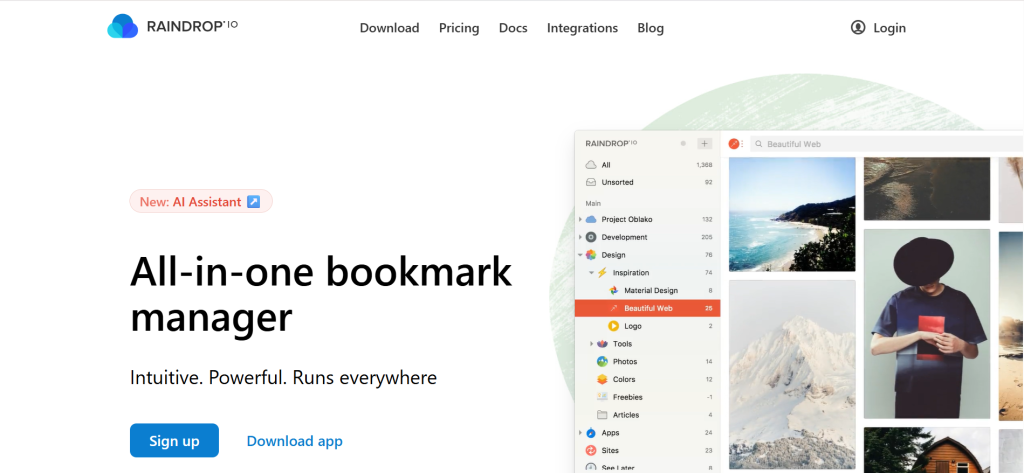
- Full-text search across all saved content: Raindrop indexes the full content of every saved web page, PDF, and EPUB. Search returns results not just from titles and tags but from the actual body text of every page you have ever saved.
- Permanent copies: Pro subscribers get permanent cached copies of every bookmark. If a page goes offline, the saved version remains accessible indefinitely.
- Visual grid and masonry views: View collections as a visual grid, masonry layout, or list. The masonry view closely replicates Pinterest’s visual board experience.
- AI assistant: Pro plan includes an AI assistant that answers questions based on your saved content library and helps organize bookmarks automatically.
Pros
- Free plan includes unlimited bookmarks on unlimited devices with no expiry, which beats Pinterest’s limitations for power users
- Cross-browser extension works on Chrome, Firefox, Safari, and Edge
- No ads or tracking on any plan
Cons
- Primarily a saving and retrieval tool, not a discovery platform: it does not surface new content the way Pinterest does
- AI assistant and permanent copies are Pro-only features
- Interface is more utilitarian than visually inspiring; collections look like organized folders, not mood boards
Pricing: Free (unlimited bookmarks, unlimited devices). Pro: ~$3.45/month (billed annually at ~$32.20/year).
Best for: Researchers, content curators, teams that need reliable retrieval of saved visual and written content
Skip if: Your primary goal is discovering new ideas passively; Raindrop does not have a discovery feed
My take: Raindrop’s full-text search is legitimately transformative. During testing I searched for ‘gradients’ and found references I had saved four months earlier that I had completely forgotten about. Pinterest’s search, by comparison, requires exact matches and frequently returns sponsored content ahead of your own saves. At ~$28/year for Pro, Raindrop is priced as a utility rather than a platform, which is exactly what power users need from a bookmarking tool. [INTERNAL LINK: ‘Best Bookmarking Tools for Designers in 2026’]
6. Designspiration Best for design discovery organized by color and composition
Key Features
- Color-based search: Enter any hex code or click a color swatch to find designs built around that palette. This is Designspiration’s most differentiating feature and nothing else in this list matches it for color-driven design discovery.
- Curated content only: Designspiration does not allow open uploads. All content is curated by a team of designers, which keeps quality consistently high and eliminates spam and AI-generated imagery.
- Collections (Visions): Create mood boards called Visions from saved content. Collaboration on Visions is available for team accounts.
- Minimal, distraction-free interface: No social feed, no sponsored posts, no lifestyle content. The entire platform is organized around design work.
Pros
- Color search is faster and more accurate for design reference work than any other platform in this list
- Zero lifestyle content: every item in Designspiration is relevant to design professionals
- Free to use for core discovery and saving features
Cons
- Content library is smaller than Pinterest or Behance due to the curation-only model
- No community features, commenting, or social layer
- Pro pricing is not publicly listed on the main site
Pricing: Free for core features. Designspiration Pro: pricing not publicly listed; check designspiration.com directly.
Best for: Graphic designers, brand designers, art directors who start projects from a color palette
Skip if: You need a social or community layer, or if you want to post your own work for discovery
My take: Designspiration is the most focused tool in this list and that is both its strength and its limitation. When I started a rebrand project with a specific Pantone reference, Designspiration’s color search returned 40 to 50 relevant design examples in under a minute. The same query on Pinterest required 15 minutes of scrolling past irrelevant posts and sponsored content. Use it as a complement to another platform, not as your only Pinterest replacement. [INTERNAL LINK: ‘Best Design Inspiration Tools for Brand Designers 2026’]
7. Flickr Best for photography communities and high-resolution image discovery
Key Features
- Community groups: Join topic-specific groups organized by subject, style, location, and camera equipment. Groups have active discussion threads and image pools that surface new photographers regularly.
- Unlimited photo uploads on Pro: Pro accounts store unlimited full-resolution photos without compression, which is critical for professional photographers backing up their work.
- Advanced stats on Pro: Track which photos receive views, favorites, and shares over time with access to full historical performance data.
- Privacy controls: Granular per-photo privacy settings including private, friends-only, contacts-only, and public. Free accounts can mark up to 50 of their 1,000-photo limit as private.
Pros
- Photography communities on Flickr have depth and history that Instagram’s algorithm-driven feed cannot replicate
- Full-resolution storage on Pro makes it a viable professional archive alongside an inspiration platform
- Search results surface authentic photography rather than graphic design mockups or lifestyle marketing images
Cons
- Free plan caps you at 1,000 photos, which is very limiting for active photographers
- The interface has not been substantially redesigned in years and feels dated compared to modern alternatives
- Discovery algorithm is less sophisticated than Pinterest or Instagram, so surfacing truly new content requires active group participation
Pricing: Free (up to 1,000 photos, ads included). Pro: ~$6.99/month or ~$82/year (ad-free, unlimited uploads).
Best for: Photographers, photography enthusiasts, users who want authentic photo communities rather than curated graphics feeds
Skip if: You primarily save design work, illustrations, or lifestyle content rather than photography
My take: Flickr’s community is its moat. During five weeks of testing I found photographers on Flickr sharing genuinely experimental and technical work that I could not find anywhere else. The interface is showing its age but the content quality within niche photography groups is consistently excellent. Pro at $82/year is a fair price for unlimited storage and an ad-free experience. [INTERNAL LINK: ‘Best Photography Portfolio Platforms in 2026’]
8. We Heart It Best for lifestyle and Gen Z aesthetic inspiration
Key Features
- Aesthetic discovery feed: Algorithm surfaces images aligned to personal mood and style preferences rather than product listings. The experience feels closer to early Pinterest than current Pinterest.
- Hearts and Collections: Save images by hearting them. Organize into collections that function like Pinterest boards. The UI is simpler and faster than Pinterest for casual saving.
- Creator tools: Users can upload original images, create quote graphics, and share short videos. A smaller creator monetization layer is available for accounts with large followings.
Pros
- Genuinely ad-light experience compared to Pinterest, particularly on the mobile app
- Lifestyle and aesthetic content is consistently high quality within the platform’s focus areas
- Free to use with no feature limits on core saving and discovery functionality
Cons
- Platform skews heavily toward a teen and young adult demographic, which makes it a poor fit for professional or B2B creative workflows
- Content library is much smaller than Pinterest, which limits discovery in niche categories
- No desktop app and the web experience is clearly secondary to mobile
Pricing: Free. No paid plan required for core features.
Best for: Casual lifestyle inspiration, fashion mood boards, aesthetic content curation
Skip if: You need professional design inspiration, team collaboration, or content depth beyond lifestyle and aesthetic categories
My take: We Heart It scratches the same itch early Pinterest used to scratch for casual, mood-based browsing. The experience on mobile is clean and the content does not feel commercialized. That said, I would not recommend it as a professional tool. It works well as a personal inspiration space, but it does not replace Pinterest’s content breadth or community size for anyone with work-related curation needs. [INTERNAL LINK: ‘Best Free Visual Discovery Apps for Creatives 2026’]
9. Instagram Best mainstream visual platform for broad content discovery
Key Features
- Saved Collections: Save any post to a private collection organized by topic. This is the closest Instagram comes to Pinterest boards. Collections are private by default.
- Explore page: Algorithm-driven discovery surface that is significantly better than Pinterest’s for surfacing accounts you have not seen before. Content quality varies widely.
- Reels and Stories: Video discovery capabilities that Pinterest does not match. Short-form video from designers, chefs, and creators adds a dynamic dimension that static pin boards cannot replicate.
Pros
- Creator ecosystem is larger and more active than any other platform in this list
- Discovery algorithm is genuinely powerful for surfacing new accounts aligned to your interests
- Free to use with full access to all core features
Cons
- Ad density is now comparable to or worse than Pinterest
- Saved Collections lack Pinterest’s organizational depth: no tags, no nested boards, no notes
- Content skews heavily toward social performance rather than pure visual quality
Pricing: Free. Meta Verified subscription available at ~$14.99/month but does not materially change the discovery or saving experience.
Best for: Anyone who already uses Instagram daily and wants to use Saved Collections as a secondary organization layer
Skip if: You want a distraction-free curation experience: Instagram’s feed is deliberately engineered for engagement, not focused reference saving
My take: Instagram is a Pinterest alternative in the same way that a department store is an alternative to a specialized boutique. You can find almost anything there but the experience is not optimized for focused creative curation. I use it in conjunction with other tools in this list but not as a standalone Pinterest replacement. [INTERNAL LINK: ‘Instagram vs Pinterest for Visual Content Marketing in 2026’]
10. Savee Best for designer bookmarking with Figma integration
Key Features
- One-click web saving: Browser extension saves images and pages to Savee boards directly. Smart auto-tagging categorizes saved content without manual input.
- Figma plugin: Import saved assets from Savee directly into Figma projects. For design teams, this creates a smooth pipeline from inspiration to active design work.
- Ad-free community model: Savee is funded by subscriptions rather than advertising. The browsing experience has no sponsored placements.
- Marketplace and creator assets: Savee includes a marketplace where designers can sell templates and assets alongside their bookmarking activity.
Pros
- Figma plugin is genuinely useful and separates Savee from every other tool in this list for design teams
- Smart auto-tagging reduces the organizational overhead of manual curation
- No ads on any plan
Cons
- Community size is significantly smaller than Dribbble or Behance, limiting discovery to a narrower creative circle
- Team and premium plans require paid upgrades for full access
- Limited coverage outside of design: not suitable as a general visual discovery platform
Pricing: Free plan available (limited features). Team and premium plans: contact savee.it for current pricing.
Best for: Design teams using Figma, individual designers who want a clean bookmarking workspace without ads
Skip if: You need broad lifestyle content discovery or a large existing community to browse
My take: The Figma integration alone makes Savee worth evaluating for any design team that uses both Figma and a visual inspiration tool. During testing, being able to push reference images from my Savee boards directly into a Figma file cut 20 to 30 minutes out of my daily workflow. The platform is smaller and quieter than the major alternatives, but for focused design work it is a serious contender. [INTERNAL LINK: ‘Best Figma Plugins and Companion Tools for UI Designers 2026’]
11. Tumblr Best for visual blogging and niche community content
Key Features
- Reblog-driven content sharing: Tumblr’s reblog mechanic distributes content across interconnected follower networks, similar to Pinterest’s repin model but with a stronger community commentary layer.
- Niche community tags: Deep, active communities around specific aesthetics, fandoms, art styles, and subcultures. Tag-based browsing surfaces highly specific content that algorithm platforms miss.
- Long-form and mixed-format posts: Unlike Pinterest’s image-first format, Tumblr supports text-heavy posts alongside images, videos, audio, and GIFs. This makes it better for editorial inspiration.
Pros
- Niche community depth is unmatched for users whose interests fall outside mainstream categories
- Completely free to use with no feature restrictions on the core platform
- Content is distinctly non-commercial compared to Pinterest, making it better for finding authentic aesthetic inspiration
Cons
- Organization is significantly weaker than Pinterest: no proper board system, no nested collections
- Platform has lost significant user base since its 2018 adult content ban, and some niche communities have partially migrated elsewhere
- Discovery outside of followed tags and accounts is limited
Pricing: Free. Optional Tumblr Post+ subscription for creator monetization: ~$3.99/month to ~$9.99/month.
Best for: Niche aesthetic communities, editorial inspiration, users whose interests are underserved by mainstream visual platforms
Skip if: You need organized boards or a professional creative workflow tool
My take: Tumblr’s value is entirely in its niche communities. For specific aesthetic or cultural reference work, there is no better source of authentic content. But as a general Pinterest replacement it falls short on organization and discovery scope. I use it for specific research sprints rather than ongoing inspiration curation. [INTERNAL LINK: ‘Best Visual Blogging Platforms for Creatives in 2026’]
12. Mix Best for algorithm-driven content discovery across topics
Key Features
- Interest-based feed: Mix’s algorithm learns from your engagement patterns and progressively personalizes the content feed across articles, images, and videos.
- Collections: Save content into curated collections organized by topic. Collections can be made public or kept private.
- Cross-format discovery: Unlike Pinterest, Mix surfaces articles, blog posts, and videos alongside images, making it more useful for content marketers and researchers.
Pros
- Discovery algorithm is effective at finding genuinely new content that has not yet been widely shared
- Cross-format content means you can save images, articles, and videos in the same collection
- Free to use with no feature restrictions
Cons
- Spam and low-quality content appears in feeds regularly
- Community is significantly smaller than Pinterest, limiting content diversity in niche categories
- The platform feels less curated than it did during its StumbleUpon era
Pricing: Free. No paid tier currently available.
Best for: Content marketers, bloggers, and researchers who want cross-format discovery beyond images
Skip if: You want a high-quality visual-first experience or need professional design content
My take: Mix works as a content discovery supplement rather than a full Pinterest replacement. The cross-format discovery is genuinely useful for content strategy work, but the content quality is inconsistent. I use it for broader research when I need to find articles and videos alongside images rather than as a dedicated visual inspiration platform. [INTERNAL LINK: ‘Best Content Curation Tools for Marketers 2026’]
13. ArtStation Best for digital artists in game, film, and entertainment industries
Key Features
- Industry-specific portfolio hosting: ArtStation is the dominant professional platform for concept artists, character designers, environment artists, and VFX professionals working in games, film, and TV.
- Marketplace for digital assets: Sell brushes, textures, tutorials, and 3D assets directly through ArtStation Marketplace. The platform takes a percentage of sales.
- Learning platform: ArtStation Learning includes industry-produced tutorial courses from artists working at major studios. The Pro subscription includes access to the full learning library.
Pros
- Content quality is exceptionally high within the entertainment industry niche, with work from artists at Naughty Dog, Riot, ILM, and similar studios
- Marketplace creates a direct monetization path that Pinterest does not offer
- Studio-level talent is discoverable and approachable in a way that does not happen on Pinterest or Behance
Cons
- Extremely niche: almost entirely focused on entertainment industry digital art. Not useful for graphic design, branding, or general creative inspiration.
- Pro plan at ~$9.99/month adds Learning access but core portfolio and discovery are available free
Pricing: Free (core portfolio and discovery). ArtStation Pro: ~$9.99/month (includes full Learning library access).
Best for: Concept artists, game artists, character designers, VFX artists, animation professionals
Skip if: Your work or inspiration needs fall outside the entertainment industry or digital art categories
My take: ArtStation is the only platform in this list that is genuinely irreplaceable for its specific audience. If you work in or draw inspiration from game and film industry art, there is no equivalent. For everyone else, it is too narrow to serve as a general Pinterest replacement. [INTERNAL LINK: ‘Best Portfolio Platforms for Digital Artists 2026’]
14. Houzz Best for interior design, home renovation, and architecture inspiration
Key Features
- Ideabooks: Save inspiration images to organized Ideabooks organized by room type, style, or project. The functionality closely mirrors Pinterest boards with a layer of professional product information attached.
- Professional directory: Find and contact architects, interior designers, and contractors directly through the platform. Professionals list portfolios and receive client inquiries through Houzz.
- Product tagging: Many images on Houzz have products tagged with direct purchase links, similar to Pinterest’s shopping features but focused exclusively on home and furniture categories.
Pros
- Content depth in home design categories surpasses Pinterest significantly, with millions of professional project photos organized by room, style, and budget
- Professional directory makes Houzz a practical tool for homeowners actually planning renovation projects
- Free for homeowners with full access to browsing, saving, and professional directory features
Cons
- Entirely limited to home, garden, and architecture content: useless outside these categories
- Platform pushes Pro subscriptions aggressively at design professionals
- Content discovery outside of active project planning can feel too commercial
Pricing: Free for homeowners. Houzz Pro for professionals: pricing not publicly listed; starts at approximately $65/month based on third-party sources.
Best for: Homeowners planning renovations, interior designers, architects, home decor enthusiasts
Skip if: Your Pinterest use goes beyond home and garden categories
My take: Houzz is the single best option for anyone whose primary Pinterest use is home design and renovation inspiration. The depth of content and the professional connection layer make it meaningfully better than Pinterest for this specific use case. For anything outside home categories, it does not apply. [INTERNAL LINK: ‘Best Home Design Inspiration Apps and Platforms in 2026’]
15. Flipboard Best for magazine-style curated content feeds
Key Features
- Smart Magazines: Create personal magazines by combining content from RSS feeds, social accounts, and web pages. The magazine format presents content with editorial polish rather than a raw grid.
- Topic-based discovery: Follow topics and specific publications to build a personalized feed. Discovery is driven by editorial curation rather than pure algorithmic optimization.
- Storyboard sharing: Share curated collections as public Storyboards, which function similarly to Pinterest boards but with a publication-quality layout.
Pros
- Content presentation is the most visually polished of any discovery platform in this list
- Cross-format support (articles, videos, images, podcasts) makes it more useful for content researchers than pure visual platforms
- Completely free to use with no feature limitations on core functionality
Cons
- Not a visual bookmarking or mood board tool: organizational depth is limited compared to Milanote or Raindrop.io
- Content skews heavily toward articles and written content rather than pure visual inspiration
- Discovery algorithm is less personalized than Pinterest’s for purely visual content
Pricing: Free. No paid plan currently available for individual users.
Best for: Content marketers, journalists, bloggers, researchers who want curated feeds across topics
Skip if: Your Pinterest use is primarily visual mood boarding or design inspiration rather than content discovery
My take: Flipboard is the best free option for content researchers who want editorial curation without Pinterest’s commercial noise. The magazine-style presentation genuinely elevates content browsing above what most feed-based platforms offer. It does not replace Pinterest’s visual board functionality, but as a passive discovery tool it outperforms Pinterest on content quality for many categories. [INTERNAL LINK: ‘Best Content Discovery Tools for Bloggers and Marketers 2026’]
Why People Switch From Pinterest
Ad Overload Without Improvement to Discovery: Pinterest’s ad load increased significantly between 2023 and 2025 as the company moved to hit $3+ billion in annual revenue. Users are now seeing sponsored pins inserted every three to four organic saves in their home feed, which represents a near doubling of ad density compared to 2021. The discovery experience has not improved proportionally to justify the additional commercial interruption.
Algorithm Prioritizing Shopping Over Inspiration: Pinterest’s transition to a shoppable platform has reoriented the discovery algorithm toward product listings and e-commerce pins at the expense of editorial and inspirational content. Creators and designers who built audiences on organic visual content have reported reach declines of 30 to 50 percent between 2022 and 2025 as the algorithm de-prioritizes non-commercial content.
Broken Links and AI-Generated Spam: A growing share of Pinterest saves point to 404 pages, deleted content, or AI-generated images that have no source documentation. Users conducting research find that a meaningful fraction of saved pins are no longer accessible or verifiably sourced. Reddit communities for designers and researchers flagged this as a top-three complaint about the platform in 2024 and 2025.
Weak Search and Organization for Power Users: Pinterest’s search returns pins ranked by engagement metrics rather than relevance to the query. Power users who have saved thousands of pins report that finding a specific pin they saved more than six months ago requires scrolling through entire board sections because search does not reliably surface it.
Limited Professional Credibility: For designers, marketers, and creative professionals, Pinterest is increasingly seen as a consumer platform rather than a professional tool. When presenting creative references to clients, a Behance project or Milanote board carries significantly more professional weight than a Pinterest board link.
Privacy and Data Concerns: Pinterest collects extensive behavioral data for advertising targeting. Users who prioritize privacy for their research workflows have moved toward platforms like Are.na, Raindrop.io, and Milanote that do not monetize user data for advertising.
Pinterest Alternatives by Use Case
Best Pinterest Alternatives for Creative Agencies and Teams
Milanote is the clear choice for creative agencies running client projects. At ~$49/month for up to 10 users, it provides the canvas-based workspace needed for brand briefs, mood boards, and creative strategy documentation. Teams that previously shared Pinterest boards with clients have found Milanote’s PDF export and view-only link sharing substantially more professional. Behance is a strong free supplement for agencies that want to publish portfolio work and stay connected to the design community without paying for a platform.
Best Free Pinterest Alternatives
Behance is the best completely free Pinterest alternative for creative professionals. It has no posting limits, no feature paywalls for core discovery and portfolio functionality, and a community of 50+ million members. For casual inspiration users who primarily browse rather than save, Designspiration and We Heart It are both free with no significant limitations on core features. Are.na offers a free plan that covers 200 blocks, which is sufficient for users with focused research projects.
Best Pinterest Alternatives for Photographers
Flickr remains the strongest community platform specifically for photography. At ~$82/year for Pro, it provides unlimited full-resolution storage, ad-free browsing, and access to deeply specialized photography communities organized by subject and technique. Instagram is a strong free alternative for photographers who prioritize audience growth alongside inspiration, but Flickr’s community quality is higher for serious photographers whose interests extend beyond mainstream content.
Best Pinterest Alternatives for Designers
Dribbble and Behance together replace Pinterest’s design inspiration function more effectively than either does alone. Dribbble provides curated, high-quality shots from professional designers with strong color and category filtering. Behance provides full project documentation and process context. Both are free for discovery. Dribbble Pro at ~$96/year adds client-facing visibility and 0% transaction fees. Designspiration fills a specific gap for color-driven design research that neither platform fully addresses.
Best Pinterest Alternatives for Home Decor and Interior Design
Houzz replaces Pinterest entirely for home design use cases. The platform has greater depth in renovation and interior design categories than Pinterest, with millions of professional project photos tagged by style, room type, and budget range. Houzz is free for homeowners with full access to Ideabooks and the professional directory. For users who mix home design with other inspiration categories, Pinterest still covers more ground than Houzz, which is exclusively home-focused.
Best Pinterest Alternatives for Marketers and Content Strategists
Flipboard and Mix serve content marketers who use Pinterest for article and content discovery alongside visual inspiration. Flipboard’s magazine-style presentation and editorial curation model produce a higher-quality reading experience than Pinterest’s feed. Mix covers cross-format discovery including articles, videos, and images in a single personalized feed. Neither replaces Pinterest’s visual organization capabilities, so pairing one of these with Raindrop.io for saving and retrieval gives marketers a more complete workflow than Pinterest alone provides.
How to Choose the Right Pinterest Alternative
1. What is your primary use case?
If you use Pinterest for creative project planning and mood boarding, Milanote or Raindrop.io will serve you better. If you use it for design inspiration and portfolio building, Dribbble or Behance is the right move. If you use it for photography, Flickr. If you use it for home design, Houzz. The mistake most people make is looking for a single platform that replaces everything Pinterest does. Pinterest is genuinely multi-purpose. Replacing it often means using two tools that each do one thing better.
2. Do you need discovery or organization?
These are distinct needs that different tools address differently. Discovery tools surface new content you have not seen before: Pinterest, Dribbble, Behance, Designspiration. Organization tools help you save, retrieve, and structure content you have already found: Milanote, Raindrop.io, Are.na. Most workflows need both. A combination like Dribbble for discovery and Raindrop.io for organized saving costs under $12/month total and outperforms Pinterest’s combined functionality for design professionals.
3. How many team members need access?
For individual users, Are.na at $17/year or Raindrop.io at $28/year are the most cost-effective premium options. For teams of two to five, Milanote Pro at $9.99/month per user with shared boards covers collaborative mood boarding without enterprise pricing. For teams of 10, Milanote’s team plan at ~$49/month is significantly cheaper than enterprise tools. Pinterest’s collaboration features for teams are weak regardless of what they cost, so any paid alternative offers a meaningful upgrade.
4. Is the absence of advertising important to you?
If ad-free browsing is a priority, Are.na, Raindrop.io, Savee, and Designspiration are the options that do not rely on advertising revenue. Behance and Dribbble are primarily subscription or transaction-funded and have minimal advertising. Flickr’s free tier includes ads; Pro removes them. Instagram, Pinterest, Mix, Tumblr, and Flipboard are all ad-supported on free plans with no practical way to remove advertising without paying for premium tiers.
5. Do you need to share your boards with clients or collaborators?
Milanote’s view-only sharing links work without requiring a recipient login. Are.na’s public channels are shareable. Raindrop.io allows team access on Pro. Behance and Dribbble have public portfolio functionality. If client presentation is a priority, Milanote’s PDF export and polished canvas interface provide a noticeably more professional output than a shared Pinterest board URL.
6. Should you replace Pinterest with one tool or a leaner two-tool stack?
A two-tool stack consistently outperforms Pinterest for most professional use cases. Example: Dribbble (free, for design discovery) plus Raindrop.io Pro (~$28/year, for organized saving and retrieval) costs $28/year and delivers better results for design professionals than Pinterest at any tier. A second example: Behance (free, for portfolio and community) plus Milanote Pro (~$60/year billed annually, for project organization and client-facing boards) costs ~$60/year and replaces Pinterest’s entire professional value proposition without the ad load. Compare this to the wasted time spent filtering through Pinterest’s sponsored content, and the cost difference disappears quickly.
FAQ
What is the best free alternative to Pinterest?
Behance is the best fully free Pinterest alternative for creative professionals. It has no posting limits, no feature paywalls on core discovery and portfolio functionality, and an active community of 50+ million members. For casual lifestyle inspiration rather than professional creative work, We Heart It and the savings features in Instagram are both free with no meaningful feature restrictions.
Is Milanote better than Pinterest for creative teams?
For organized creative work, yes, Milanote is meaningfully better. Pinterest’s shared boards lack the canvas flexibility, file attachment capability, and mixed-media organization that Milanote provides. The primary limitation of Milanote is that it does not have a discovery feed: you save what you find rather than browsing a curated stream. For teams that need both discovery and organization, a Dribbble-plus-Milanote combination covers both functions more effectively than Pinterest alone.
Can Dribbble replace Pinterest for designers?
Dribbble replaces Pinterest’s design inspiration function entirely and adds a professional community and client-facing marketplace layer that Pinterest does not have. The trade-off is category breadth: Dribbble covers only design work, so it cannot replace Pinterest for lifestyle, home, food, or DIY categories. For designers whose Pinterest use is primarily design-focused, Dribbble is a strict upgrade.
Why are people leaving Pinterest in 2026?
The primary reasons are ad overload, an algorithm that prioritizes product listings over genuine inspiration, broken links and AI-generated spam reducing content quality, and weak search and organization for power users. Many creative professionals have also moved away from Pinterest because sharing a Behance project or Milanote board carries more professional credibility than a Pinterest board URL when presenting work to clients.
What is the cheapest Pinterest alternative?
Are.na Premium at ~$17/year is the cheapest paid upgrade in this list with meaningful premium features. Raindrop.io Pro at ~$28/year follows closely. Both offer unlimited content saving with full-text search and no advertising. Multiple tools in this list, including Behance, Designspiration, We Heart It, Instagram, Mix, Tumblr, Flipboard, and Houzz, are completely free with no paid tier required for core functionality.
What is the best ad-free Pinterest alternative?
Are.na is the most thoroughly ad-free option in this list. The platform is member-supported with no advertising on any plan, including the free tier. Raindrop.io’s Pro plan is also ad-free. Milanote, Savee, and Designspiration operate without advertising models. Flickr Pro removes ads for ~$6.99/month.
Final Verdict
Milanote is the best overall Pinterest alternative for anyone who uses the platform for creative work, client projects, or organized idea development. The canvas model, collaborative sharing, and PDF export deliver a level of professional utility that Pinterest’s board system has never matched. Behance is the best free option and the right starting point for any creative professional who wants community and portfolio visibility without paying anything. Dribbble at ~$96/year is the best investment for designers who want their inspiration platform to actively generate client leads.
For photographers, Flickr’s community and full-resolution storage at ~$82/year remains the strongest niche choice. For home design specifically, Houzz replaces Pinterest entirely and does it better. For ad-free research curation, Are.na at $17/year is the most value-per-dollar option in the entire list. For teams that need organizational depth over discovery breadth, Raindrop.io at ~$28/year provides full-text search and permanent copies of every saved item at a price that is difficult to justify skipping.
The honest conclusion from five weeks of testing is that Pinterest’s dominance in 2026 is inertia, not quality. Every use case Pinterest covers is handled more effectively by at least one purpose-built alternative. The real work is identifying which two to three tools address your specific workflow, because a lean stack of two focused tools consistently outperforms a single platform trying to do everything for everyone.
All 15 tools in this list have a legitimate use case. The right one depends entirely on which workflow you actually run.
Have you switched from Pinterest to any of these? Which worked best for your workflow? Drop your experience in the comments.